How Jifeng WMS Prints Labels via ShipBest
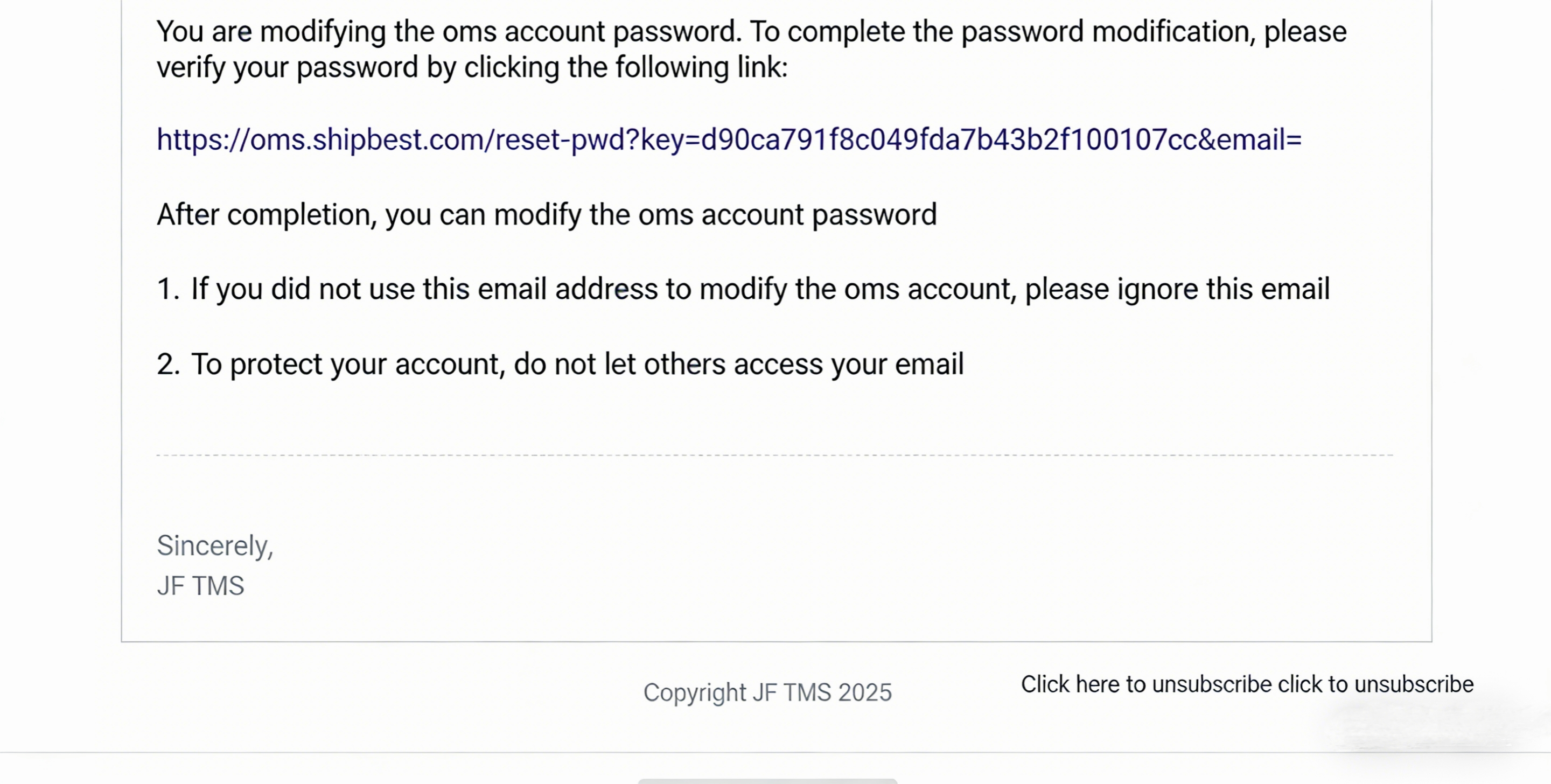
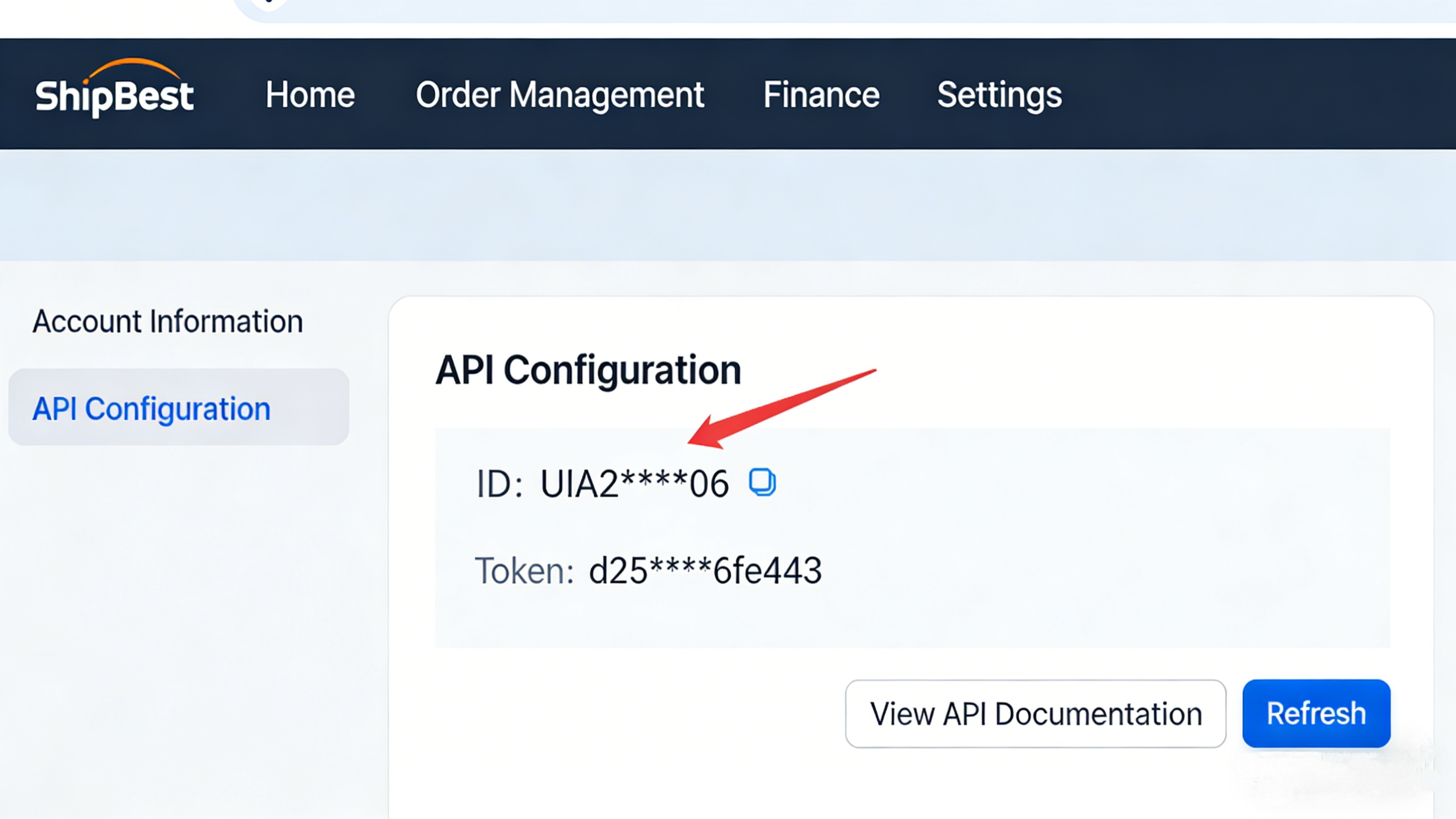
Obtain Shipbest ID and Token Contact the logistics provider to get them. Once the provider completes your account setup, you will receive your ID and Token. Alternatively, log in to Shipbest’s OMS to obtain them after account activation. You will receive an account-opening email from the logistics provider upon successful setup—register and activate your account accordingly.
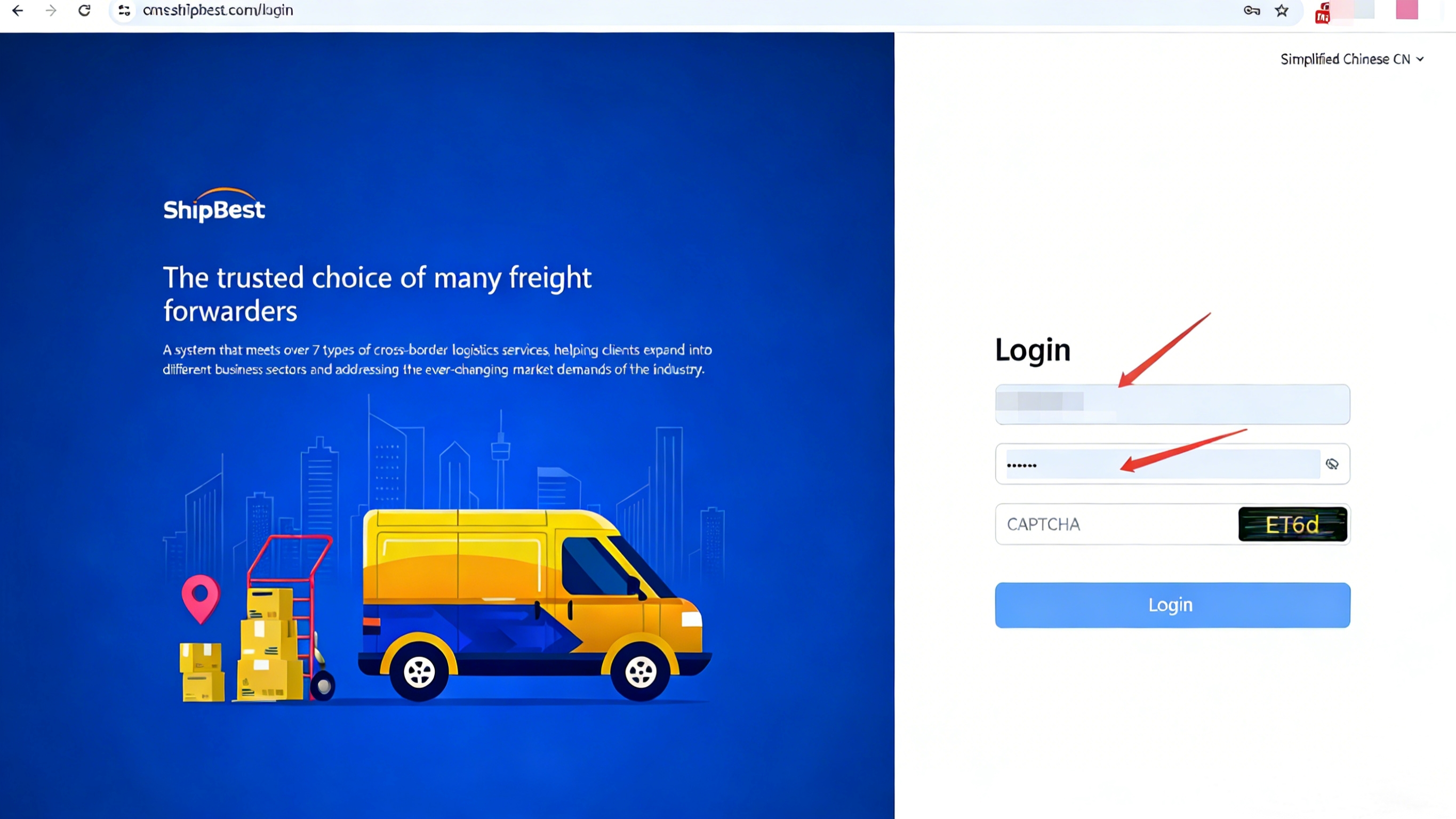
Go to Settings, enter the API configuration page.
Log in to Jifeng WMS, and navigate to the Logistics > Logistics Provider Management page.
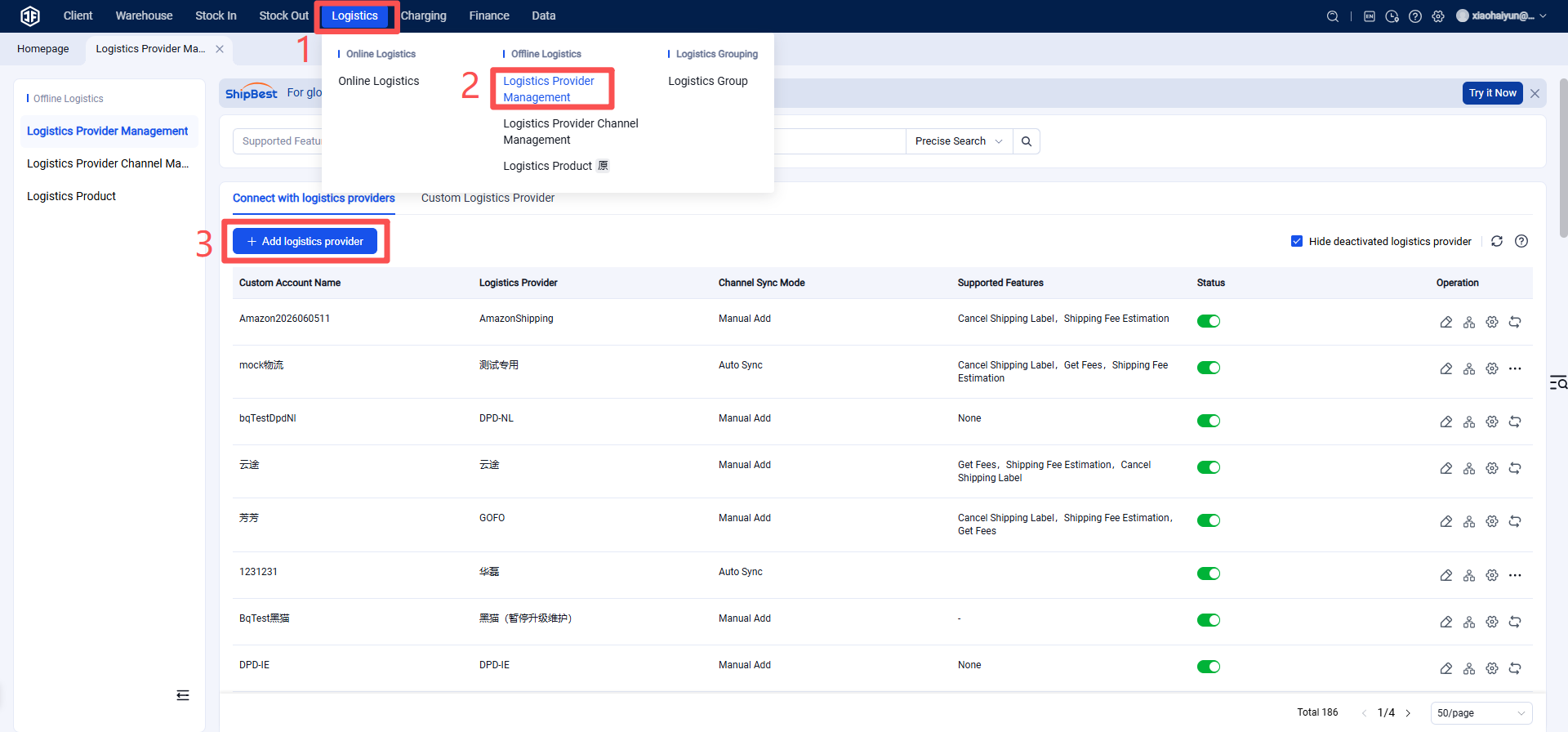
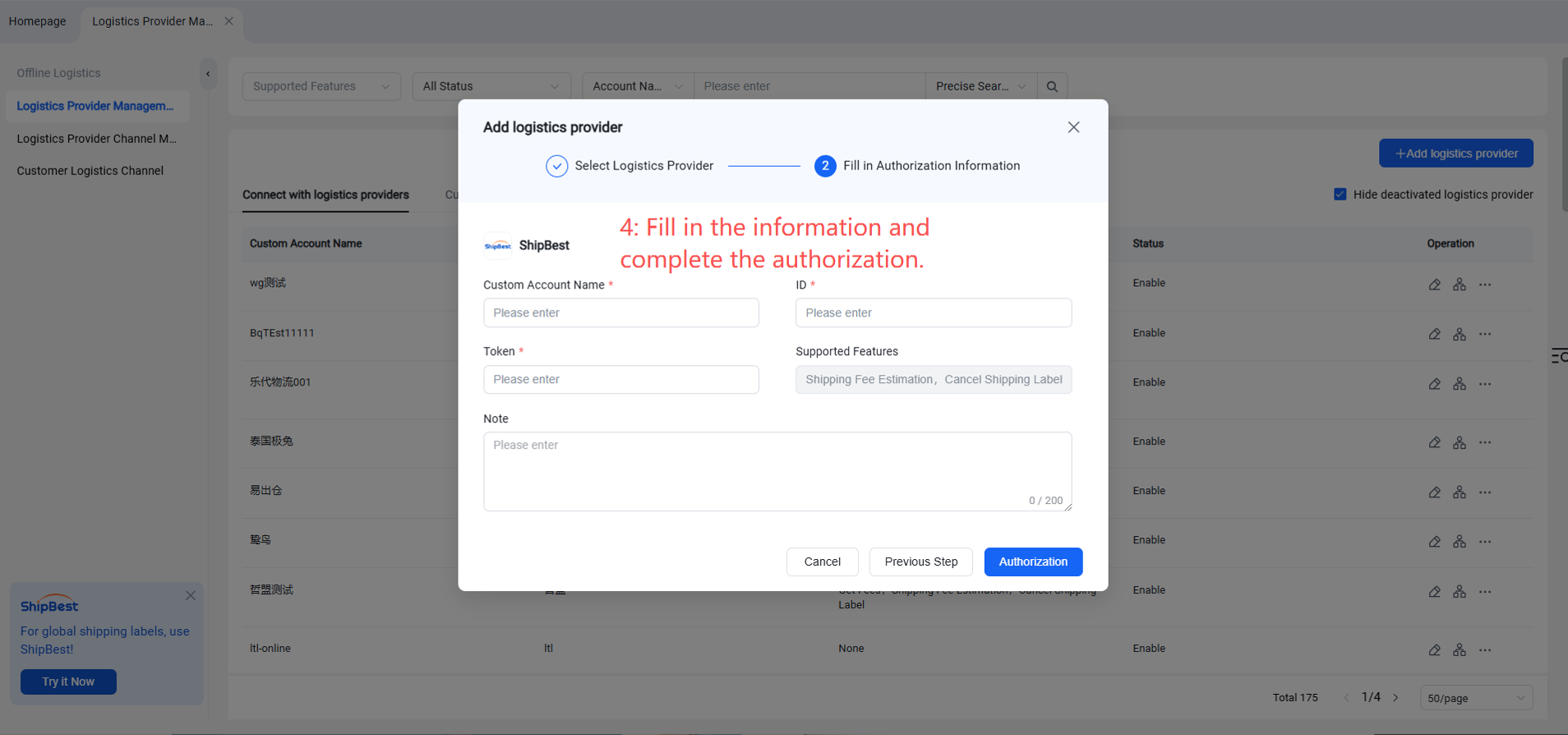
Add logistics provider, select "shipbest" under "Logistics Provider," paste the ID and Token obtained above, and click Authorize.
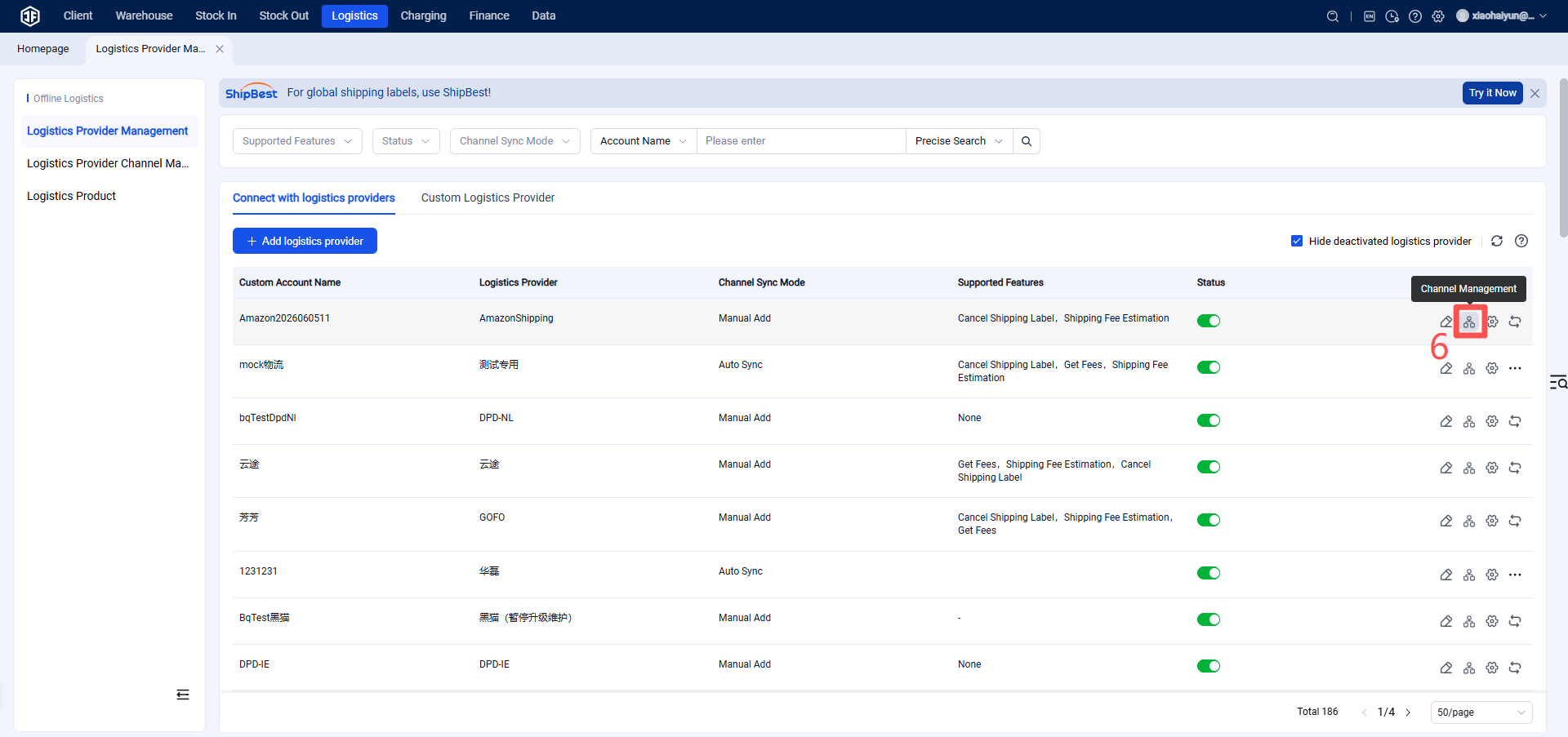
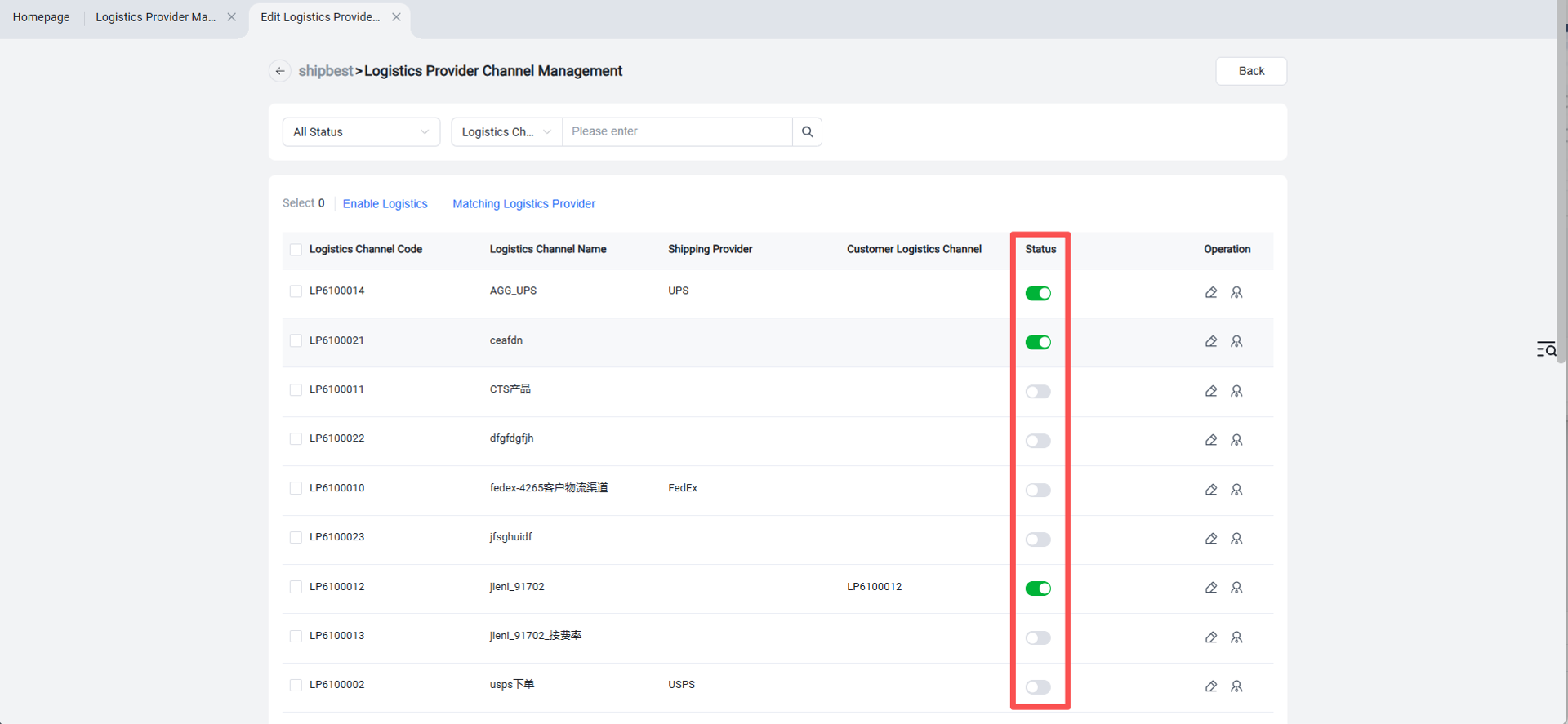
After completing the authorization, click the "Channel Management" button to enable the logistics channel.
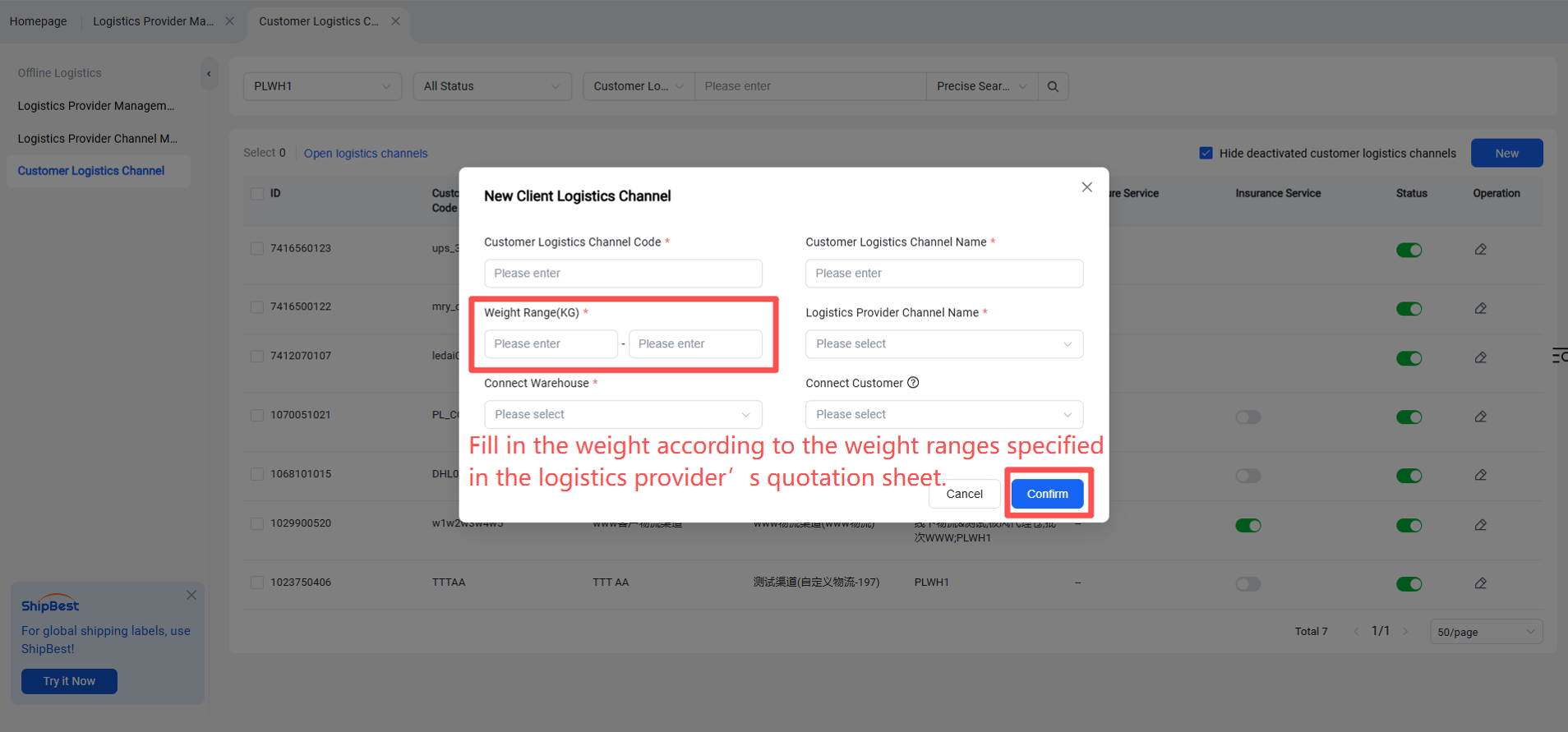
Open the "Customer Logistics Channels" page and click the "Add" button.