Logistics Channel Configuration: Shipping Address Setup
I. Definition
Some logistics providers require a specific warehouse address for their shipping channels. You can configure shipping addresses for different channels, so that when a seller selects such a channel for shipping, the corresponding address will be validated.
II. Operation Process
There are three ways to add a shipping address: through Business Settings, through the Logistics Provider Management list, and through the Logistics Provider Channel Management list. Let’s look at each:
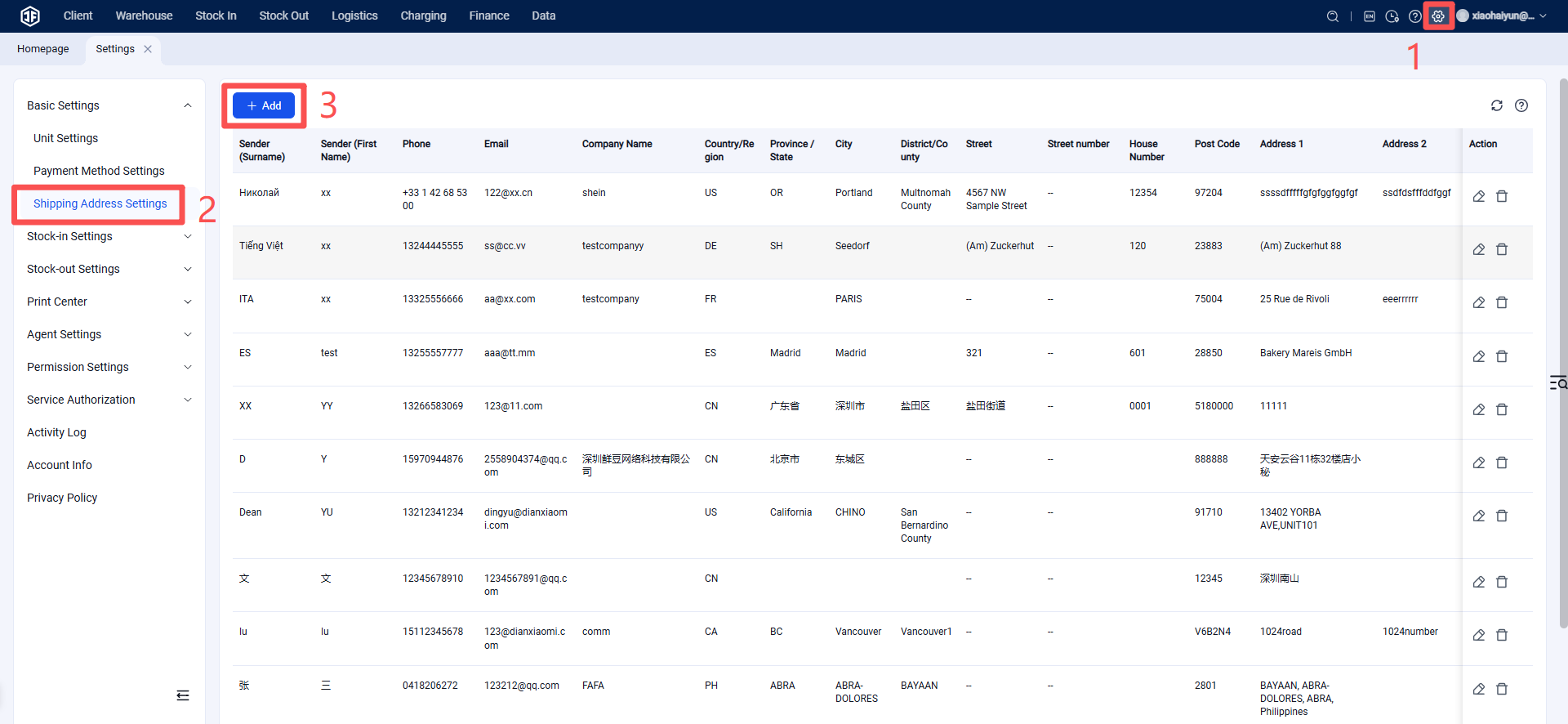
Method 1: Set Shipping Address via Business Settings
Settings > Business Settings > Shipping Address
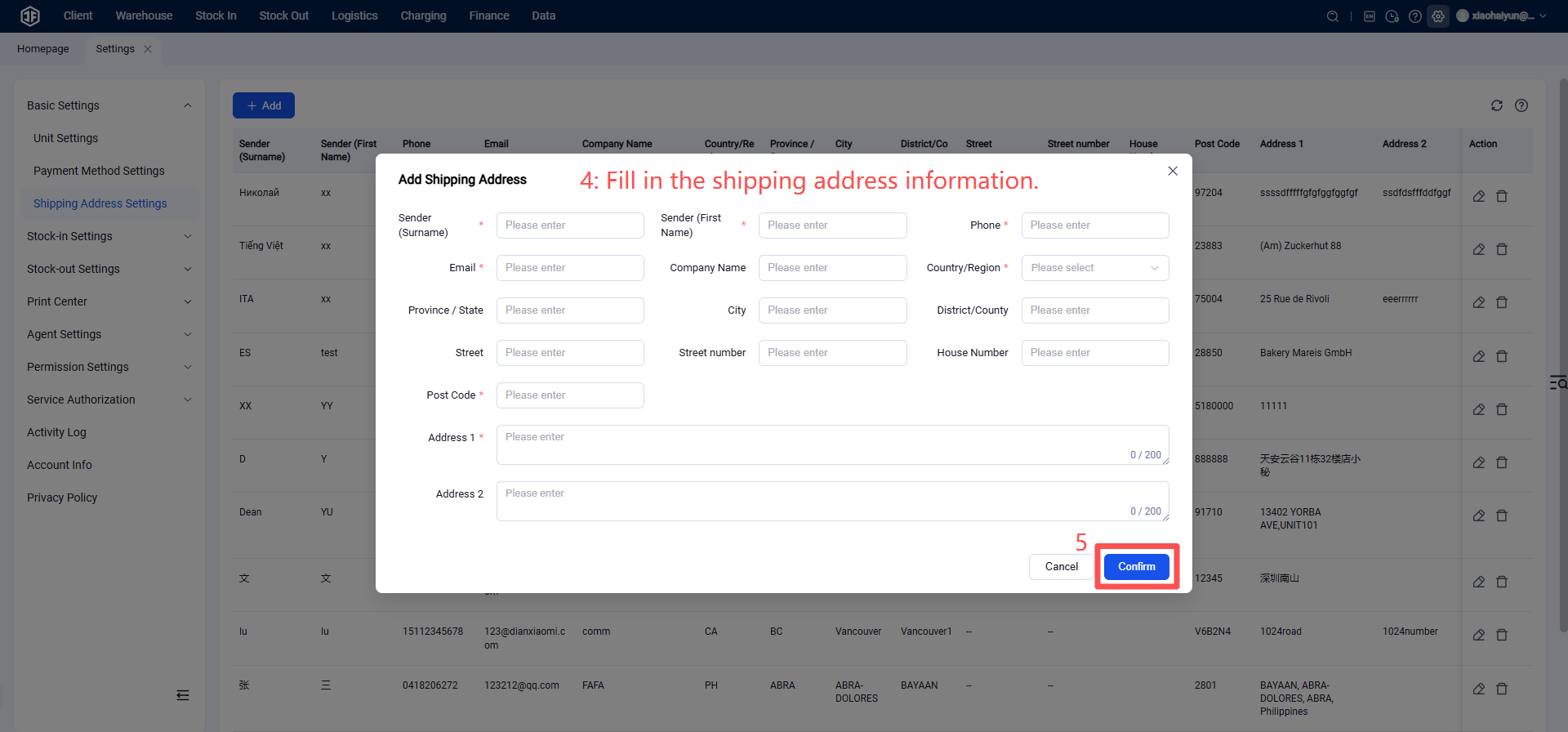
Field Description:
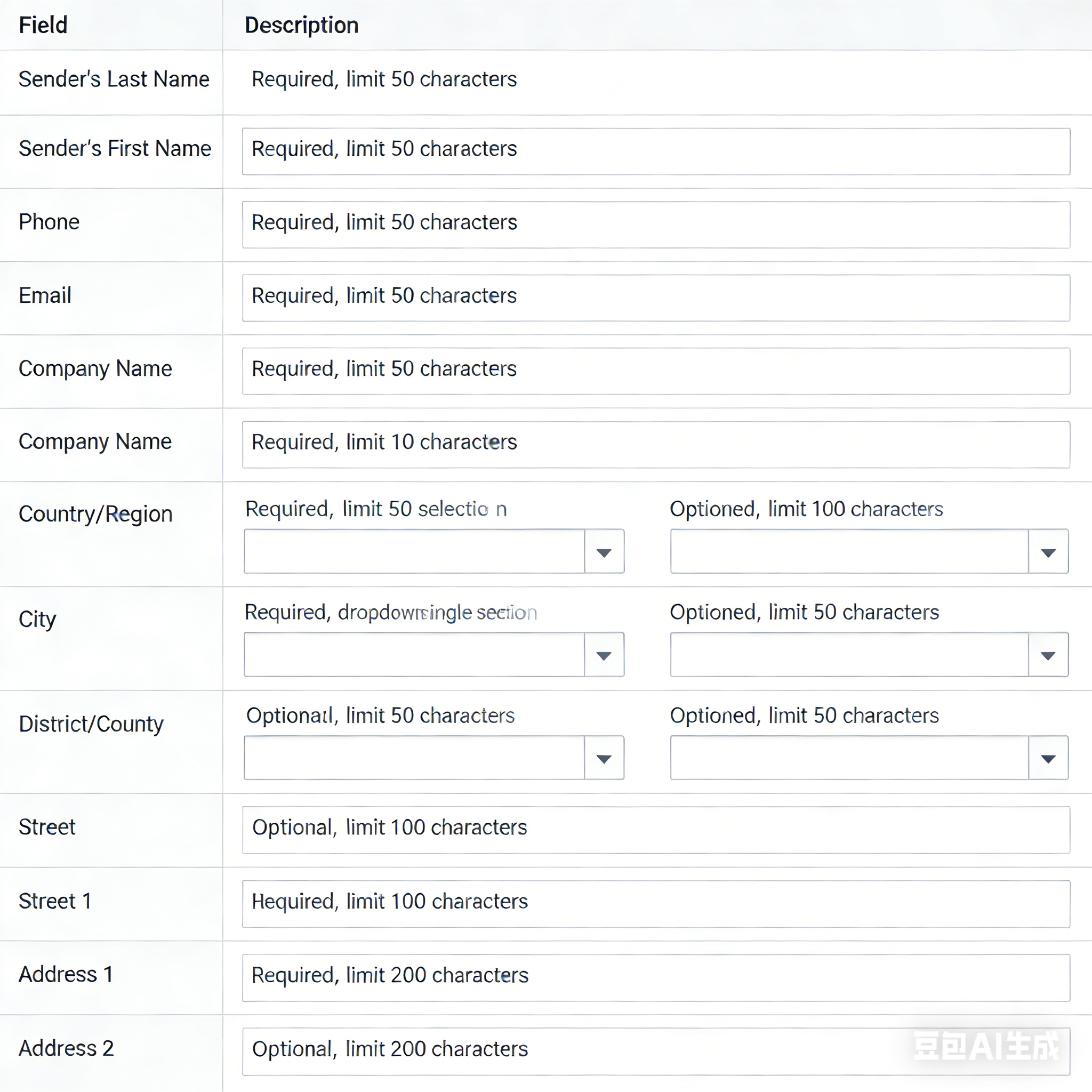
Method 2: Add Shipping Address via Logistics Provider Management List
(Applies to all channels under this logistics provider)
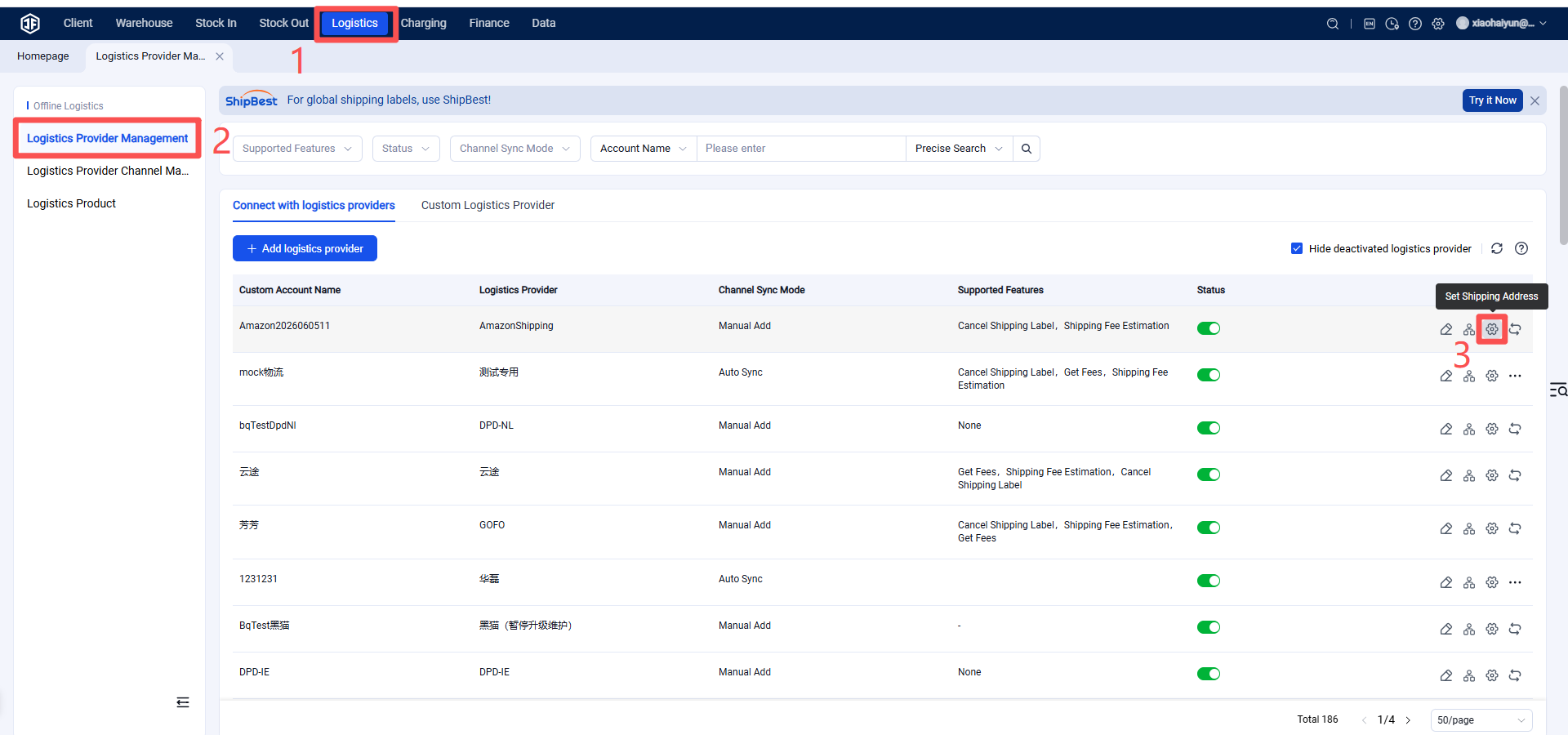
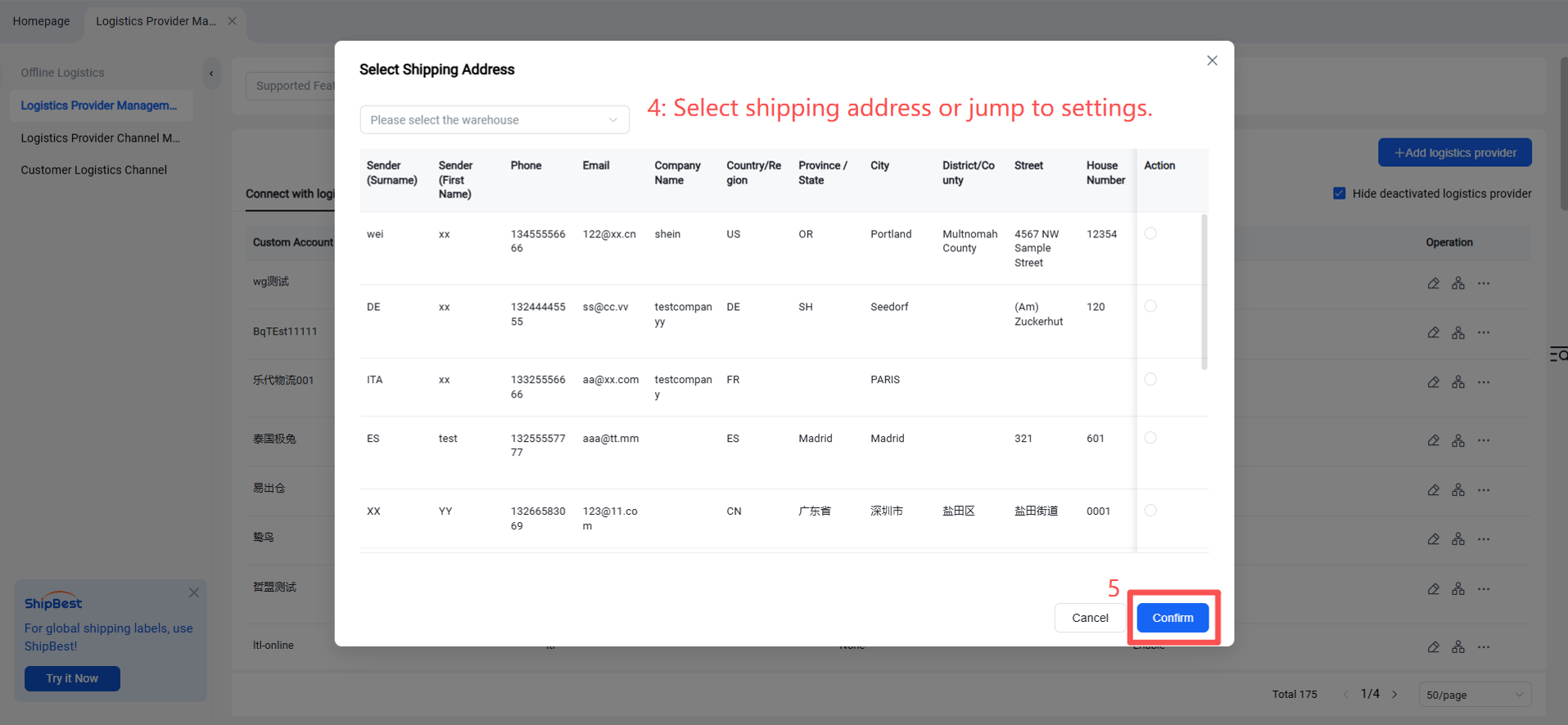
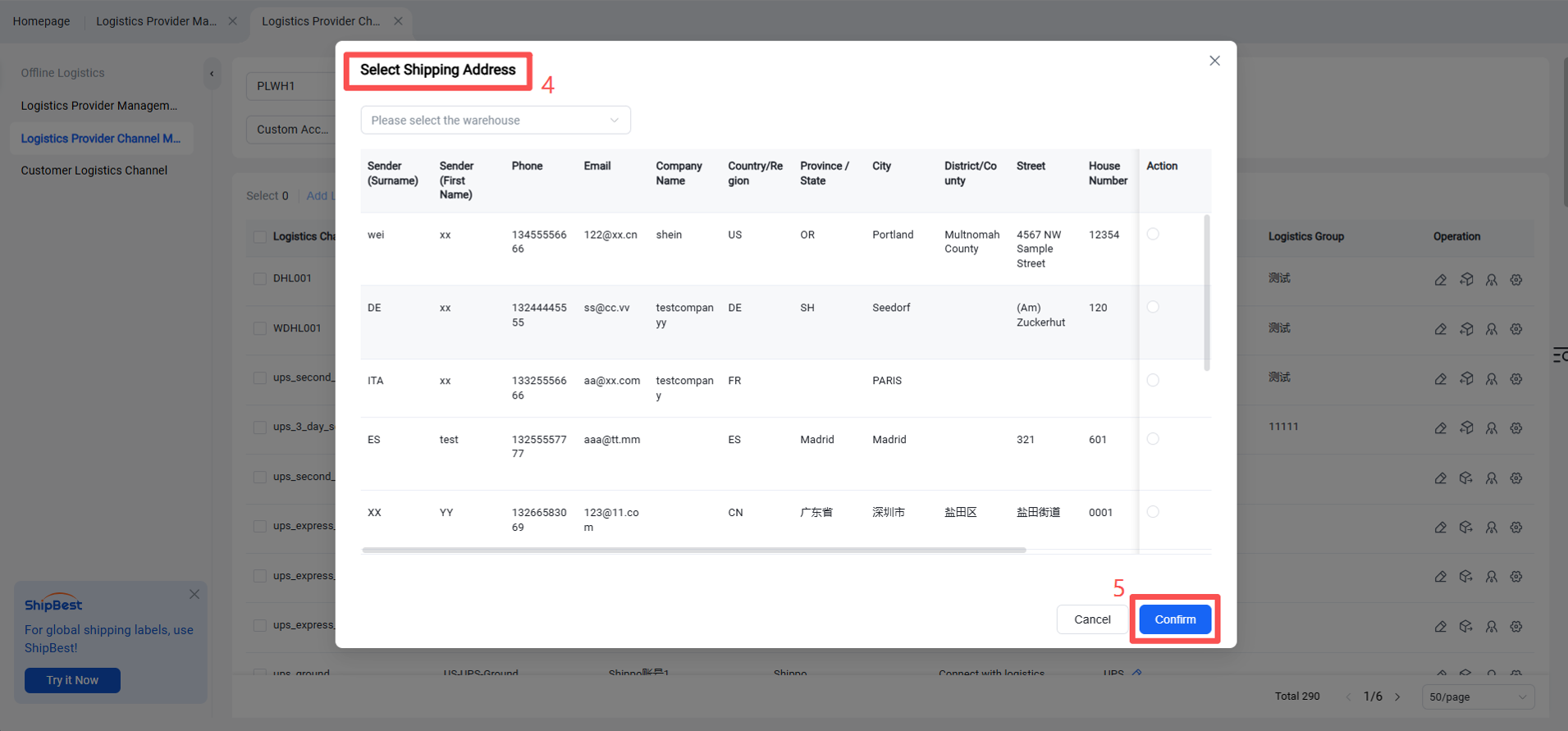
(1) Warehouse Selection: Required, multiple‑select dropdown showing all authorized warehouse names.
If all authorized warehouses already have shipping addresses configured, the dropdown will be empty.
(2) Address Selection: Required, displays shipping addresses already added in the shipping address settings. If none are available, a prompt will appear: “You can go to the Shipping Address Settings page to add one.”
Once the shipping address is confirmed, all logistics channels under this provider will use this address as the shipping address when used in the selected warehouse.
This means the logistics provider can assign different shipping addresses for different warehouses, and the system will determine which address to use based on the warehouse.
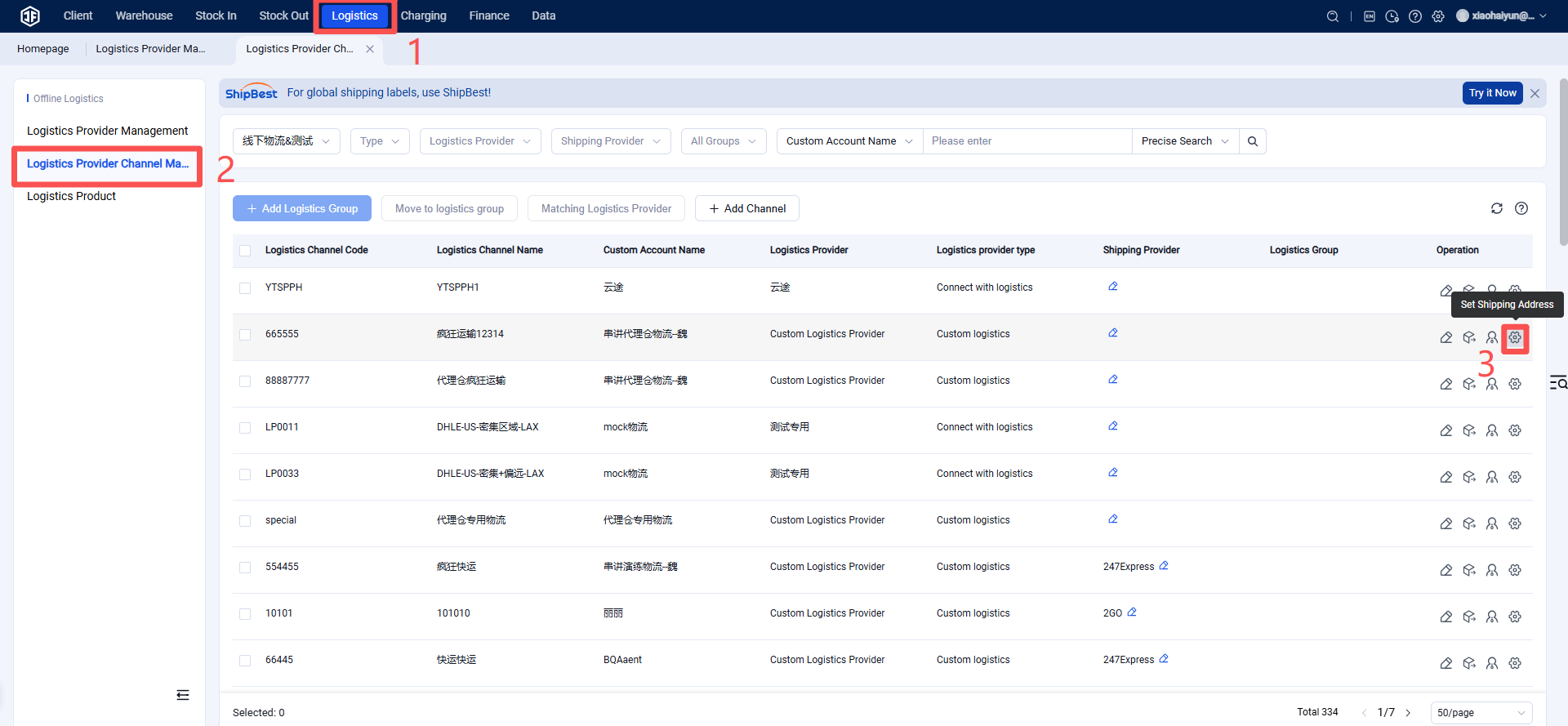
Method 3: Add Shipping Address via Logistics Provider Channel Management List
(Applies only to this specific channel)