Add System-Integrated Logistics Channels
I. Definition
Jifeng WMS is integrated with multiple mainstream global logistics channels, enabling real‑time data exchange between logistics providers and the WMS. It directly retrieves shipping labels and tracking numbers from logistics providers, and prints labels for different carriers directly through the WMS. If the logistics channels used by the warehouse are already integrated with the system, system‑integrated logistics channels can be added directly.
II. Operation Path
Step 1: Add a Logistics Provider
Warehouse Terminal (WMS) > Logistics > Logistics Provider Management > Integrated Providers > Add Provider > Select a logistics provider already integrated by Jifeng, fill in provider information and credentials (the required information varies by provider) > Click Authorize.
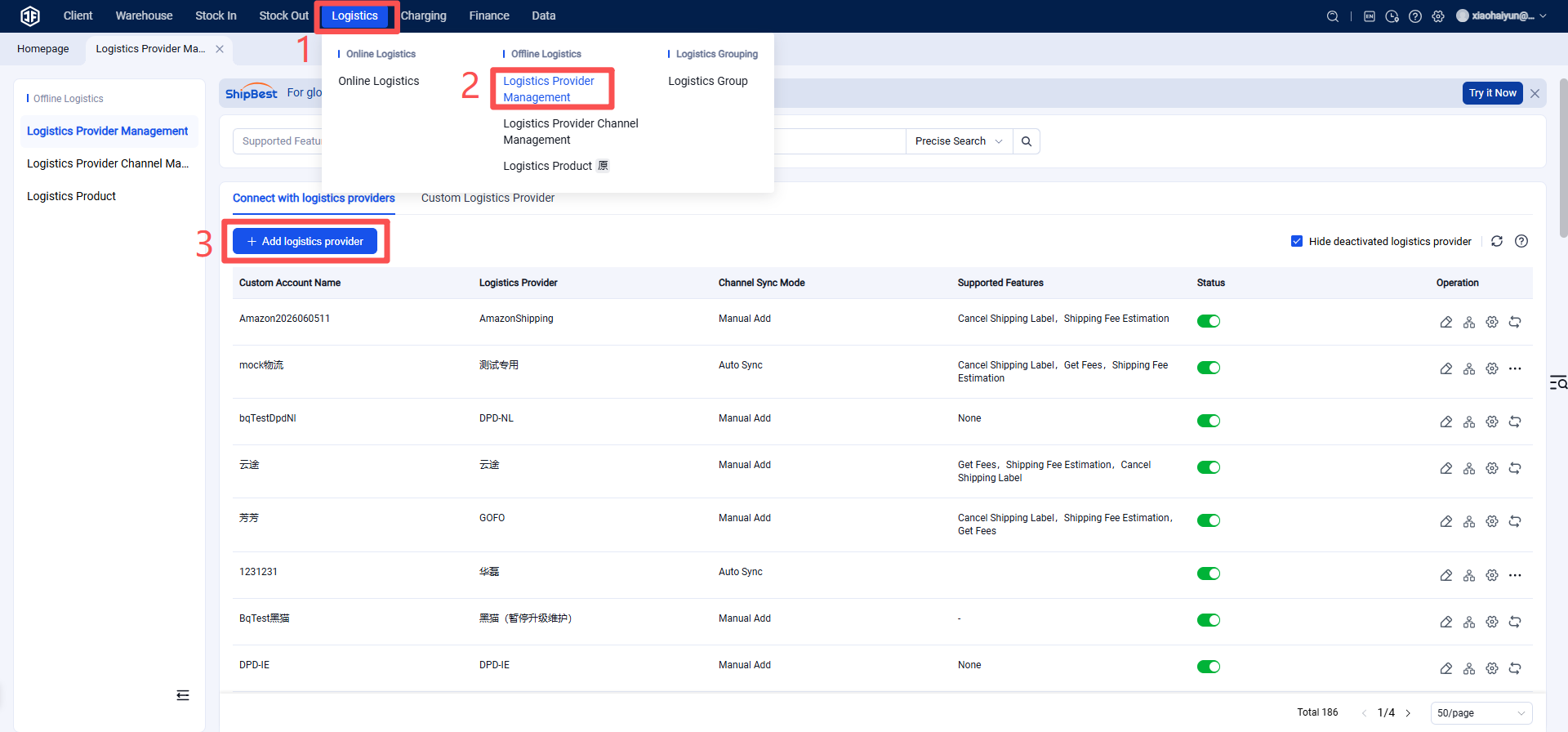
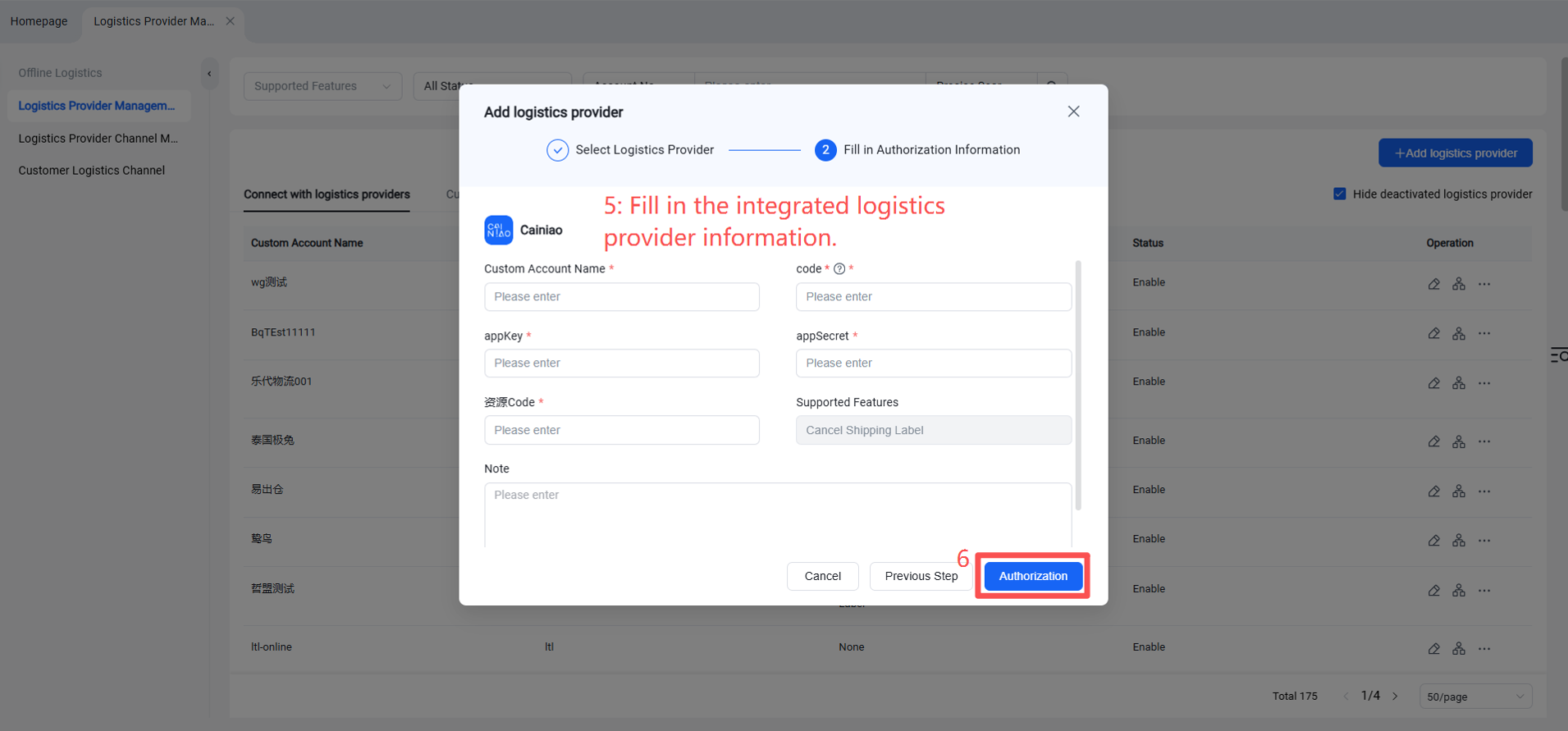
Step 2: Add Logistics Provider Channel
Operation Path: Logistics Provider Management > Channel Management > Add Channel > Fill in Channel Code, Name, select Carrier > Confirm.
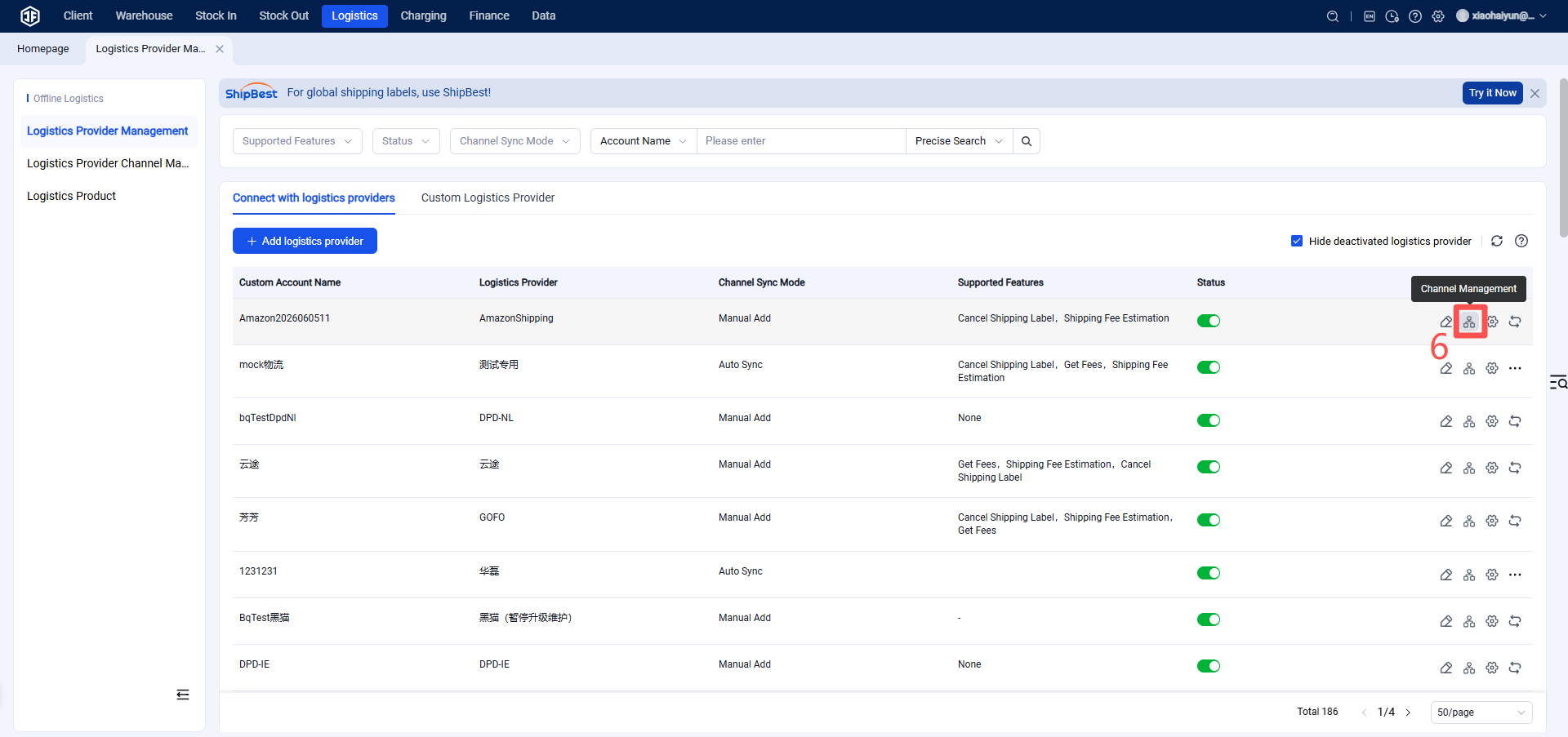
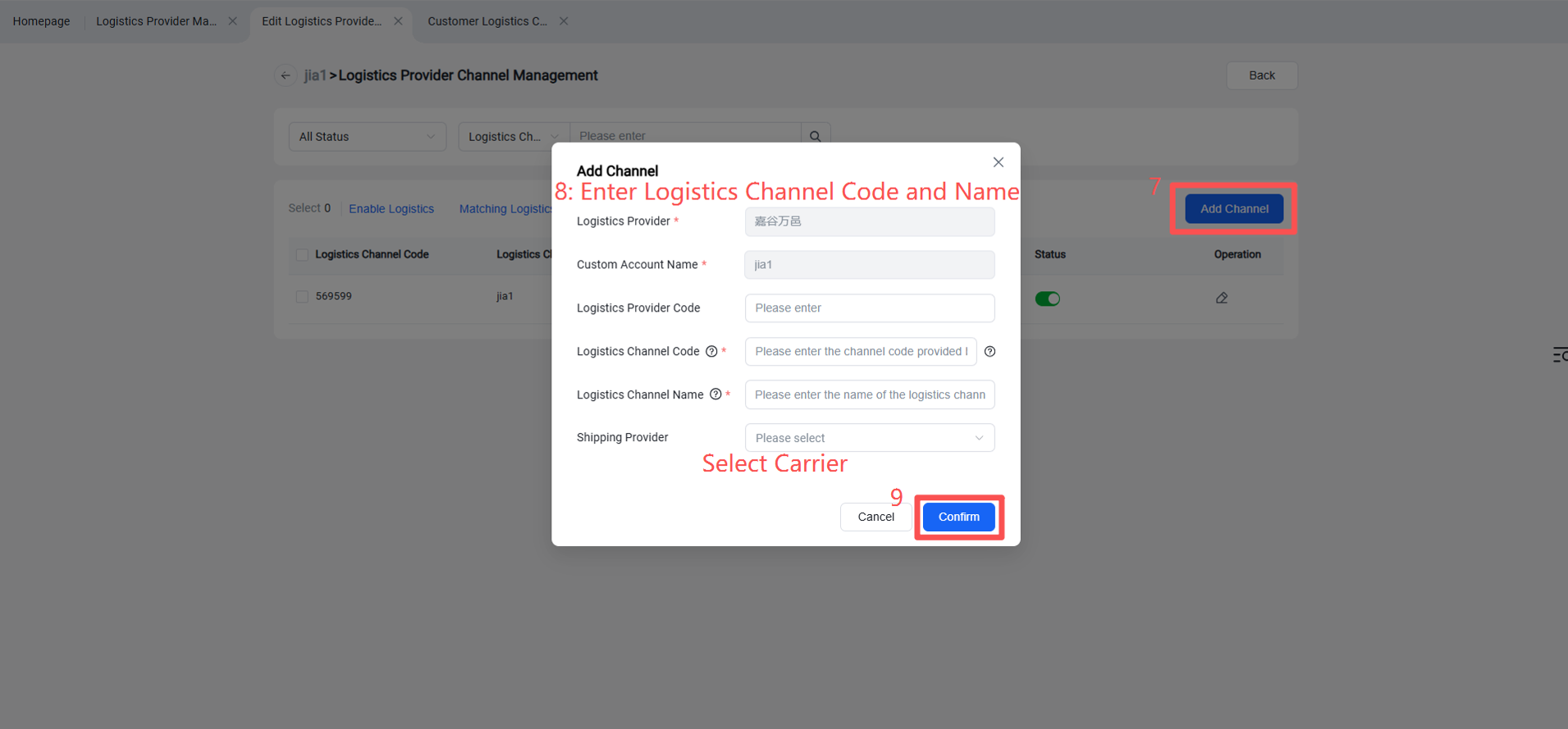
Appendix: Logistics Provider Integration Status
Currently integrated mainstream last‑mile logistics platforms:
USPS, DHL, Amazon Shipping, CORREIOS (Brazil Post), GLS (IT, DE), J&T EXPRESS (MX), iMile, Shippo, ShipSaving, ShipStation, Cainiao International, Hualei, Zhongdayun, Haitunyun, PostPony, Yidida, etc.
Under integration: UPS, FedEx, Royal Mail
Note: Different logistics providers require different authorization information; please fill in according to their respective requirements.