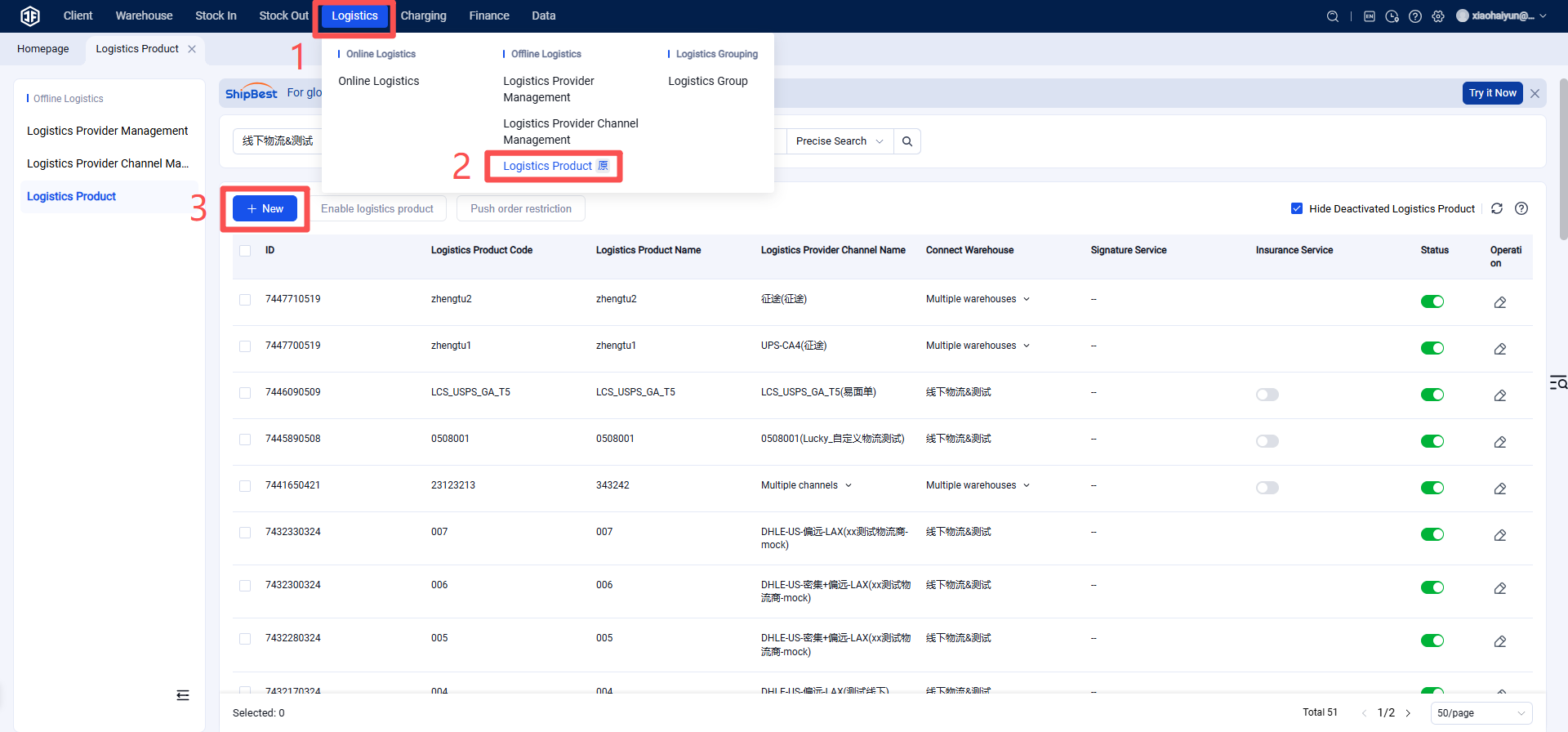
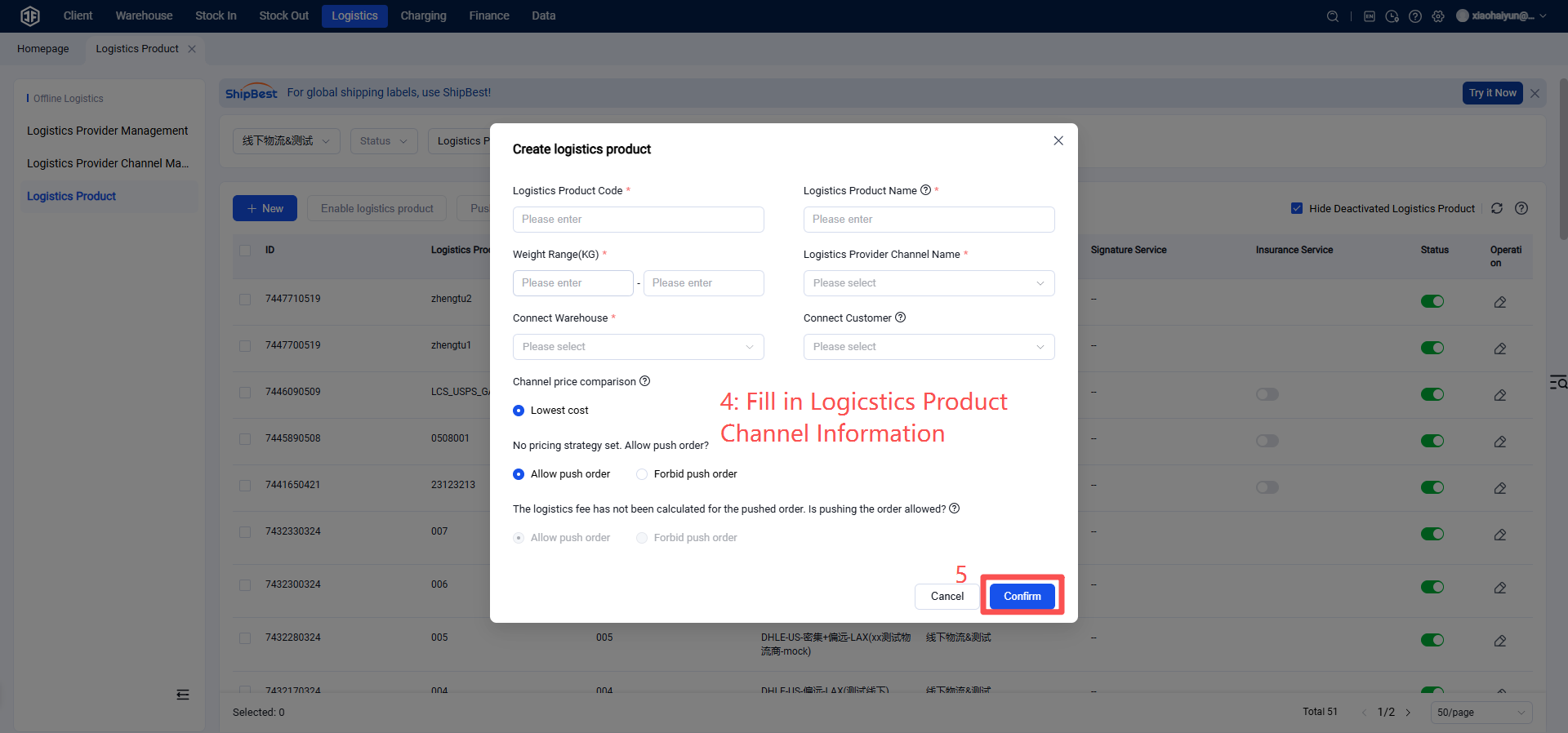
Custom Logistics Channel Management
I. Definition
If a seller client uses offline pickup, or if the warehouse uses a logistics carrier not yet integrated with the Jifeng Overseas Warehouse System, a custom logistics method can be set up.
II. Operation Path
Step 1: Add Custom Logistics Provider
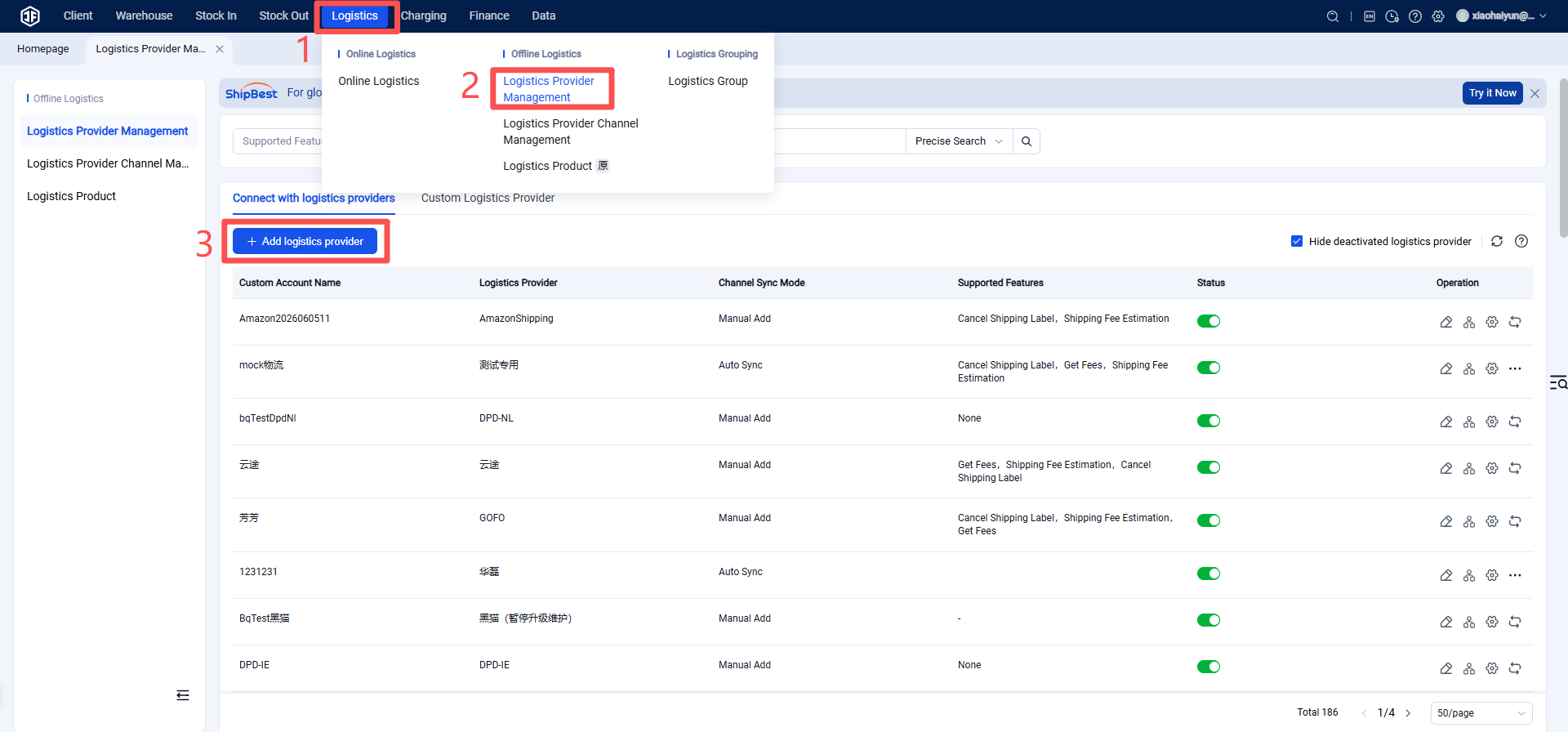
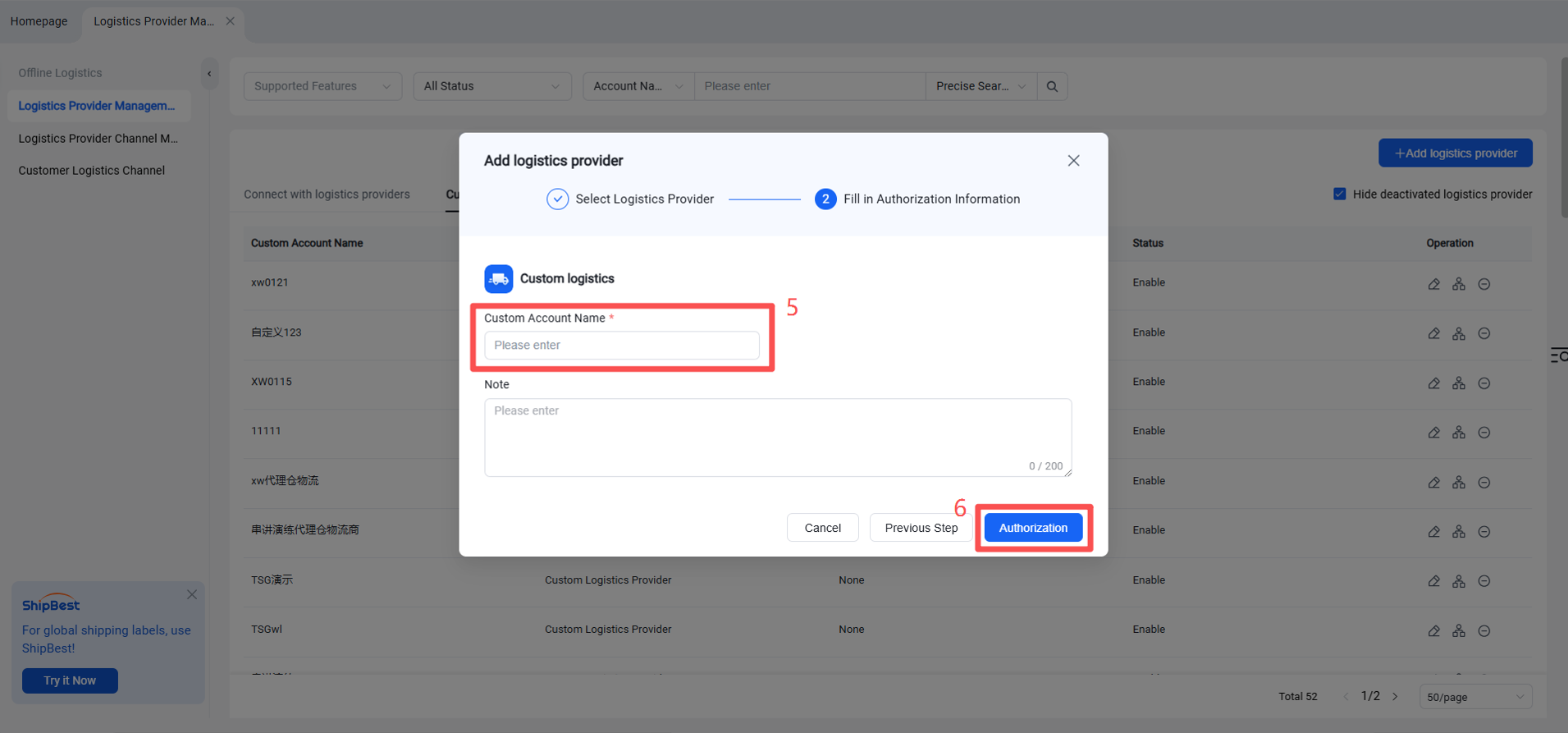
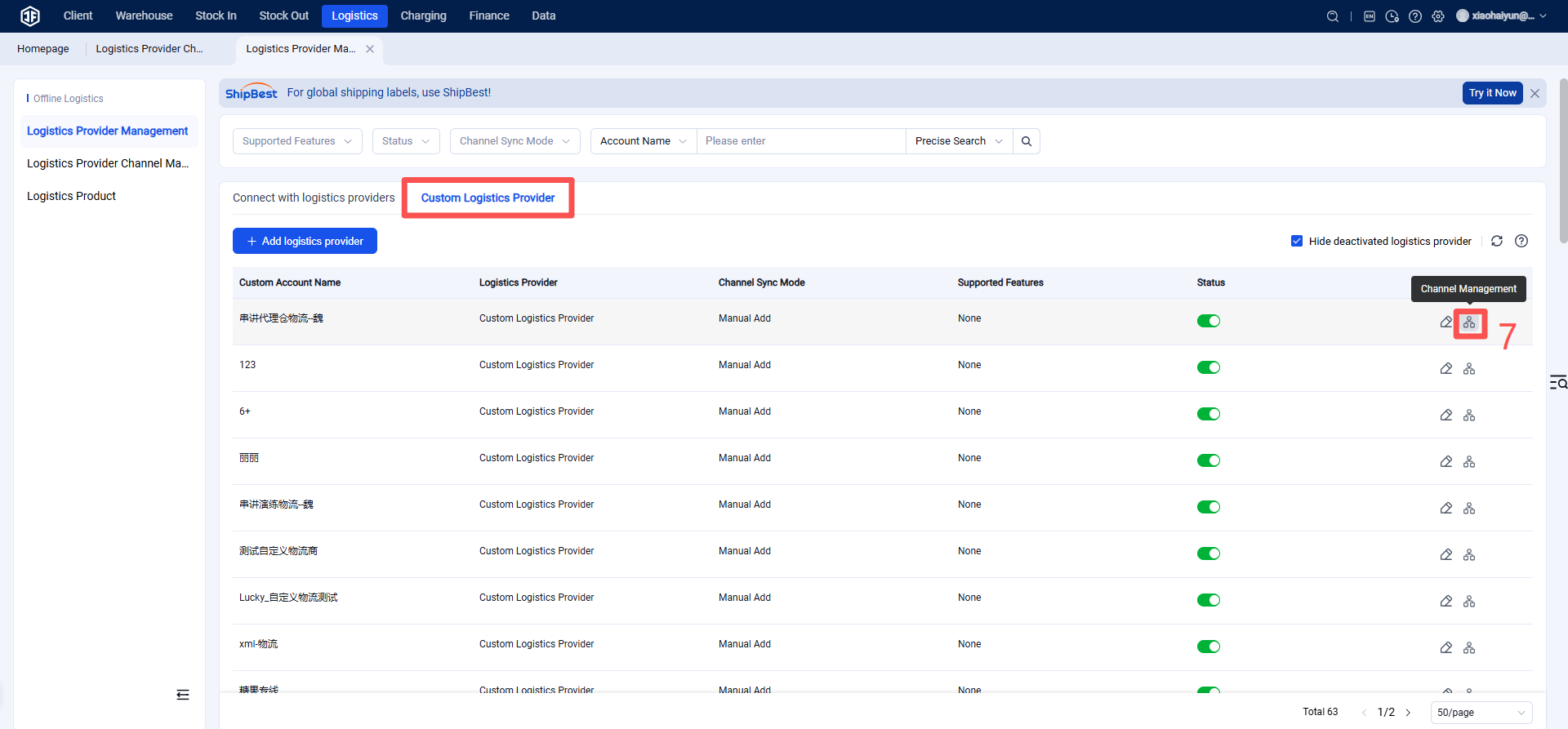
Operation Path: Warehouse Terminal (WMS) > Logistics > Customer Logistics Provider Management > Click "Custom Logistics Provider" > Add Provider > Enter custom provider name > Add.
Step 2: Add Custom Logistics Provider Channel
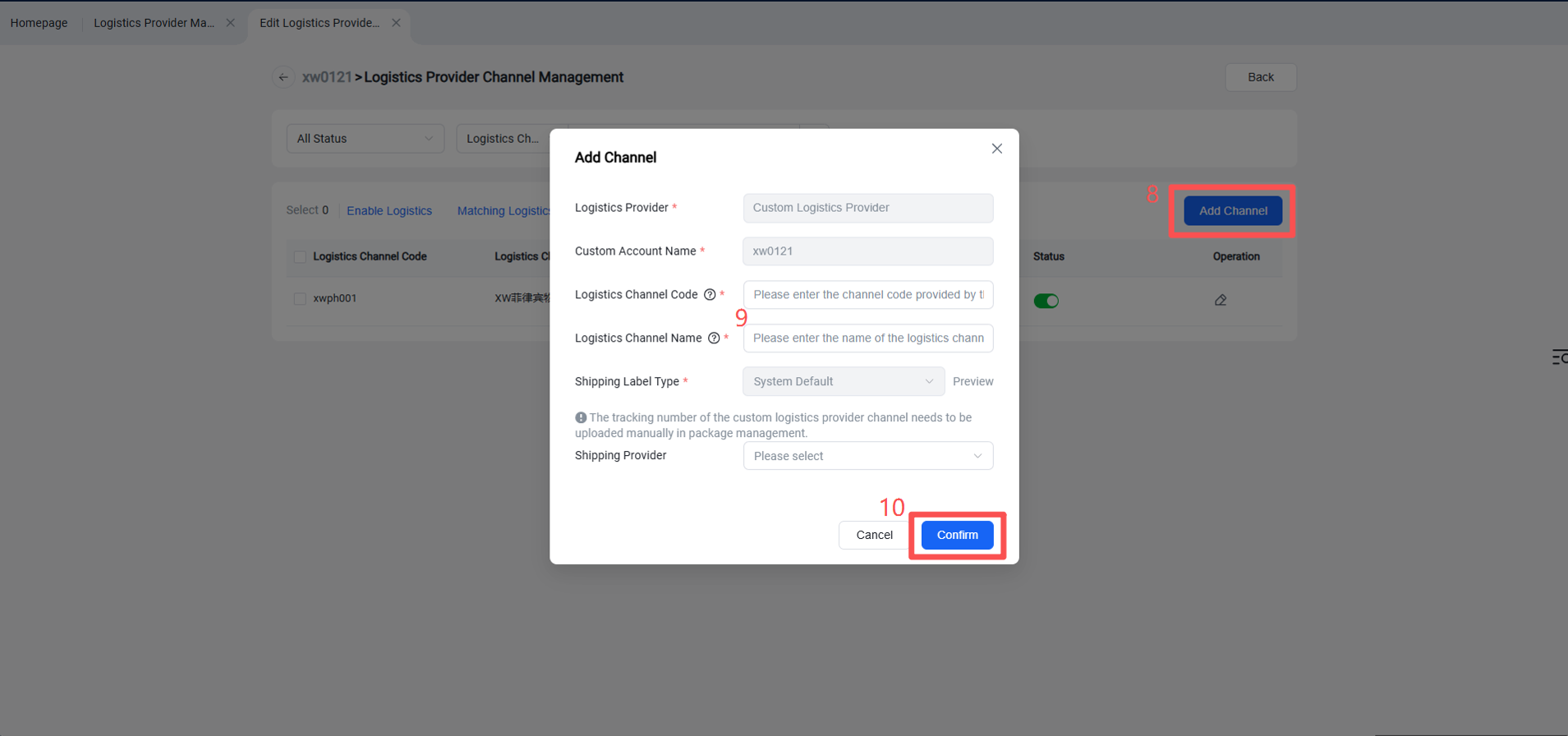
Operation Path: Channel Management > Add Channel > Enter Logistics Channel Code, Logistics Channel Name, select Carrier > Confirm.
Step 3: Overseas warehouse enables the logistics channel for the client (Once enabled, the seller can see this channel in the OMS seller portal and ERP).