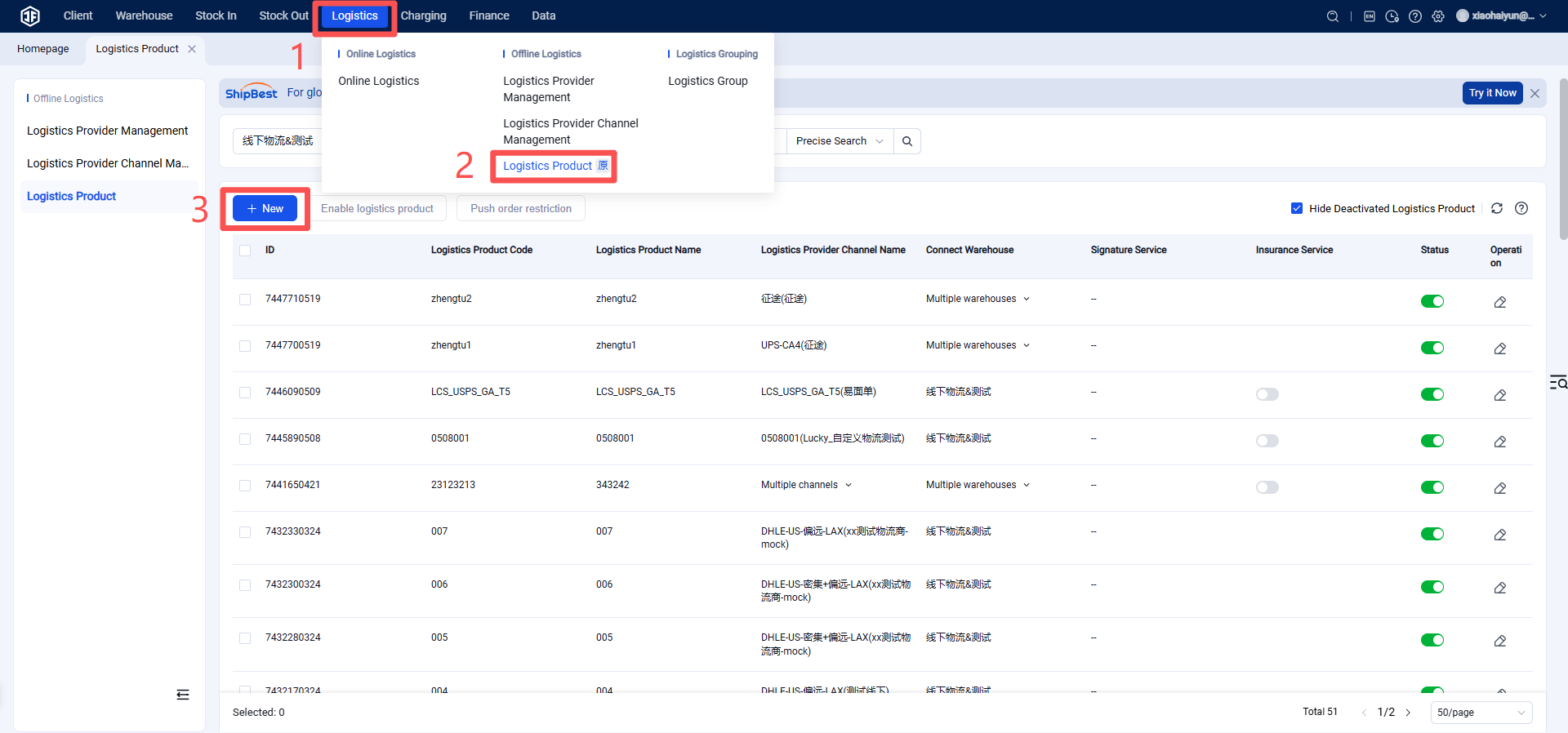
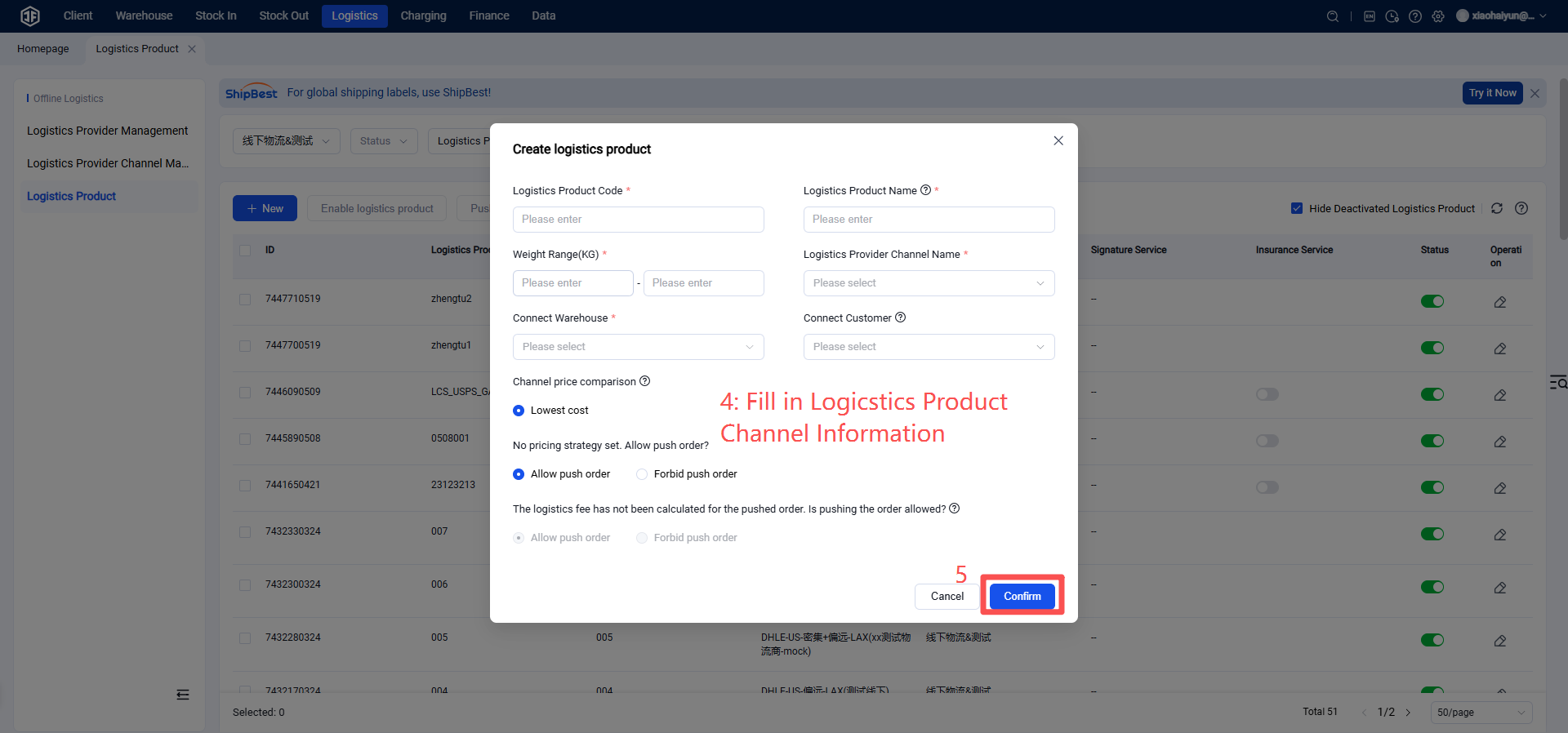
How to Register and Authorize Correios (Brazil Post)
I. Definitions
Correios, also known as Brazil Post, is one of Brazil's logistics carriers with the most extensive distribution network and the highest market share. It serves as a key partner for e-commerce operations in Brazil.
II. Operating Procedures
Step 1: Correios Registration
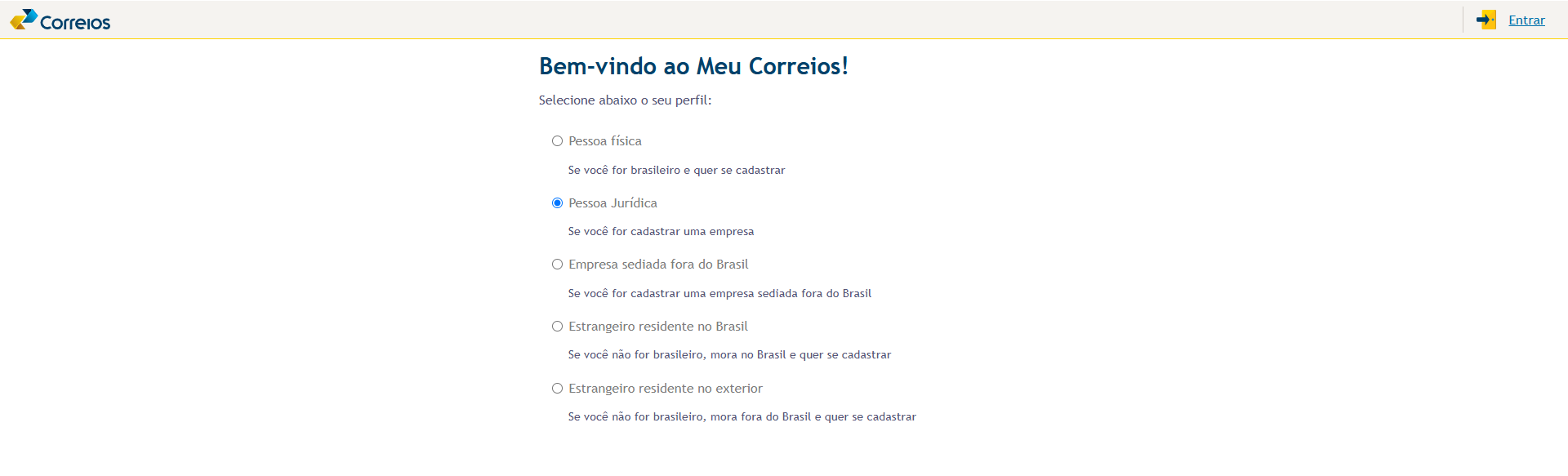
Go to the official Correios website → Enter registration information such as email address and follow the process to complete registration. If you already have an account, you may log in directly.
Step 2: Obtain Access Key
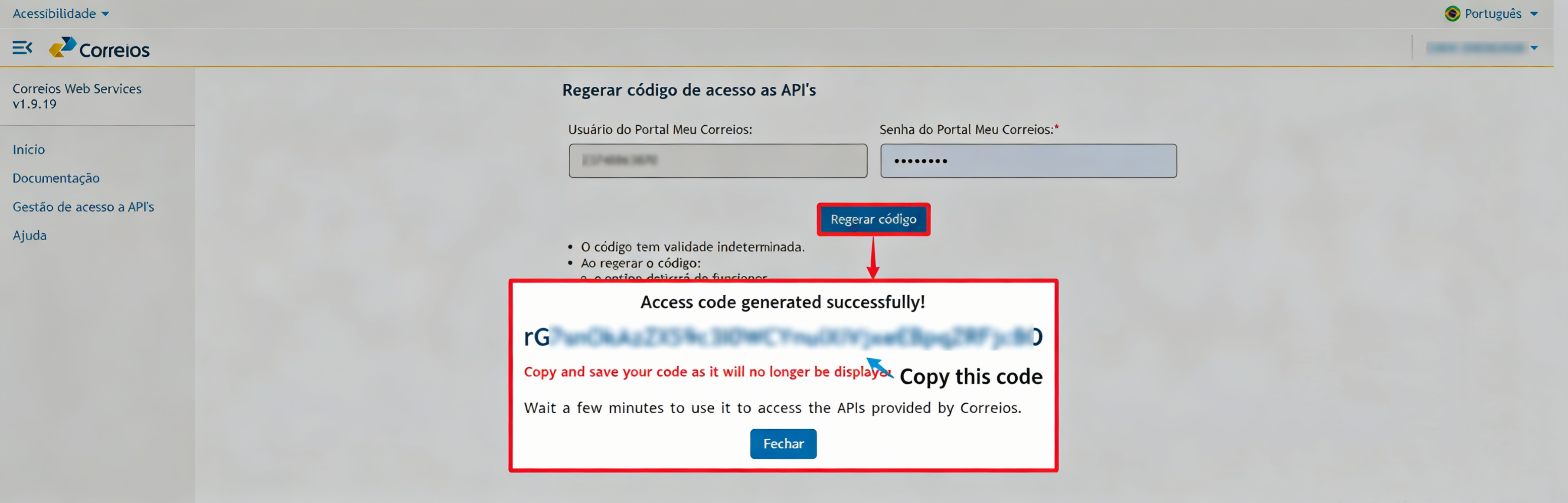
After registration is completed, go to the Correios Web Services official website.
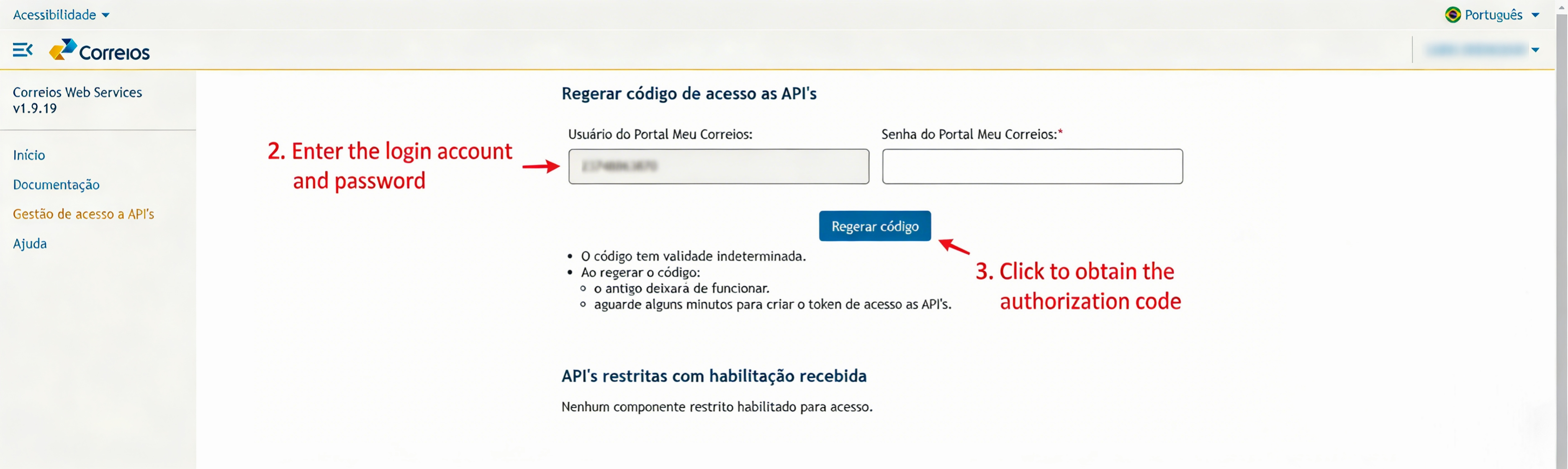
After logging in, click on "Gestão de acesso a API's" in the menu bar → enter your login account and password → click "Regerar código", then copy the generated API authorization code.
Step 3: Add Logistics Provider in Jifeng Overseas Warehouse System
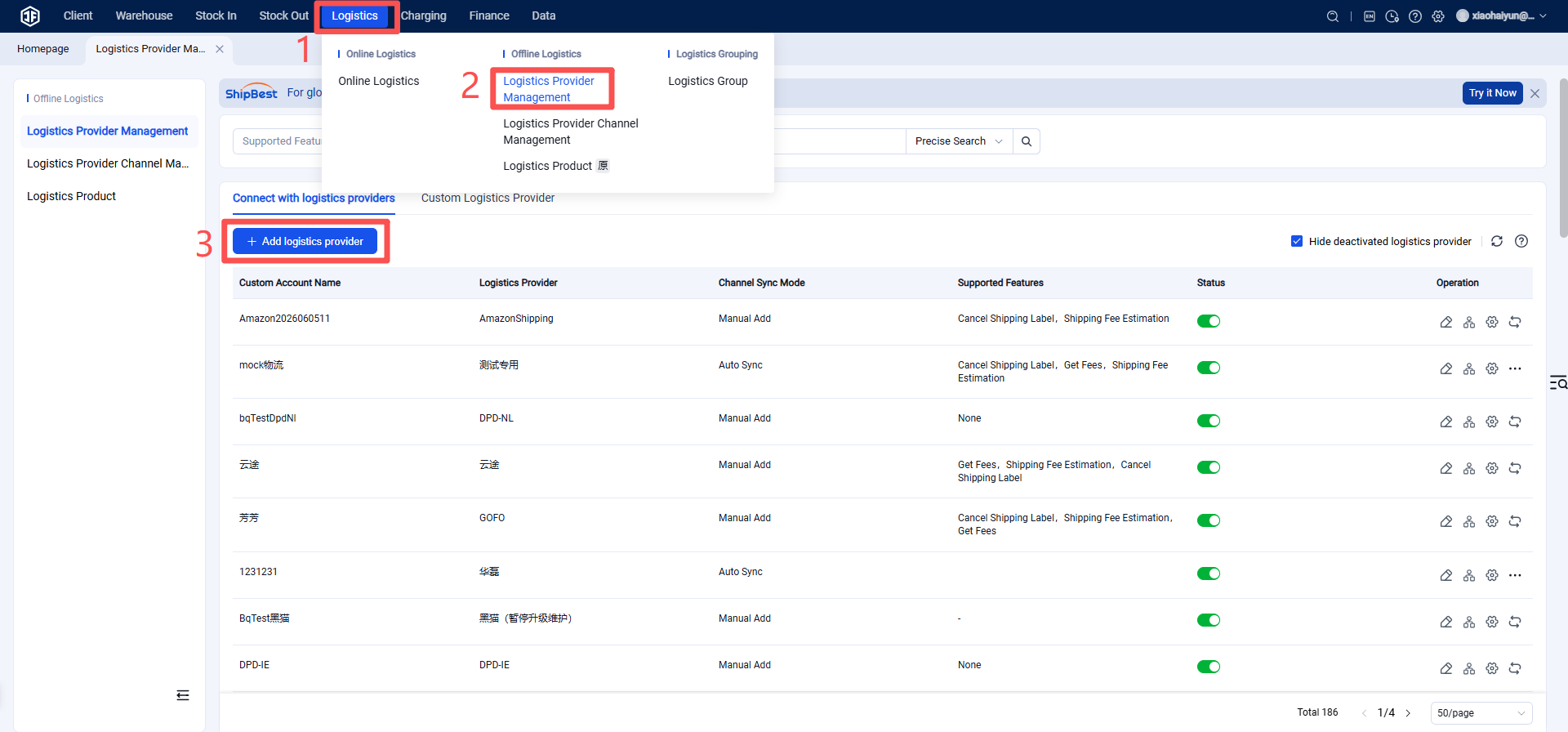
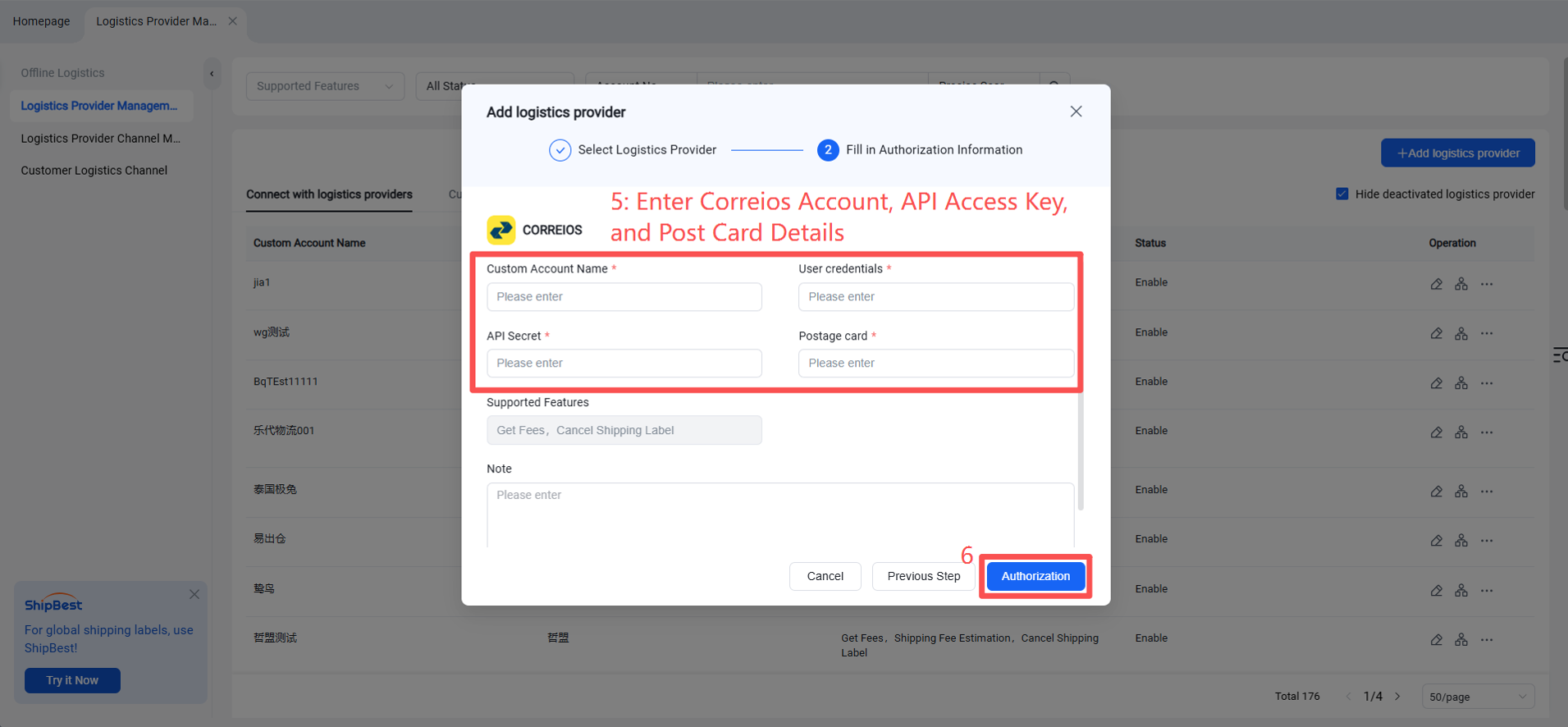
Step 3: Add Logistics Provider in Jifeng Overseas Warehouse System
Enter your Correios account credentials, the API access key previously obtained from Correios, and the Post Card number (Cartão de Postagem).
Note:
The Post Card number (Cartão de Postagem) must be obtained from a Correios representative (please inquire at a nearby Correios service outlet).
Only CNPJ-registered Correios accounts are authorized for use; CPF-registered accounts are not supported. For specific details, please consult Correios staff.
Step 4: Enable Shipping Channel
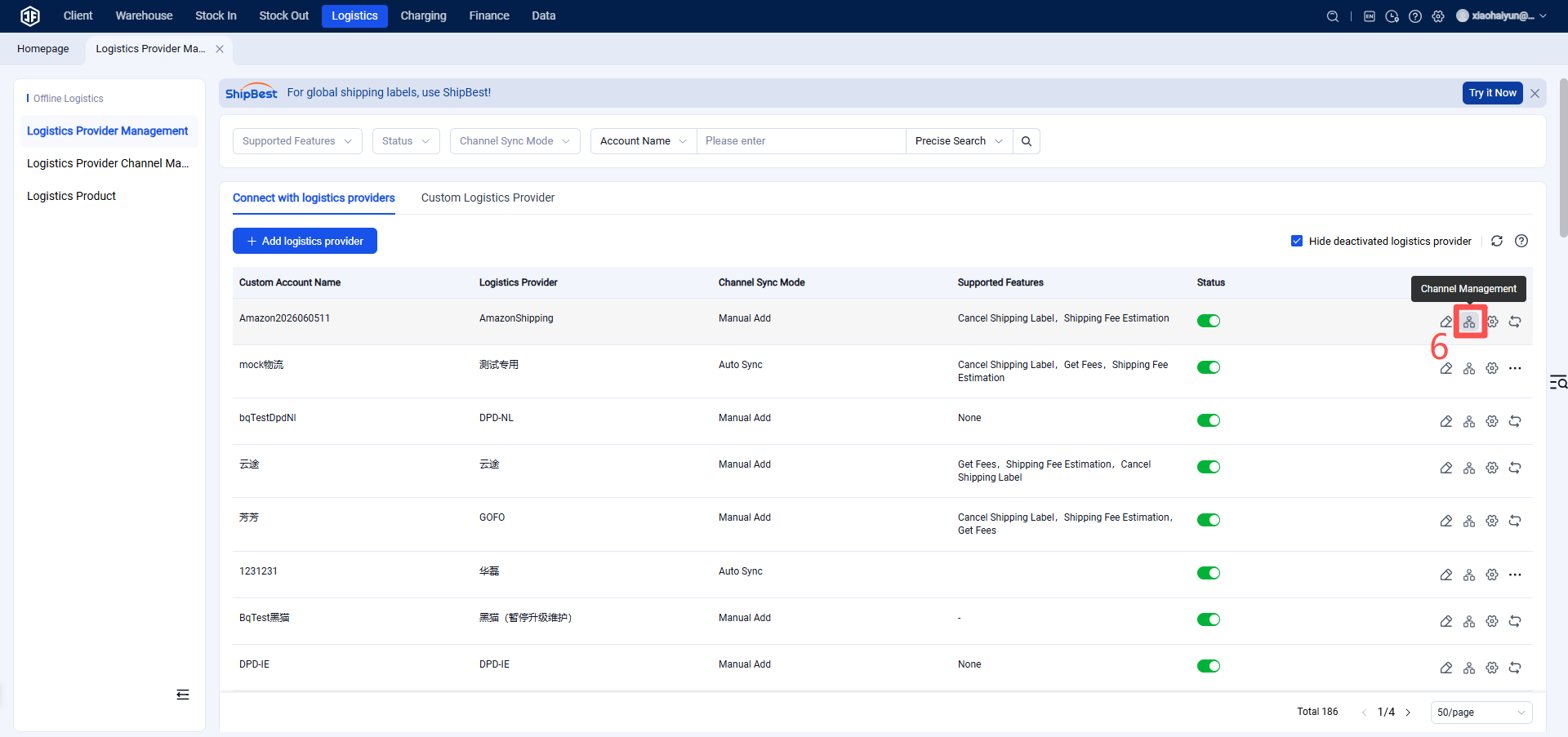
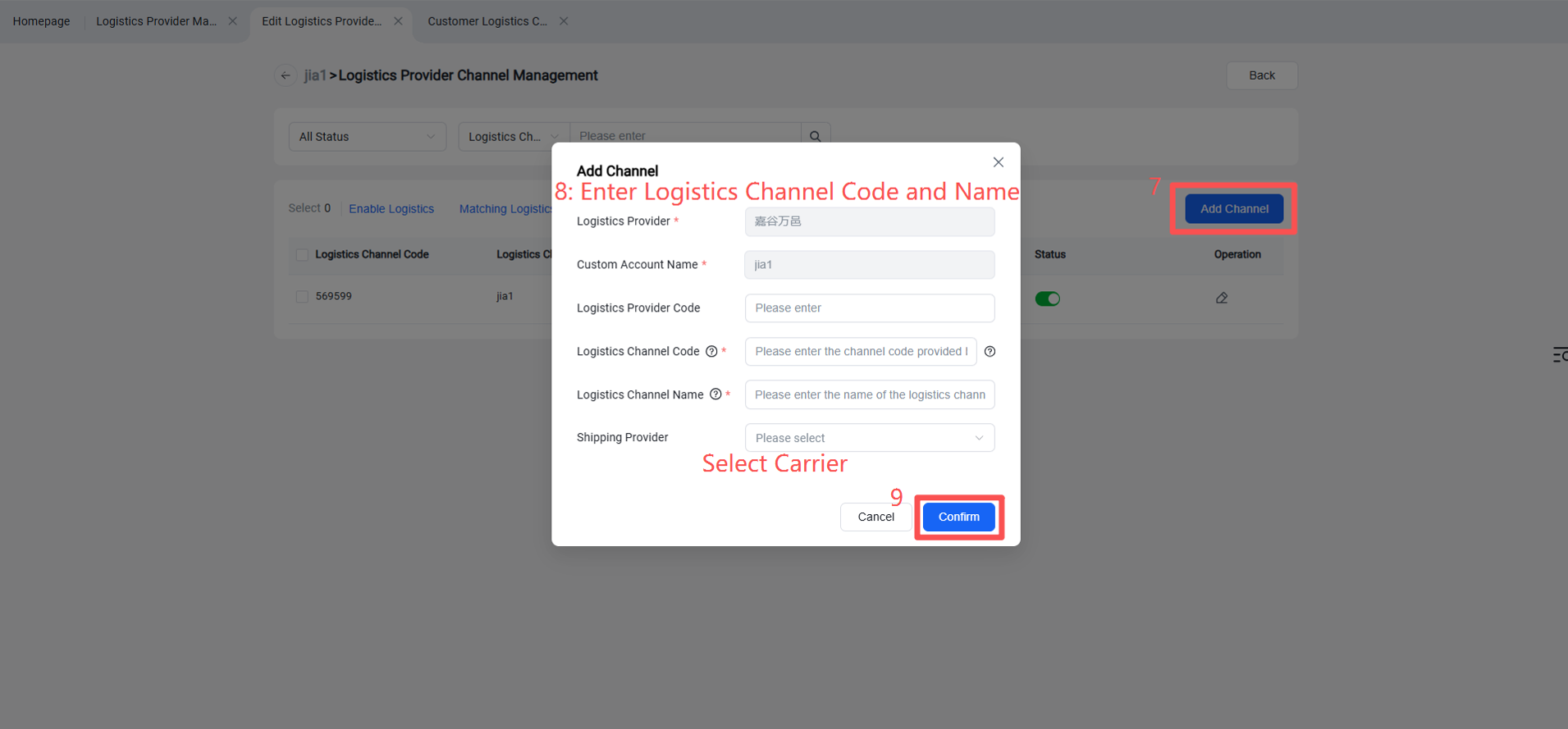
Step 5: Overseas Warehouse Enables Shipping Channel for Customers
(Once enabled, sellers can view this channel on the OMS seller platform or ERP system.)