How to Register, Authorize, and Use FedEx
I. Definition
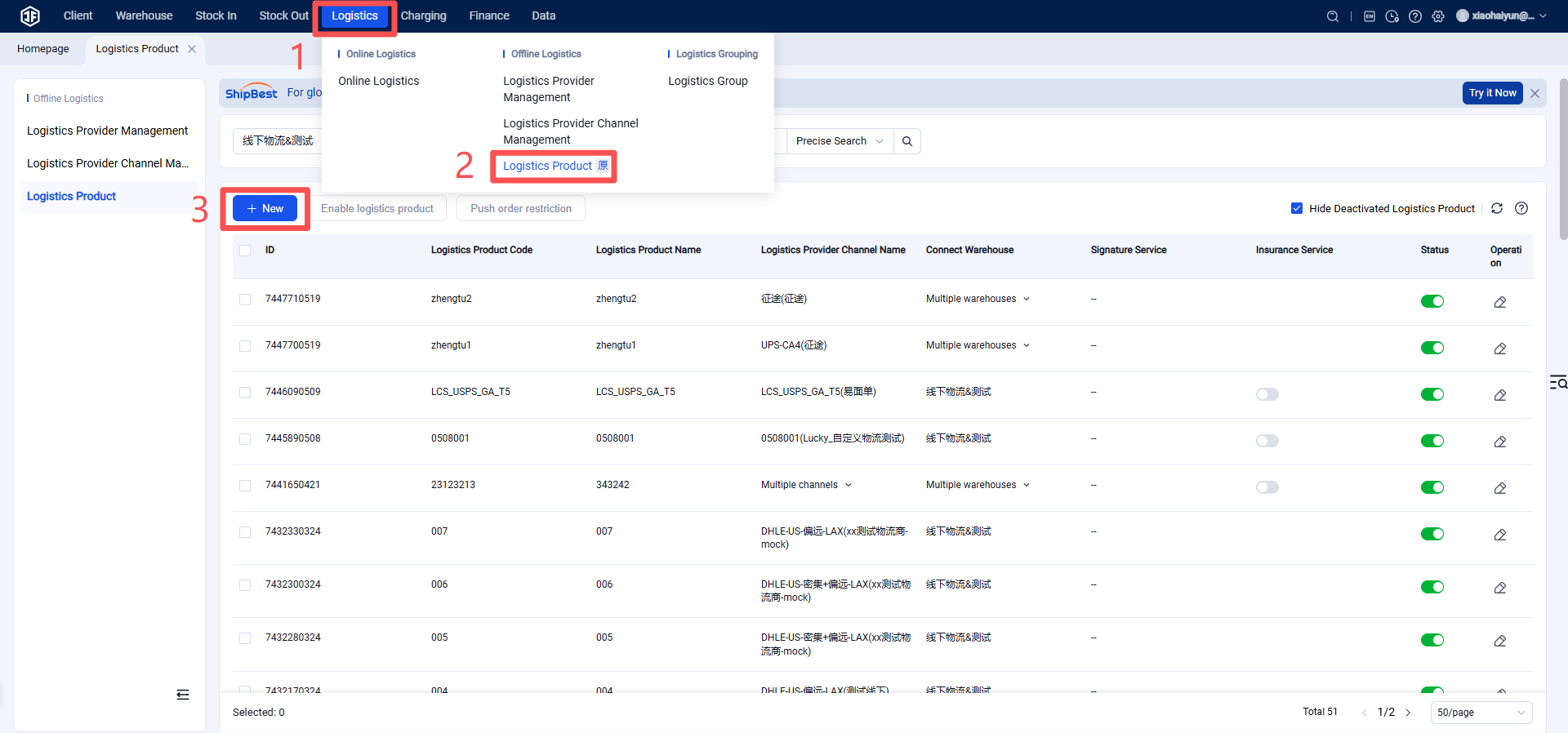
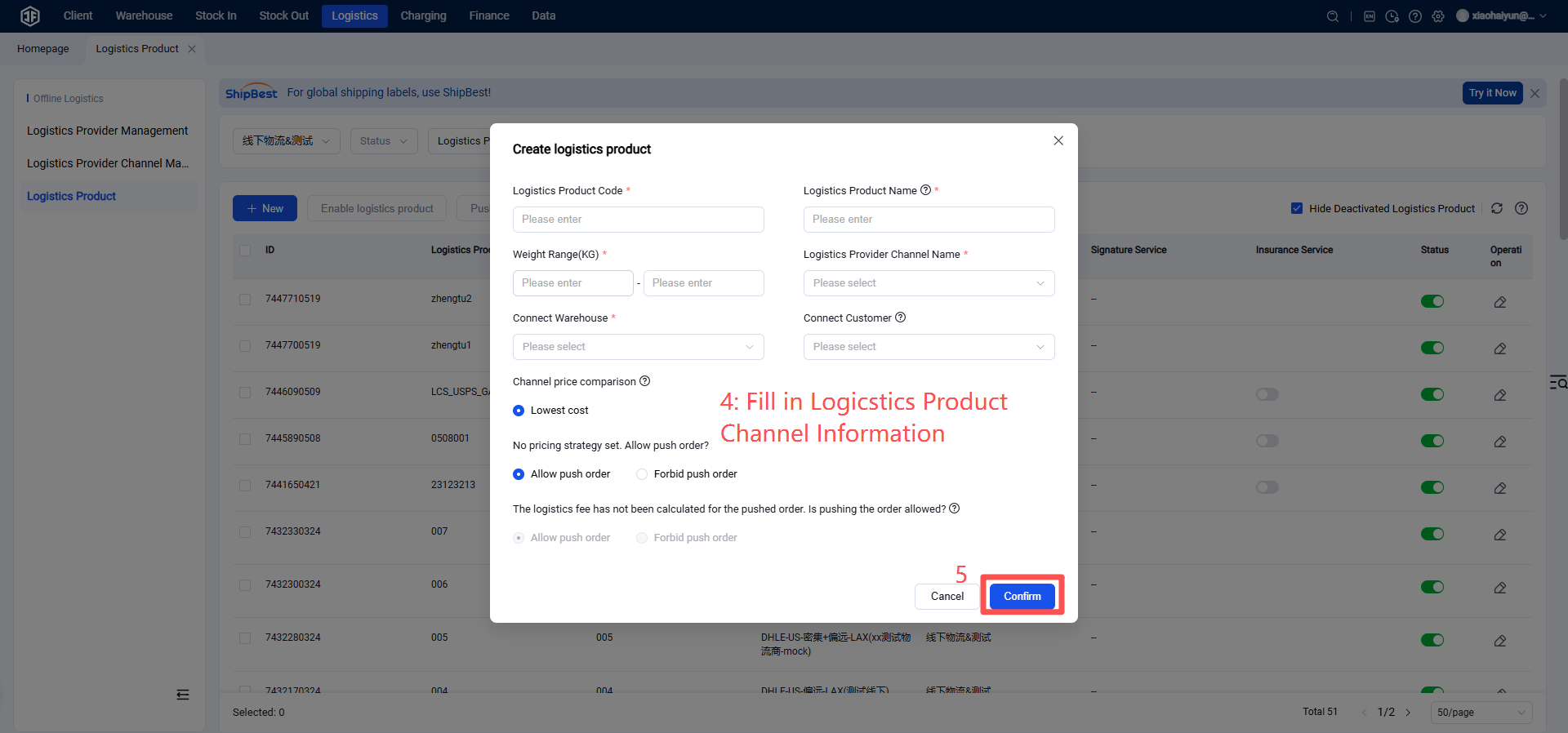
FedEx is one of the commonly used international logistics providers. If you have a registered FedEx official logistics account, follow this document to authorize, enable channels, and set up customer logistics channels.
II. Operation Process
Step 1: FedEx Logistics Registration and Activation
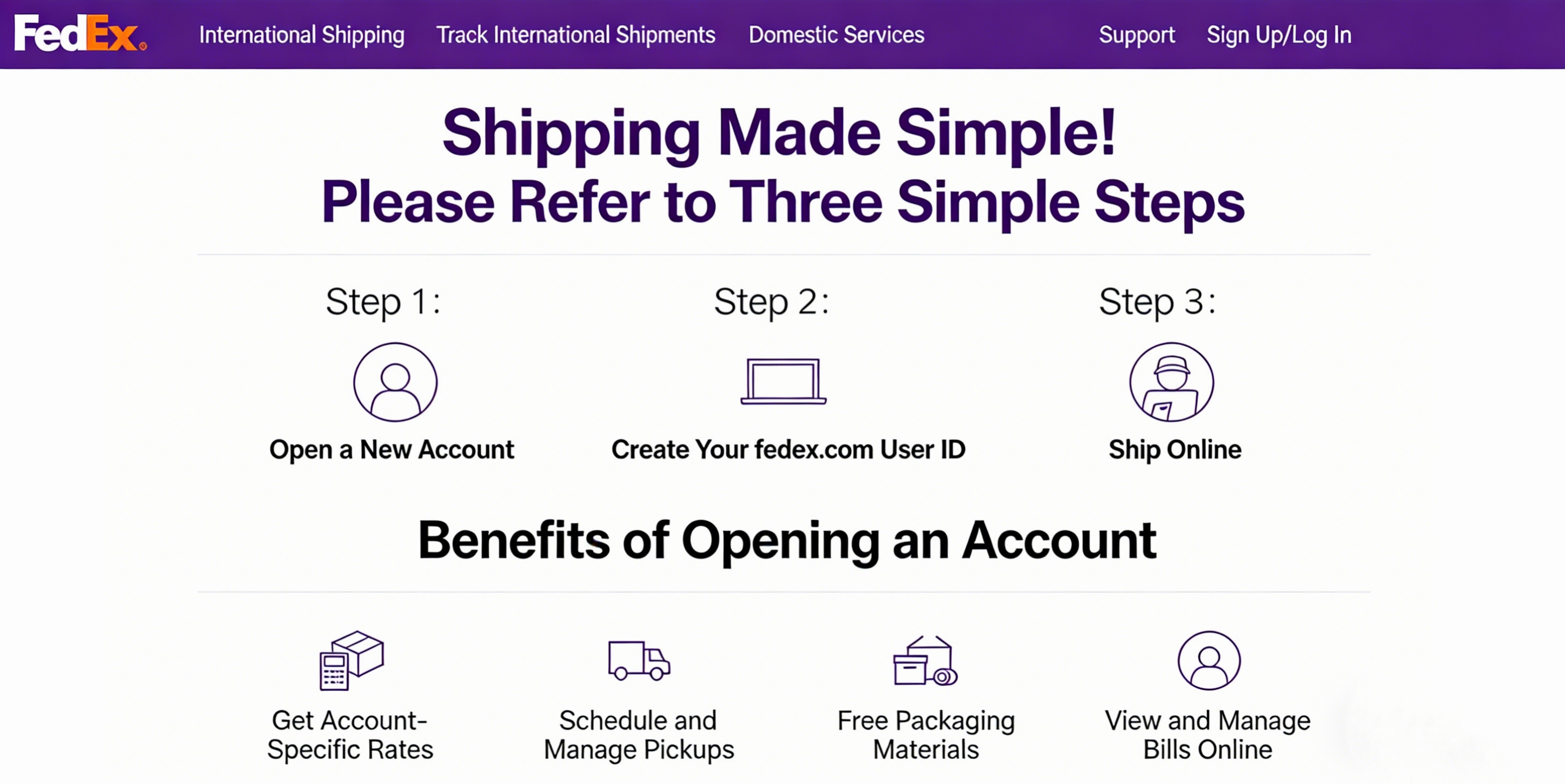
If you have not yet registered for a FedEx account, click the link to register:
https://weblets.dmz.apac.fedex.com/BaC/zh-cn/account/details?leadid=DXMCN
Step 2: Obtain Authorization Credentials
【Information Required for FedEx Authorization】
Key
Password
AccountNumber
MeterNumber
【The following demonstrates how to obtain this information】
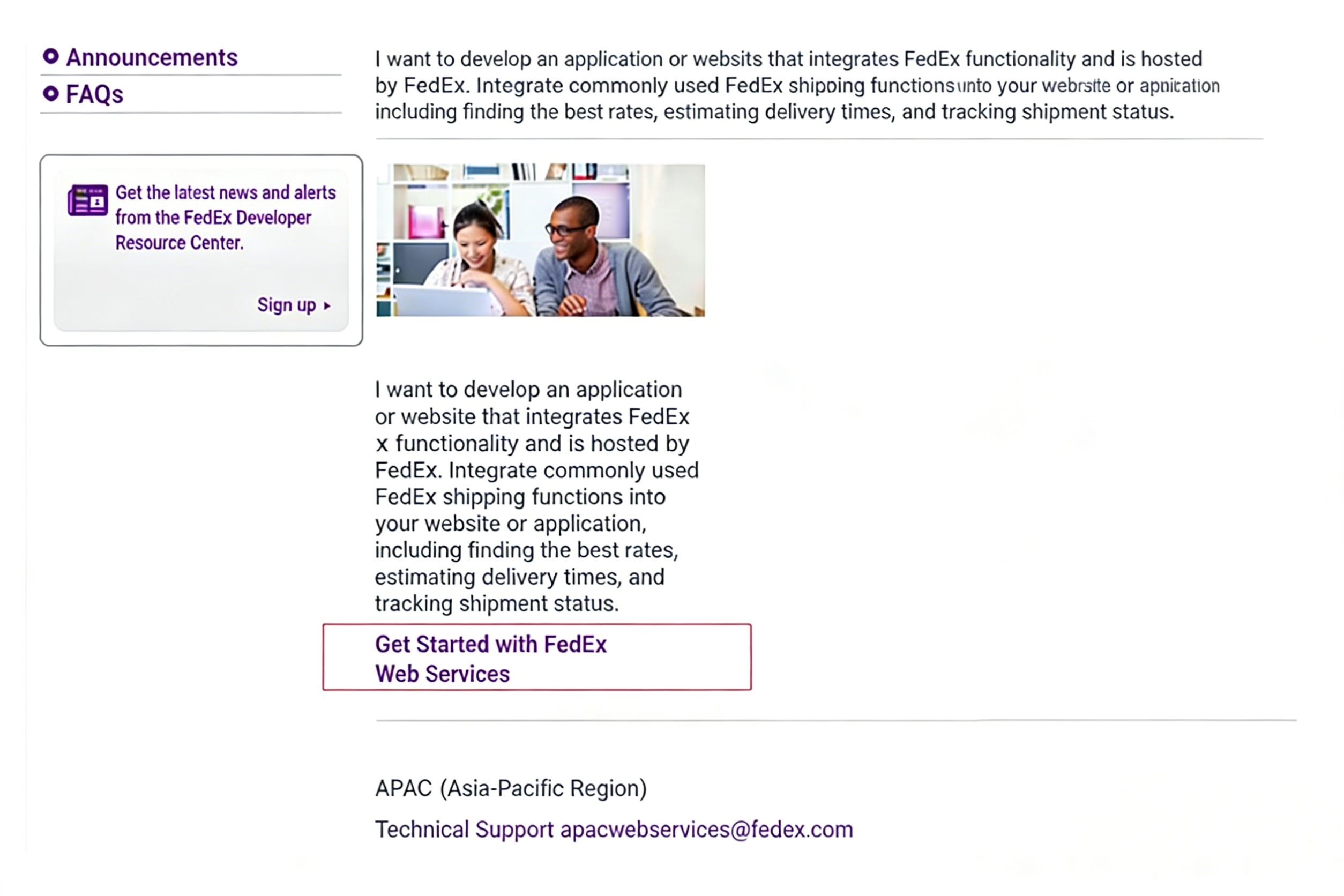
Log in to your FedEx account and go to the Developer Center. Visit: https://www.fedex.com/en-us/developer/web-services/process.html#production Click the button “FedEx Developer Resource Center” to begin obtaining authorization credentials.
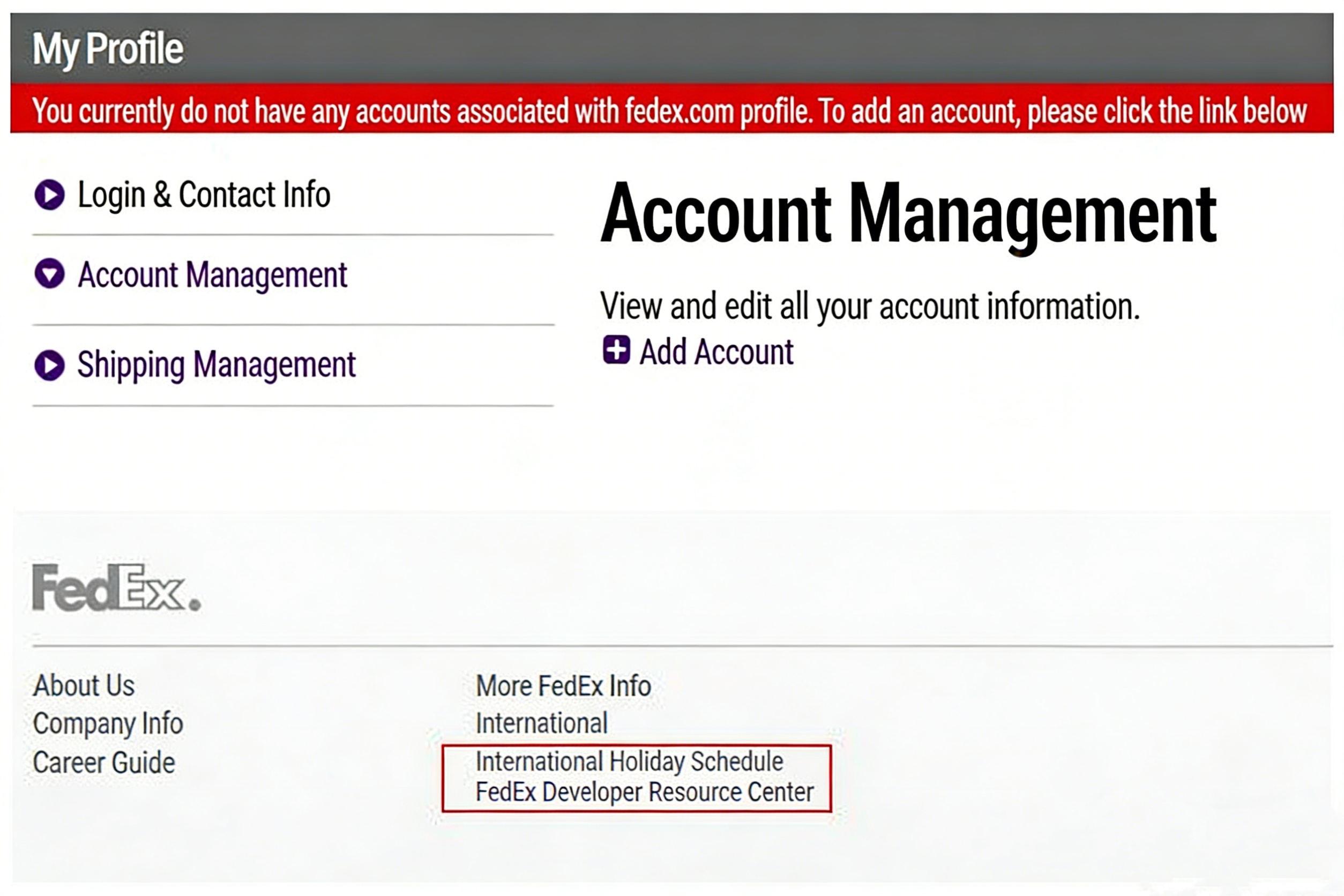
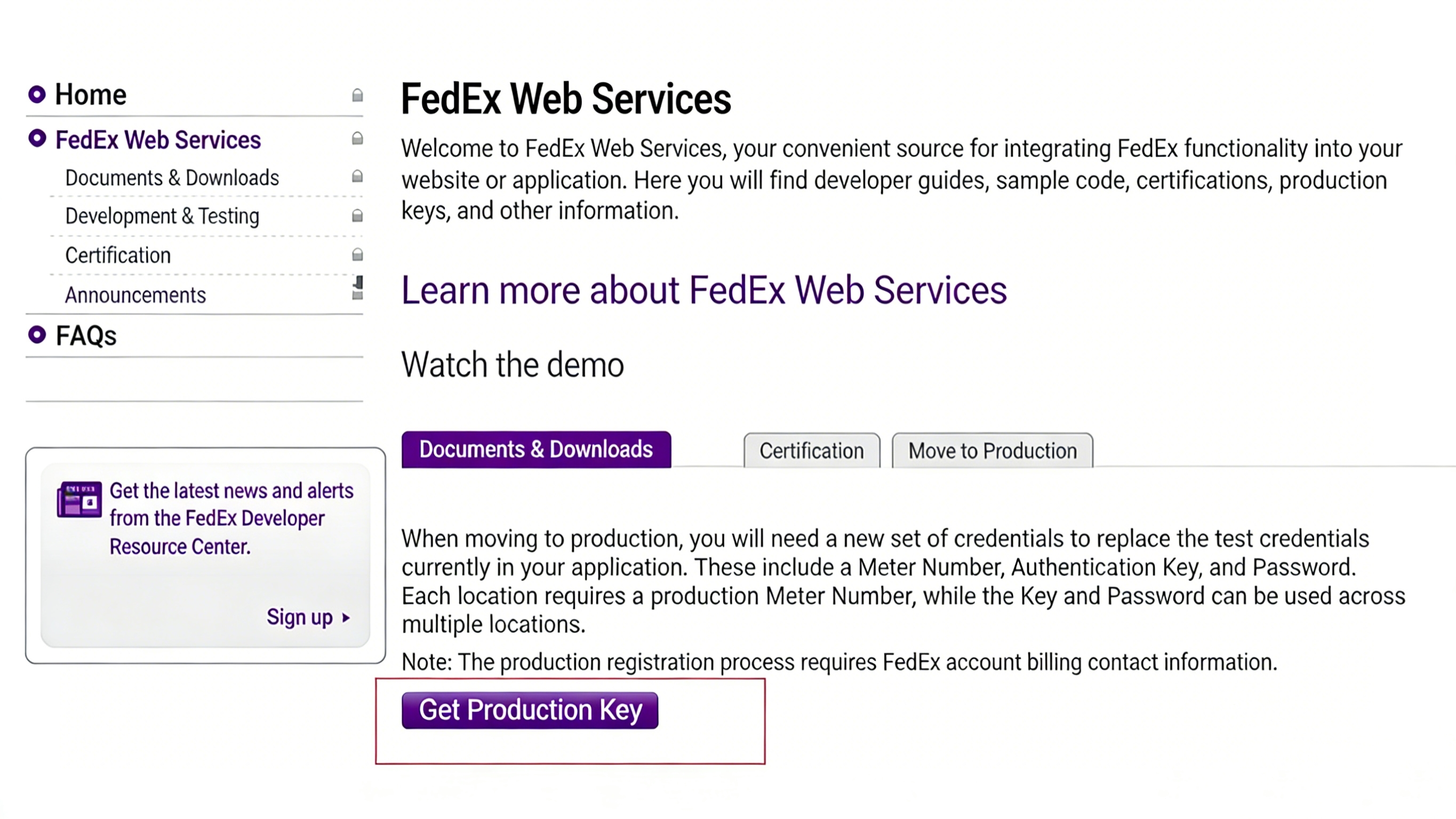
Click "Obtain Production Key", the page shown in the figure below will appear. Fill in the relevant information and click "Continue".
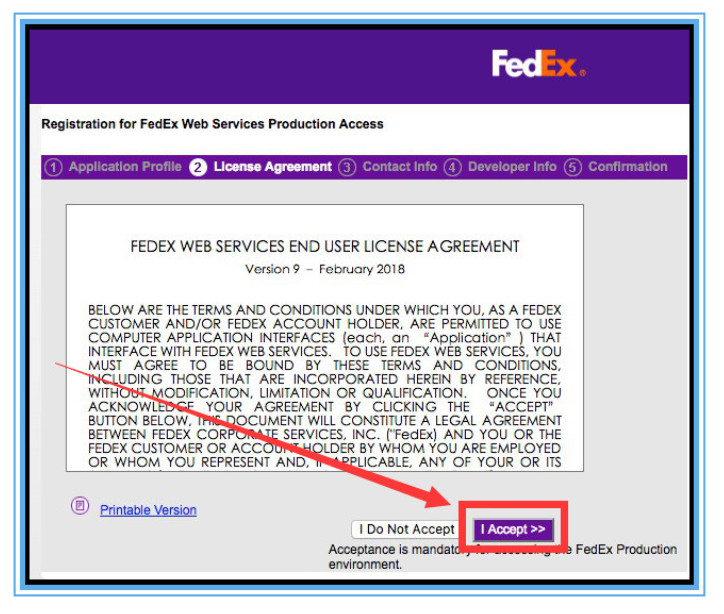
After clicking "Continue", the following page will appear. Simply click "I Accept".
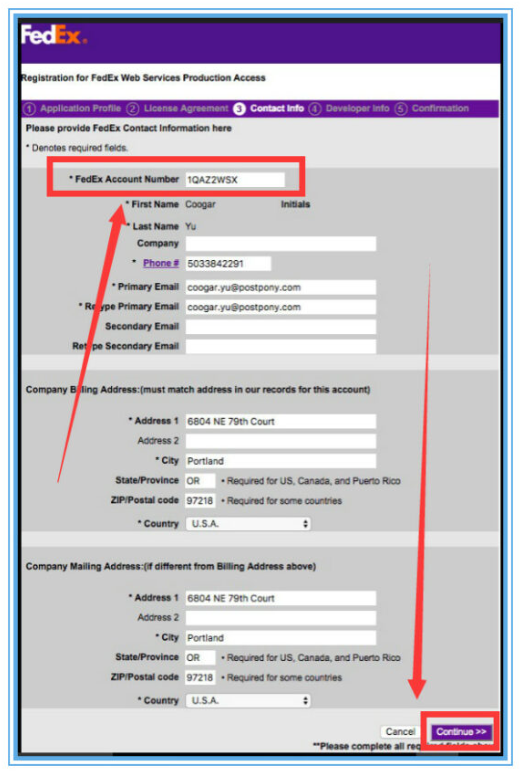
Enter the relevant information and fill in the email address.
After clicking "Continue", the following page will be displayed. Click "Continue".
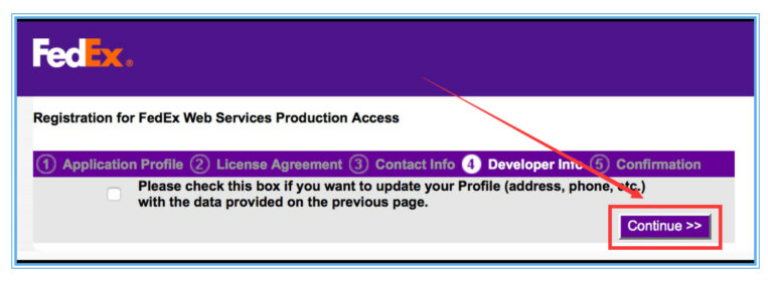
After clicking "Continue", the following page will appear:
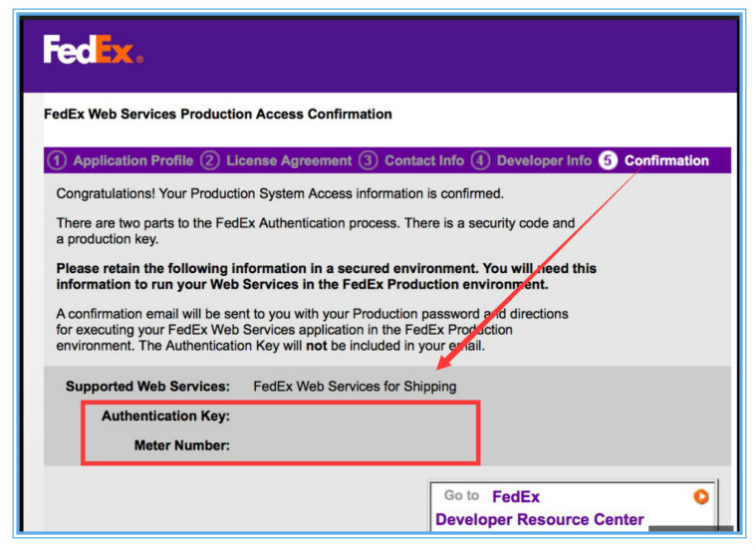
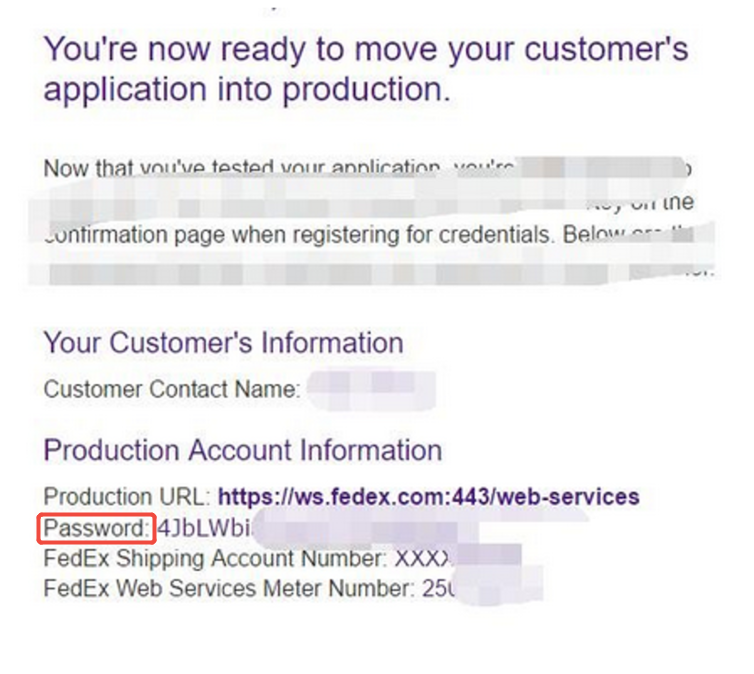
Once the submission is successful, the Key and Meter Number will be displayed. Copy and save them, as they will be needed for authorization. After the application is successful,
At the same time, you will receive an email from FedEx, and the Password for the authorized account will be sent to the email address you filled in above.
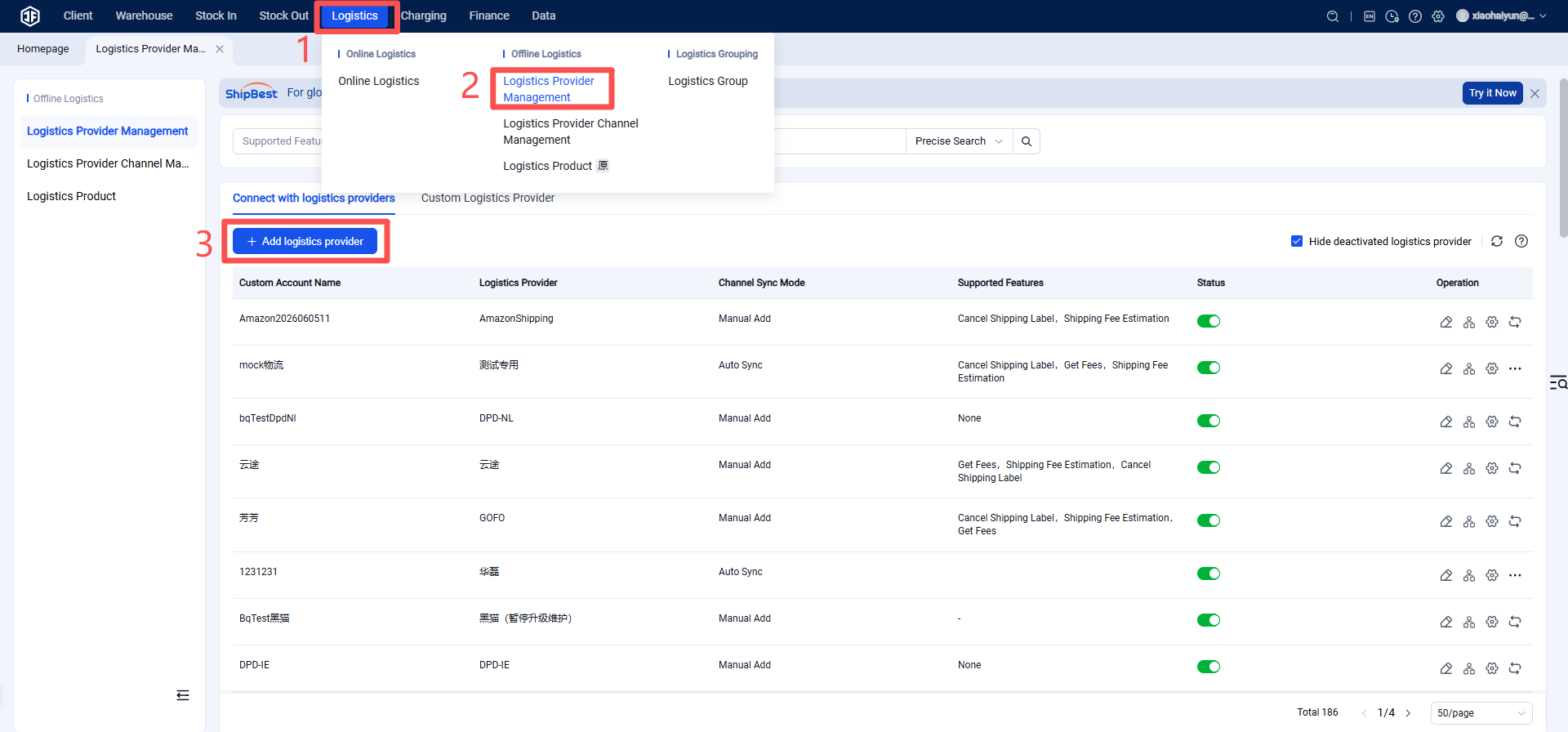
Step 3: Add the logistics provider in the overseas warehouse system.
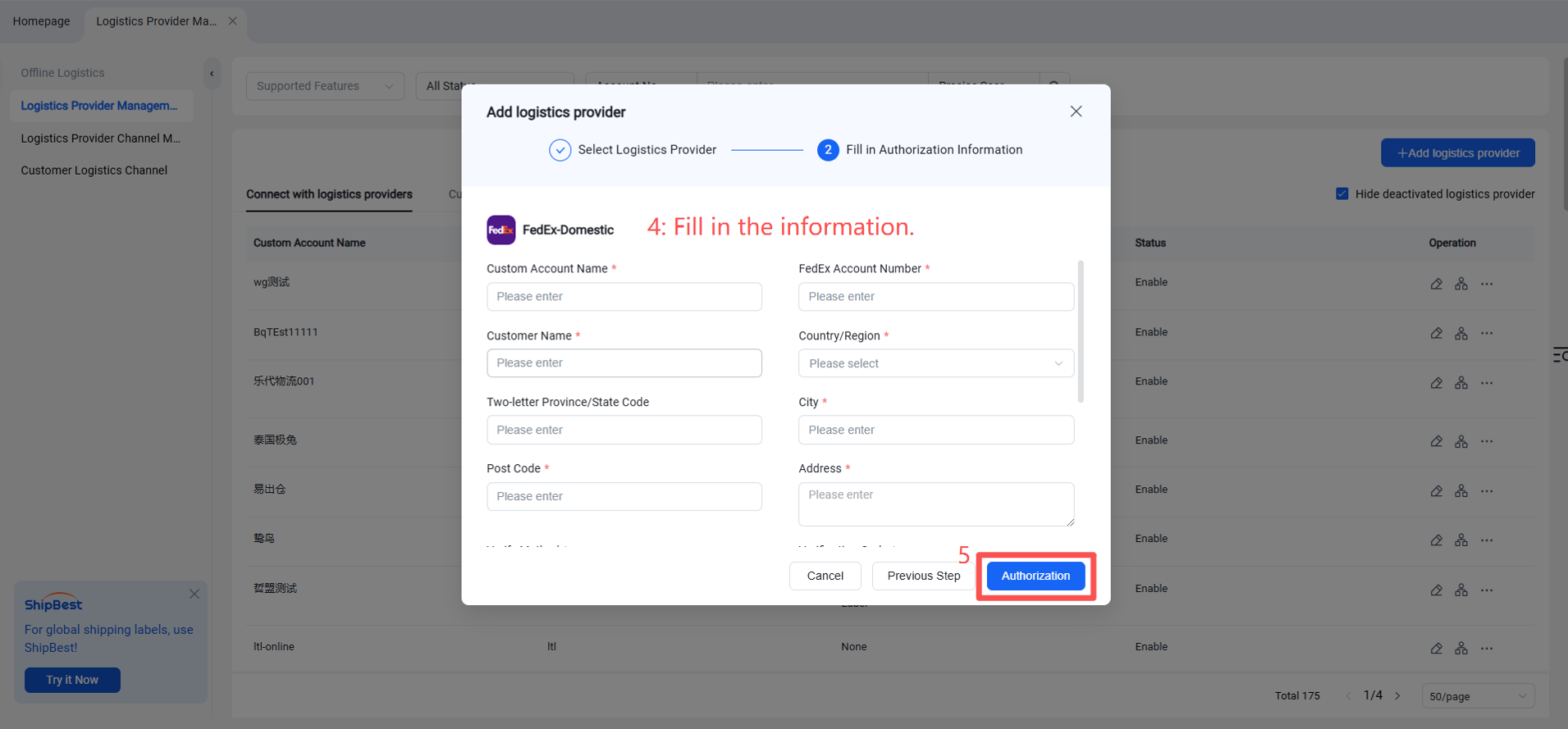
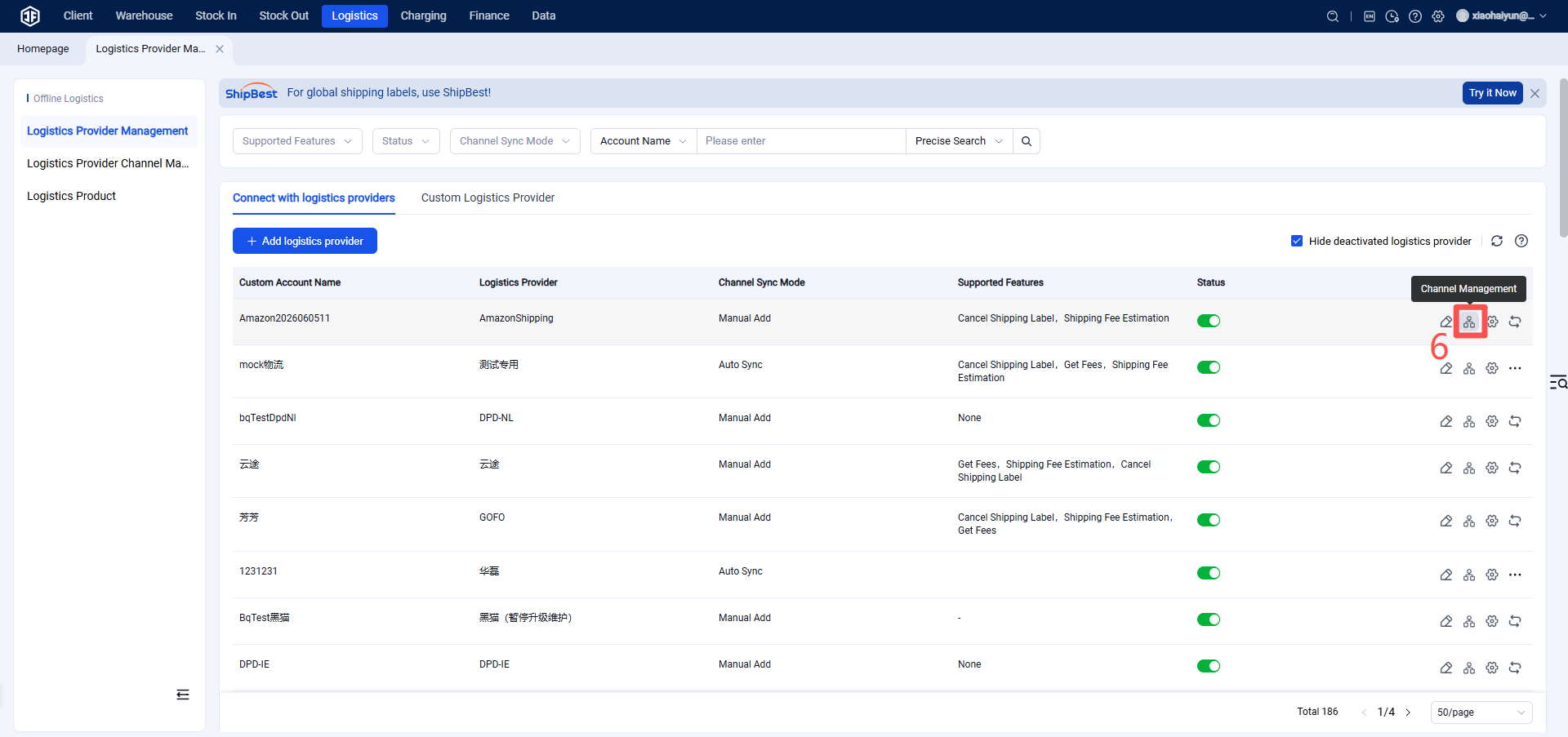
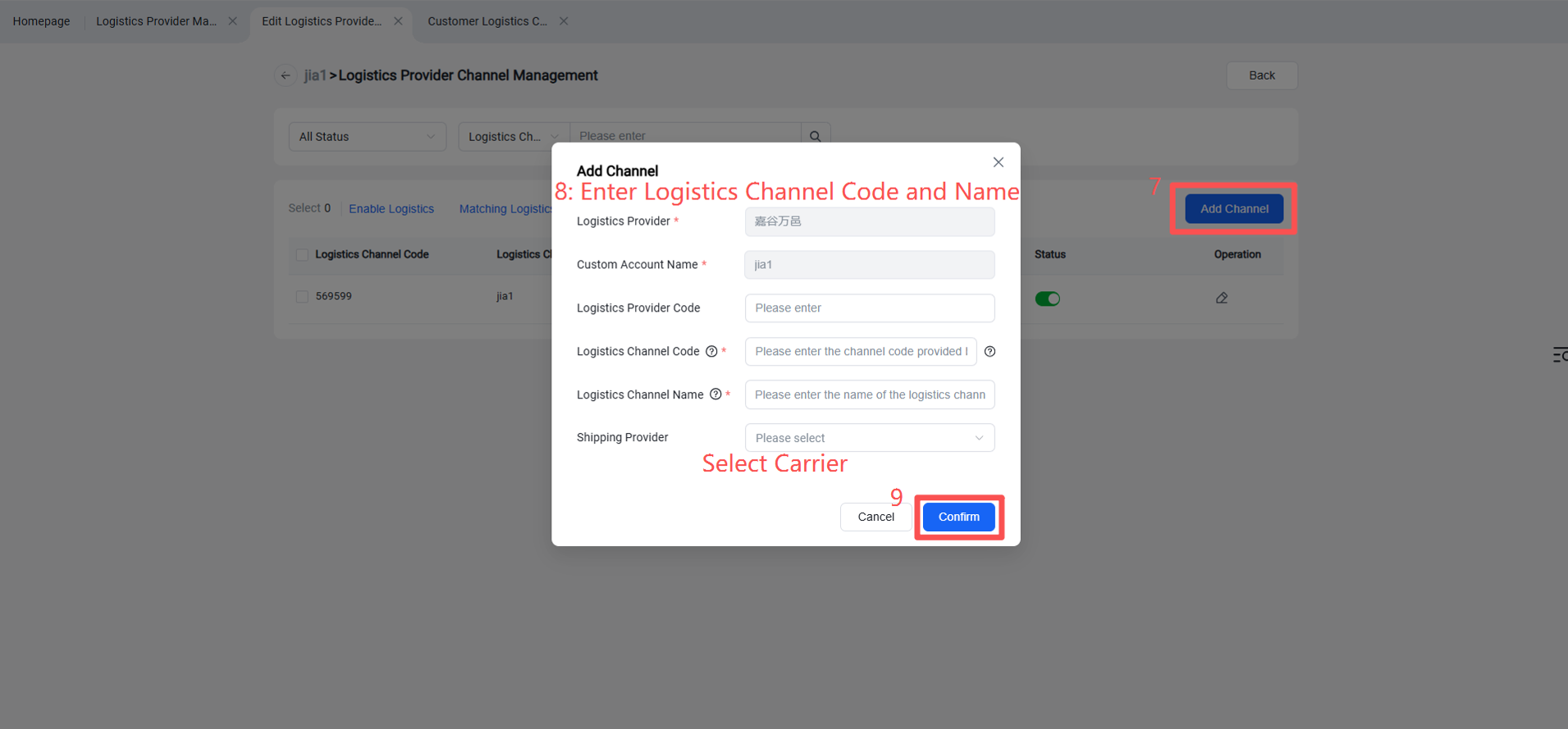
Step 4: Enable logistics channels under FedEx.
Step 5: Enable the customer’s FedEx logistics channel (so it can be seen on the seller OMS and ERP).