How to Register, Authorize, and Use GNL (Global Easy Logistics)
I. Definition
By authorizing the Jifeng Overseas Warehouse System through GNL Logistics, the logistics channels are enabled for customers.
II. Operational Procedures
Step 1: Registration and Authorization of Global Easy Logistics (GNL)
Website: http://www.allexp.cn/
Step 2: Obtain Authorization Credentials (Customers must contact GNL Business Representatives to apply)
Contact Information for GNL Business Representatives: 19252084565
Provide the following overseas warehouse information, including the details shown in the figure below:
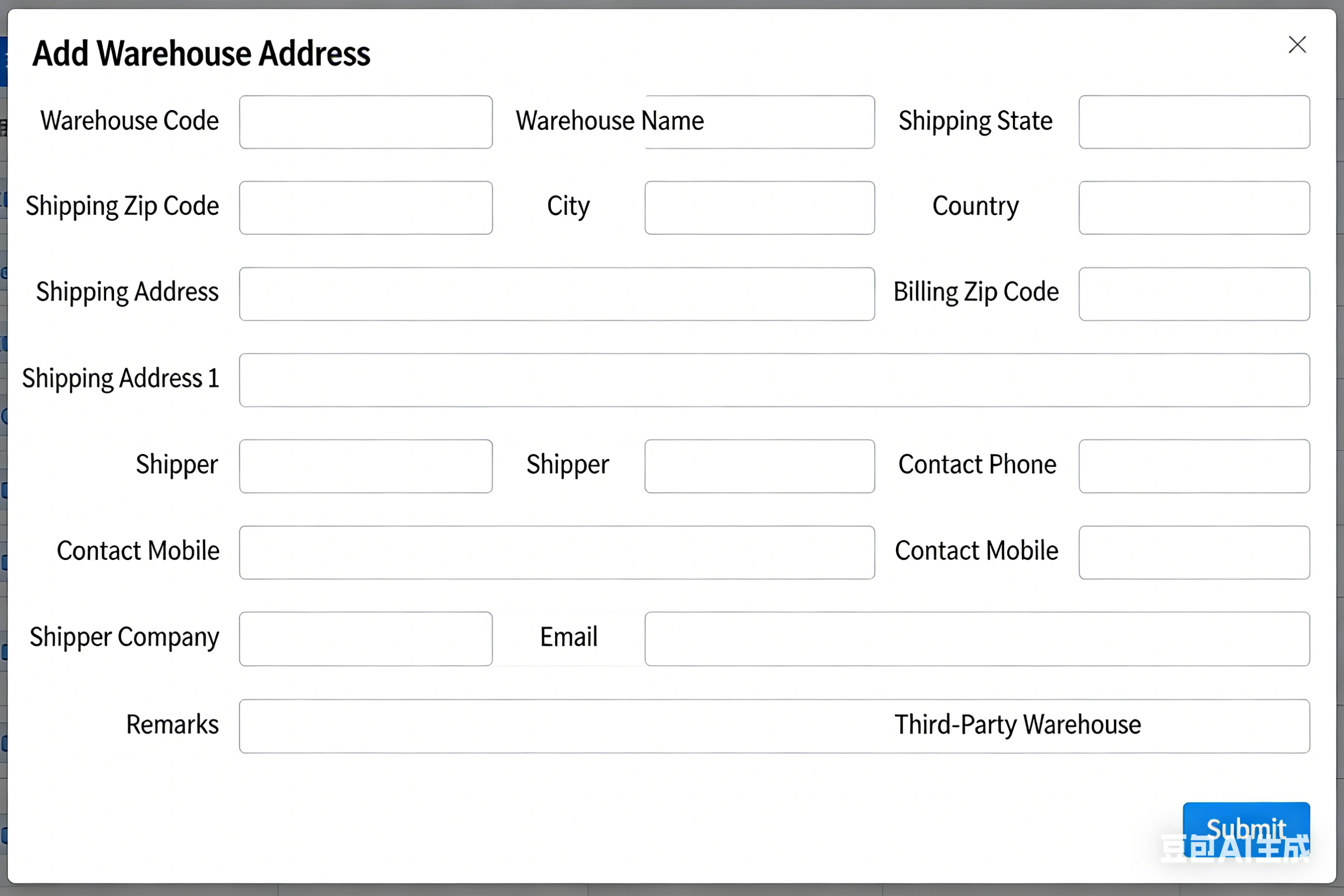
The business representative will generate a warehouse code, product code, and registered account credentials for you.
Step 3: Add Logistics Provider in the Overseas Warehouse System
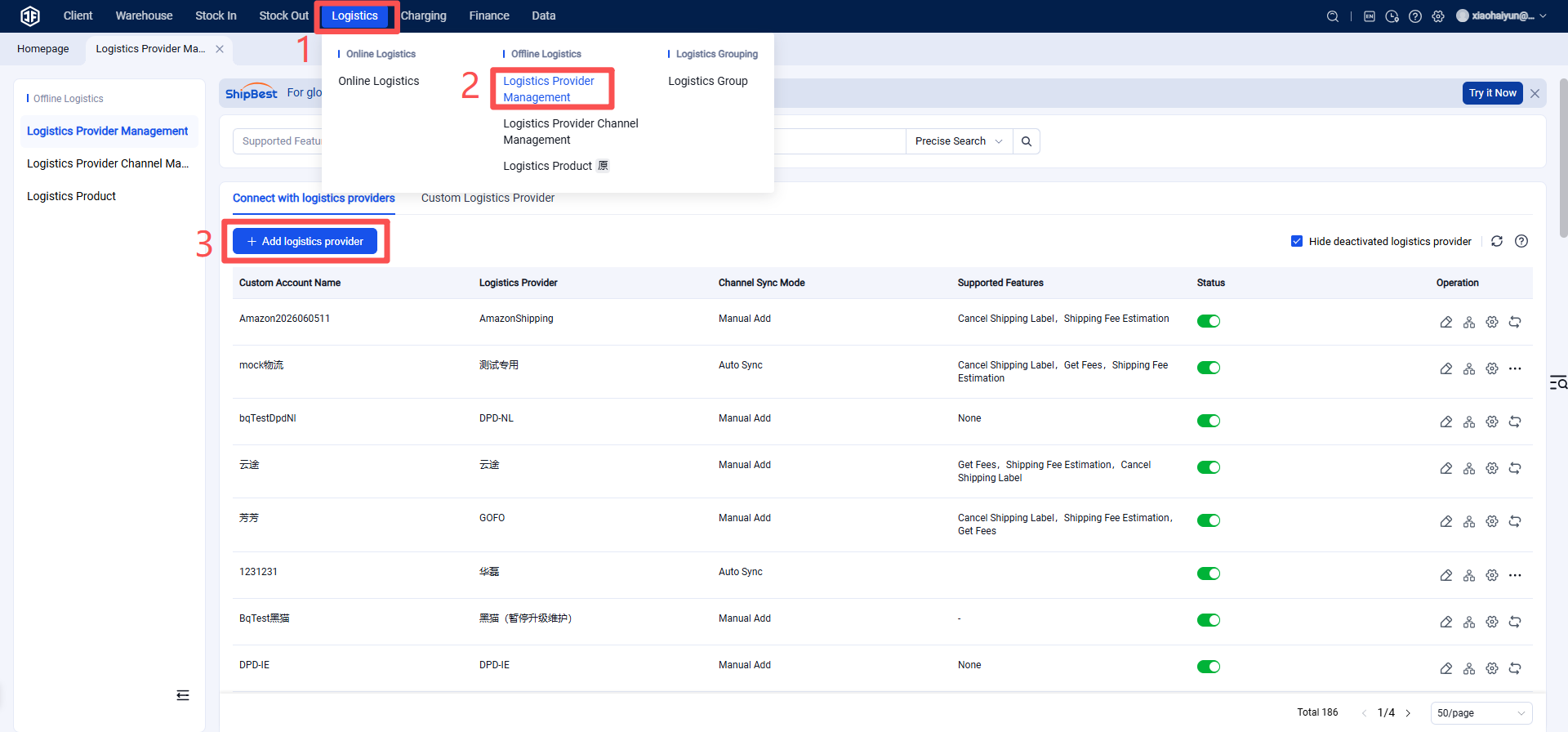
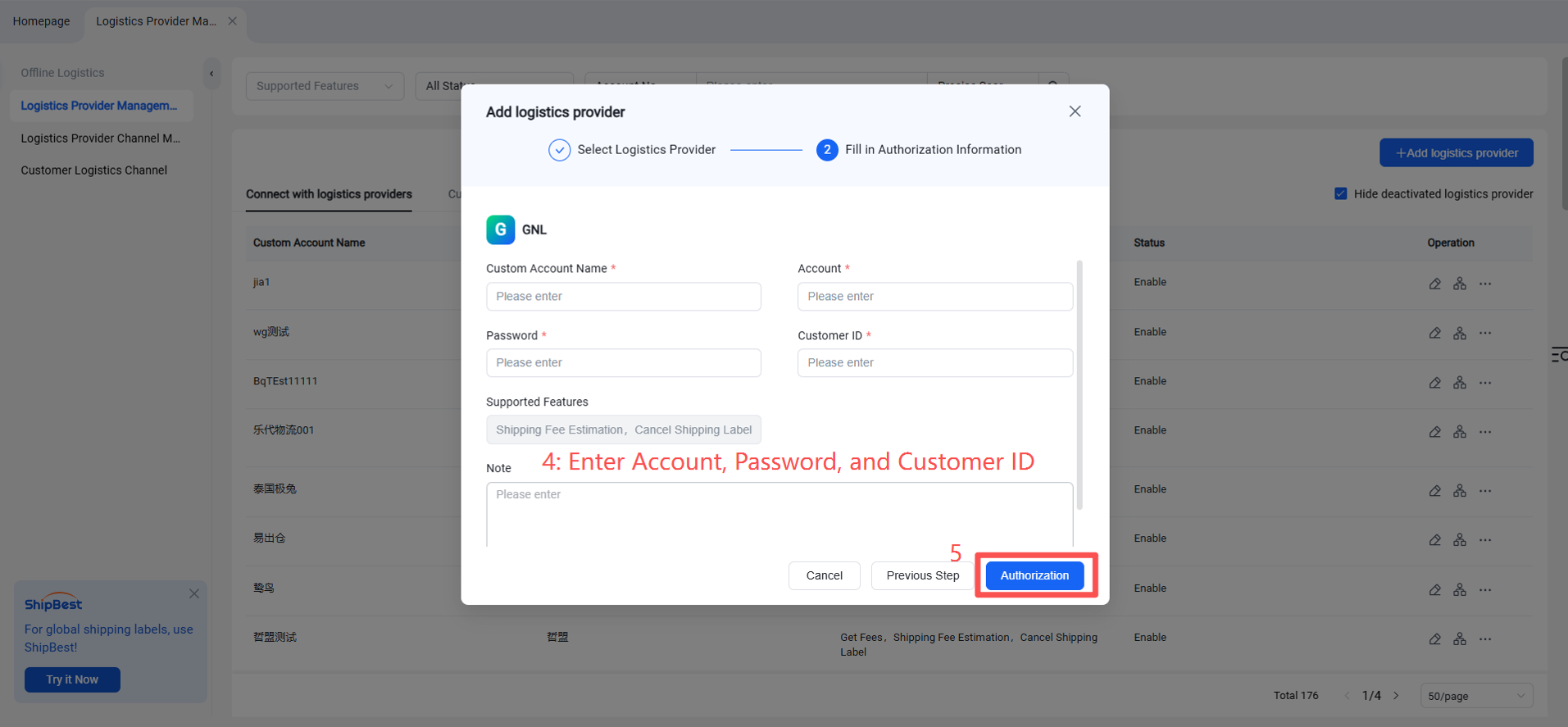
Step 4: Enable Shipping Channel
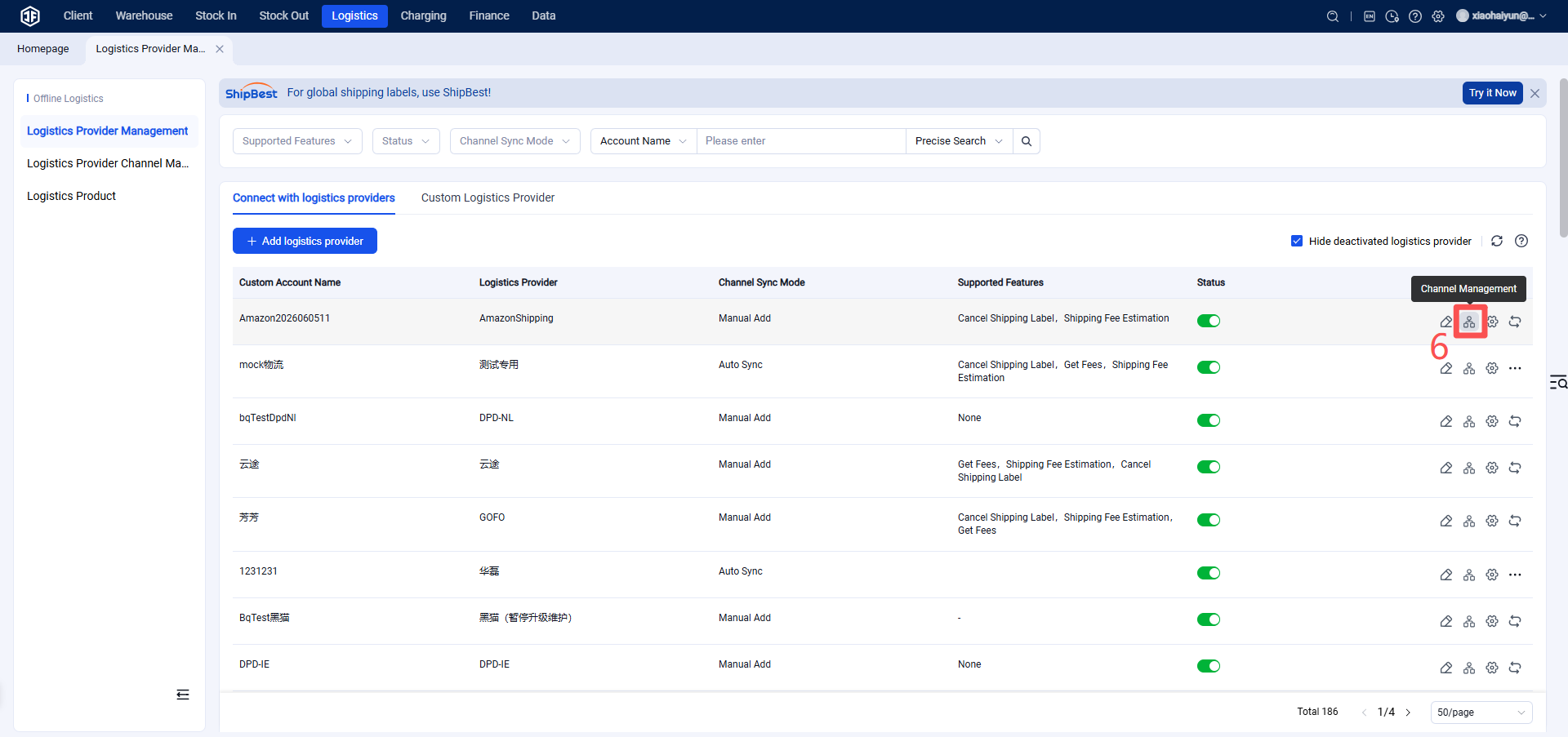
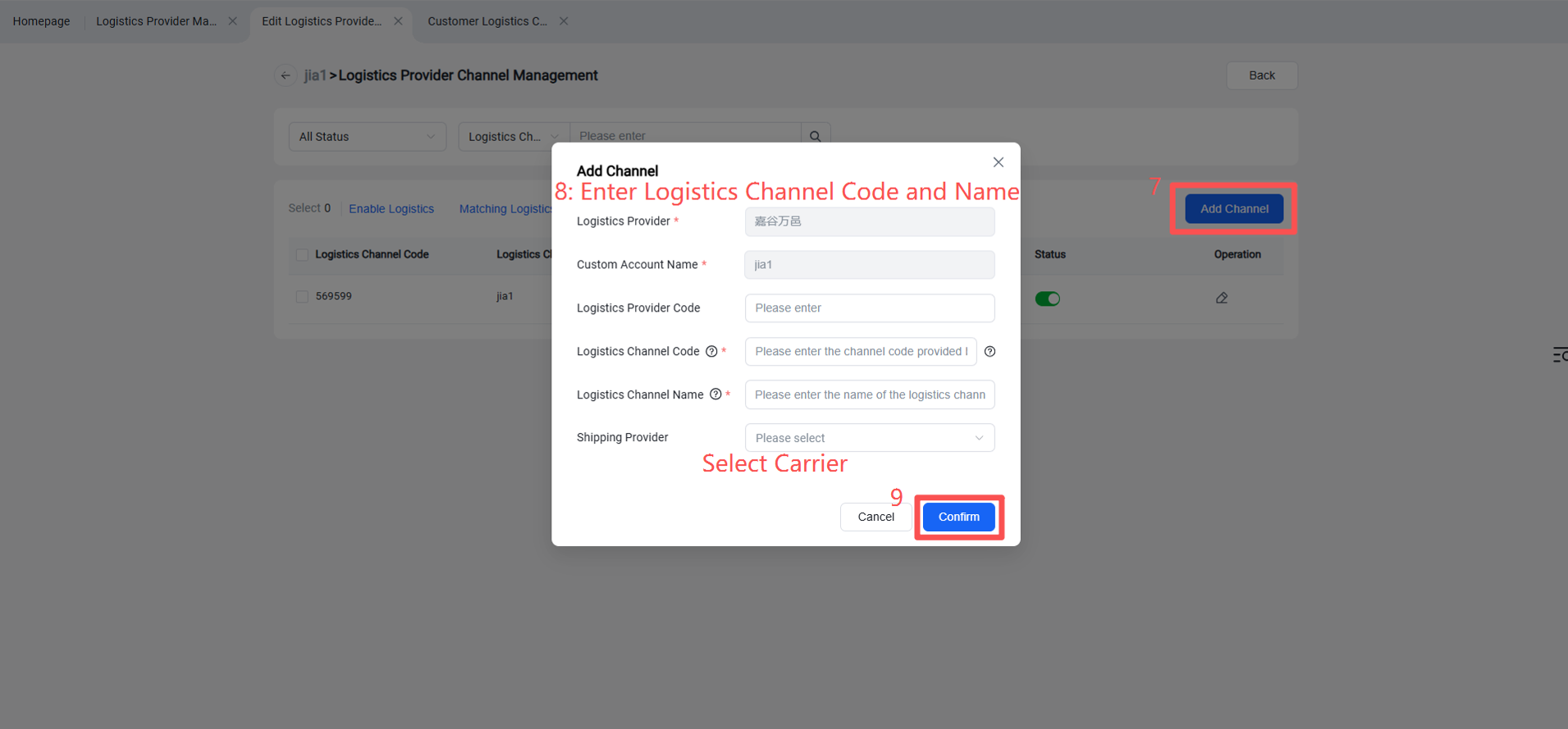
Step 5: Overseas Warehouse Enables Logistics Channel for Customers
(Once enabled, sellers will be able to view this channel on the OMS seller platform or ERP system.)
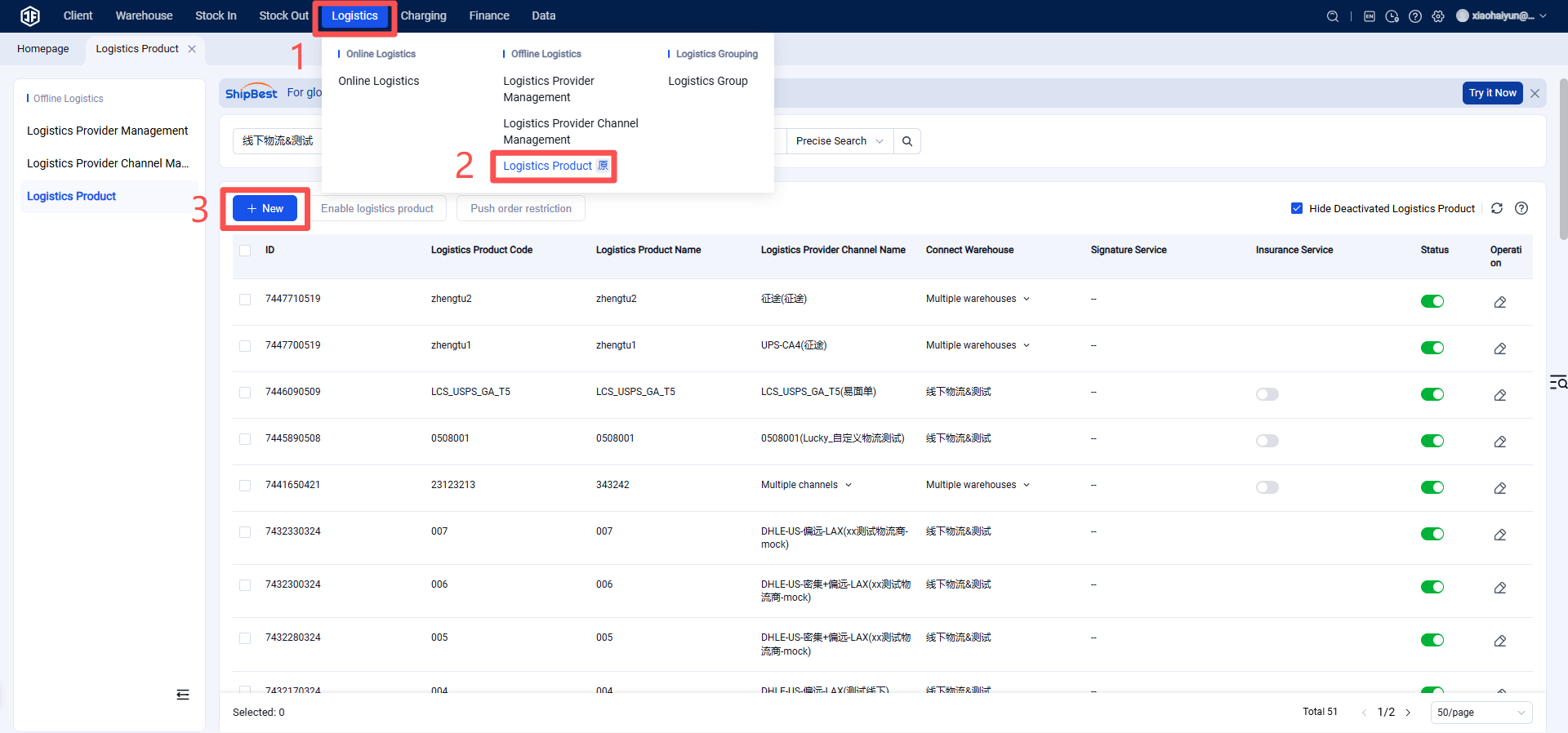
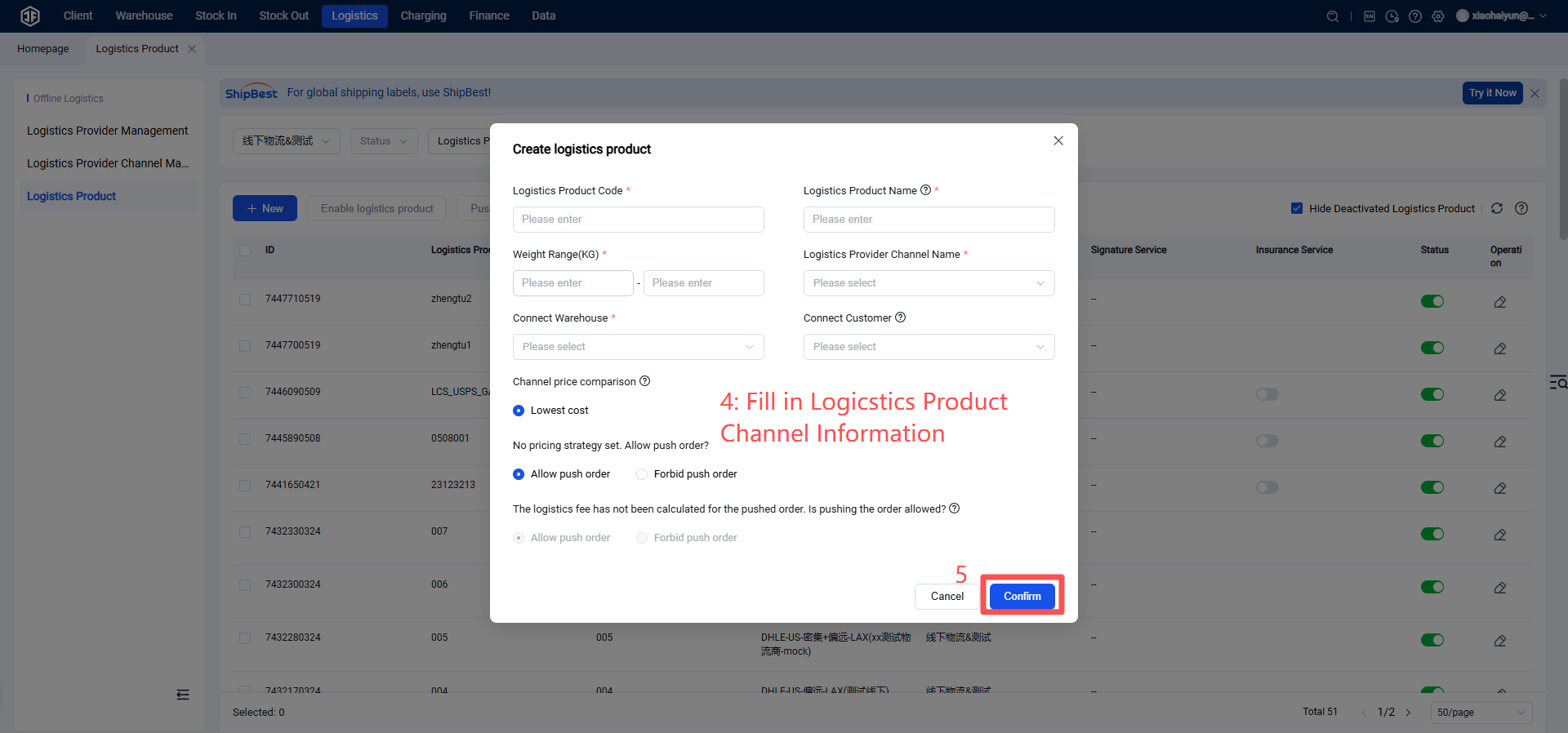
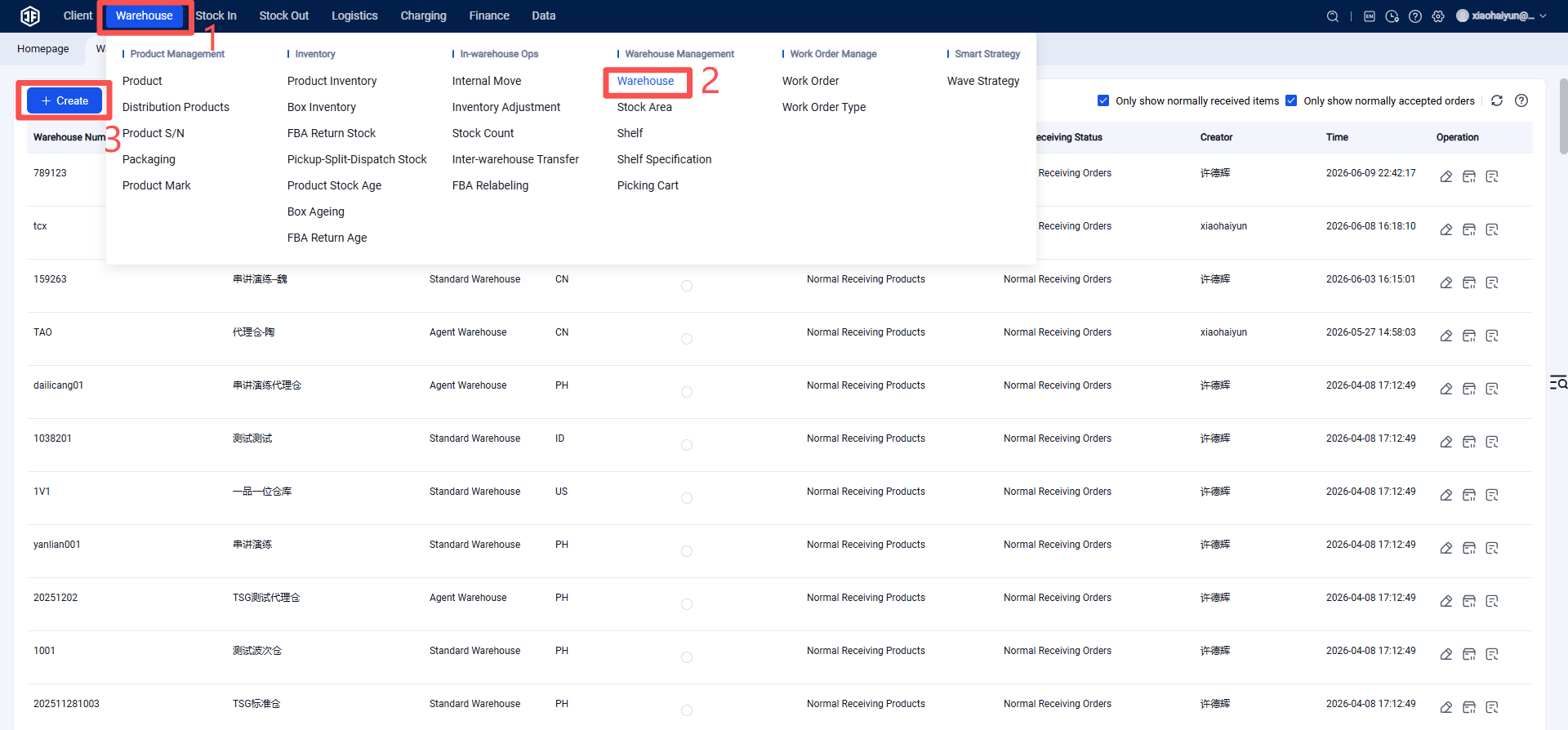
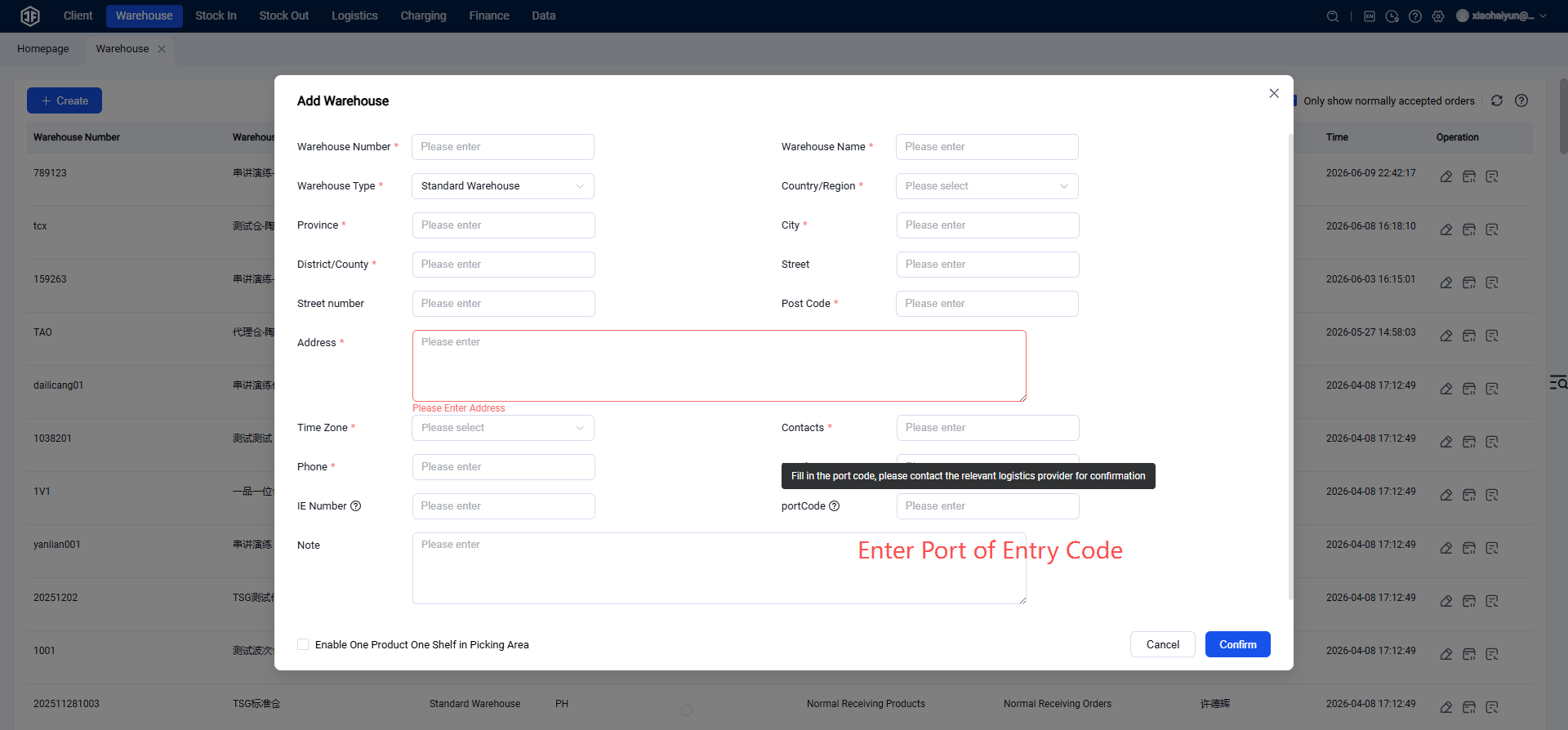
Step 6: Overseas Warehouse Creates New Warehouse
Note: Please select the designated port of entry when creating the warehouse.