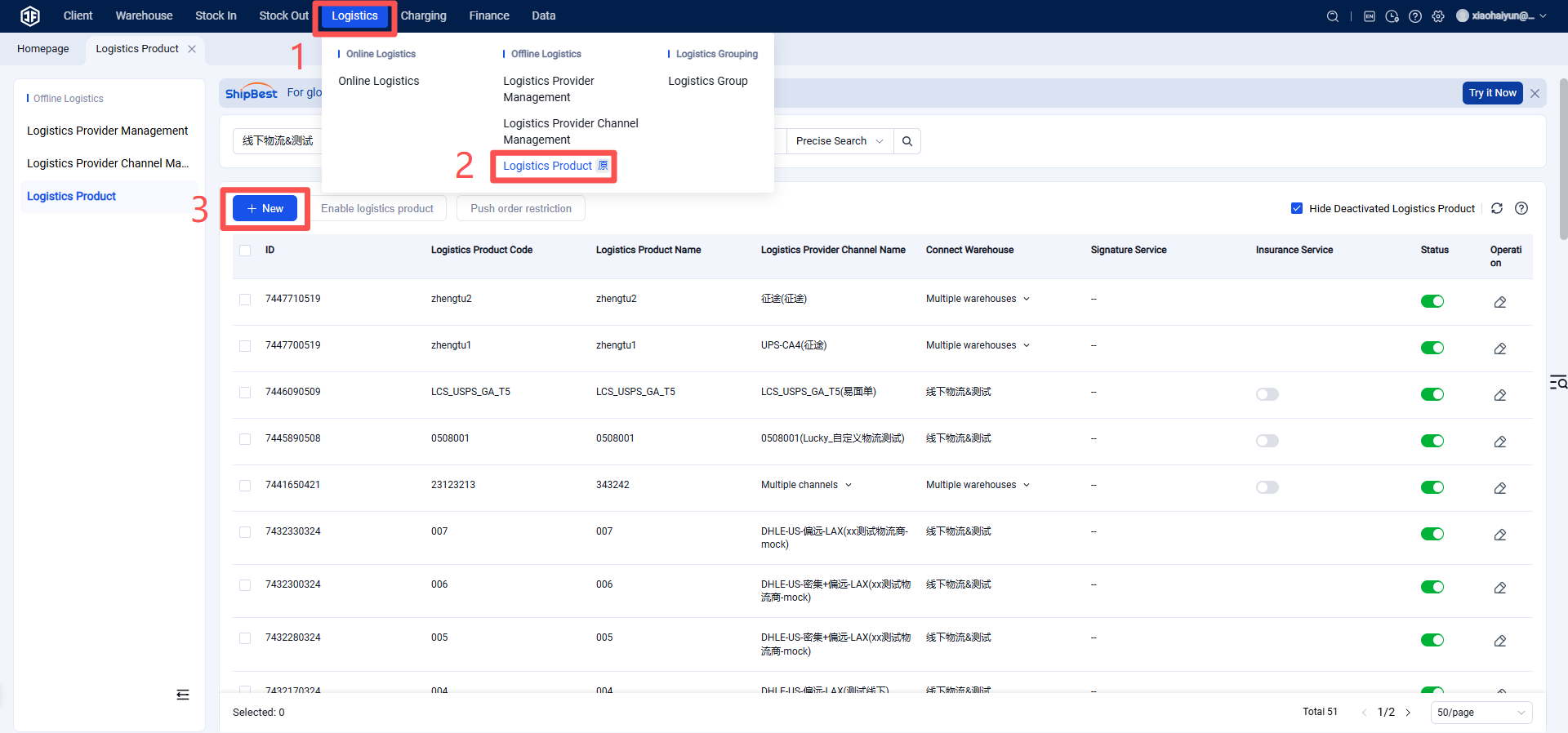
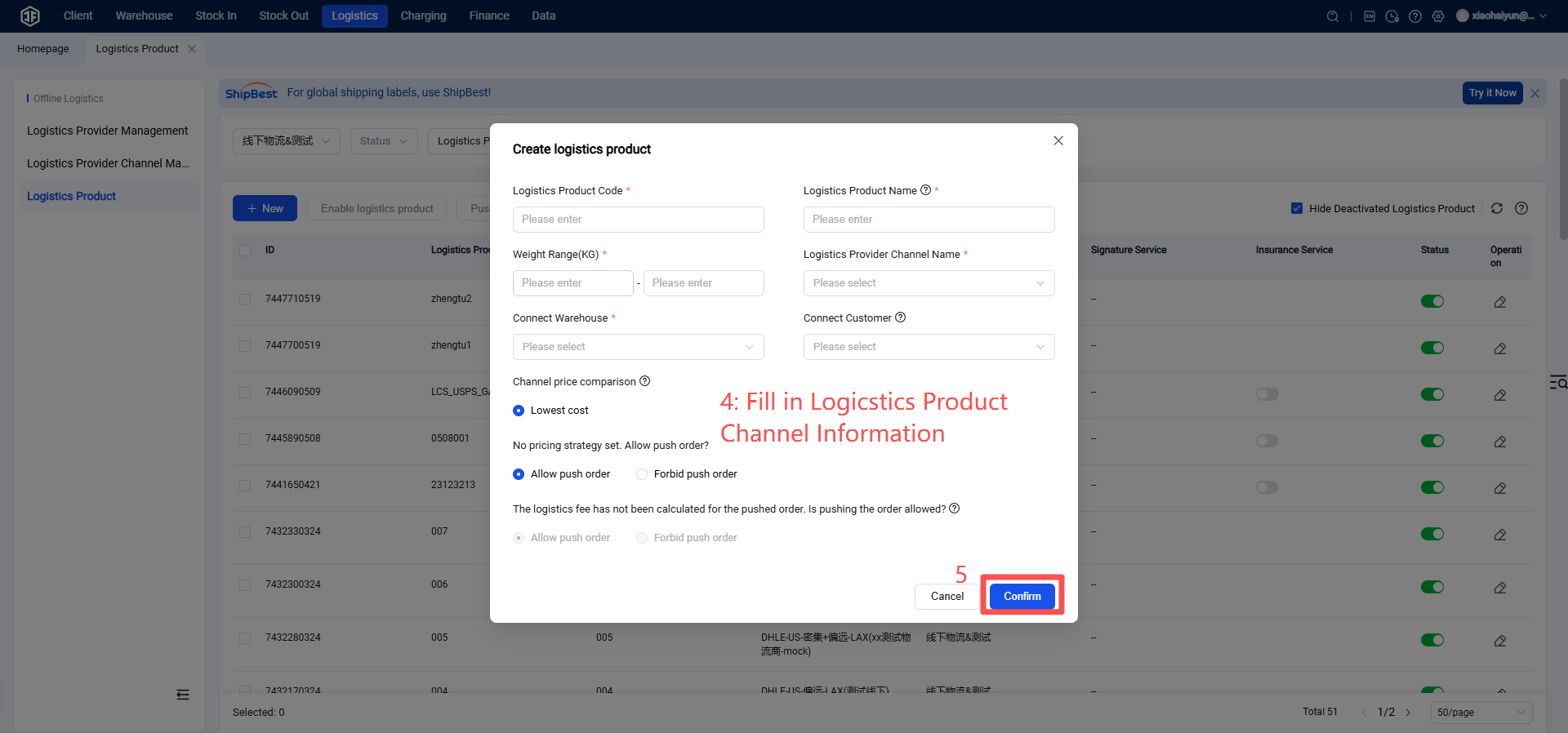
How to Register and Authorize UPS
I. Definition
By authorizing the Jifeng Overseas Warehouse System through UPS Logistics, the logistics channel activation process is enabled for customers.
II. Operational Procedures
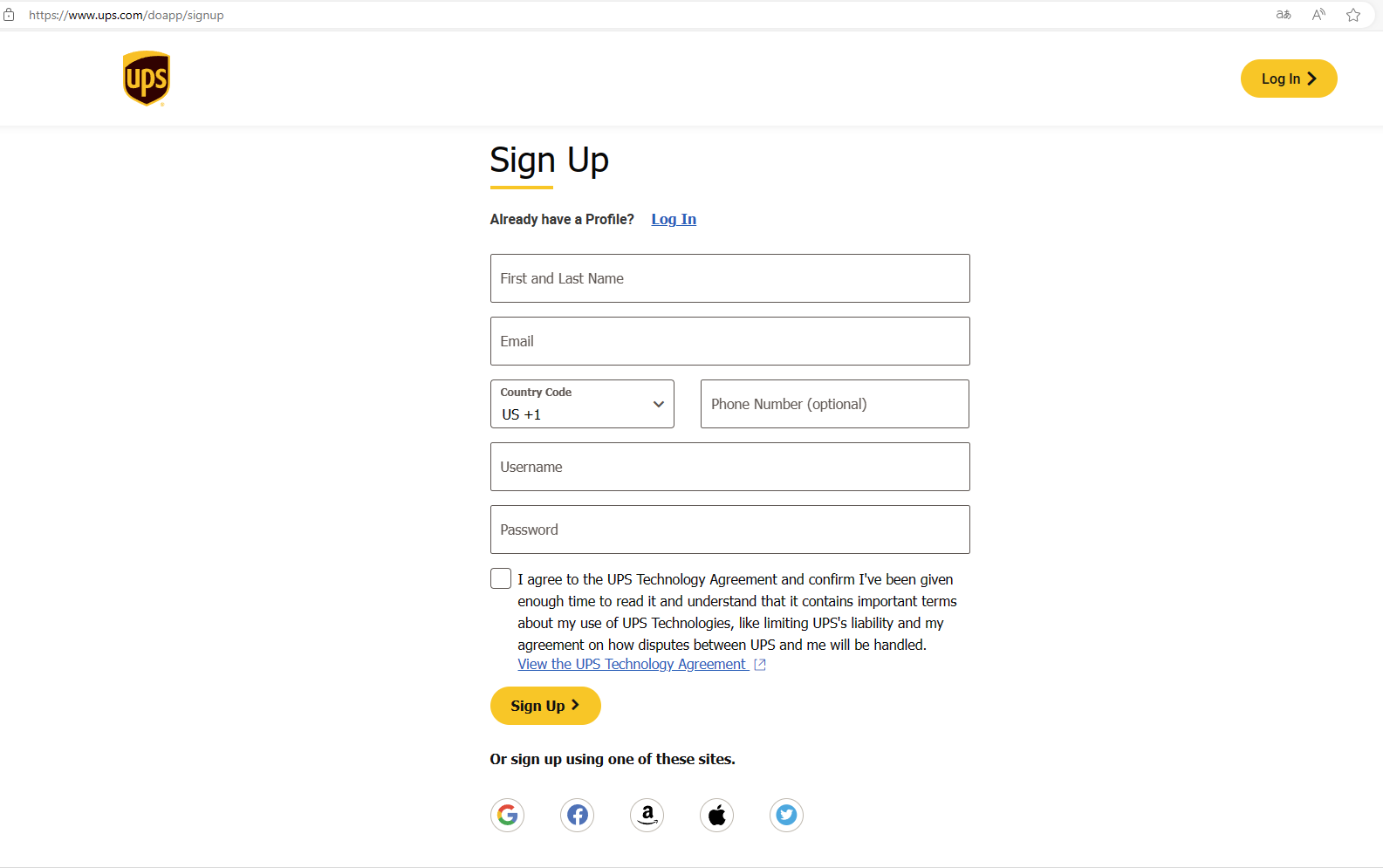
Step 1: Register a UPS Account (If you already have an account, proceed to the next step)
Registration URL: https://www.ups.com/doapp/signup
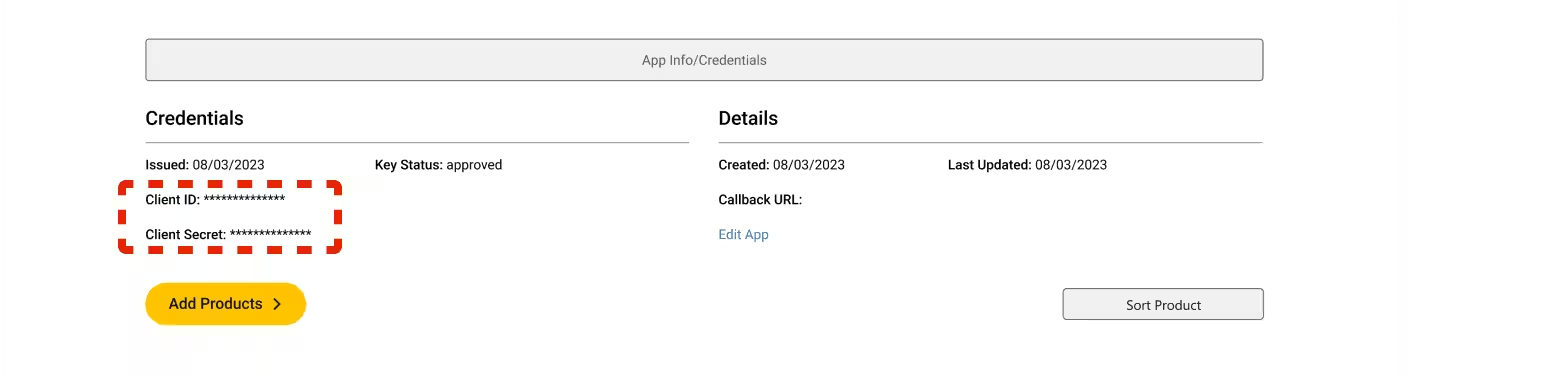
Step 2: Obtain Client ID and Client Secret
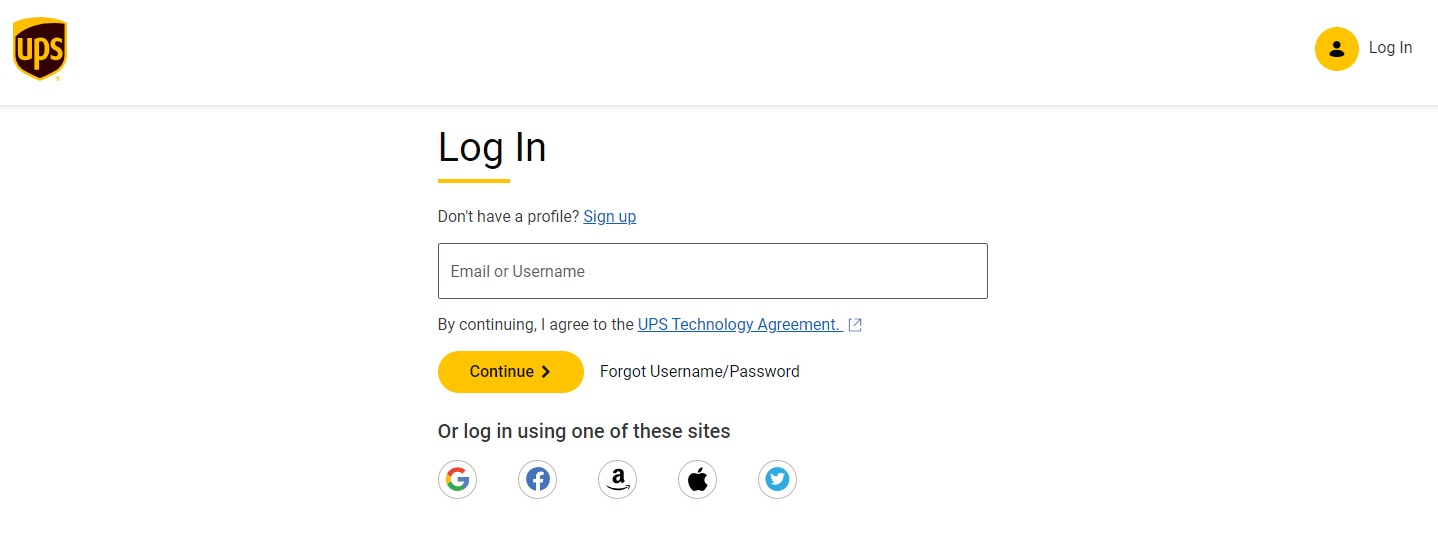
Step 1: Log in to the UPS Developer Center using your UPS account
To obtain your Client ID and Client Secret, you need to create an application. This application will be associated with your shipper account and the email address linked to your UPS.com ID.
Click the link https://developer.ups.com/get-started?loc=en_US to apply for a UPS Developer account.
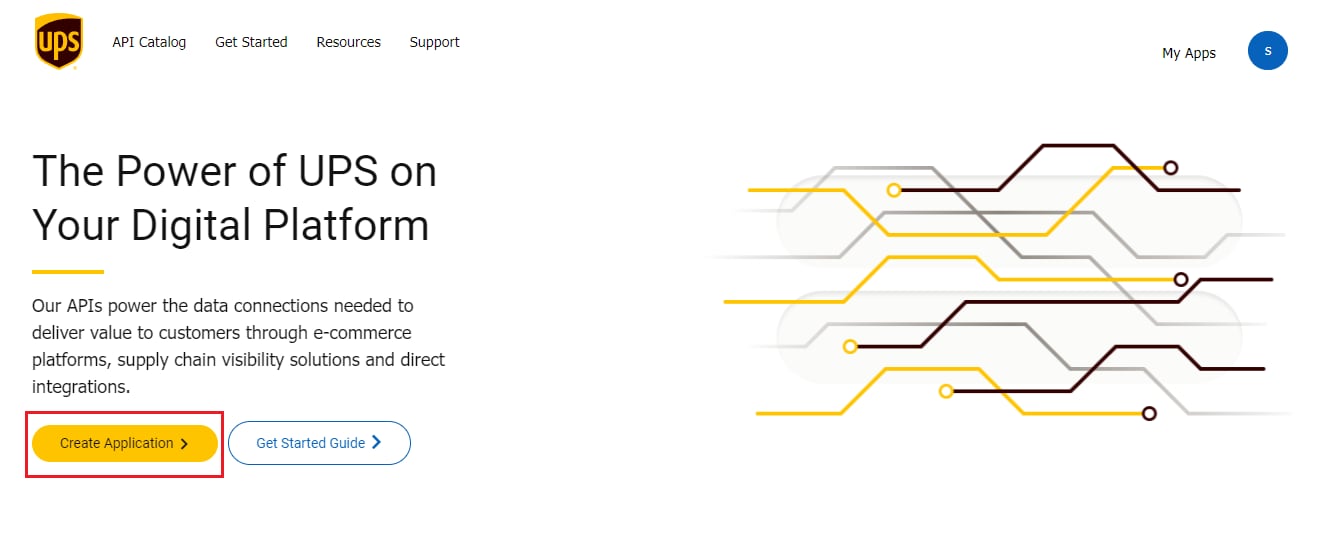
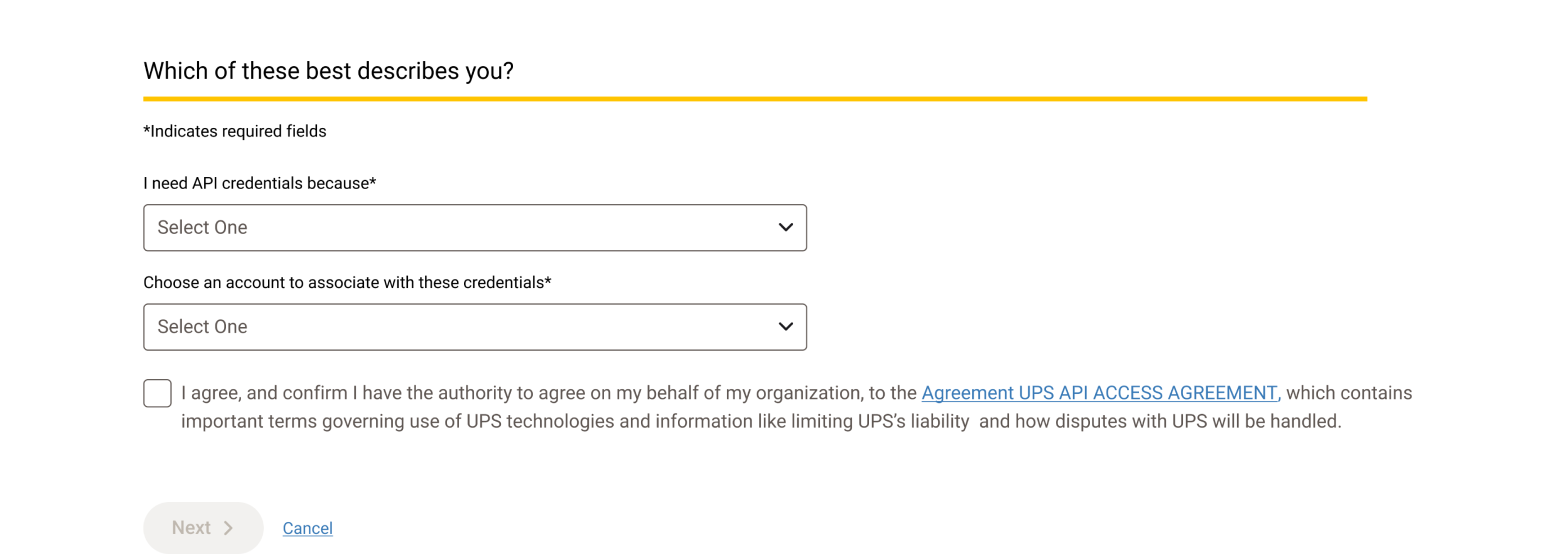
Step 2: Select your use case, shipper account, and accept the agreement.
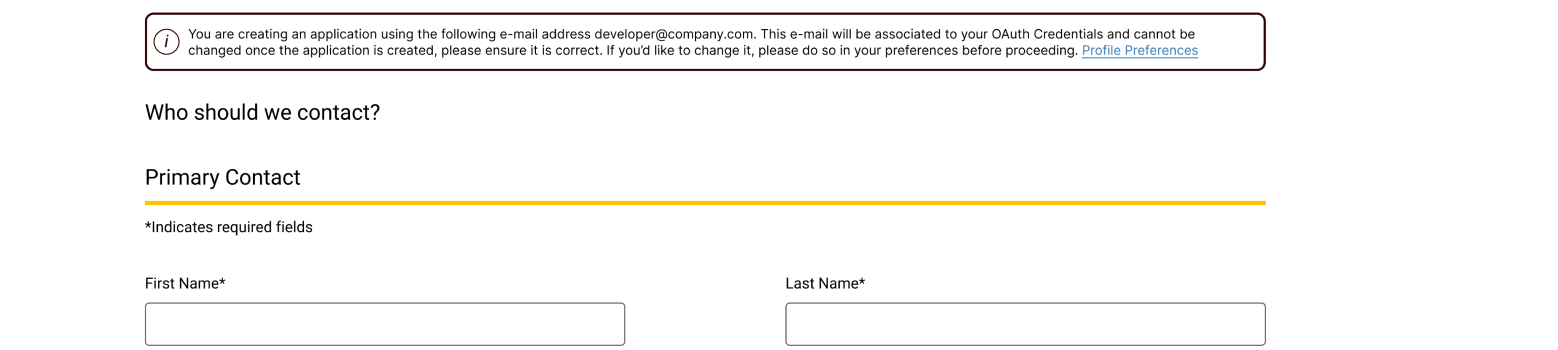
Step 3: Enter your contact information.
Consider using a group inbox that is accessible to others. Once credentials are created or the email is changed, you will not be able to modify this email, and you may lose access to the application.
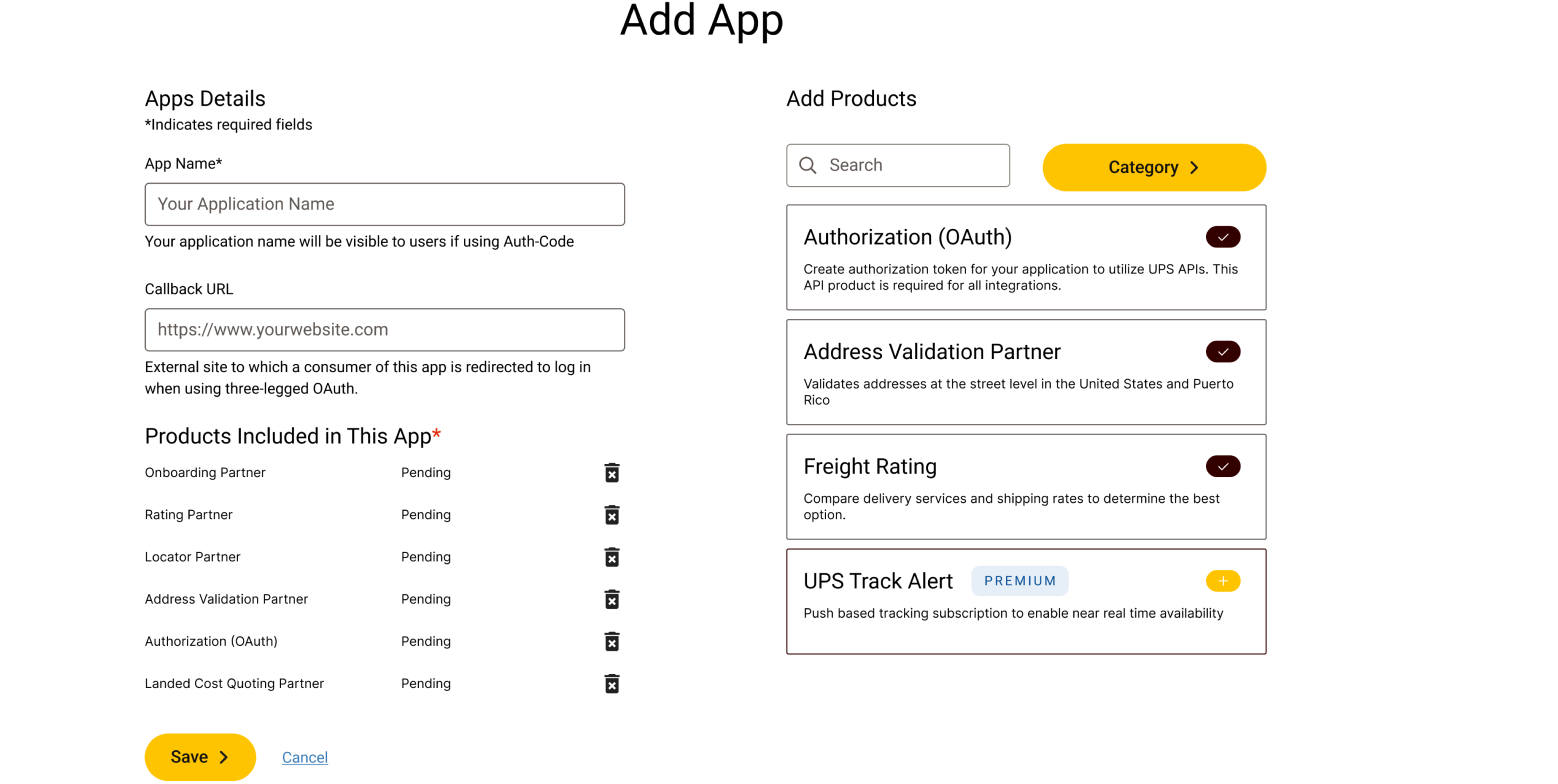
Step 4: Define Your Application Details
This includes the application name, associated billing account number, and custom product configuration.
Step 5: Copy Authorization Information
After saving, your Client ID and Client Secret will be generated. These will be used to obtain an access token to authorize your API requests.
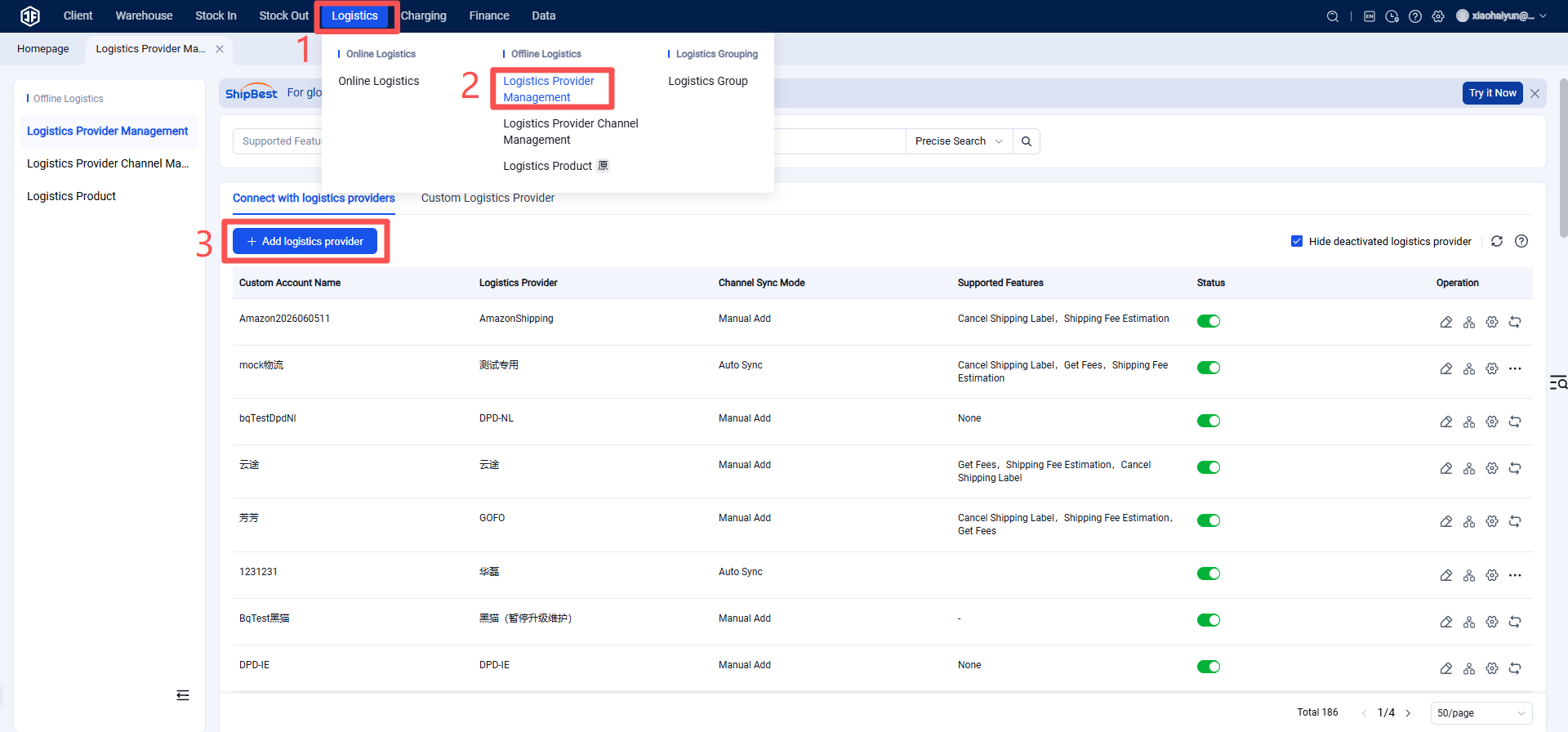
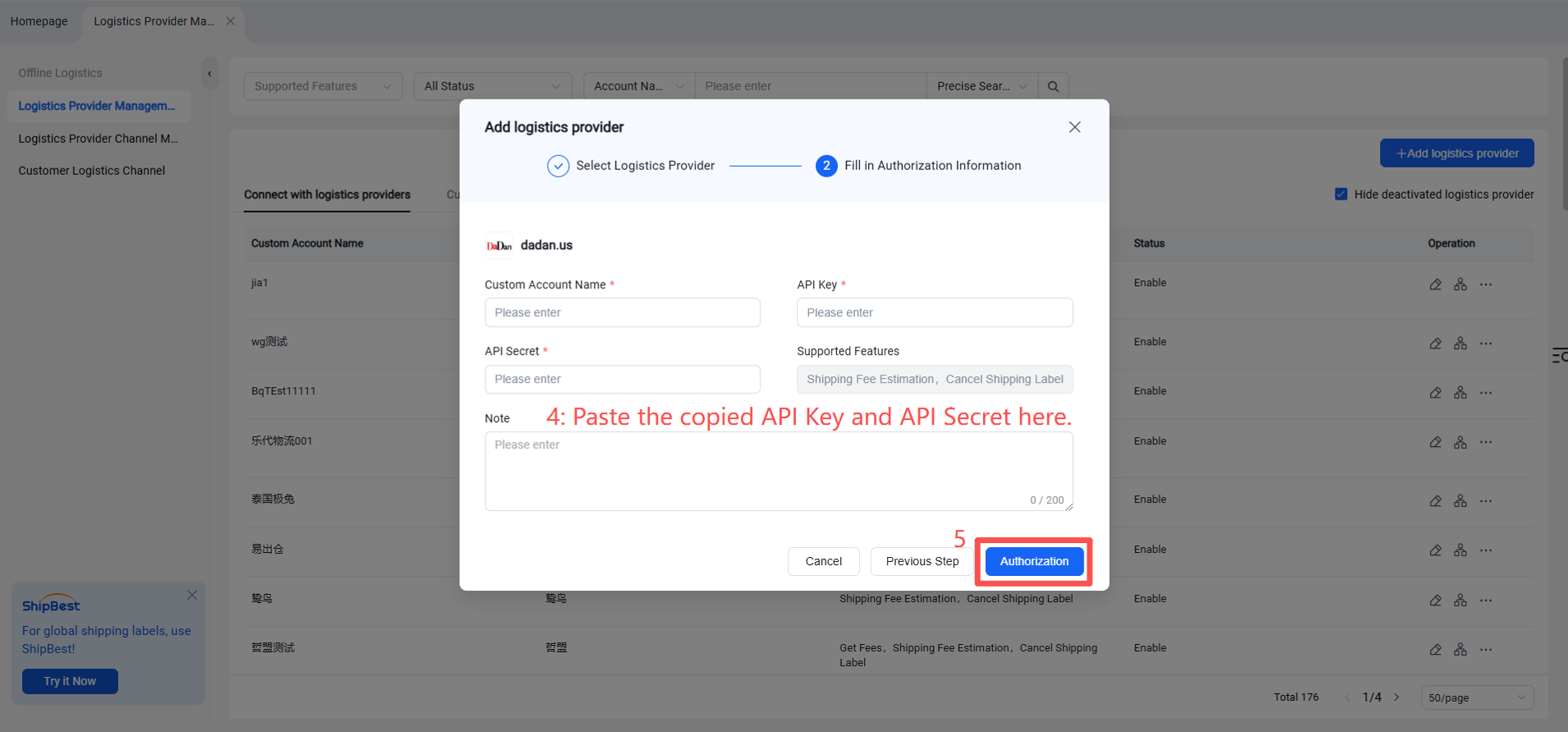
Step 3: Add Logistics Provider in the Jifeng Overseas Warehouse System
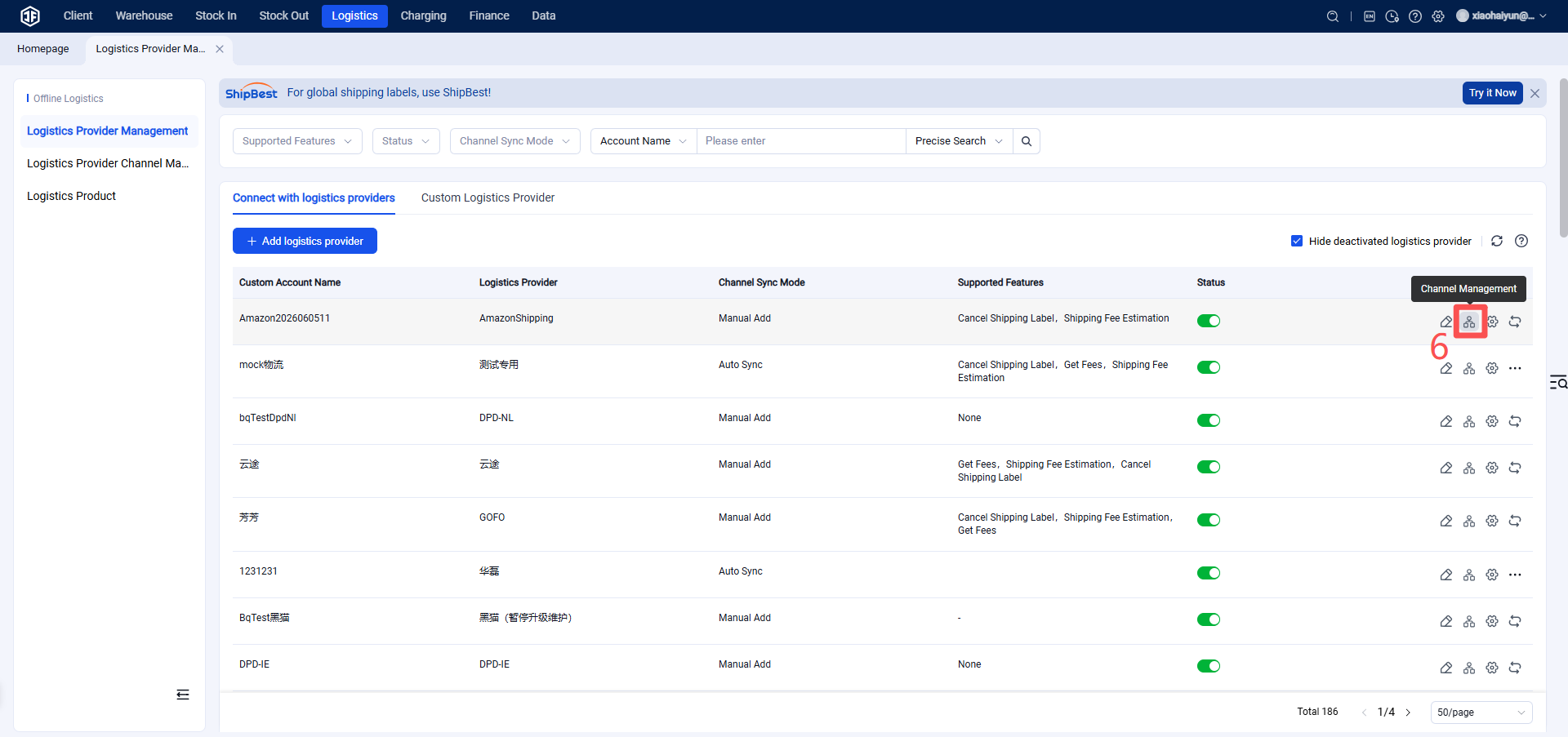
Step 4: Enable Logistics Channel
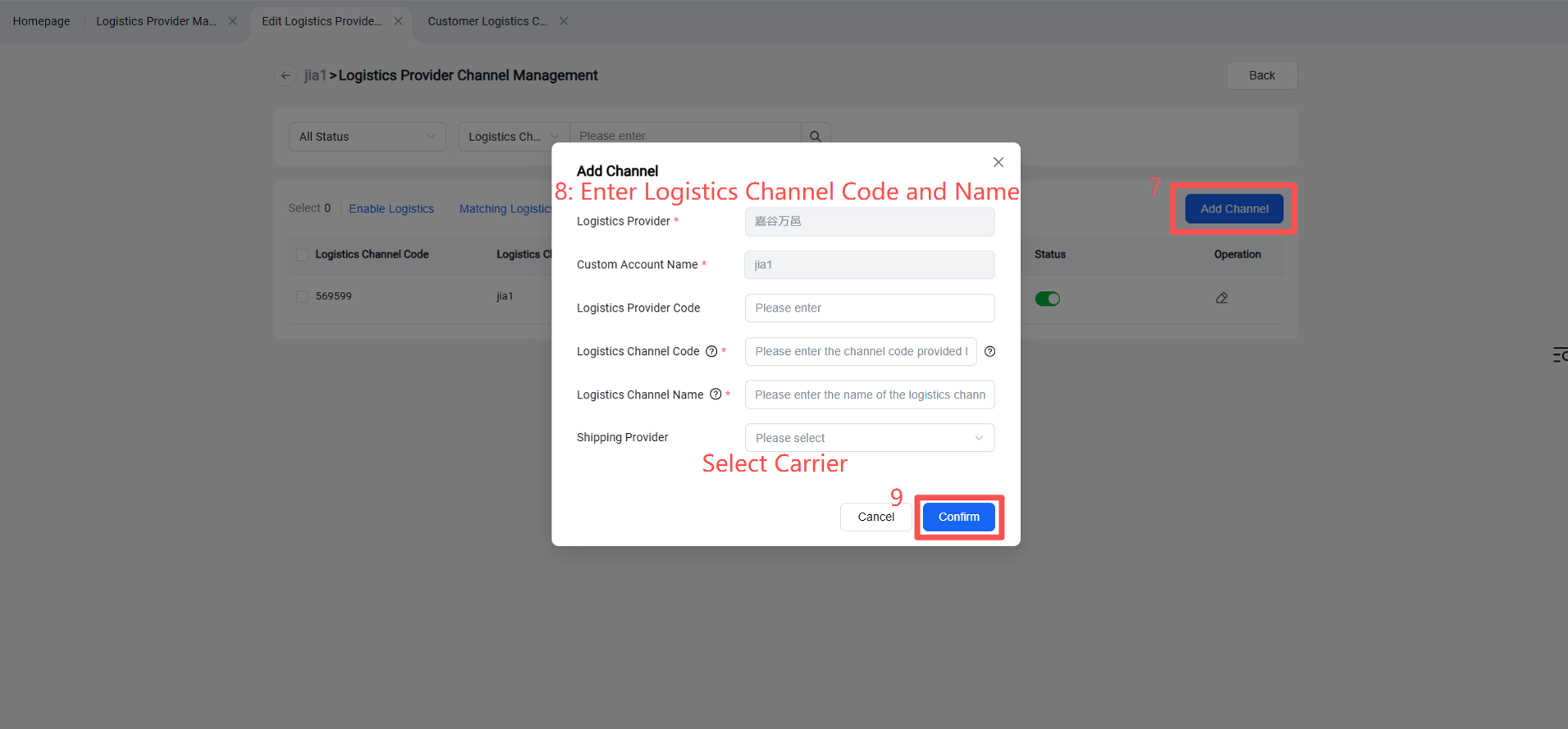
Step 5: Overseas Warehouse Enables Logistics Channel for Customers
(Once enabled, sellers will be able to view this channel on the OMS seller platform or ERP system.)