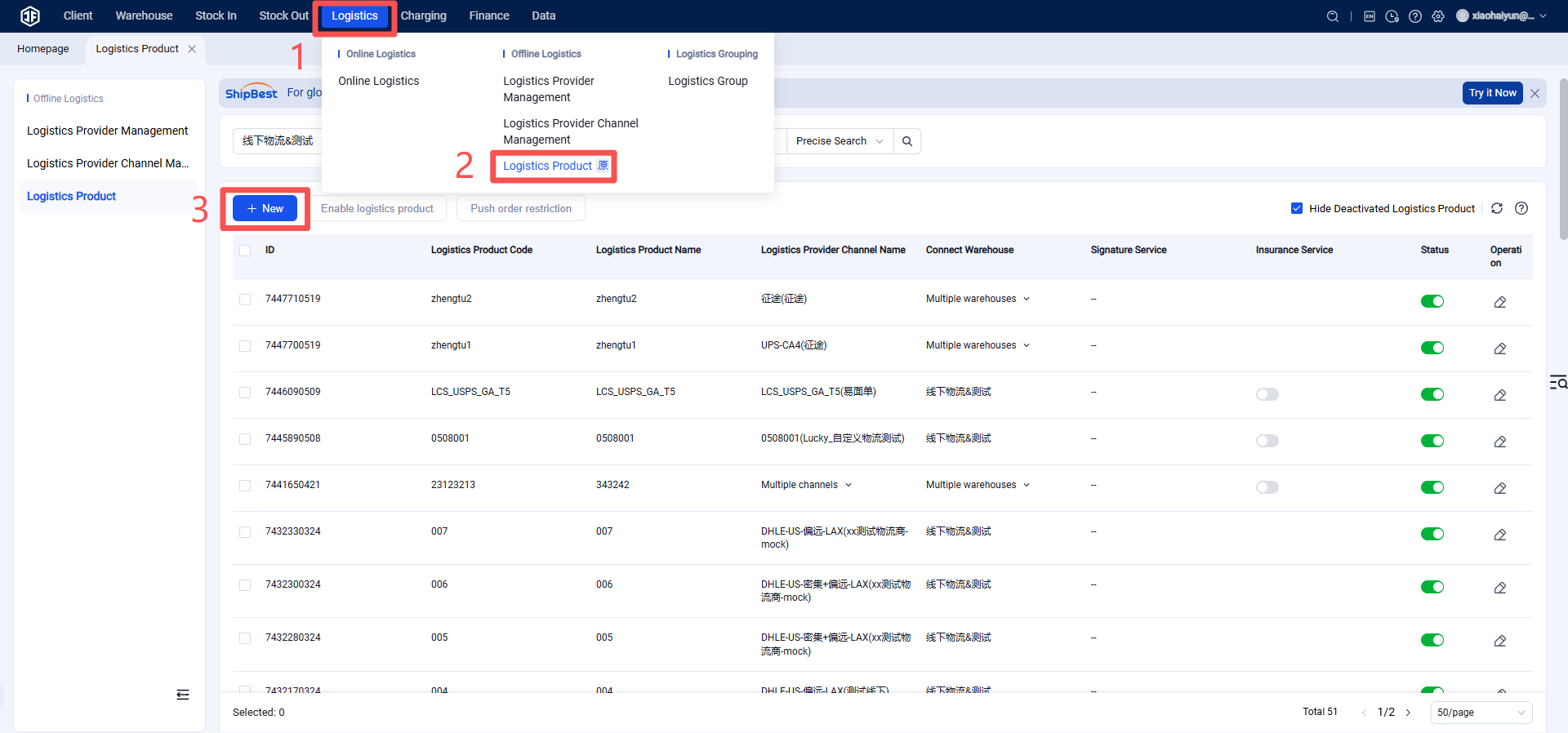
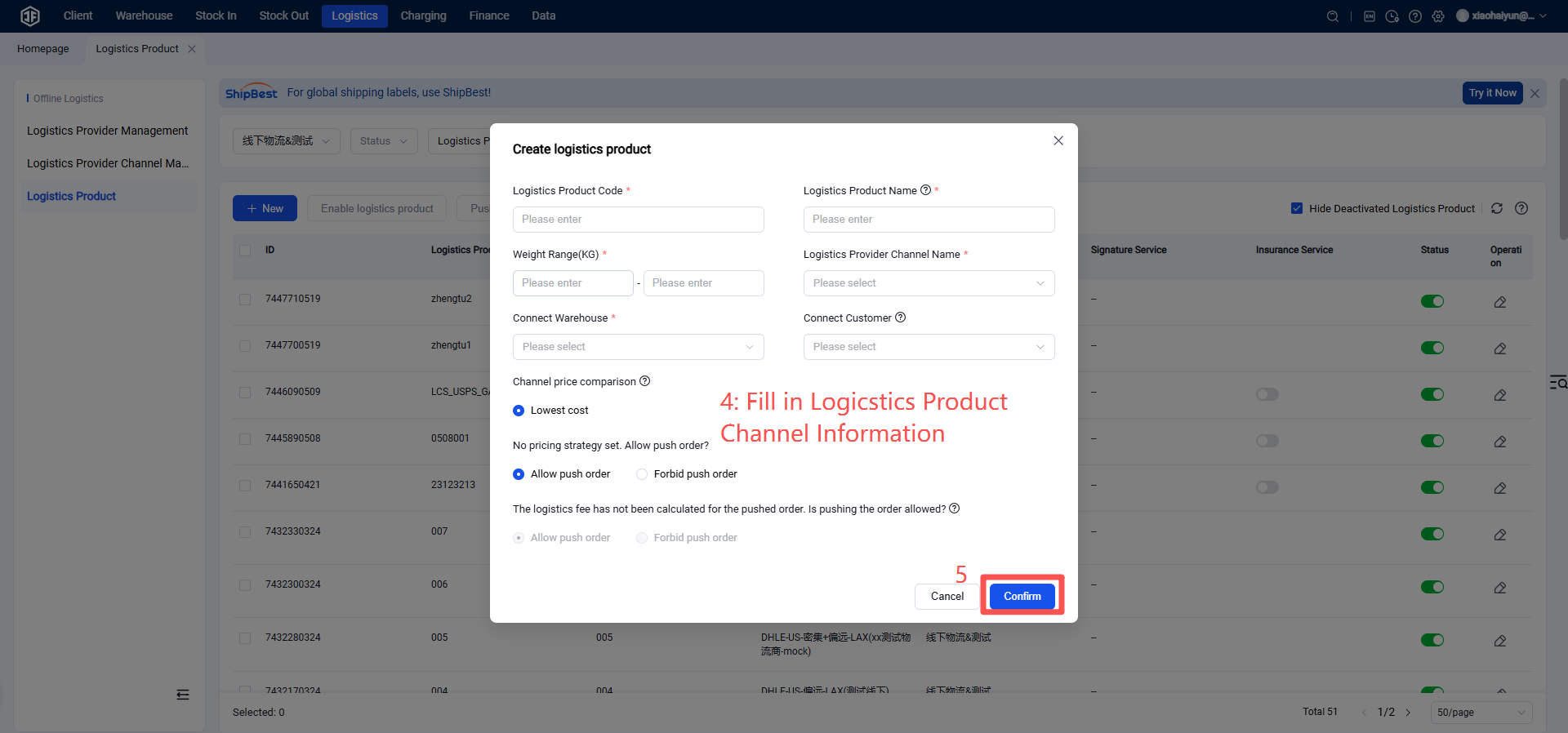
How to Register and Authorize J&T EXPRESS-MX
I. Definition
This document outlines the process of enabling logistics channels for customers by authorizing the Jifeng Overseas Warehouse system through J&T Express logistics services.
II. Operating Procedures
Step 1: Register a J&T Express Account (If you already have an account, proceed to the next step.)
Registration URL: https://www.jtexpress.mx/
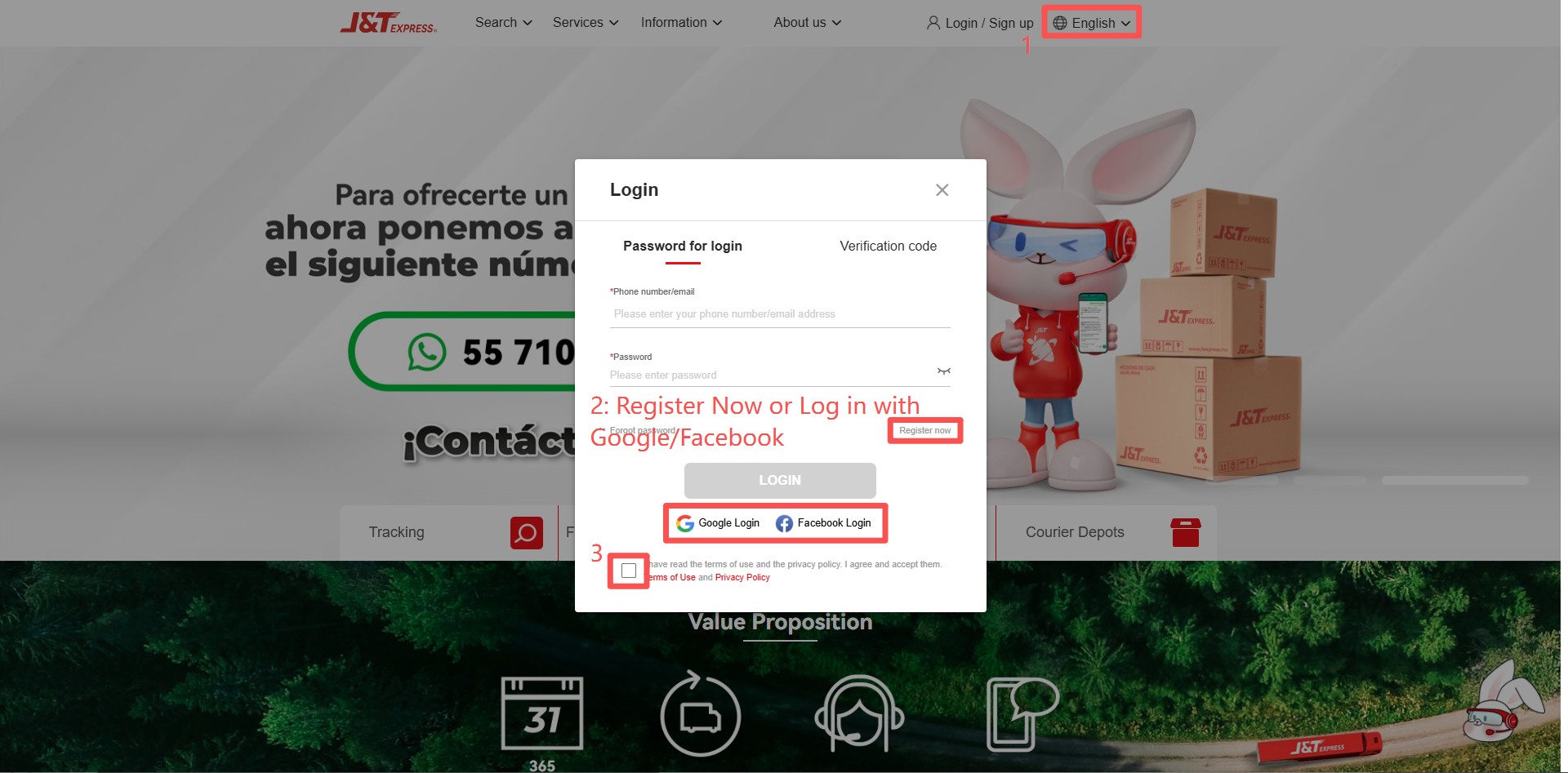
Step 2: Obtain Client ID and Client Secret
Step 1: Access the J&T Express Open Platform
First, copy the URL: https://open.jtexpress.com.cn/#/apiDoc/index.
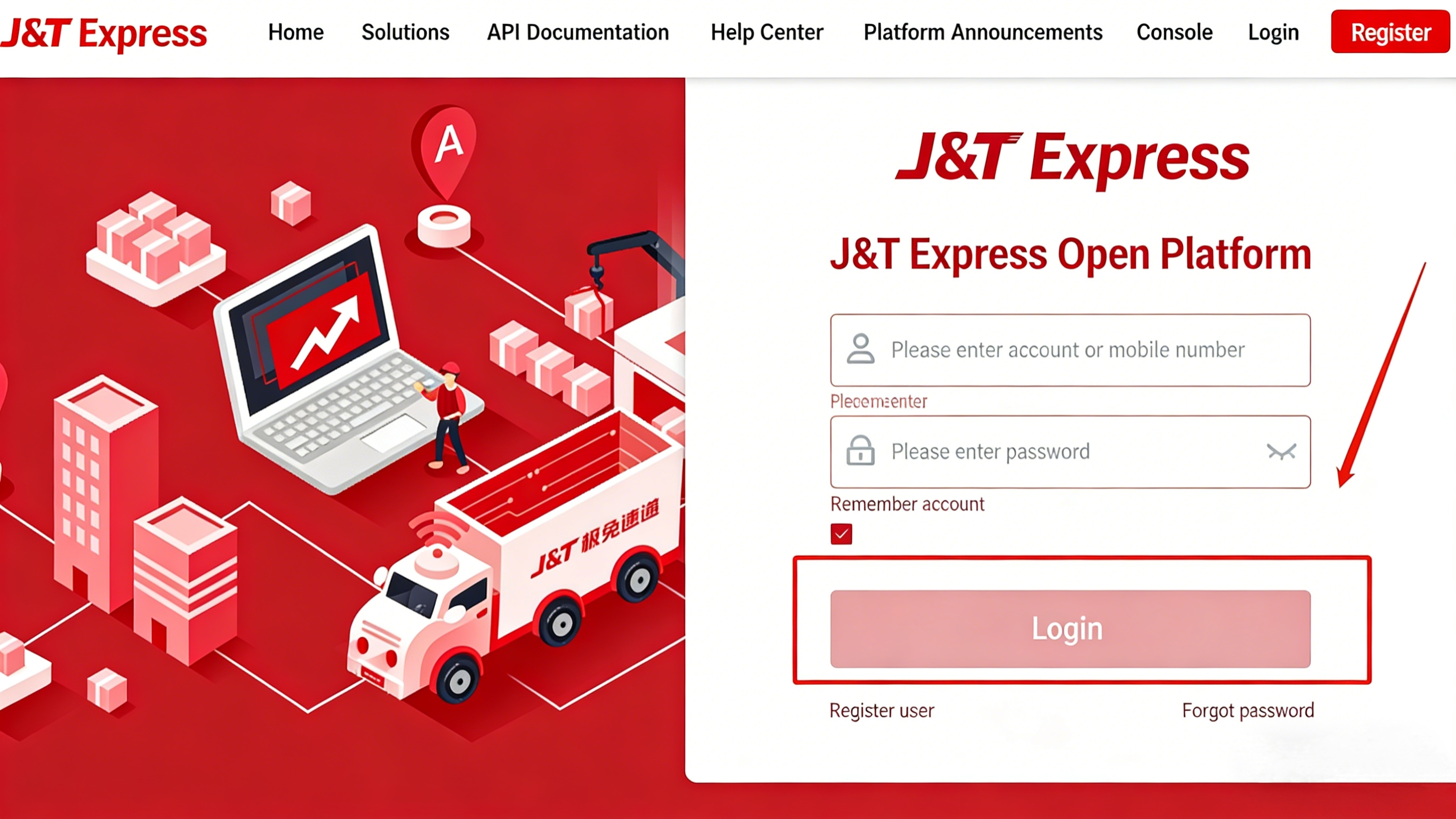
Navigate to the J&T Express Open Platform page. Click "Login" in the upper right corner, enter your account credentials and password, then click "Login".
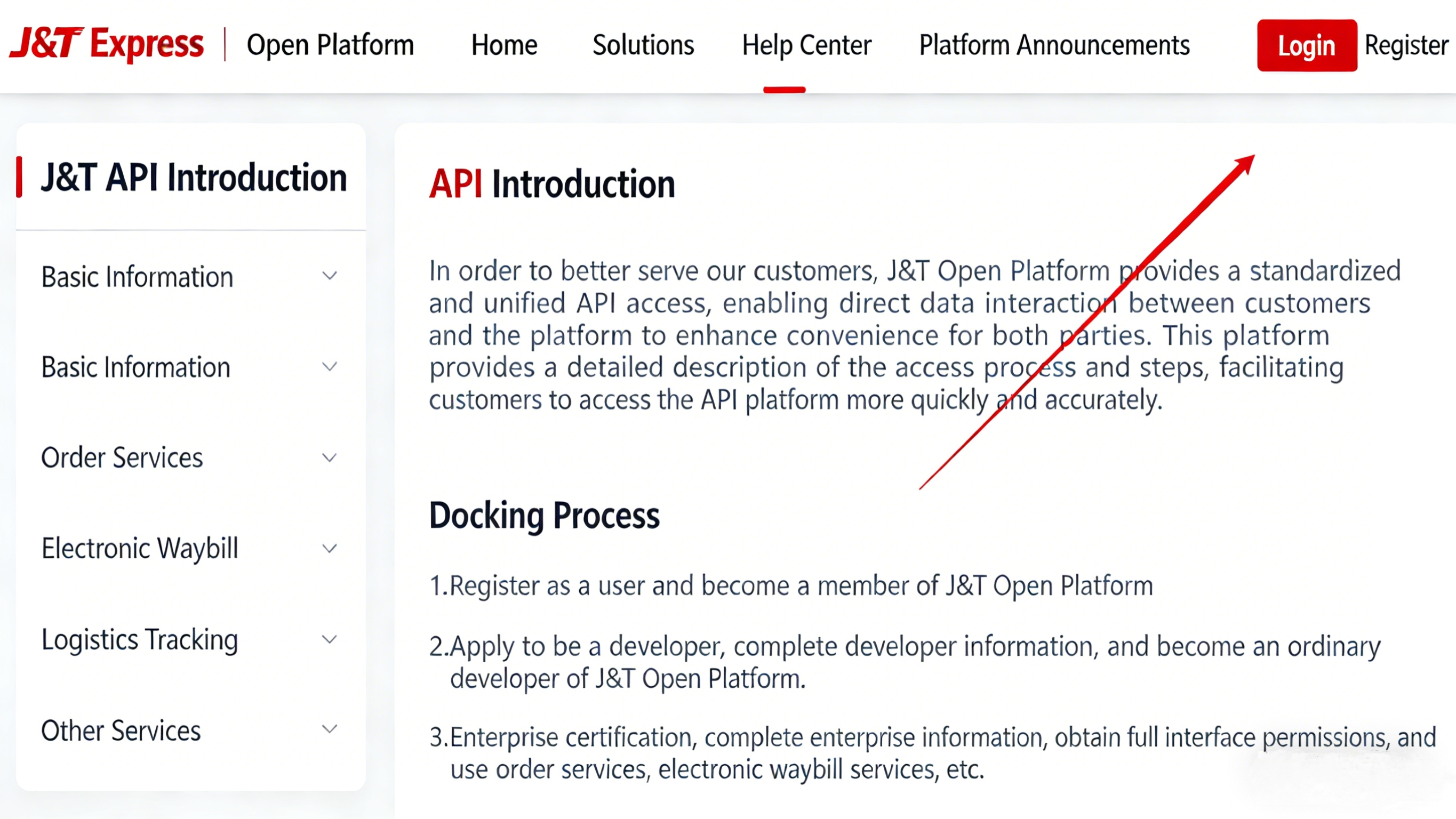
Step 2: Add Application
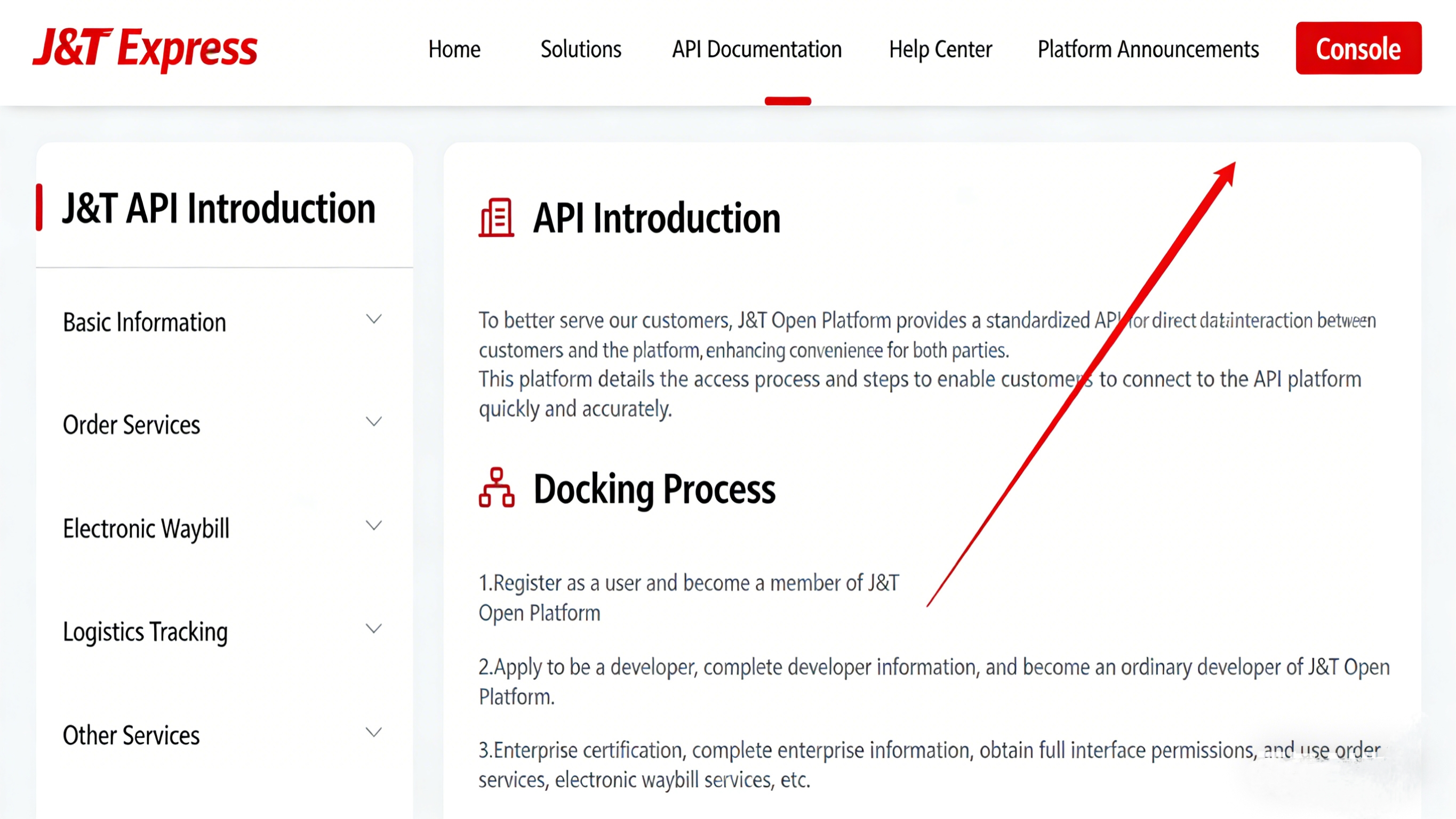
After successful login, click "Console" in the upper right corner.
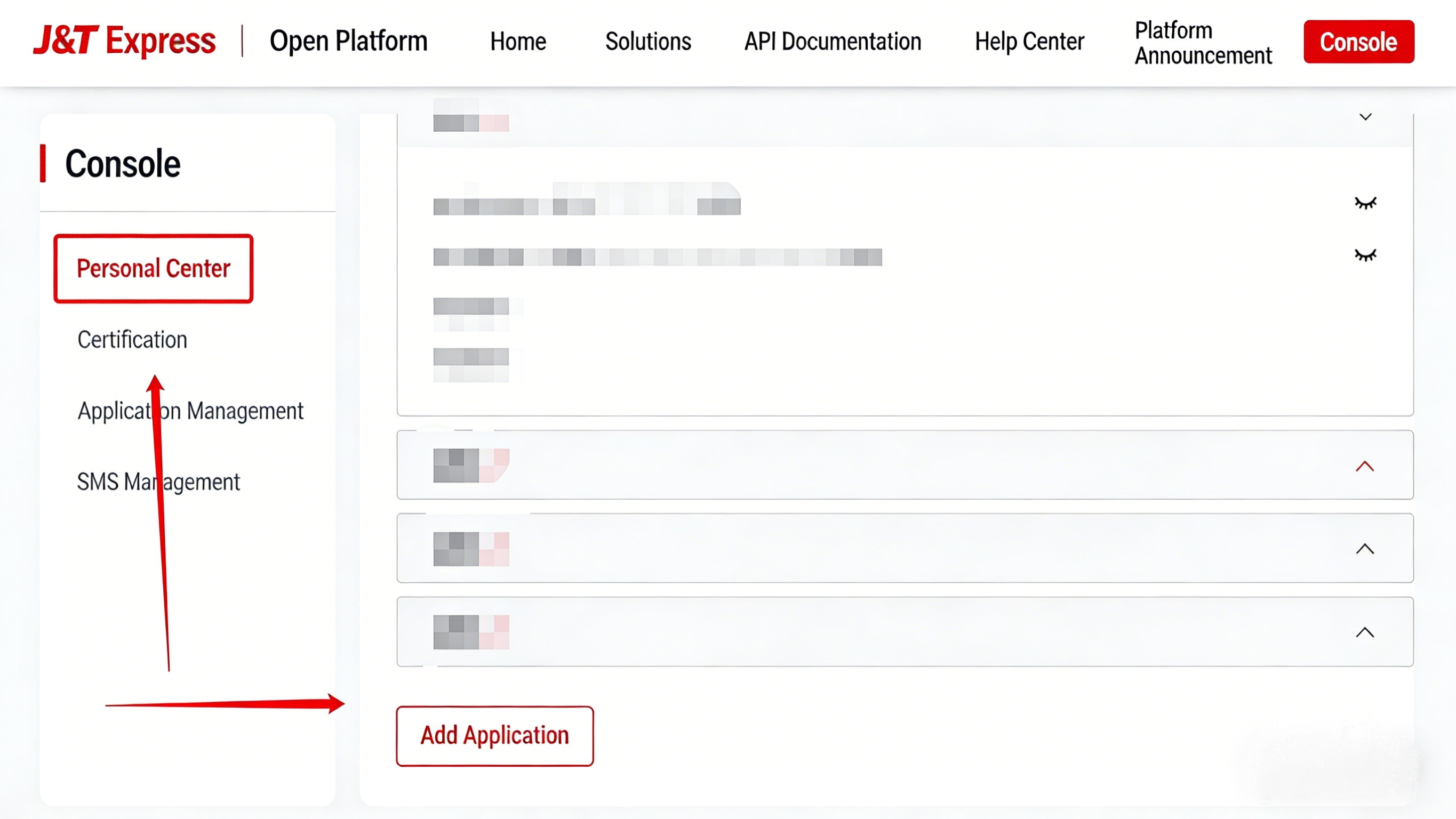
On the console page, select "Personal Center" from the left menu bar, then click "Add Application" below.
Step 3: Obtain API Credentials
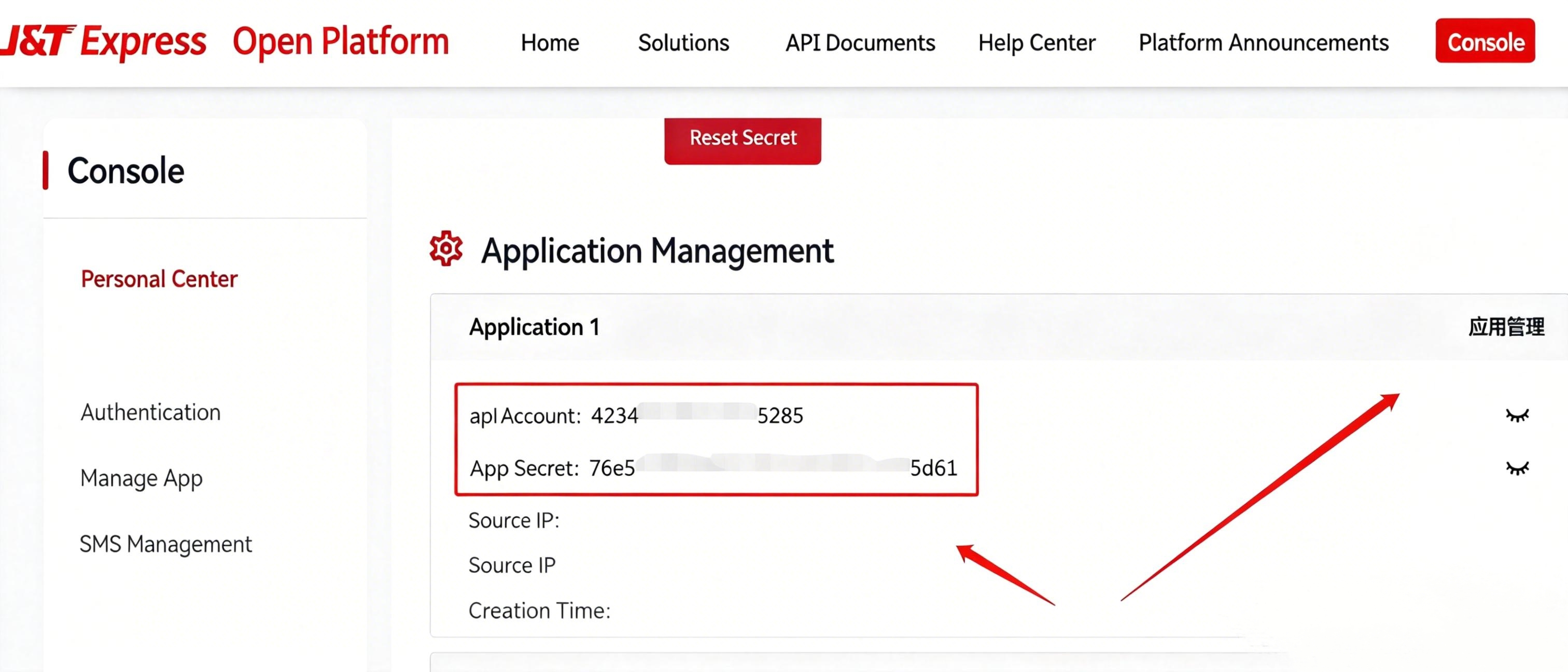
After the application is successfully added, click the "Dropdown Menu" on the right.
Copy the two parameters 【apiAccount】 and 【privateKey】, paste them into the authorization account field in the Jijianyun system, then click "Next" to complete the authorization successfully.
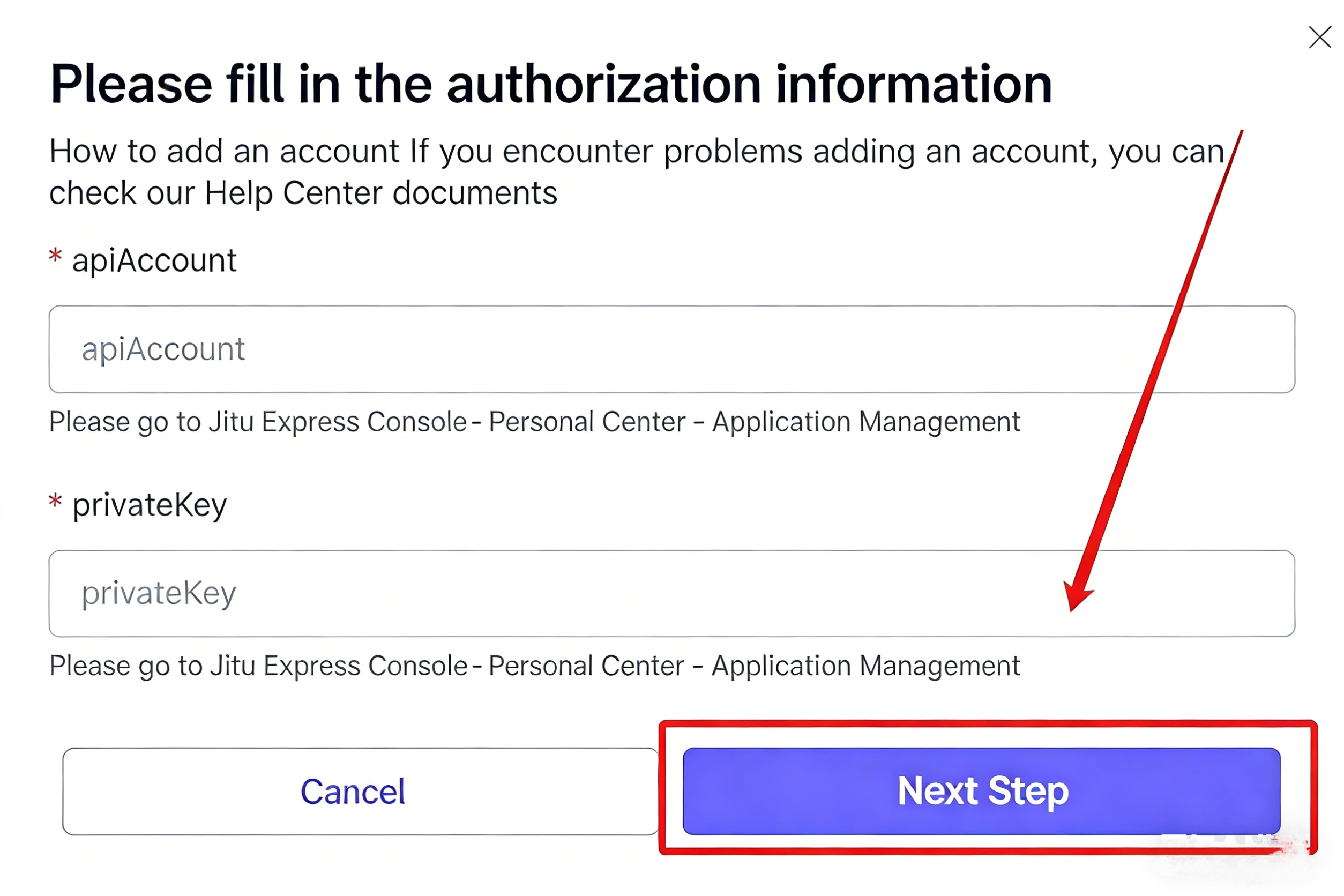
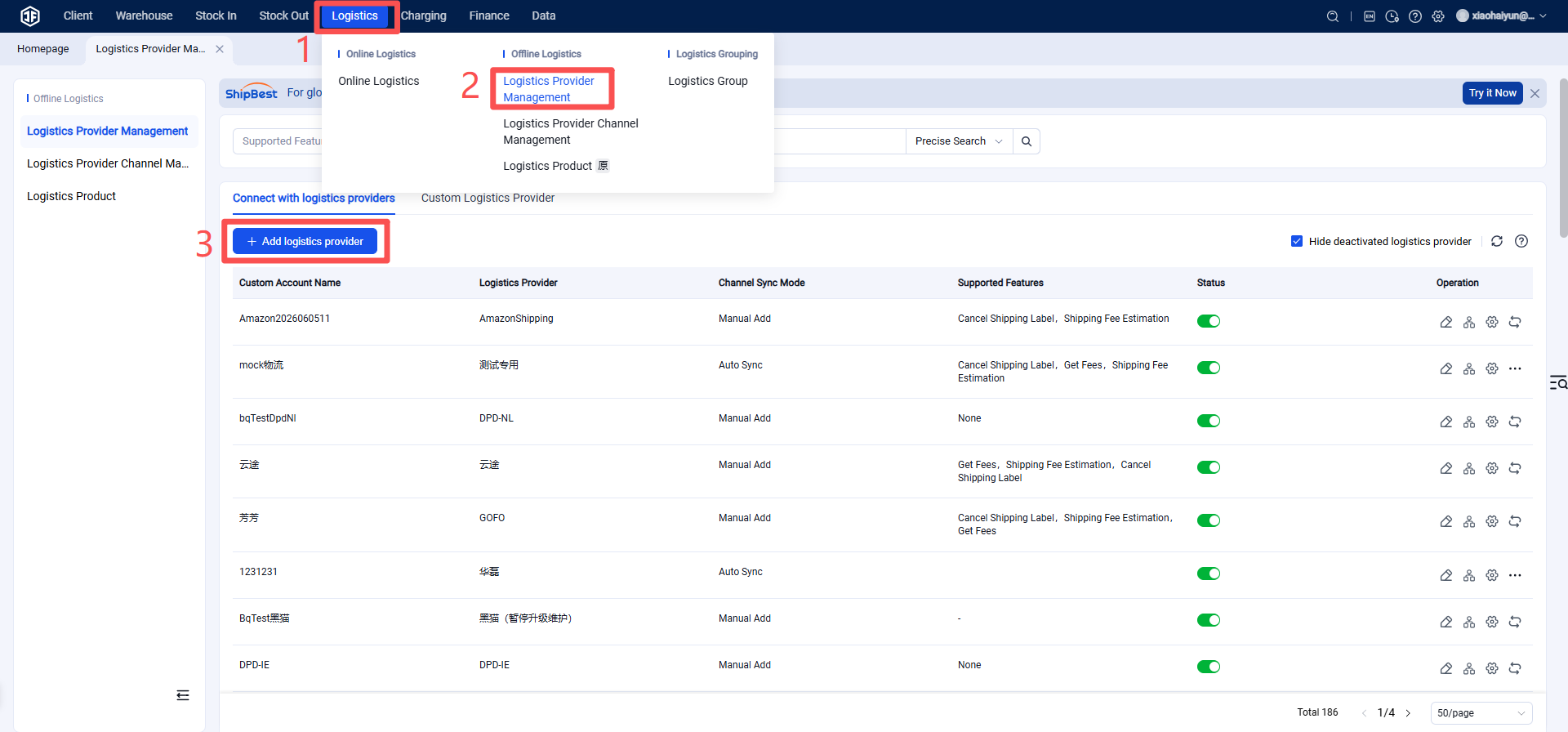
Step 3: Add Logistics Provider in the Jifeng Overseas Warehouse System
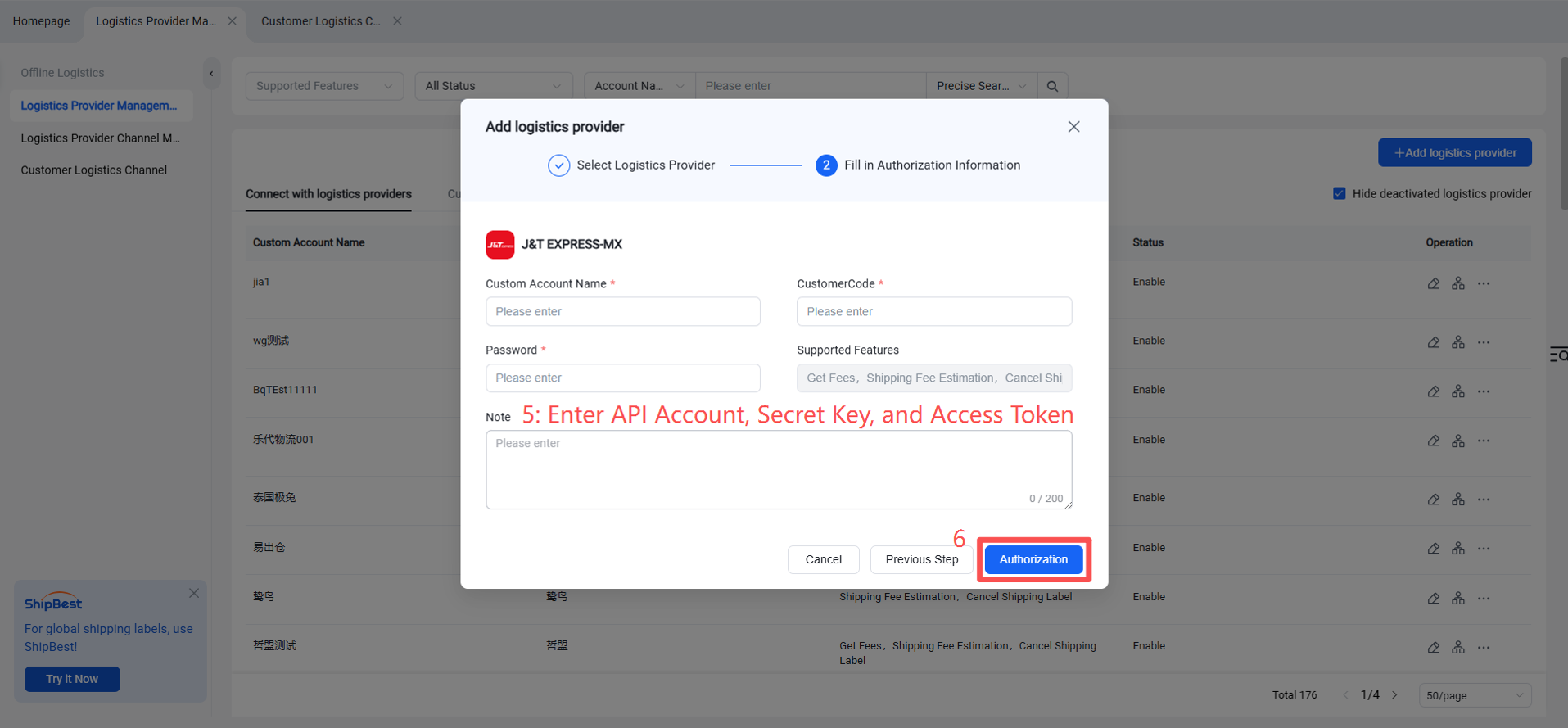
Step 4: Enable Logistics Channel
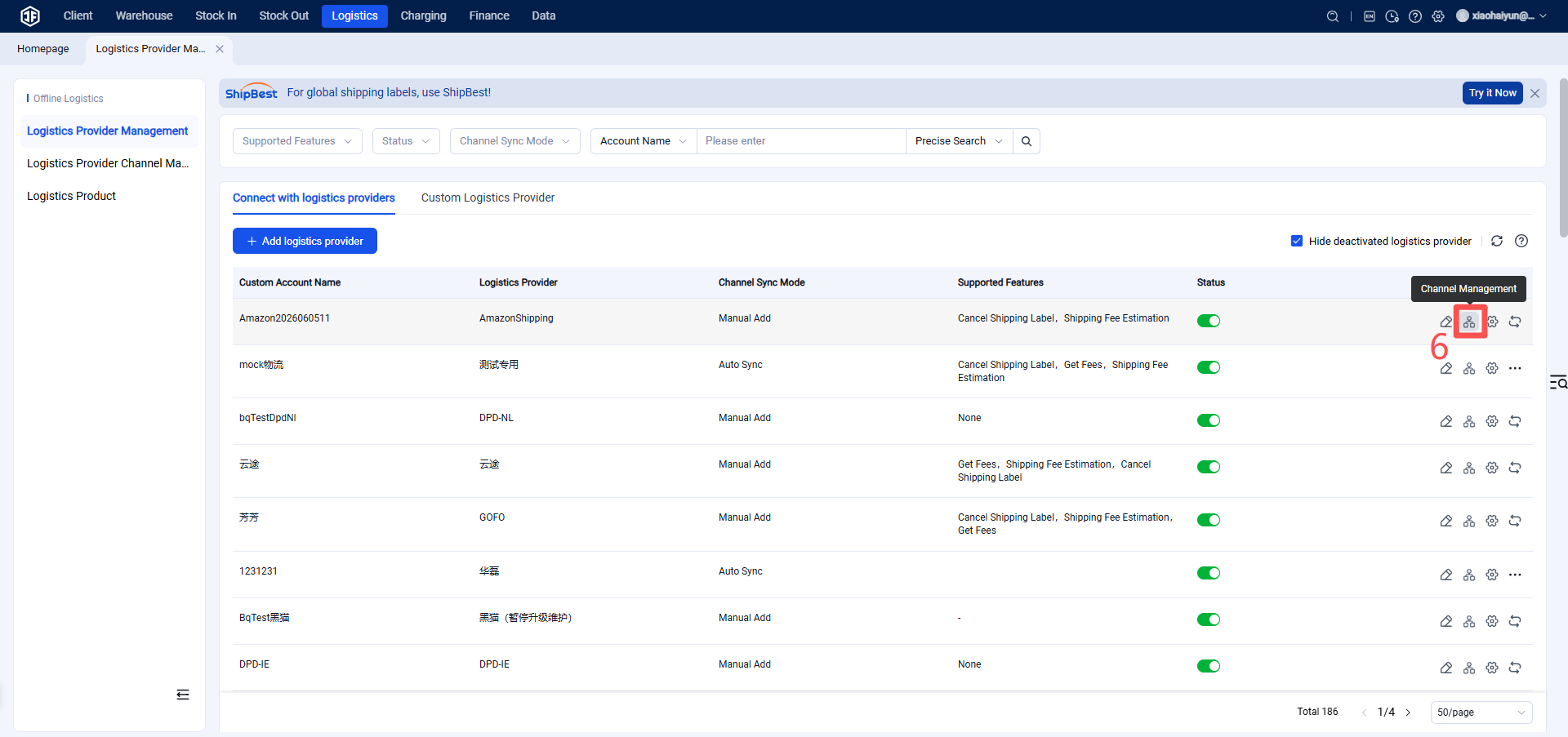
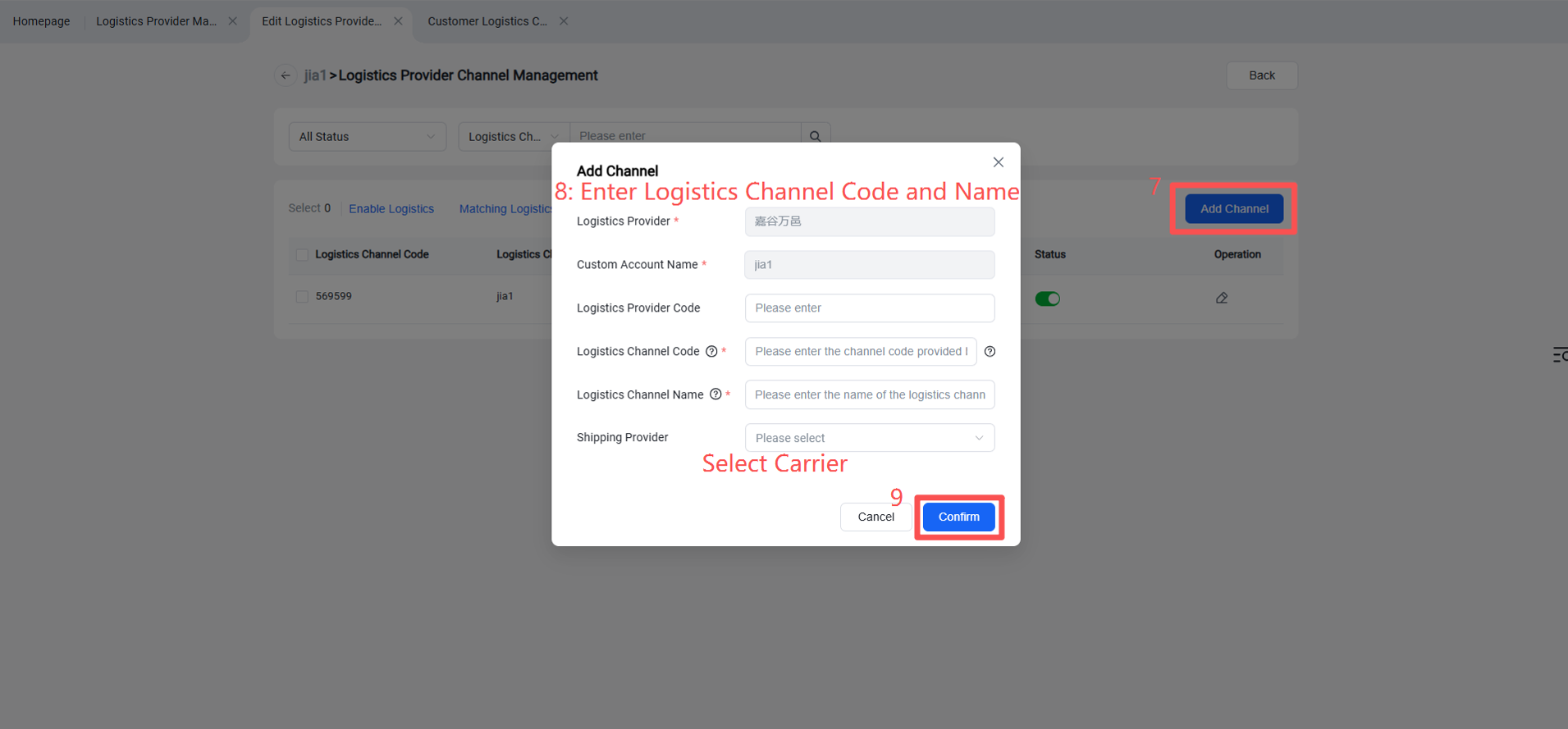
Step 5: Overseas Warehouse Enables Logistics Channel for Customers
(Once enabled, sellers can view this channel on the OMS seller platform or ERP system.)