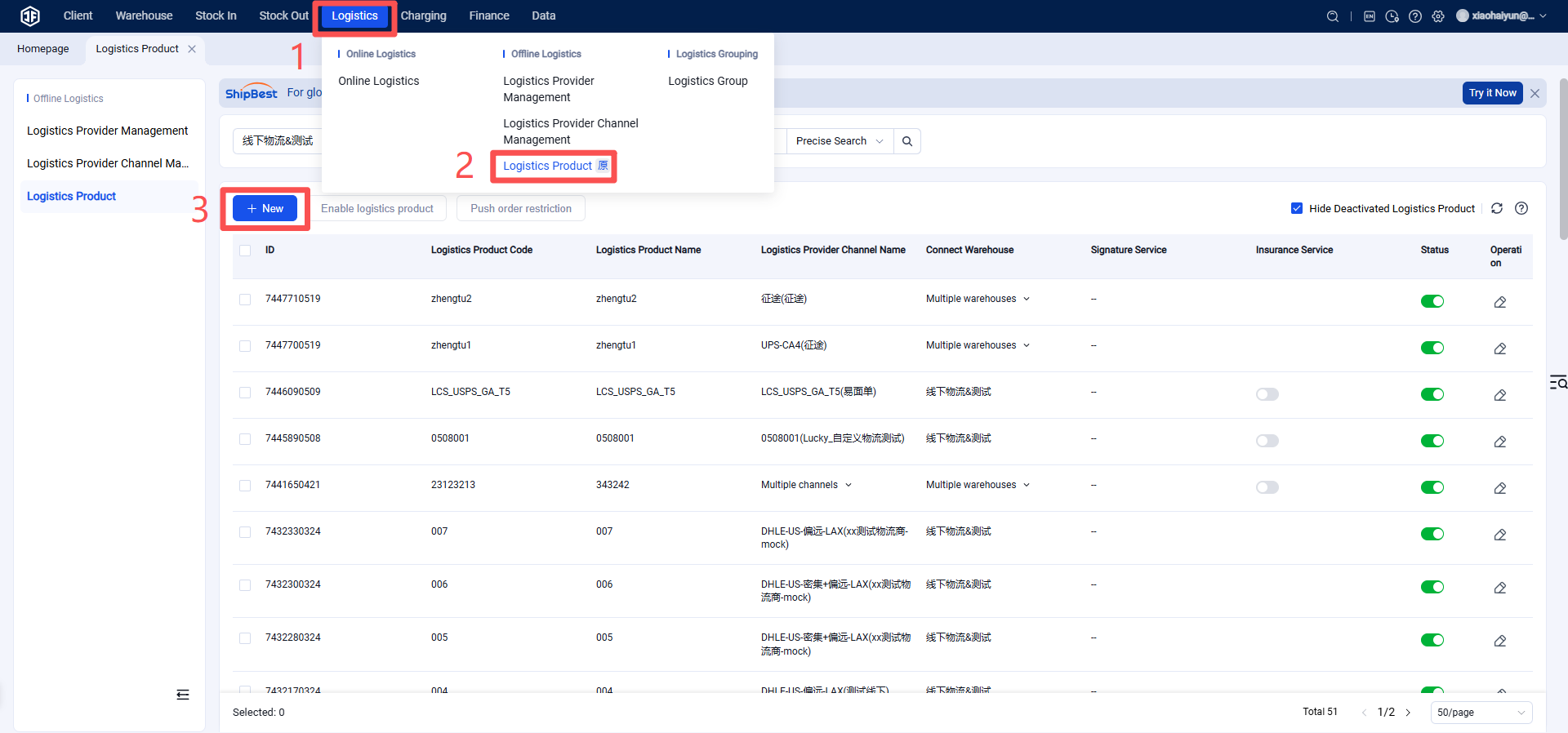
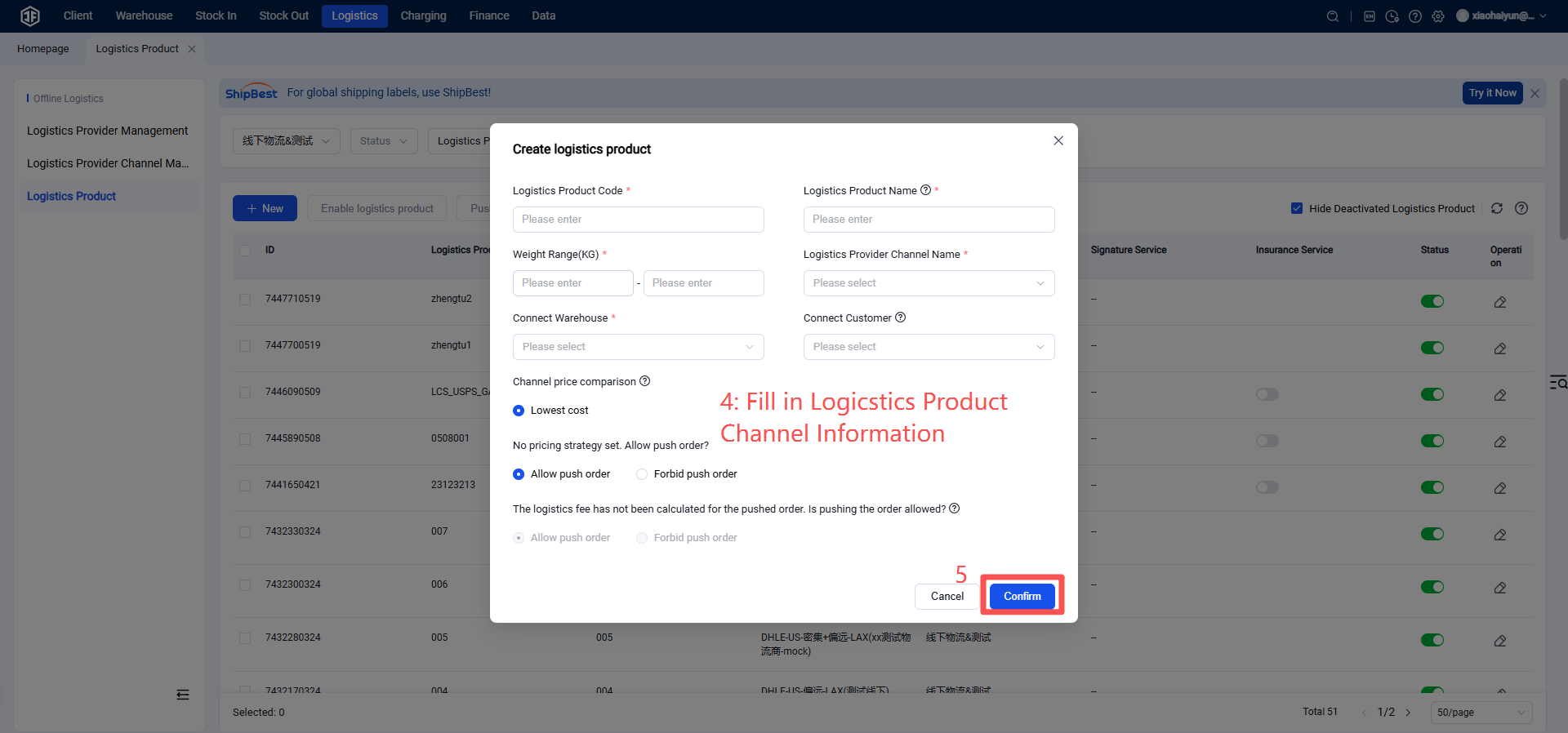
How to Register and Authorize Official DHL
I. Definition
This document defines the process of authorizing the Jifeng Overseas Warehouse System using DHL Logistics services to enable logistics channels for customers.
II. Operational Procedure
Step 1: Register a DHL Developer Account.
Registration/Login URL: https://developer.dhl.com/
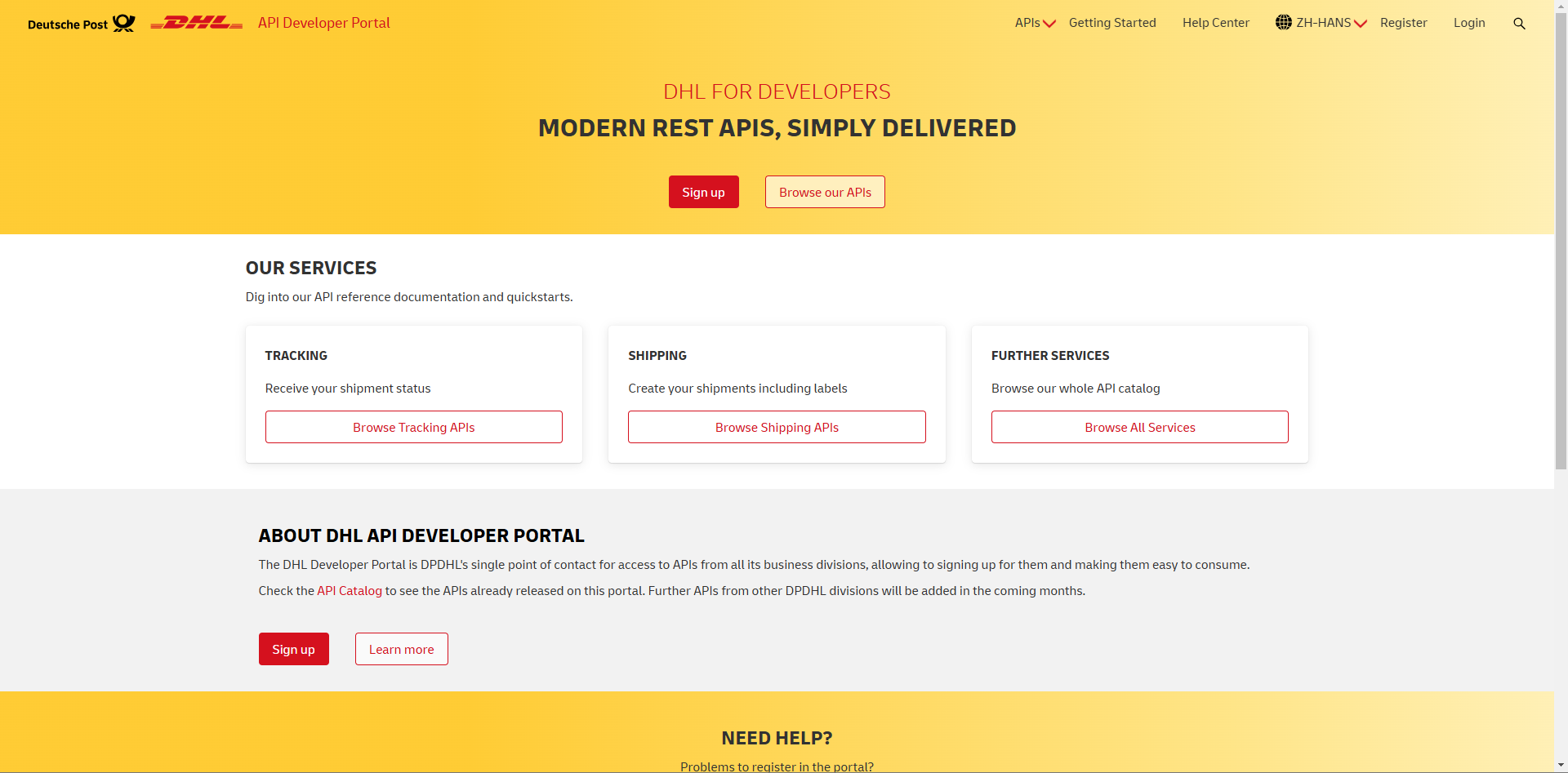
After registration, log in to the platform.
Step 2: Create an App
Navigate to your Personal Homepage → Apps → Create App.
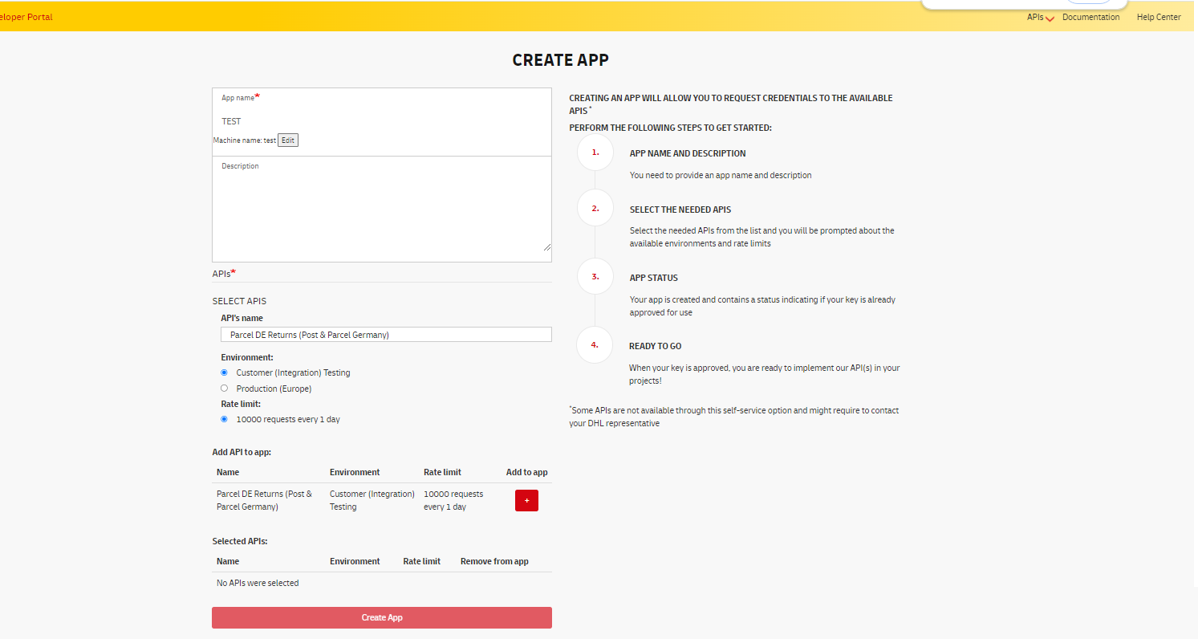
Parameter Description:
App name: Your application's name.
SELECTAPIS: Select the required APIs. Customer (Integration) Testing represents the sandbox environment, while Production (Europe) represents the production environment. Both can share the same set of authorization credentials.
After creation, view the secret key:
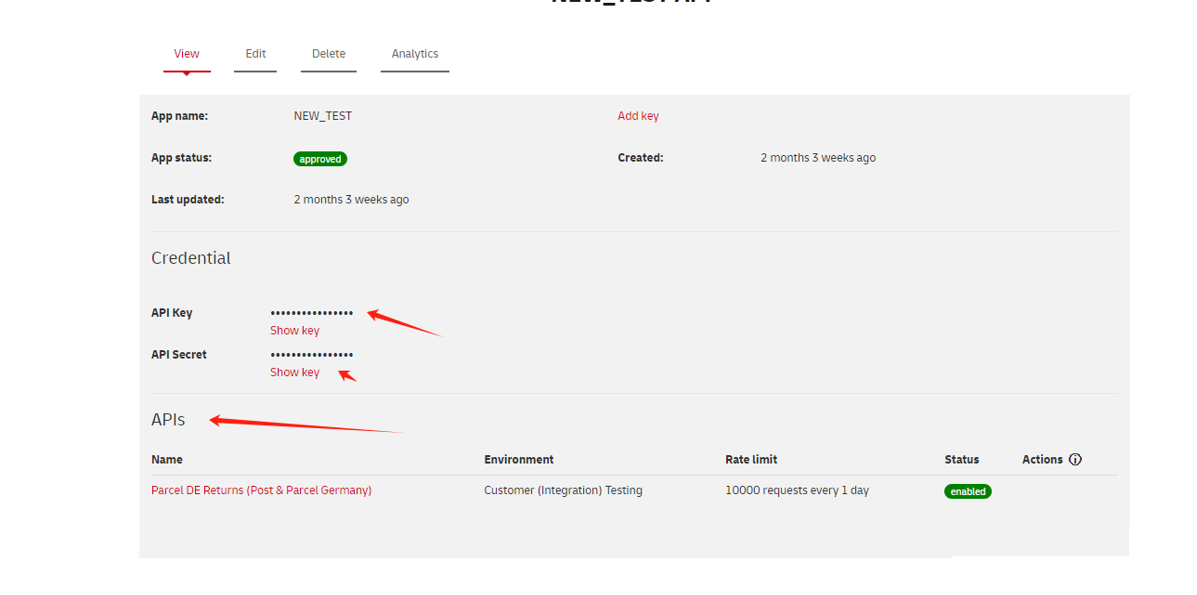
Once the token is obtained, you can proceed to authorize the Jifeng WMS.
If any issues arise during the authorization process, you may directly contact DHL official personnel for assistance.
Step 3: Add Logistics Provider in the Jifeng Overseas Warehouse System
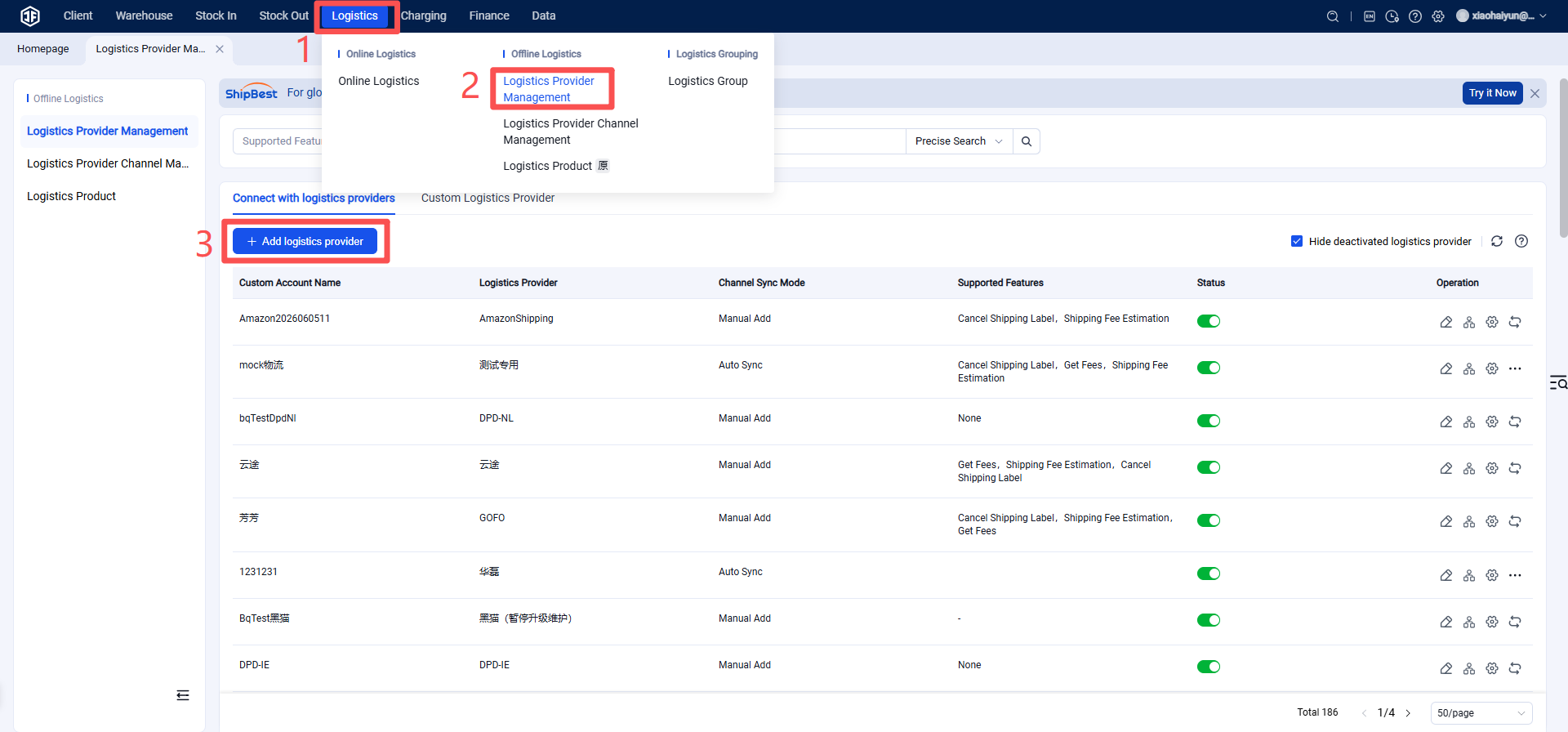
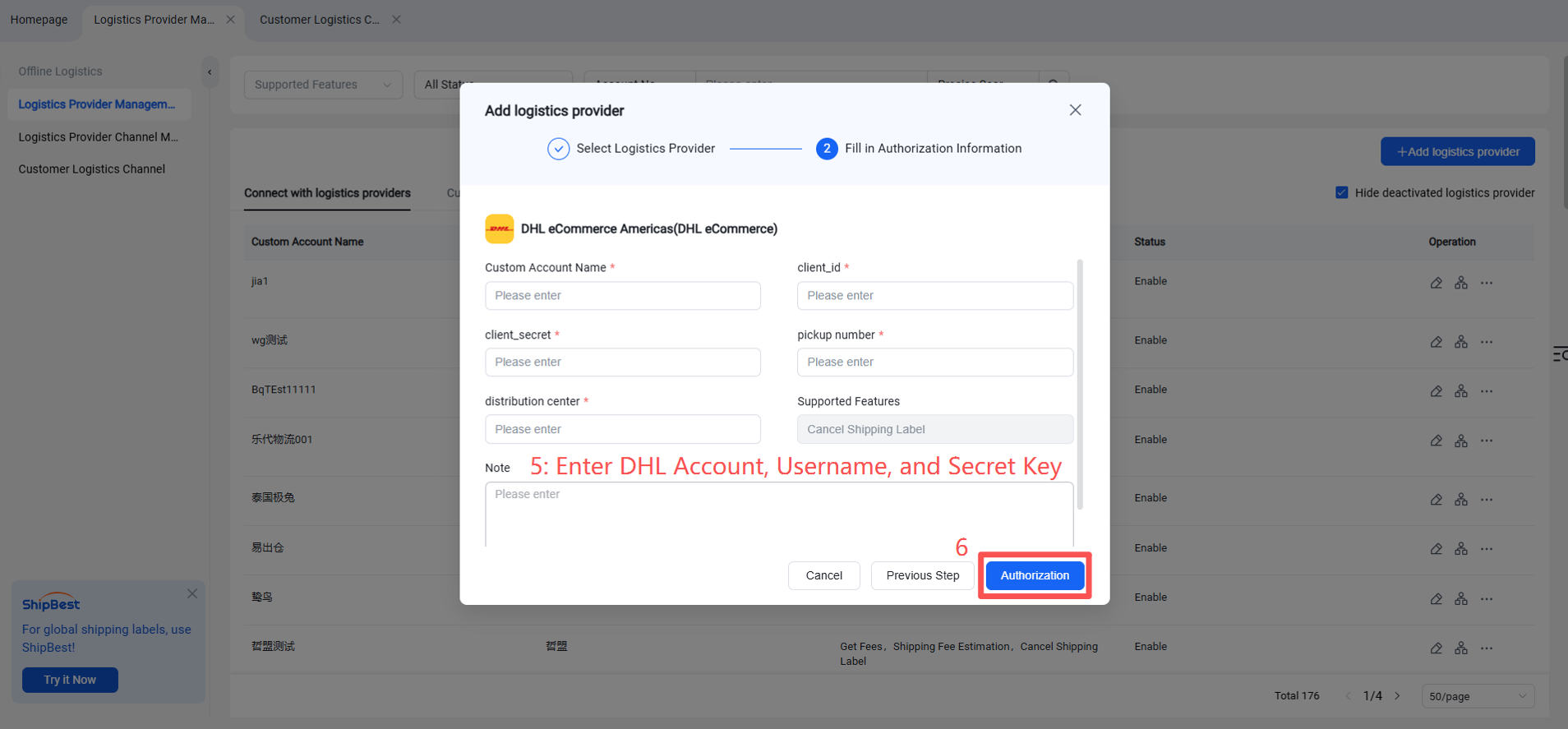
Step 4: Enable Logistics Channel
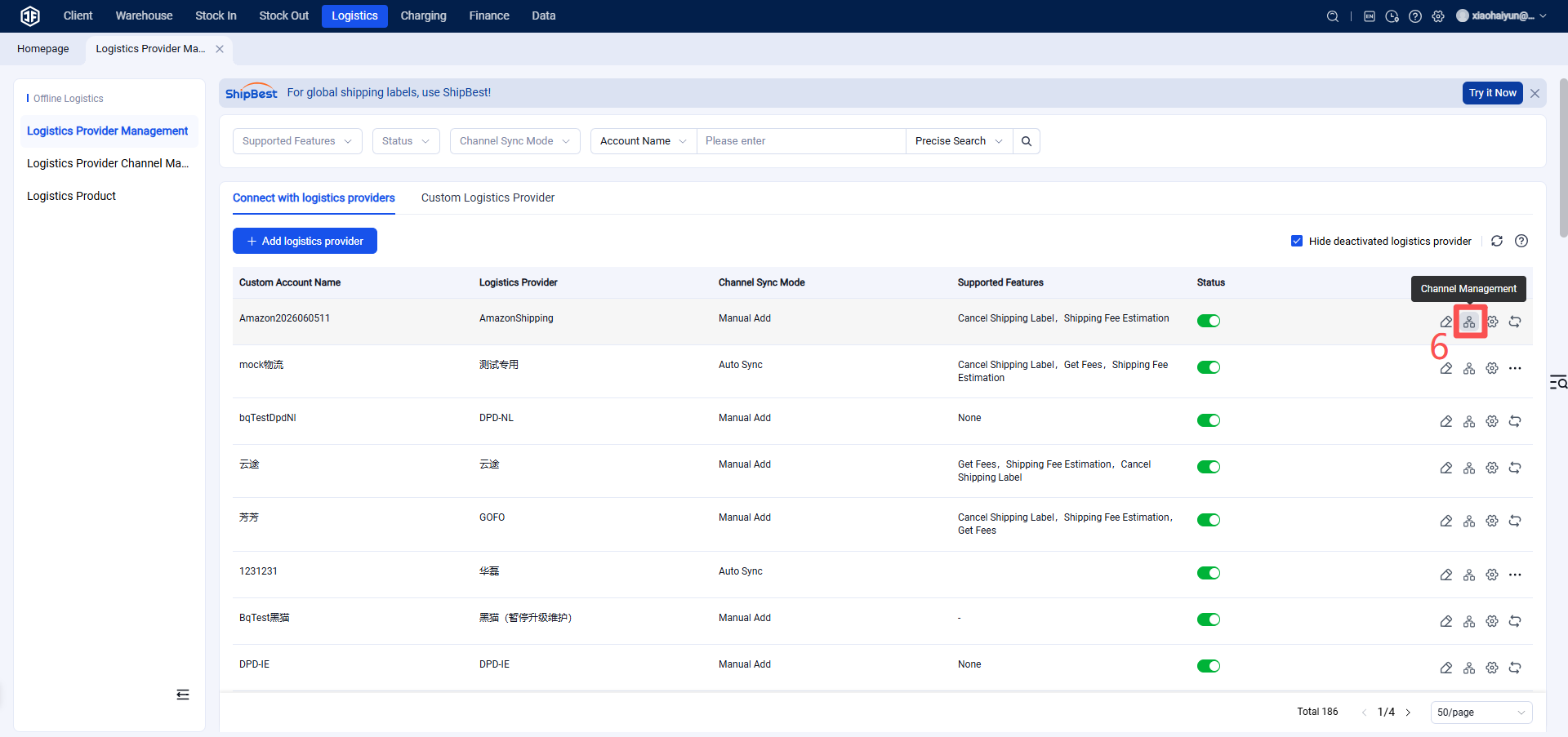
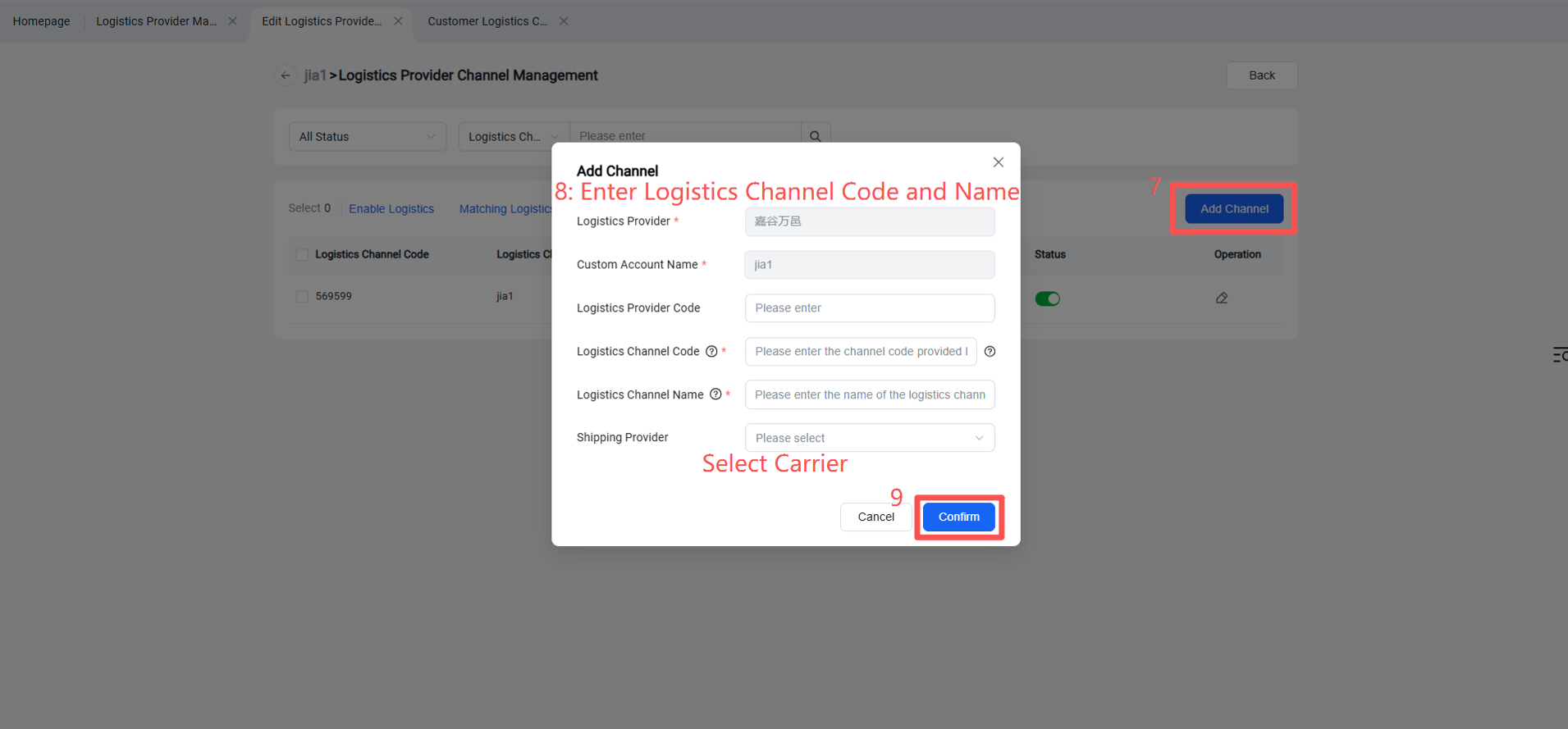
Step 5: The overseas warehouse enables the logistics channel for customers. (After activation, sellers can view this channel on the OMS seller platform or ERP system.)