How to Register, Authorize, and Use EzeeShip Logistics
I. Definition
ZeeShip was founded in 2017 and specializes in discounted last-mile logistics label services in the United States. Headquartered in Los Angeles, USA, it has branch offices in locations such as the Philippines, Changsha (China), and Shanxi (China). EzeeShip provides an open API interface and offers a one-stop solution for pulling sales orders from multiple platforms (e.g., Amazon, eBay, Etsy, TikTok). It also integrates carrier resources from USPS, FedEx, UPS, and others, enabling one-click rate comparison and label generation to provide optimal logistics services and pricing. ZeeShip delivers a comprehensive data, logistics, and warehousing solution to over 10,000 e-commerce sellers, US overseas warehouses, and wholesale distribution companies.
II. Operating Procedures
Step 1: EzeeShip Account Registration
Registration URL: https://ezeeship.com
After registering an account, contact a sales representative or the business manager to configure account services and pricing.
Step 2: Obtain EzeeShip Account API Key
Contact: EzeeShip Business Manager Sabrina Phone/WeChat: 13348719183
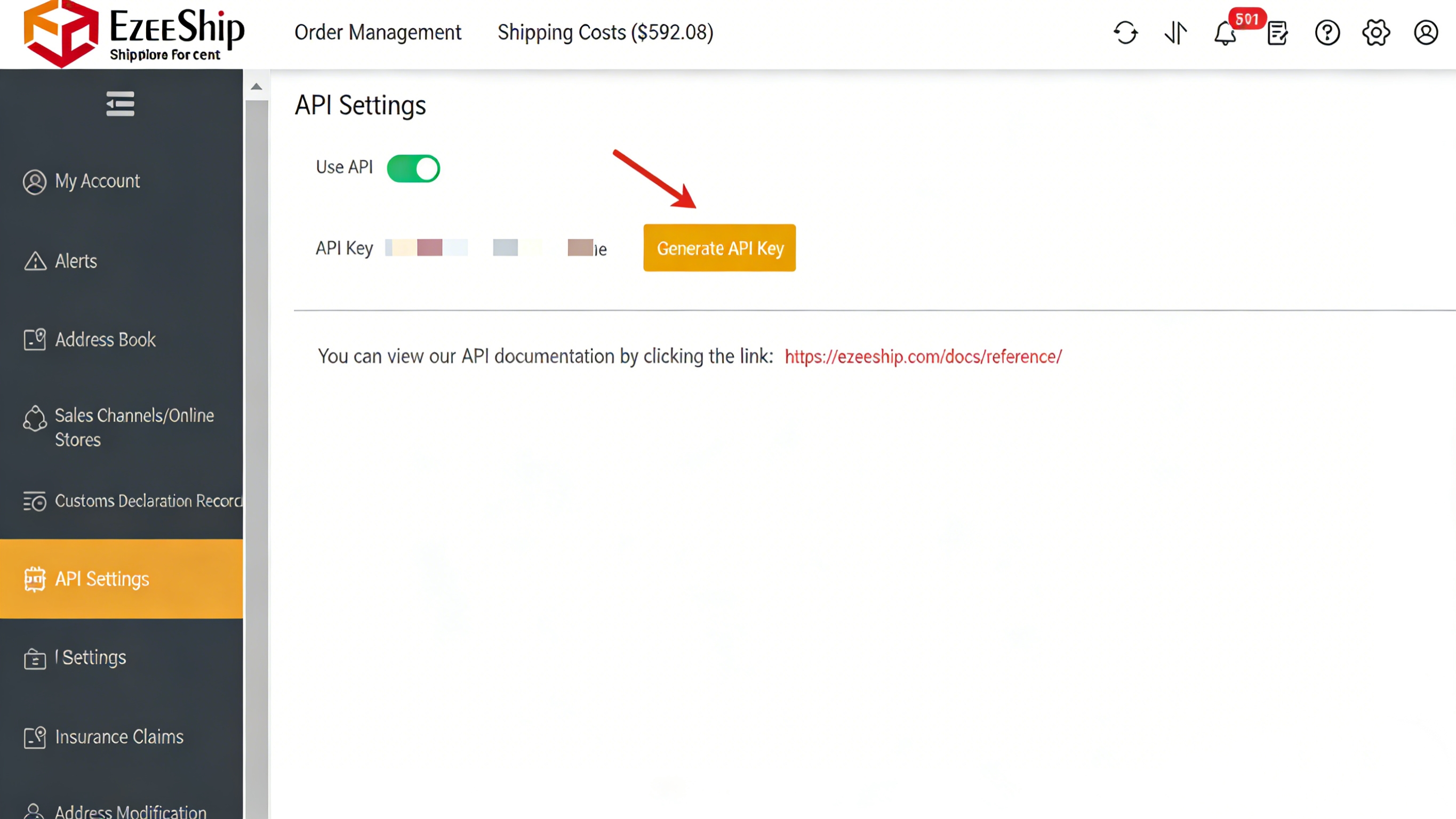
Log in to your EzeeShip account, navigate to the Settings page > API Settings > Enable the API switch > Generate the API Key and click "Copy Key".
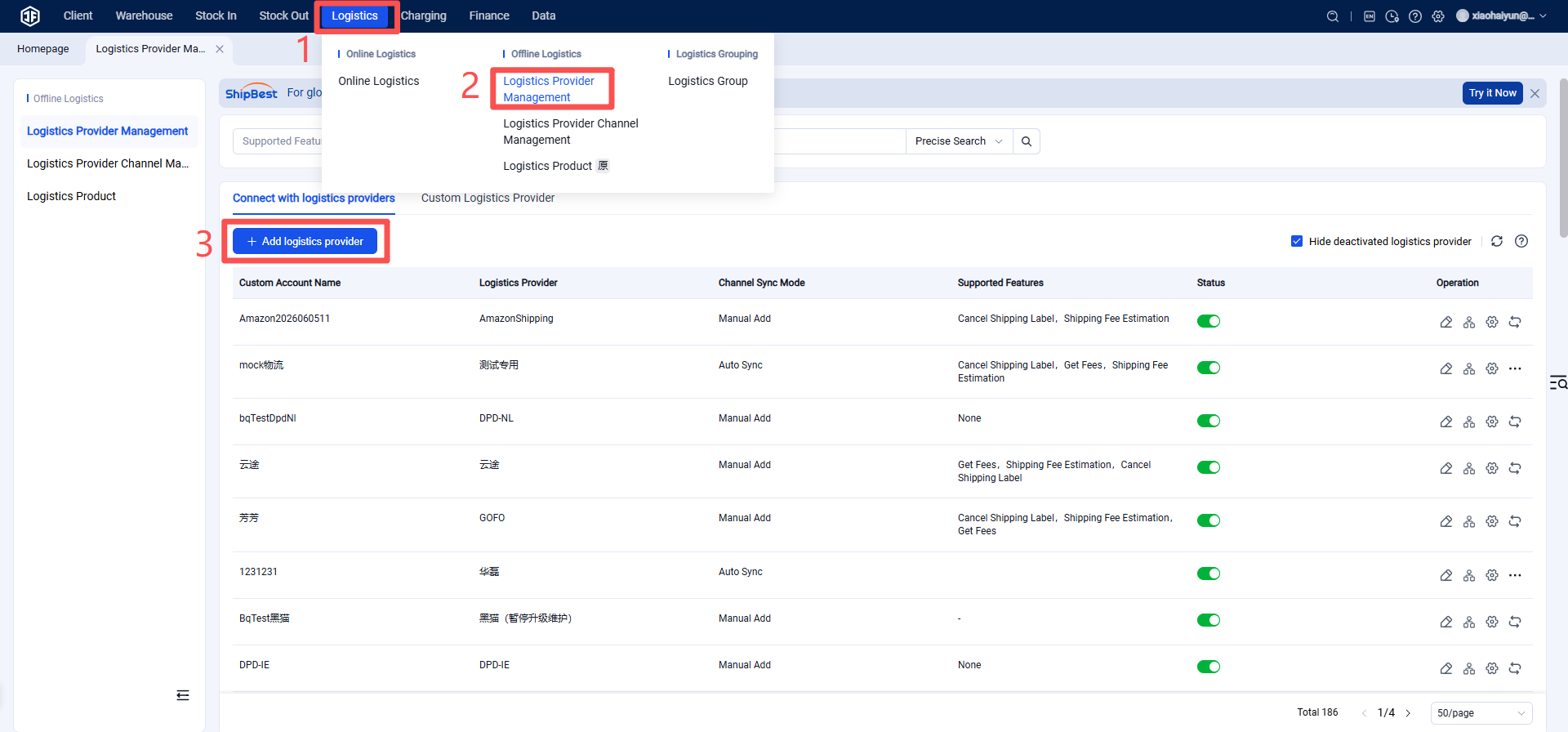
Step 3: Add EzeeShip as a Logistics Provider in the Jifeng Overseas Warehouse System
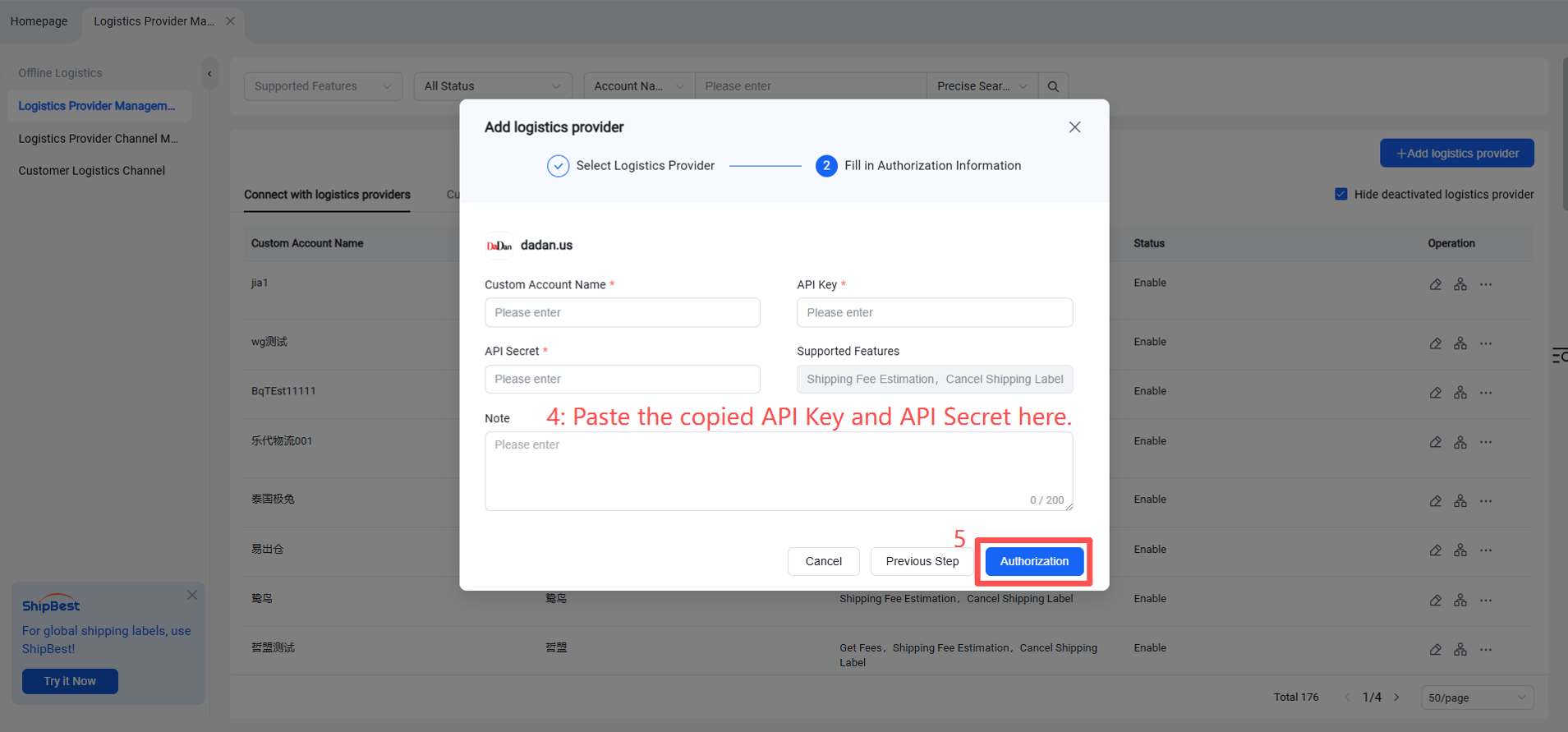
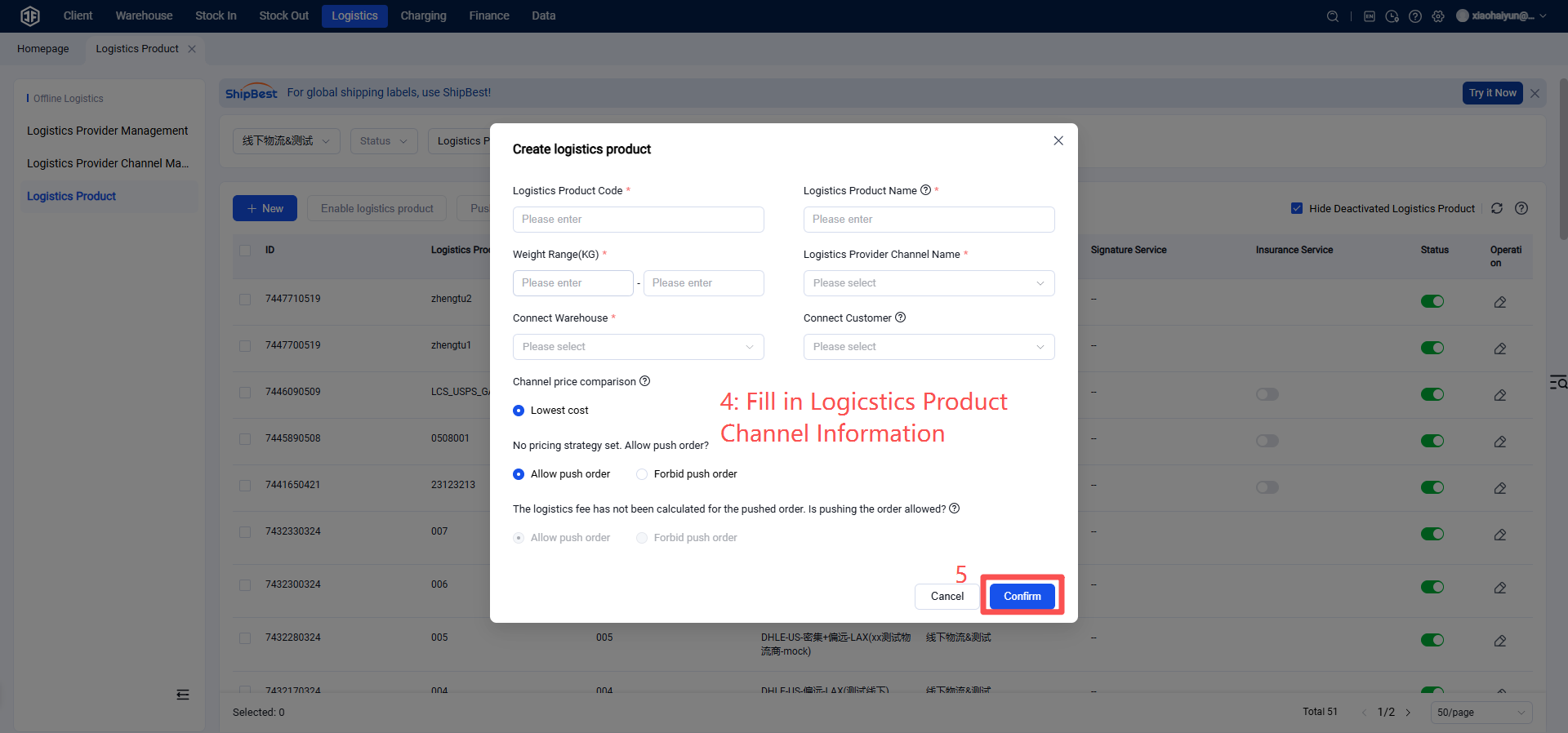
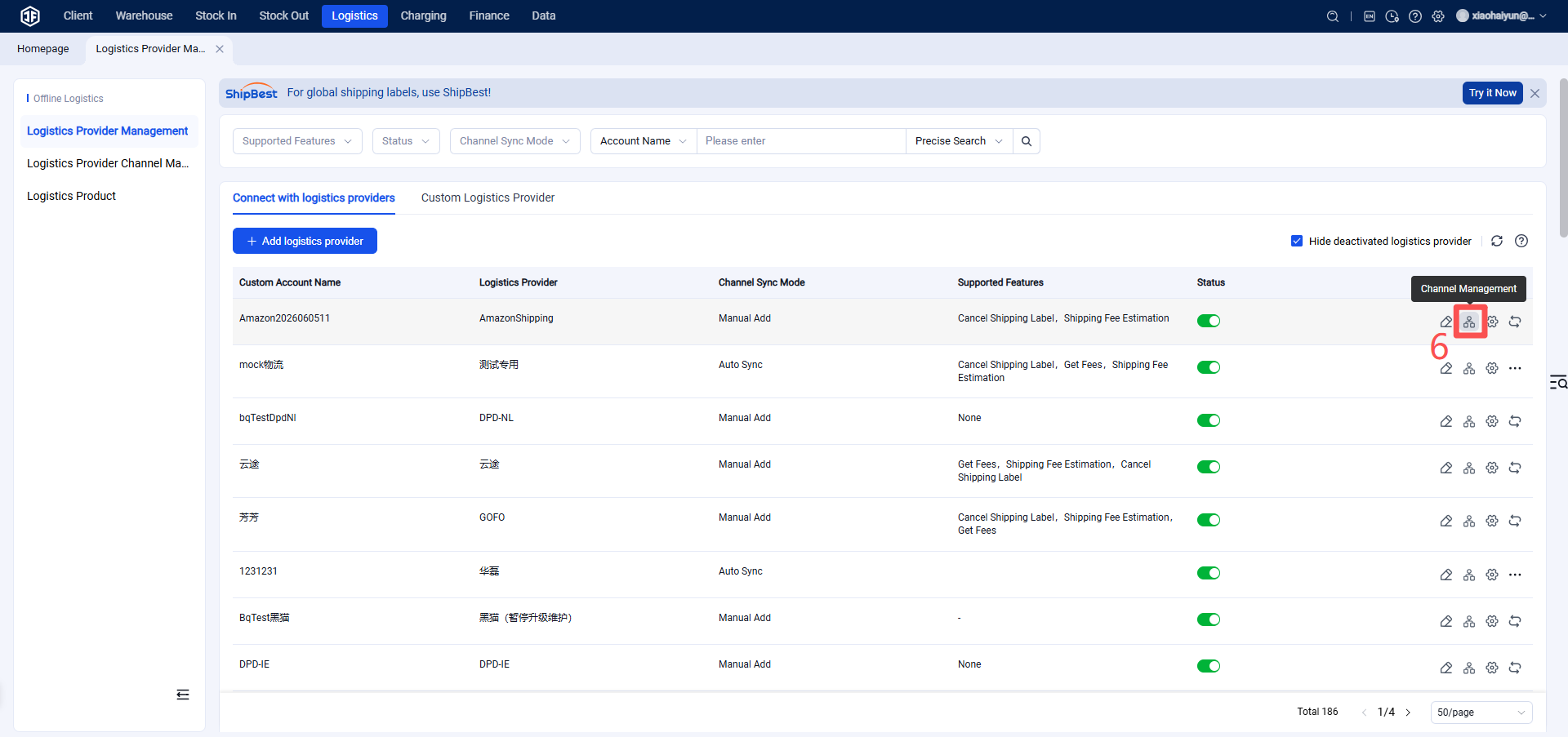
Step 4: Add EzeeShip Logistics Channel
Click the "Channel Management" button on the right > "Add Channel".
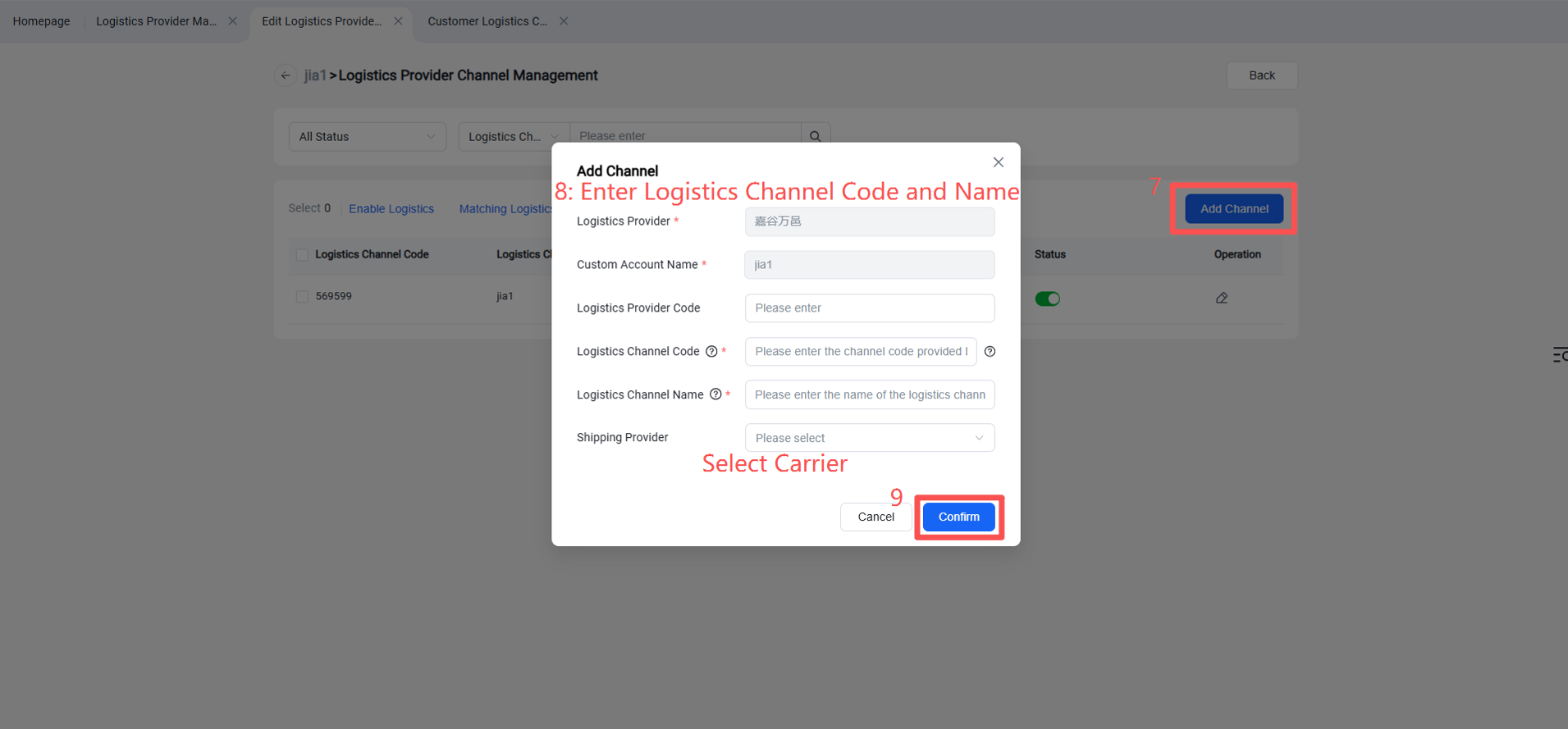
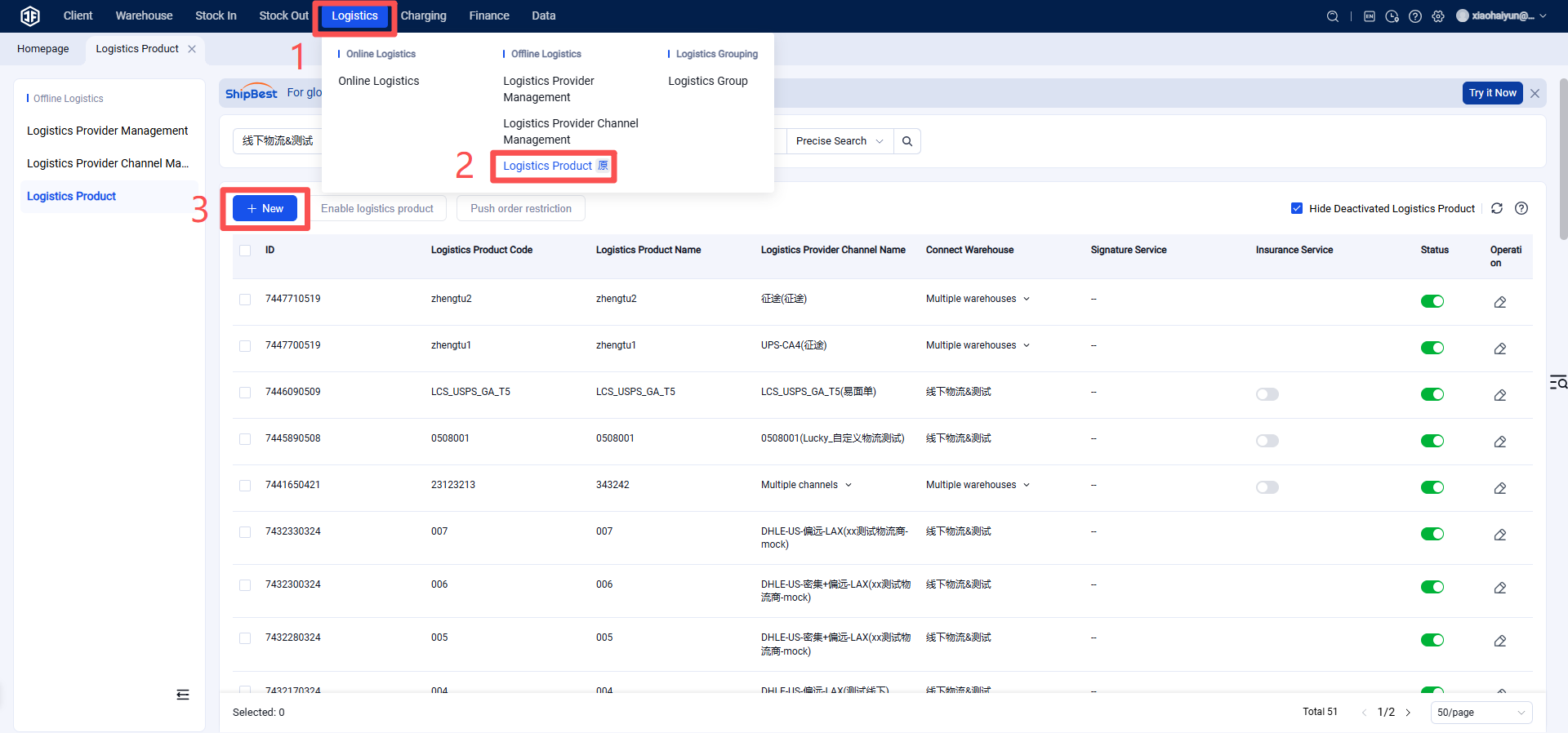
Step 5: Overseas Warehouse Enables Logistics Channel under EzeeShip for Customers (Once activated, sellers can view this channel on the OMS seller platform or ERP system.)