How to Register, Authorize, and Use UniUni
I. Definition
UniUni is a technology company specializing in e-commerce logistics for North America. Founded in 2019 and headquartered in Richmond, Canada, it is revolutionizing the last-mile delivery market in North America through a crowdsourcing model. By building its proprietary technology system and a three-tier sorting and warehousing network, UniUni has become one of the fastest-growing logistics platforms in North America. Its services cater to leading e-commerce platforms such as Amazon, Shein, and Temu.
II. Operating Procedures
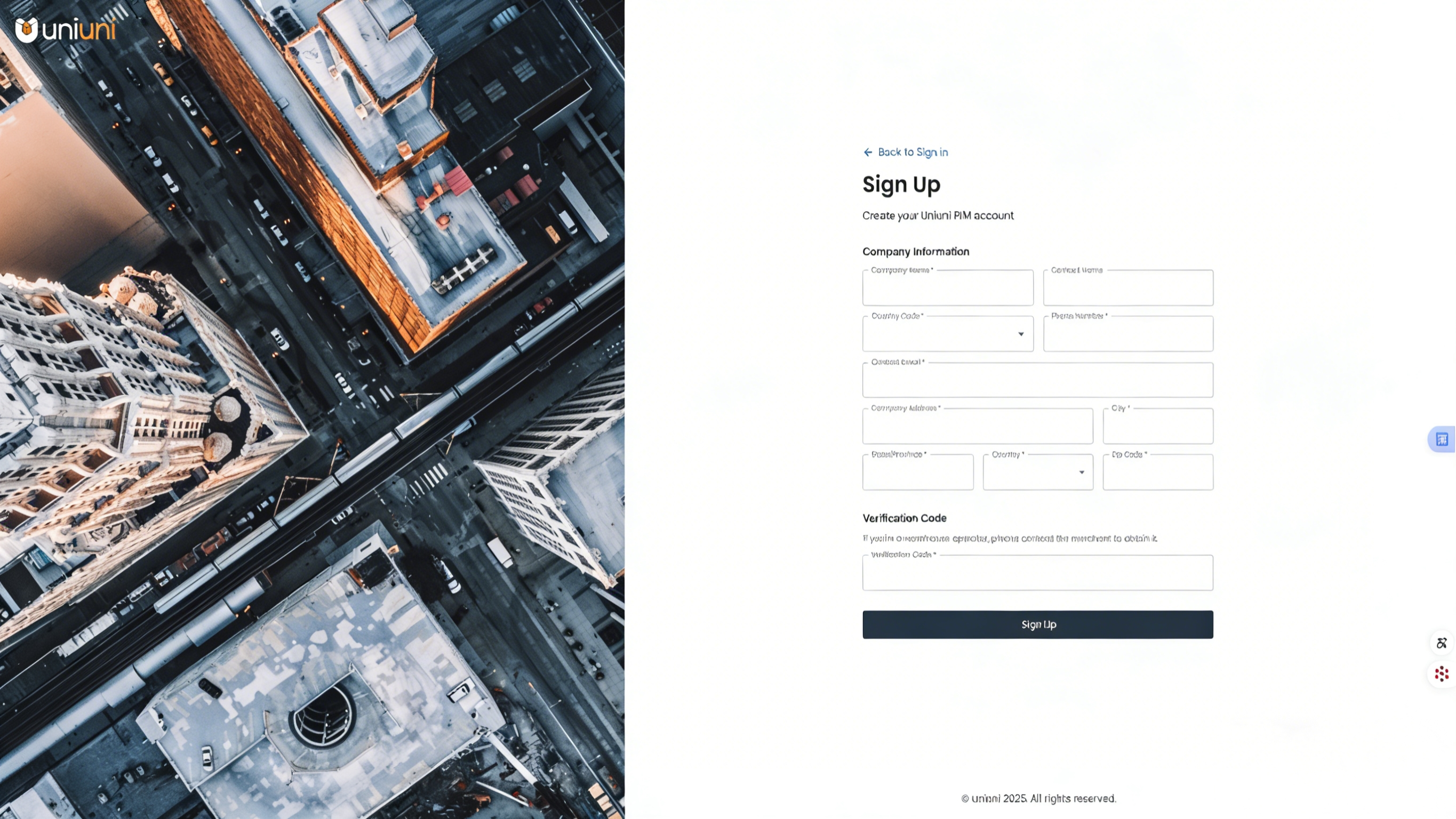
Step 1: Obtain a UniUni Account
Contact UniUni directly to register and open an account. UniUni Official Contact (Manager Ma): 18721574846
Step 2: Obtain UniUni Authorization Credentials
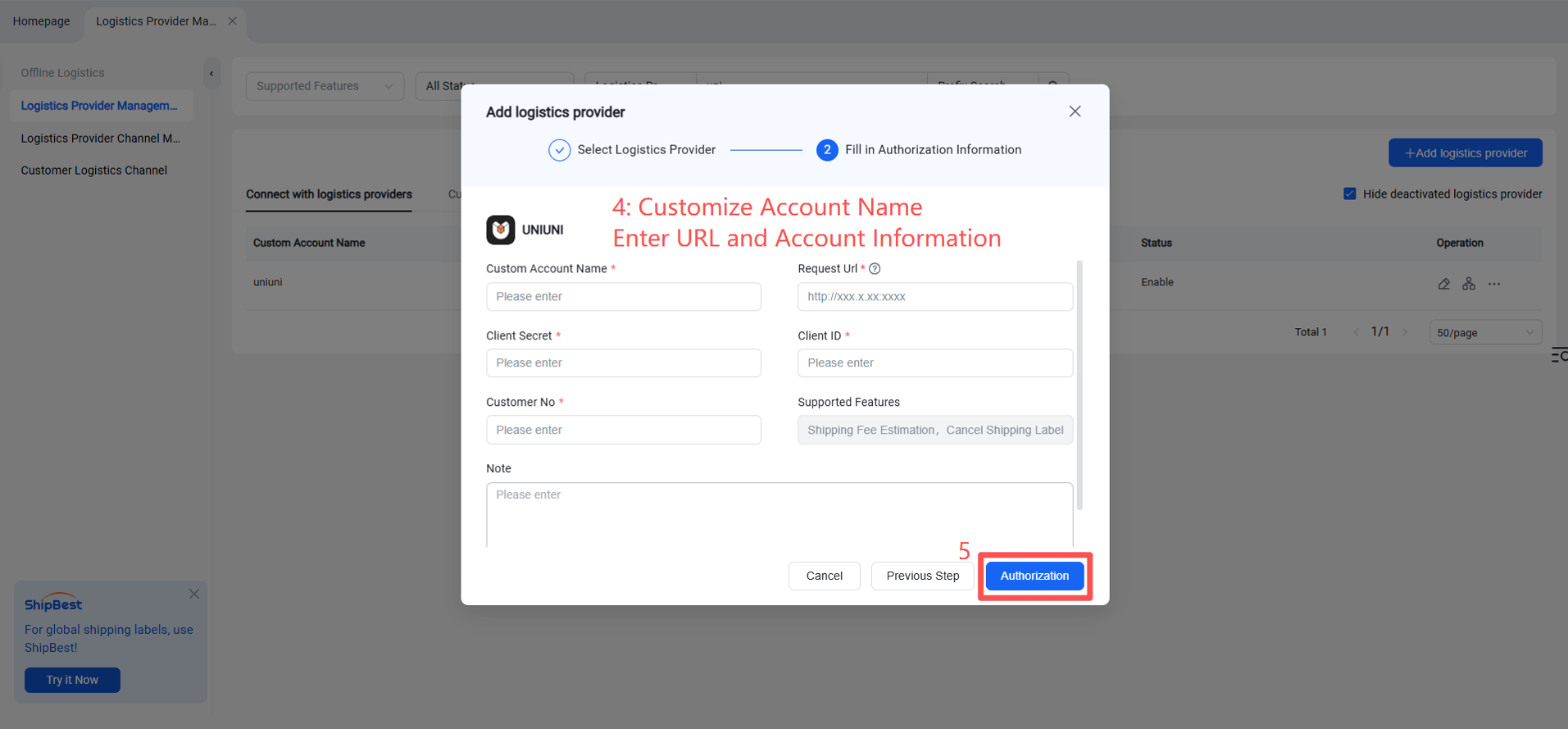
After account opening, UniUni will return the account information in the following format:
client secret: (Secret Key)
partner/client ID: (6-digit number)
customer ID: (4-digit number)
account/email: (Email address)
password: (Password)
【Obtaining the API】 Please refer to the API integration documentation for details. Customers must first connect the required business interfaces in the test environment. UniUni will enable the production environment only after confirming that all processes are ready, allowing customers to begin normal shipping operations. (Note: Physical packages cannot be delivered to UniUni in the test environment, as the warehouse cannot process them.)
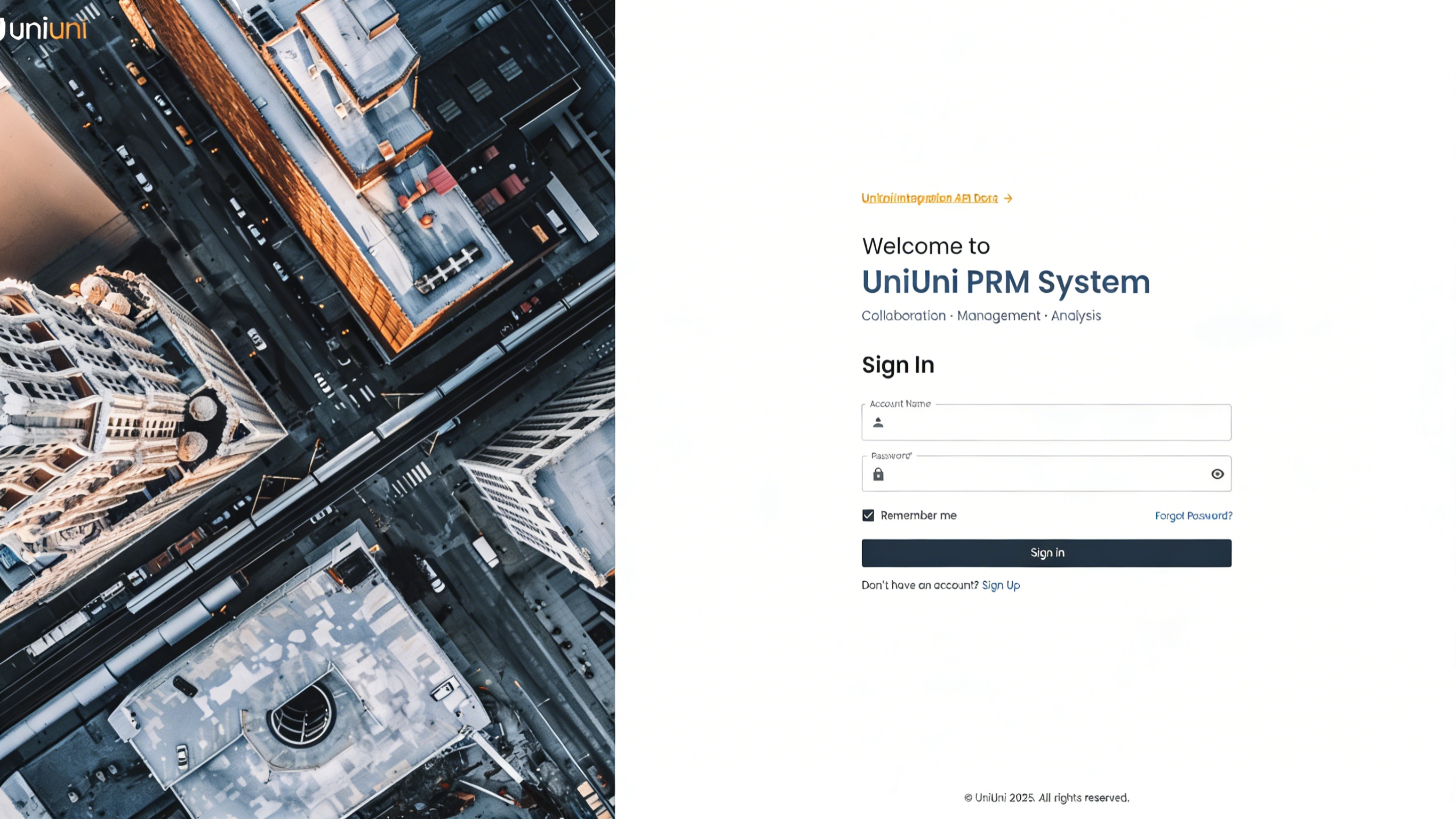
API Integration Documentation:
Test Environment Links:
Web Interface: https://prm.qa.uniuni.com/login
System API: https://prm-api.qa.uniuni.com/ [This URL is required for the authorization configuration below.]
Note: For official authorization in the production environment, replace the "Request Url" in the authorization settings with: https://prm-api.uniuni.com
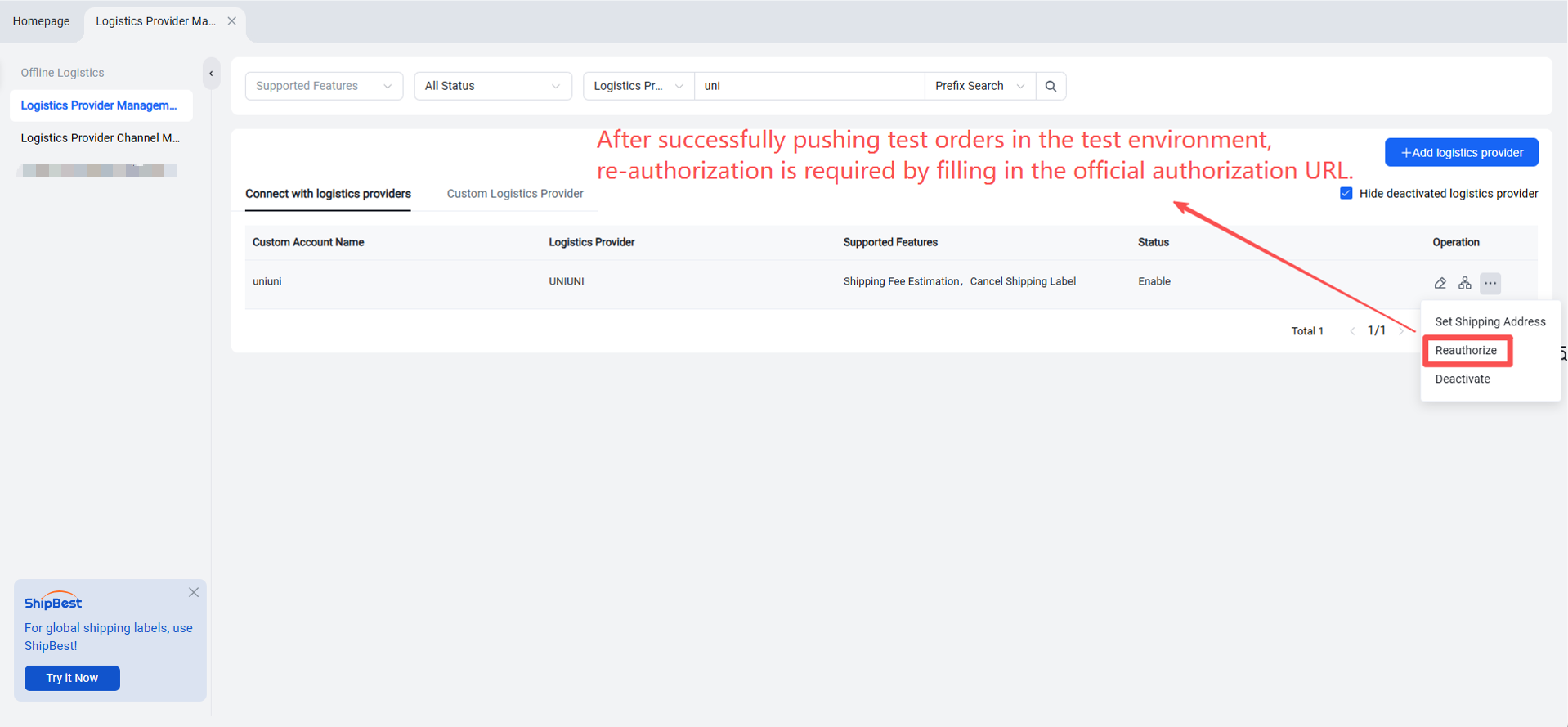
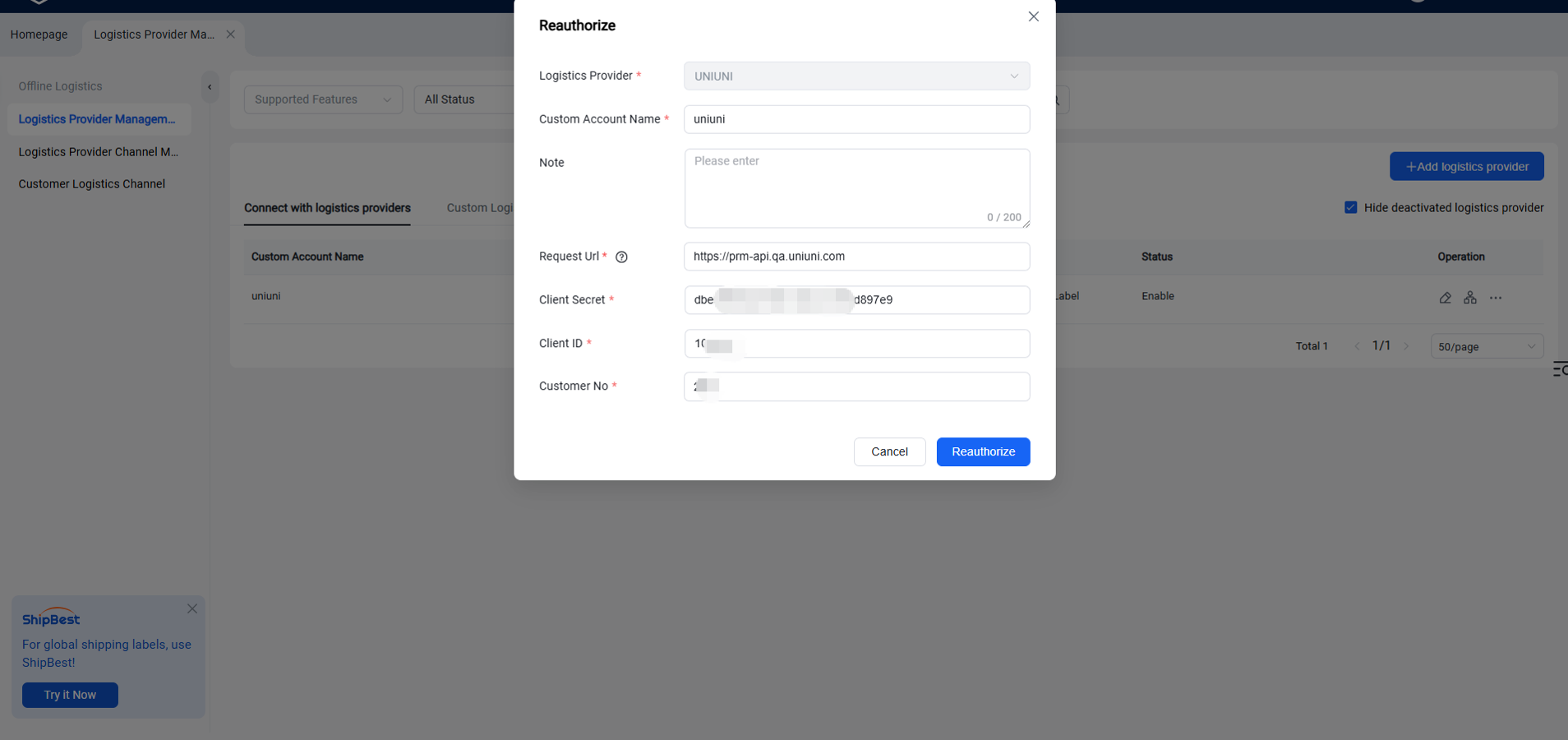
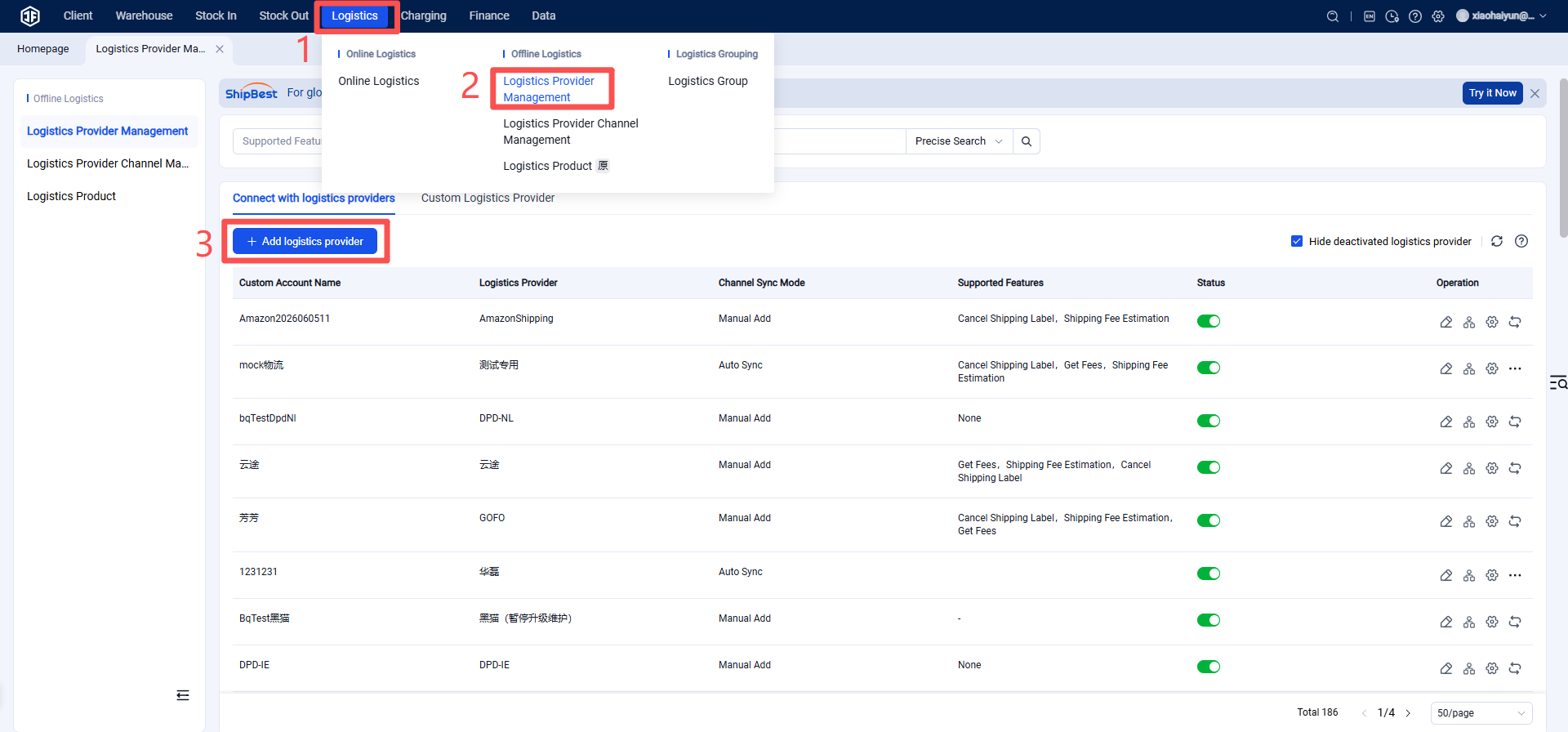
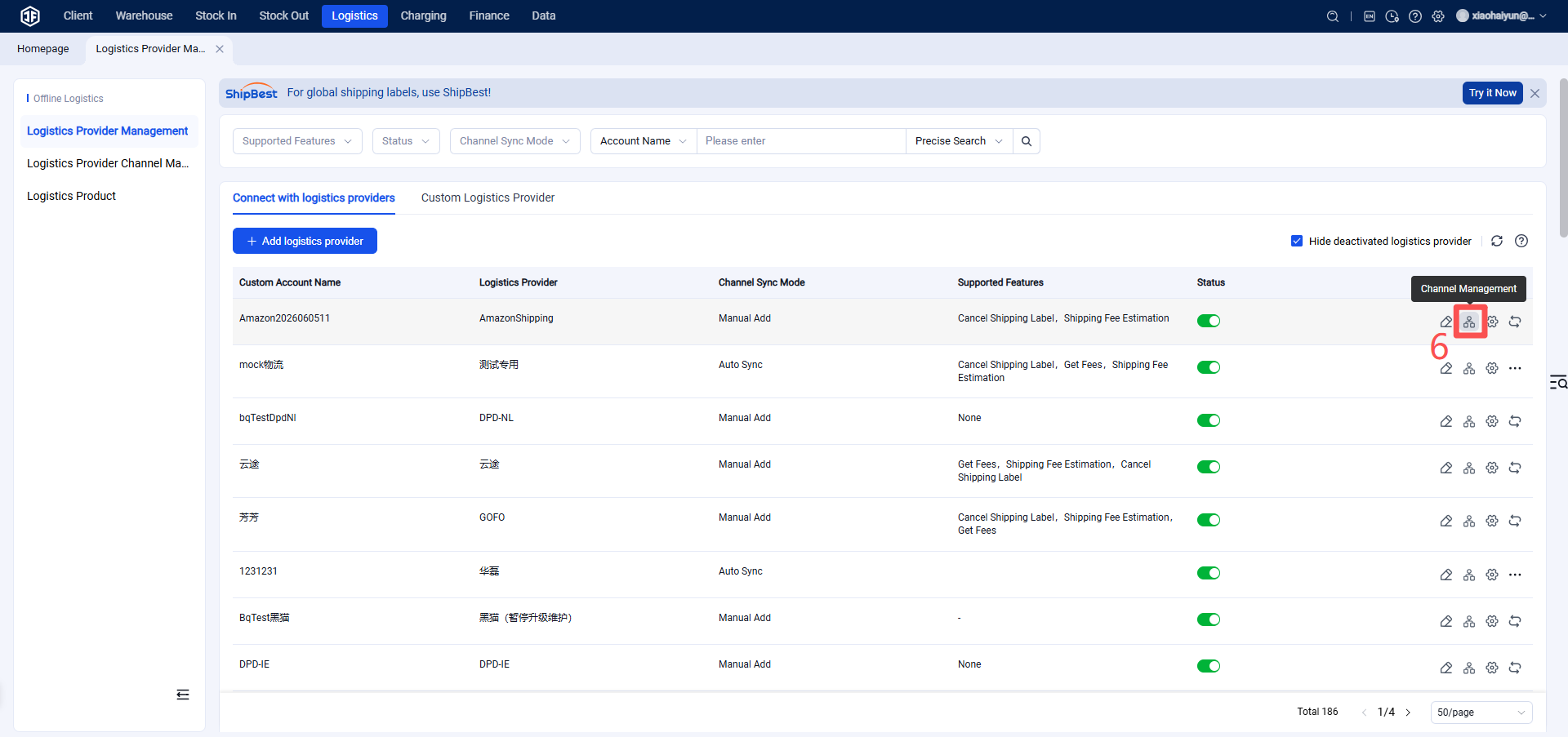
Step 3: Add UniUni as a Logistics Provider in the Overseas Warehouse System
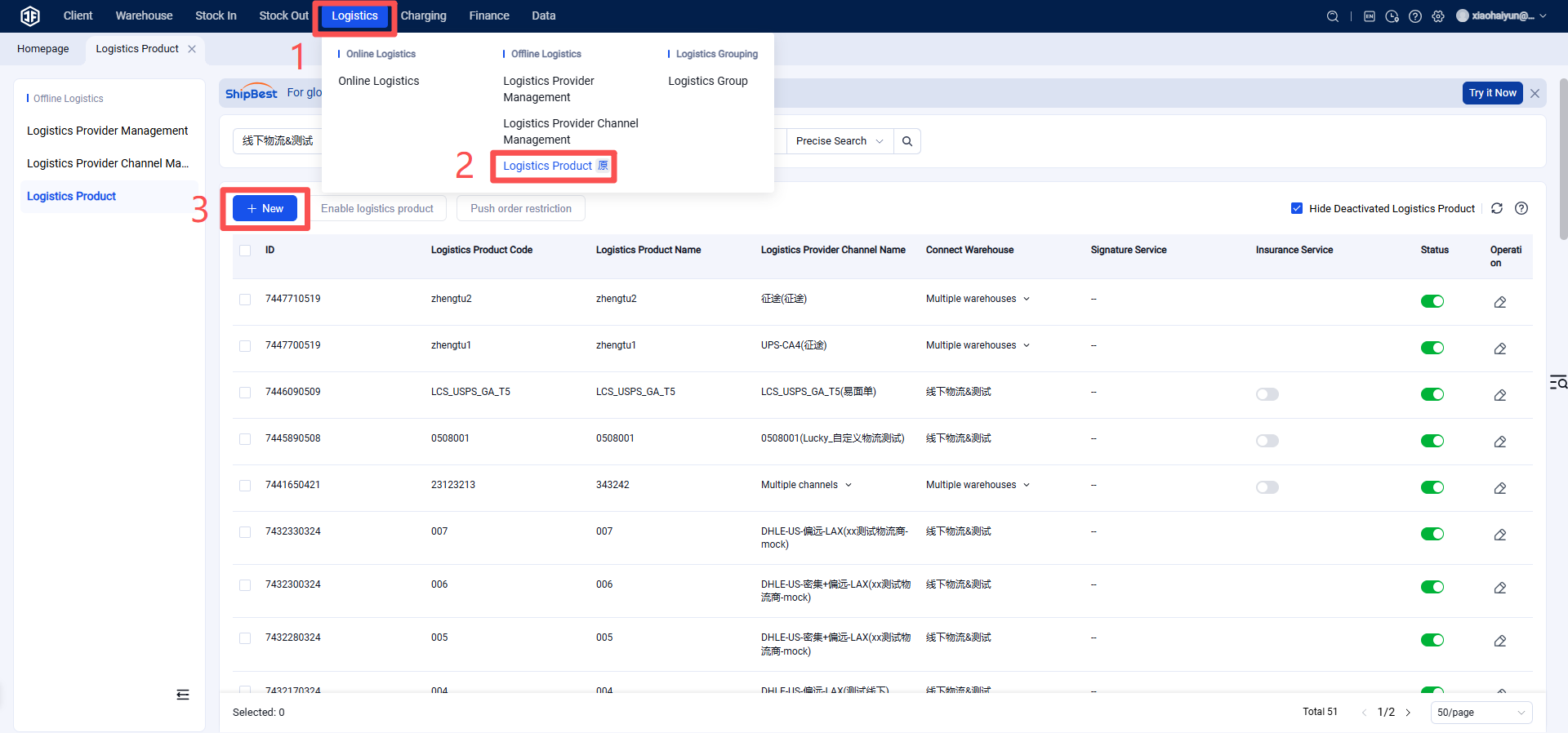
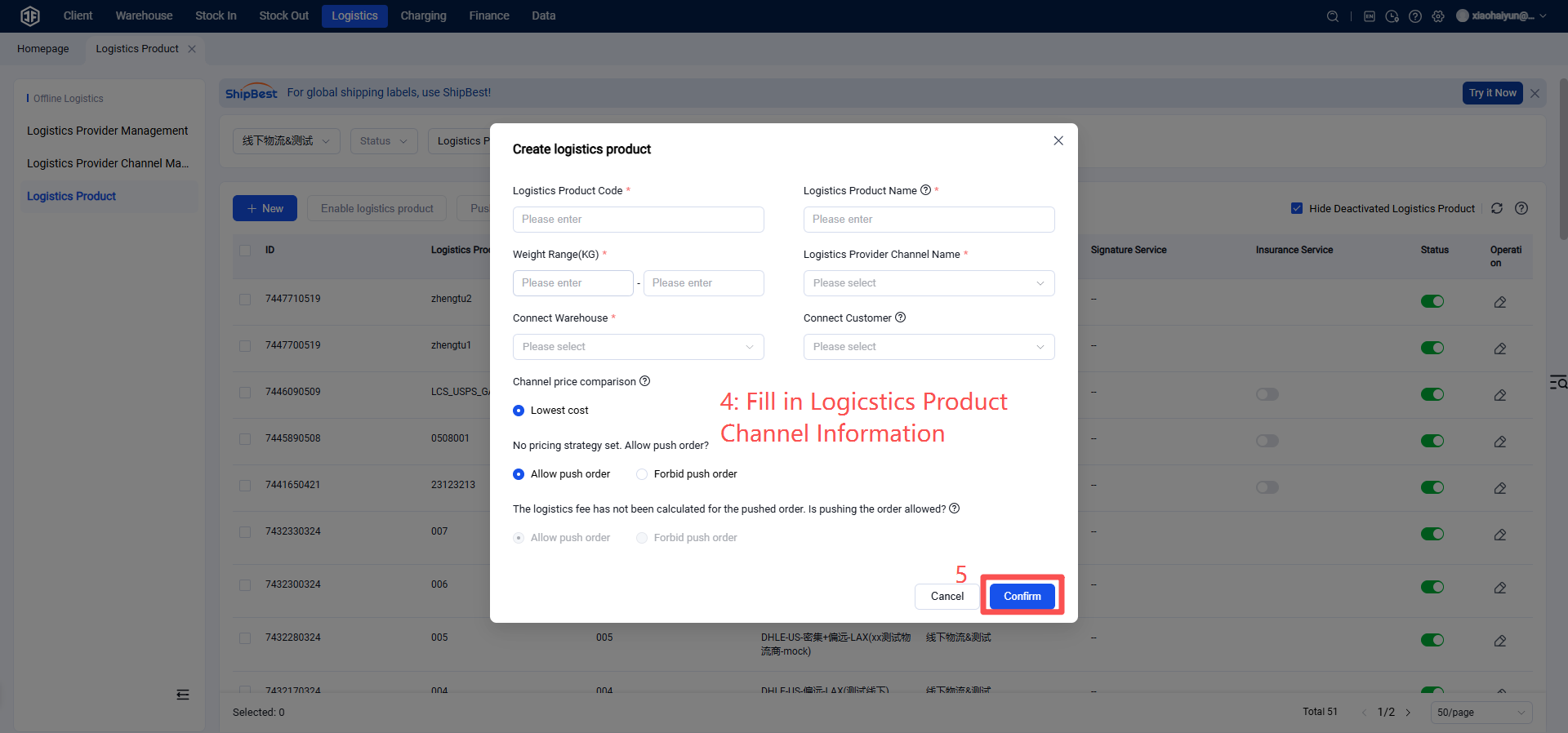
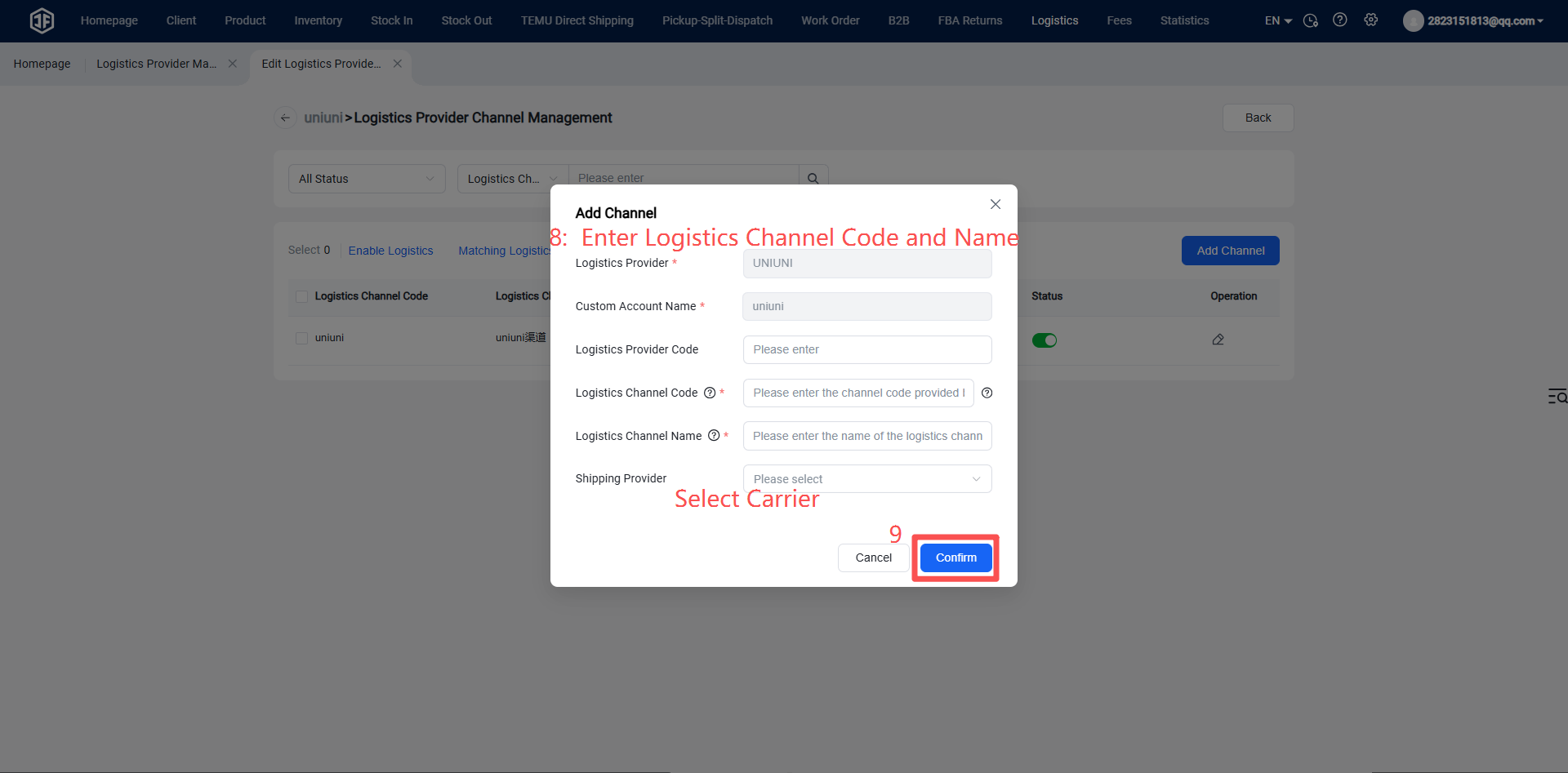
Step 4: Enable the Logistics Channel (Please confirm the logistics channel name and code with the logistics provider. If incorrect, the system will fail to obtain tracking numbers from the provider.)
Step 5: Overseas Warehouse Enables Logistics Channel for Customers (Once activated, sellers can view this channel on the OMS seller platform or ERP system.)