How to Register, Authorize, and Use SwiftX
I. Definition
SwiftX's leadership team comprises former executives from top global internet companies and seasoned professionals from international mainstream logistics firms, integrating internet mindset with deep supply chain operational expertise. Leveraging exceptional professional capabilities and strong strategic synergy, SwiftX is building a high-efficiency fulfillment network across the United States, providing customers with reliable localized delivery solutions.
II. Operating Procedures
Step 1: Register a SwiftX Account and Obtain Authorization
Please contact the business representatives to register an account and obtain the Client ID and Client Secret.
Henry Yuan +1(626) 742-3373 (USA)
Ji Weijie +86 183 2081 5640 (China)
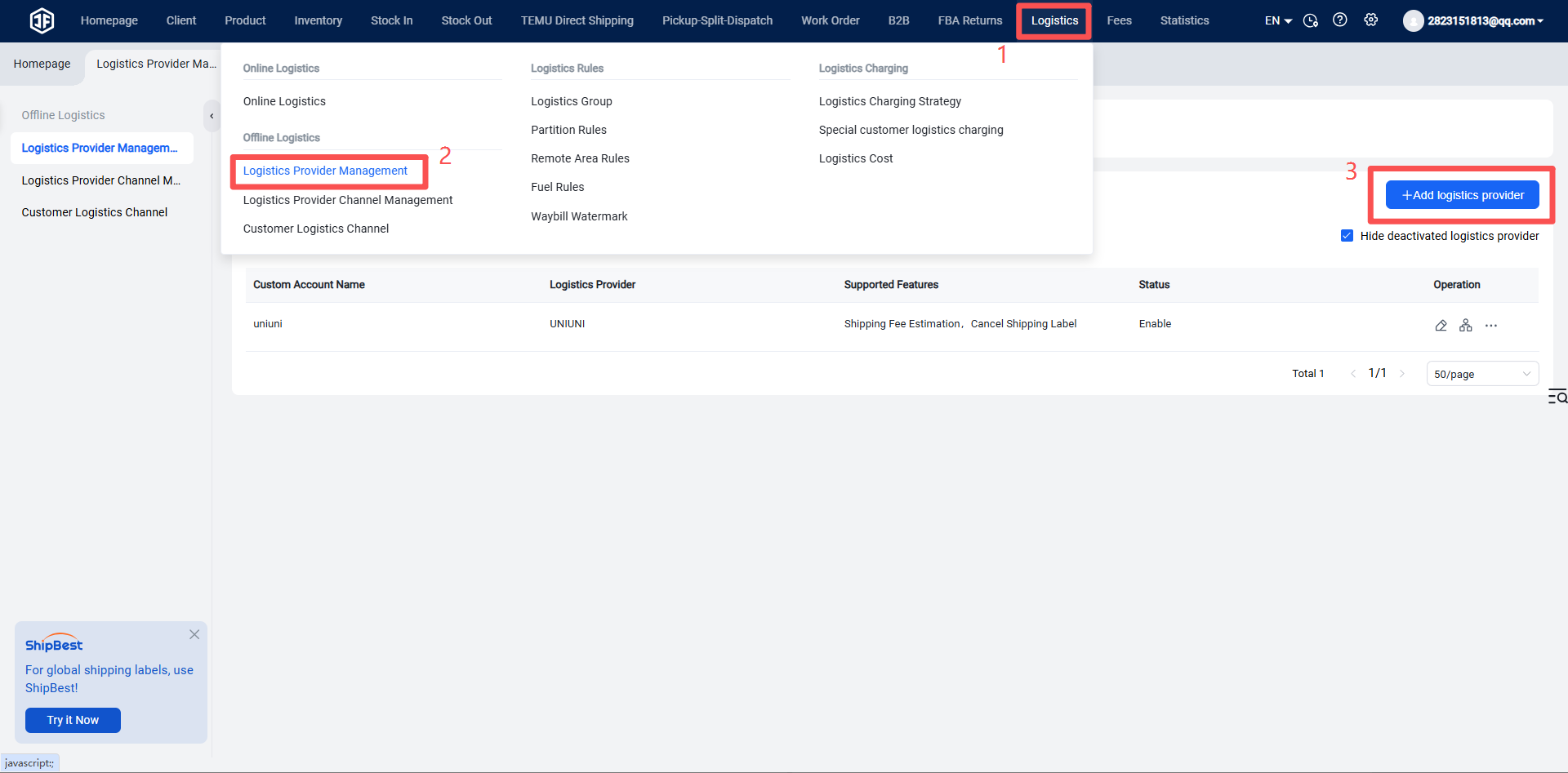
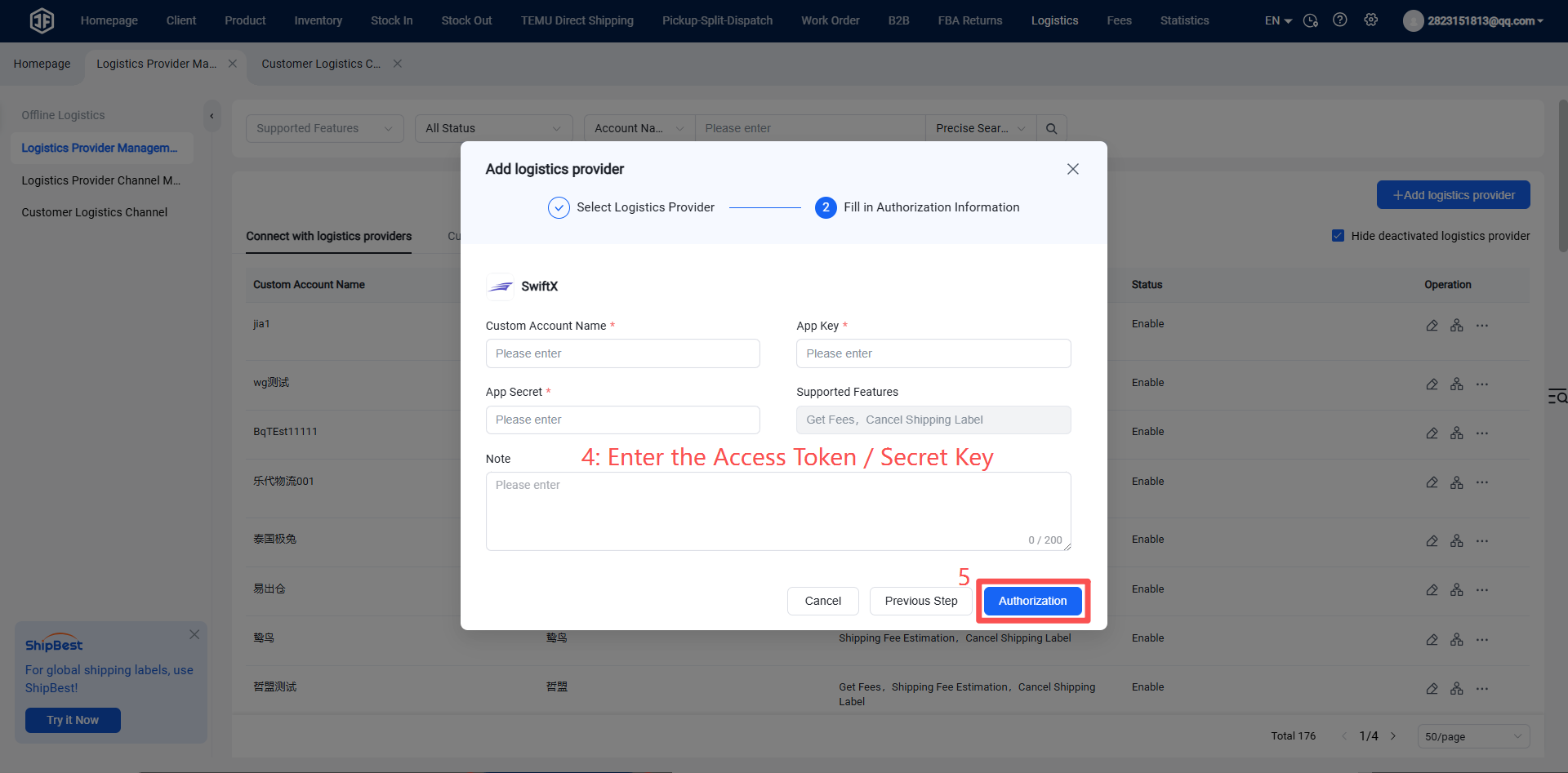
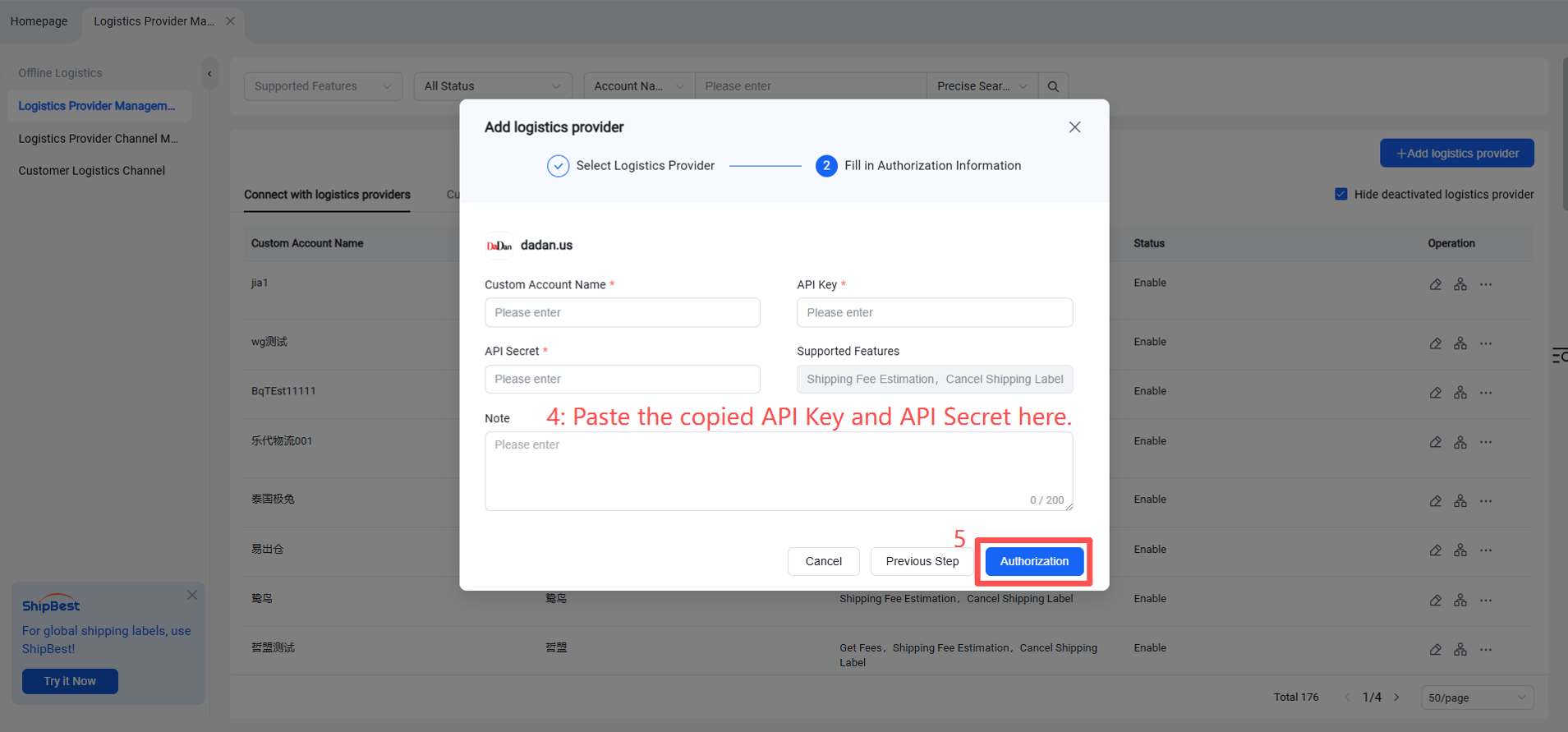
Step 2: Add SwiftX as a Logistics Provider in the Jifeng Overseas Warehouse System
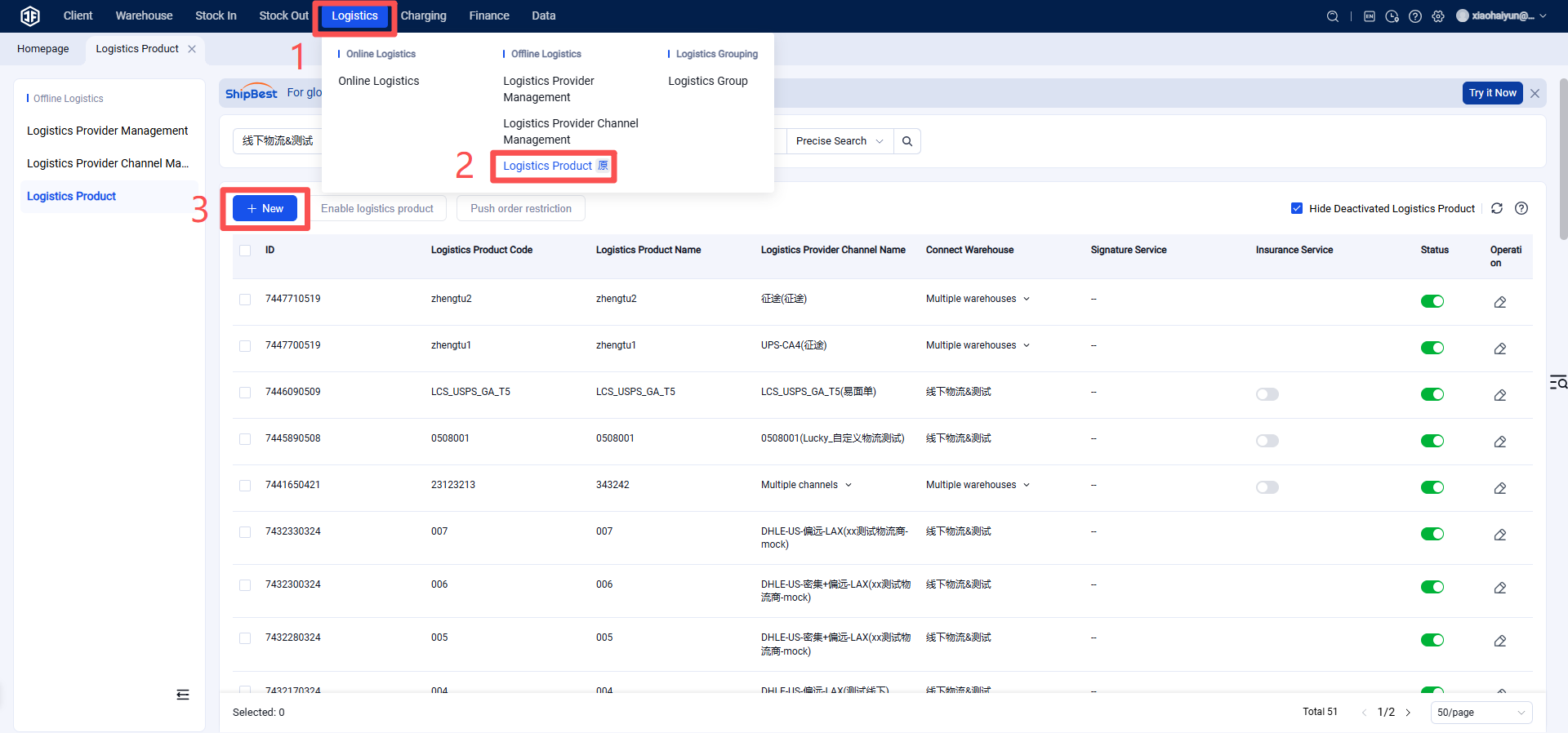
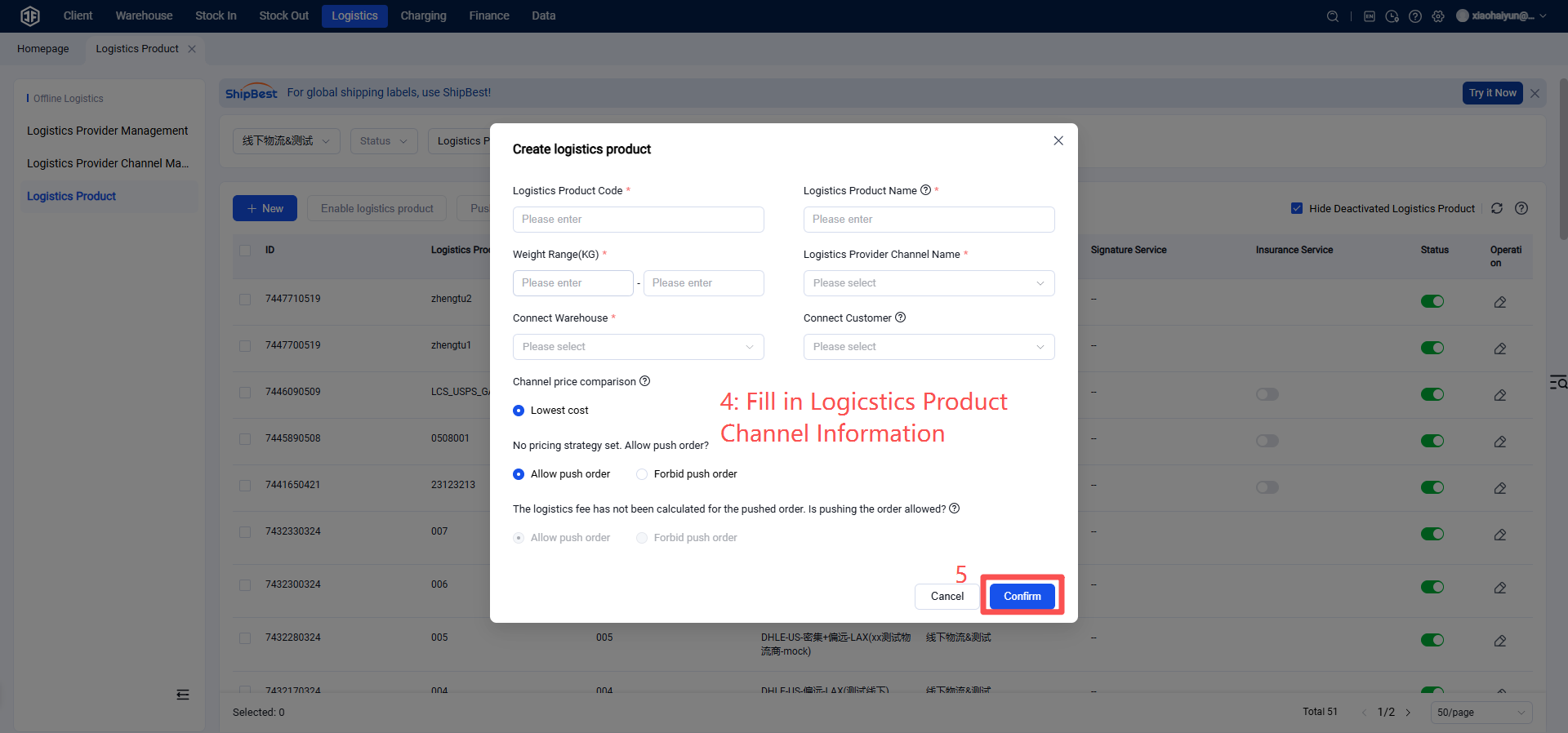
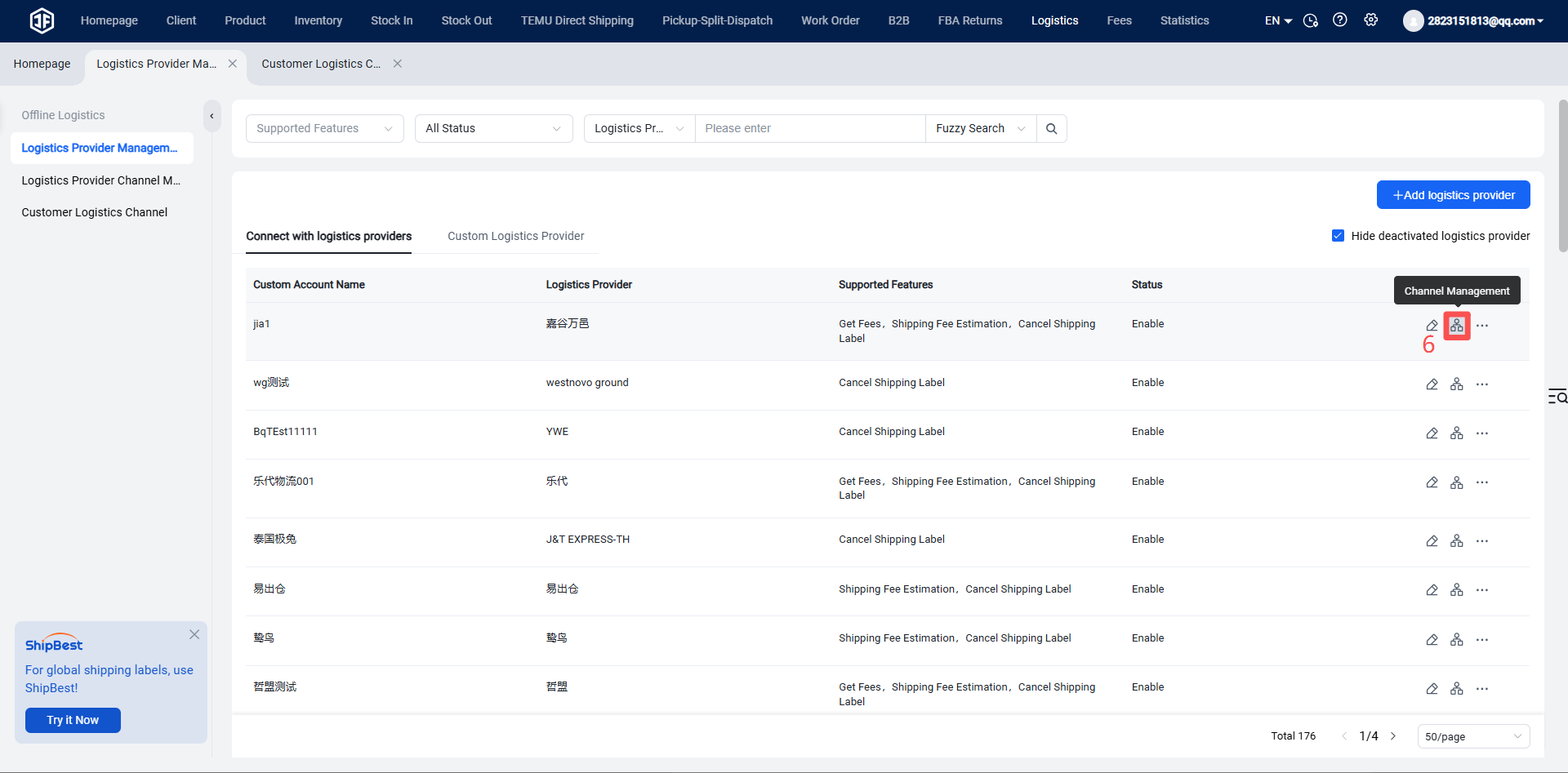
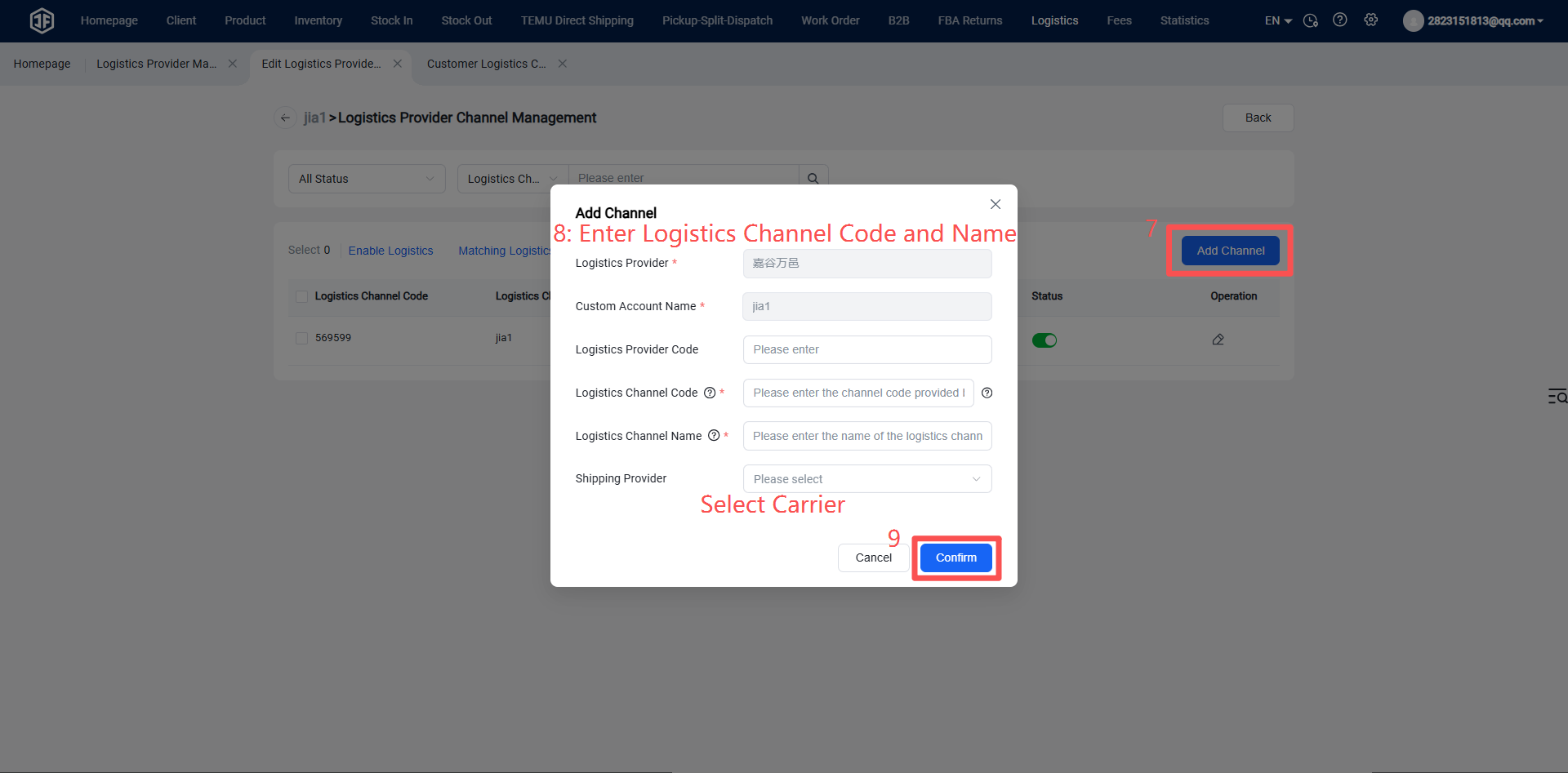
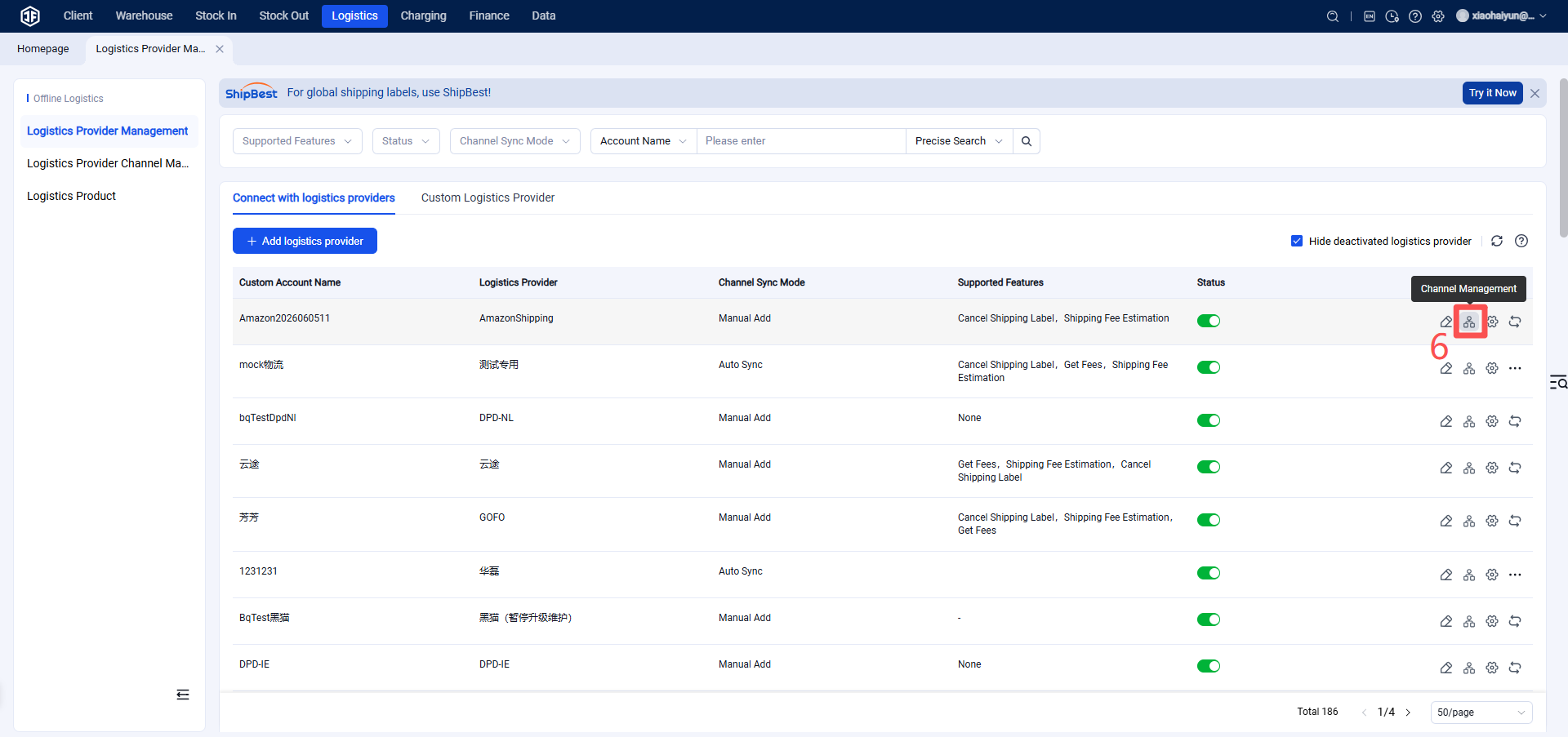
Step 3: Enable the Logistics Channel (Please confirm the logistics channel name and code with the logistics provider. If incorrect, the system will fail to obtain tracking numbers from the provider.)
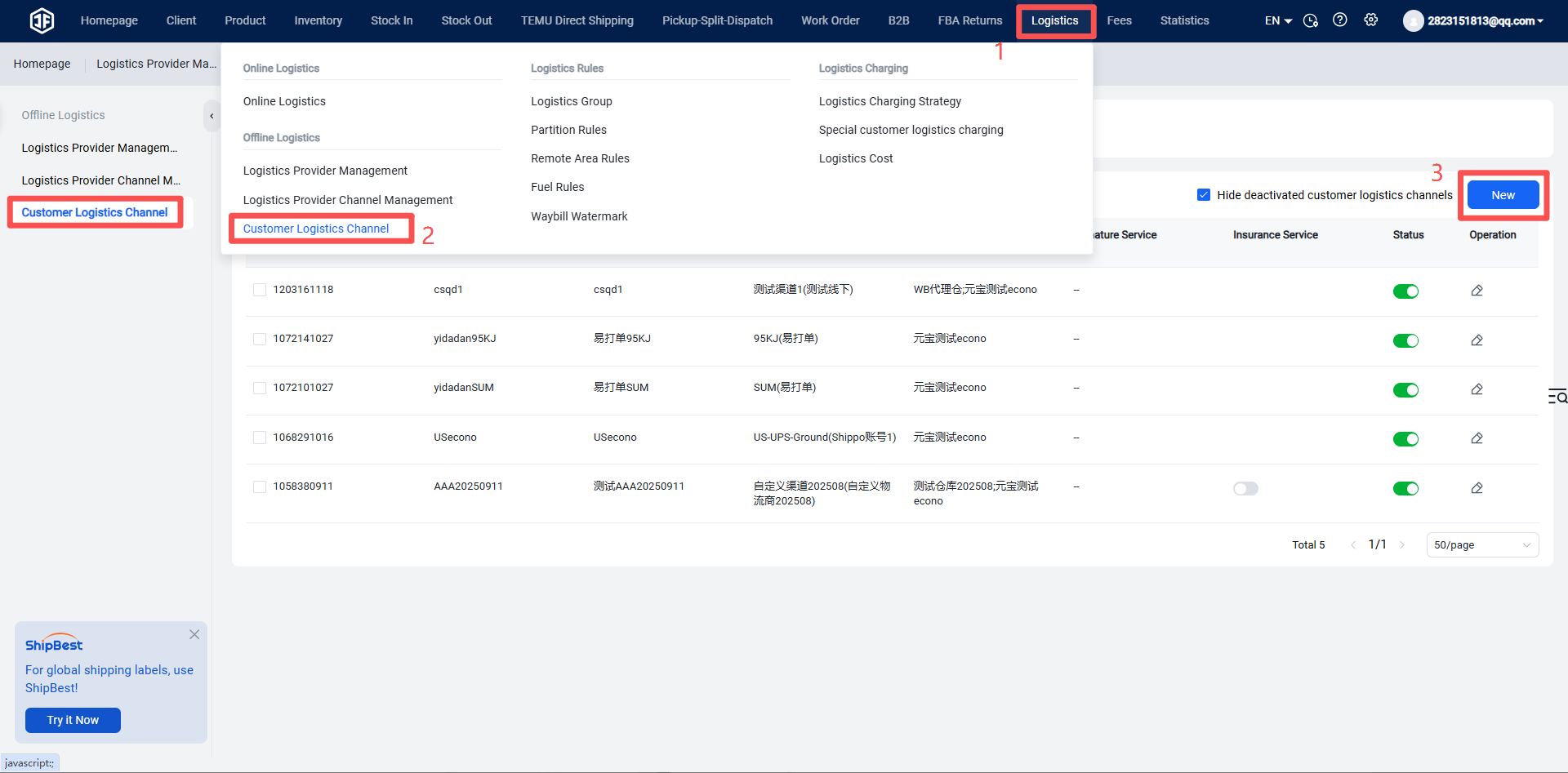
Step 4: Overseas Warehouse Enables Logistics Channel for Customers (Once activated, sellers can view this channel on the OMS seller platform or ERP system.)
I. Definition
SwiftX's leadership team comprises former executives from top global internet companies and seasoned professionals from international mainstream logistics firms, integrating internet mindset with deep supply chain operational expertise. Leveraging exceptional professional capabilities and strong strategic synergy, SwiftX is building a high-efficiency fulfillment network across the United States, providing customers with reliable localized delivery solutions.
II. Operating Procedures
Step 1: Register a SwiftX Account and Obtain Authorization
Please contact the business representatives to register an account and obtain the Client ID and Client Secret.
Henry Yuan +1(626) 742-3373 (USA)
Ji Weijie +86 183 2081 5640 (China)
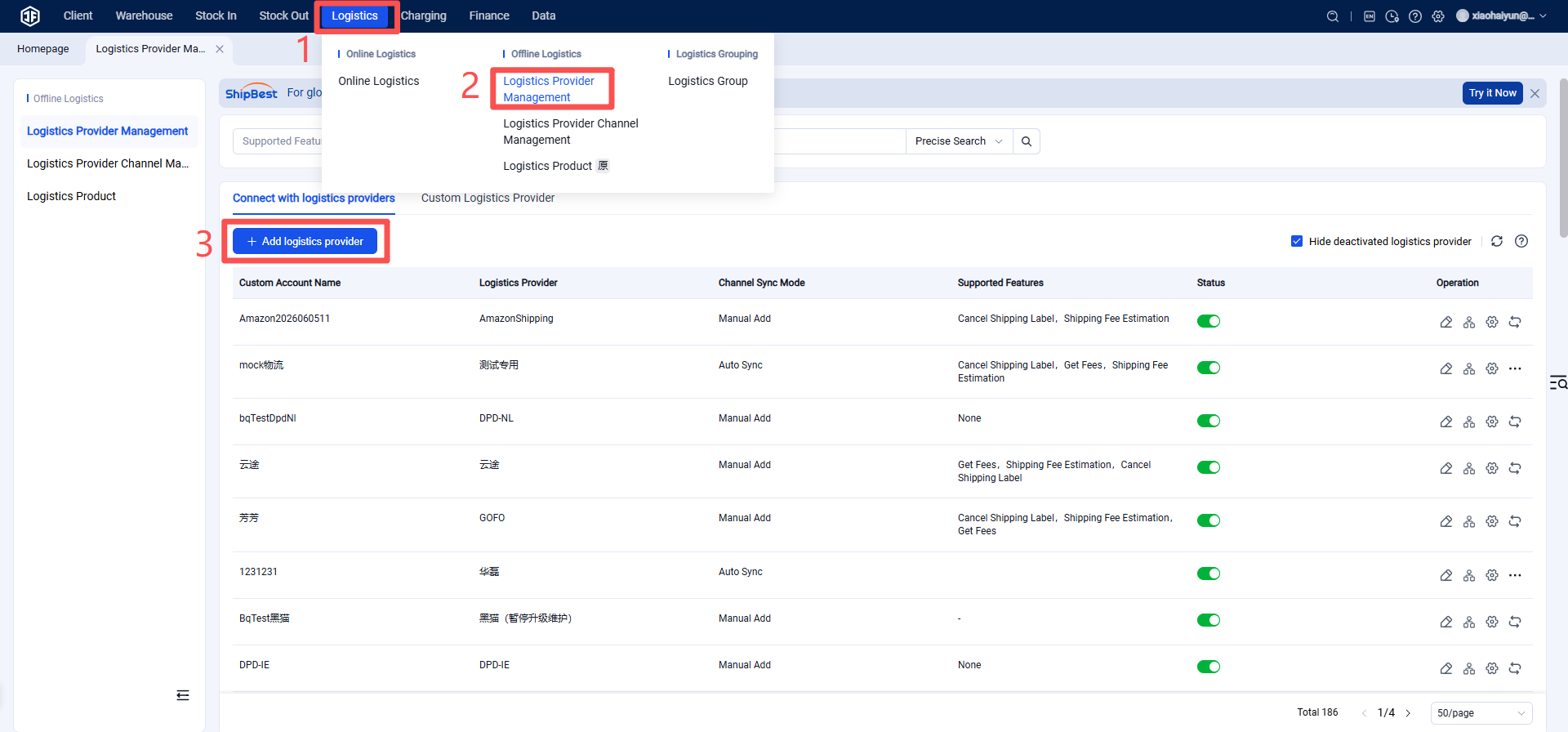
Step 2: Add SwiftX as a Logistics Provider in the Jifeng Overseas Warehouse System
Step 3: Enable the Logistics Channel (Please confirm the logistics channel name and code with the logistics provider. If incorrect, the system will fail to obtain tracking numbers from the provider.)
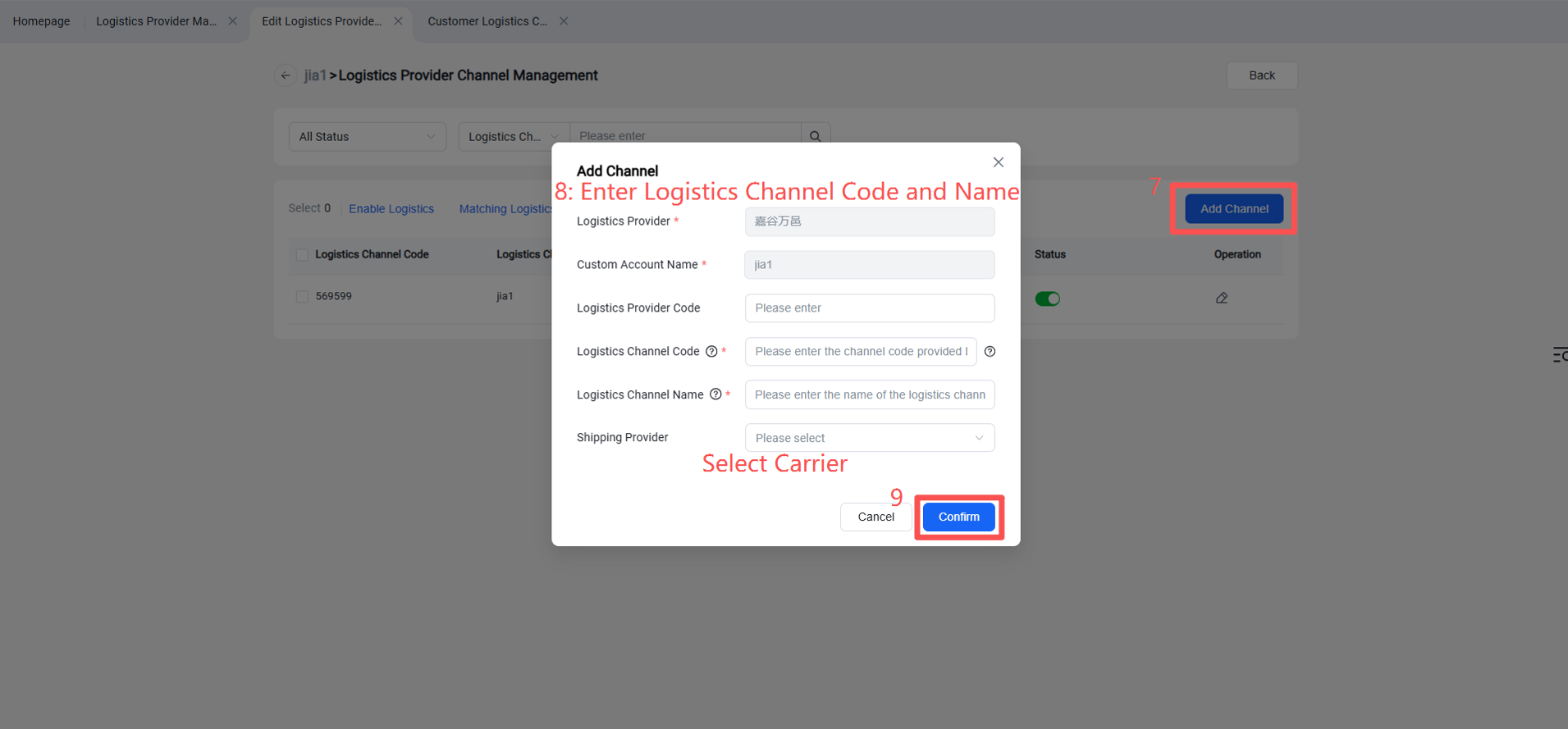
Step 4: Overseas Warehouse Enables Logistics Channel for Customers (Once activated, sellers can view this channel on the OMS seller platform or ERP system.)