How to Register, Authorize, and Use DQPOST Logistics (Express Delivery)
I. Definition
DQPOST is a company specialized in providing efficient and high-quality last-mile logistics services within the United States. It maintains close partnerships with multiple local logistics carriers (such as USPS, UPS, FedEx, DHL) and major e-commerce platforms to ensure highly efficient and stable operations.
II. Operating Procedures
Step 1: Logistics Registration
Website: https://oms.dqpost.com/
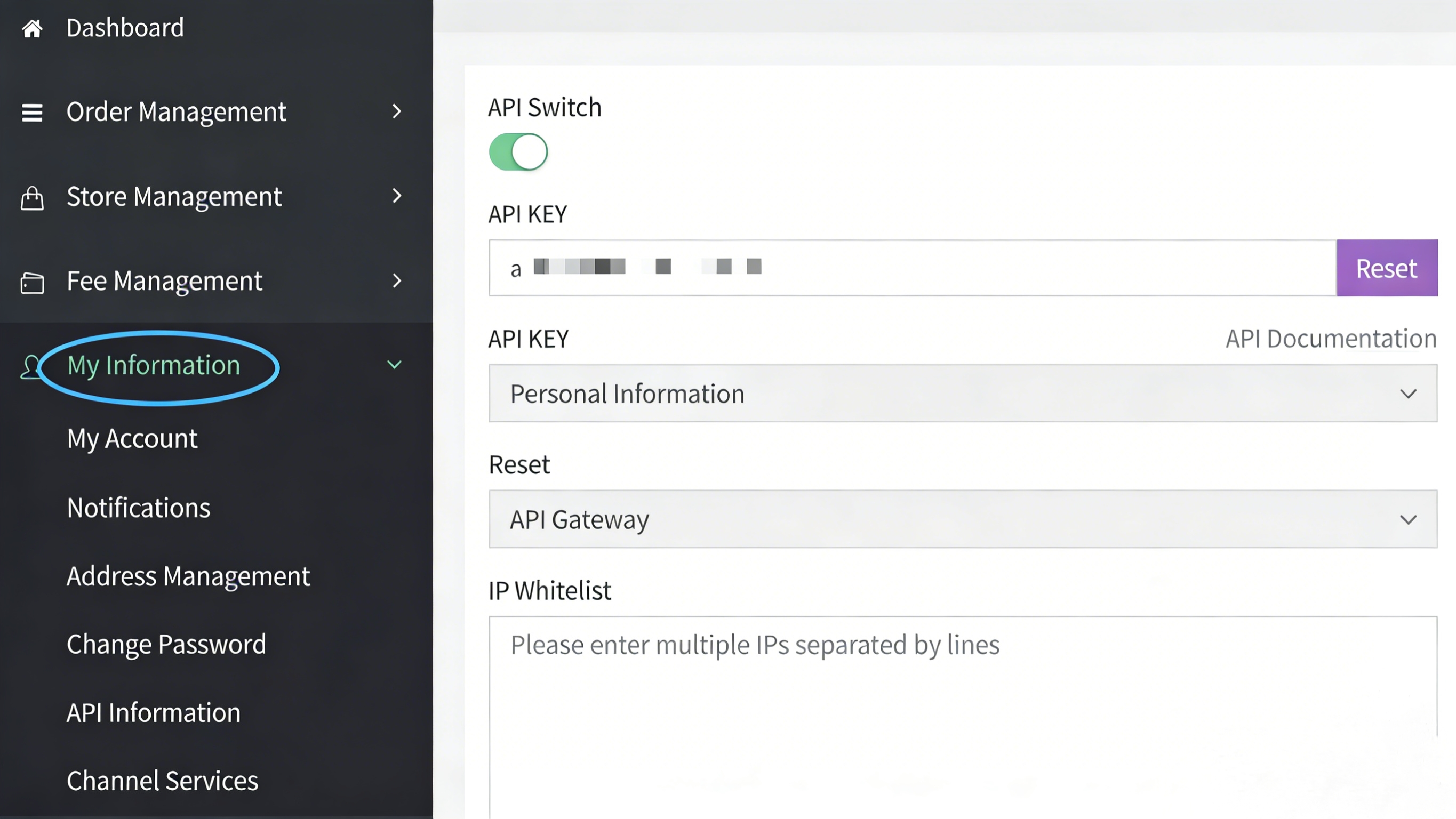
Step 2: Obtain Authorization API Key
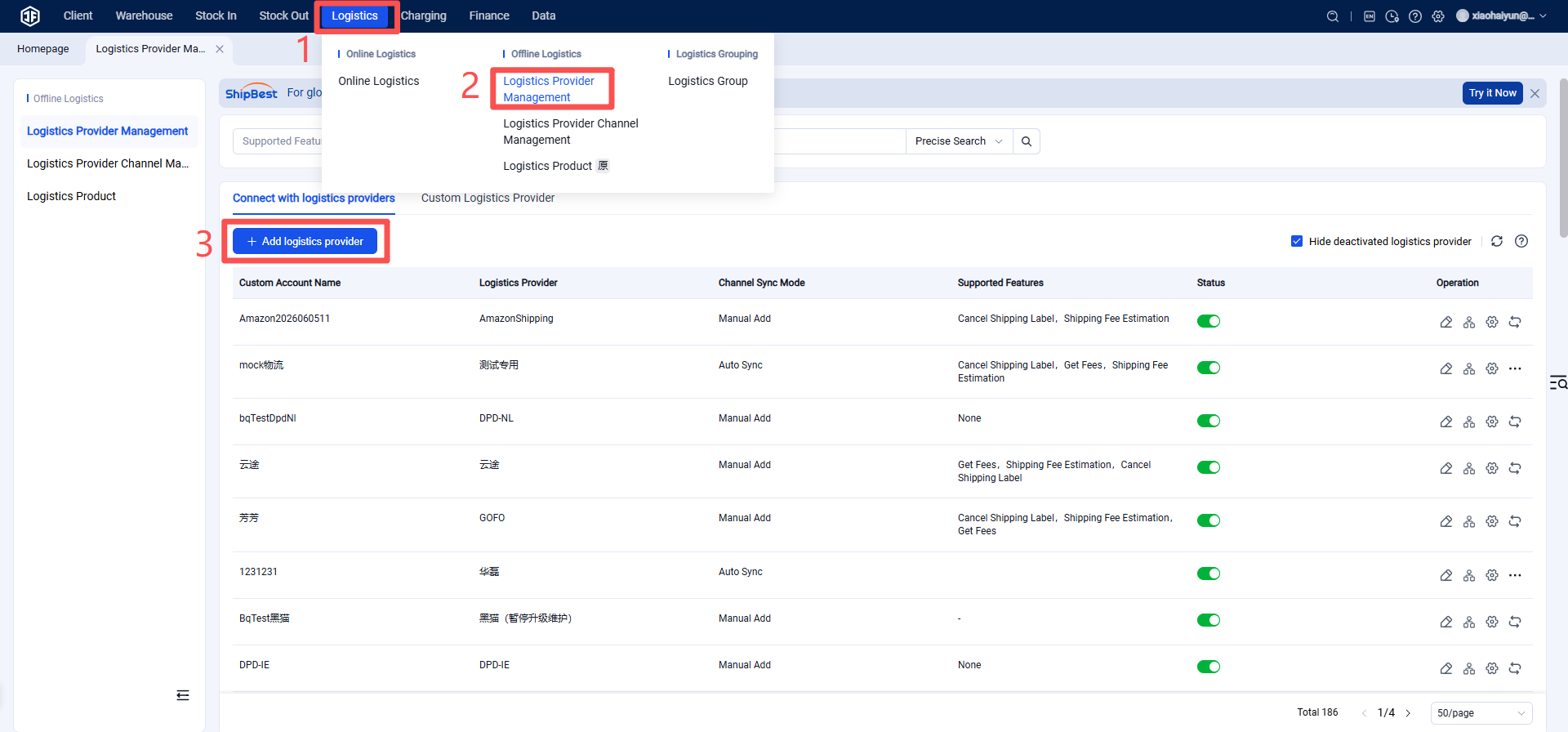
Step 3: Add Logistics Provider in the Overseas Warehouse System
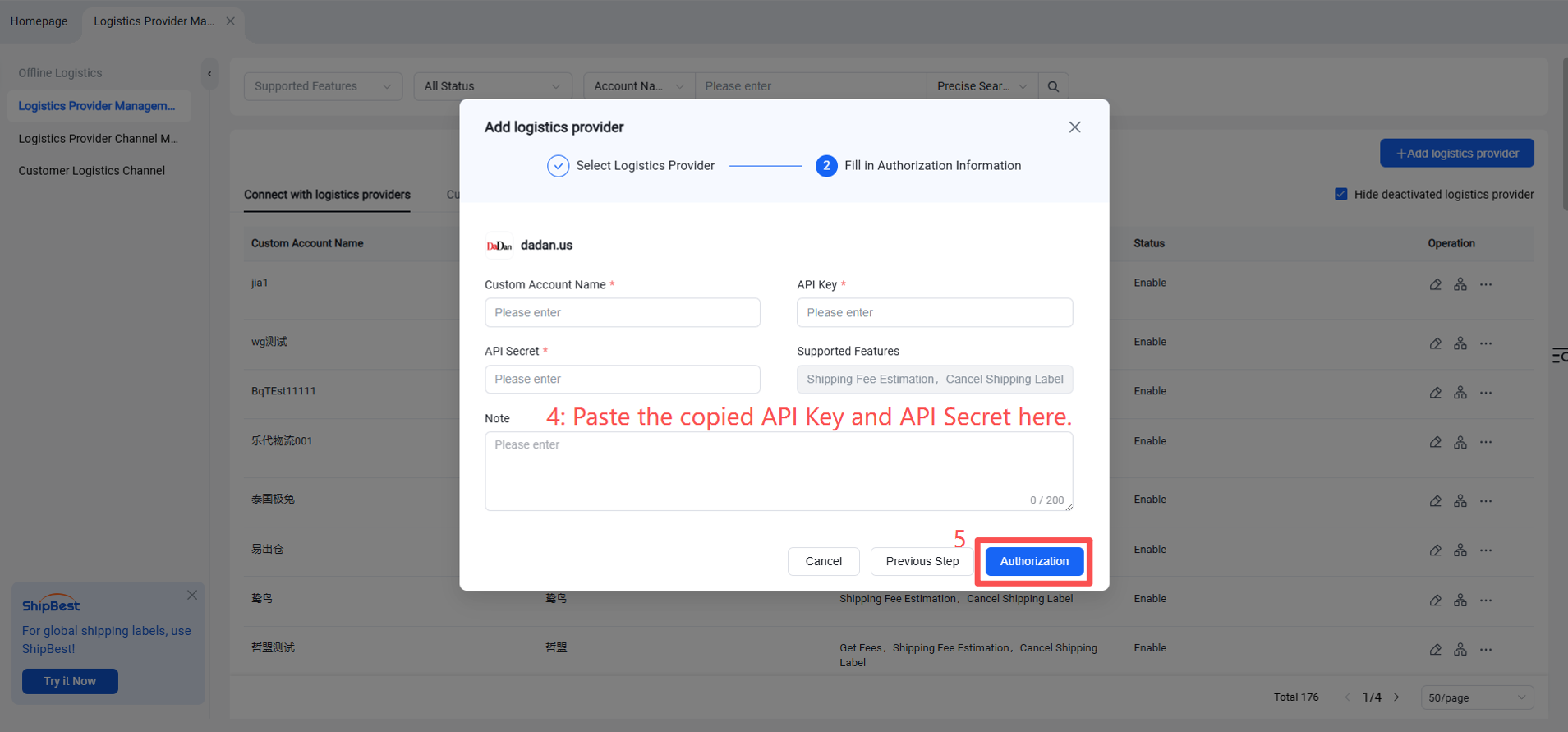
Finally, click Authorize.
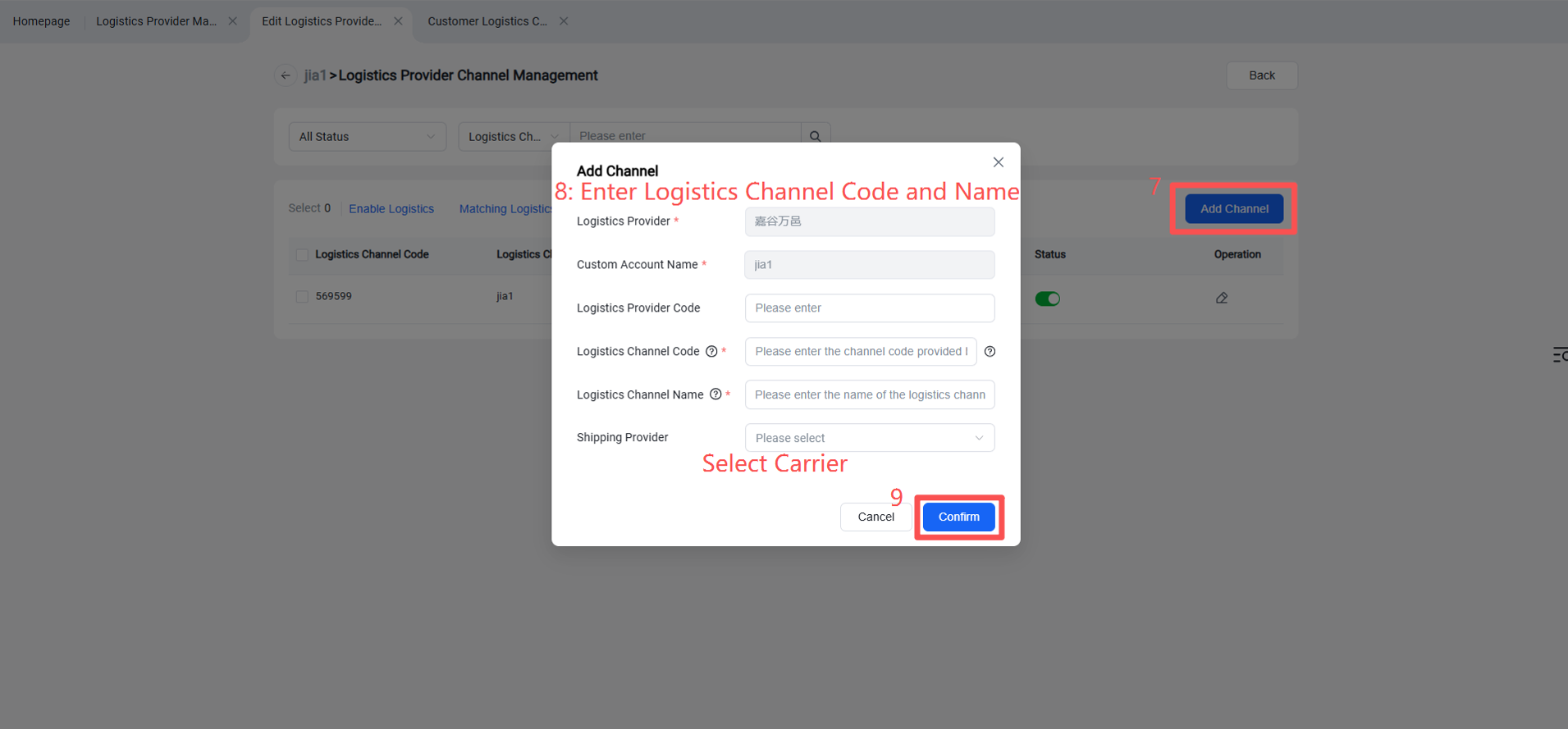
Step 4: Enable Logistics Channel
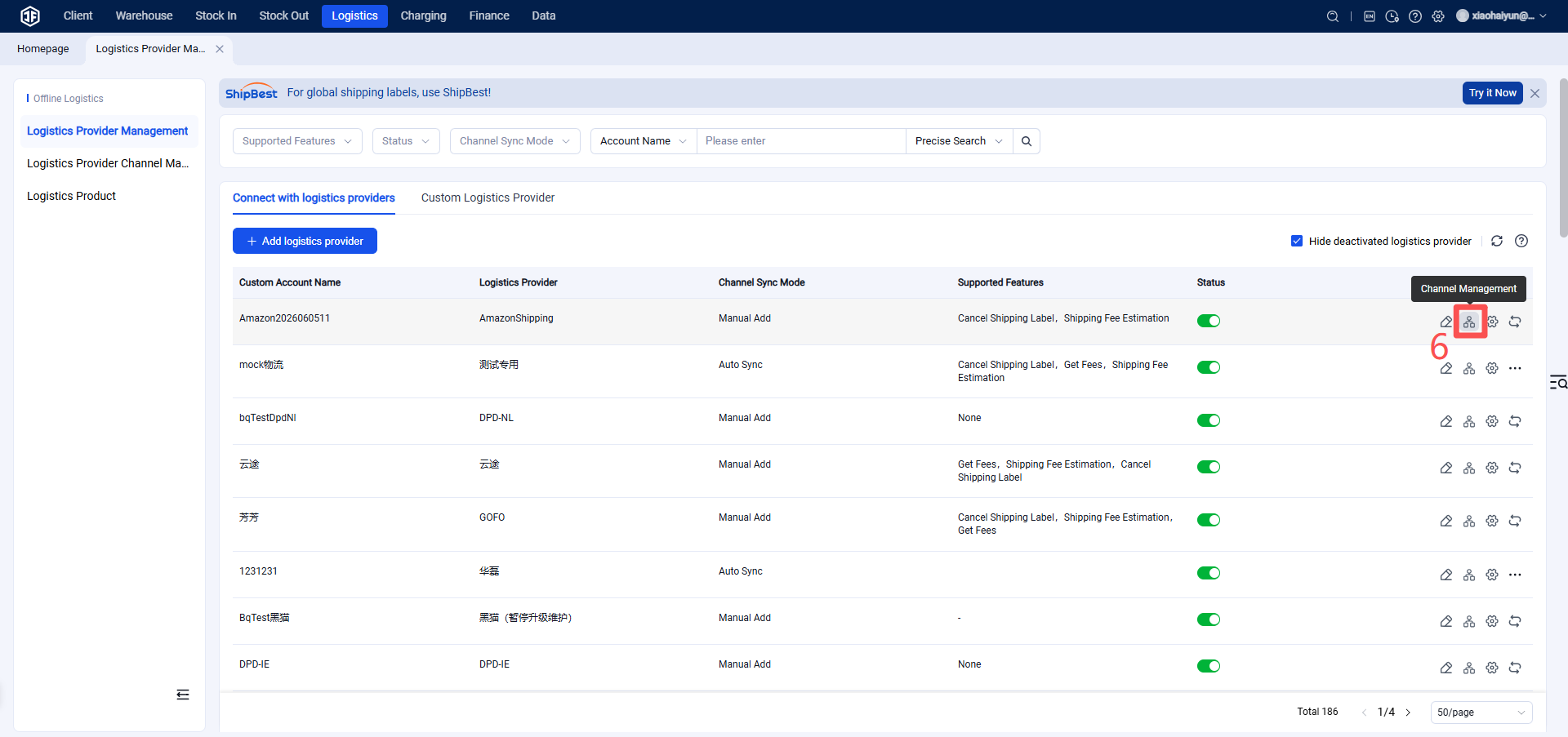
Step 5: Overseas Warehouse Enables Logistics Channel for Customers
(Once enabled, sellers can view this channel on the OMS seller platform or ERP system.)
Correct. This ensures that sellers can view and select this logistics channel within their OMS or ERP system.