Seller Platform (OMS) One-Click Reship Package
Updated on 12 Jun,2026
Copy Link
I. Definition
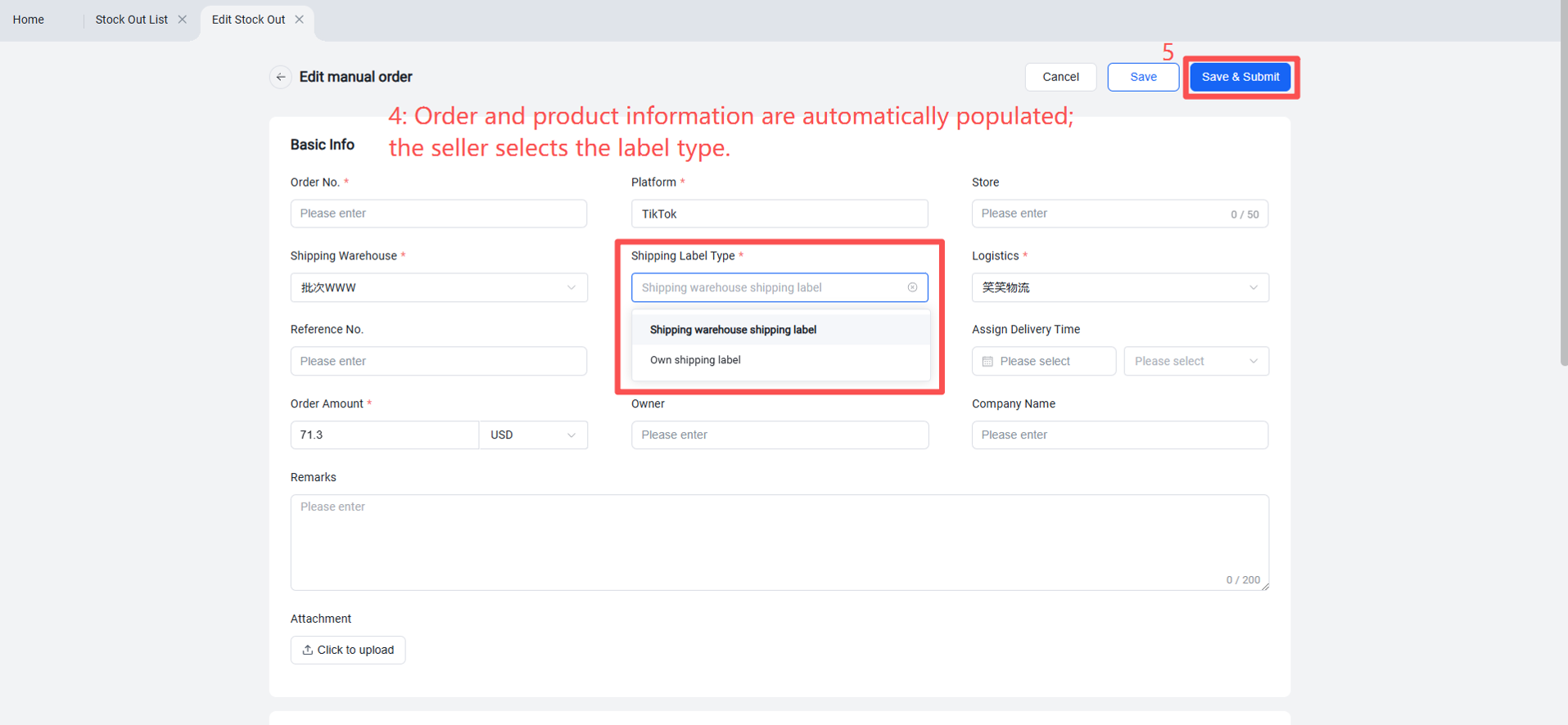
After an order is shipped, if the package is lost due to logistics issues or encounters shipping anomalies and needs to be resent, sellers can directly use the "Resend Package" feature in the Seller Platform (OMS). This automatically populates the order's basic information, recipient details, and product information. Sellers can then select the label type and logistics provider themselves, enabling fast package re-shipment.
II. Operational Steps
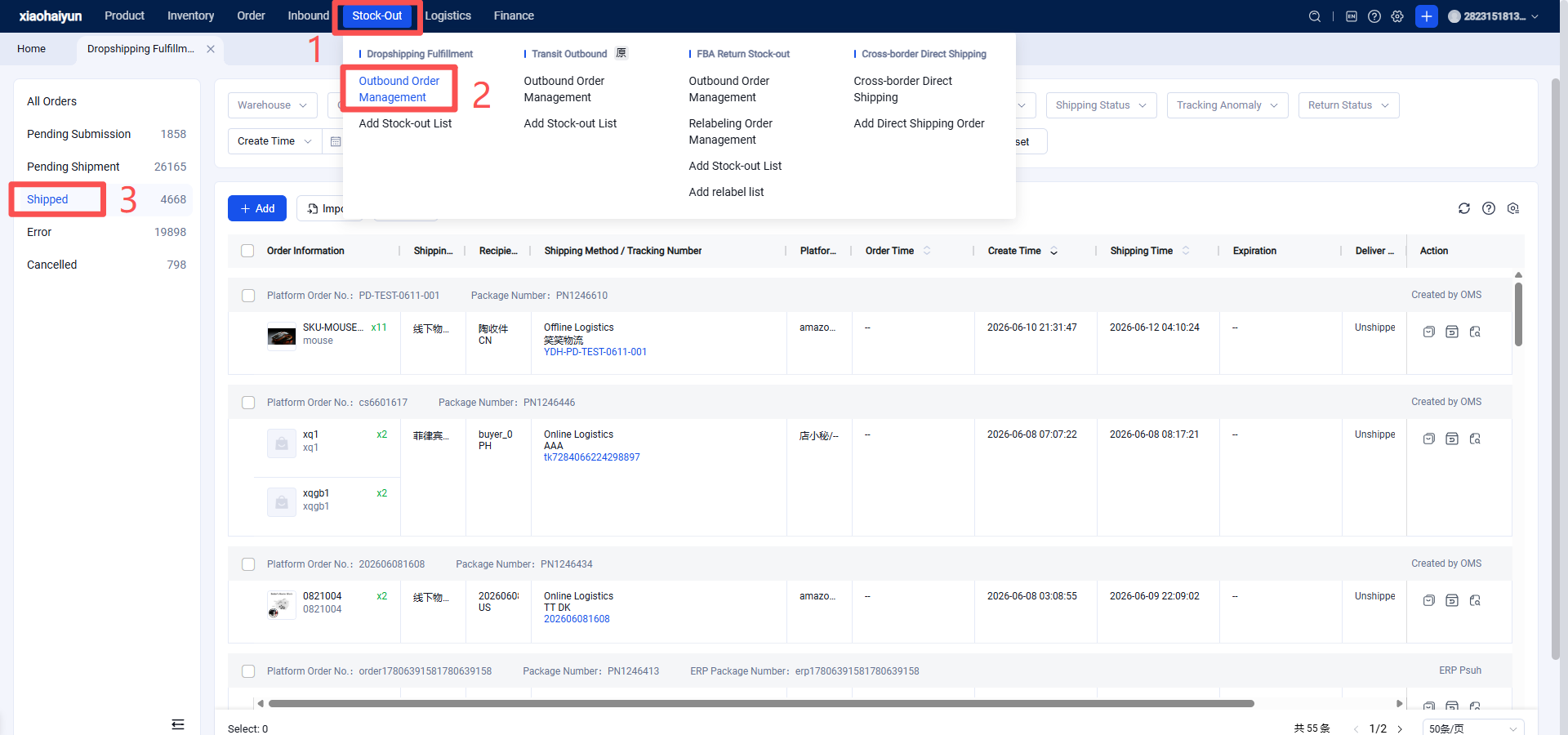
Seller Platform OMS > Outbound > Shipped > Resend Package > Select Label Type > Save and Submit.