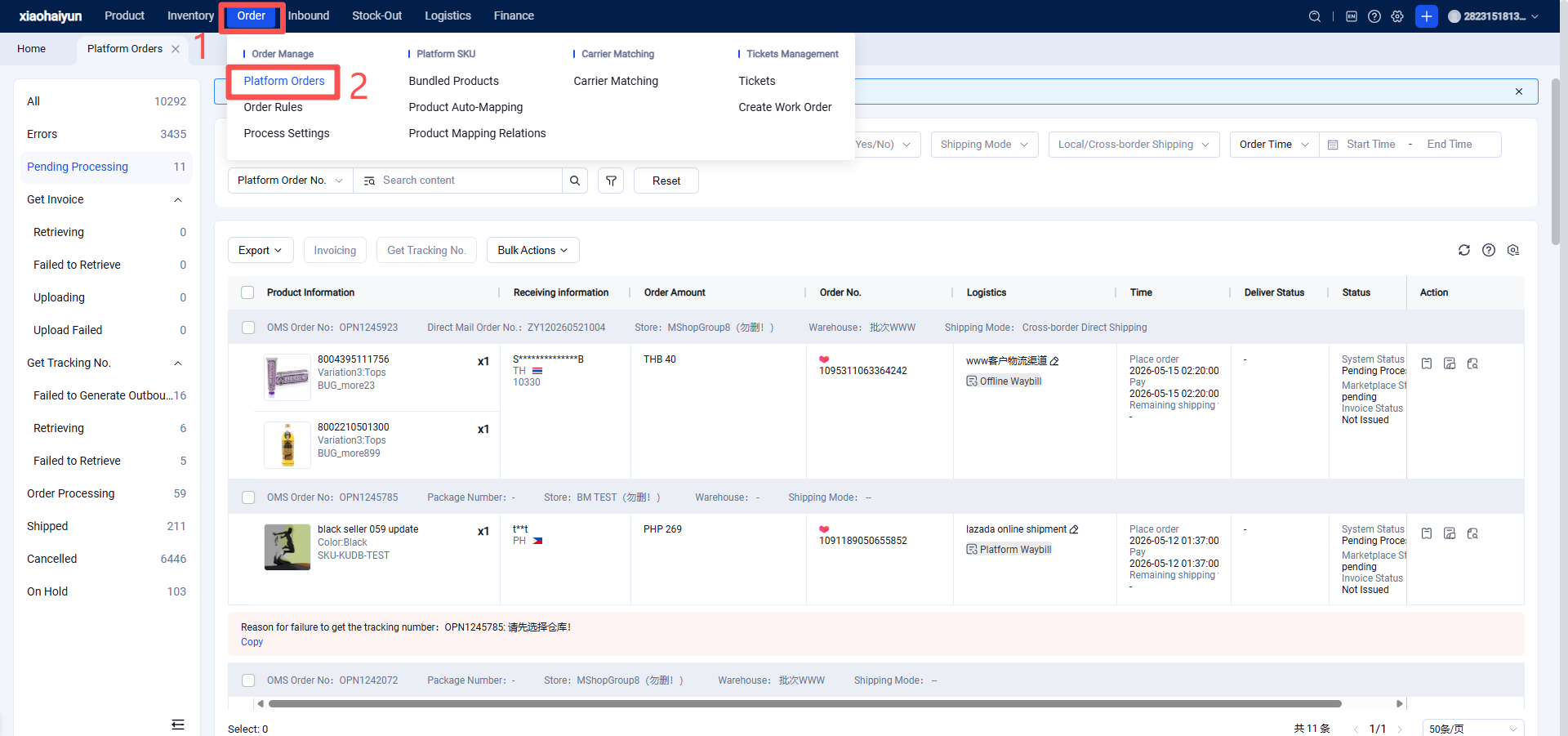
Seller Uses Jifeng OMS for Invoicing and Order Processing
I. Definition
For countries such as Brazil, shipping label generation and order fulfillment require invoice information. Sellers can use ERPs like Upseller to issue invoices and process orders, or they can use Jifeng OMS for free invoice generation and order processing.
II. Operational Path
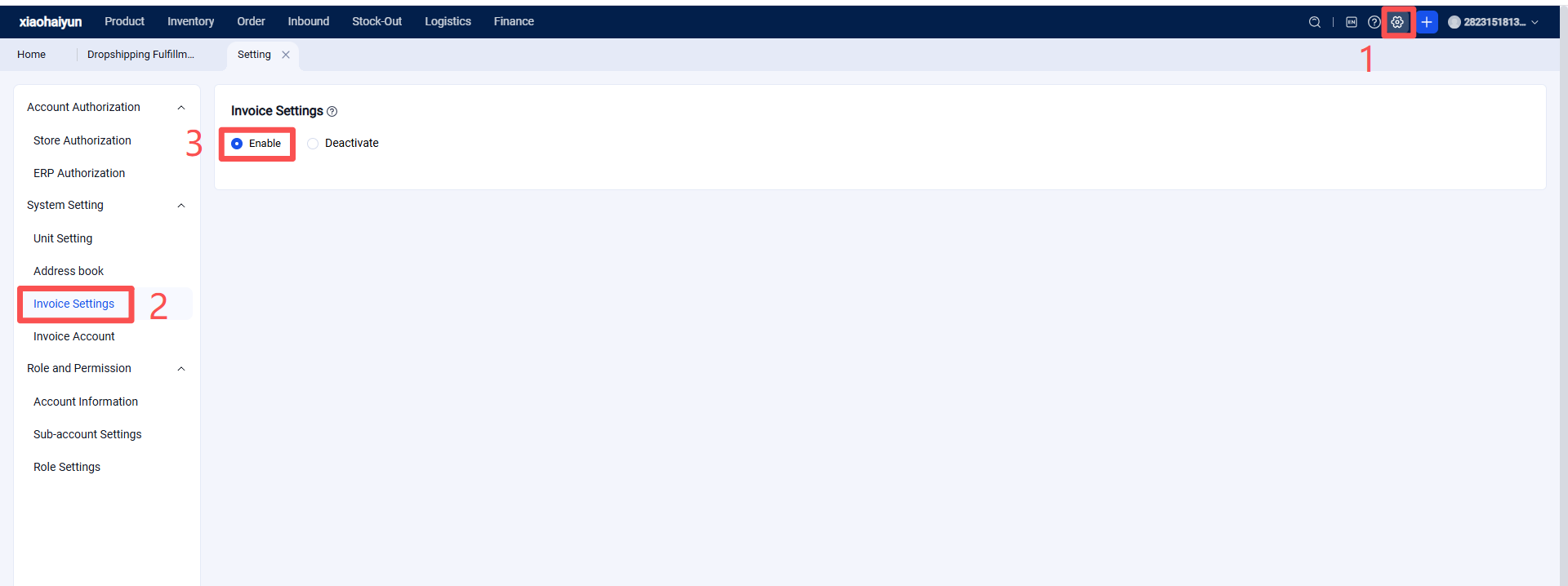
Step 1: Seller Enables Invoice Settings in Jifeng OMS
Step 2: Seller Creates an Invoice Account in Jifeng OMS and Completes Invoice Information
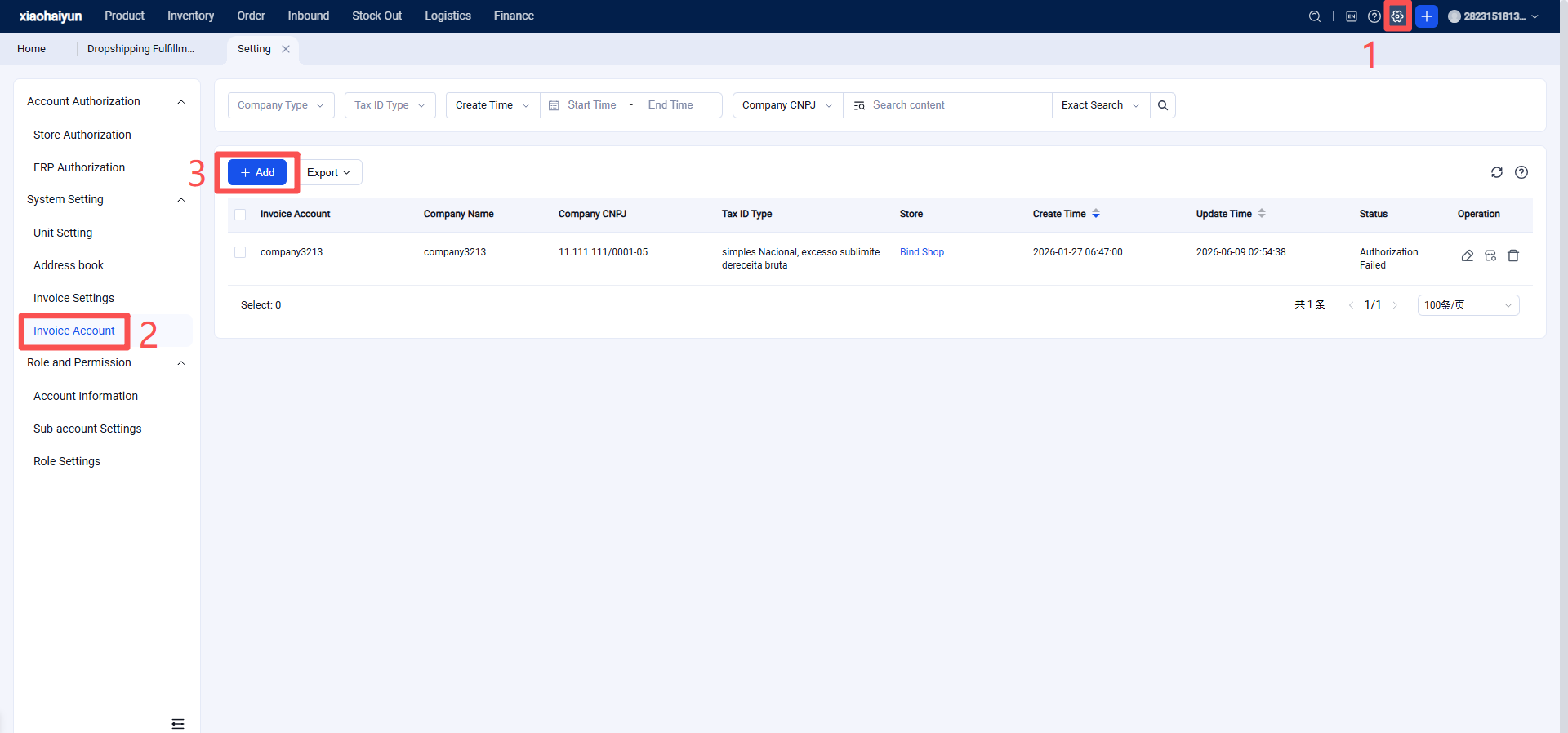
Complete Invoice Information (Fields marked with * are required)
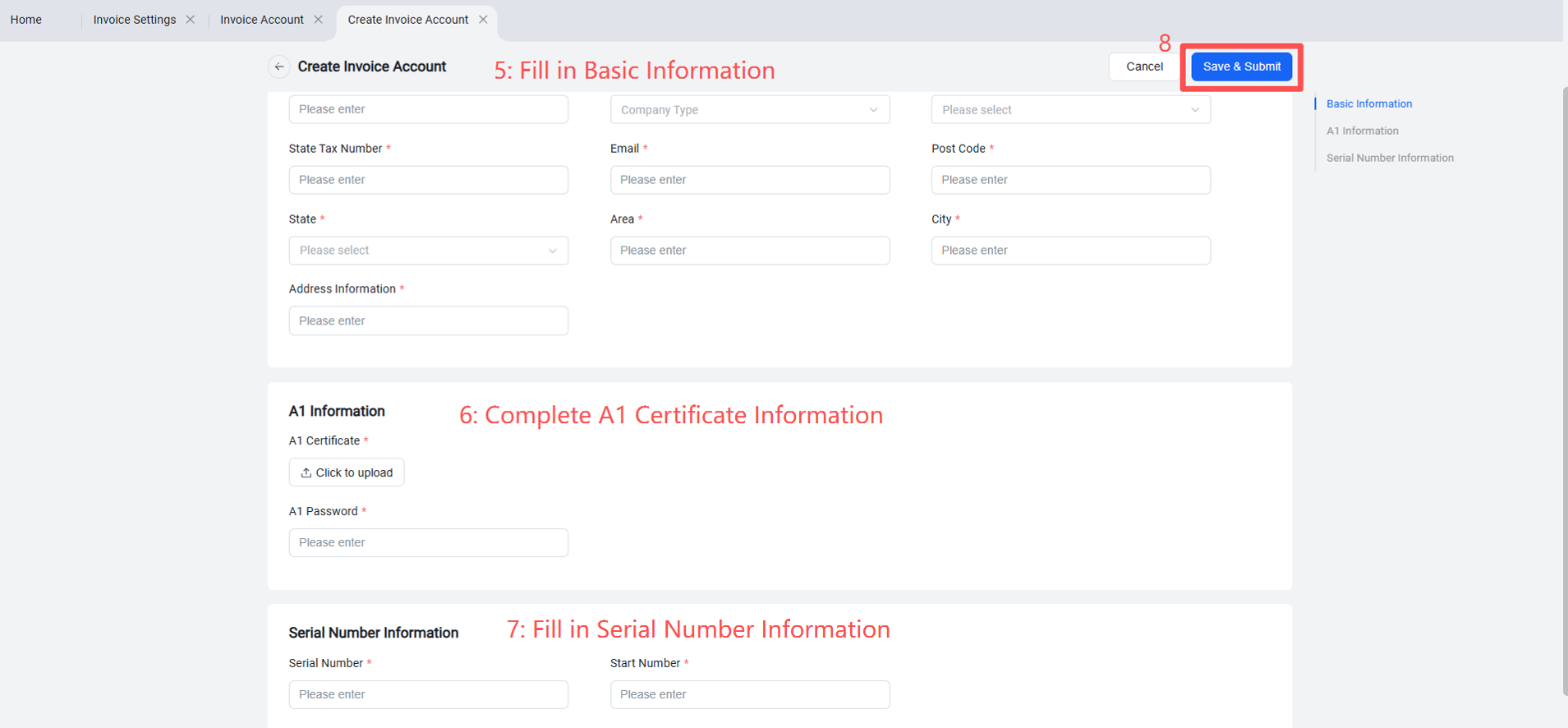
1.Basic Information
Company Name, CNPJ (14-digit format: 00.000.000/0000-00), Company Type, Tax Regime, IE (State Tax ID), Email, Postal Code, State, District, City, Address.
Note: There are four tax regime options. It is recommended to consult an accountant before selecting.
MEI - Individual Micro-Entrepreneur: Annual revenue ≤ R$81,000
Simples Nacional - Simplified Tax Regime: R$81,000 < Annual revenue ≤ R$3.6 million
Simples Nacional, excesso de sublimite de receita bruta - Simplified Tax Regime (Exceeding Sub-limit): R$3.6 million < Annual revenue ≤ R$4.8 million
Regime Normal - Normal Tax Regime: Annual revenue > R$4.8 million
2.A1 Information
Upload the A1 Certificate and enter the A1 Password. The A1 Certificate and the CNPJ must belong to the same company.
3.Invoice Serial Number and Starting Number
Configuring the invoice serial number and starting number is critical. The invoice numbers must be sequential.
Note: If multiple OMS accounts are linked to the same CNPJ, each OMS account must use a distinct serial number.
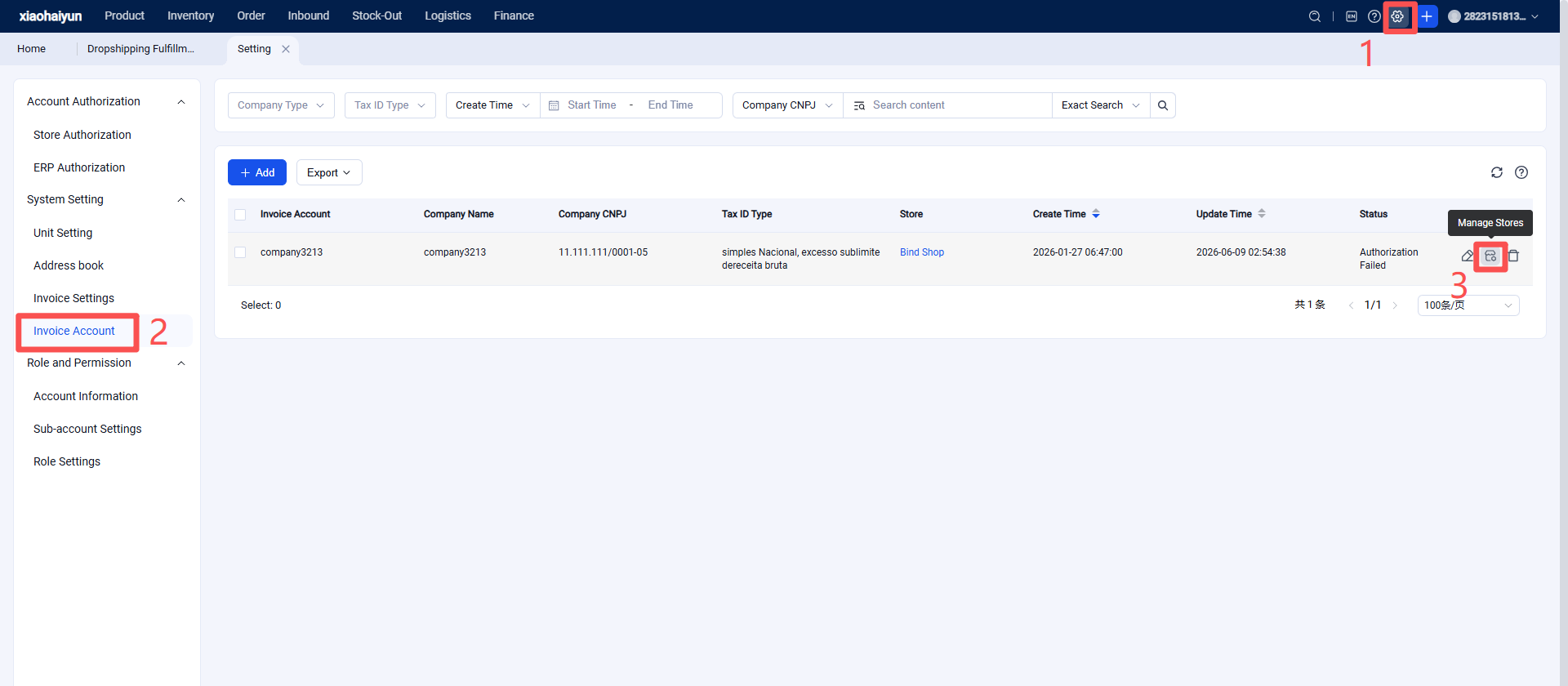
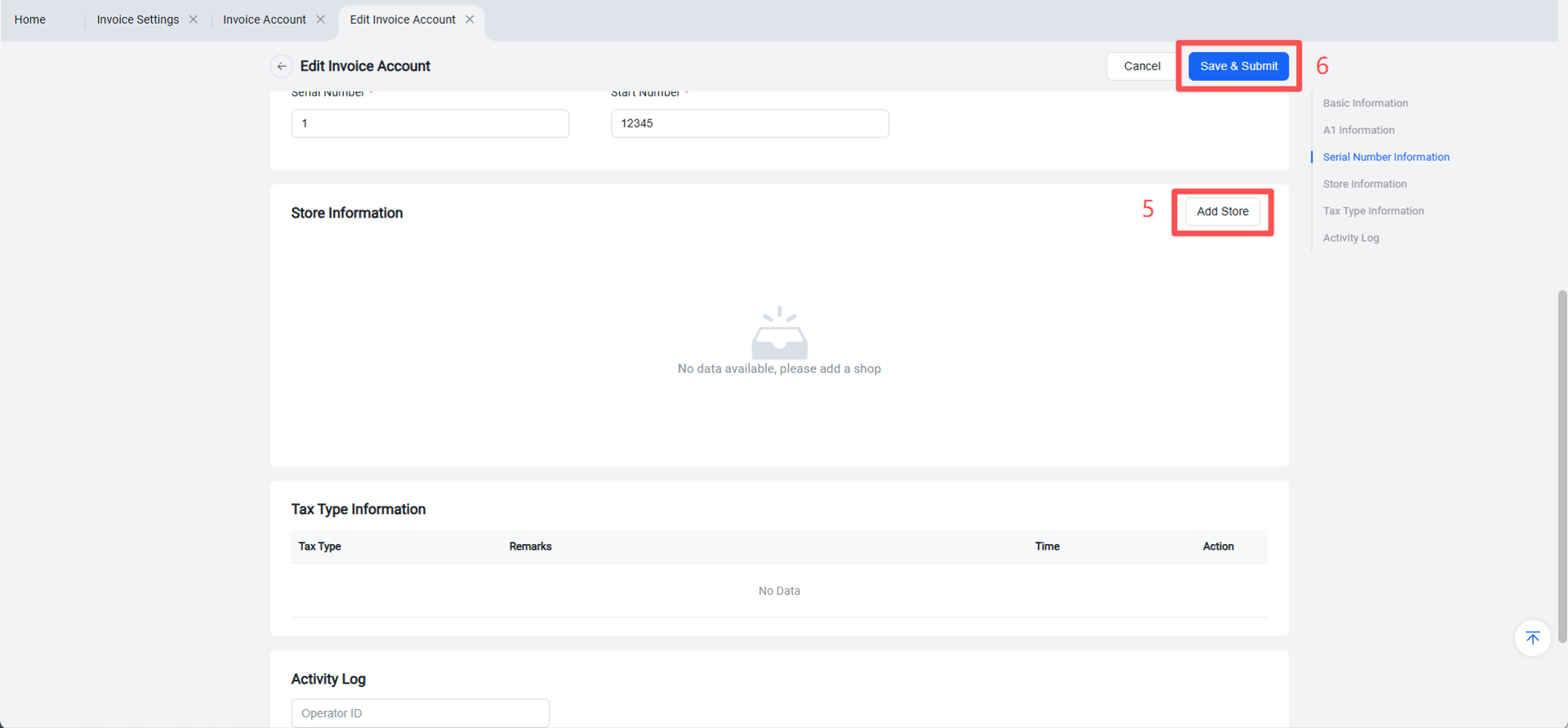
4.After the invoice account is successfully saved, submitted, and created, you can manage stores and tax types from the invoice account page.
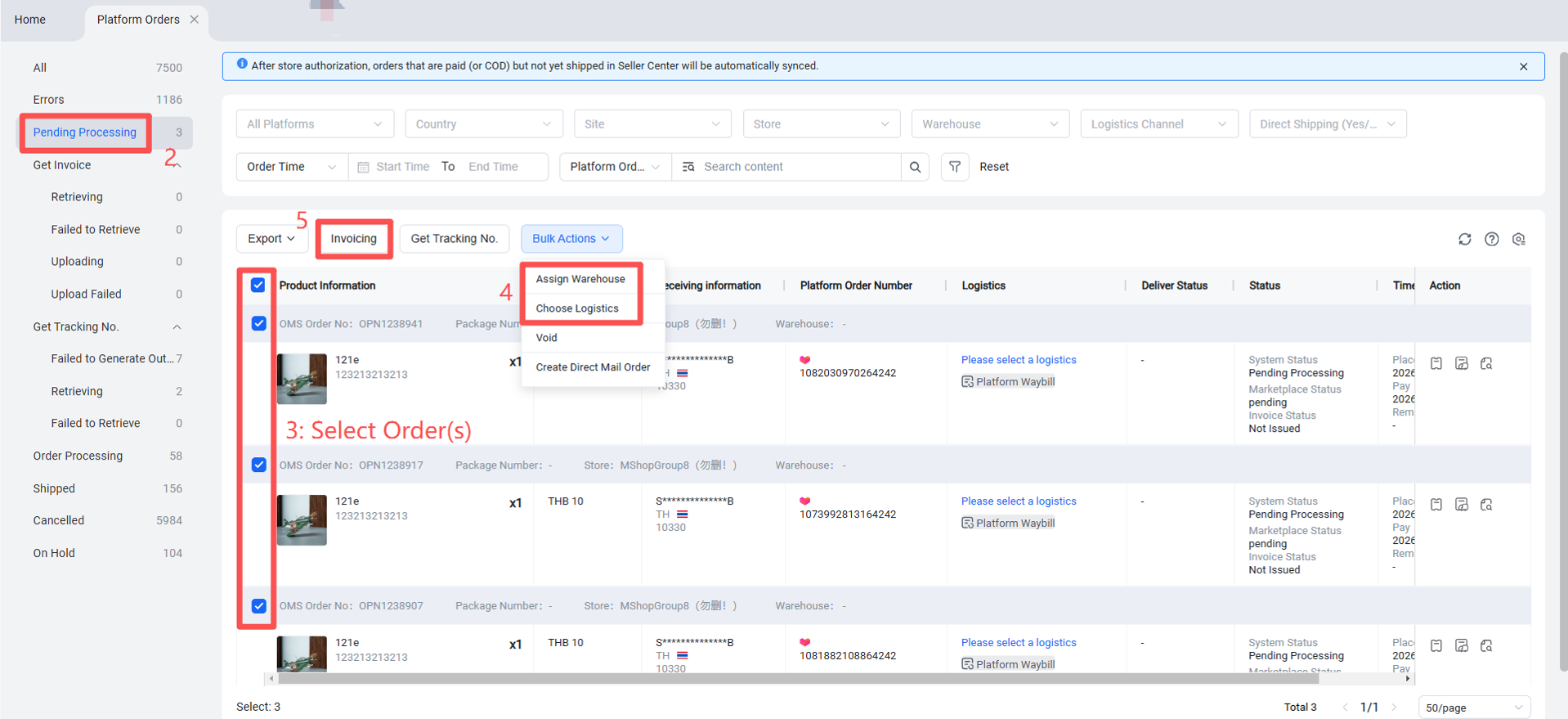
Step 3: Process Orders and Issue Invoices