Seller Uses OMS for Automatic Warehouse Allocation and Shipment
I. Definition
Ship from Nearest Warehouse Based on Multi-Warehouse Inventory Seller clients often distribute inventory across two or more warehouses based on geographic regions. When a store receives an order, the system can allocate it to the warehouse closest to the recipient (based on postal code or city). This significantly improves delivery speed and reduces shipping costs.
Ship Based on Warehouse Priority Automatically select a warehouse with available inventory according to a pre-defined priority list.
Select Cheapest Channel for Specific Platform Orders (Supported Platforms) For orders from certain platforms, the system can select the warehouse and logistics channel offering the lowest shipping cost.
Order splitting/warehouse allocation can be done manually, via automatic allocation rules set in the Jifeng WMS client, or via logistics rules configured in an ERP. This guide explains the operation within the Jifeng WMS client.
II. Operational Path
Method 1: Manually Assign Orders to the Nearest Warehouse for Shipment
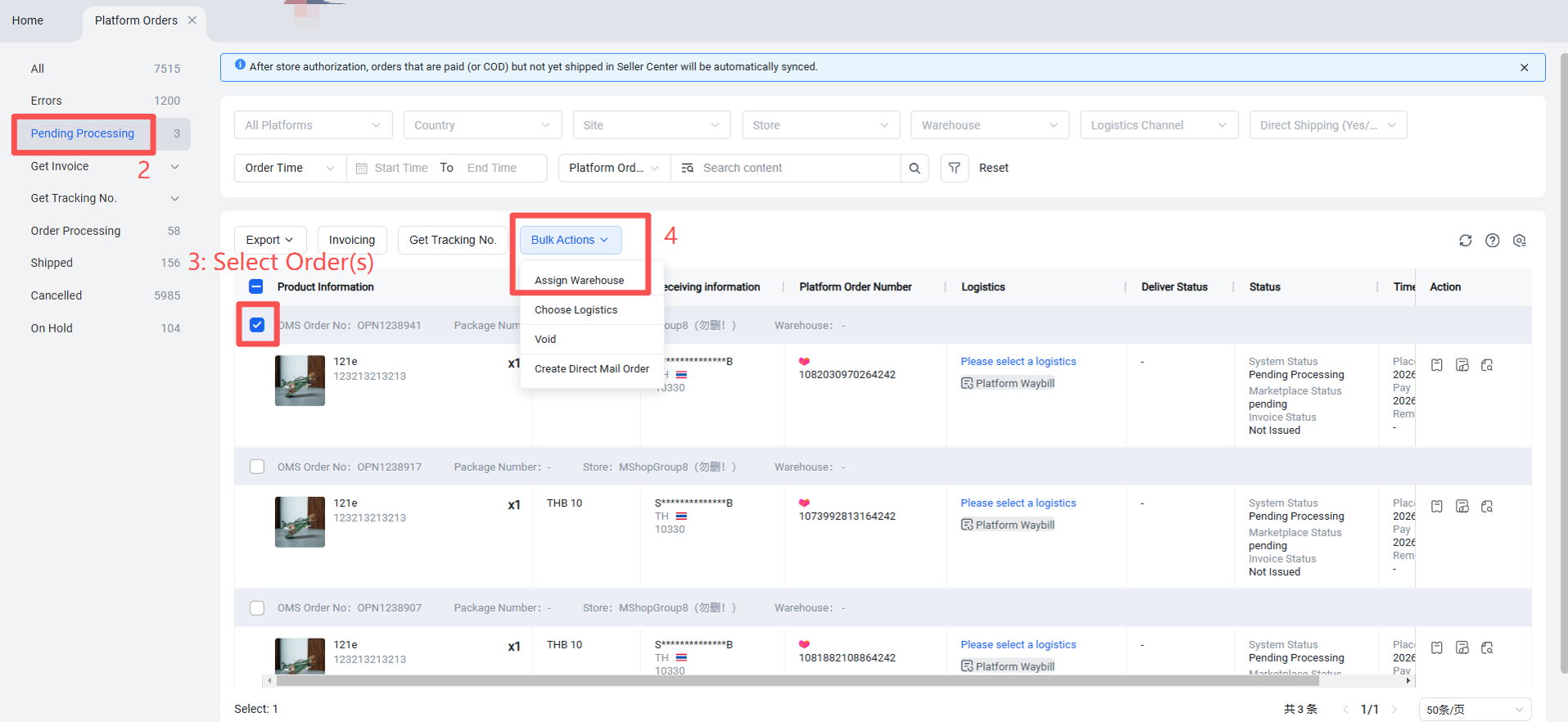
Platform Orders > Pending Processing > Select Order(s) > Assign Warehouse > After obtaining the tracking number, the order is assigned to the warehouse nearest the recipient.
Method 2: Set Up Order Rules to Automatically Assign Warehouse Based on Recipient Address
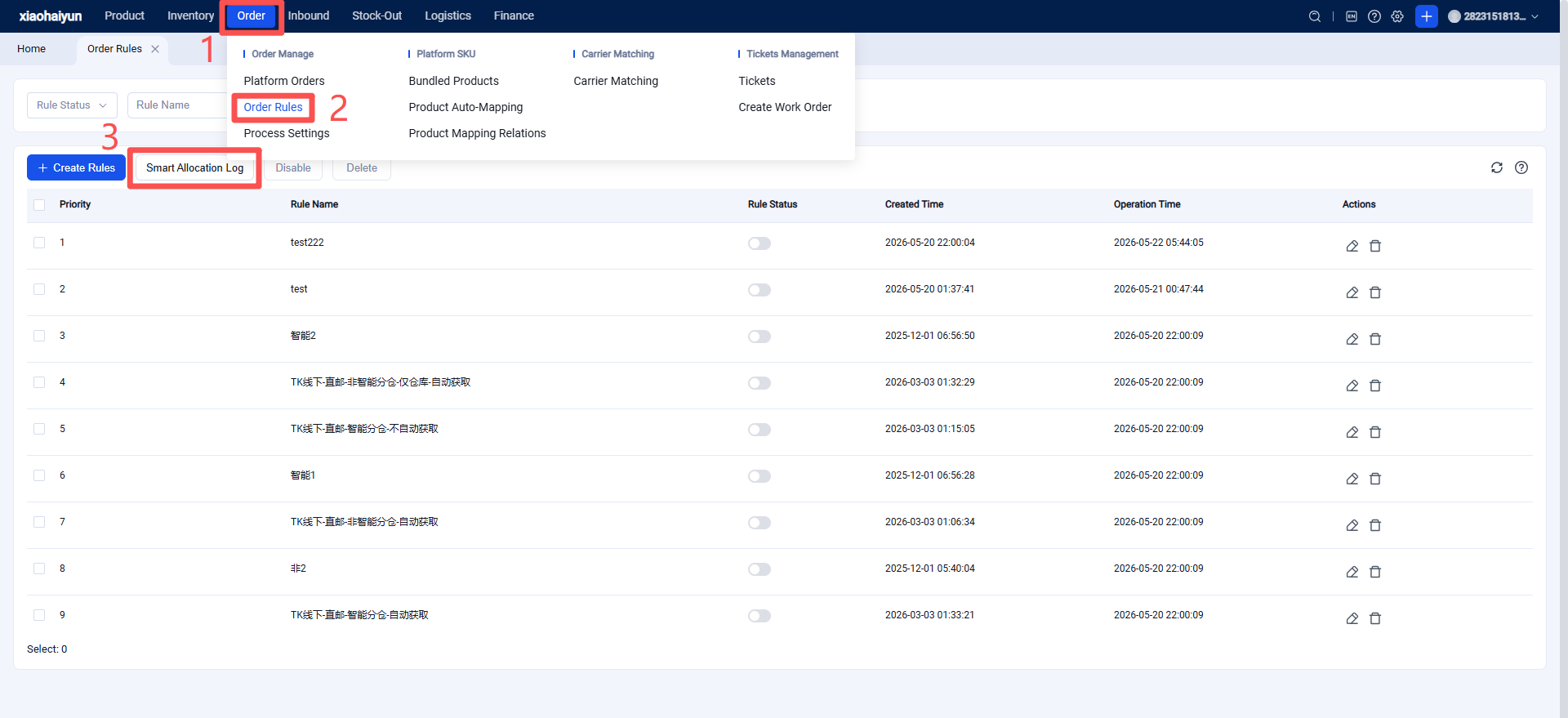
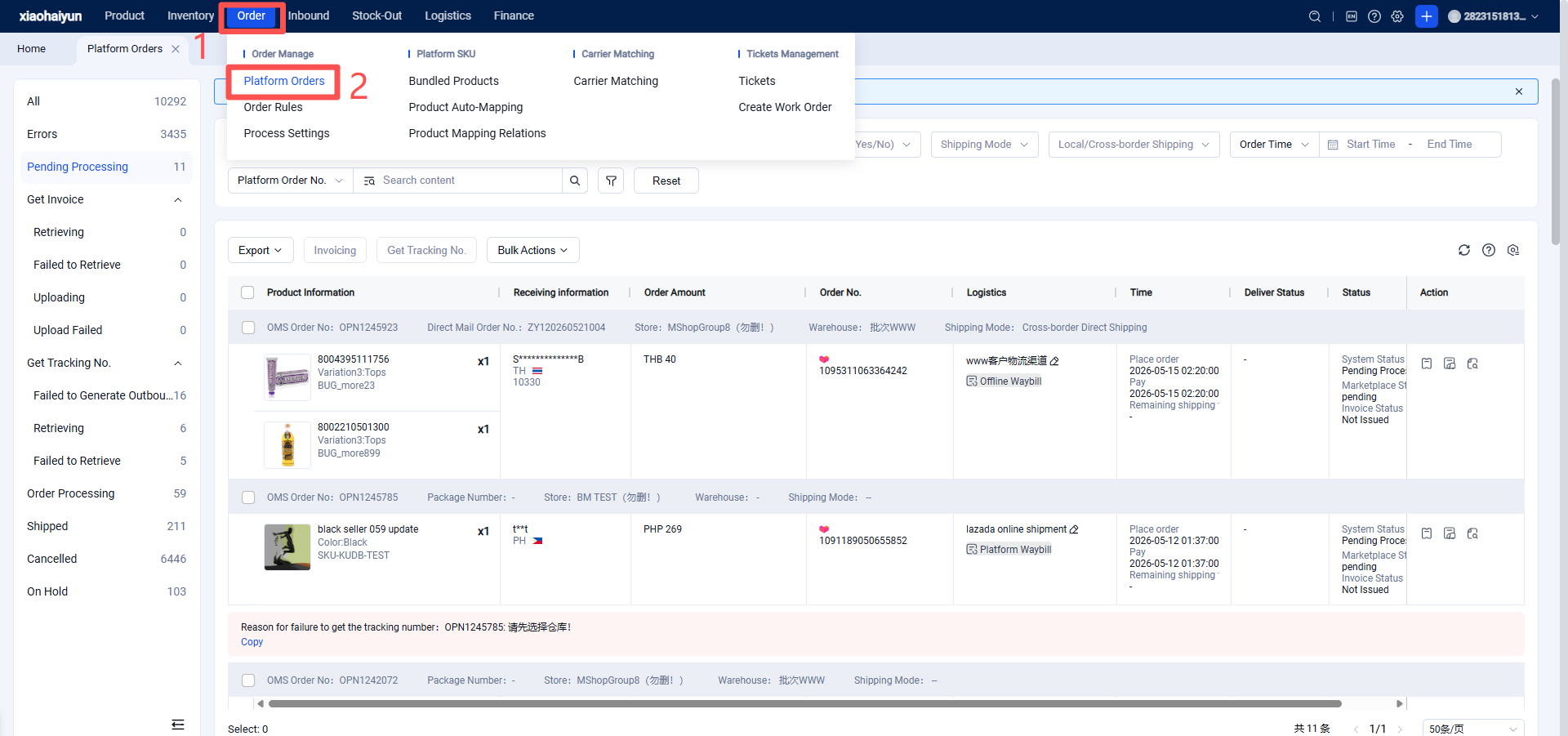
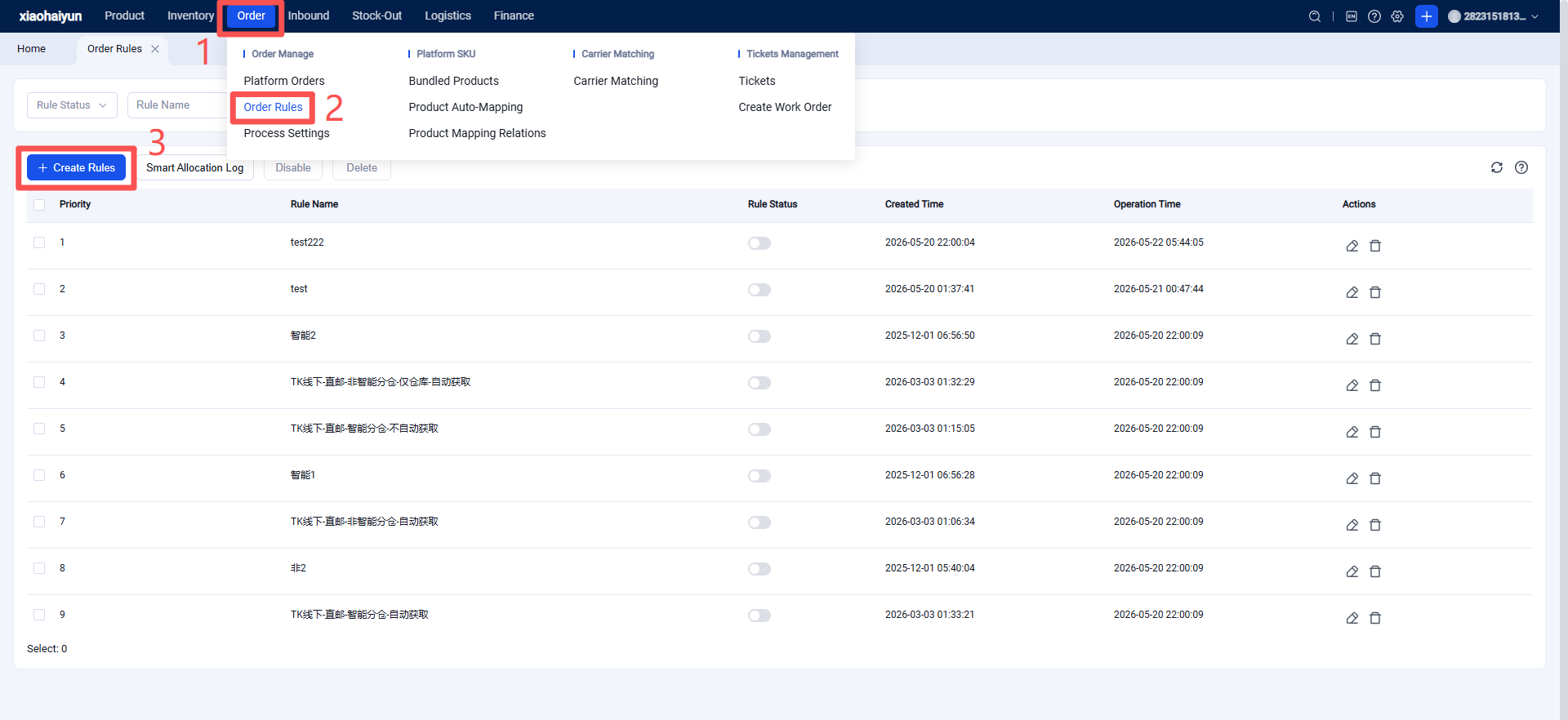
Platform Orders > Platform Order Rules > Create Rule > Customize Rule
Once configured, the system will automatically allocate orders to the nearest warehouse according to the rule and select the corresponding logistics service. The seller only needs to click "Request Tracking Number" to proceed.
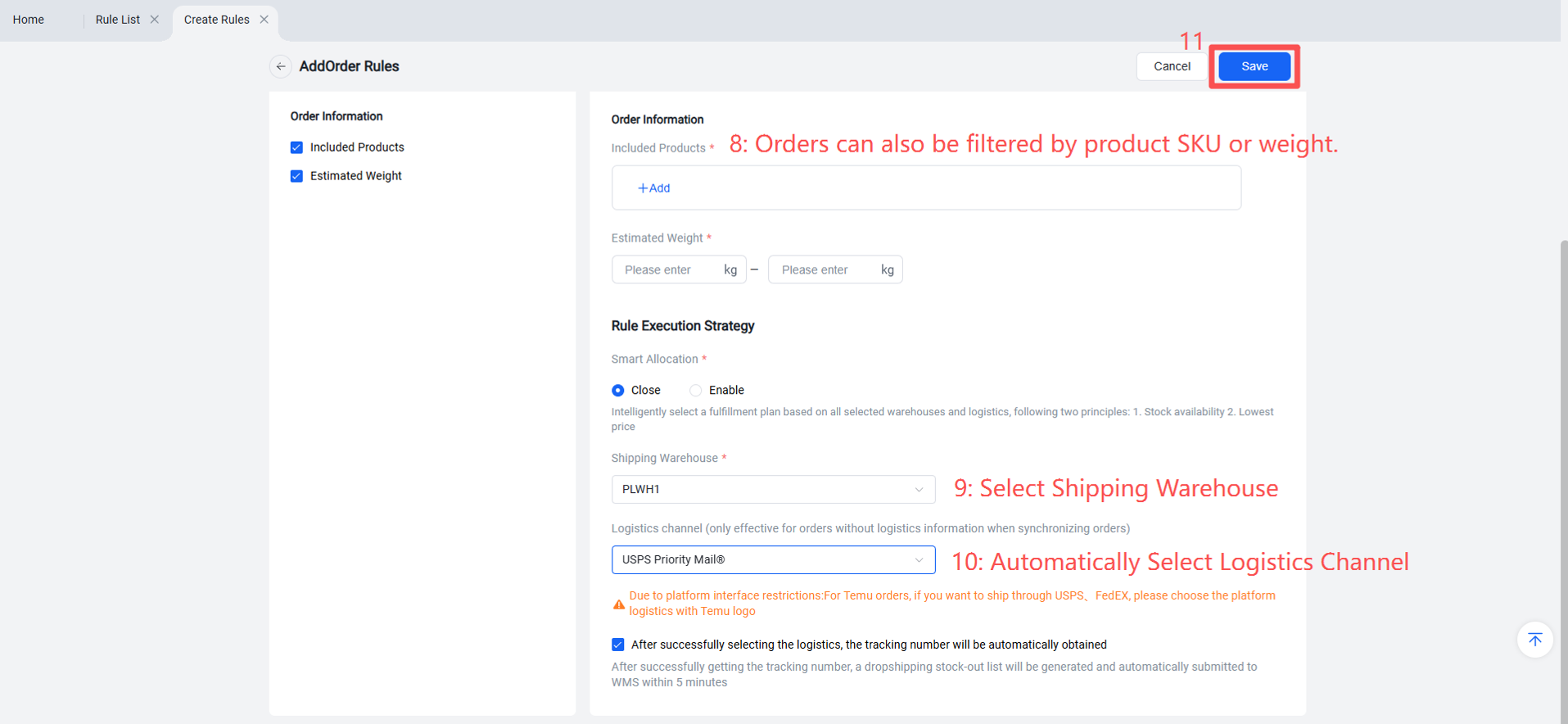
U.S. Postal Service Codes:https://help.jfwms.com/zh_CN/doc-article/1002650428-
Method 3: Configure Intelligent Warehouse Allocation Rules – Ship from the Warehouse with Inventory or the Lowest Shipping Cost
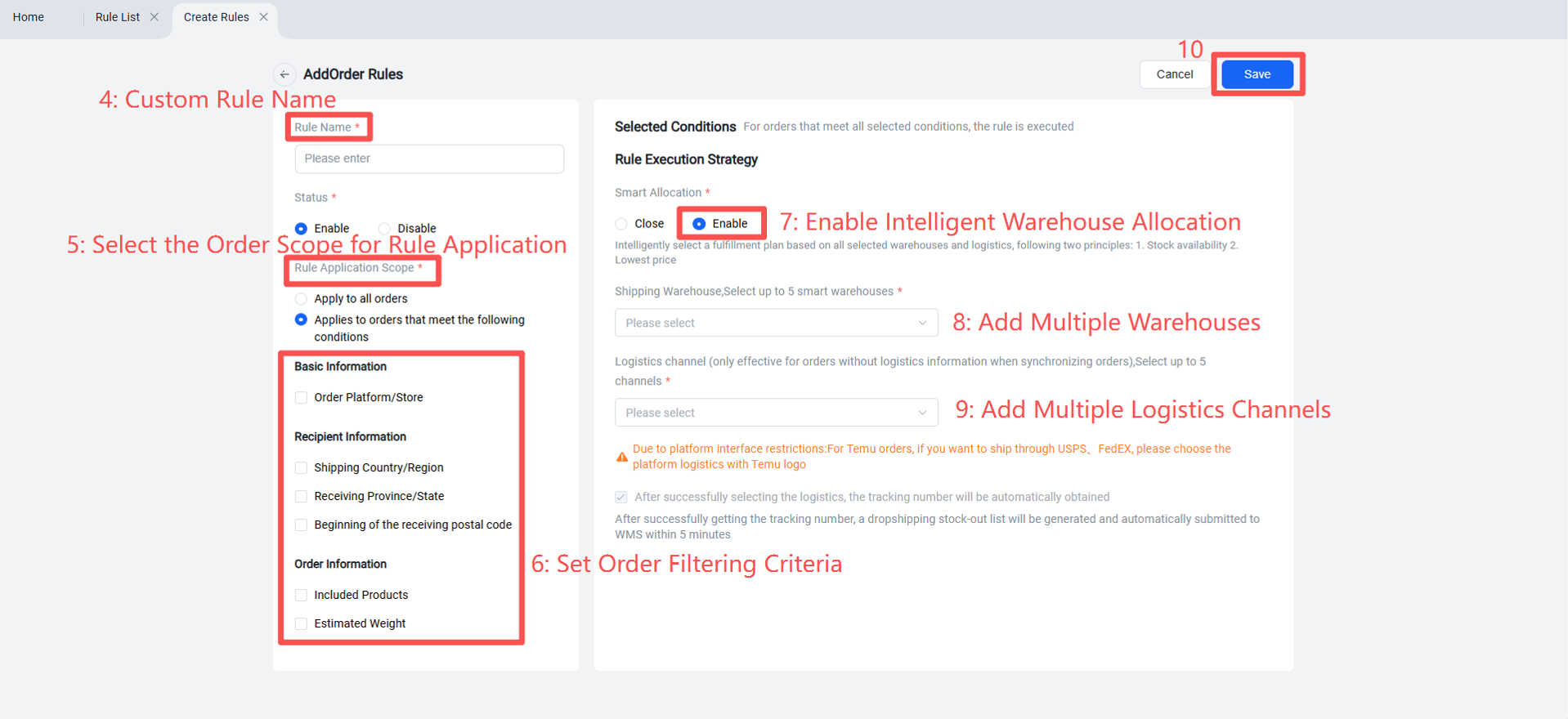
Note: The logistics channel supports mixed selection of online and offline options, however:
If an online logistics price comparison channel is selected, you cannot select any other online logistics channels.
If an offline logistics price comparison channel is selected, you cannot select any other offline logistics channels.
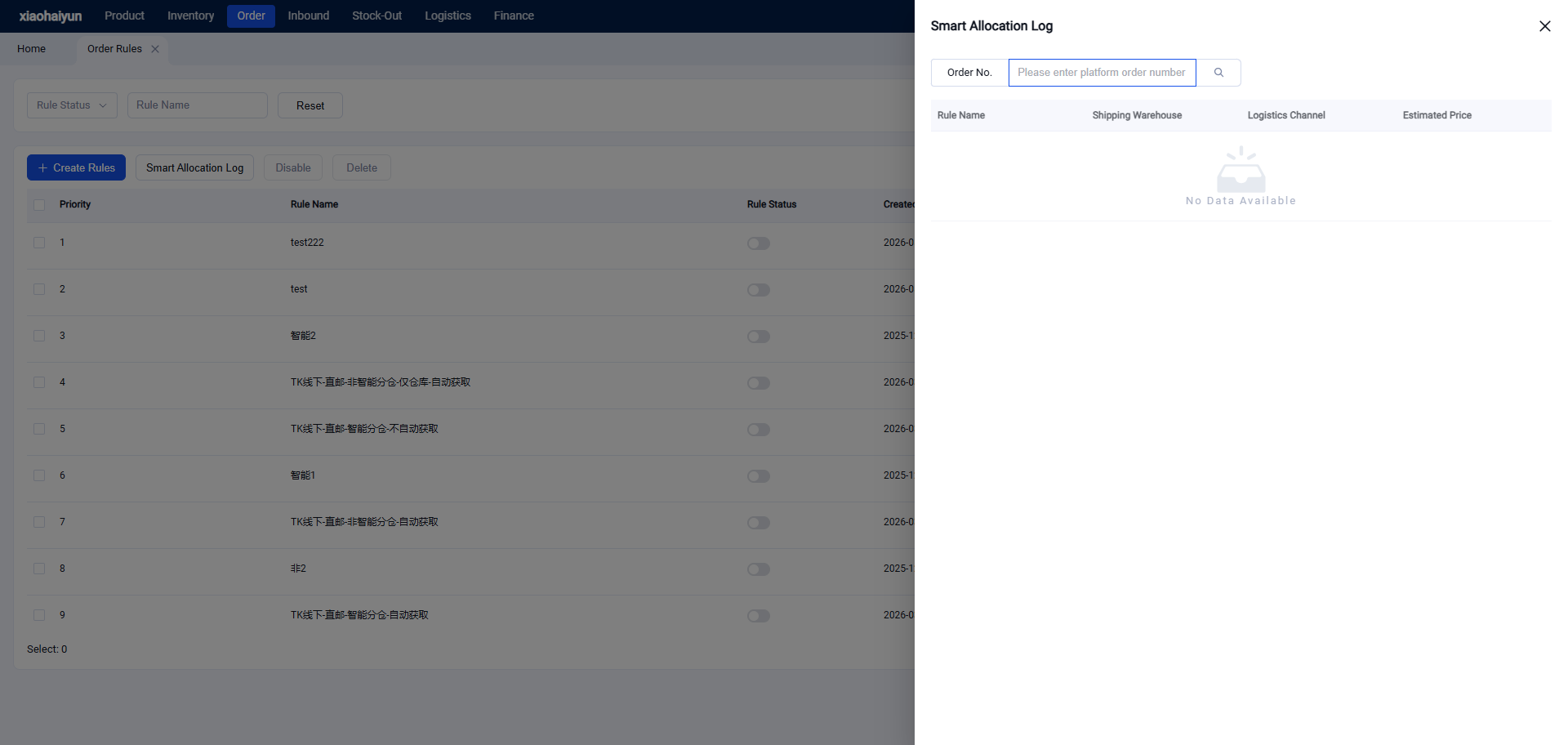
After the platform order is successfully allocated to a warehouse, you can view the order allocation details in the Intelligent Warehouse Allocation Records.