B2B Bulk Transshipment Complete Process
I. Definition
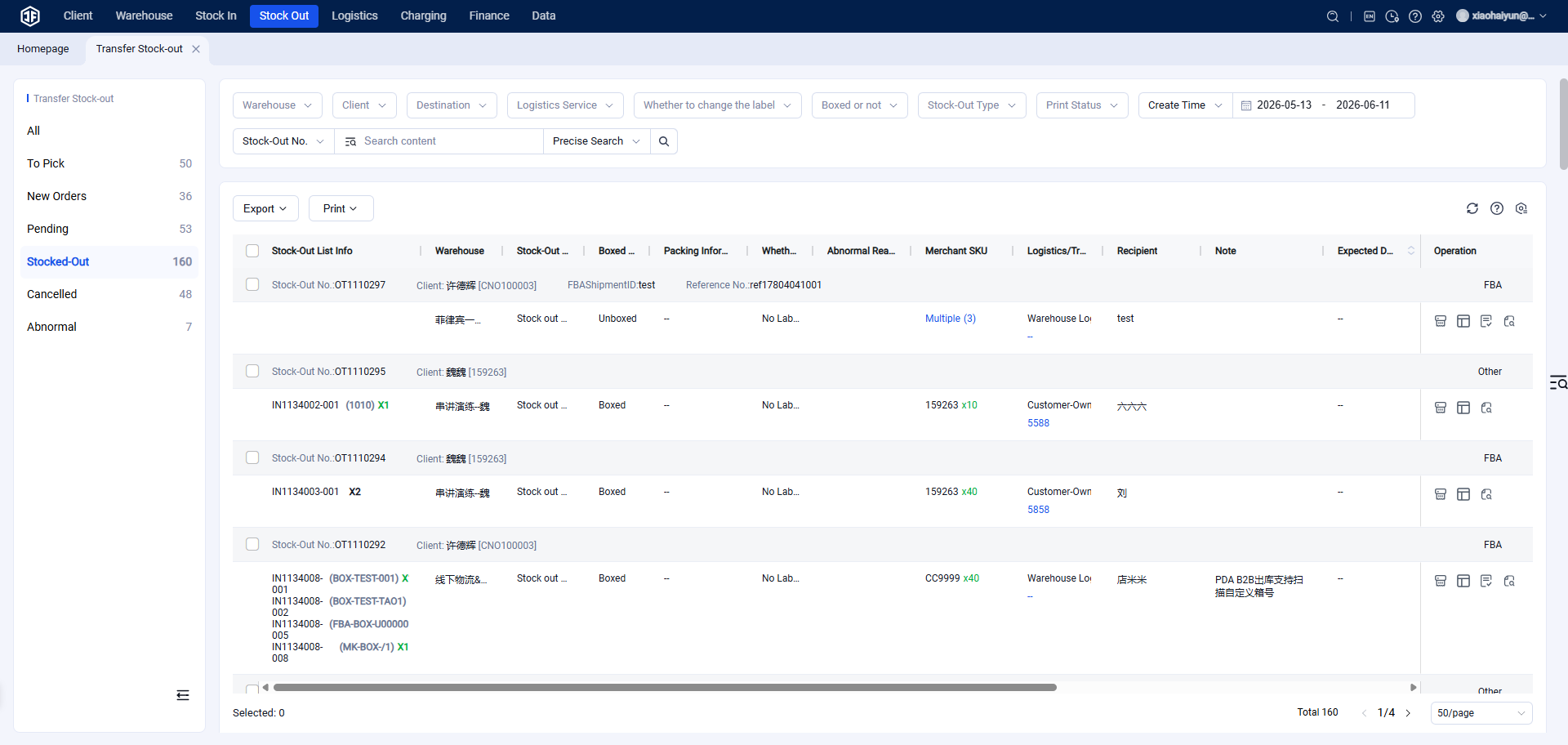
Sellers manage the purchase, sale, and inventory of B2B products. (1) Supports fast B2B inbound and picking. (2) Supports restocking ordinary products or B2B products to platform warehouses such as Amazon FBA, Walmart, Mercado Libre Fulfillment (Full), Coupang Rocket, AliExpress Official Warehouses, SHEIN platform warehouses, etc., enabling fast relabeling, outbound processing, and shipping. (3) Supports outbound processing of ordinary drop-shipping warehouse products as B2B products. (4) Supports scanning for relabeling and printing labels by scanning products. (5) Supports scanning for packing, ensuring packing information accuracy.
II. Operating Procedures
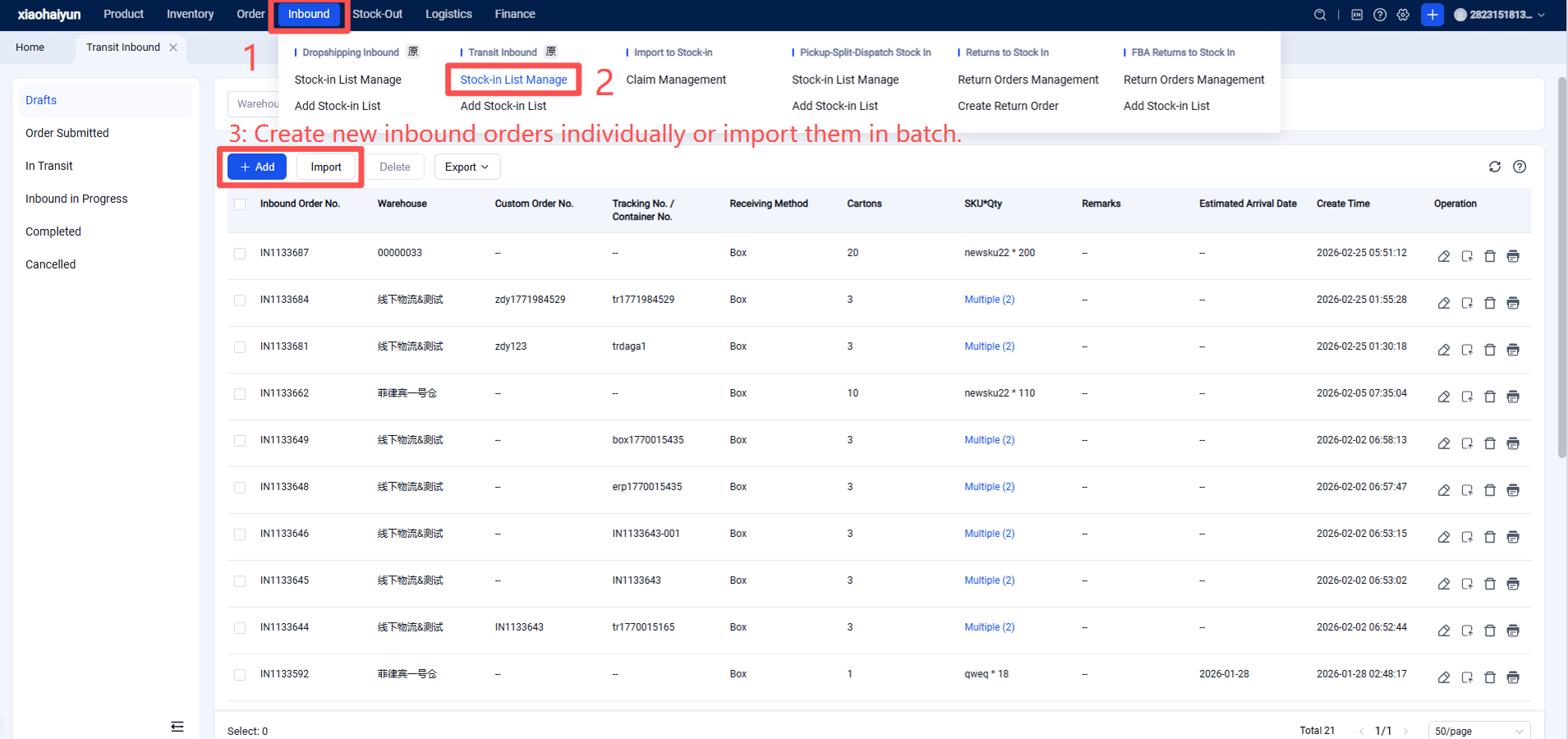
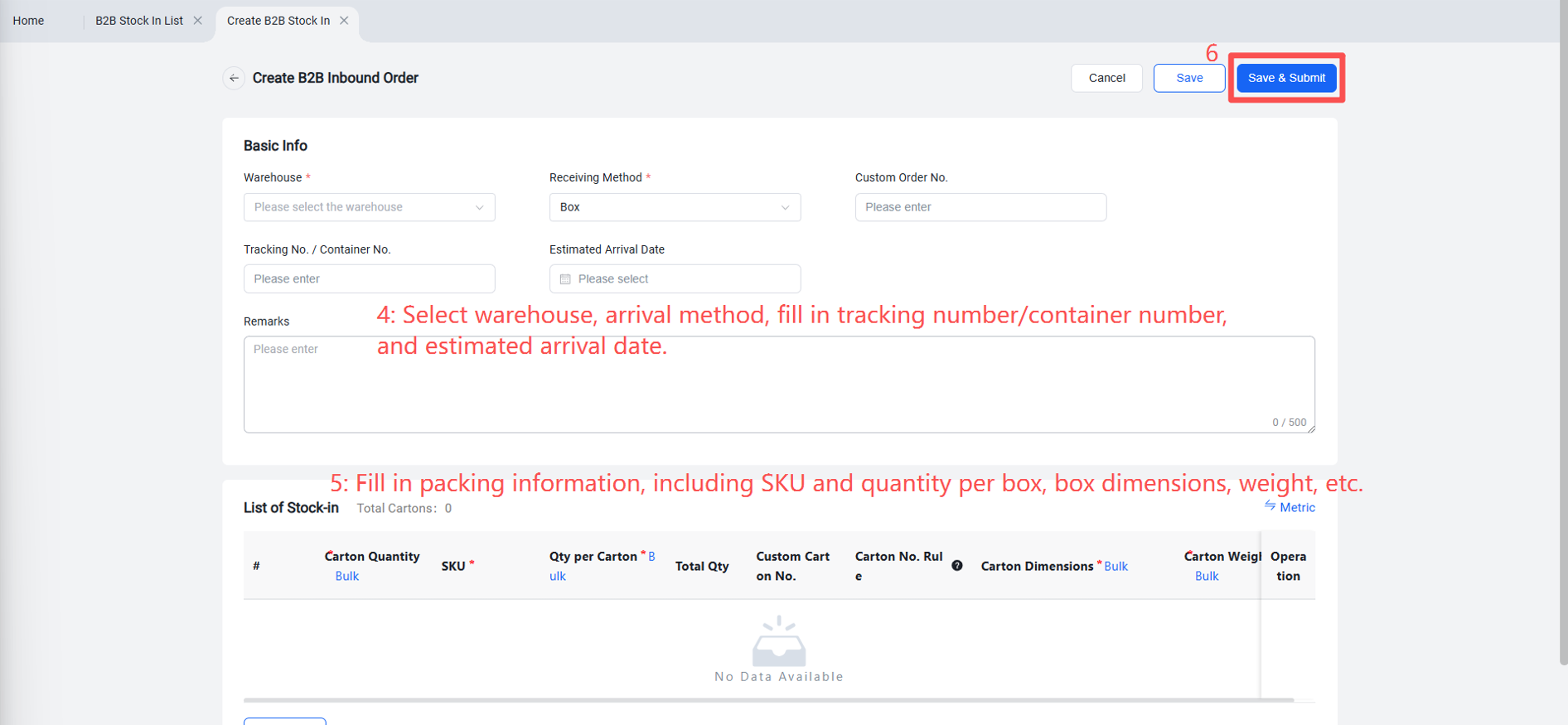
Step 1: Create/Import B2B Inbound Orders
Method for Creating a Single B2B Inbound Order
Method for Batch Creating B2B Inbound Orders
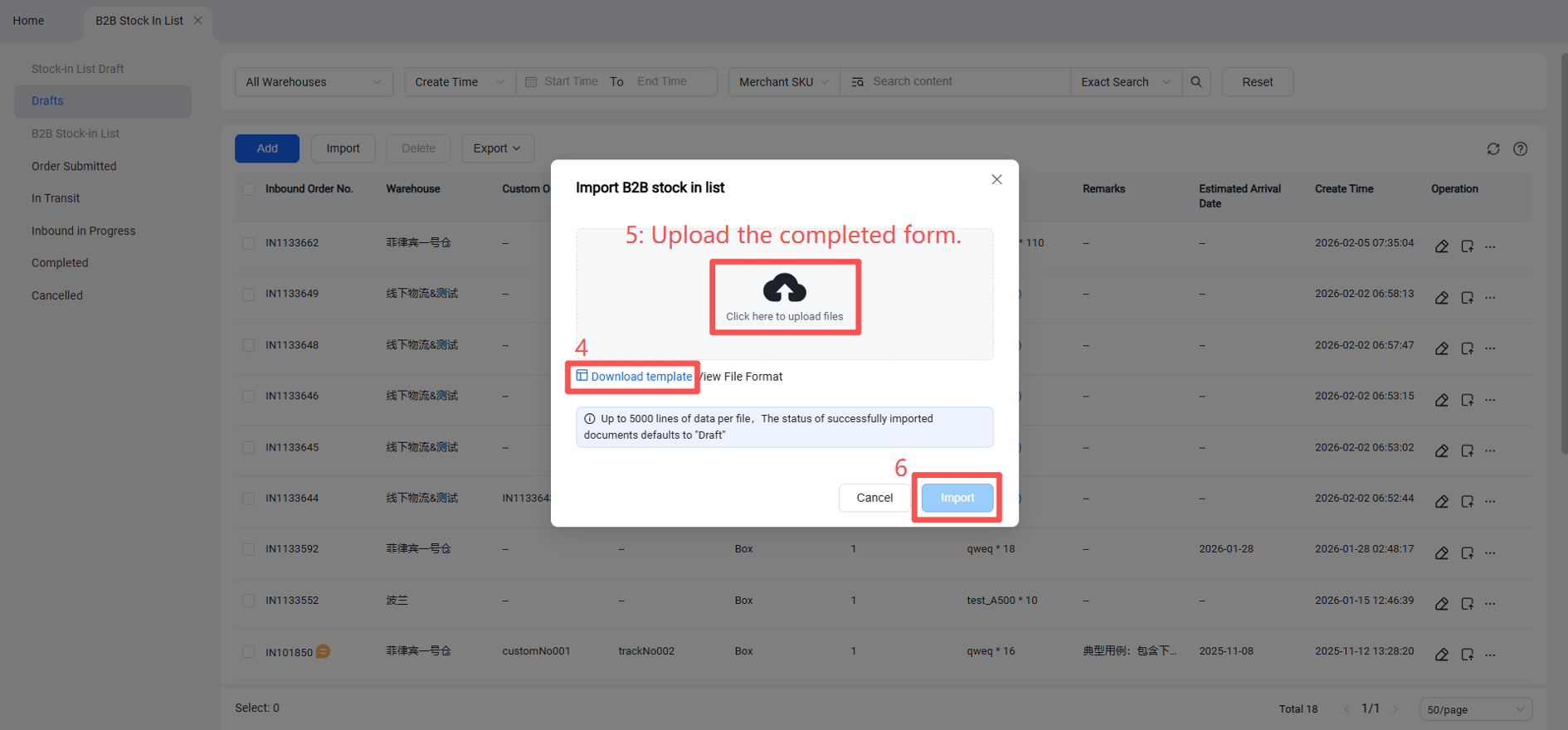
Note: It is recommended not to exceed 5,000 entries per batch when importing B2B inbound orders.
Step 2: Jifeng WMS B2B Receiving and Inbound Process
Review the B2B Inbound Notification from the Seller OMS
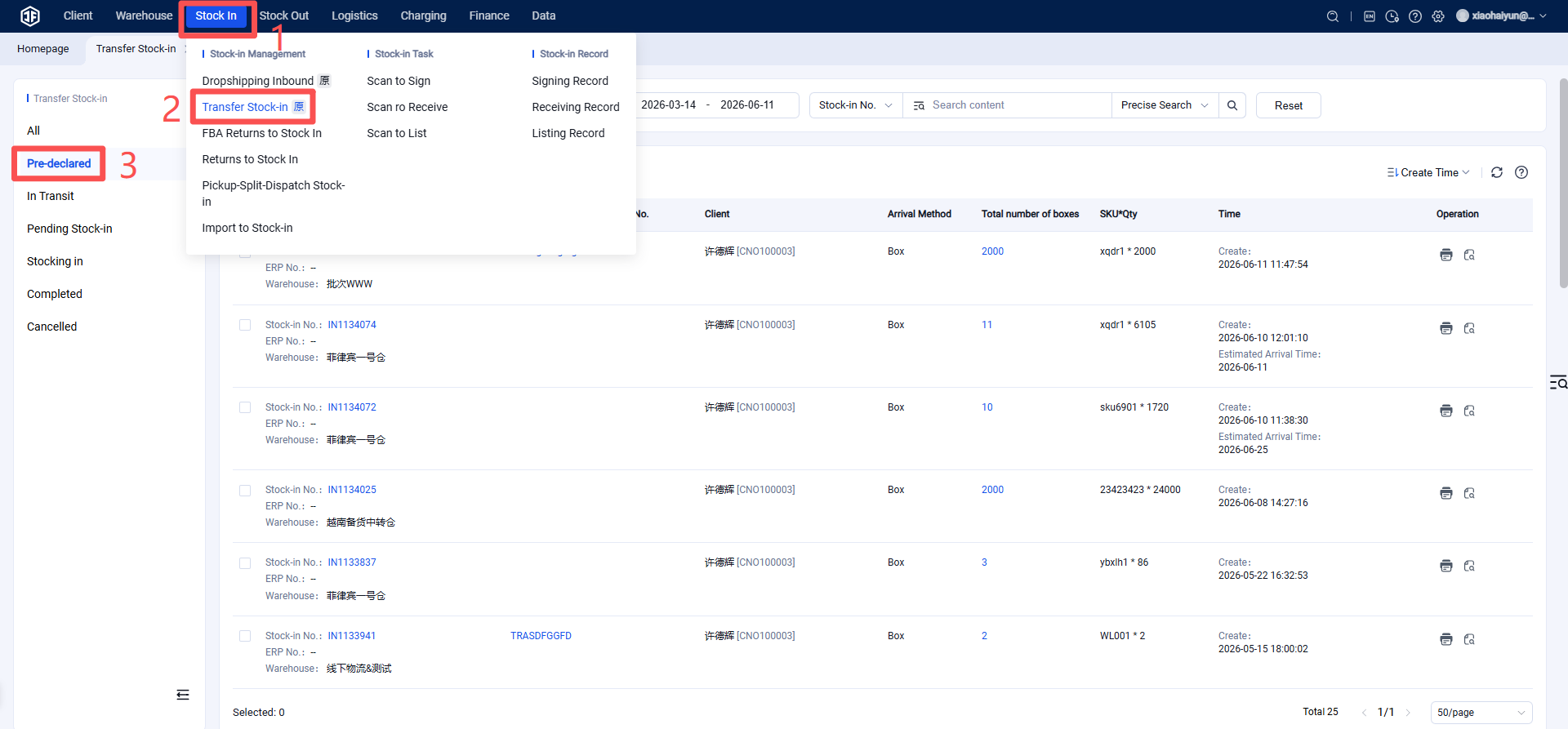
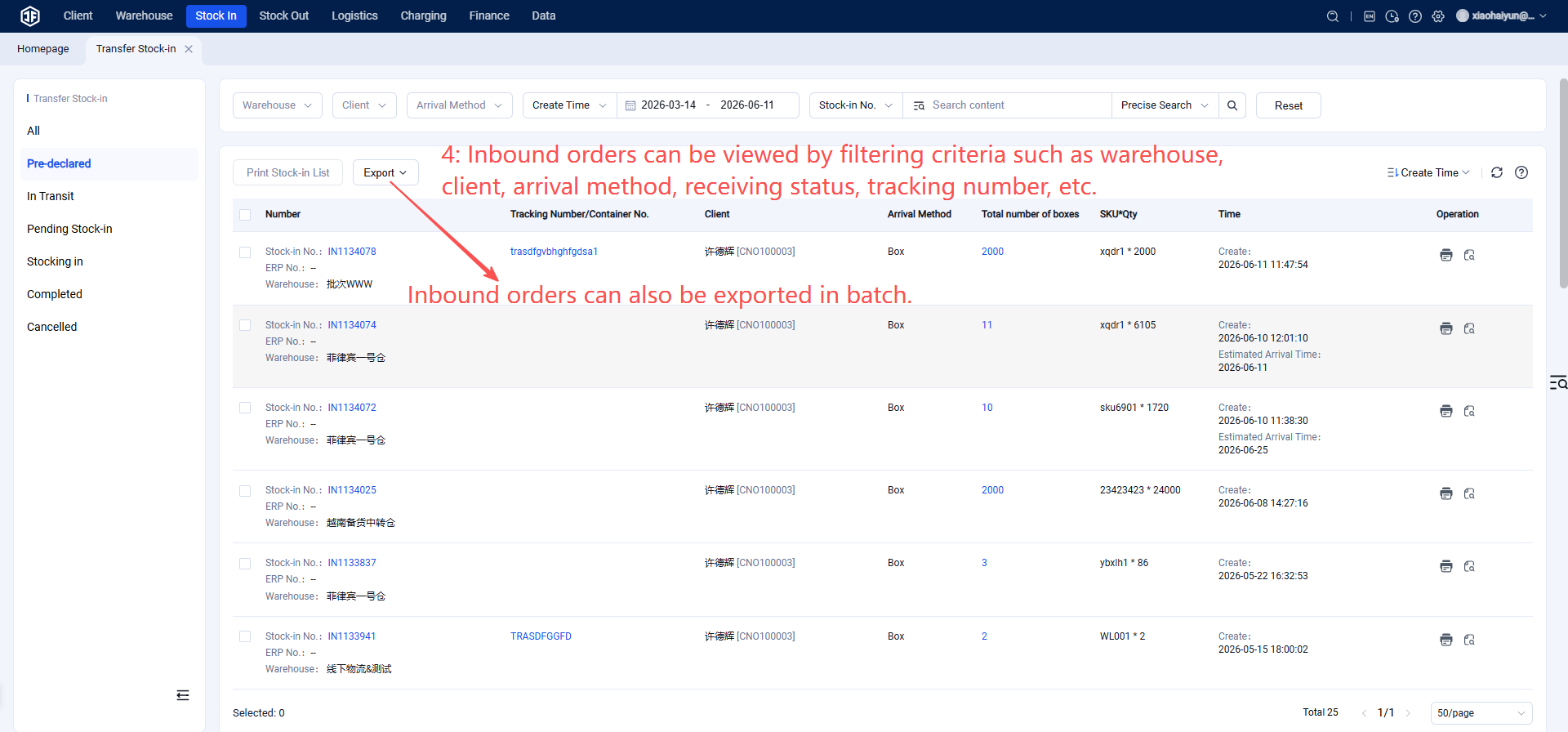
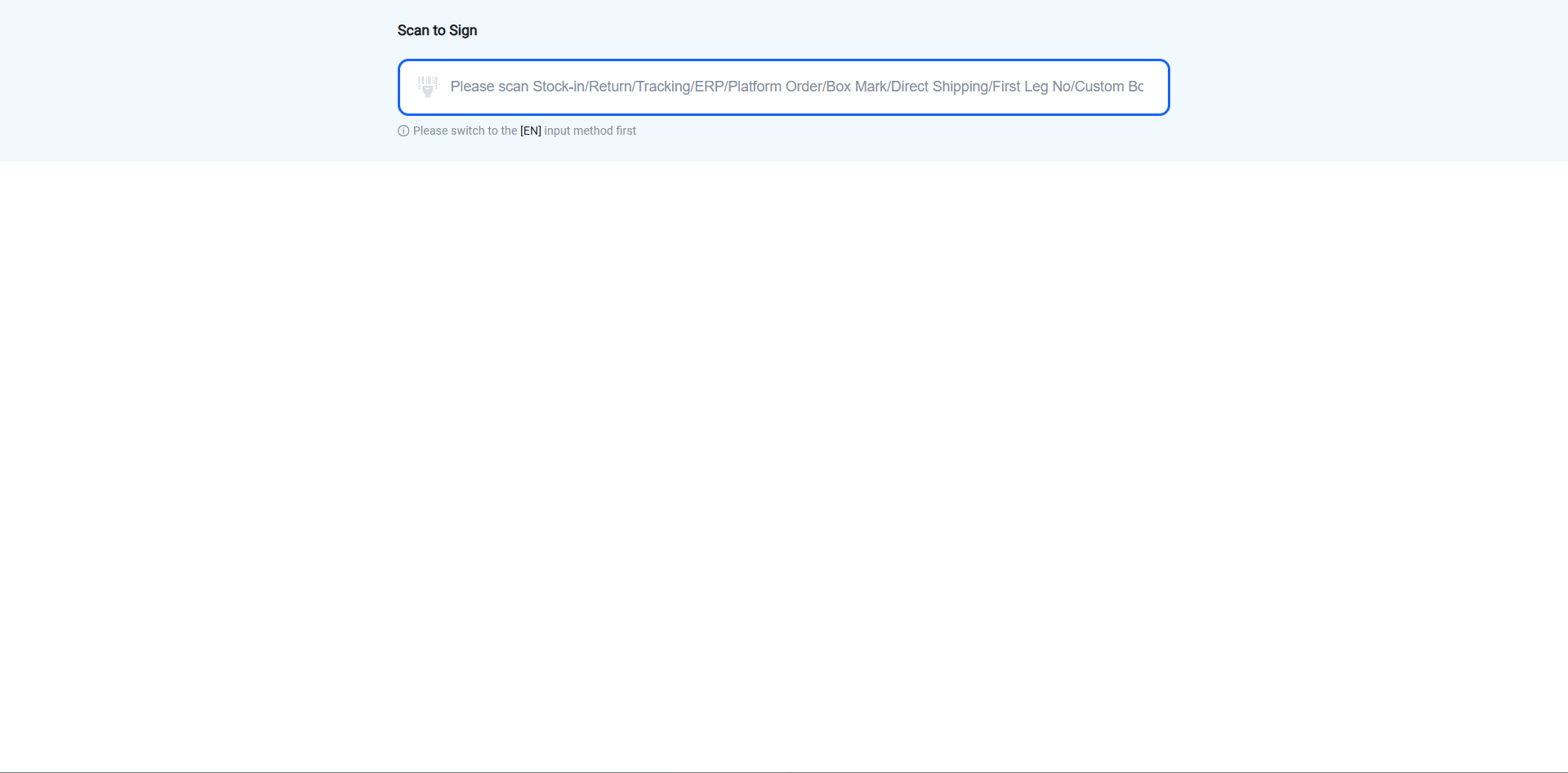
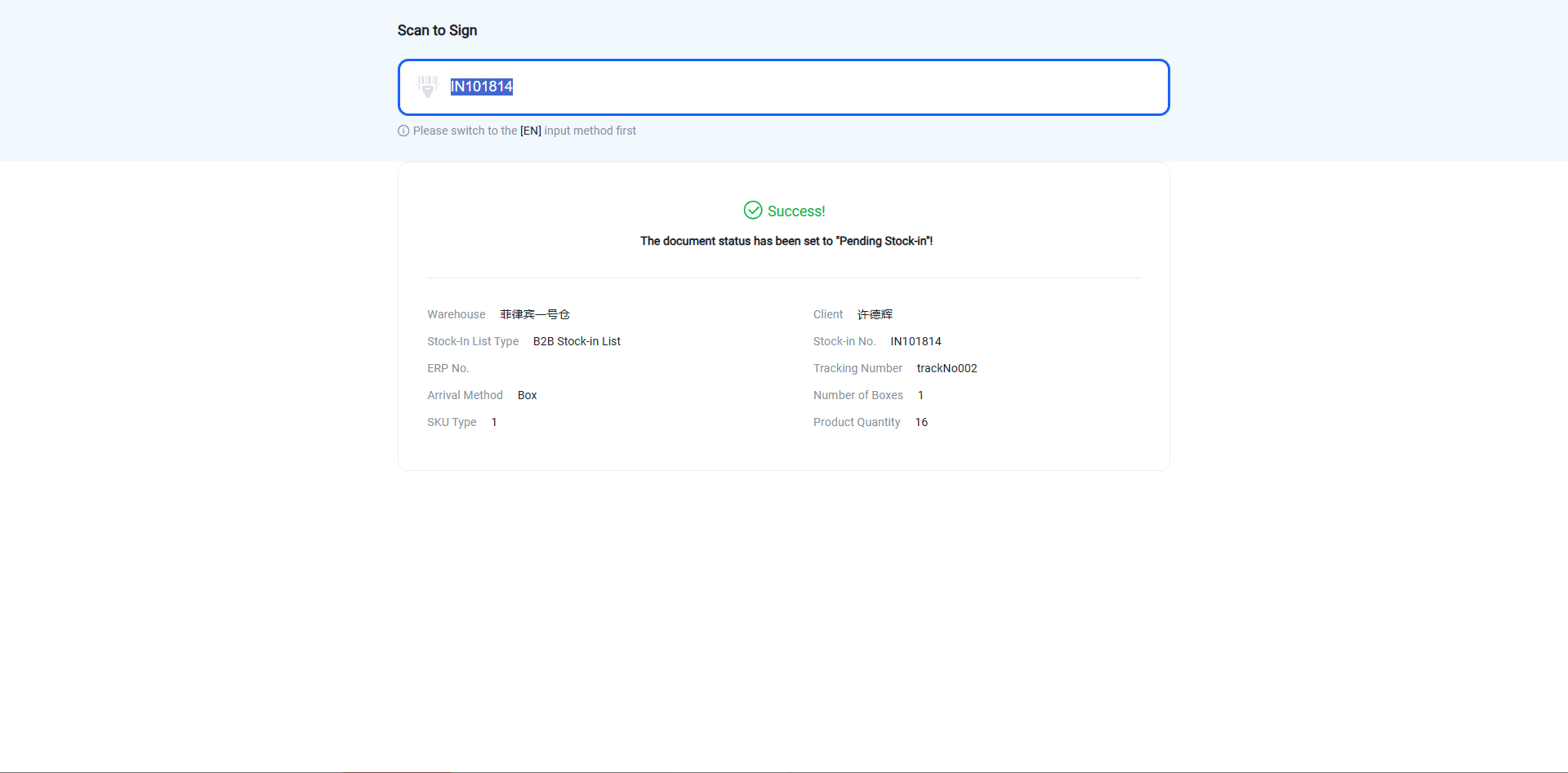
Sign for/Acknowledge the B2B Inbound Notification
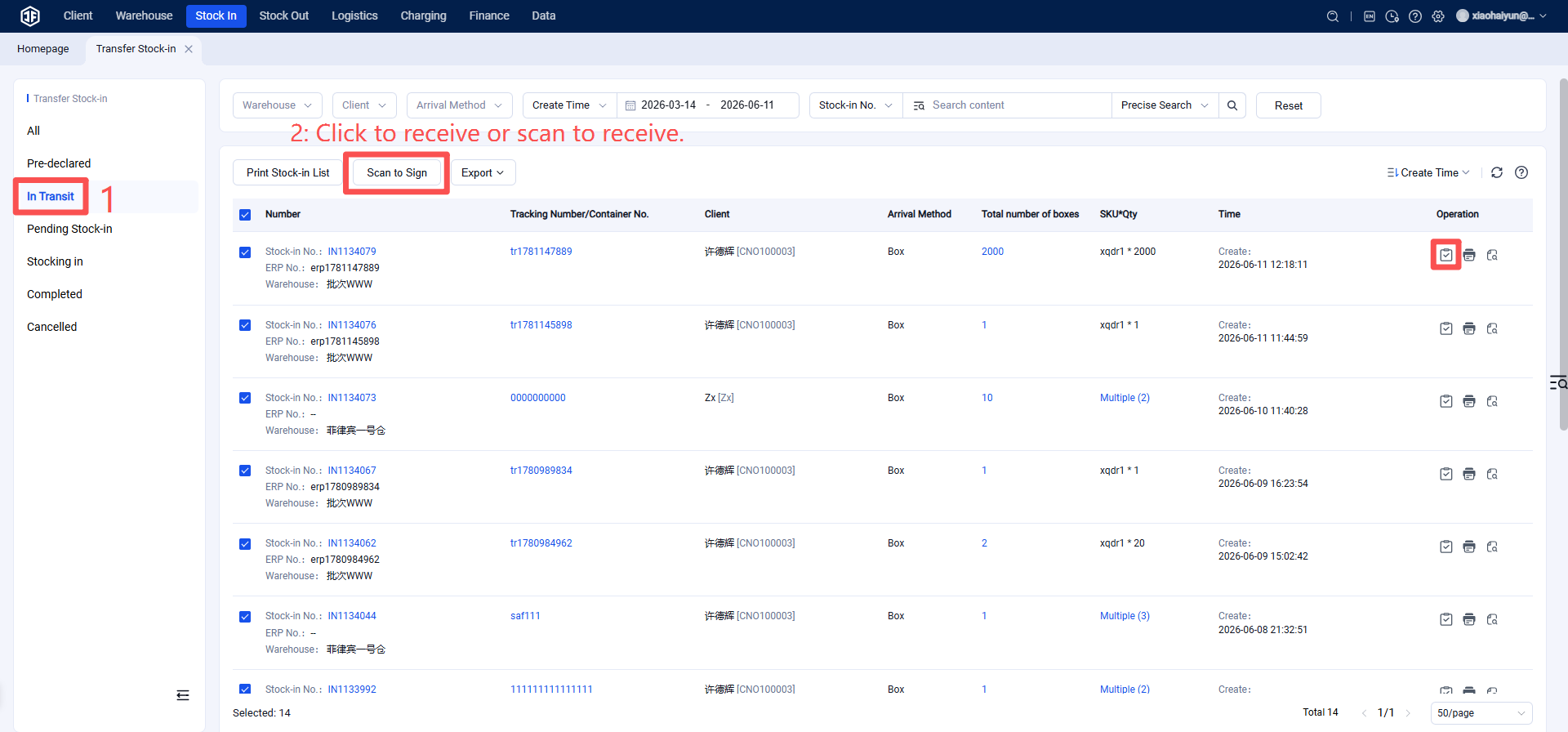
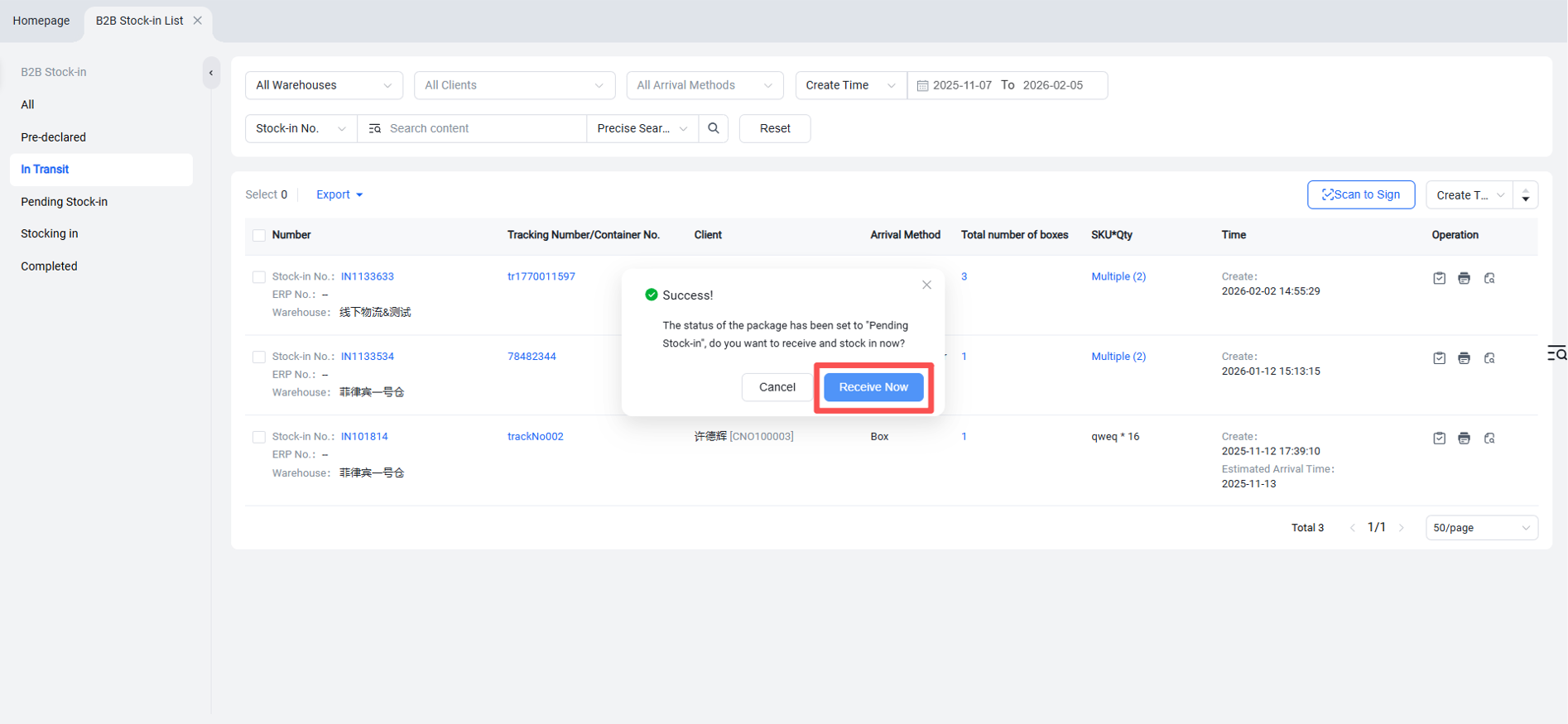
If using scan-based receiving/sign-off,
Pending Inbound Receiving
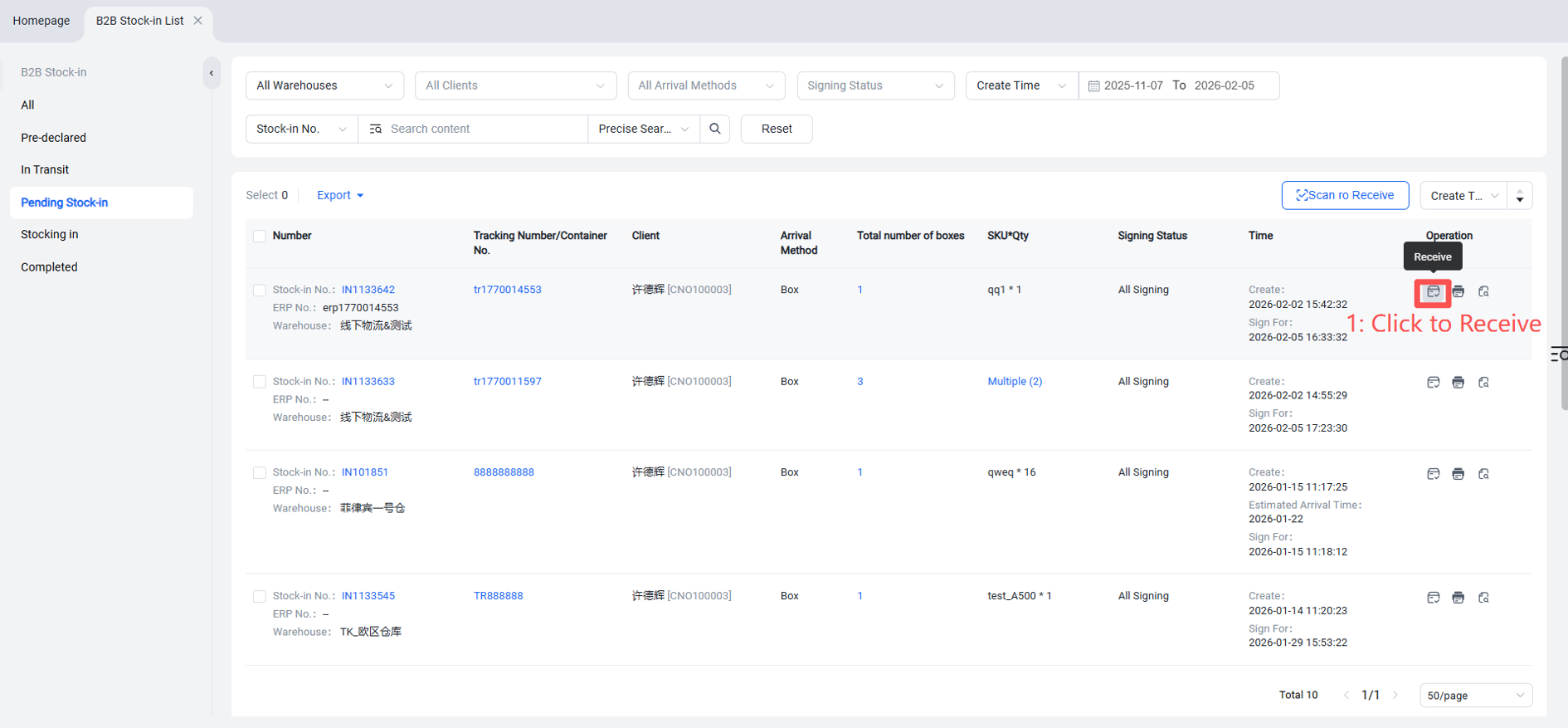
Inbound orders that have been signed for enter the "Pending Inbound Receiving" status and can proceed to receiving.
Method 1: Directly Click "Receive"
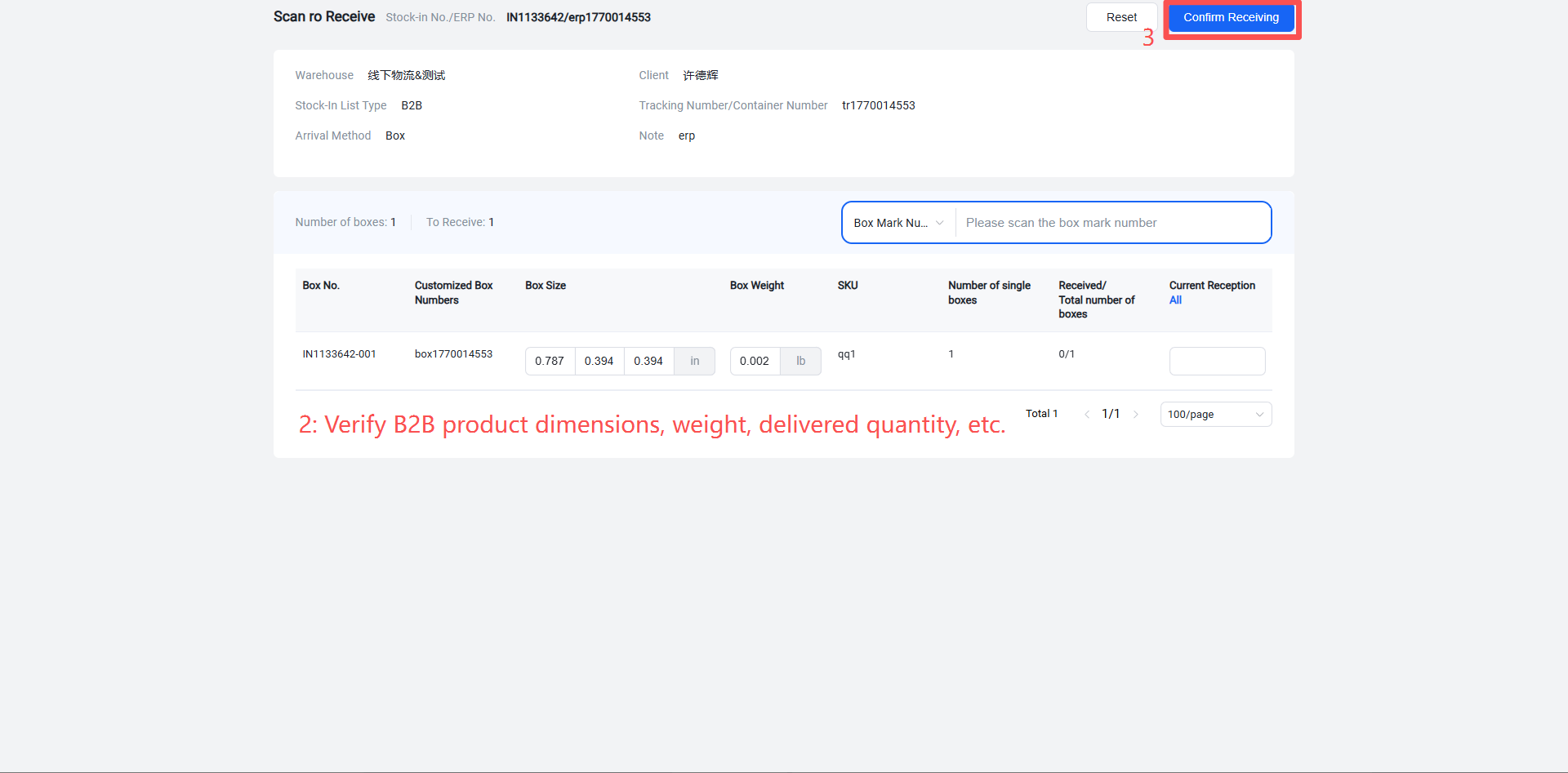
Method 2: Scan to Receive
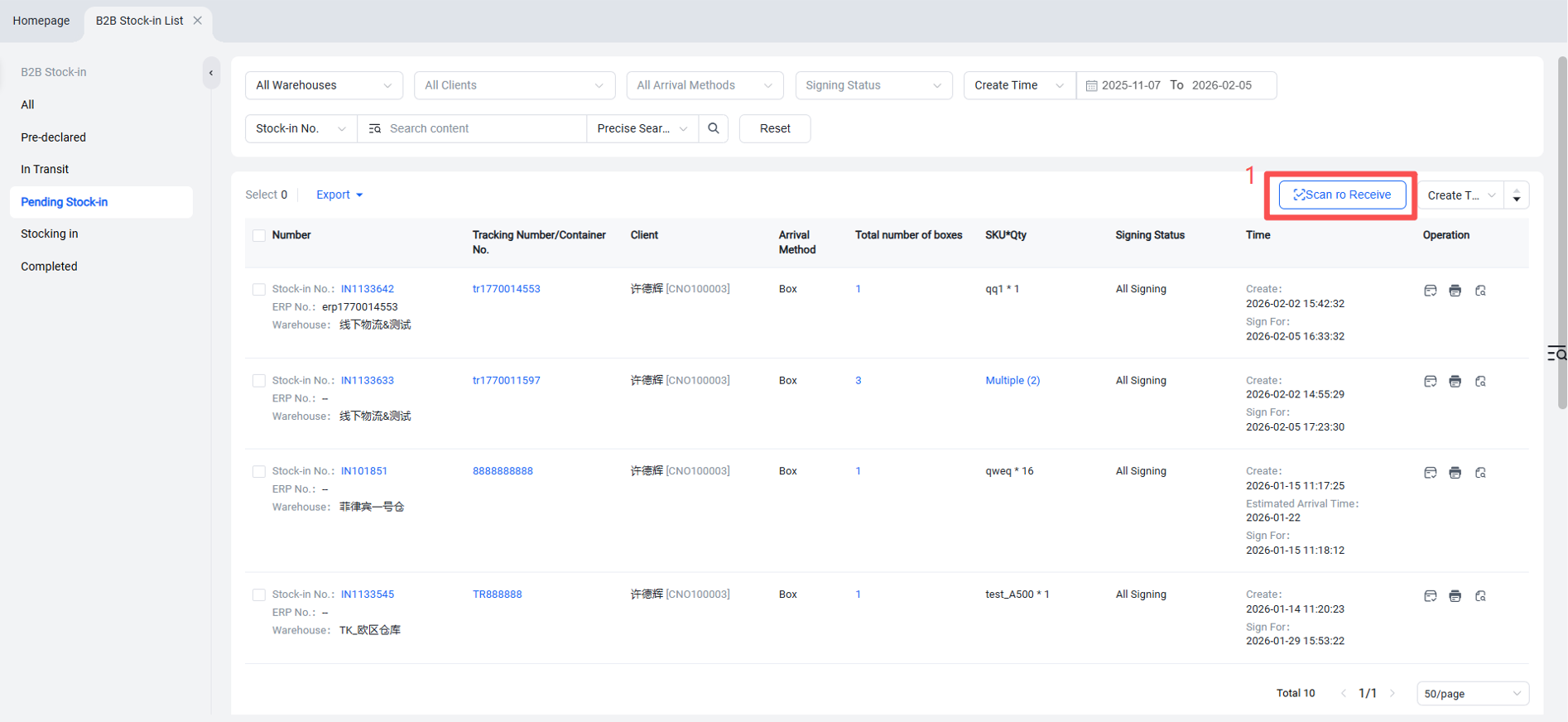
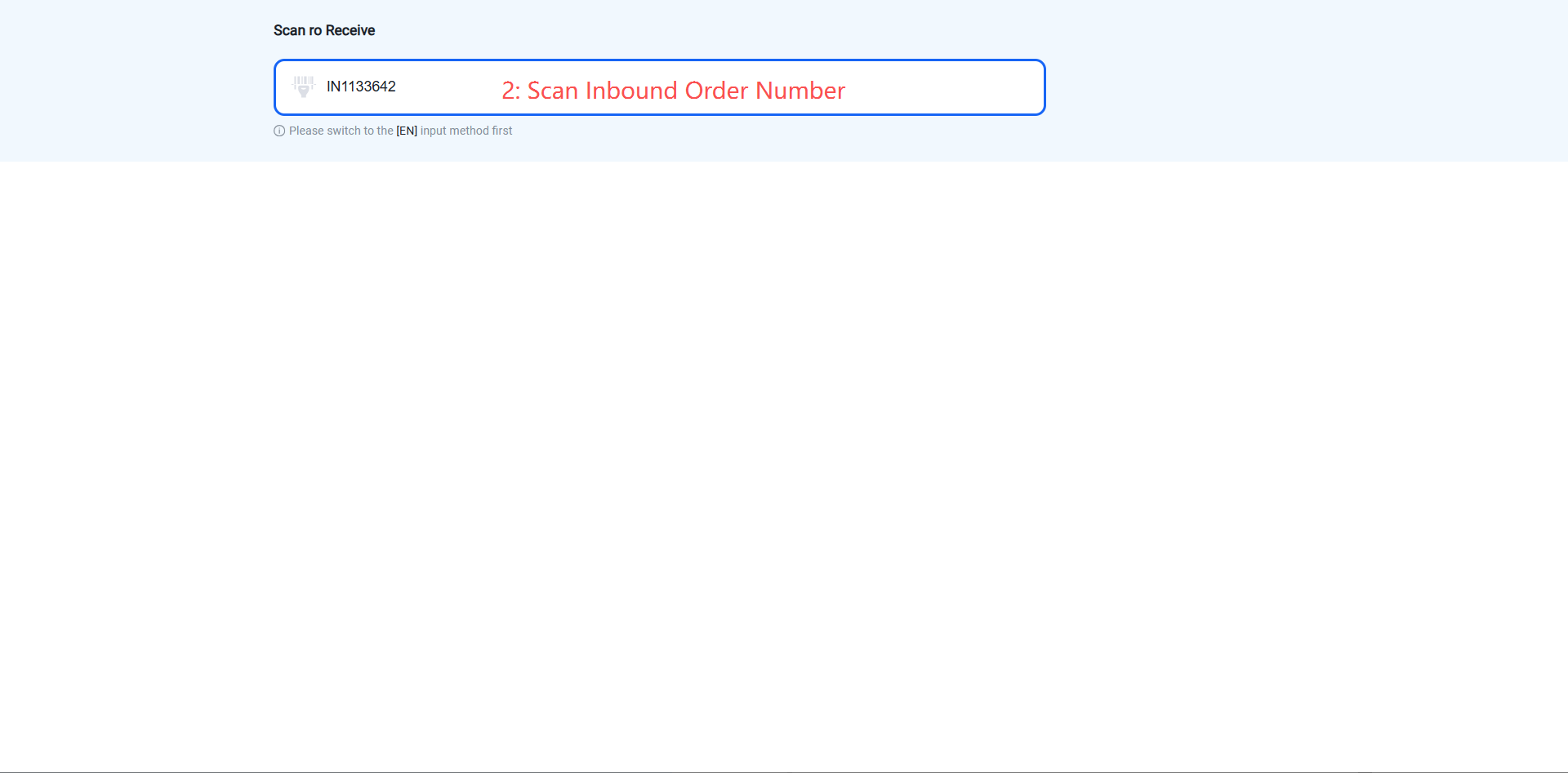
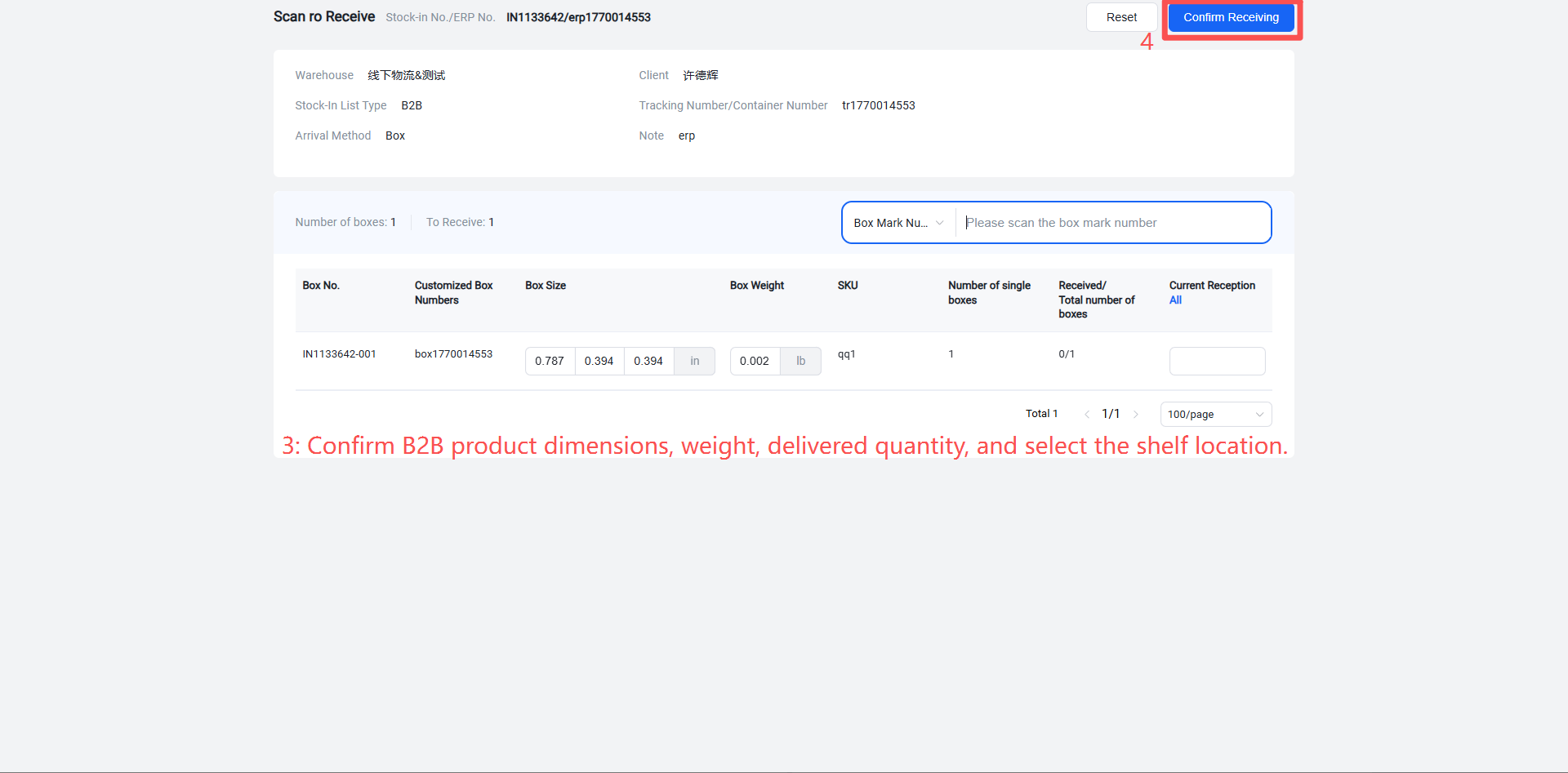
When receiving goods, a put-away list can be printed: see the option next to "Confirm Receipt" above.
Receiving in Progress: Put-away
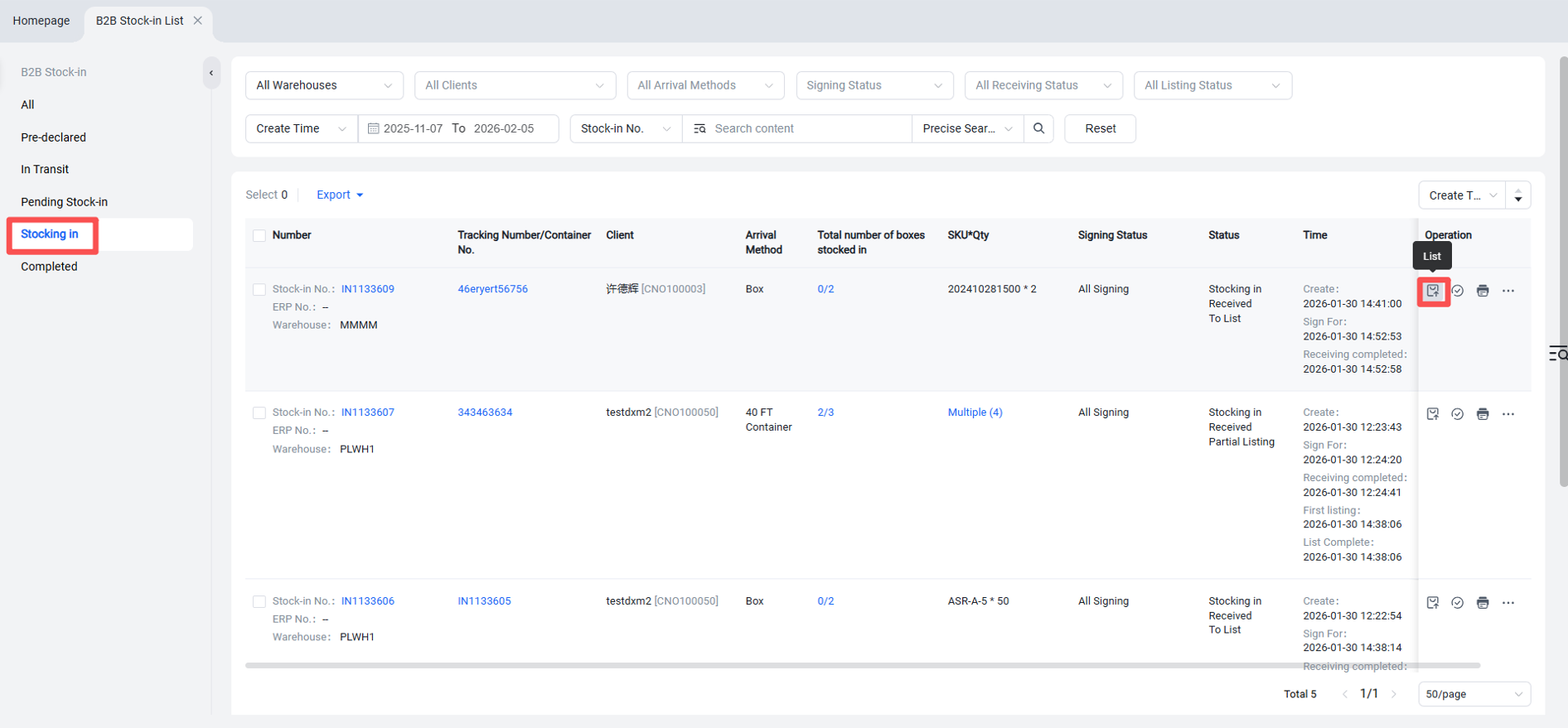
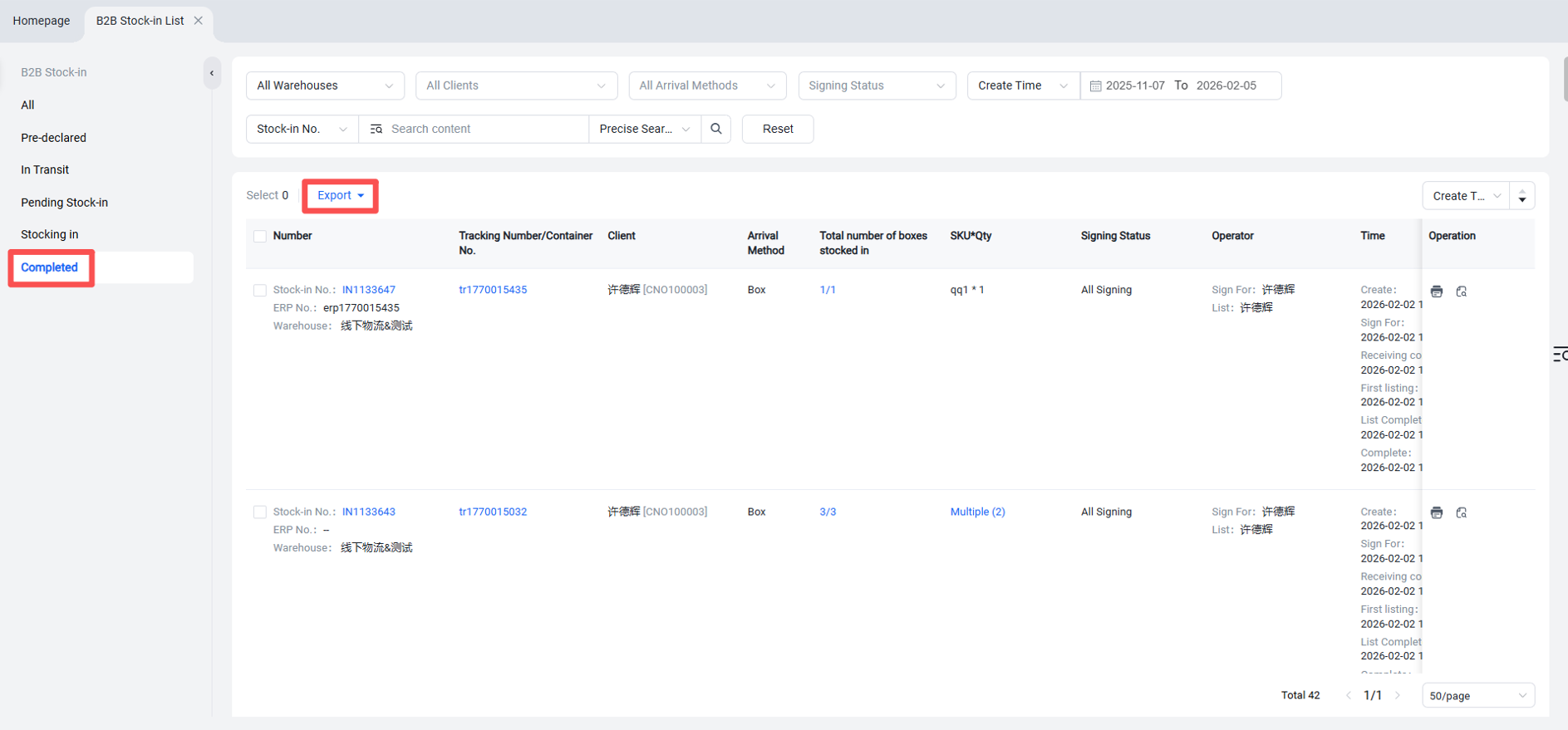
View and Export Completed Inbound Orders (Put-away Finished)
Step 3: Seller OMS Maintains Frequently Used Shipping Address Information
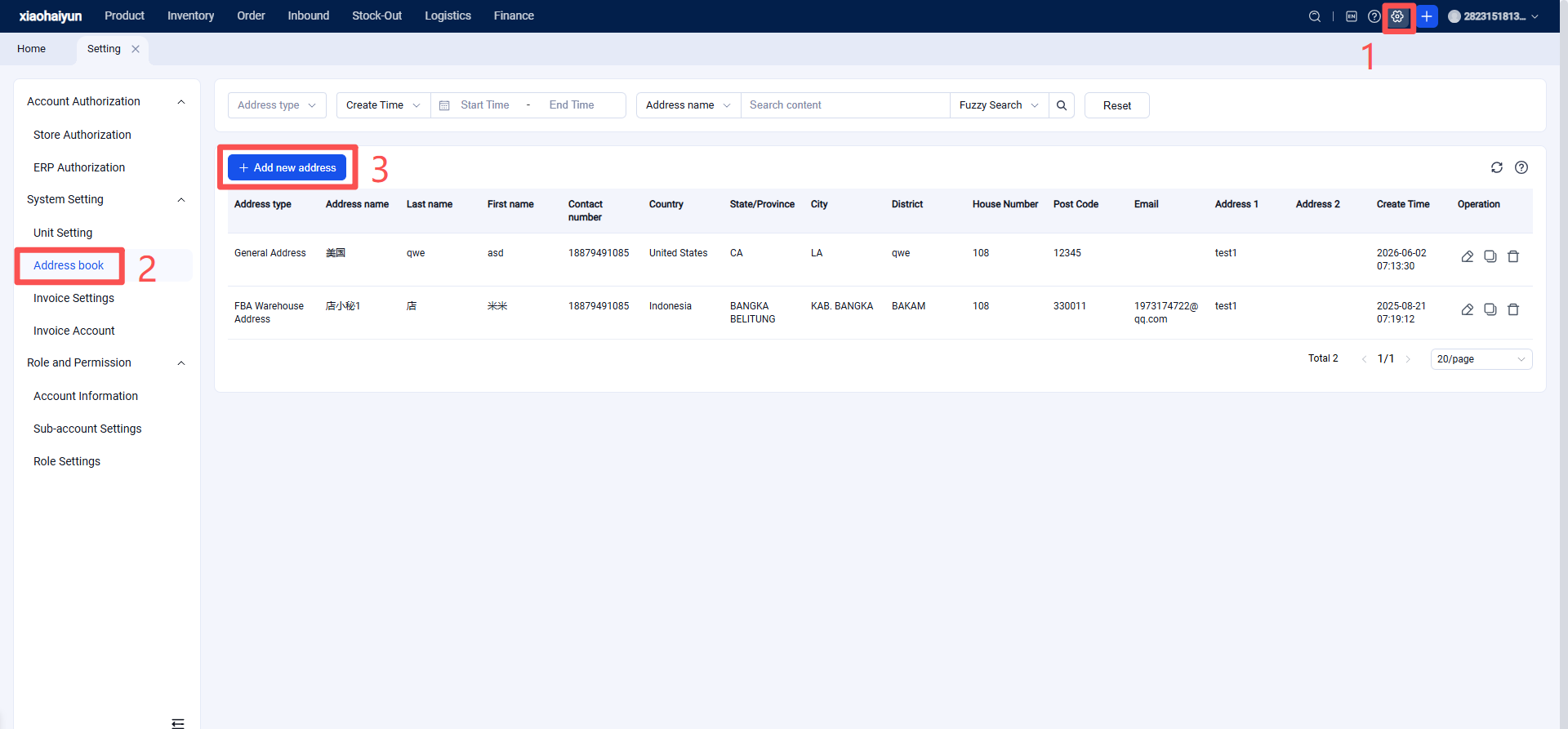
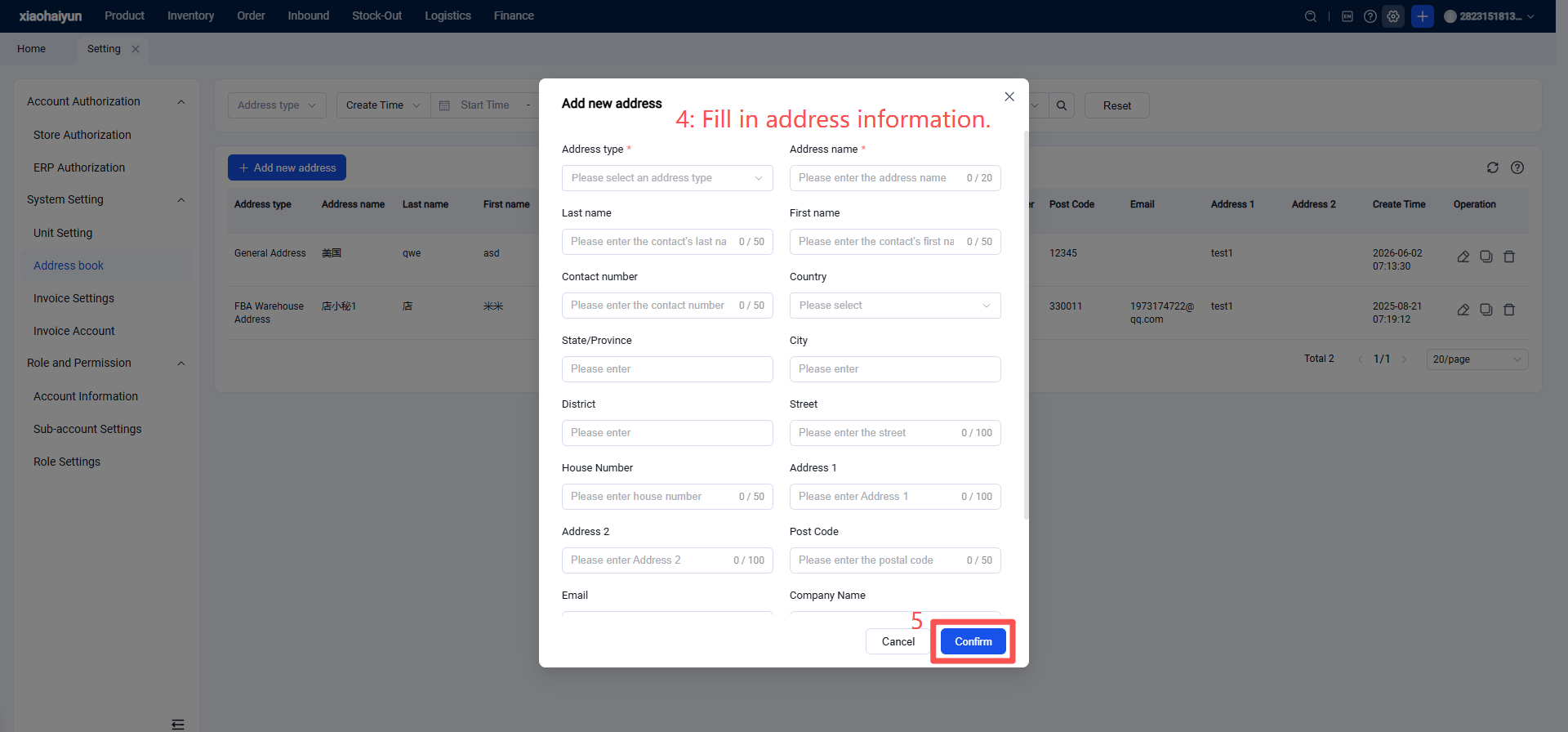
Whether for offline wholesale clients or shipping to cross-border e-commerce platform warehouses (such as Amazon, Walmart, Mercado Libre Full, Coupang Rocket, AliExpress Official Warehouse, SHEIN platform warehouses, etc.), frequently used address information can be maintained.
Step 4: Seller OMS Creates B2B Outbound Orders
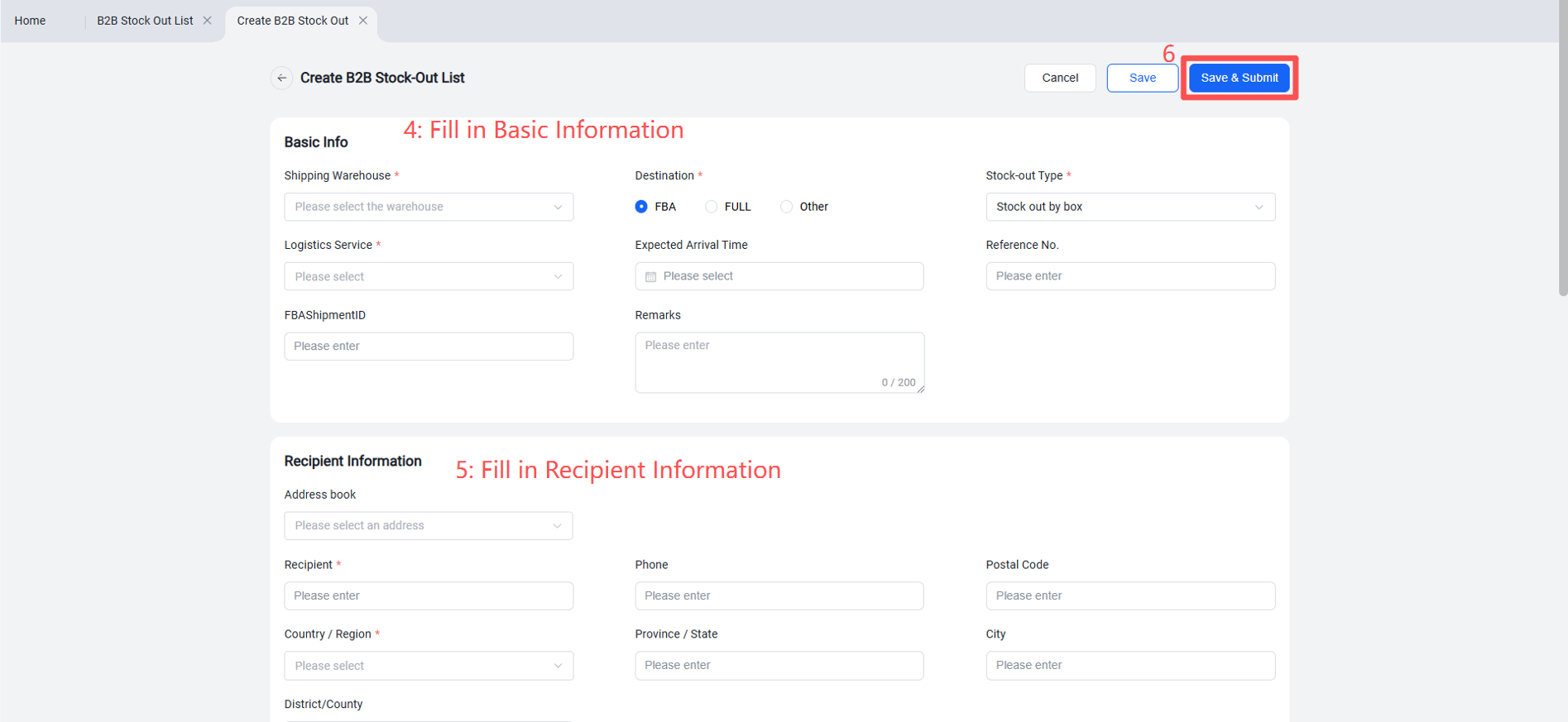
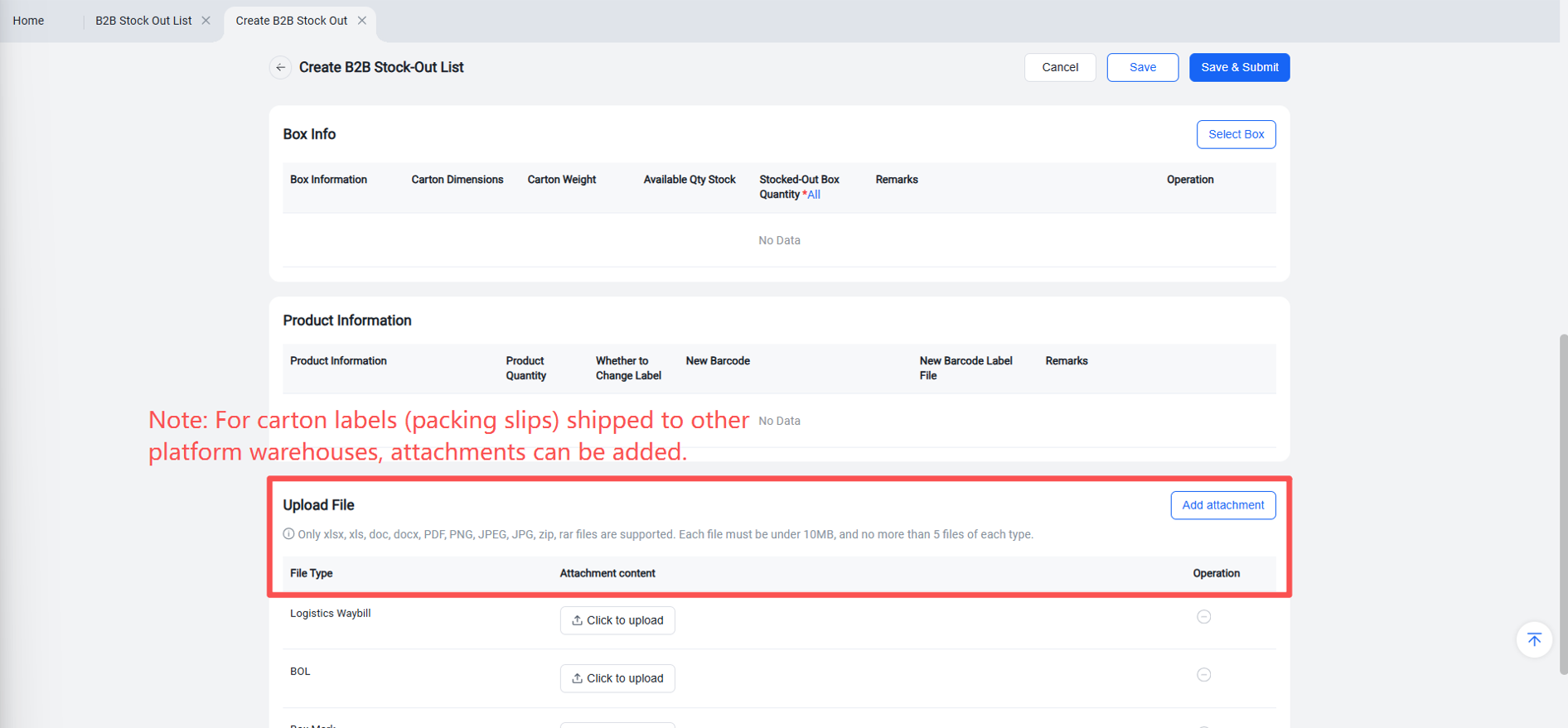
Create a Single New Outbound Order
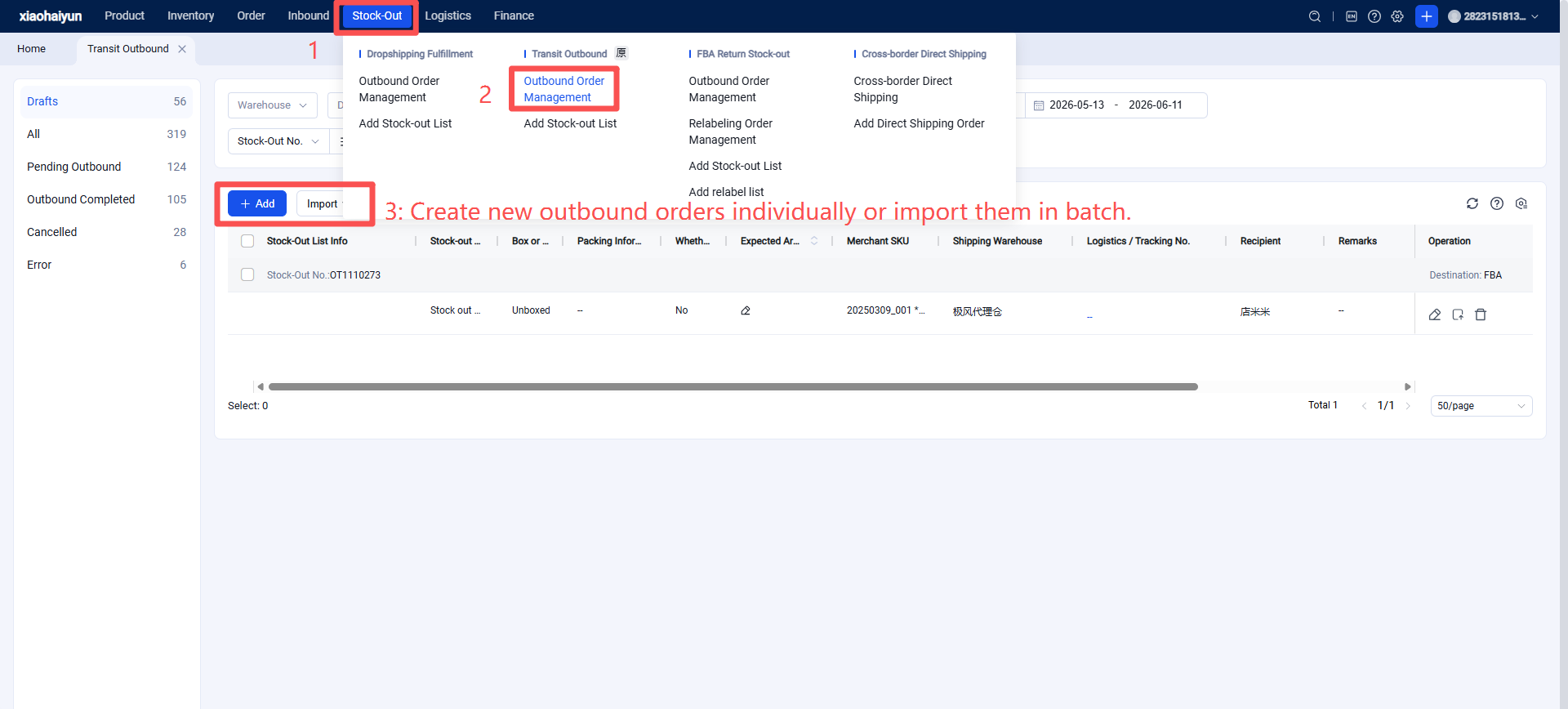
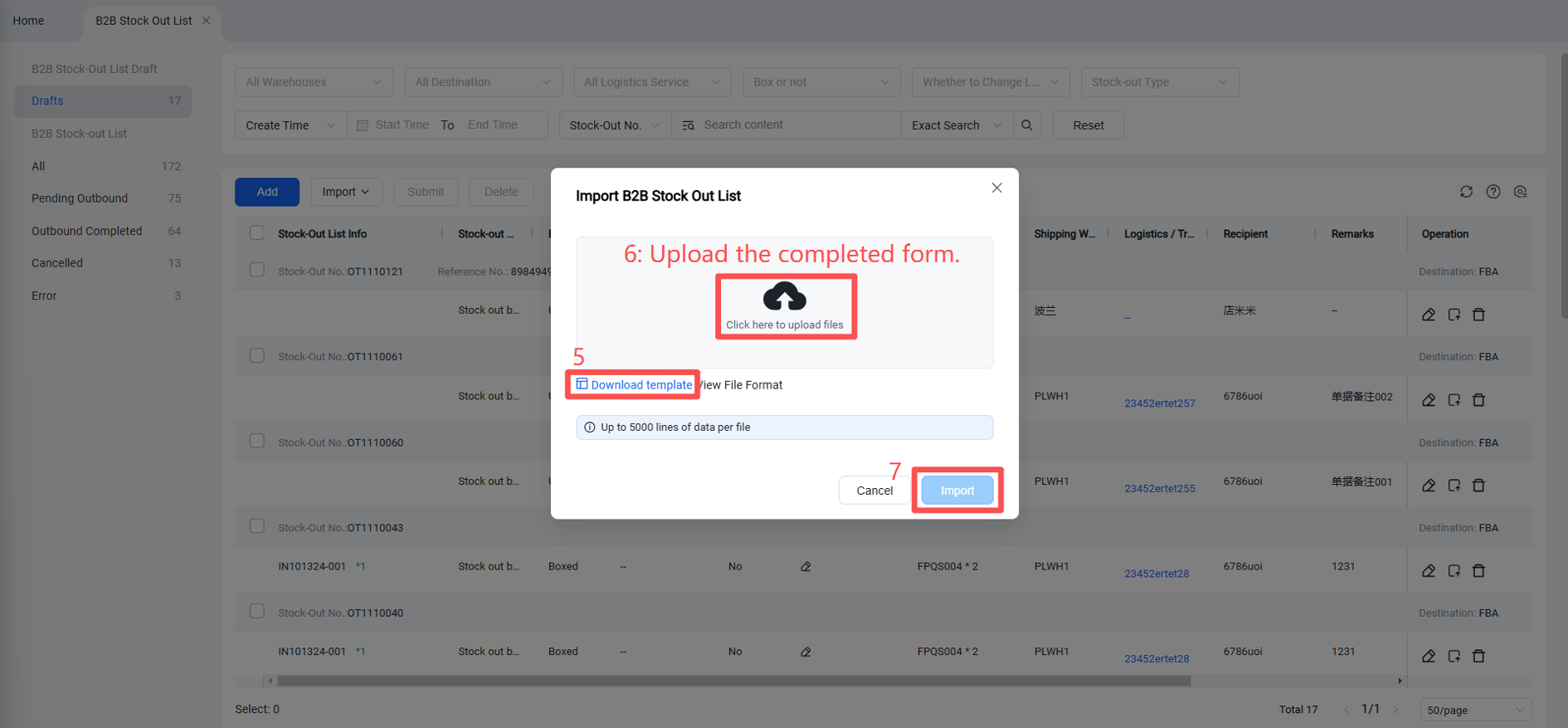
Batch Import to Create New Outbound Orders
Step 5: Jifeng WMS System Picking, Relabeling, Packing, and Outbound Processing
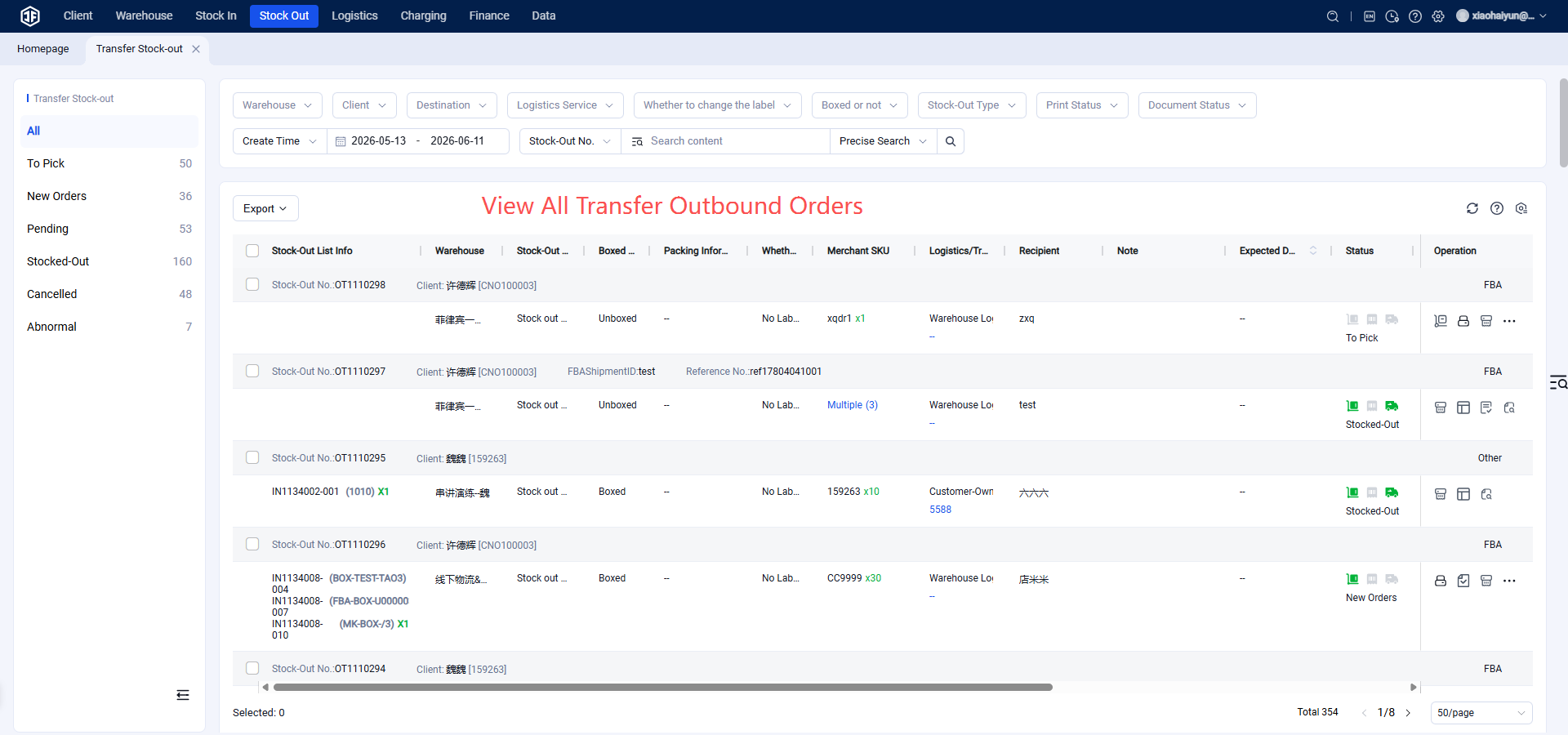
View All B2B Outbound Orders
B2B Picking
Pending Picking: Outbound orders requiring picking. A picking list can be printed for picking, and a relabeling list can be printed simultaneously if needed.
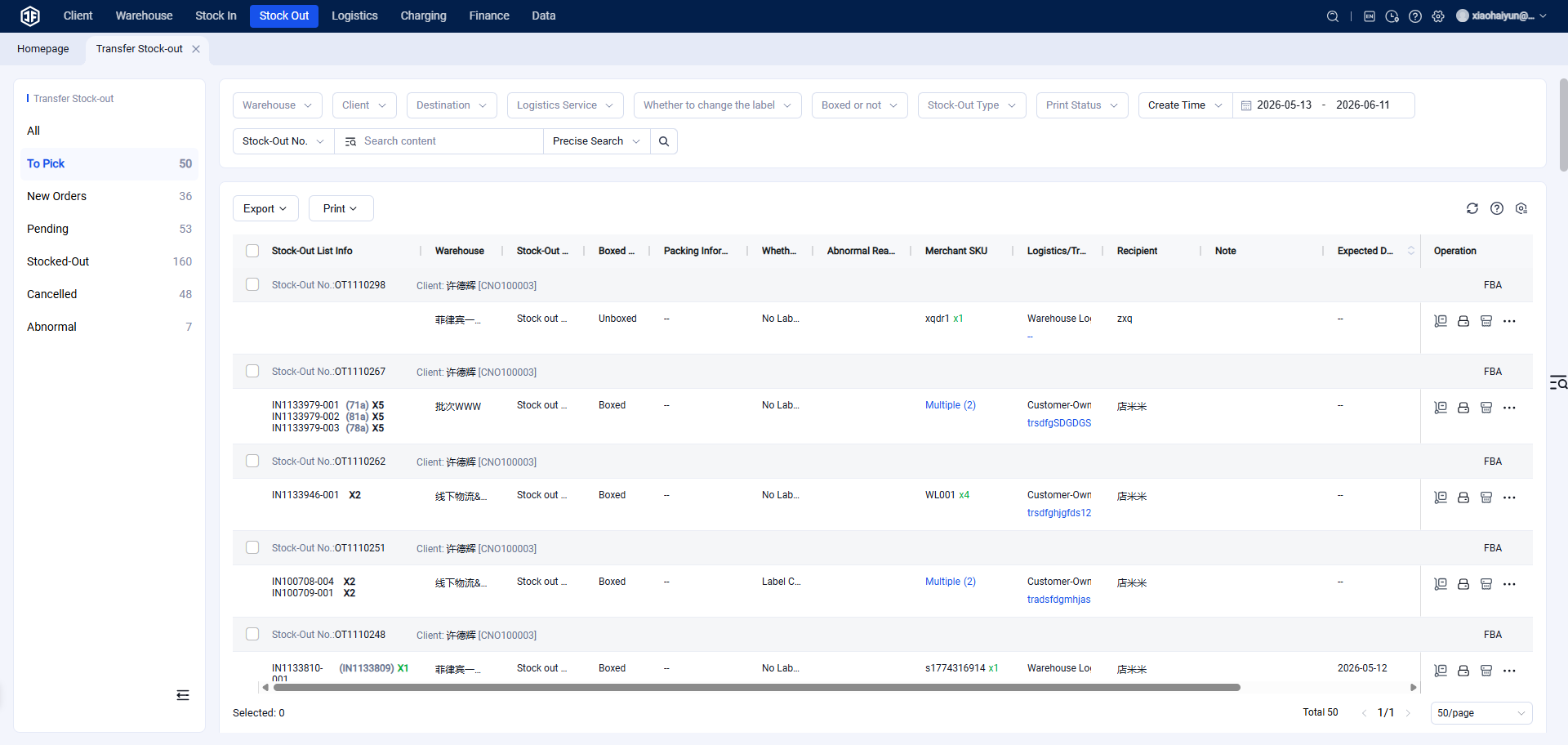
Pending Processing: B2B Relabeling and Packing
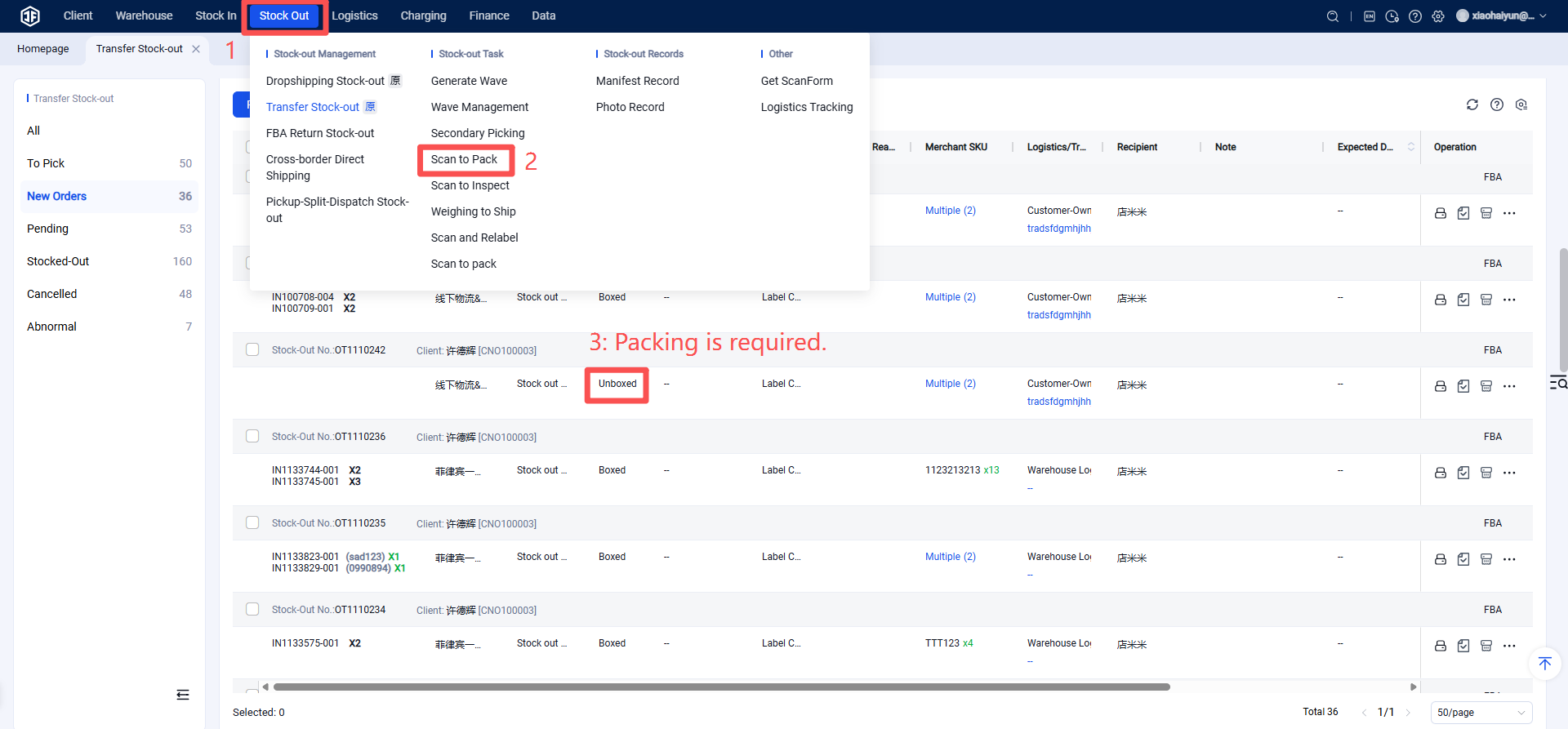
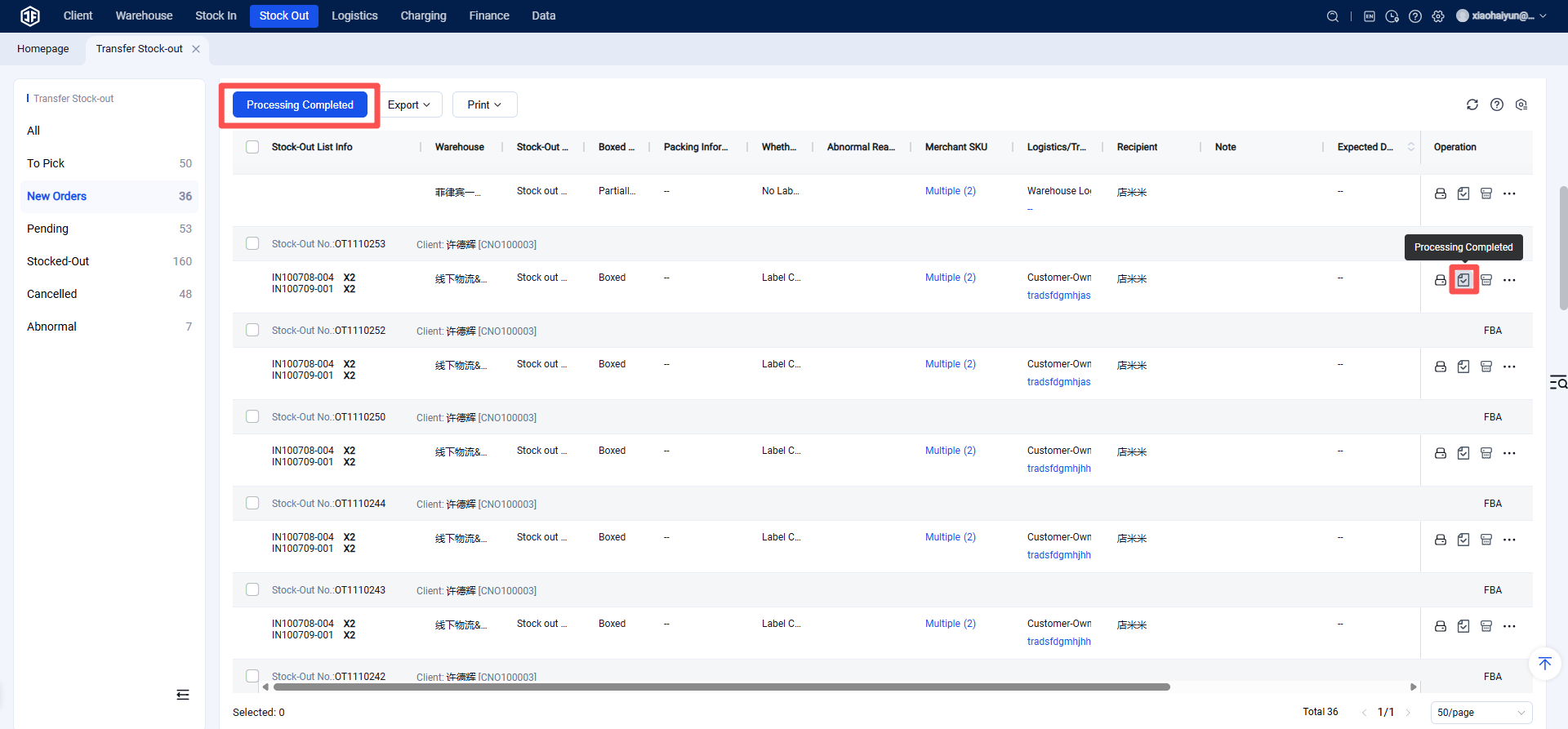
Pending Processing: Outbound orders where picking is completed require packing and/or relabeling before being confirmed as processed.
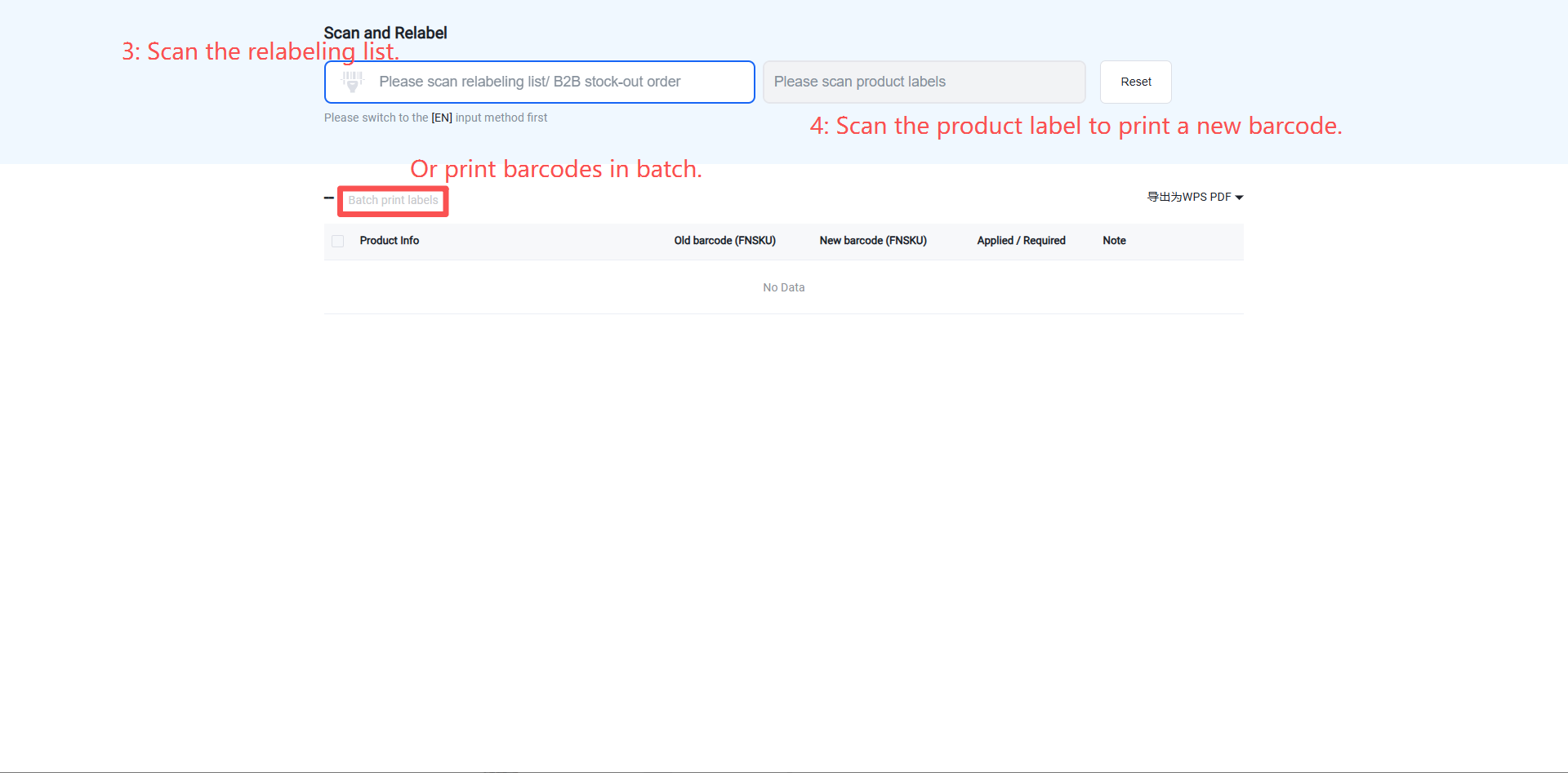
(1) Relabeling
Perform relabeling on outbound orders marked as requiring it.
First, the relabeling list can be printed.
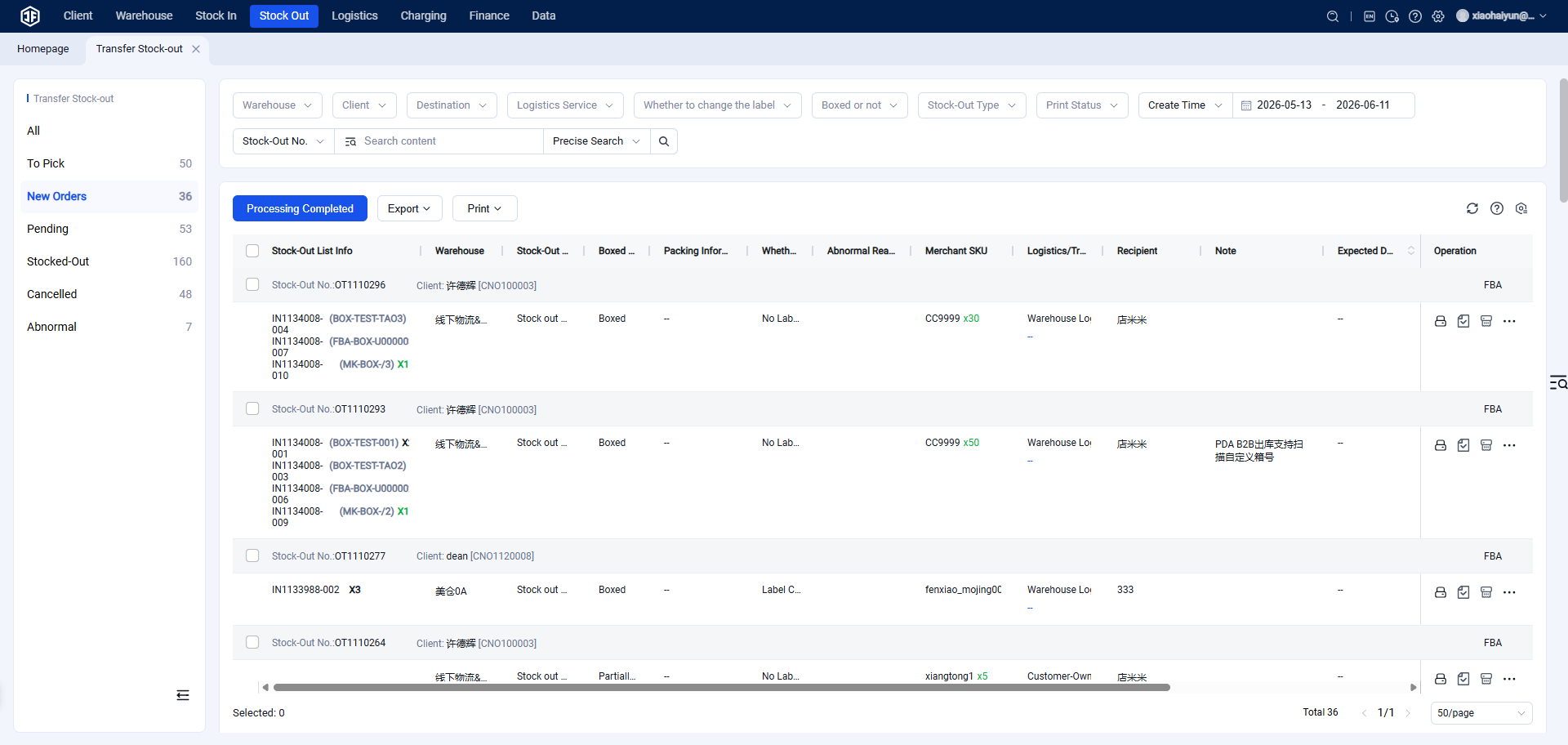
Next: Scan to Relabel
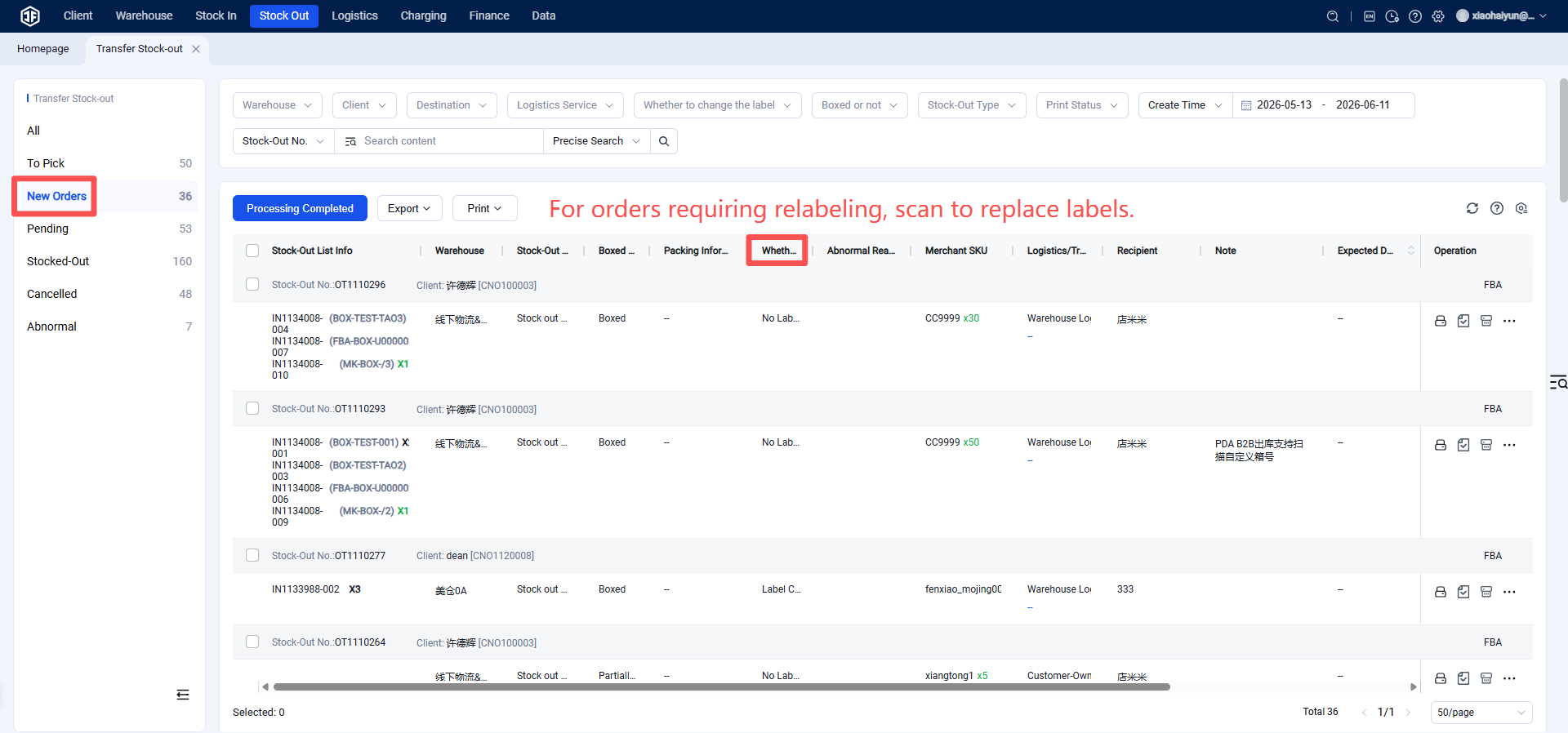
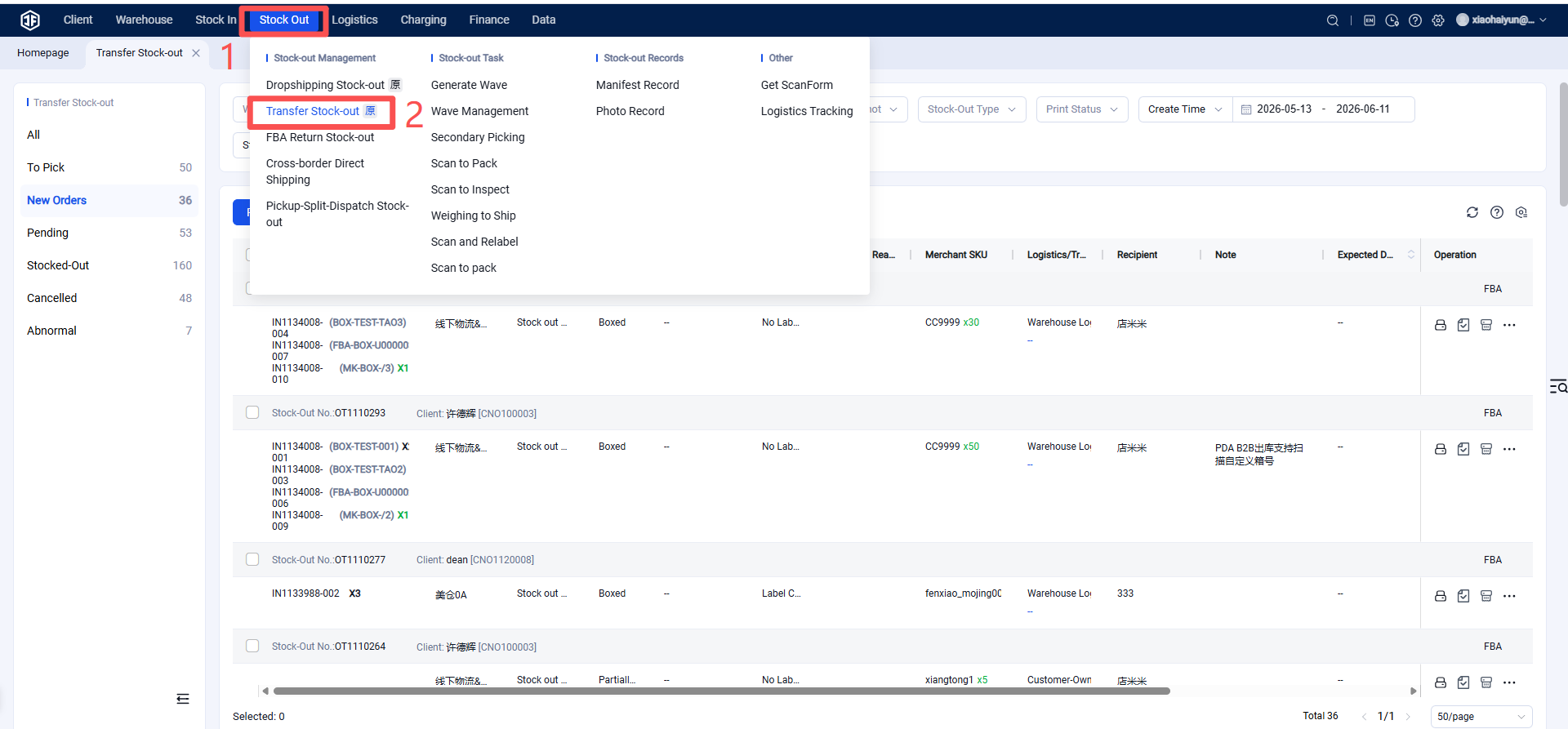
Finally: By scanning the relabeling list or product labels, labels can be automatically and batch-printed for relabeling.
(2) Packing
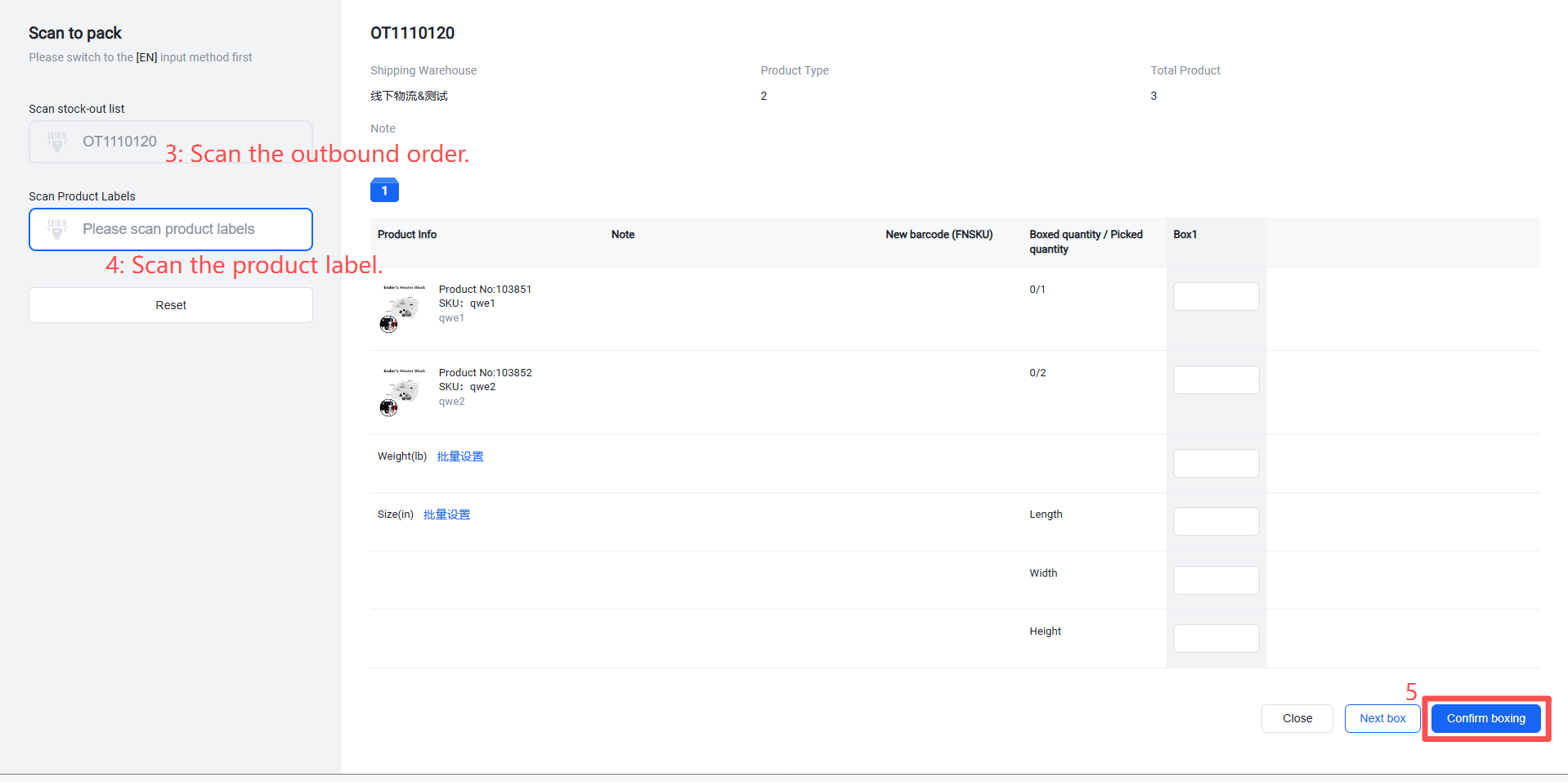
Pack items that have not yet been packed into boxes.
(3) After processing is completed, the order enters the "Pending Outbound" status.
Pending Outbound
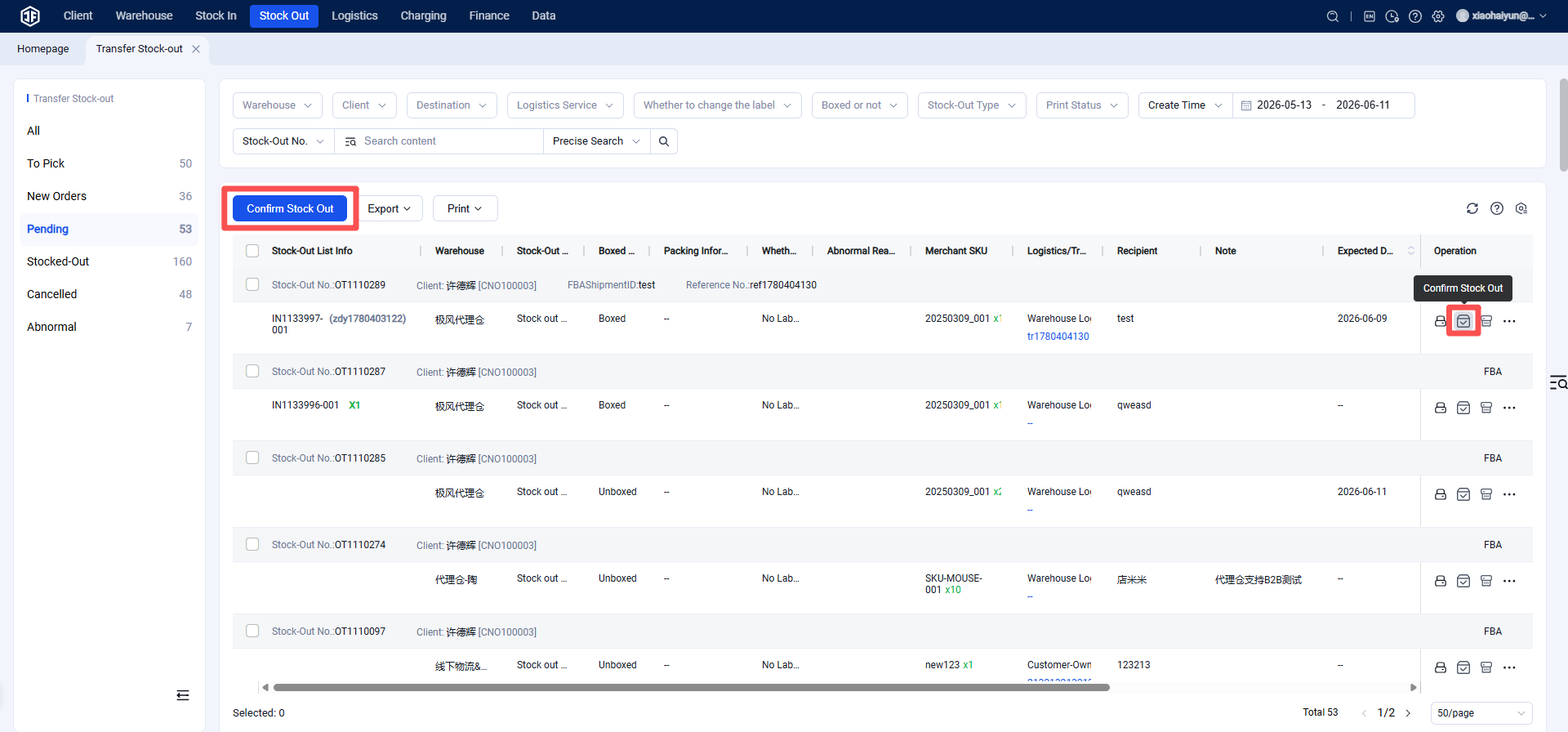
Processed outbound orders enter the "Pending Outbound" status. If handed over to a logistics provider, you can click "Confirm Outbound" to finalize.
Shipped
Outbound orders that have been shipped appear in the "Shipped" status.