Agent Warehouse Pushes Temu Y2 Direct Shipping Orders to Main Warehouse
I. Definition
The Jifeng WMS Overseas Warehouse System supports proxy warehouses pushing Temu Y2 Direct Shipping orders to main warehouses, enabling main warehouses to perform one-click scan-and-replace label printing.
Note: This guide primarily explains how OMS clients create direct shipping orders and how overseas warehouses scan to print labels. Sellers can use tools like Dianxiaomi ERP or OMS to create direct shipping orders, but preliminary steps such as store authorization, product pairing, and warehouse pairing are required. Please refer to the system's operational help guides for those procedures.
II. Operational Instructions
Step 1: The proxy warehouse's seller client creates a Temu Y2 Direct Shipping order in the OMS.
Method 1: Batch Create Direct Shipping Orders After Store Authorization (Suitable for sellers whose stores are authorized with Jifeng OMS)
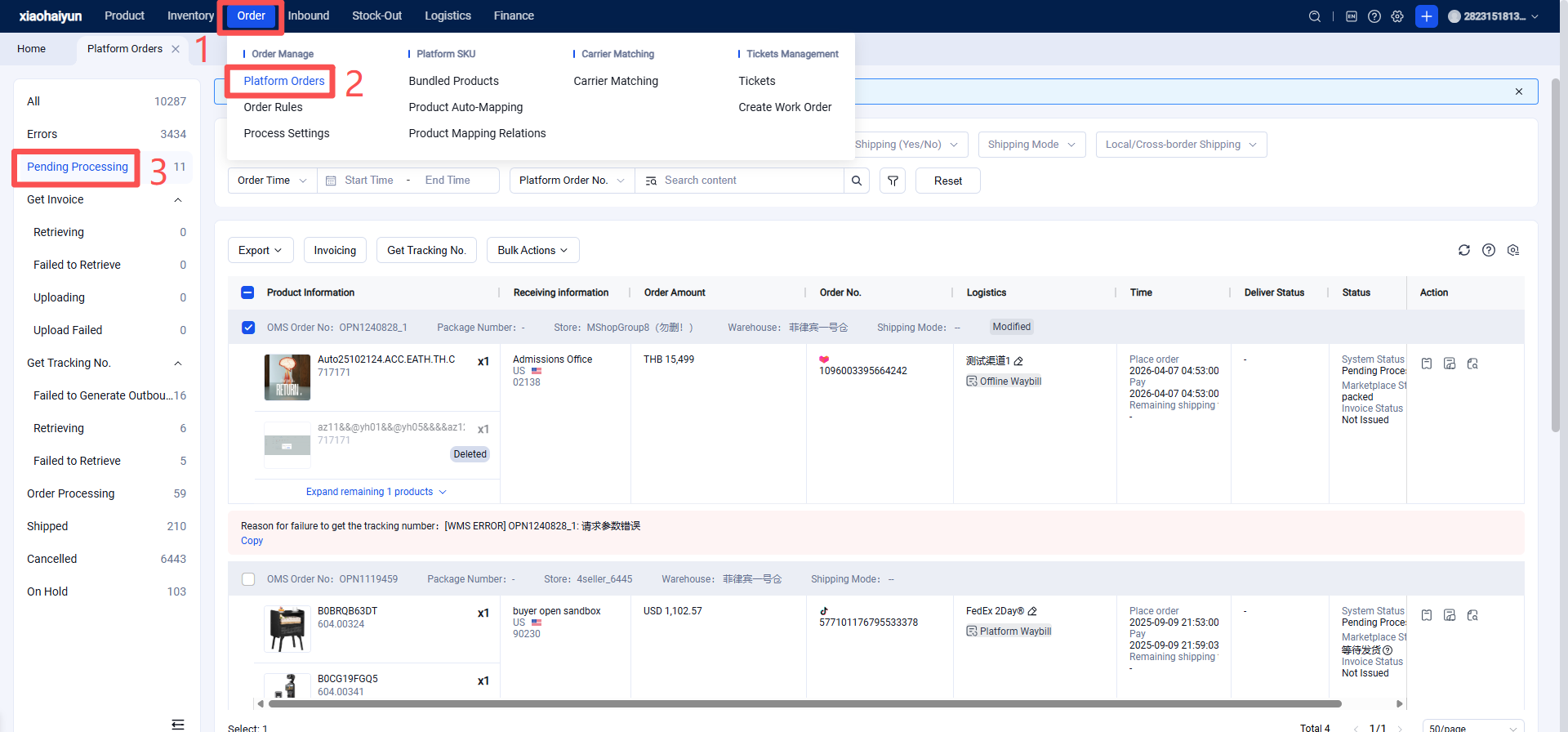
Seller Platform (OMS) > Platform Orders > Pending Processing > Select Orders > Batch Operations > Assign Warehouse, Select Logistics, Create Direct Shipping Order > Obtain Tracking Number.
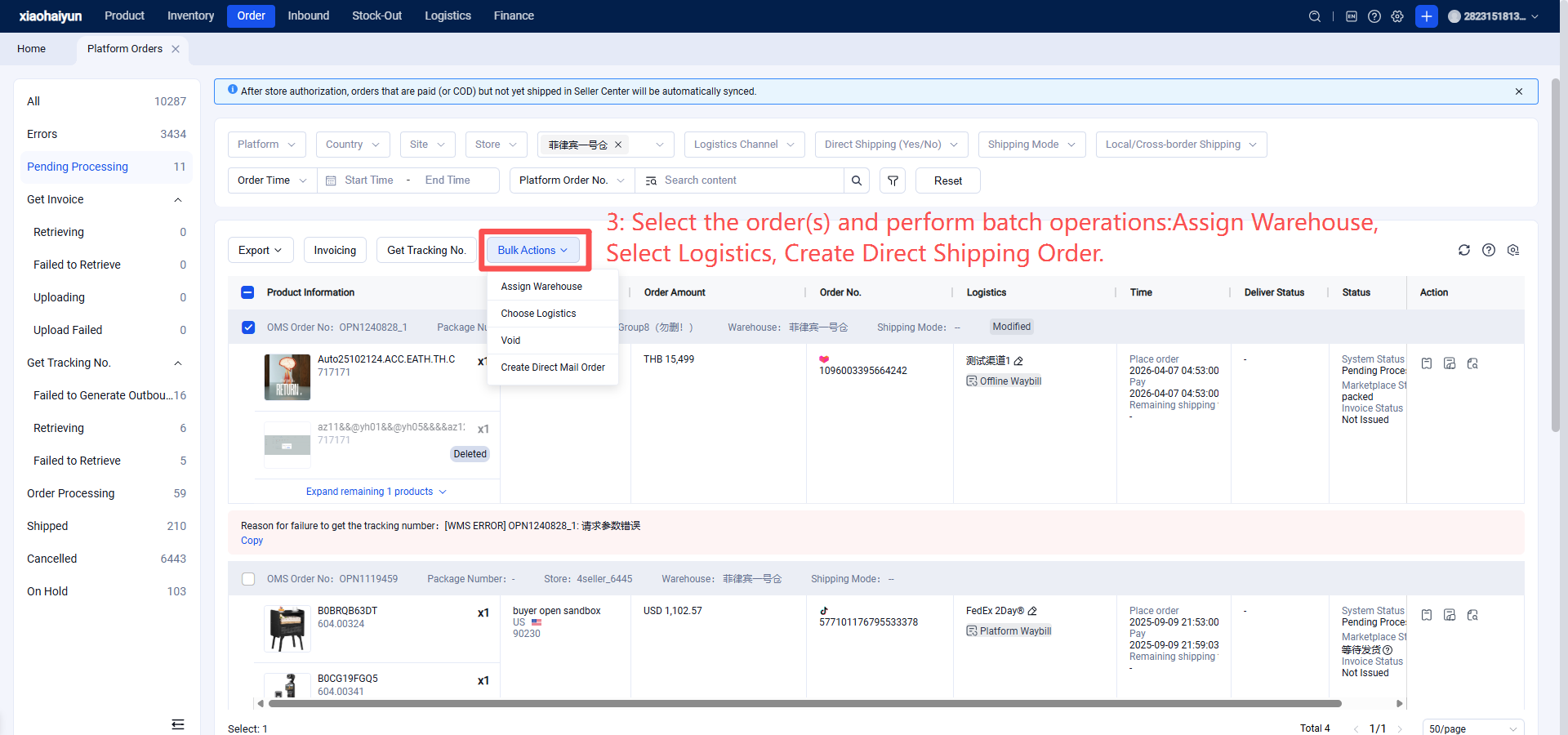
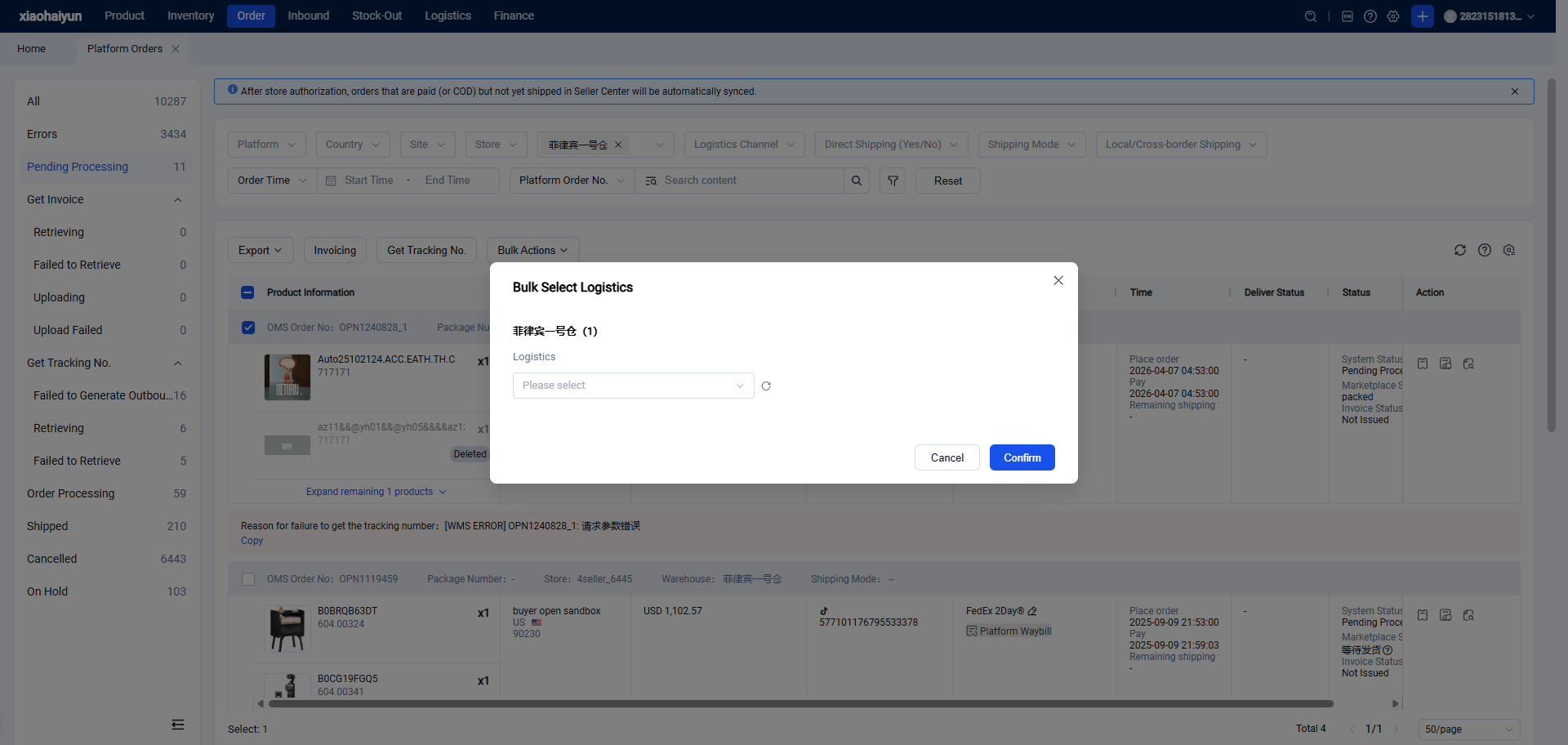
When selecting logistics, OMS supports automatic price comparison.
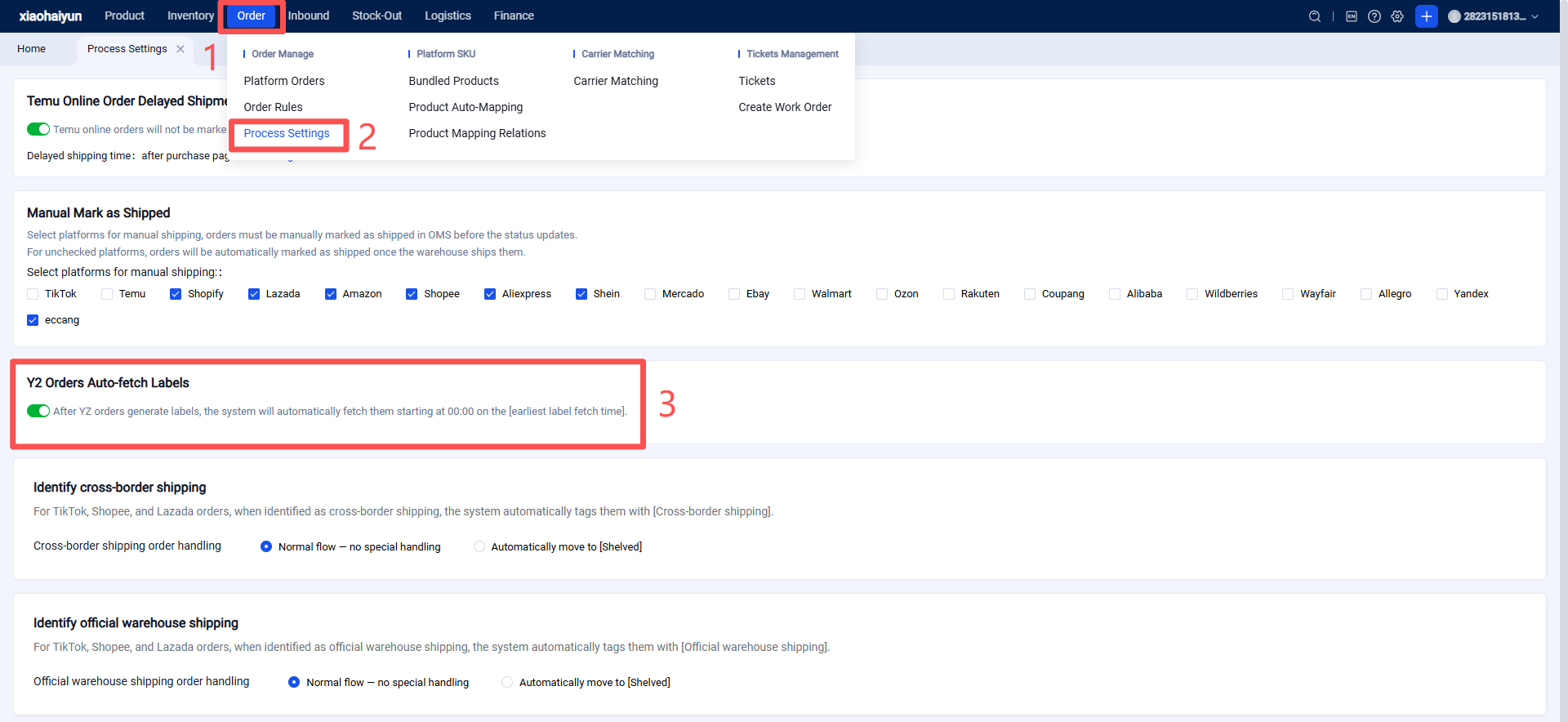
Note: After the tracking number is obtained, the Jifeng Overseas Warehouse System will automatically determine the order's earliest label acquisition time, automatically retrieve the label, and push it to the Jifeng WMS.
Method 2: Create Individual Direct Shipping Orders (Manual Creation, suitable for sellers not using Jifeng OMS for direct shipping orders)
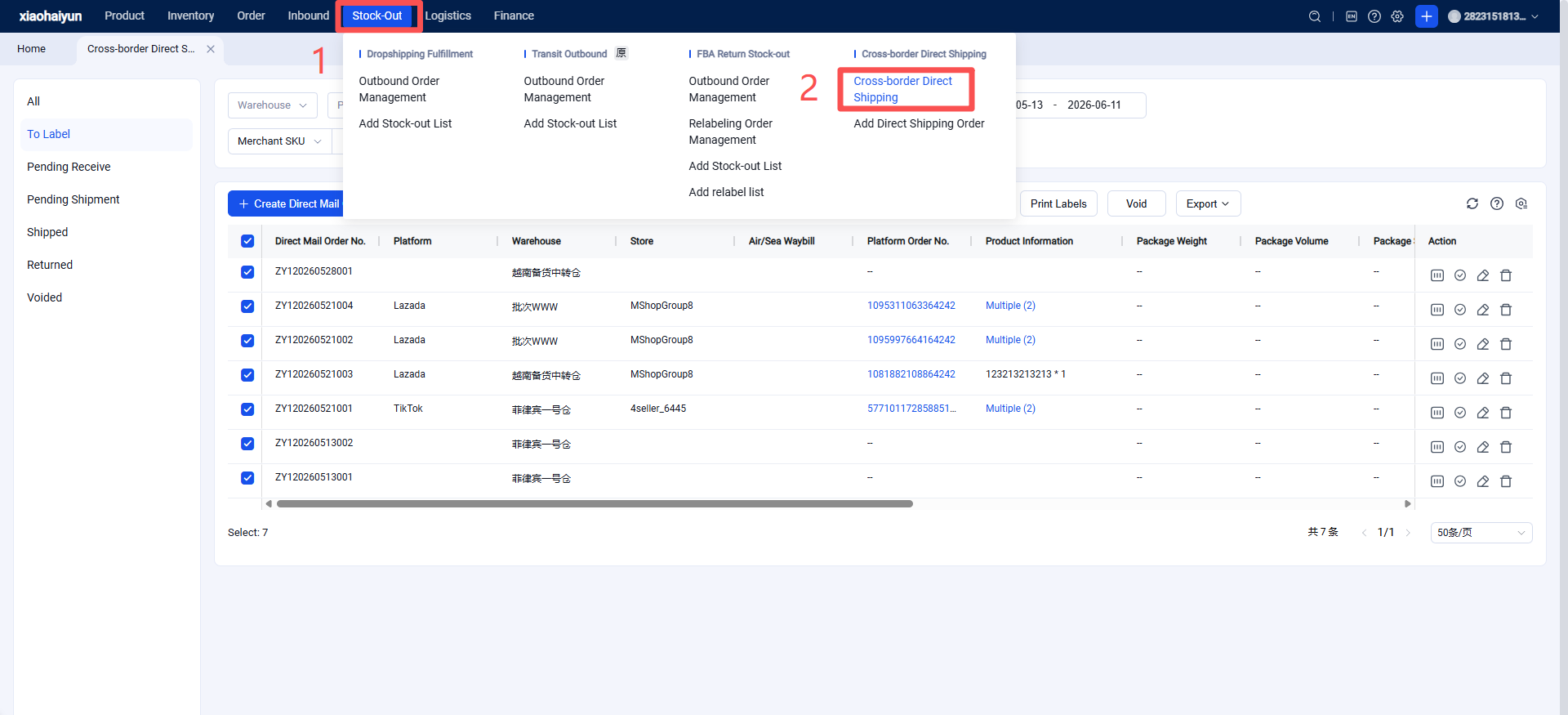
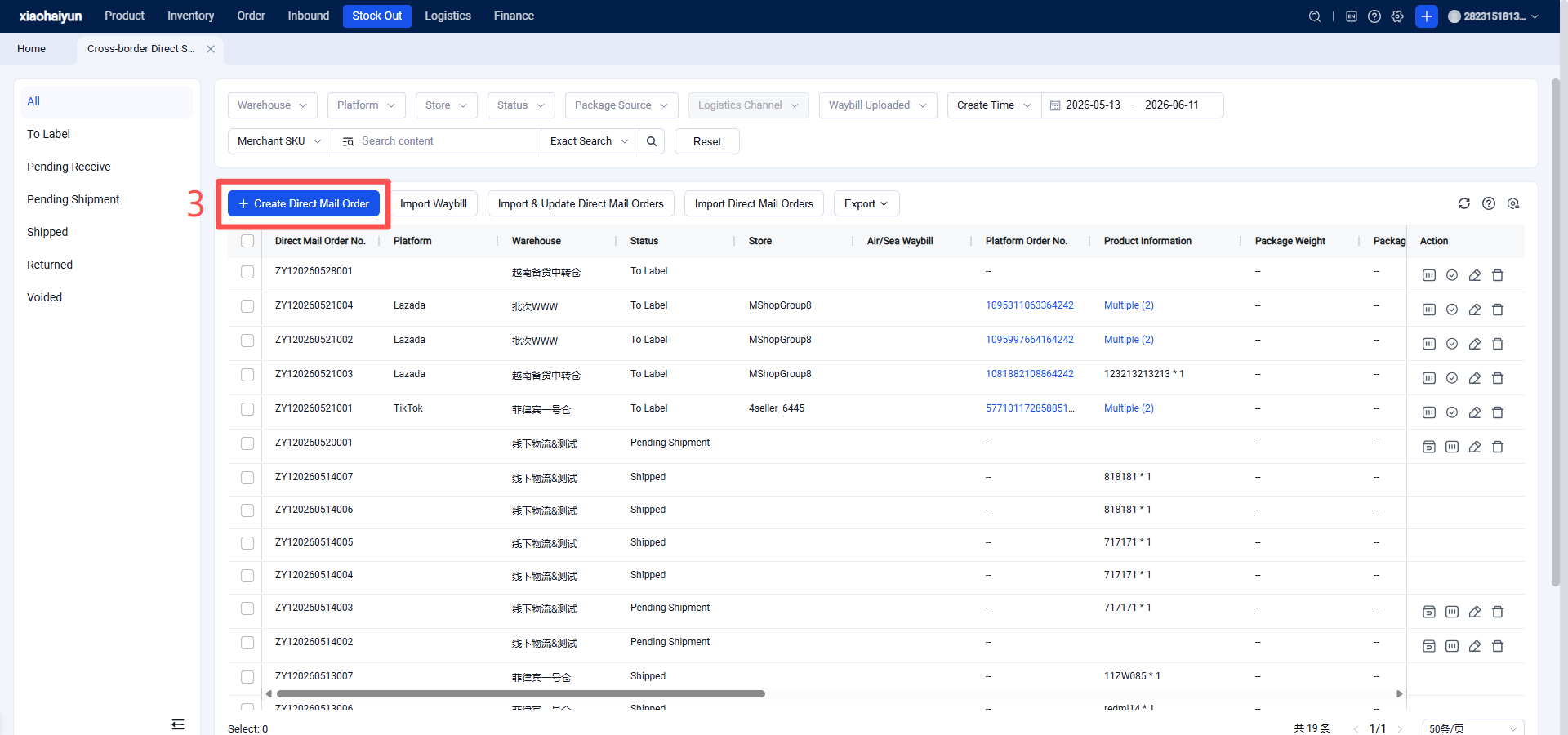
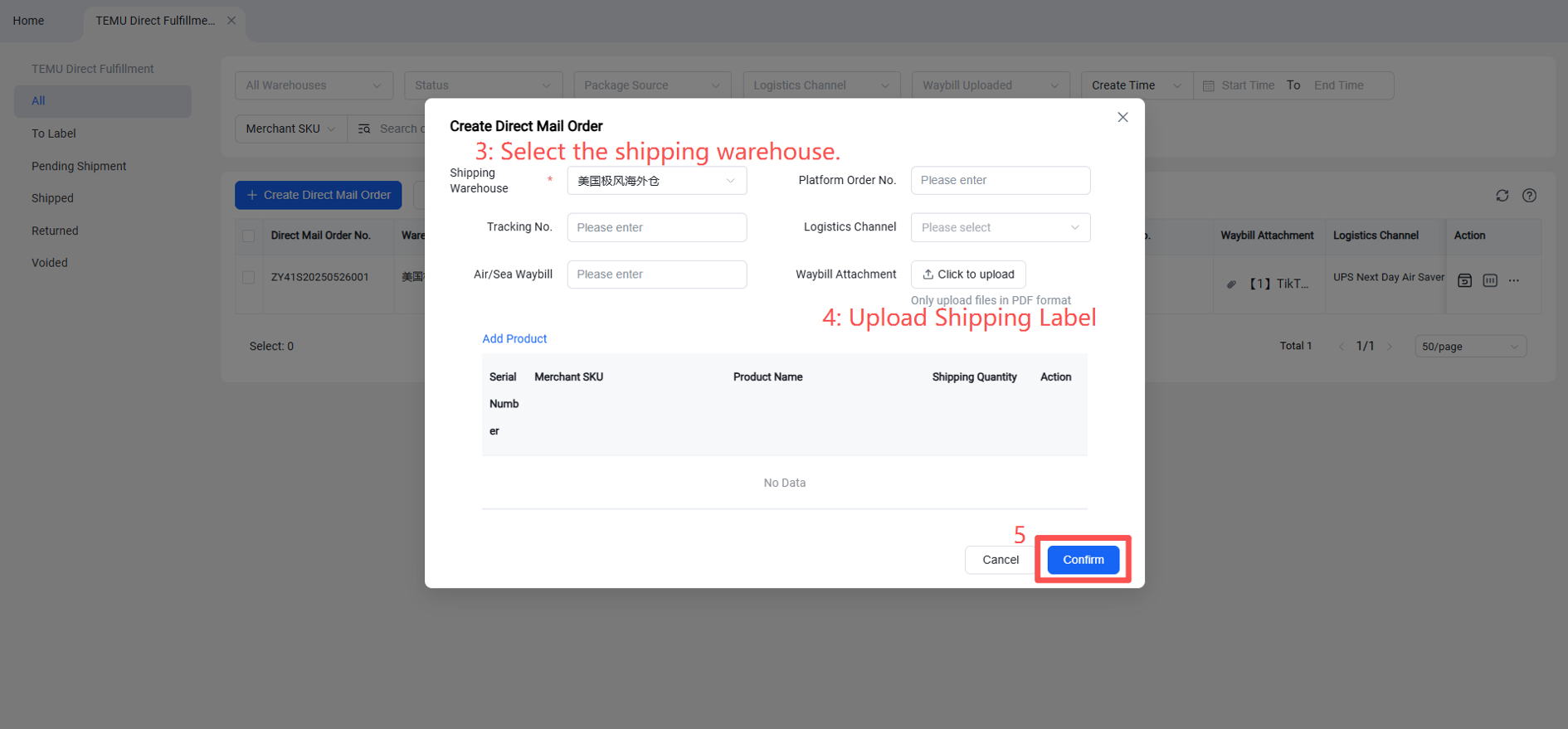
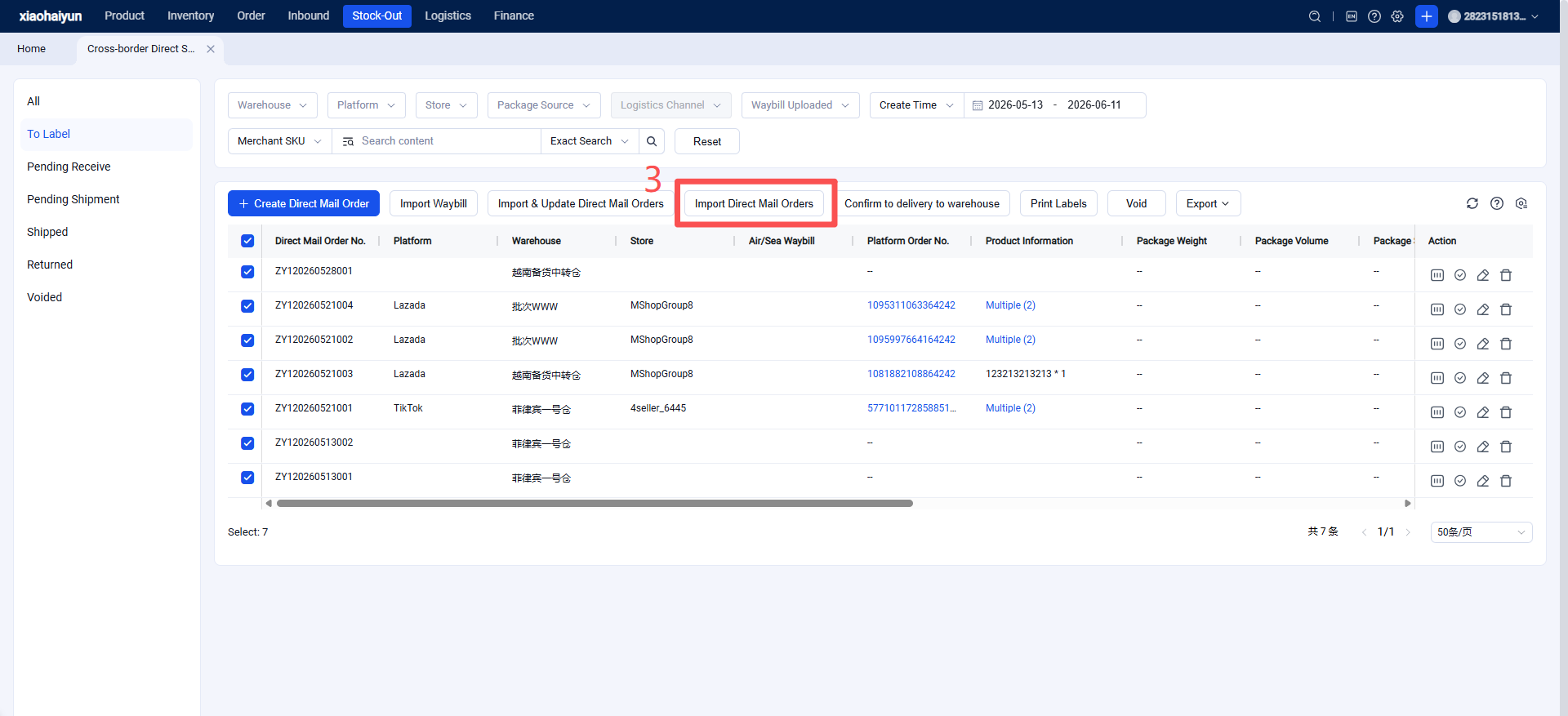
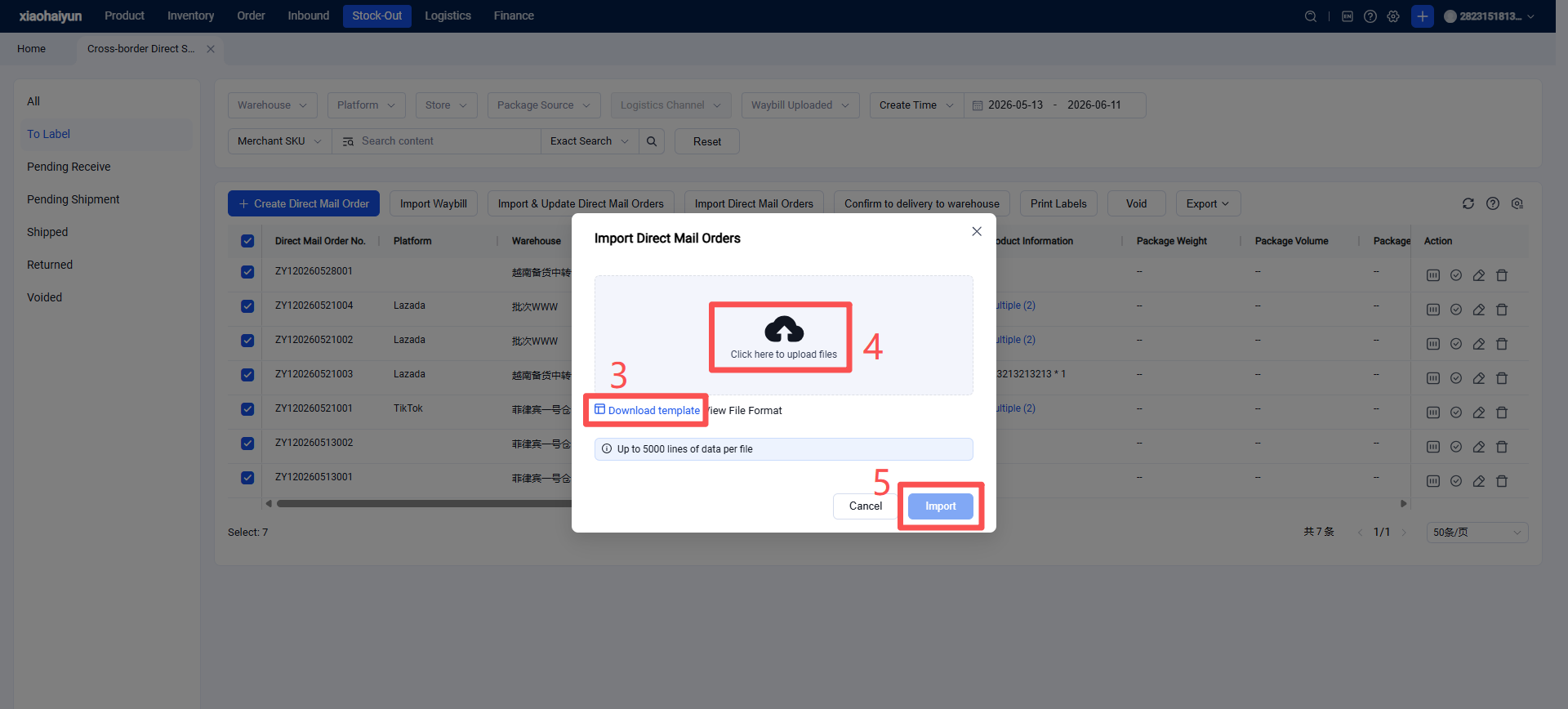
Method 3: Batch Import to Create Direct Shipping Orders (Manual creation, suitable for sellers not using Jifeng OMS for direct shipping orders and with a high volume of orders)
Import Shipping Labels (Supports importing PDF direct shipping labels, platform order numbers, tracking numbers to directly match direct shipping orders).
Step 2: [Seller Prints Direct Shipping Labels]
Sellers can print direct shipping labels in the OMS, which supports custom label formats. Labels can use the direct shipping order number, tracking number, or platform order number as the barcode.
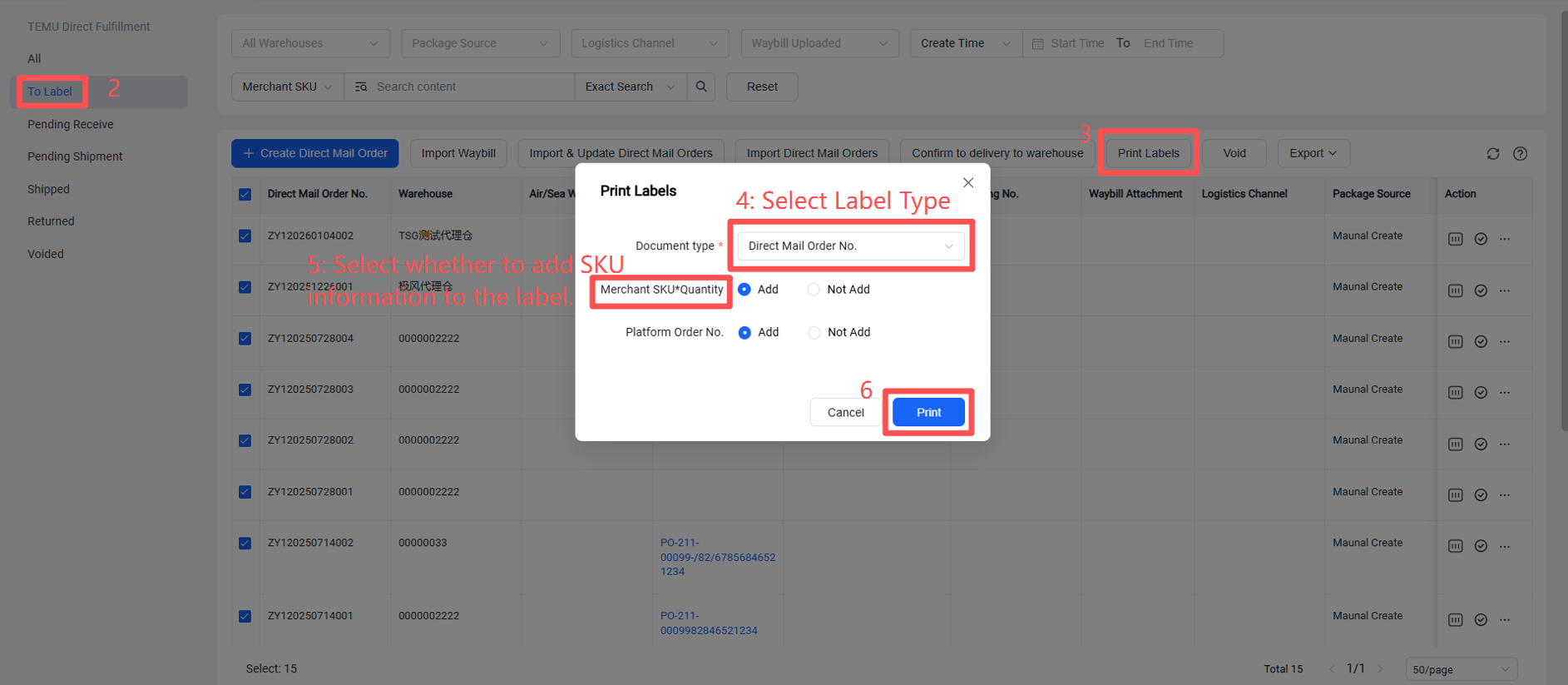
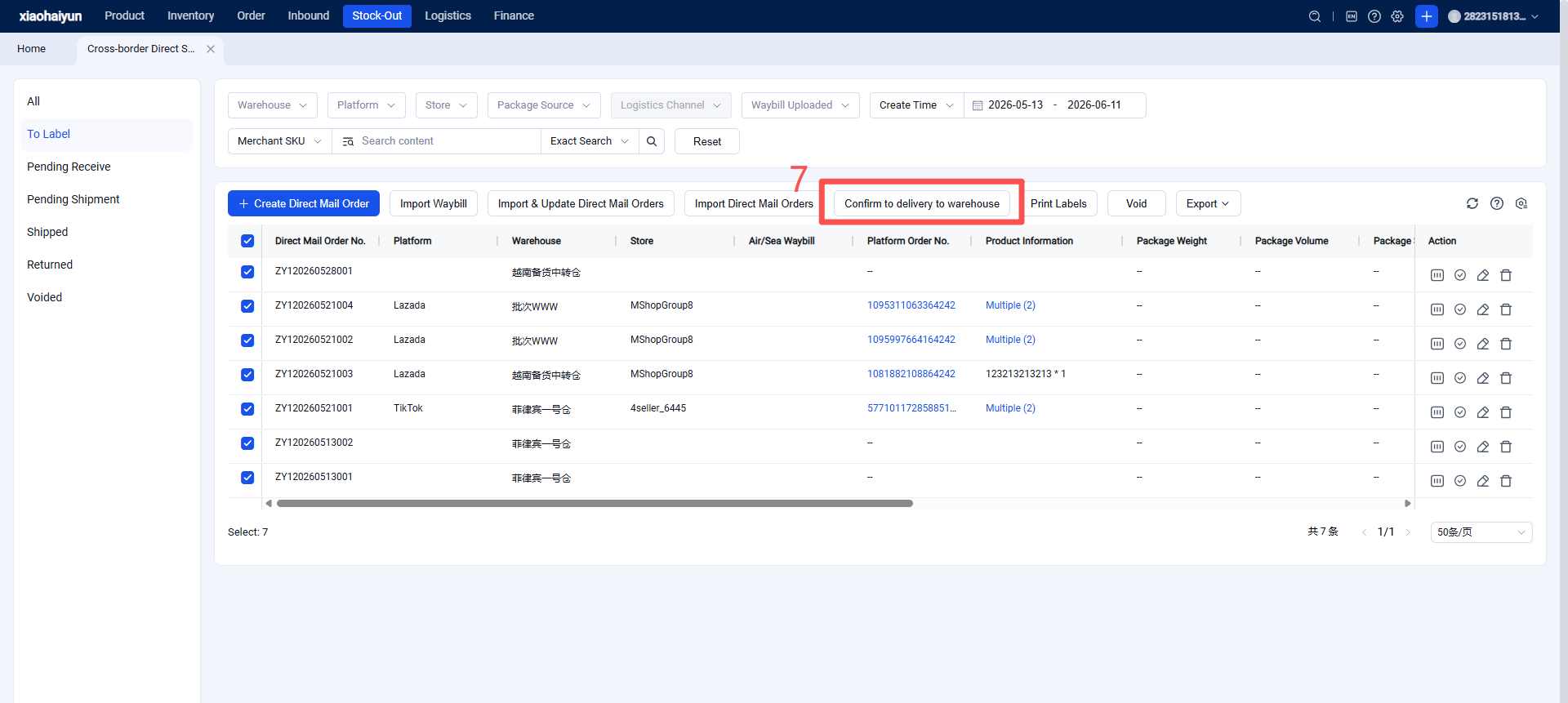
Step 3: Overseas Warehouse Scans Direct Shipping Labels, Automatically Prints Shipping Labels, One-Click Label Replacement to View All Temu Direct Shipping Orders (View order creation time, check if a label exists.)
1.Check the Earliest Label Acquisition Time for Packages (Facilitates sorting received packages into those with labels and those without.)
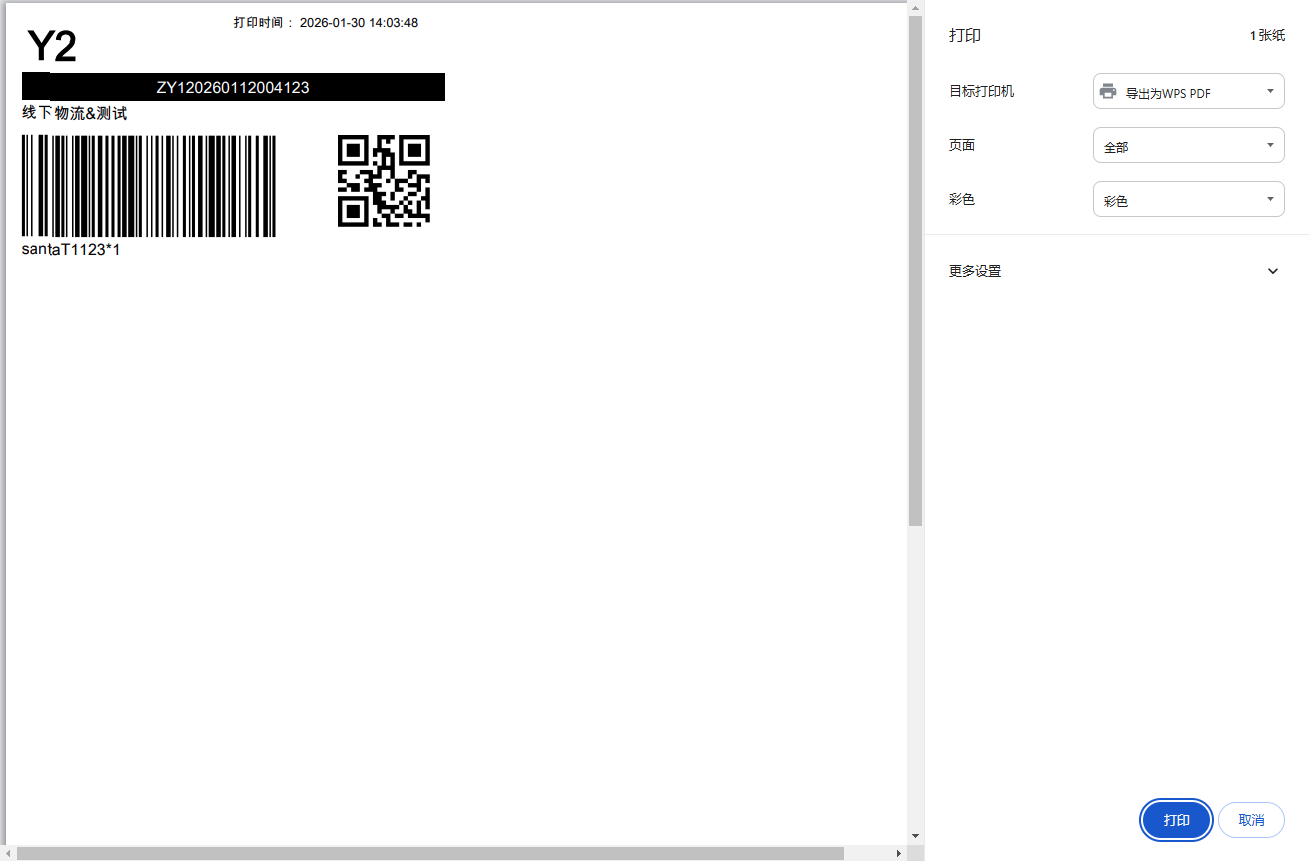
2.Scan and Verify Items
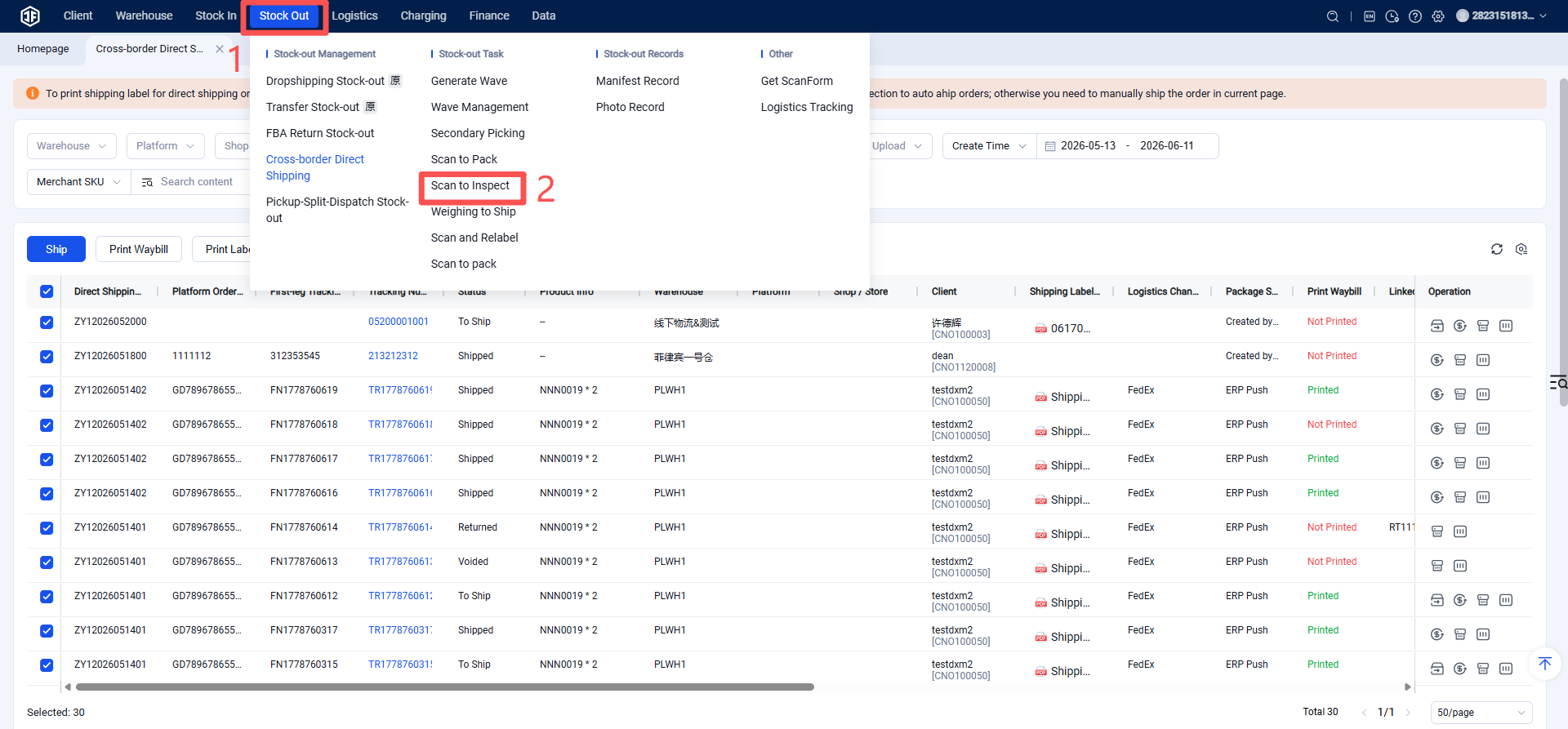
3.Scan to Automatically Generate and Print Labels
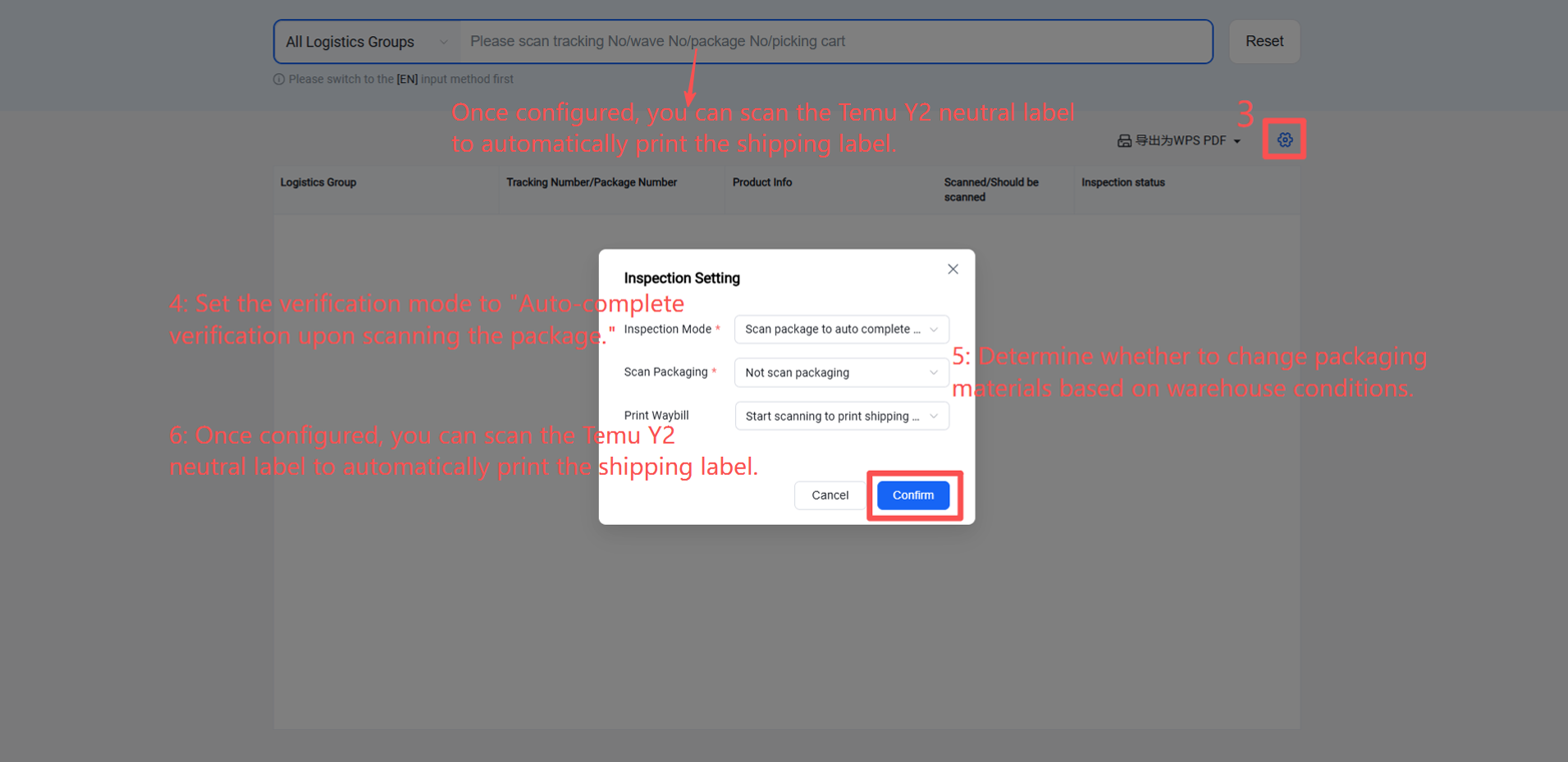
【Scanning Settings】
Auto-complete verification upon scanning the package: Successfully scanning the package number or tracking number automatically completes verification for this package. This mode does not require scanning product labels.
Auto-complete verification upon scanning the product: Successfully scanning a product automatically completes verification for that SKU.
Standard verification: First scan the document (e.g., picking list), then scan products to complete verification.
【Print Shipping Label】
Print label after verification completes: Print the shipping label after the package verification is complete (all SKUs within the package have been scanned).
Print label when verification starts: Print the shipping label upon scanning the first SKU of a package.
Do not print label: Enable this setting to skip printing the shipping label.