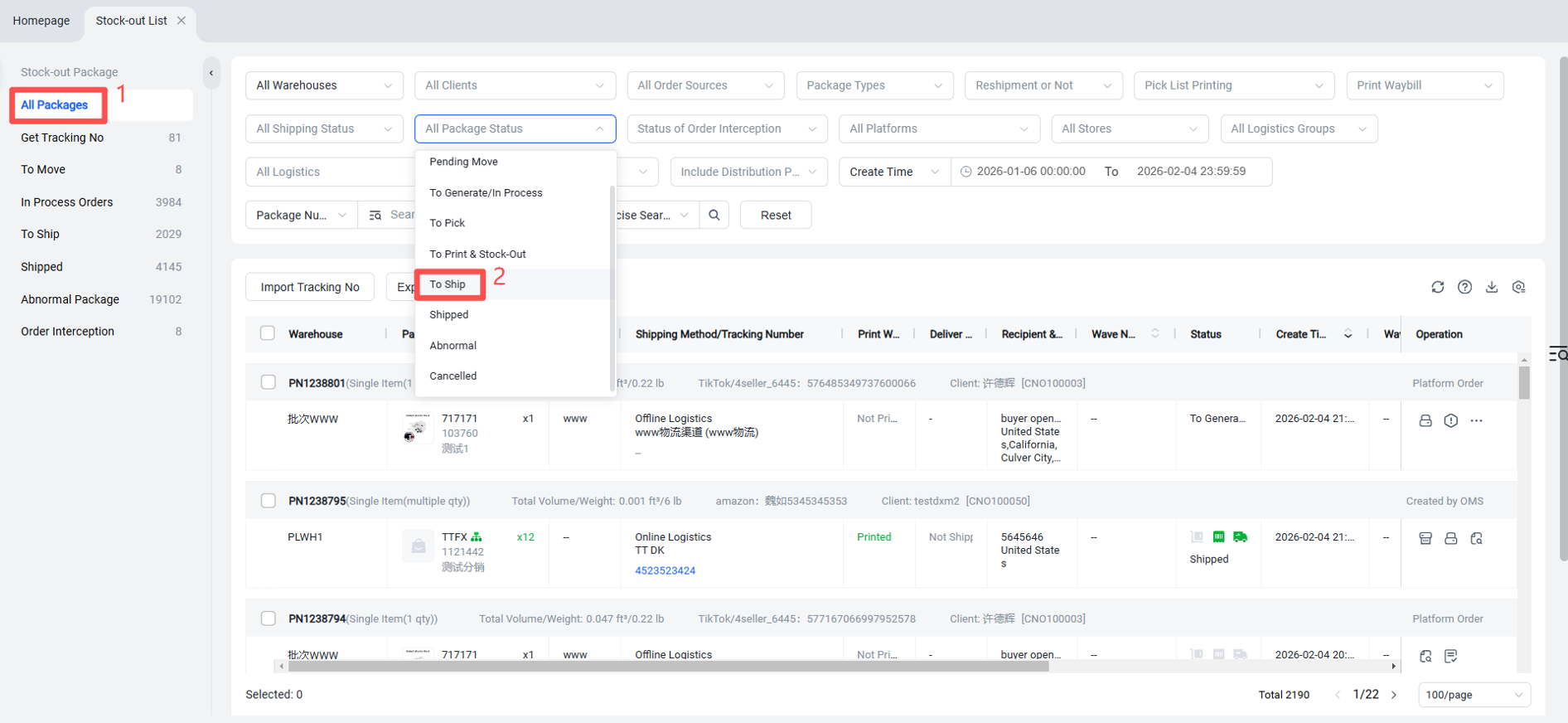
Custom Logistics Shipment Outbound
Updated on 11 Jun,2026
Copy Link
I. Definition
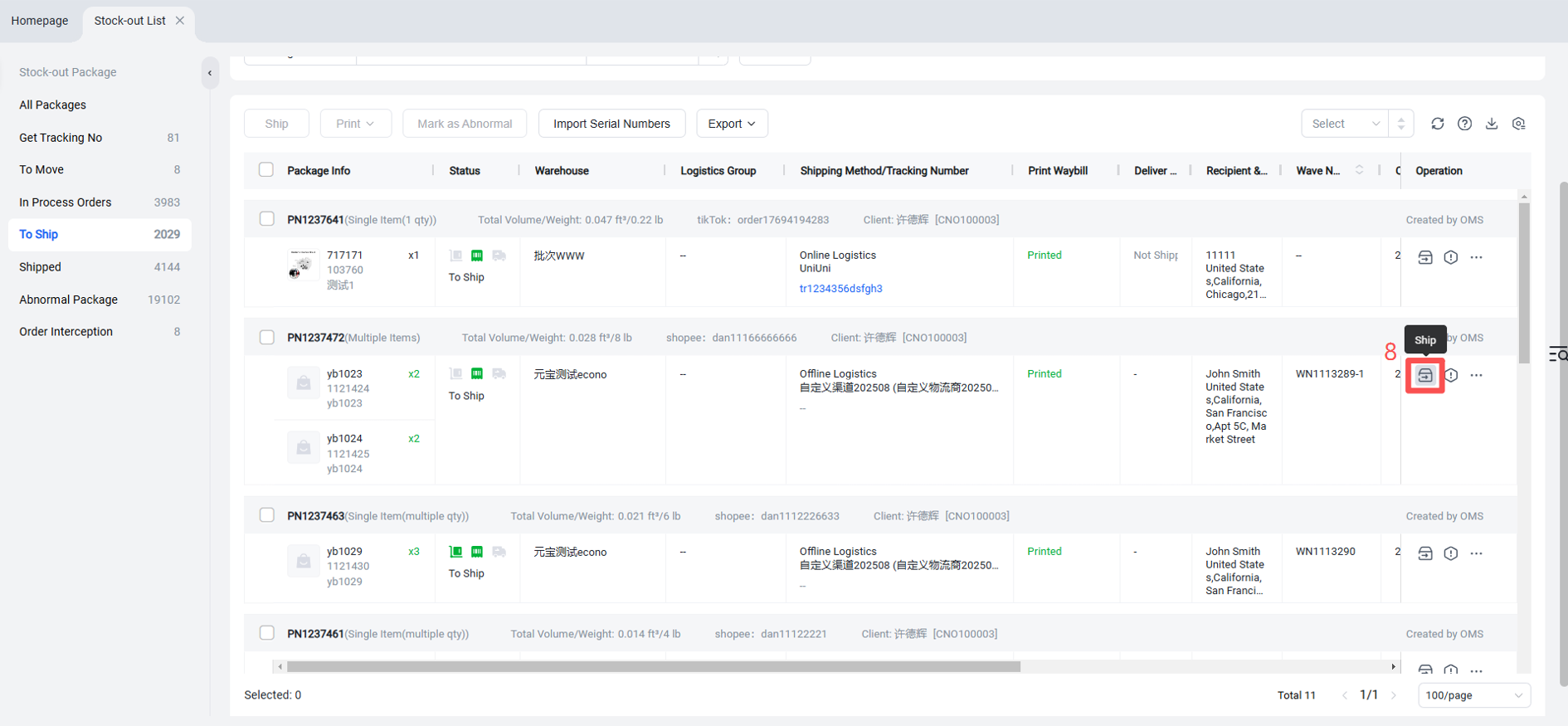
When using a custom logistics channel for shipment, no tracking number is automatically generated. It must be manually uploaded in the "Pending Shipment" section.
II. Operational Path
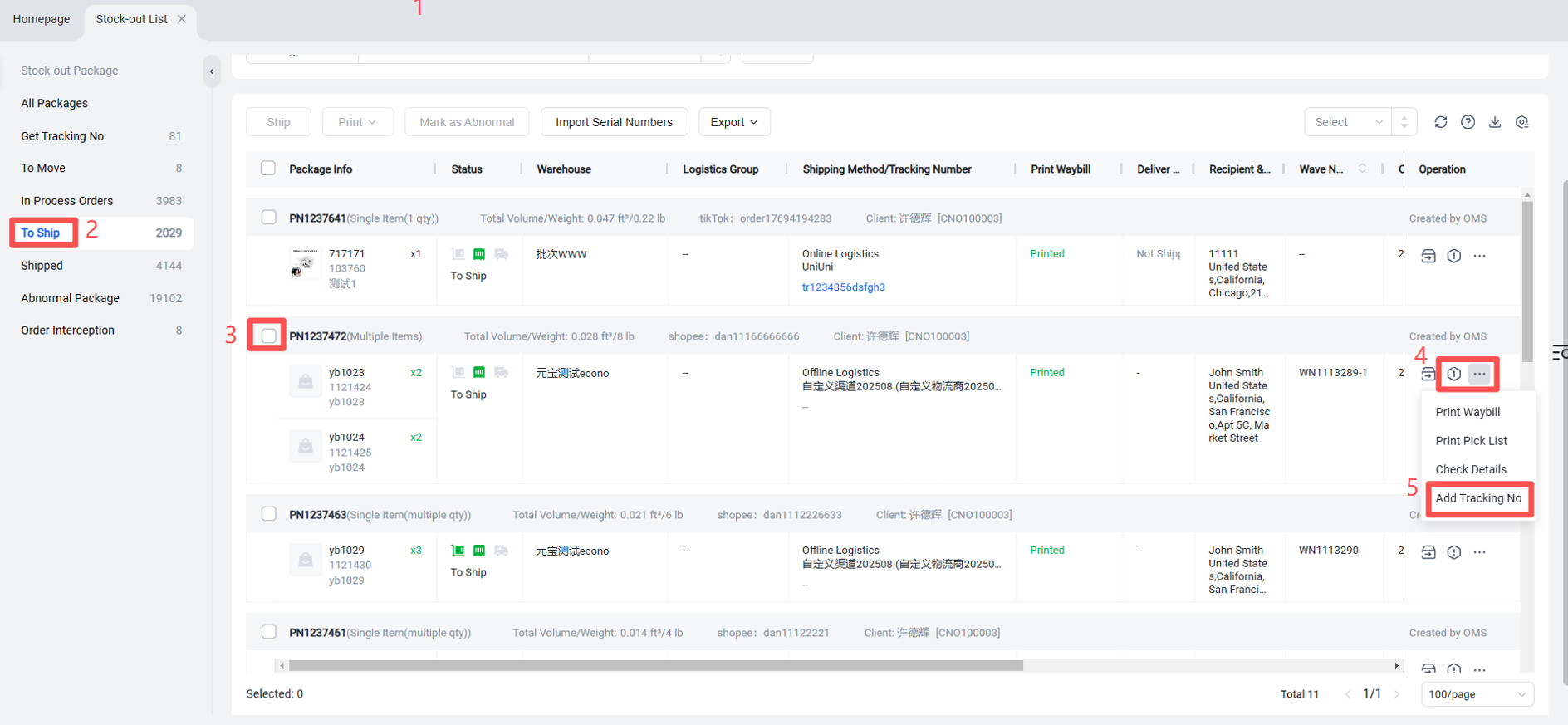
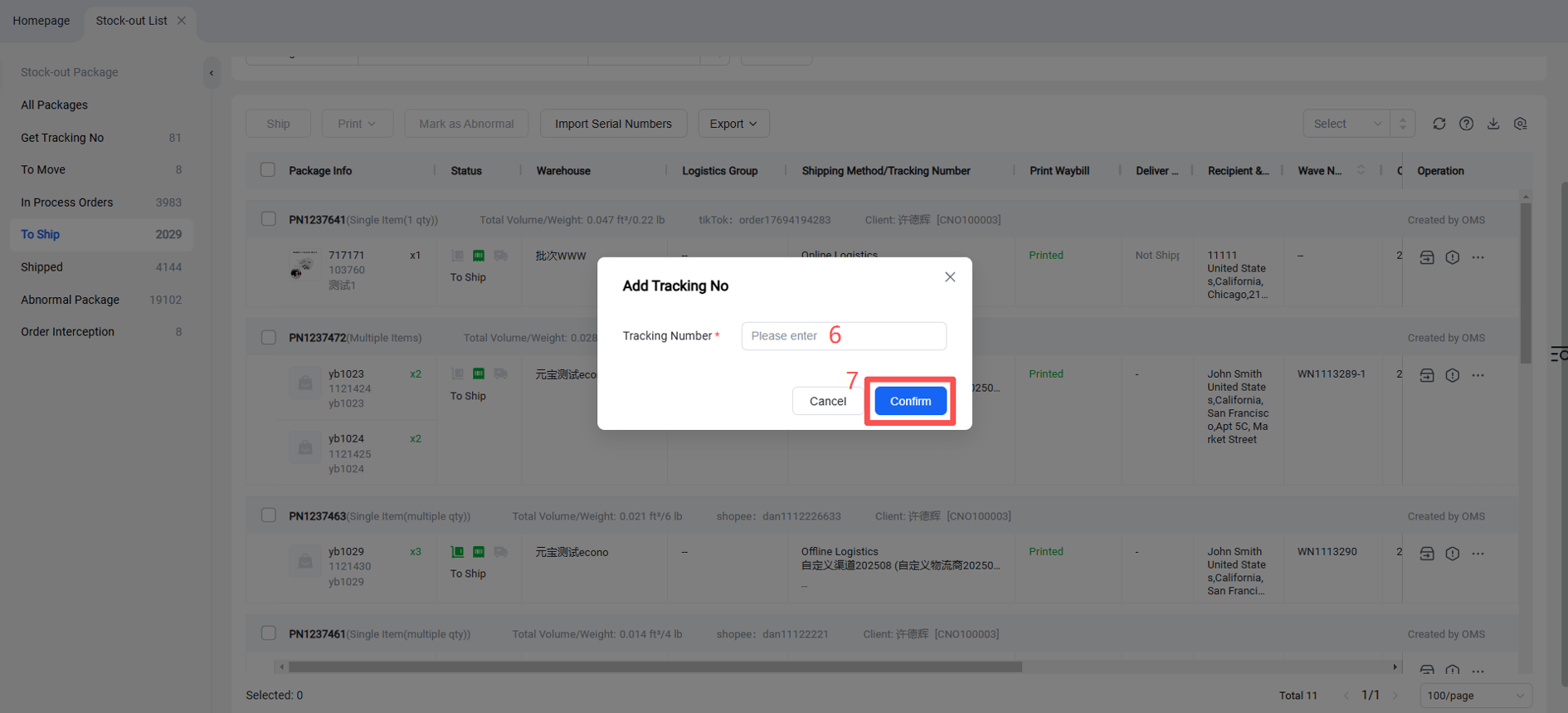
Outbound > Pending Shipment > Add Tracking Number > Enter Tracking Number > Confirm > Then click "Ship".
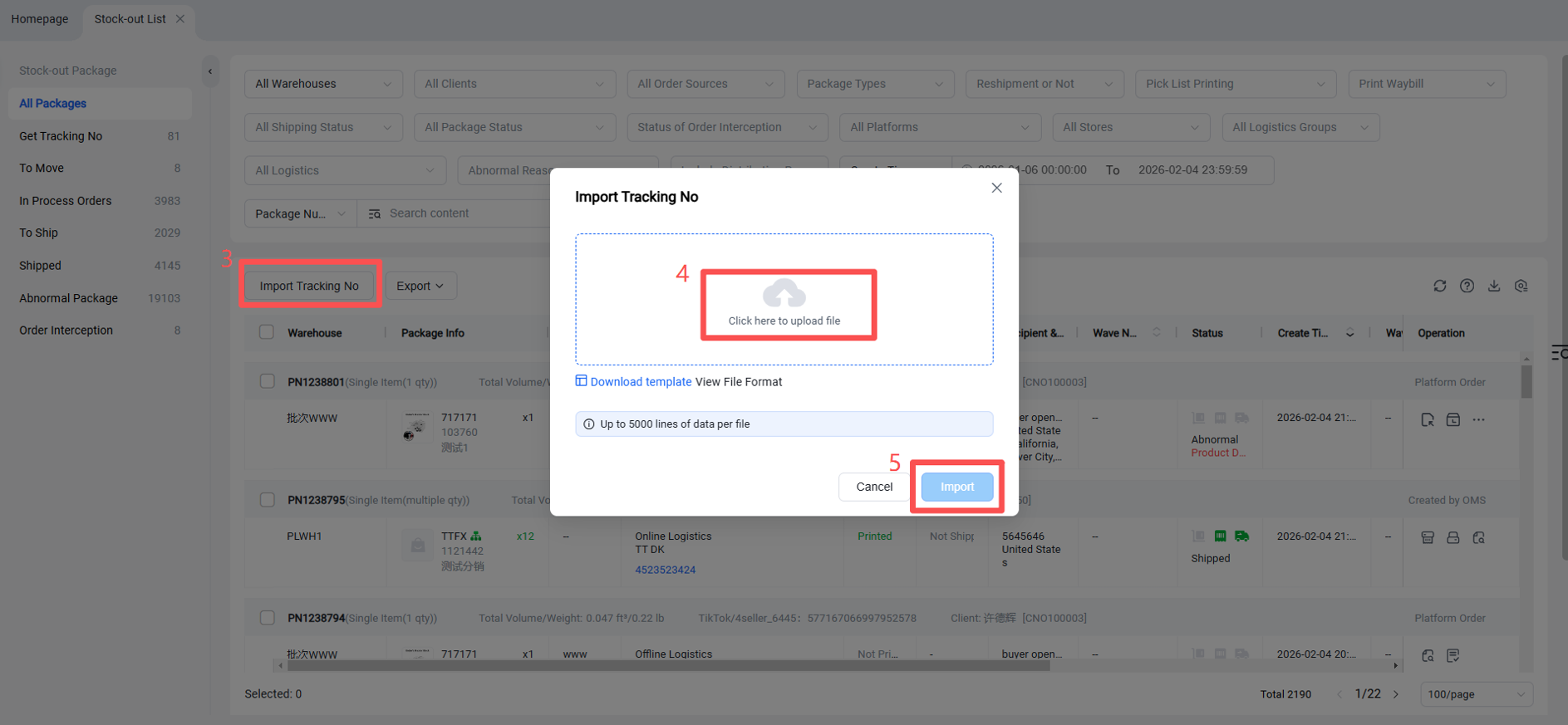
Shipment can also be processed by importing tracking numbers for custom logistics channels.