Warehouse-Side Order Interception Rule Settings
I. Definition
The warehouse needs to implement restrictions on user order cancellations to prevent arbitrary cancellations.
II. Operational Path
Settings > Business Settings > Outbound Settings > Drop Shipping Order Interception Settings
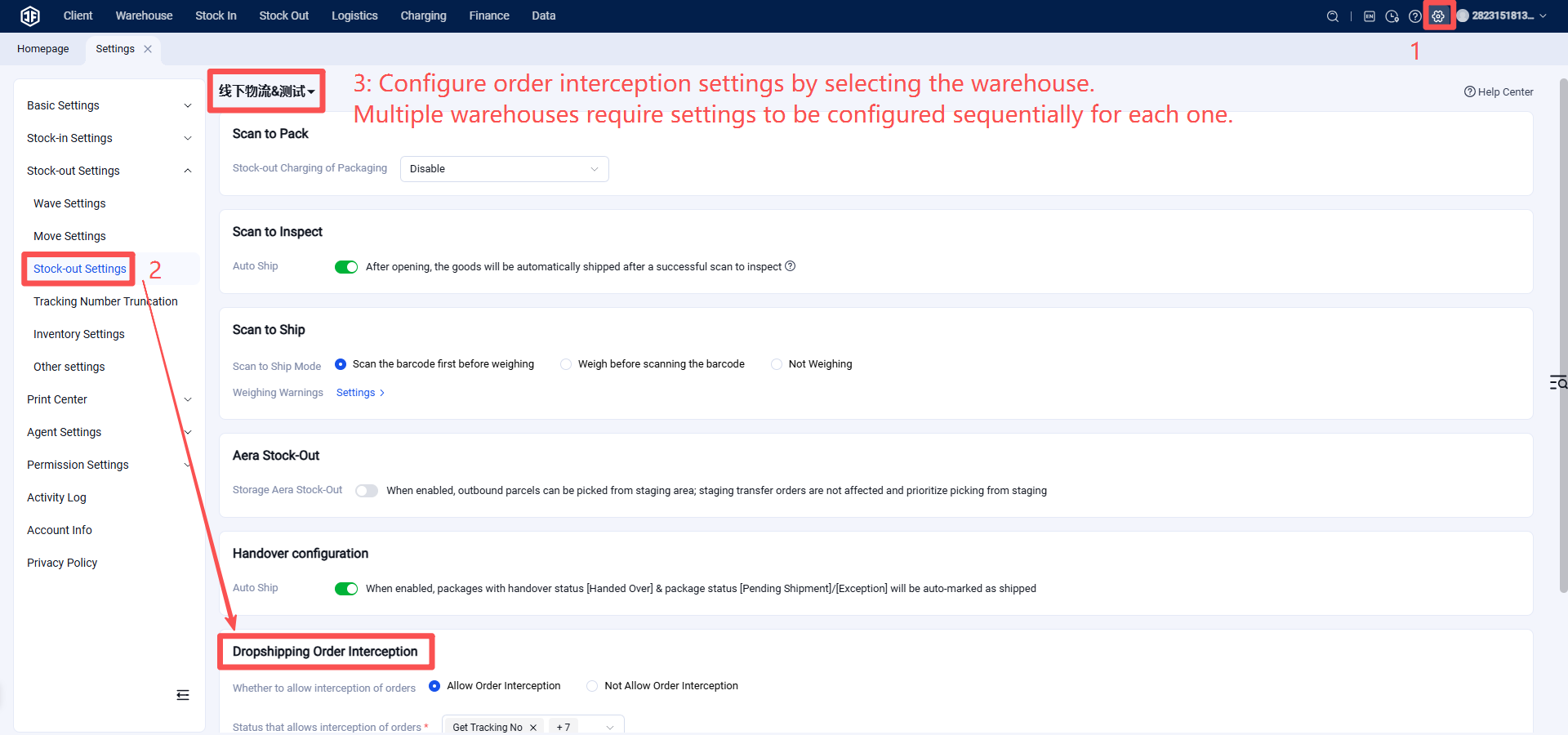
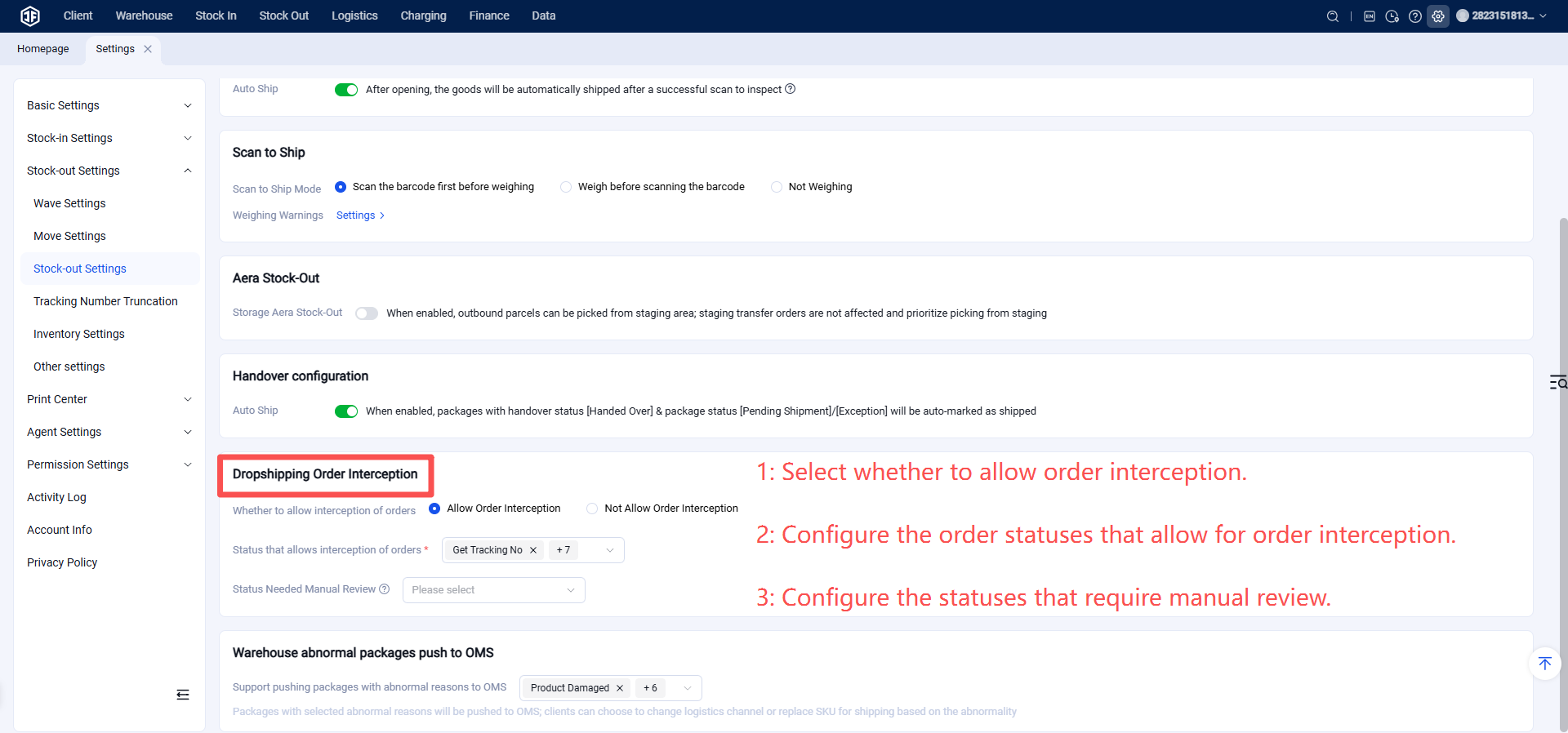
Allow Order Interception?
(1) Allow: Users are permitted to manually cancel orders from the OMS or orders pushed from an ERP to the WMS.
(2) Do Not Allow: Users are not permitted to cancel orders from the OMS or orders pushed from an ERP to the WMS.
Allowed Interception Statuses: Specify which order statuses allow for order interception. Options include: Tracking Number Obtained, Pending Stock Transfer, Pending Generation/Printing, Pending Picking, Pending Packaging, Pending Shipment, Exception.
Manual Review Required?
(1) No Manual Review Required: When a seller/client cancels an order, if the system determines its status is within the allowed interception statuses, the order is automatically canceled.
(2) Manual Review Required: When a seller/client cancels an order, if the system determines its status is within the allowed interception statuses, the cancellation request must be reviewed and approved by warehouse personnel in the "Order Interception" list.
Order Interception Review List Description
Entry Point: Outbound > Order Management > Order Interception
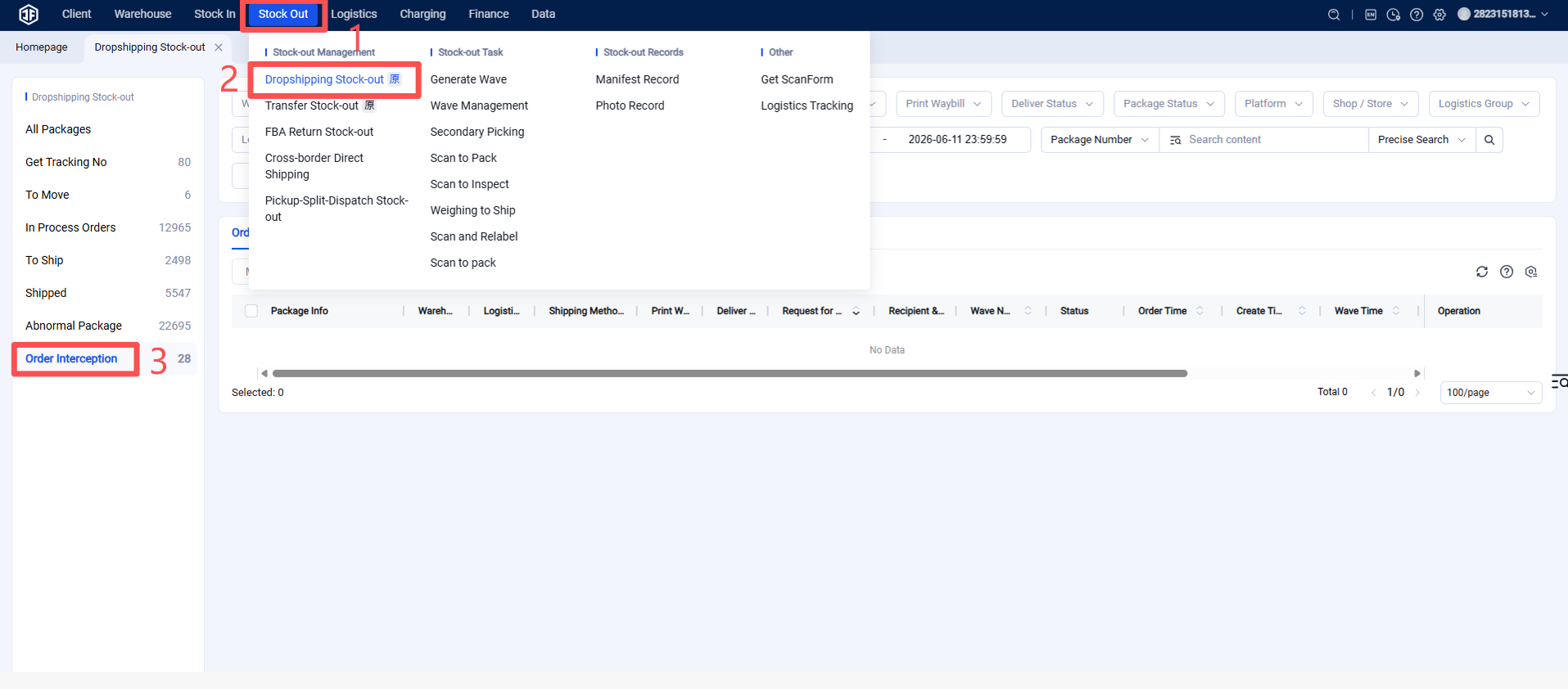
Orders requested for cancellation by seller clients will only appear in the "Pending Interception" list if the setting "Manual Review Required for Order Interception" is enabled.
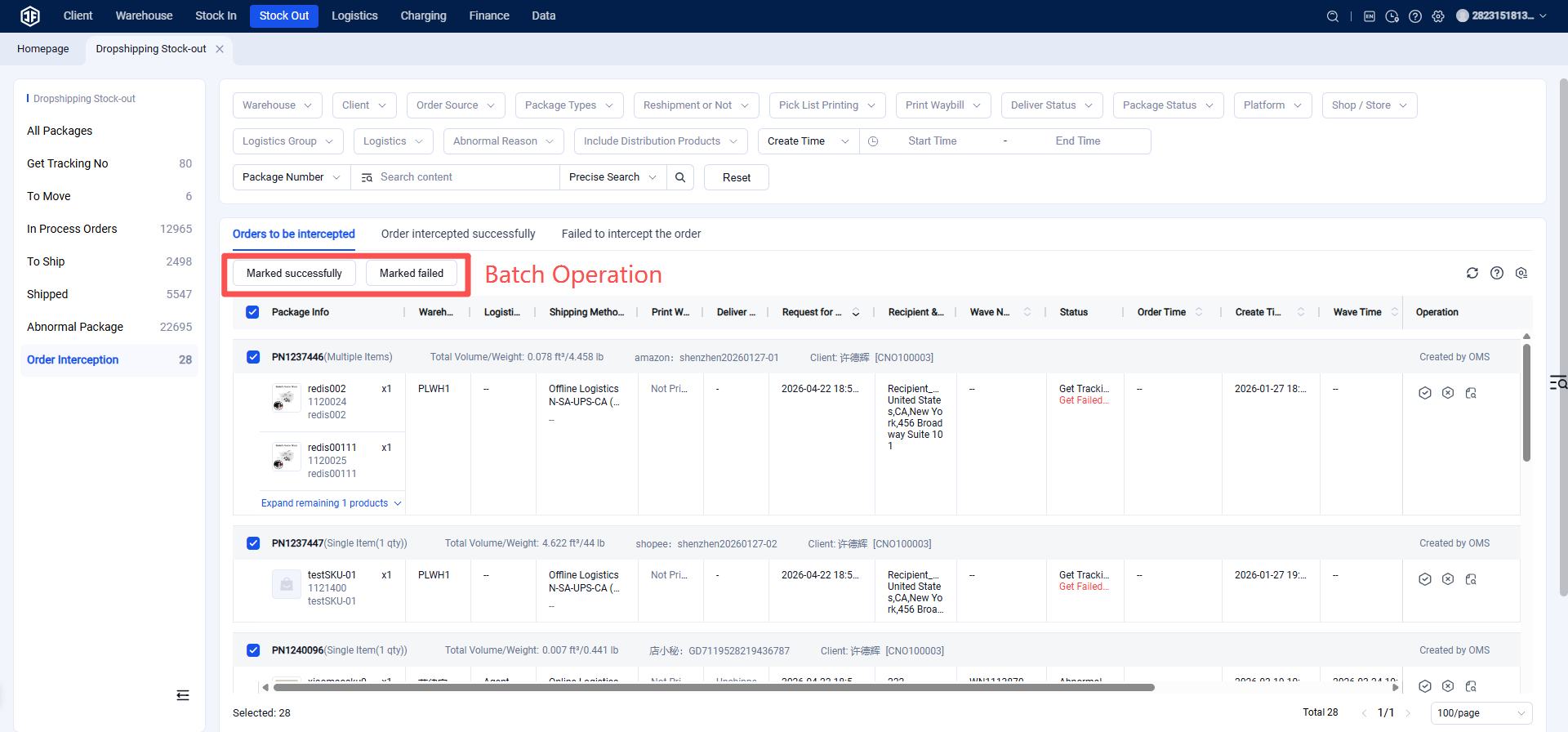
(1) Mark as Successful: Allows the seller client to cancel the order.
(2) Mark as Failed: Does not allow the seller client to cancel the order.