Configure High-Demand Batch SKU Verification
I. Definition
For high-demand item batches, SKU verification is required before shipping labels can be printed to prevent picking and packing errors.
II. Operating Procedure
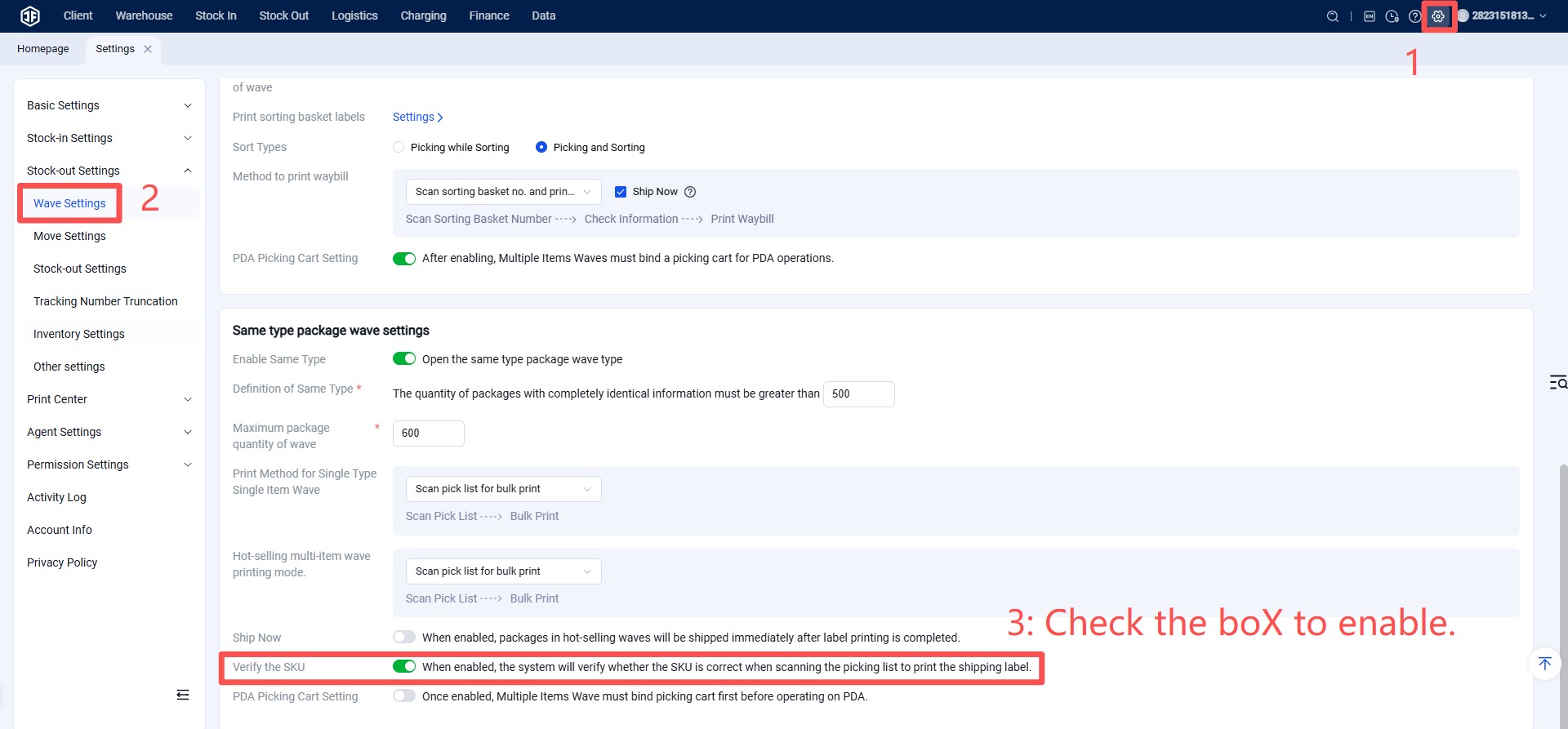
Step 1: Enable SKU Verification for High-Demand Item Batches
Function Entry: Settings > Business Settings > Batch Settings
Step 2: Process High-Demand Item Batches Normally
Operational steps refer to the "Batch Print Shipping Labels for High-Demand Item Batches" procedure.
After enabling SKU verification, an SKU verification pop-up will appear upon entering the Scan-to-Pack stage. You must verify the SKUs for a single package within the batch. Printing shipping labels is only allowed after successful verification. (Note: Picking must be completed before proceeding to Scan-to-Pack for label printing.)
Important Note: For a high-demand item batch, regardless of the number of packages, you only need to verify the SKUs for one package. Once that verification passes, you can print shipping labels for all packages within that batch.
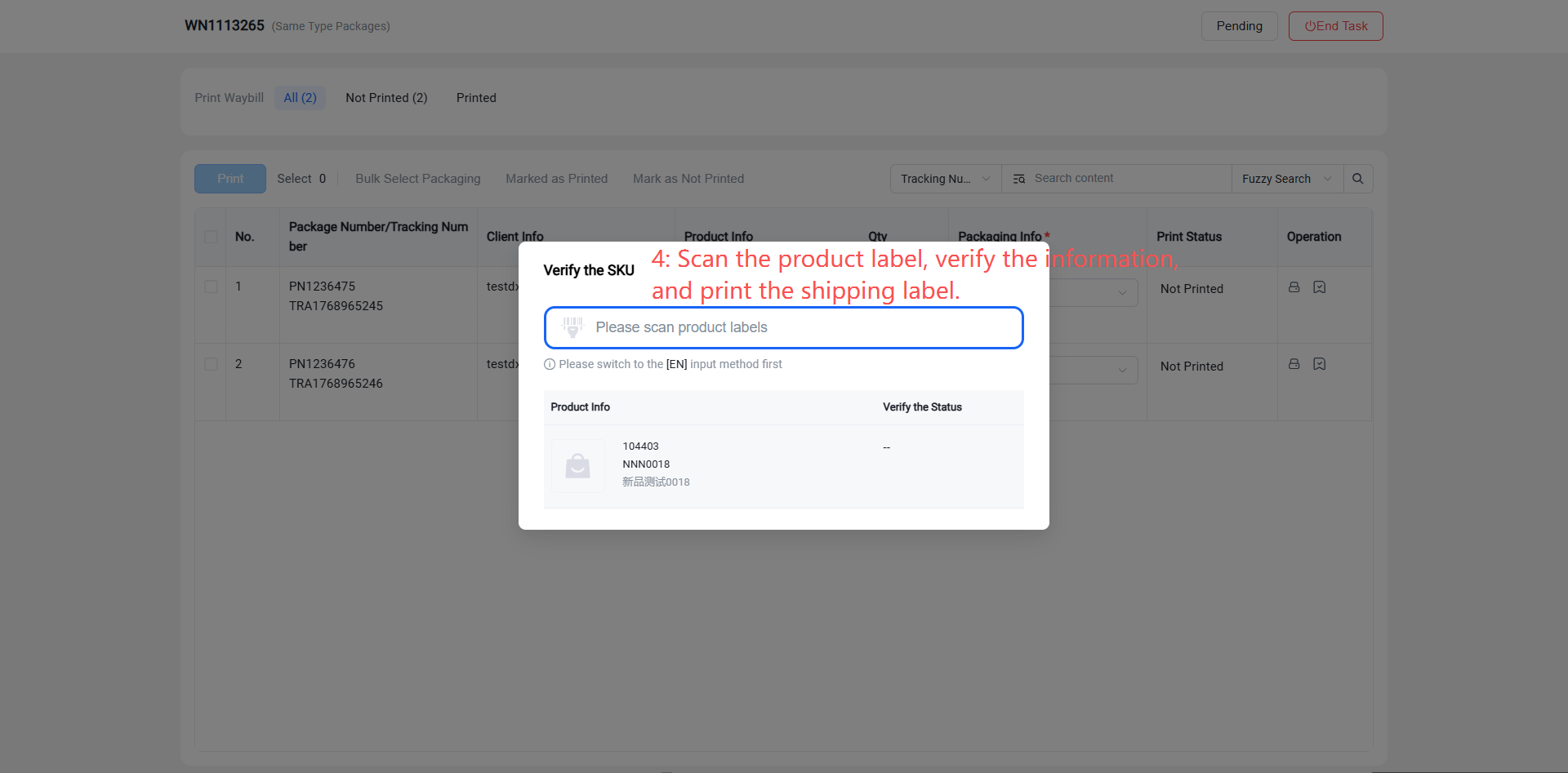
Scan the product labels for verification. Once verification passes, shipping labels can be printed in batch.