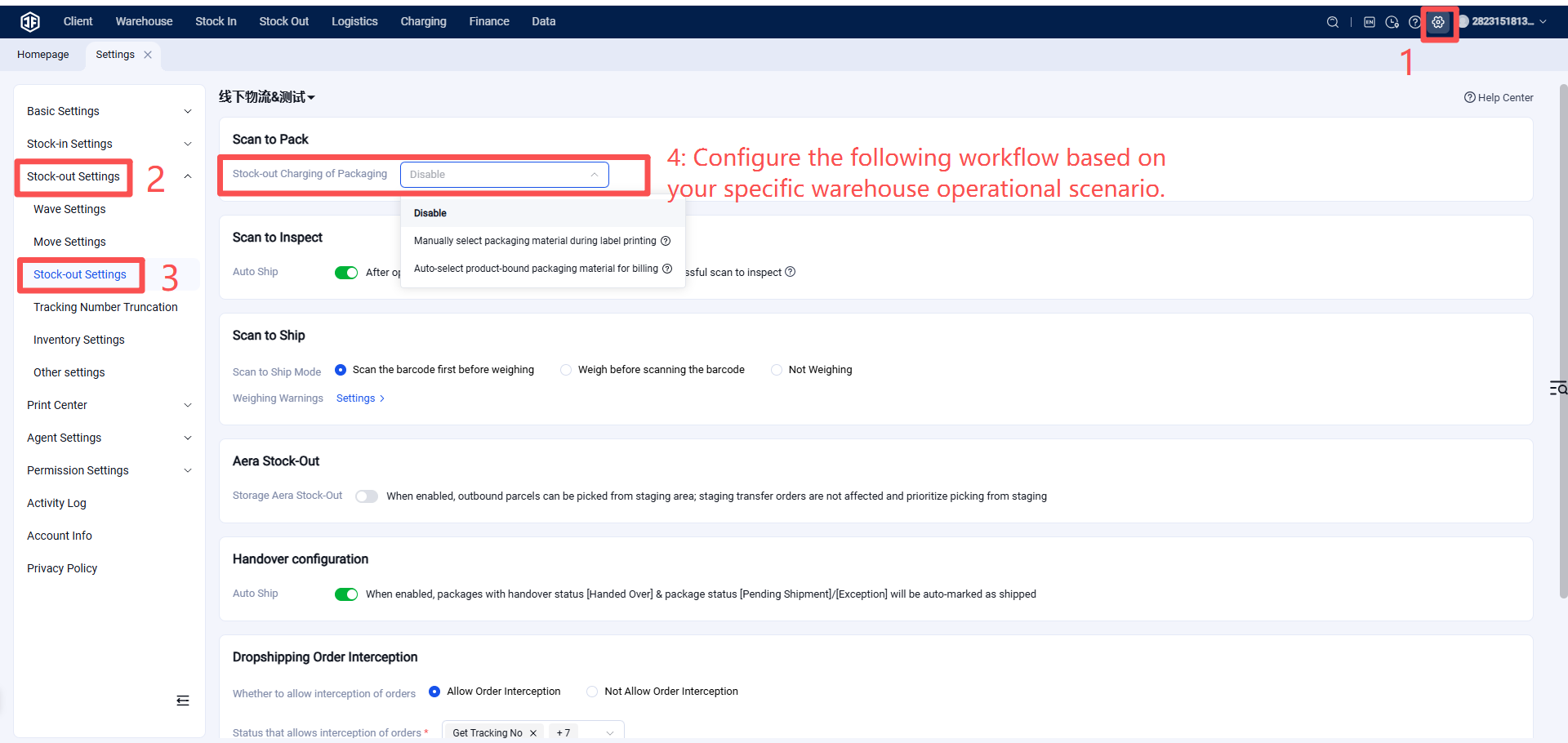
Outbound Process Configuration
I. Definition
During the warehouse packing and shipping process, the following scenarios require configuring the outbound workflow based on specific operational needs:
If tracking and charging for packaging material usage is required, enable Scan-to-Pack.
If automatic order status update to "Shipped" upon scanning is needed, configure Auto-Ship.
If both scanning and weighing are required, select the sequence: Scan Barcode First, Then Weigh or Weigh First, Then Scan Barcode.
If items are unavailable in the primary picking area, enable Allow Picking and Outbound from Storage/Backup Area.
To allow sellers to cancel orders during picking, packing, or shipping, configure settings like Allow Order Interception.
II. Operational Path
Settings > Business Settings > Outbound Settings