Packaging Material Billing Configuration at Outbound
I. Definition
If the warehouse needs to charge clients for packaging materials upon product outbound, it is first necessary to enable "Packaging Material Outbound Billing" and configure the packaging material fees. This allows for scanning packaging materials to apply charges during the outbound process.
II. Operational Path
Step 1: Enable Packaging Material Outbound Billing
Settings > Business Settings > Outbound Settings > Enable Packaging Material Outbound Billing
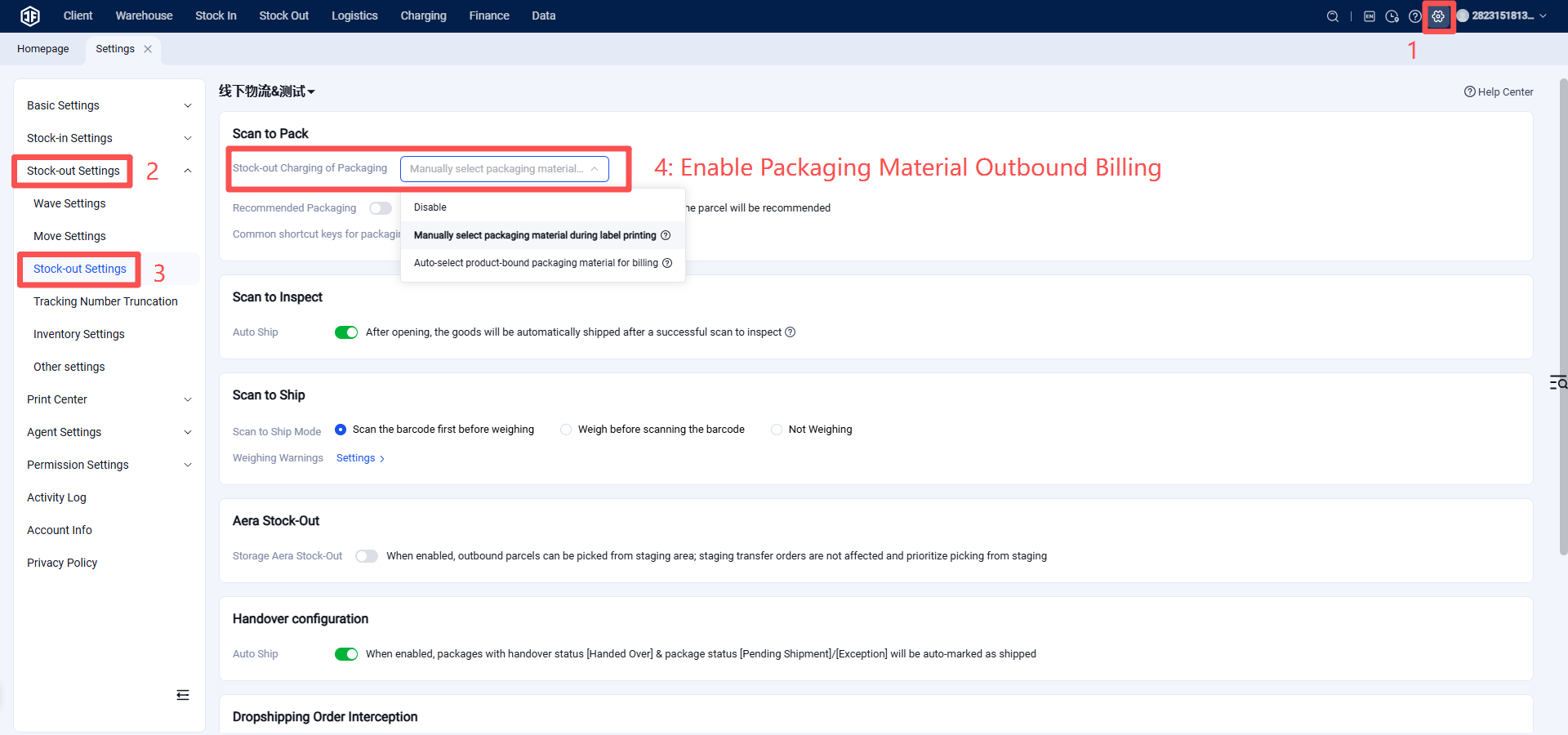
Step 2: Configure Packaging Material Fees
Products > Packaging Materials > Click "Create New Packaging Material"
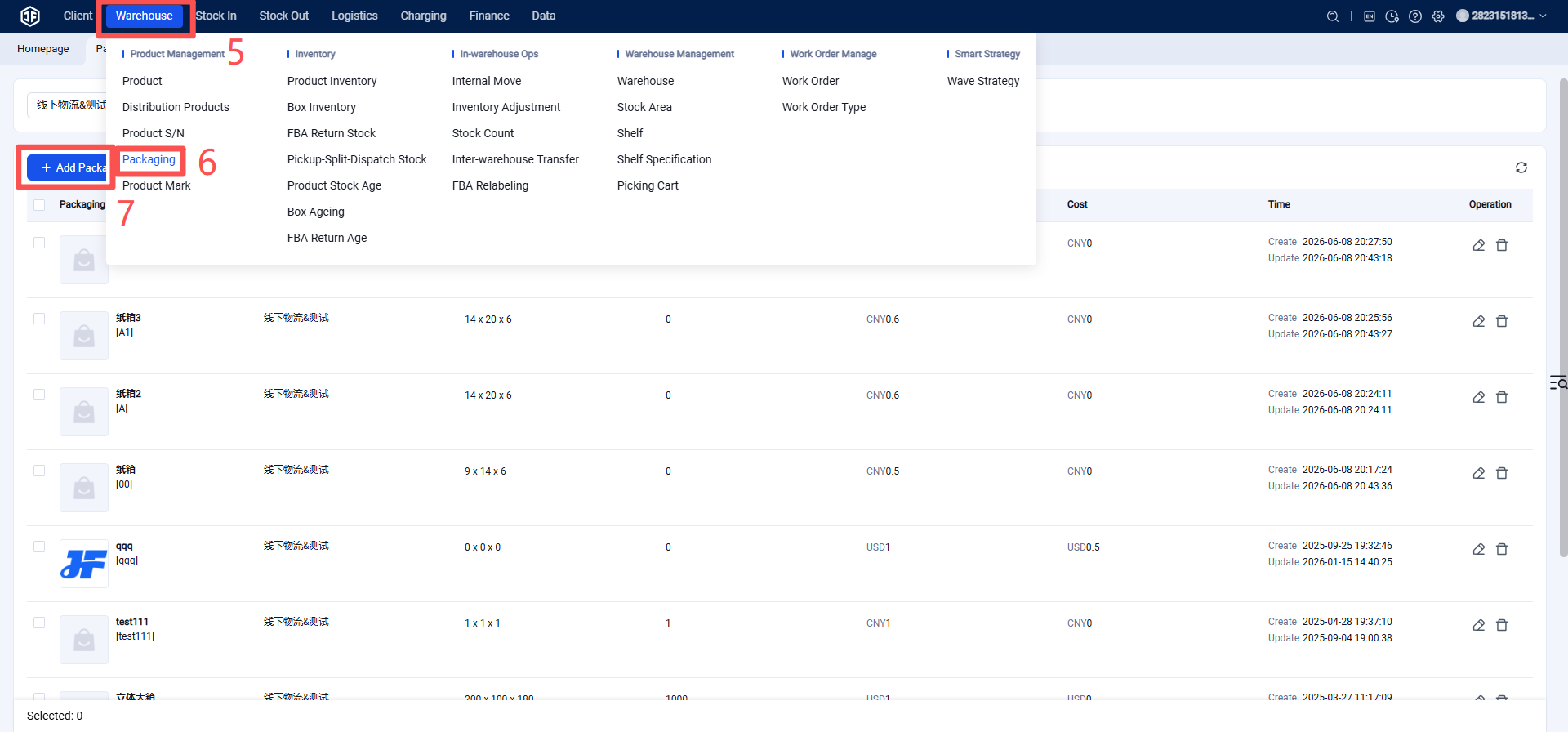
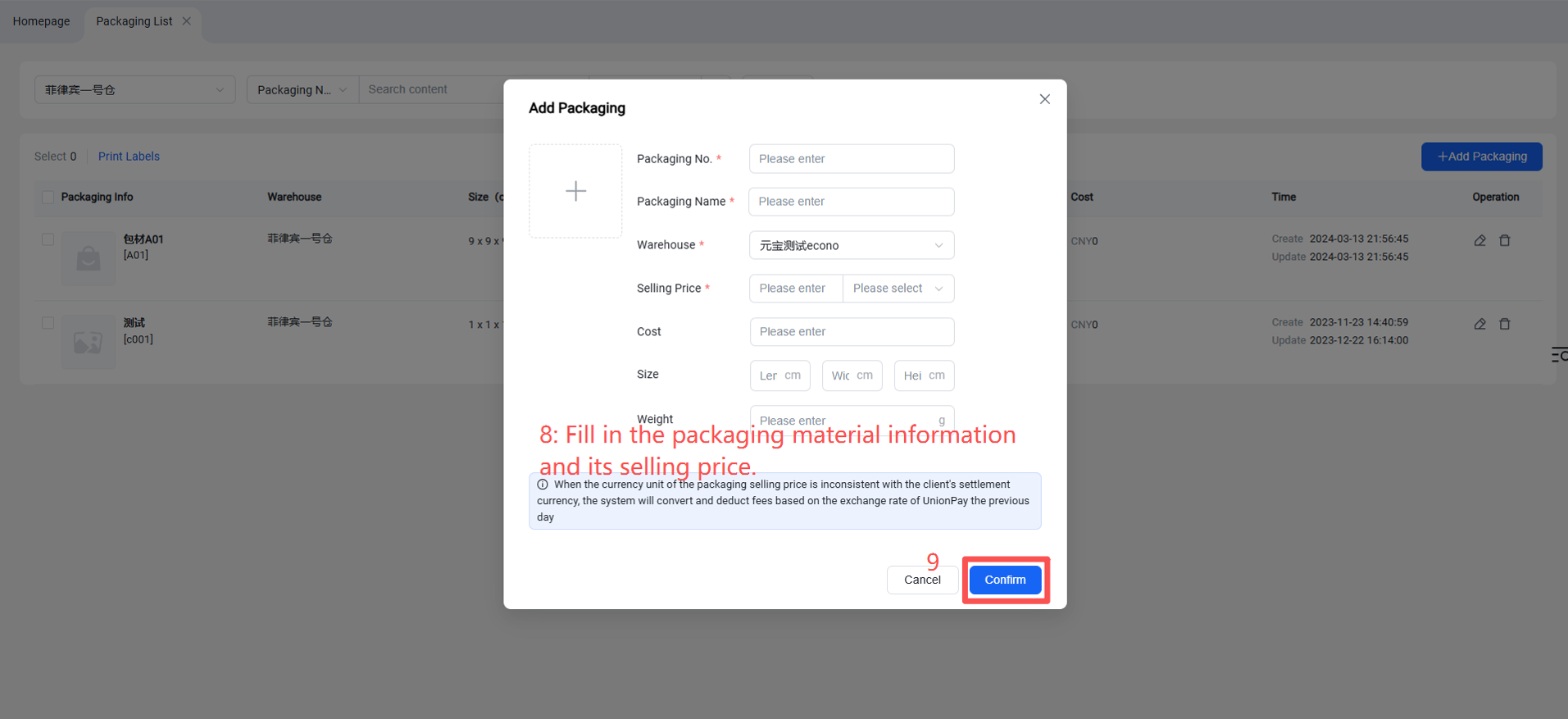
Packaging Material Code: The unique ID for the packaging material, used to generate its barcode.
Packaging Material Name
Warehouse: The specific warehouse where the packaging material is located (single selection). If the same packaging material exists in multiple warehouses, multiple entries must be created.
Sale Price & Currency Unit: The amount charged to the client's account when an order is associated with this packaging material. Note: If the currency unit set for the packaging material differs from the client's settlement currency, conversion will occur based on the previous day's UnionPay exchange rate. Therefore, it is recommended that warehouses serving clients with different settlement currencies create a separate set of packaging materials for each currency unit.
Dimensions & Weight: Specifications of the packaging material.