Batch Shipment > Single-Item, Multiple-Quantity Order Processing and Shipping
I. Applicable Scenario
This process is designed for handling single-item single-quantity and single-item multiple-quantity packages separately. After gathering all required items based on the picking list, simply scanning the SKU will automatically match it to the corresponding order, generate the shipping label, and complete the outbound process.
II. Operation Path
Step 1: Single-Item Batch Settings
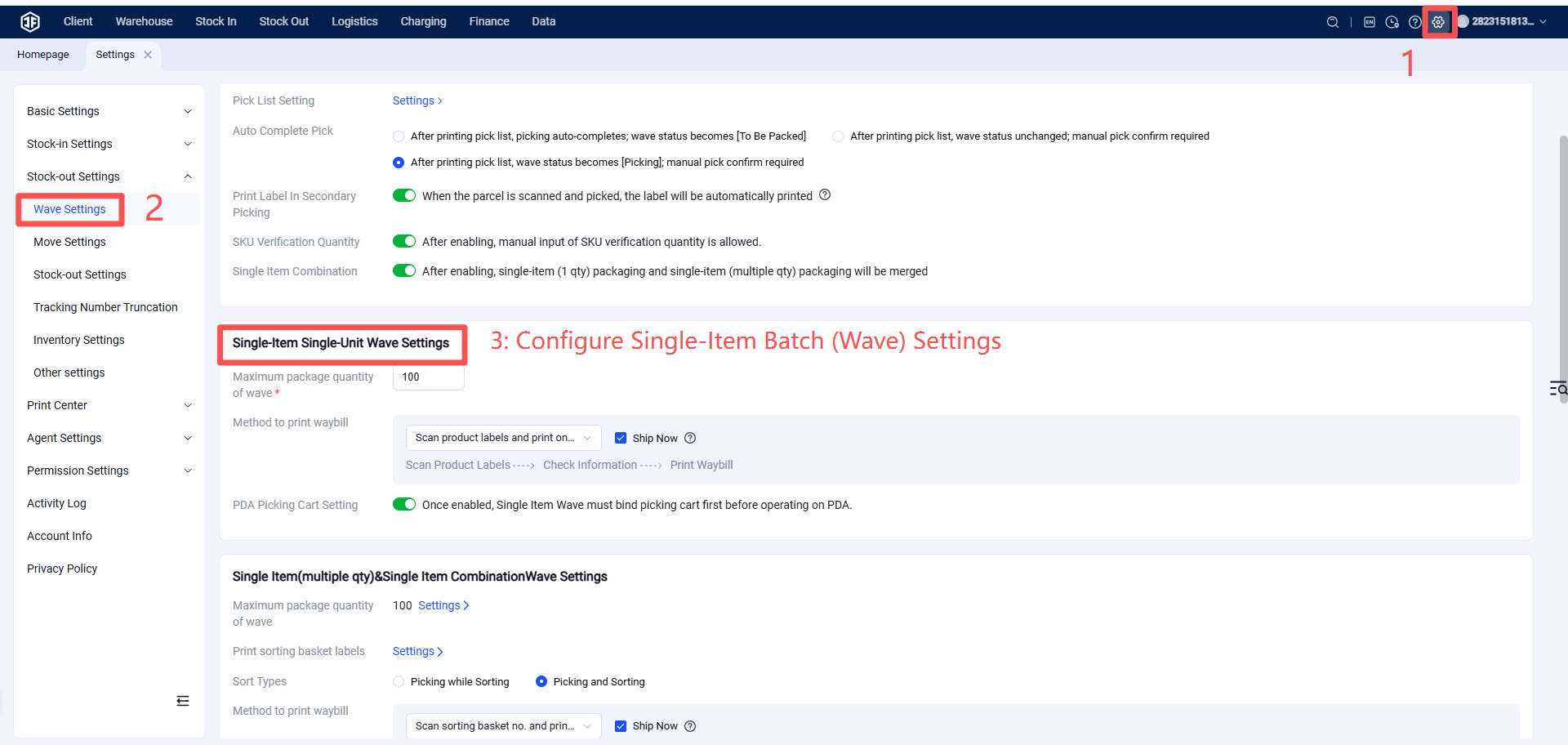
Step 2: Batch Configuration and Generation
Reference: https://help.jfwms.com/zh_CN/doc-article/1003000610-
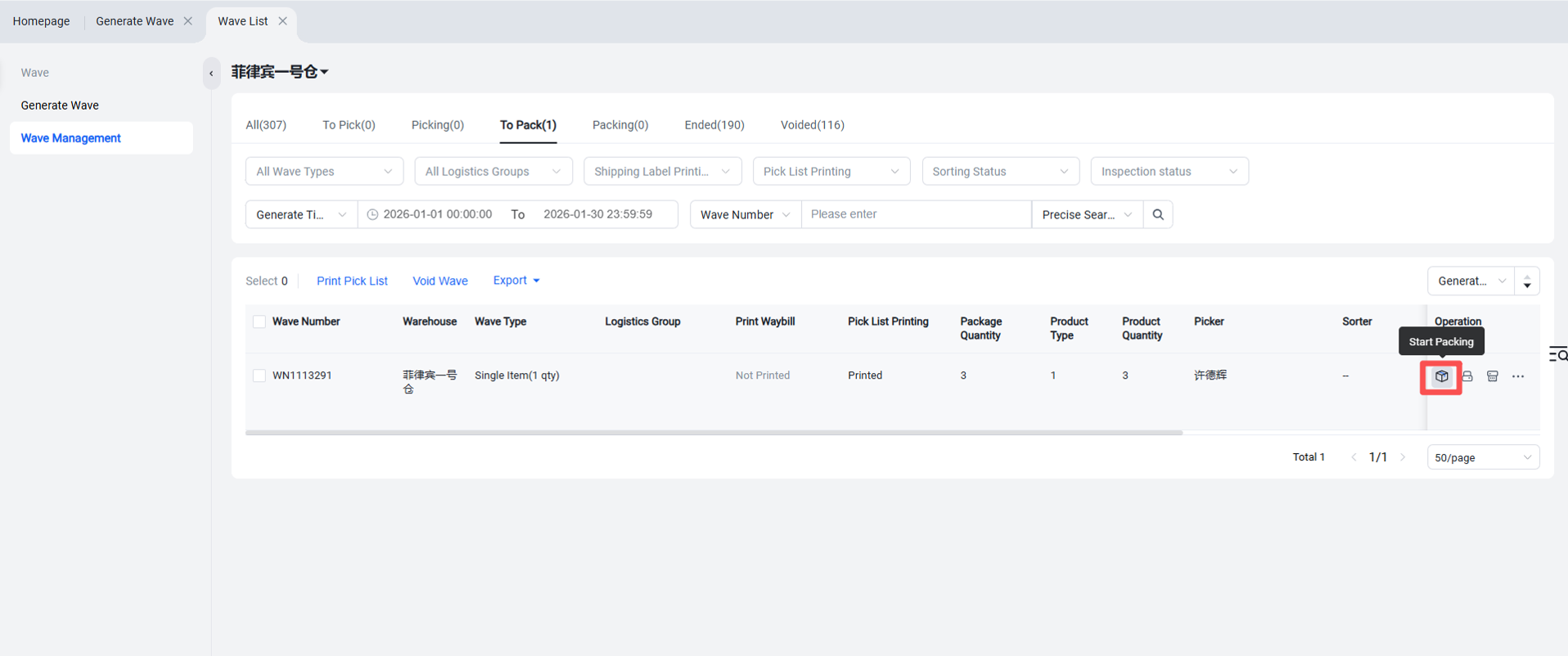
Step 3: Initiate Packing
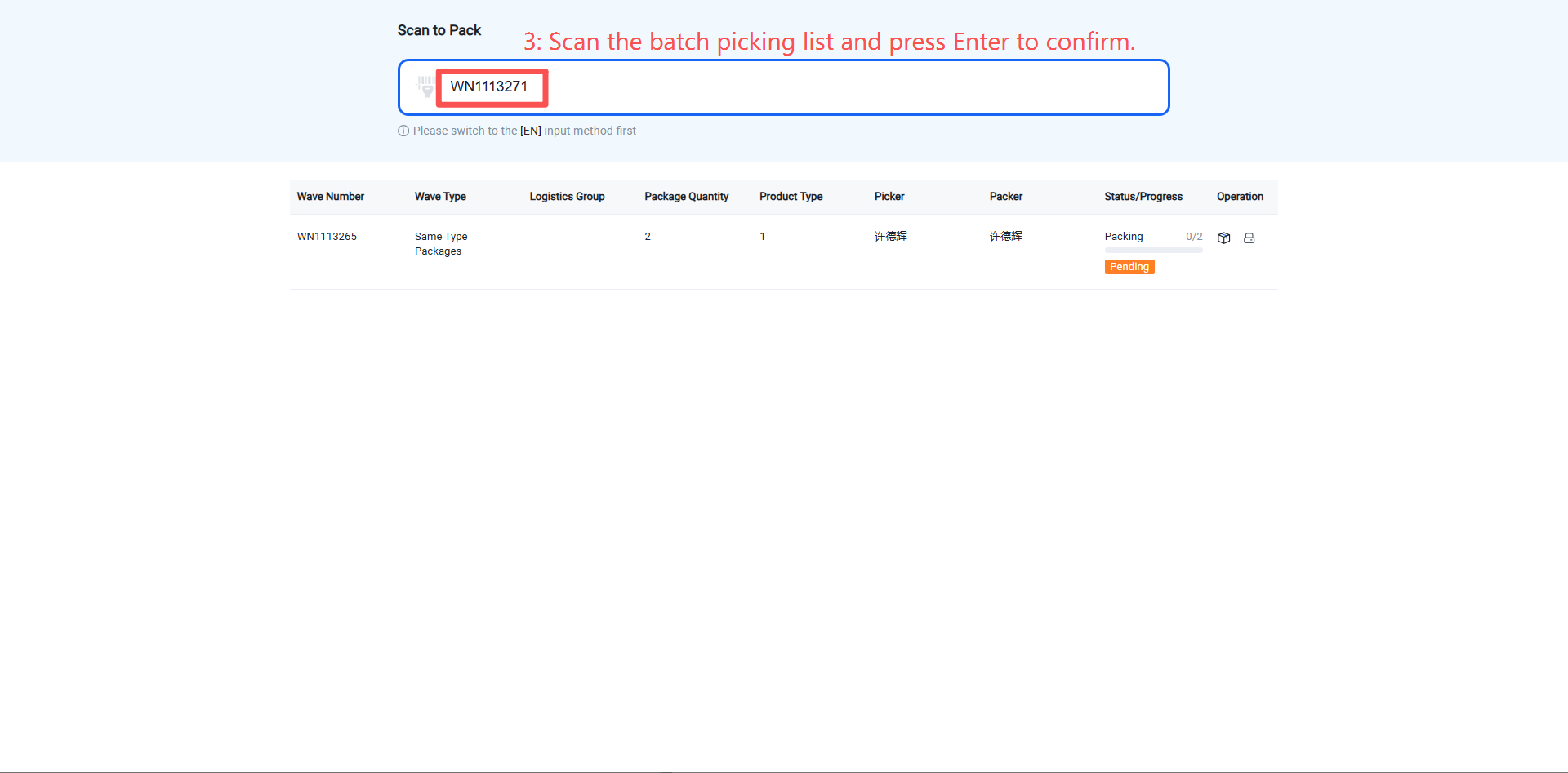
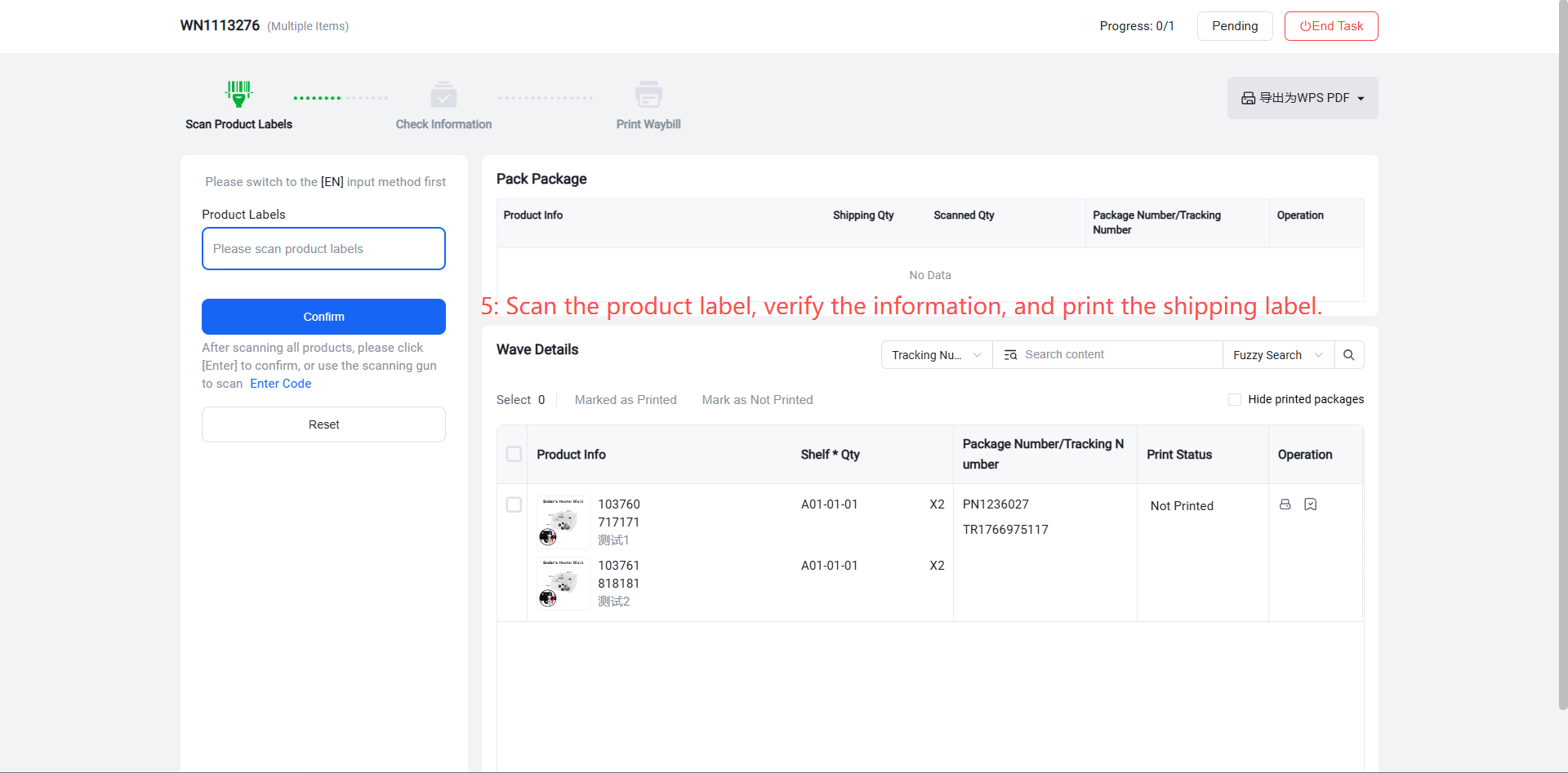
After the picking staff completes the sorting task for a batch, they proceed to the packing stage to print shipping labels. Options include scanning individual product labels to print labels one by one or printing labels in batch.
or Scan to Pack