PDA Picking Cart Configuration: Picking with a PDA Picking Cart
I. Definition
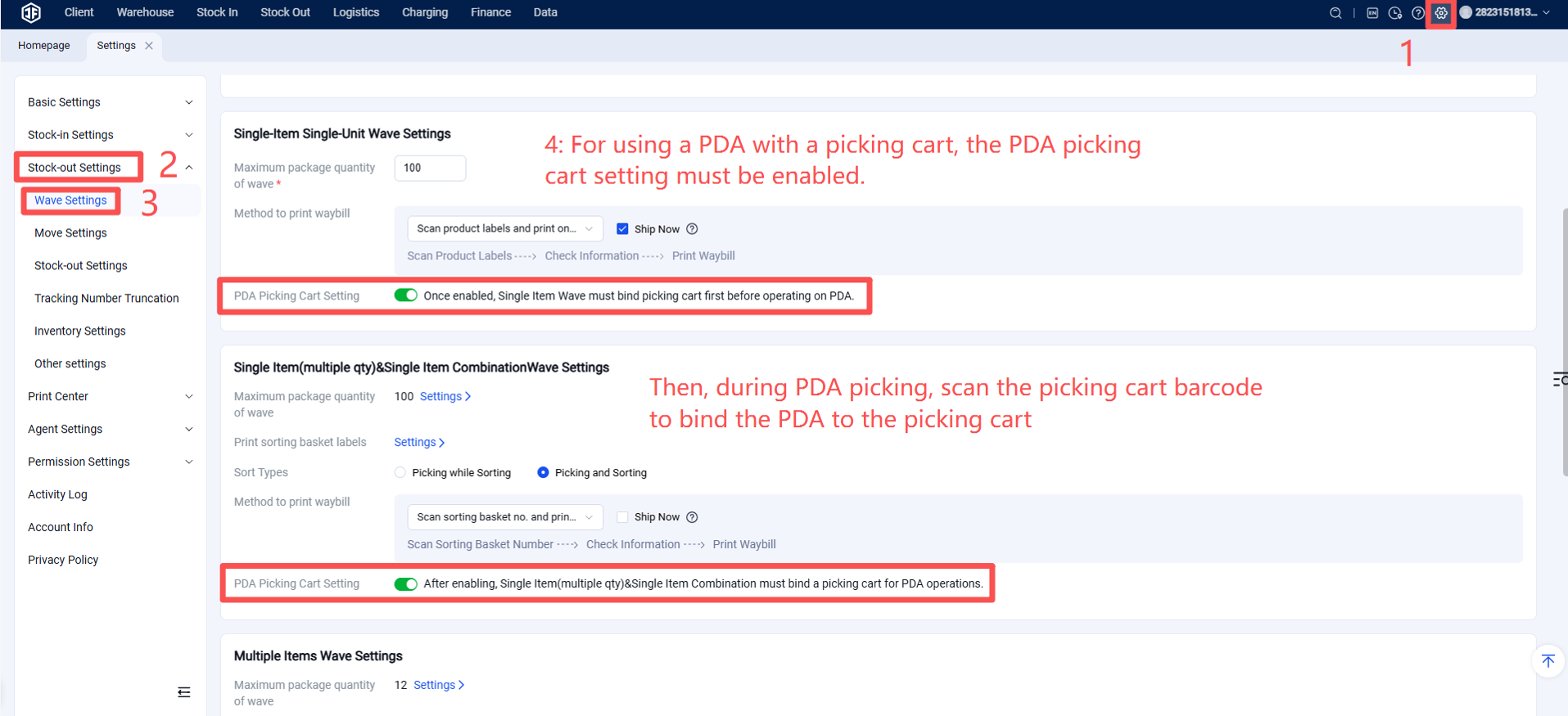
When using a PDA picking cart for operations, the picking cart must be bound before PDA tasks can begin.
II. Operational Path:
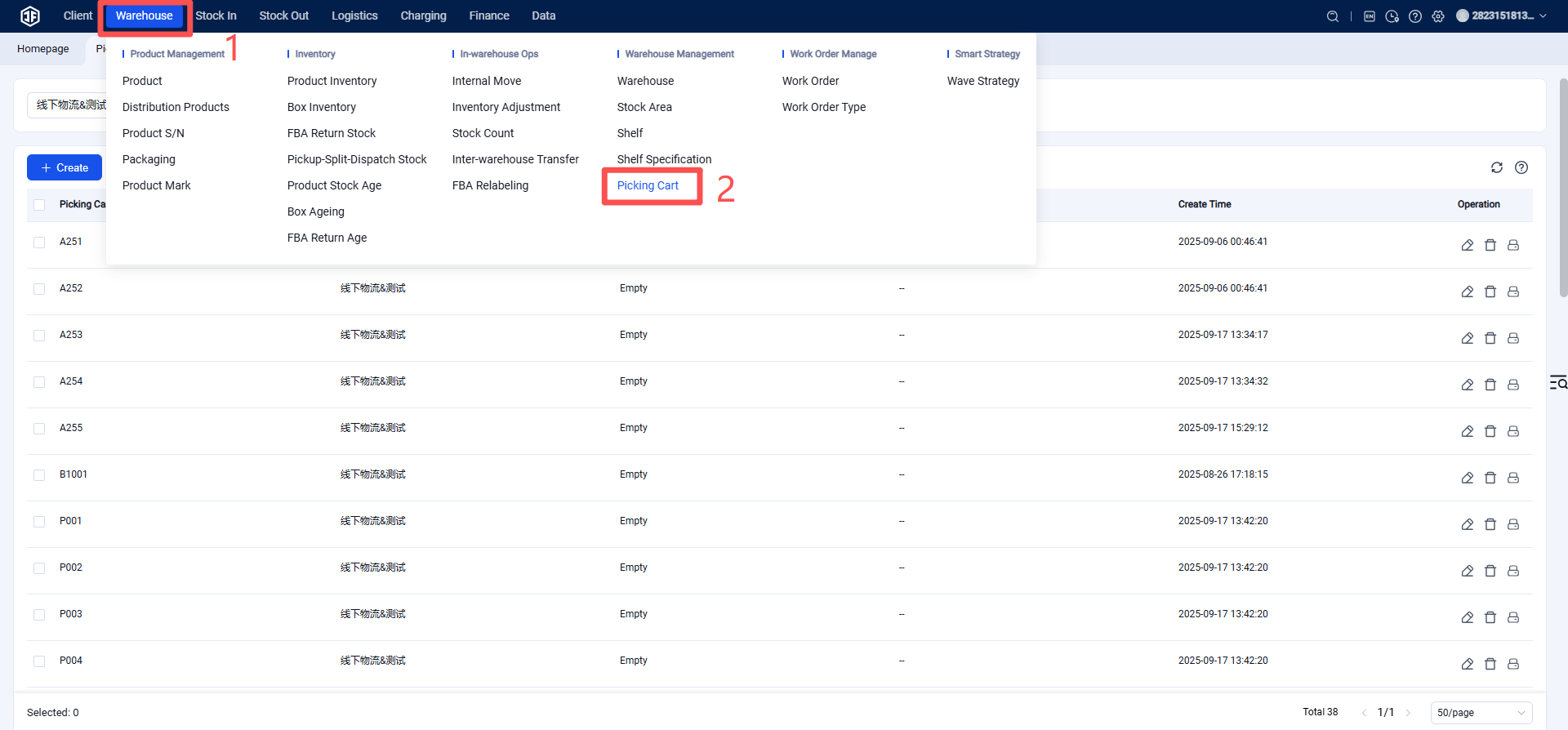
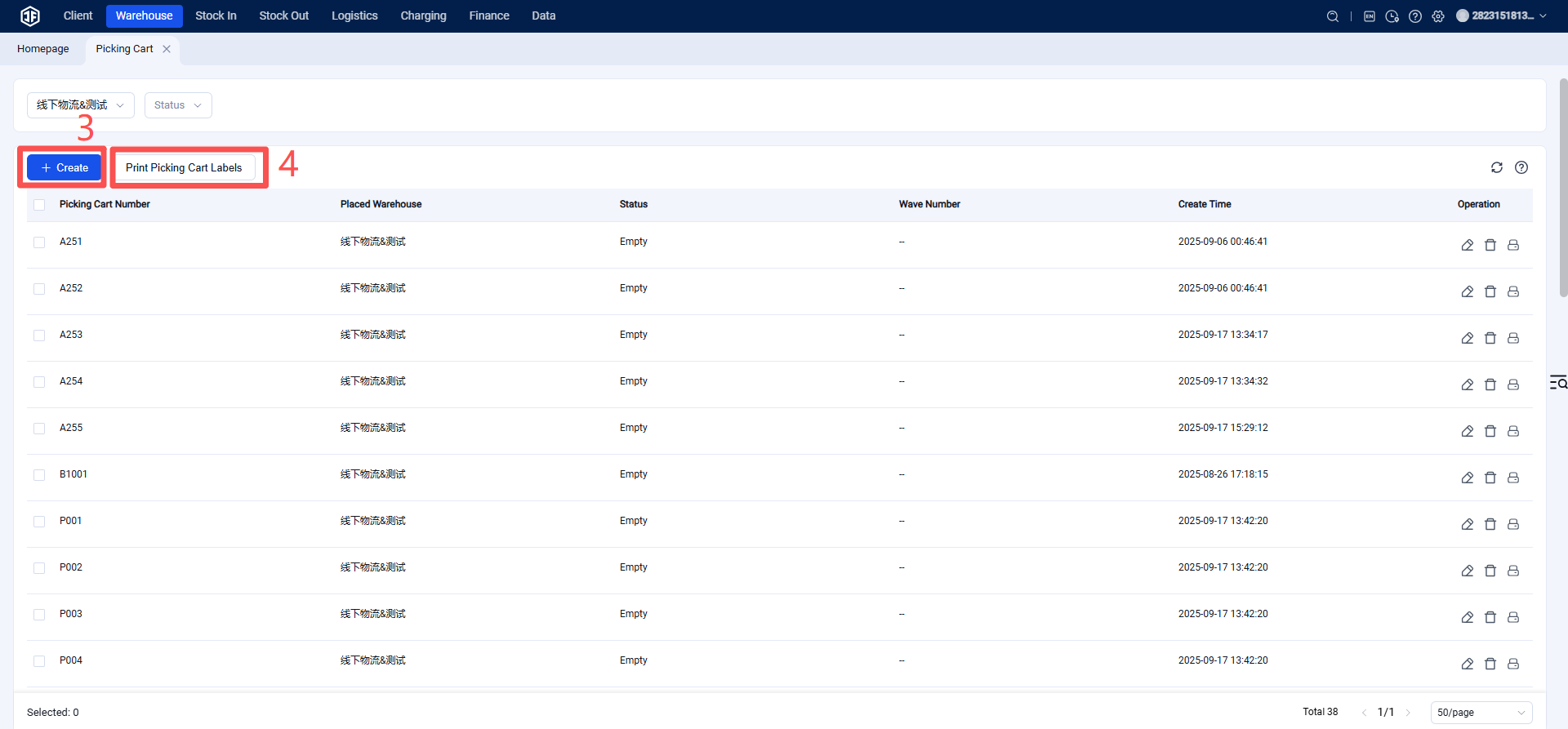
Step 1: Picking Cart Management
Create Picking Cart and Print Barcode: First, create the picking cart within the system and print its barcode. Affix this barcode to the picking cart. Each picking cart must have a unique code; duplication is not allowed.
Step 2: Wave Configuration, Enable PDA Picking Settings
Step 3: PDA Binds to Picking Cart
The picker selects the wave task on the PDA and then binds it to a picking cart. This can be done by scanning the QR code on the cart or manually entering the cart ID.
Once the PDA is bound, picking can begin: The PDA will display the SKUs, quantities, and shelf locations of the items to be picked. Follow the prompts to pick items in sequence until all are completed.
Complete Picking Task: After picking is finished, the PDA marks the task as complete, and the process can then proceed to packing and shipping.