Create Picking Cart and Print Labels
Updated on 10 Jun,2026
Copy Link
I. Definition
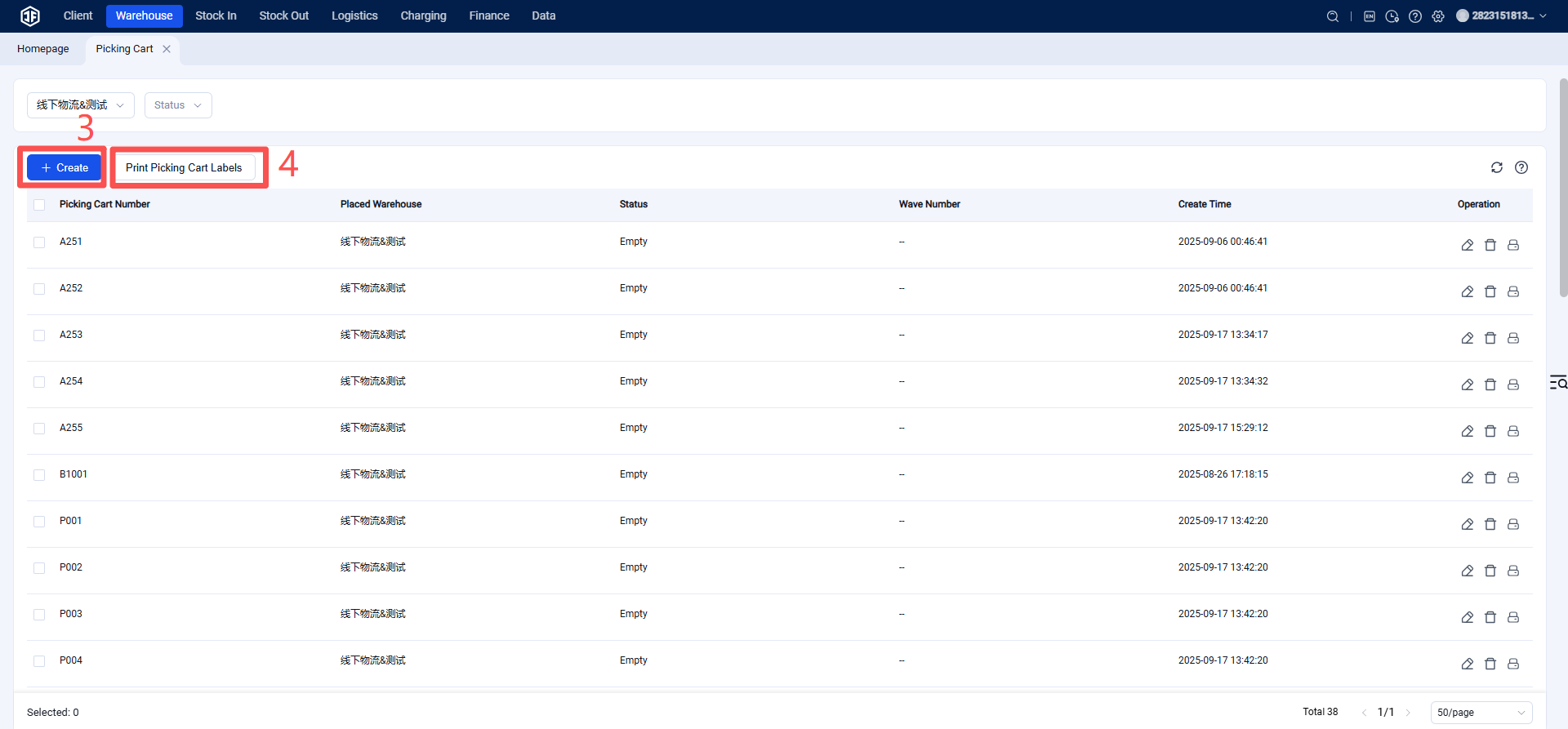
For PDA-based picking that involves binding to a picking cart, you need to set up the picking cart and print a label to affix to it, facilitating scanning.
II. Operational Path
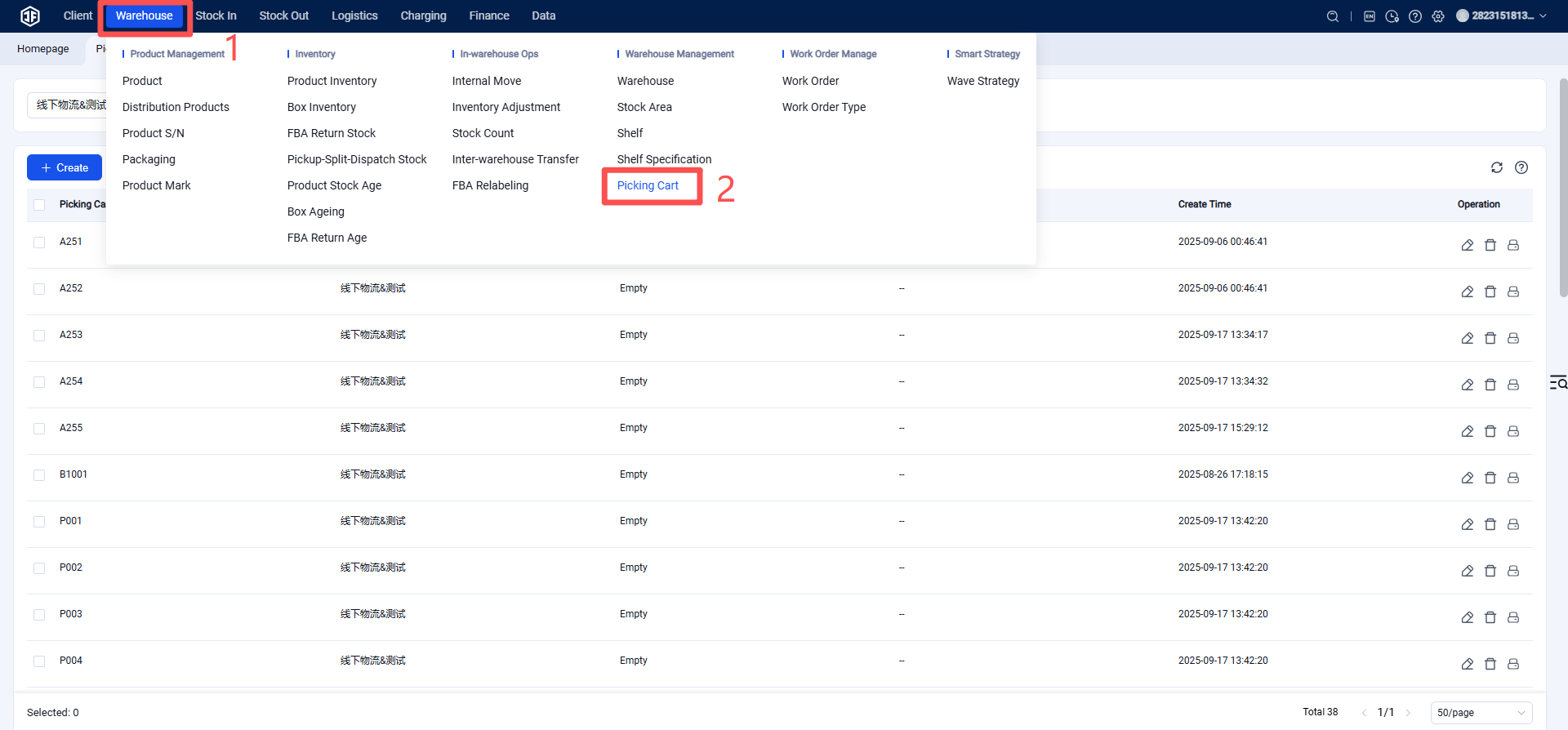
Settings > Picking Cart Management > Create. After creation, the picking cart label can be printed and attached to the cart for convenient scanning.