PDA Picking
I. Definition
Log into the PDA to perform scan-based picking, enabling paperless operations.
II. Operational Path
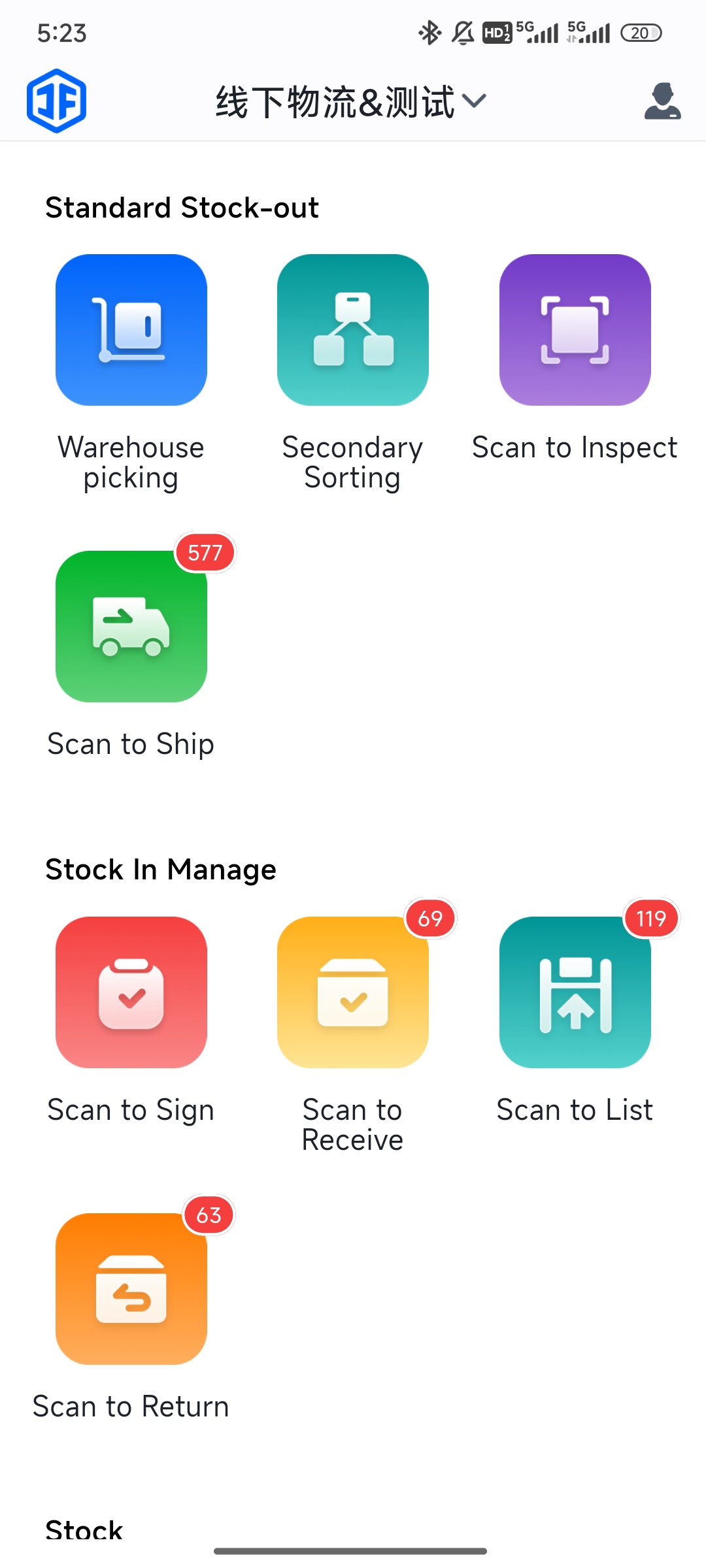
Log into PDA > Warehouse Picking > Select the picking wave (generated by WMS) > The system displays the SKUs and their locations to be picked for this wave > Pick items according to the system prompts.
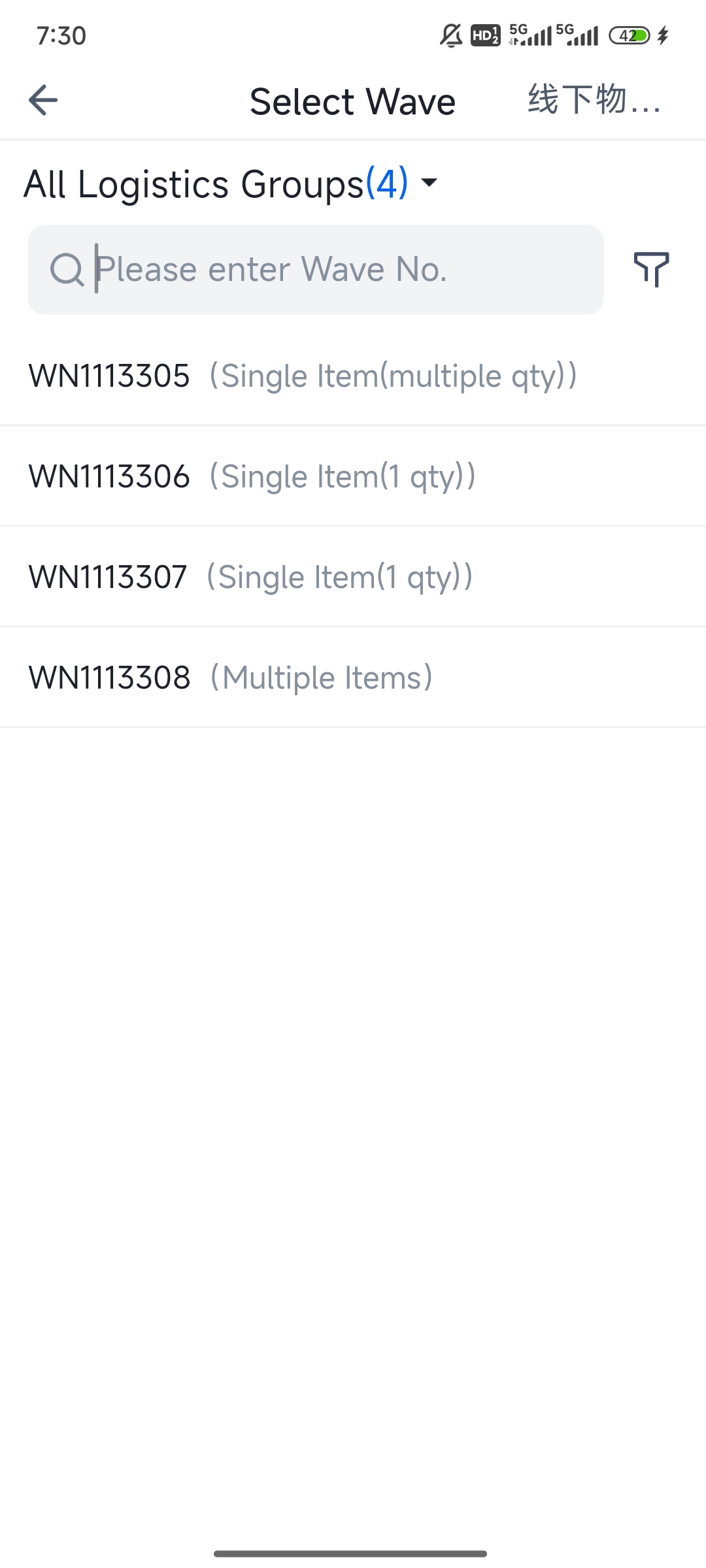
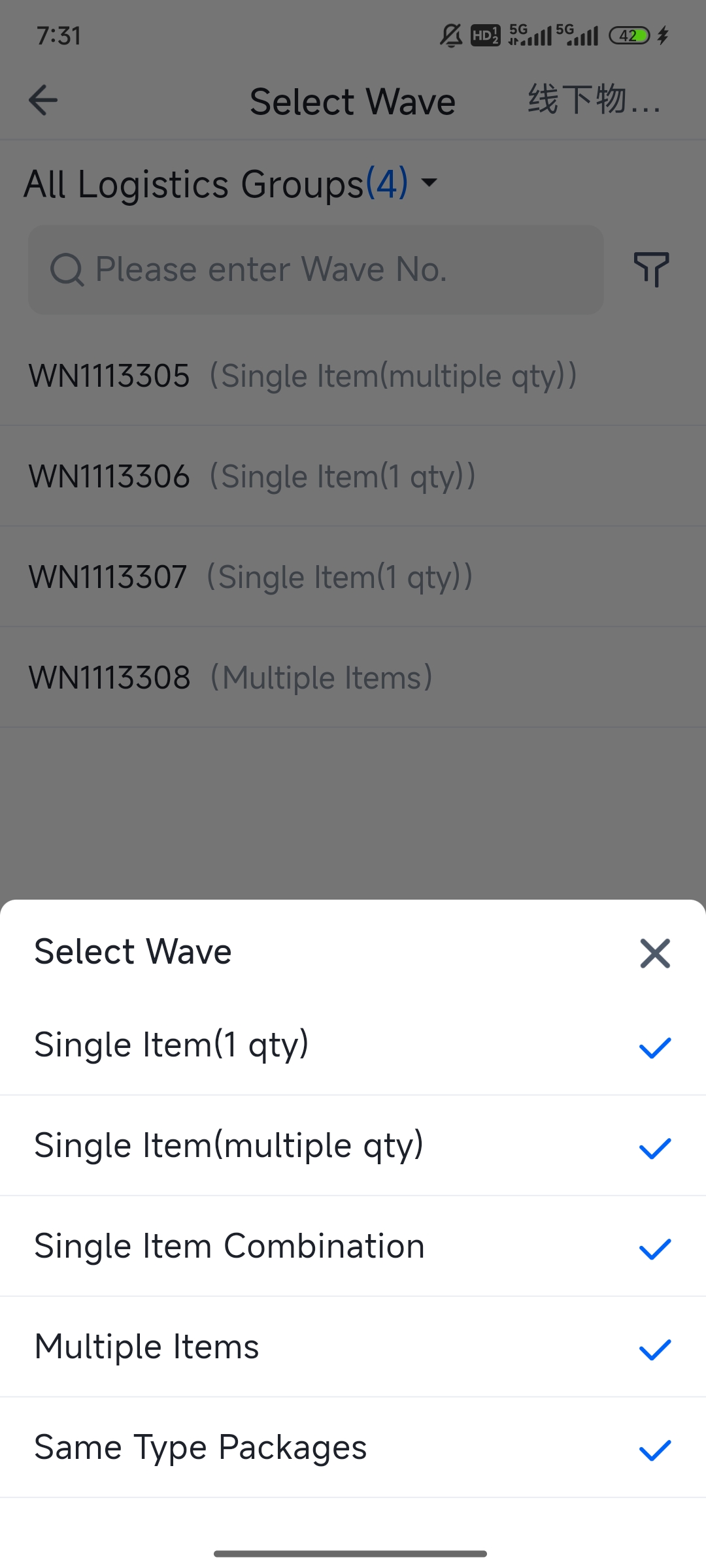
After successfully binding to the picking cart, you will enter the picking page.
Picking Page for Single-Item Waves / High-Demand Item Packages / Multi-Item Mixed Packages in "Pick First, Sort Second" Mode:
(1) Follow the information displayed on the page to locate the corresponding shelf position and scan the matching product to pick.
When the Picked Quantity equals the Required Quantity, the system will automatically proceed to the next product.
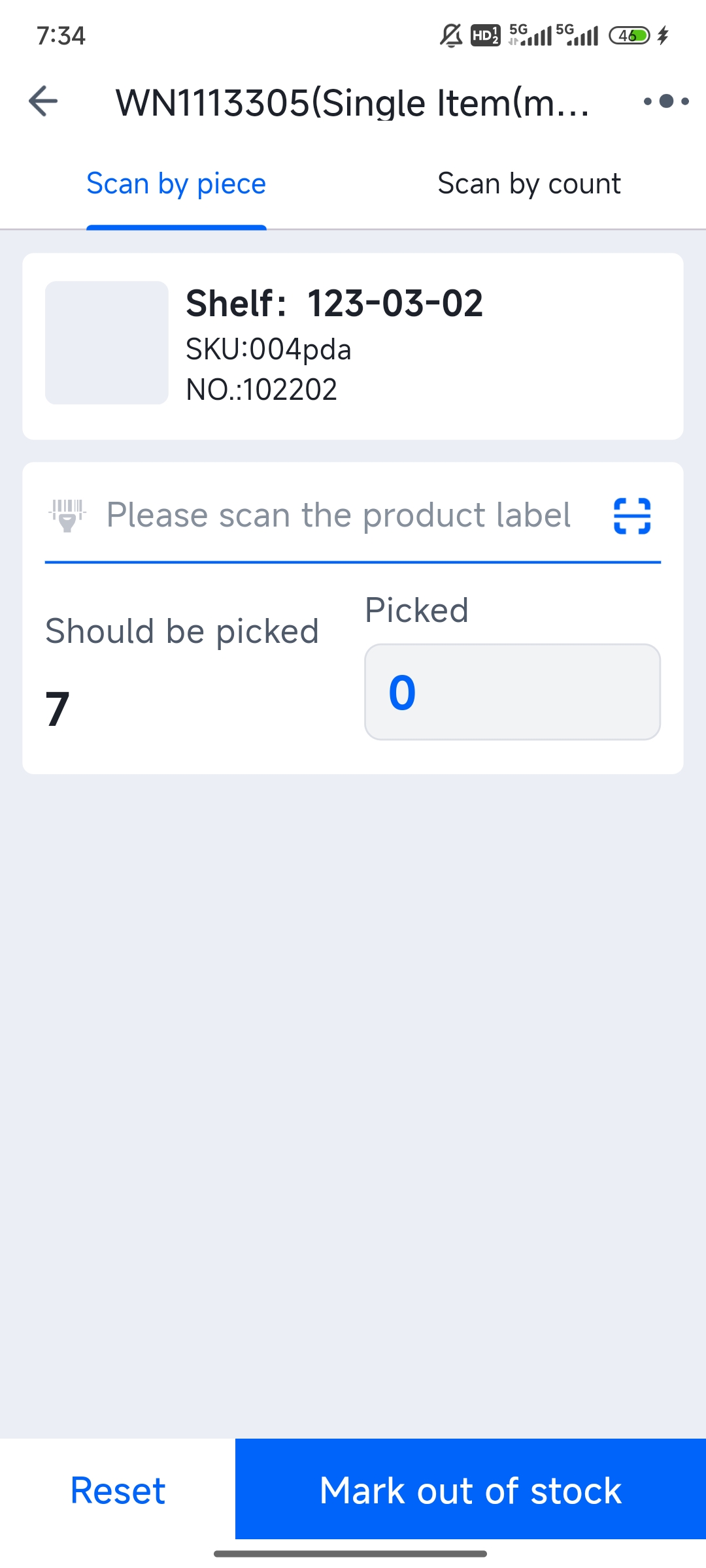
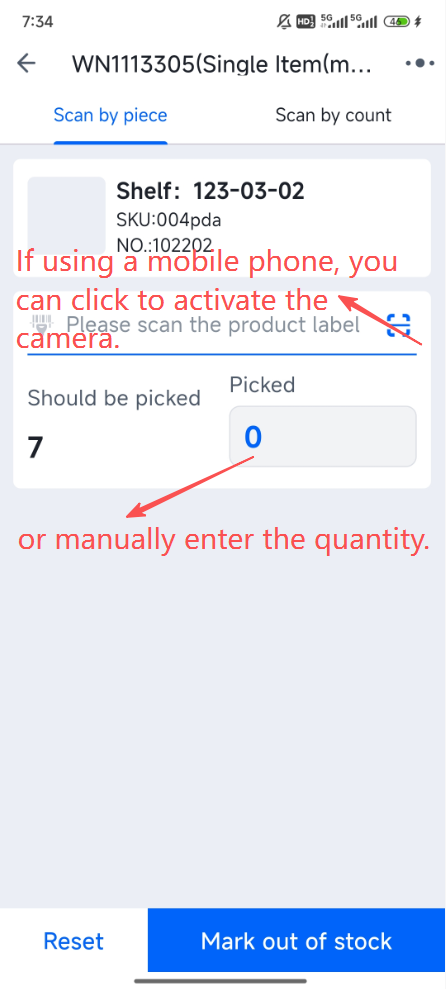
(2) If using a mobile phone, you can click to activate the camera for scanning.
(3) If the quantity is large, you can also directly click the input field to enter the number.
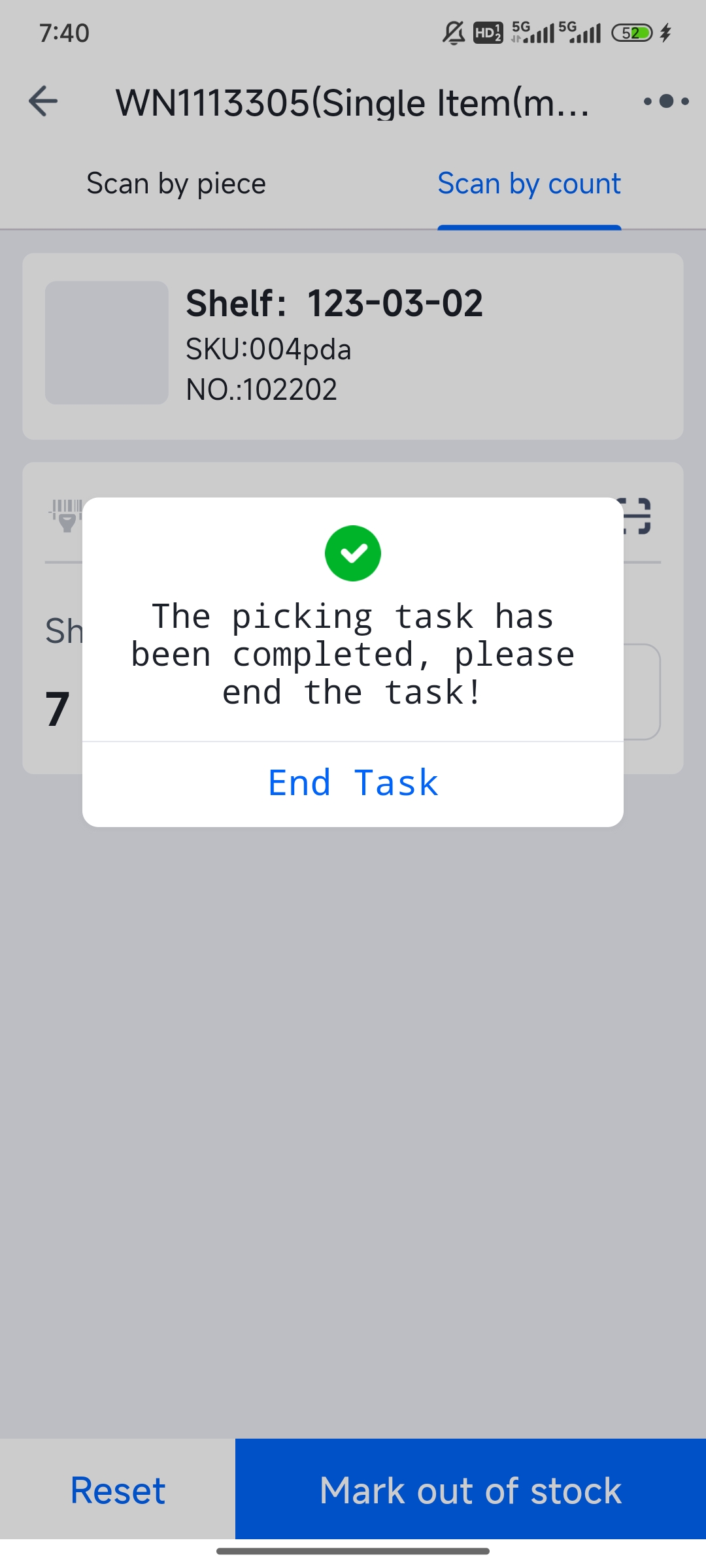
(4) When picking for all items is complete, a "End Task" prompt will automatically appear. Click it to finish the PDA picking process.
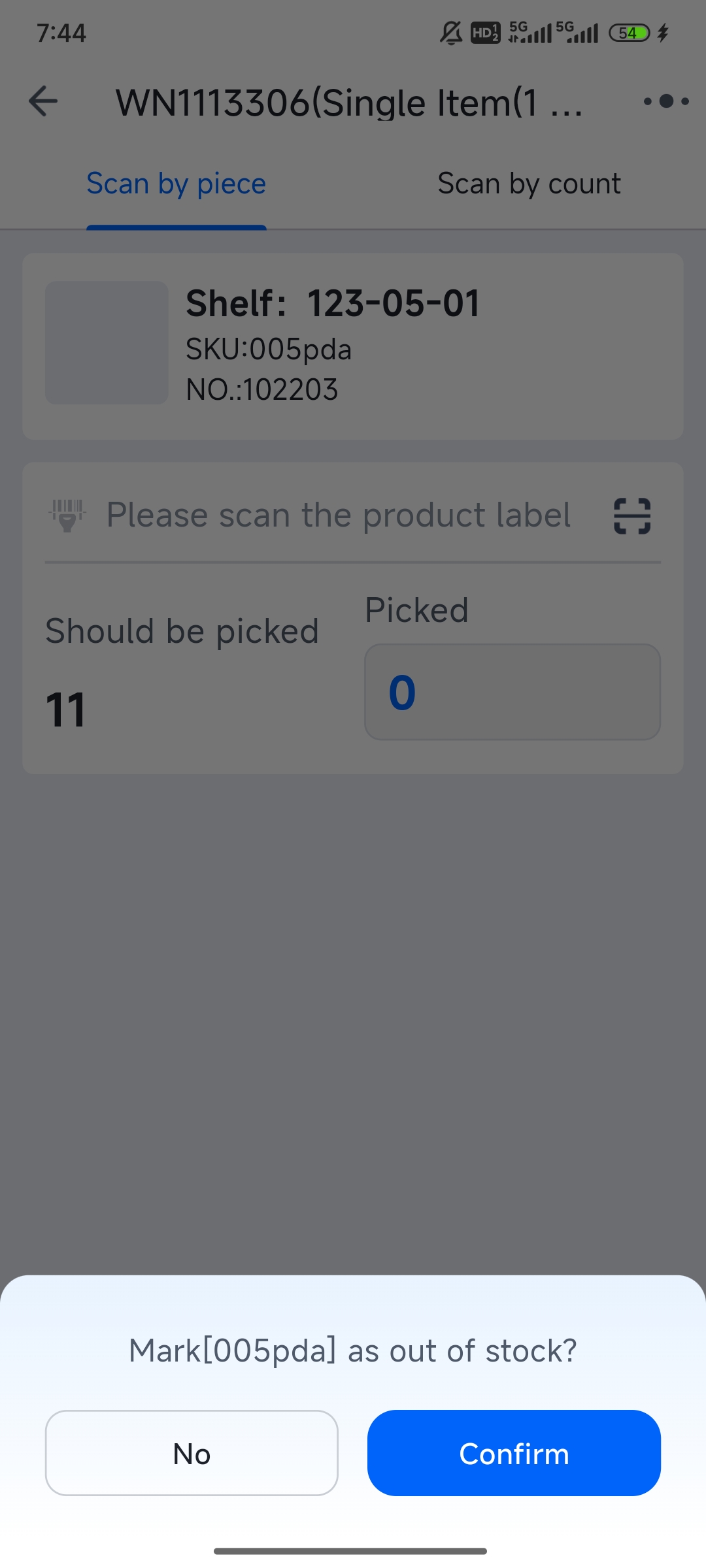
(5) If you encounter an out-of-stock item at the actual shelf location during picking, you can perform the "Mark as Out of Stock" action.
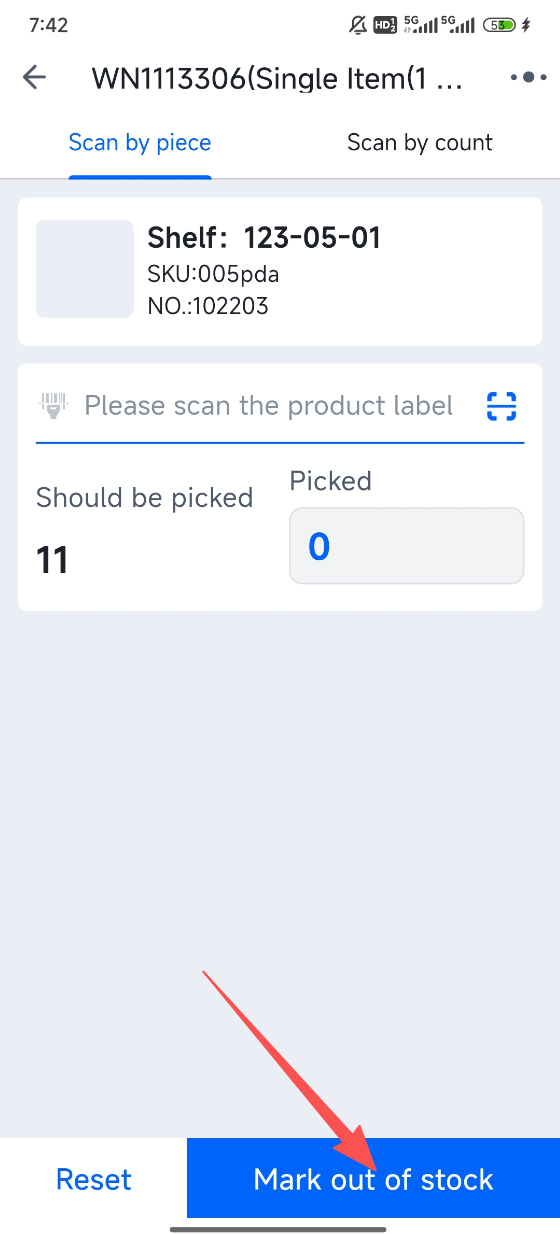
(6) After marking the current product as out of stock, the system will continue picking the next product in sequence according to the picking order.
(7) When picking for all items is completed, if any items were marked as out of stock, the system will automatically navigate to the wave details page.
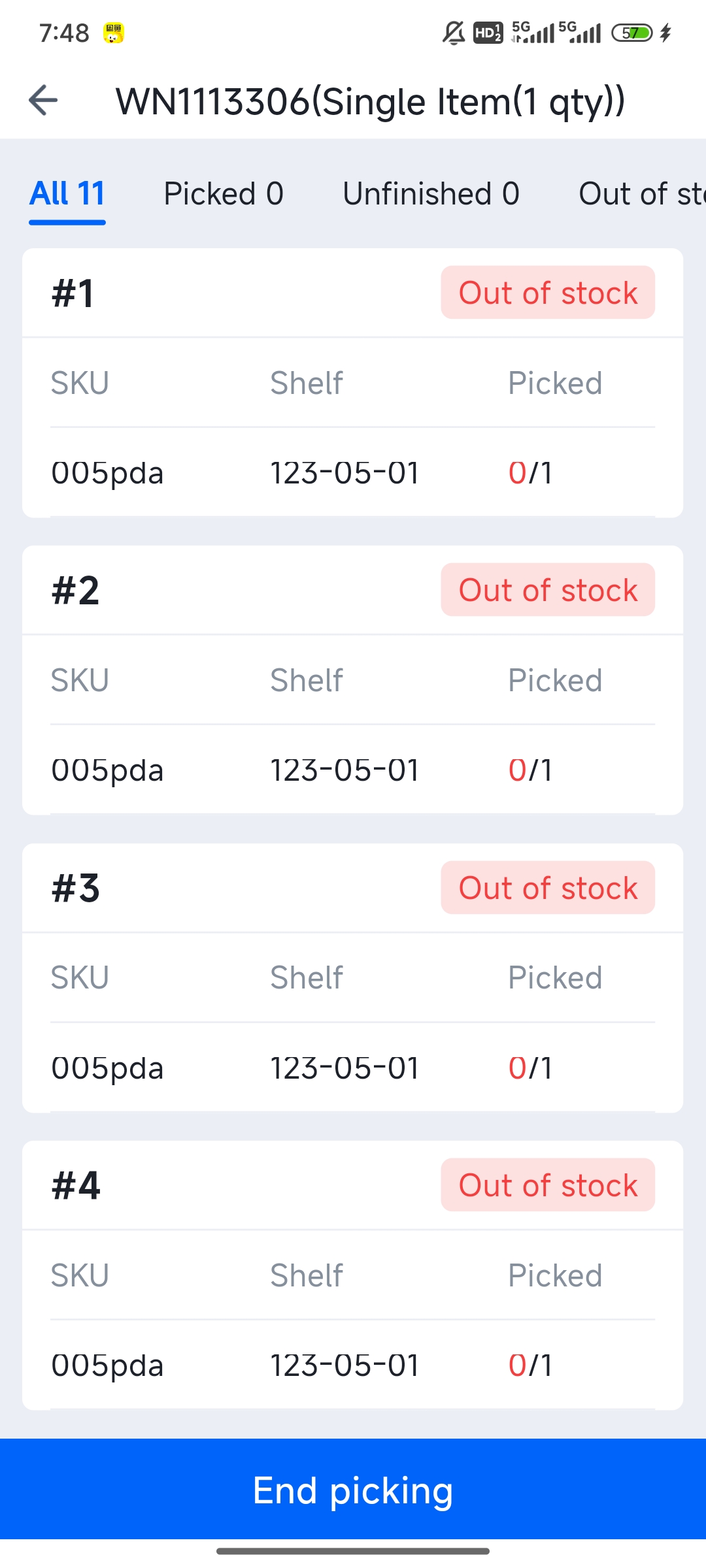
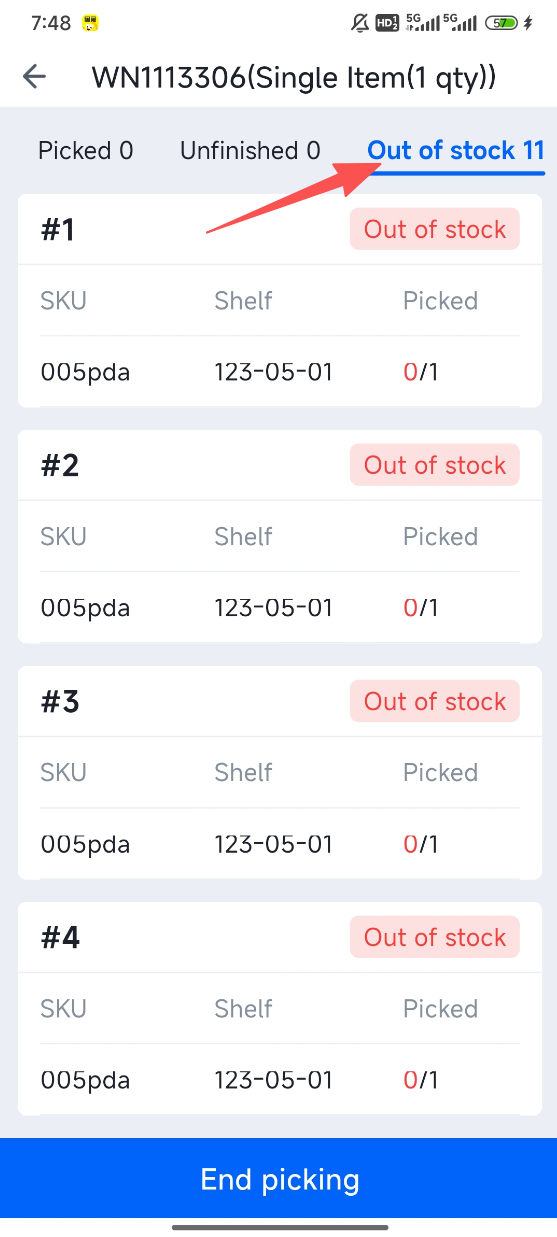
(8) You can click the "Out of Stock" tab to view the products in the out-of-stock packages.
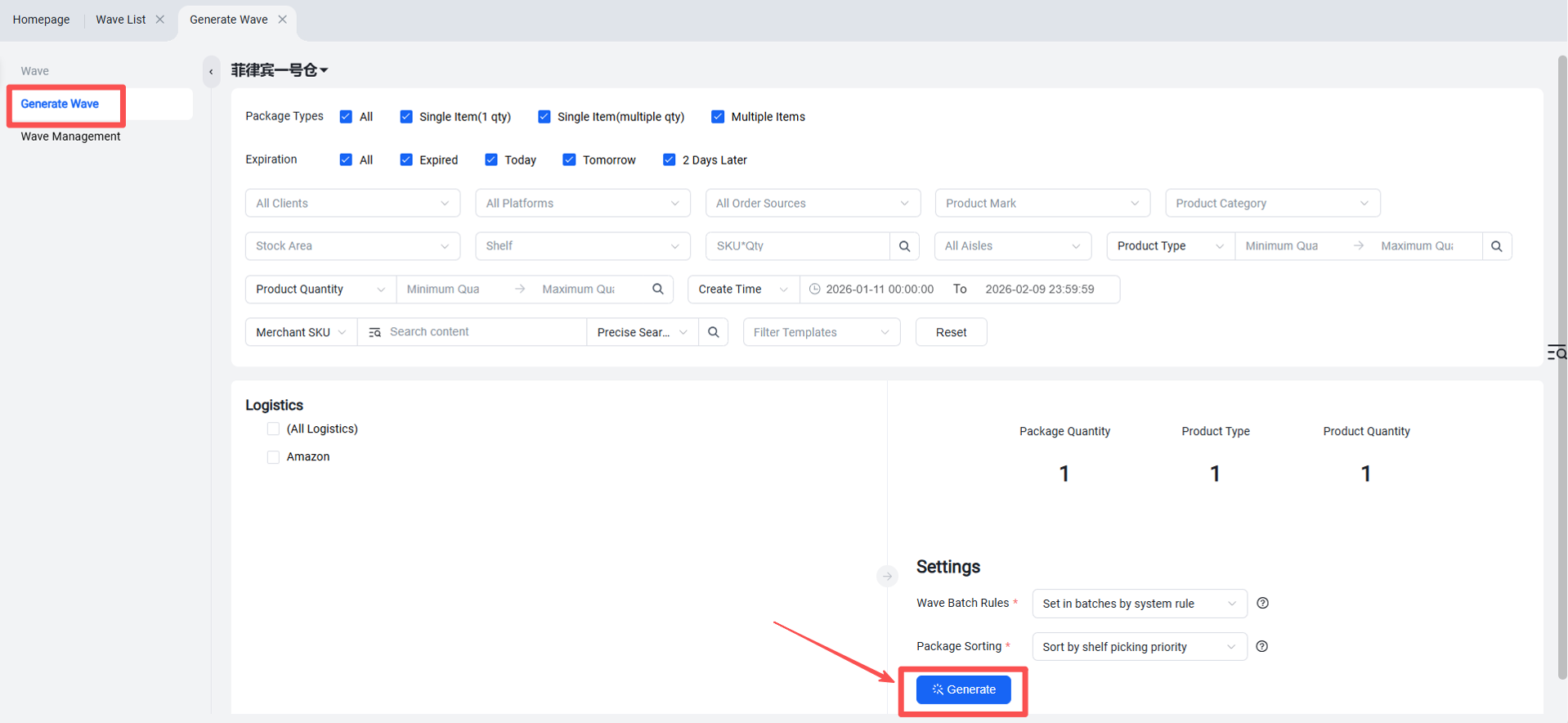
Addendum: Generate Picking Waves via Web Interface
Function Entry: Outbound > Generate Wave
If different pickers need to be assigned to a wave, the assignment can be done in the Wave Management section.
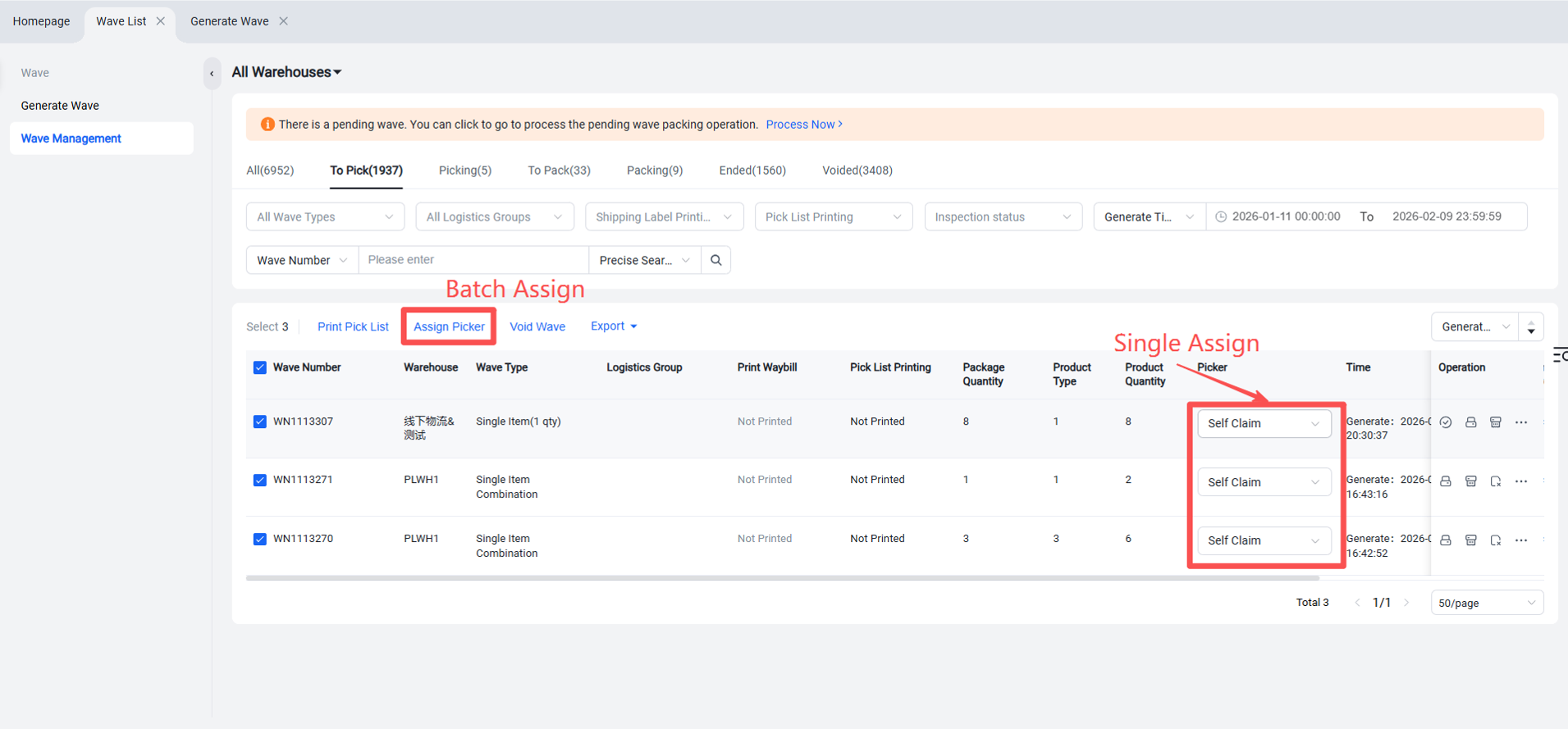
(After a picker is assigned, they will only see waves assigned to themselves and unassigned waves on their PDA.)
If no picker assignment is required, no further action is needed after generating the wave. You can directly log into the PDA to begin picking.