Product Distribution: Price Configuration for Different Distributor Tiers
I. Definition
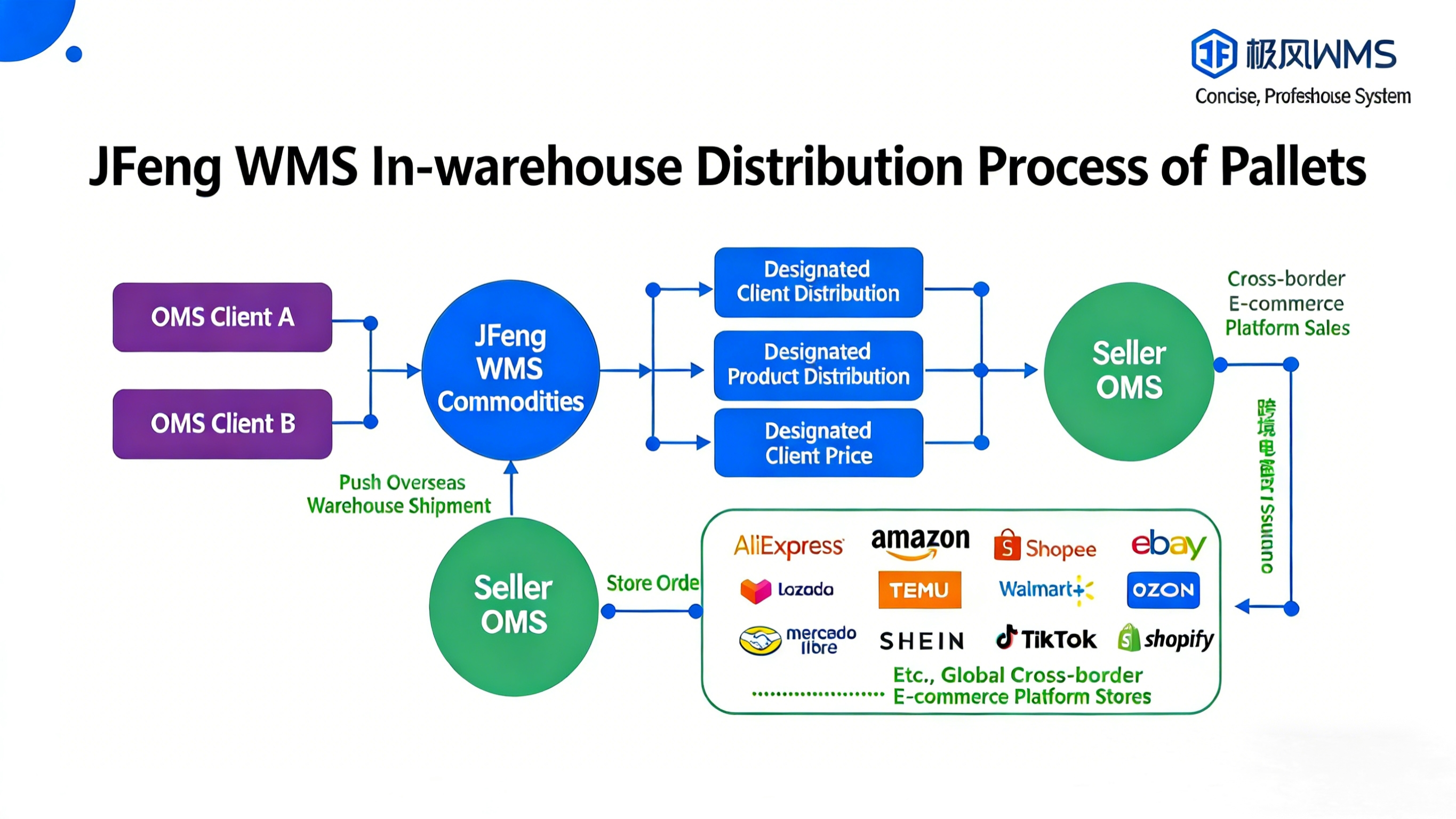
For products designated for distribution and specific client segments: When an overseas warehouse has excess inventory and needs other seller clients to assist with distribution, the Jifeng WMS Distribution feature can be utilized:
First, define which clients have distribution permissions and set their distribution tier (star rating).
Then, specify which products are available for distribution.
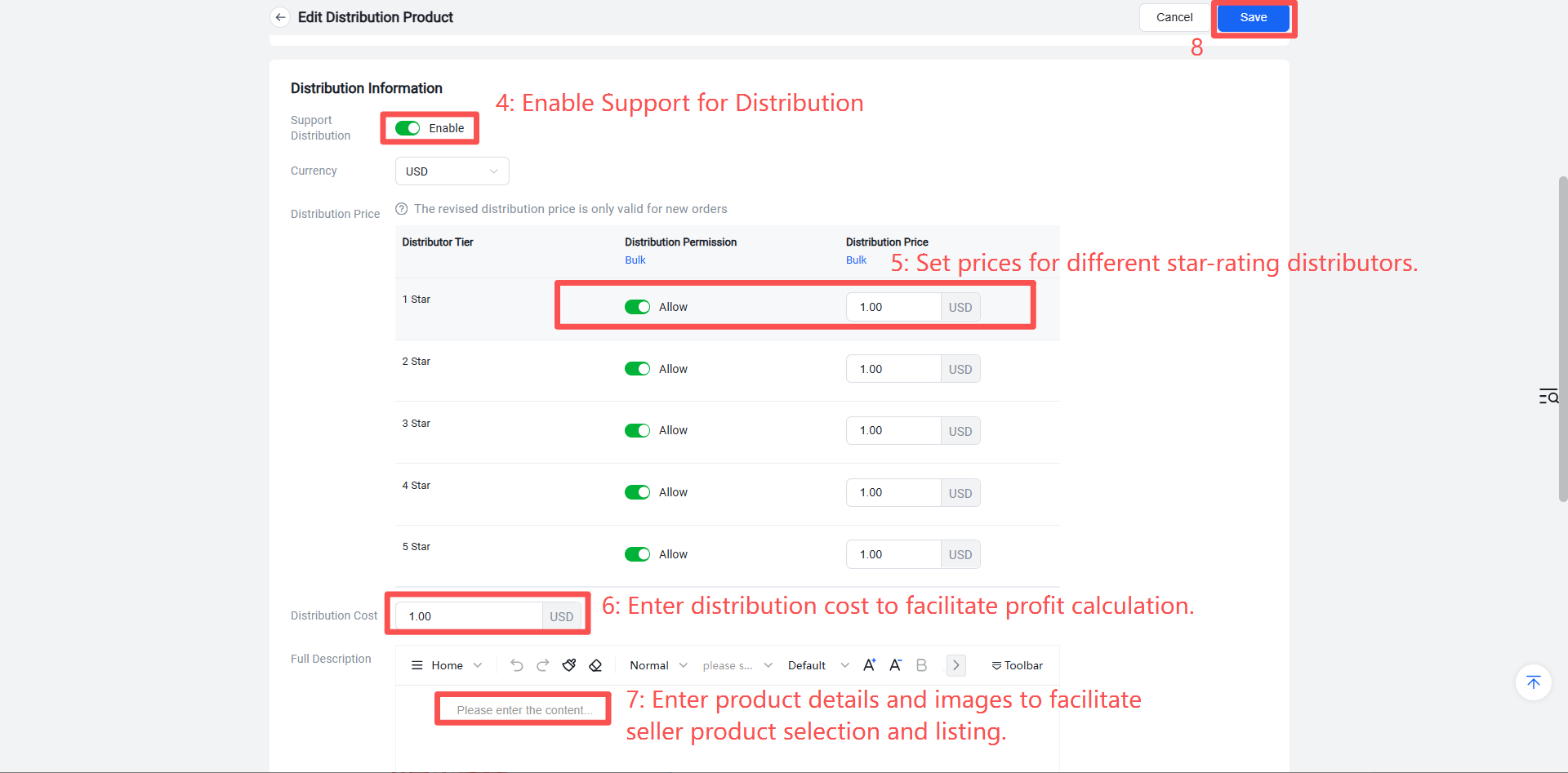
Set different pricing for clients at different star rating tiers. If a distribution product does not have a price set for a particular client tier, clients of that tier will not see the product.
Seller clients can browse and claim distribution products in the OMS system. After orders are placed, the overseas warehouse handles packing and shipping, automatically deducting product inventory, applying the distribution product price, and charging warehouse packing fees, etc.
This guide primarily explains how to create product distribution listings and set tiered pricing in Jifeng WMS.
II. Operational Steps
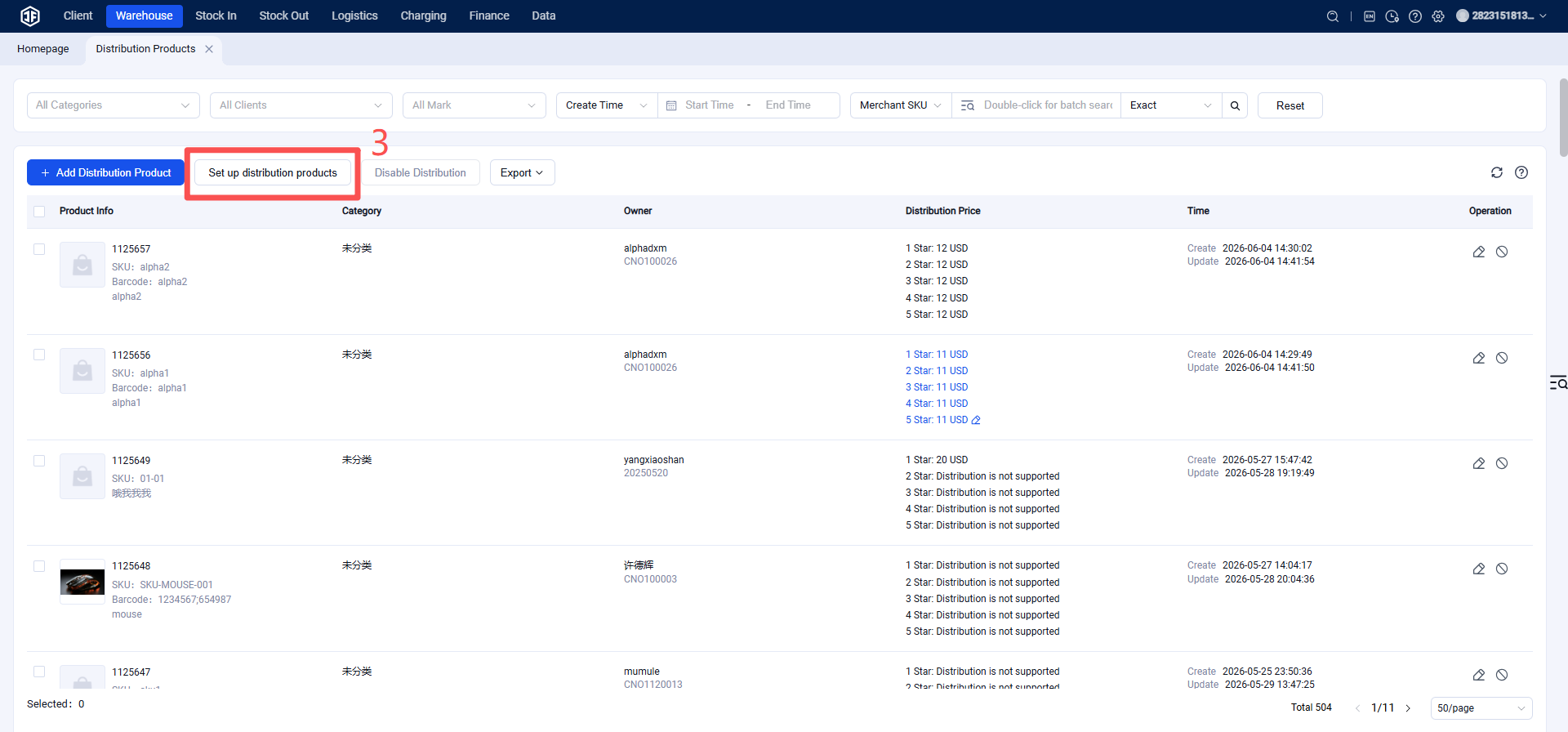
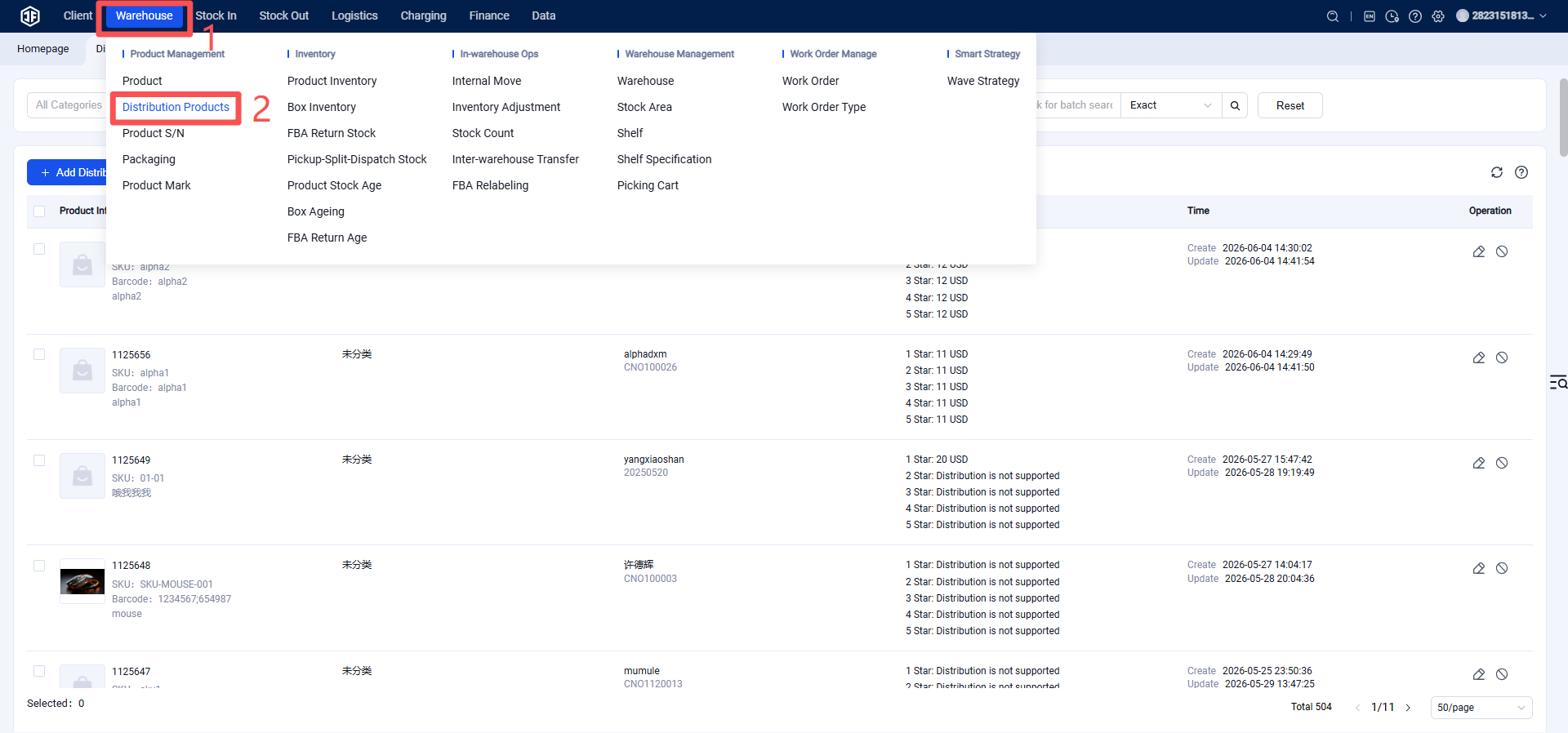
Warehouse WMS > Products > Distribution Products > Click "Add Distribution Product," or edit a single product to configure it as a distribution product. You can set different prices for various client star rating tiers. To allow a specific tier to distribute the product, enable "Allow Distribution for this Tier." Enter the distribution cost, fill in the distribution product information > Click Save.
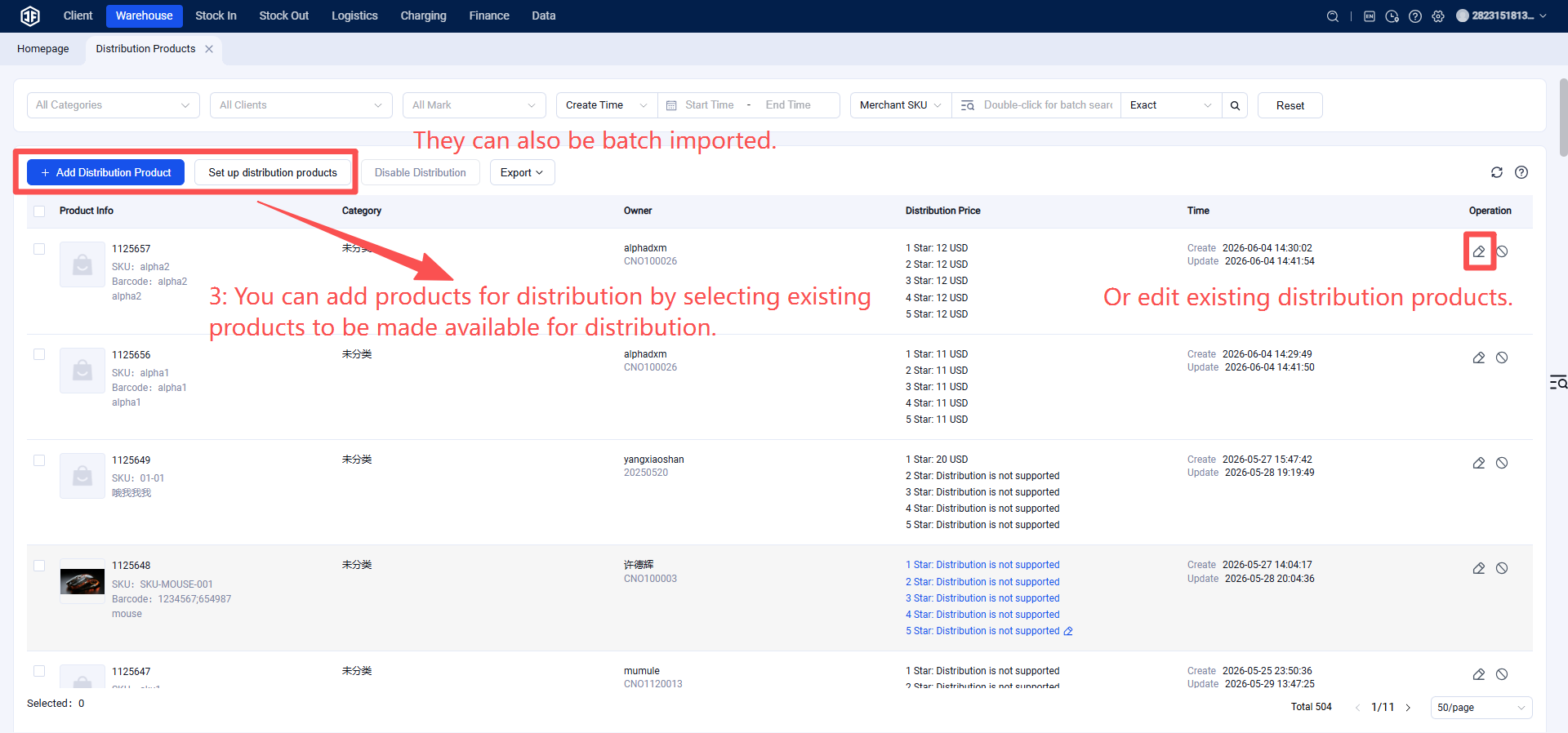
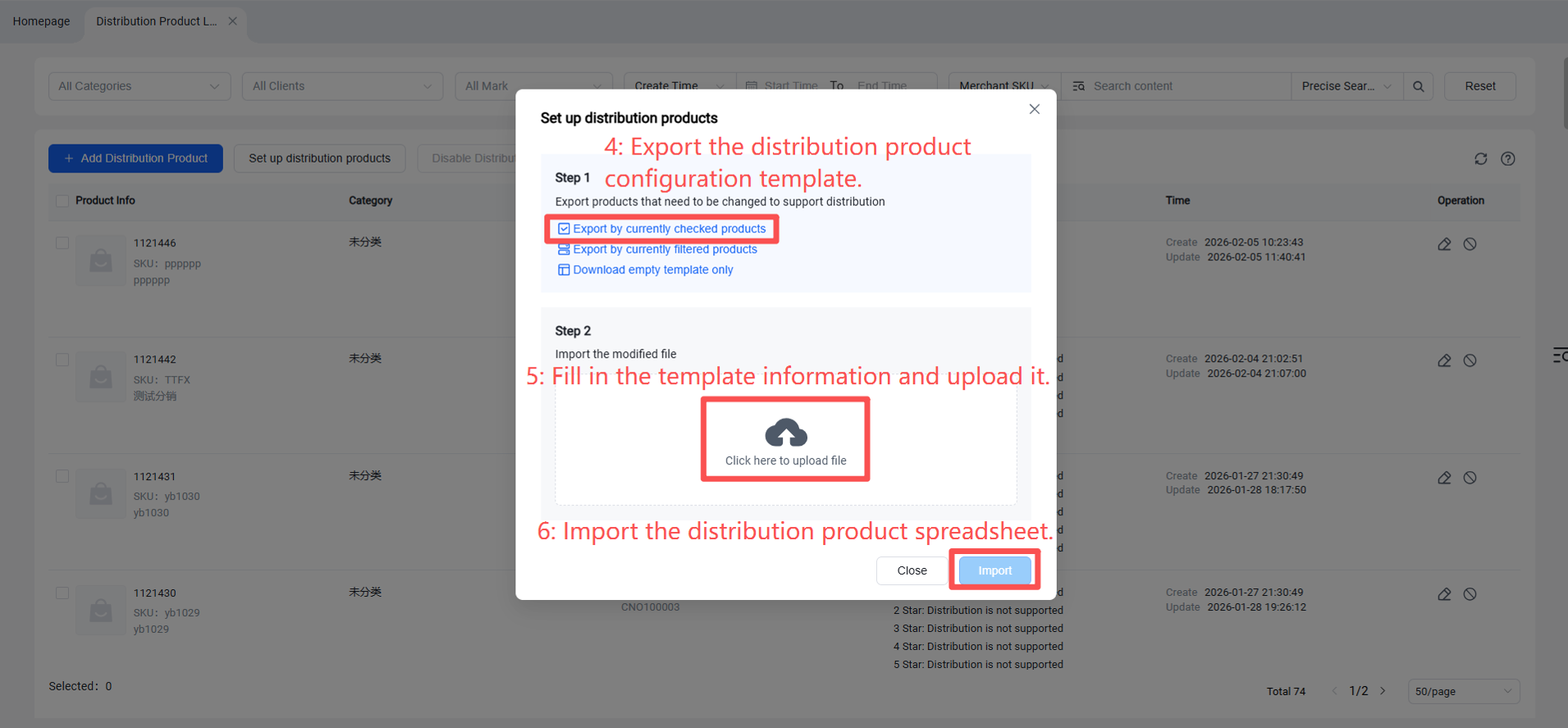
If there are many products, they can also be imported via spreadsheet.