Return of Funds for Returned Distribution Products
I. Definition
When an overseas warehouse has products that other seller clients (distributors) can distribute, the Jifeng WMS Distribution feature can be used:
First, define which clients have distribution permissions and set their distribution tier (star rating).
Then, specify which products are available for distribution.
Set different prices for clients at different star rating tiers. If a distribution product does not have a price set for a specific client tier, clients of that tier will not see the product.
Seller clients can view and claim distribution products in the OMS system.
After orders are placed, the overseas warehouse handles packing and shipping, automatically deducting product inventory and applying the distribution product price and warehouse packing fees, etc.
When a product distributed by a seller is returned by the end consumer to the overseas warehouse, and the warehouse confirms the product is in resalable condition, the system can be configured to automatically refund the seller the distribution purchase price for that item.
This guide primarily explains how to configure the system in Jifeng WMS to automatically refund the distribution price for returned products.
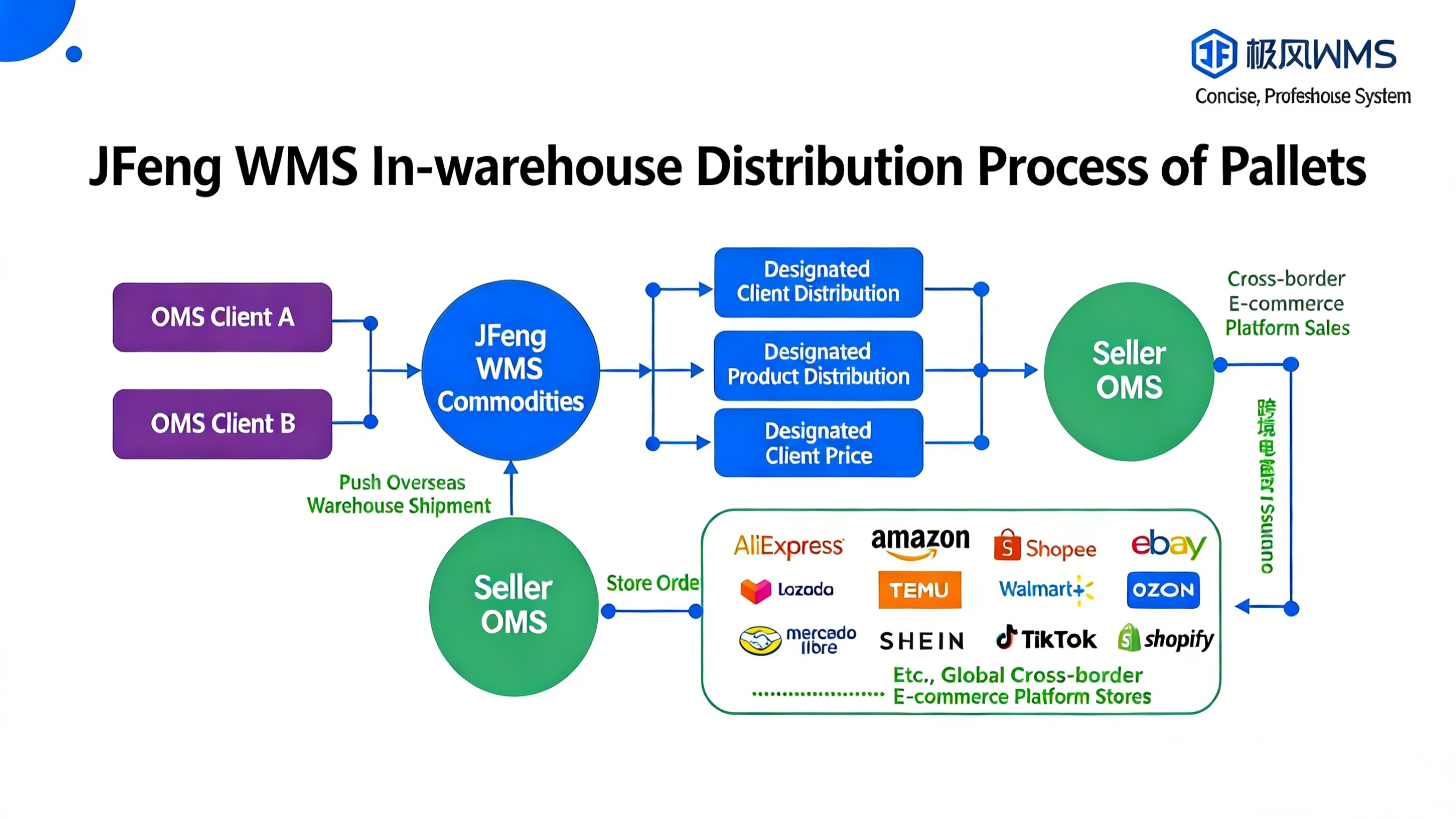
II. Operational Path
Step 1: Overseas Warehouse Configures Billing Plan for Distribution Clients, Including Refund for Returned Distribution Products
Warehouse WMS > Fees > Billing Templates > Edit the billing template specifically for distribution clients.
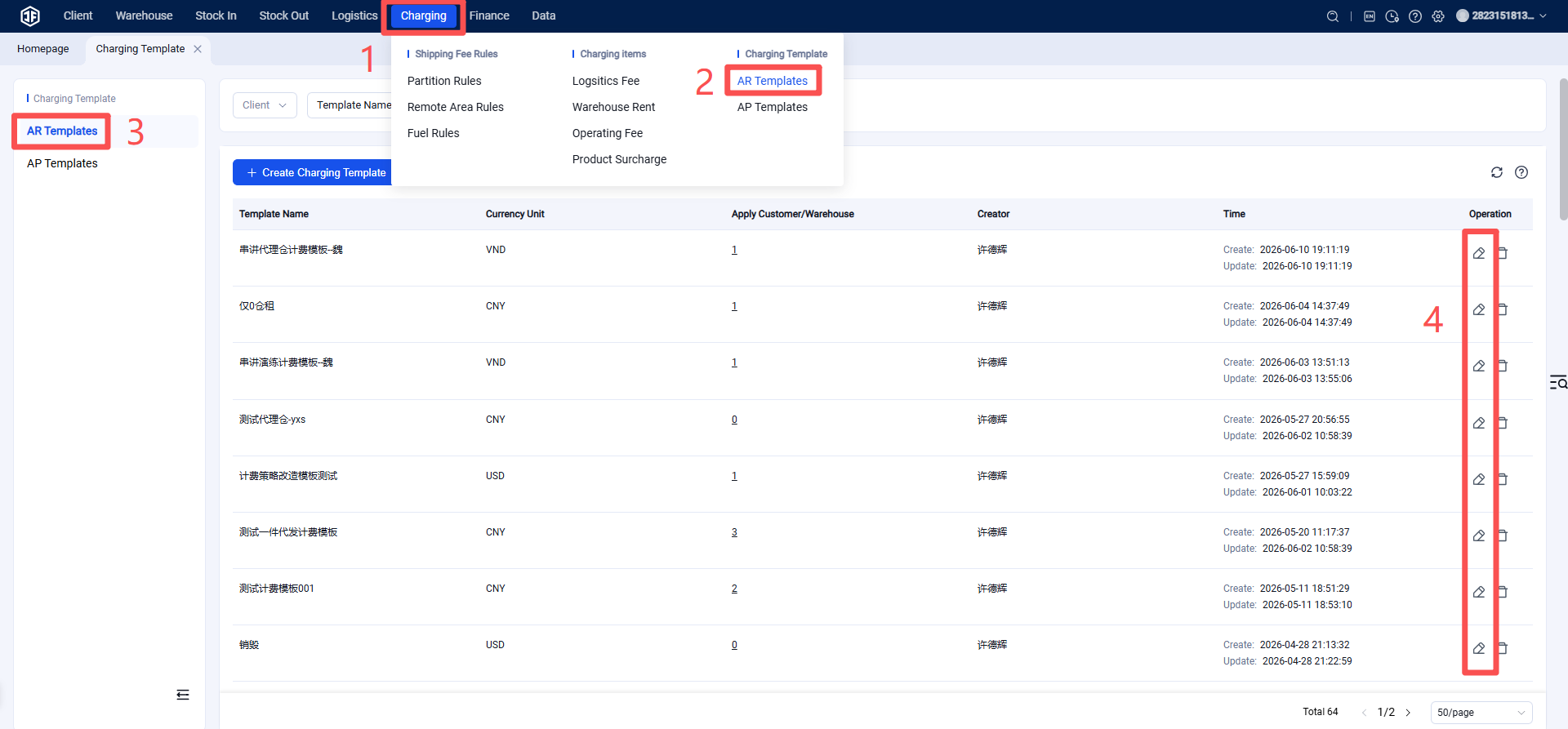
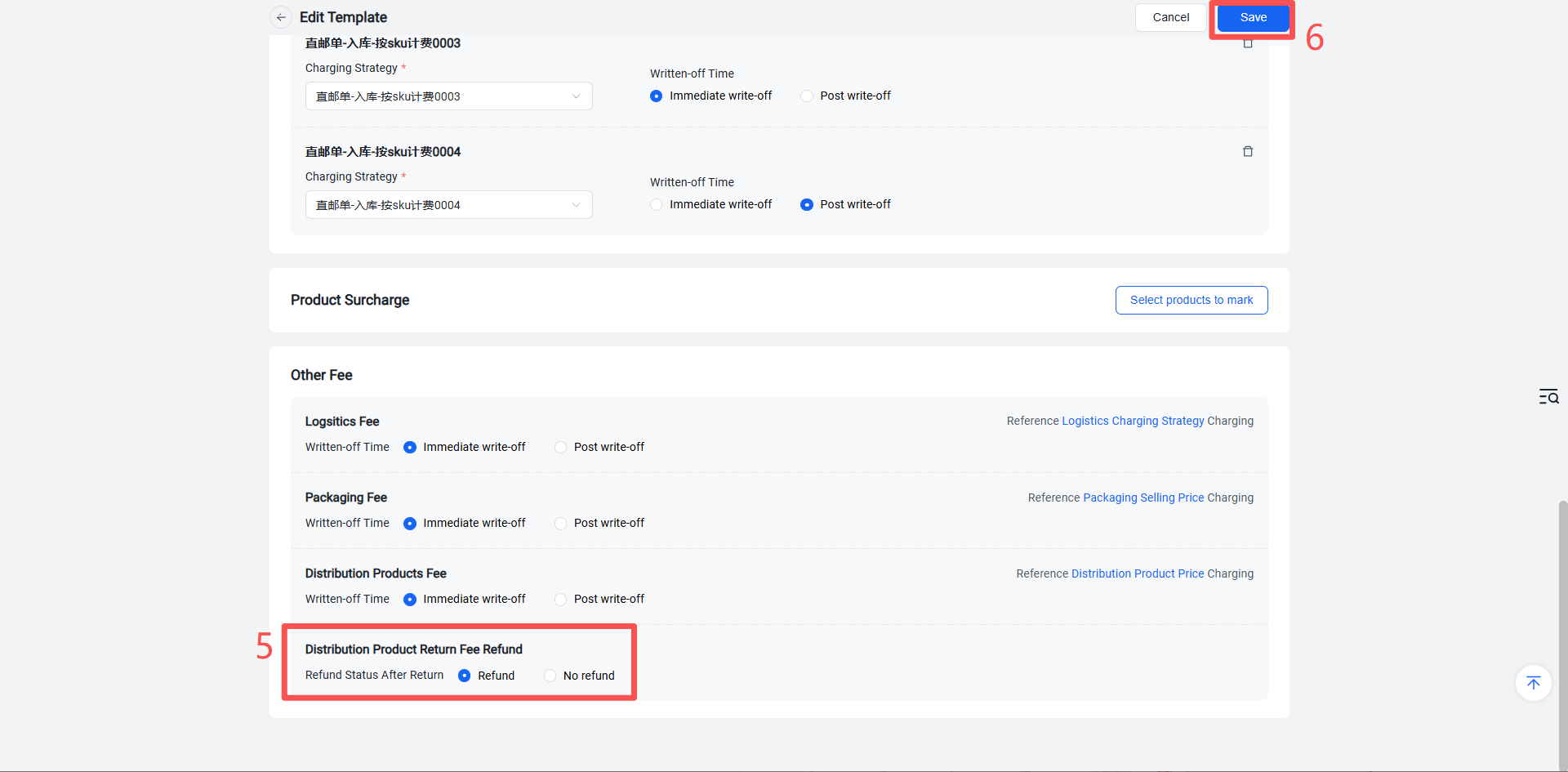
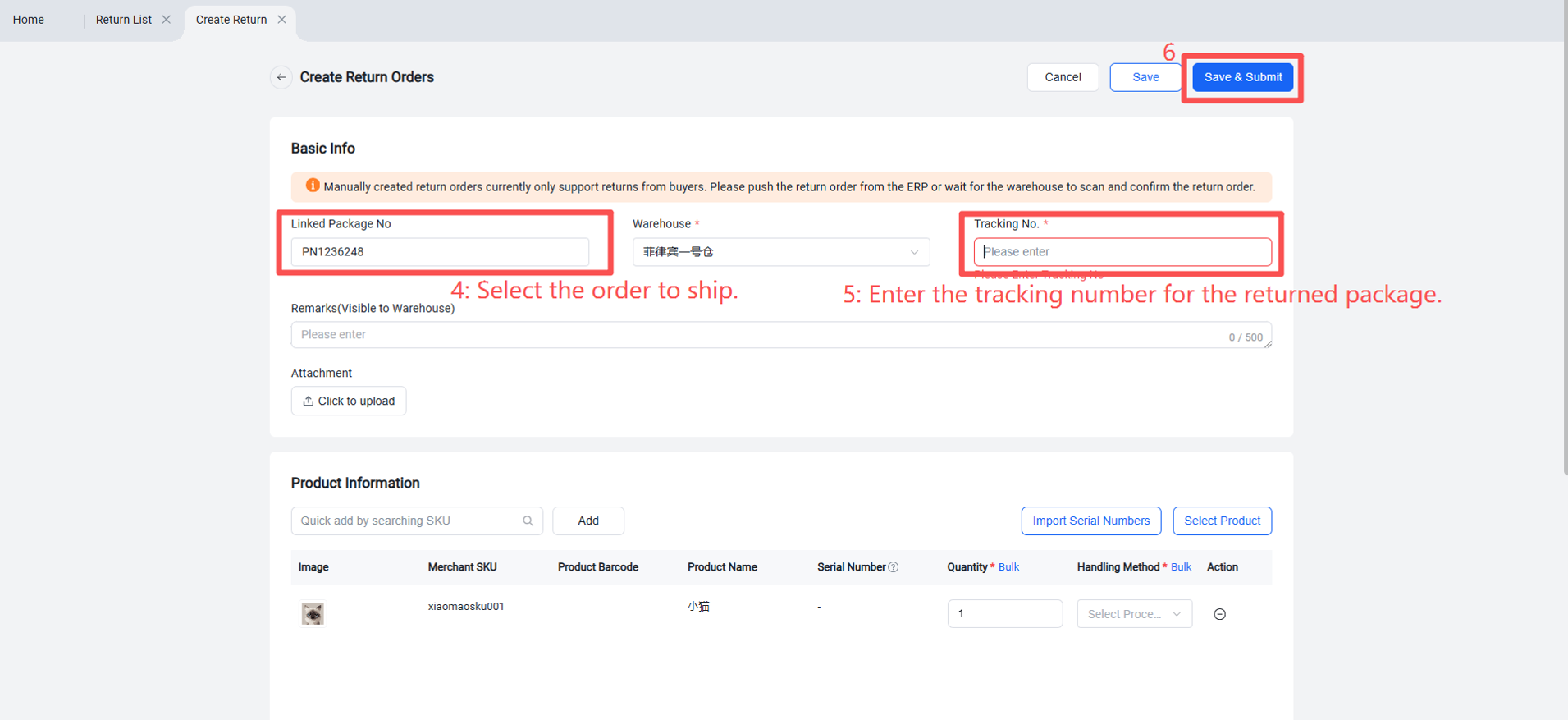
Step 2: Buyer Returns the Package After Signing for It; Seller Must Create a Return Order in Jifeng OMS Linked to the Original Order Number
[Note: If the buyer did not sign for the package and it is being returned, a return order does not need to be created.]
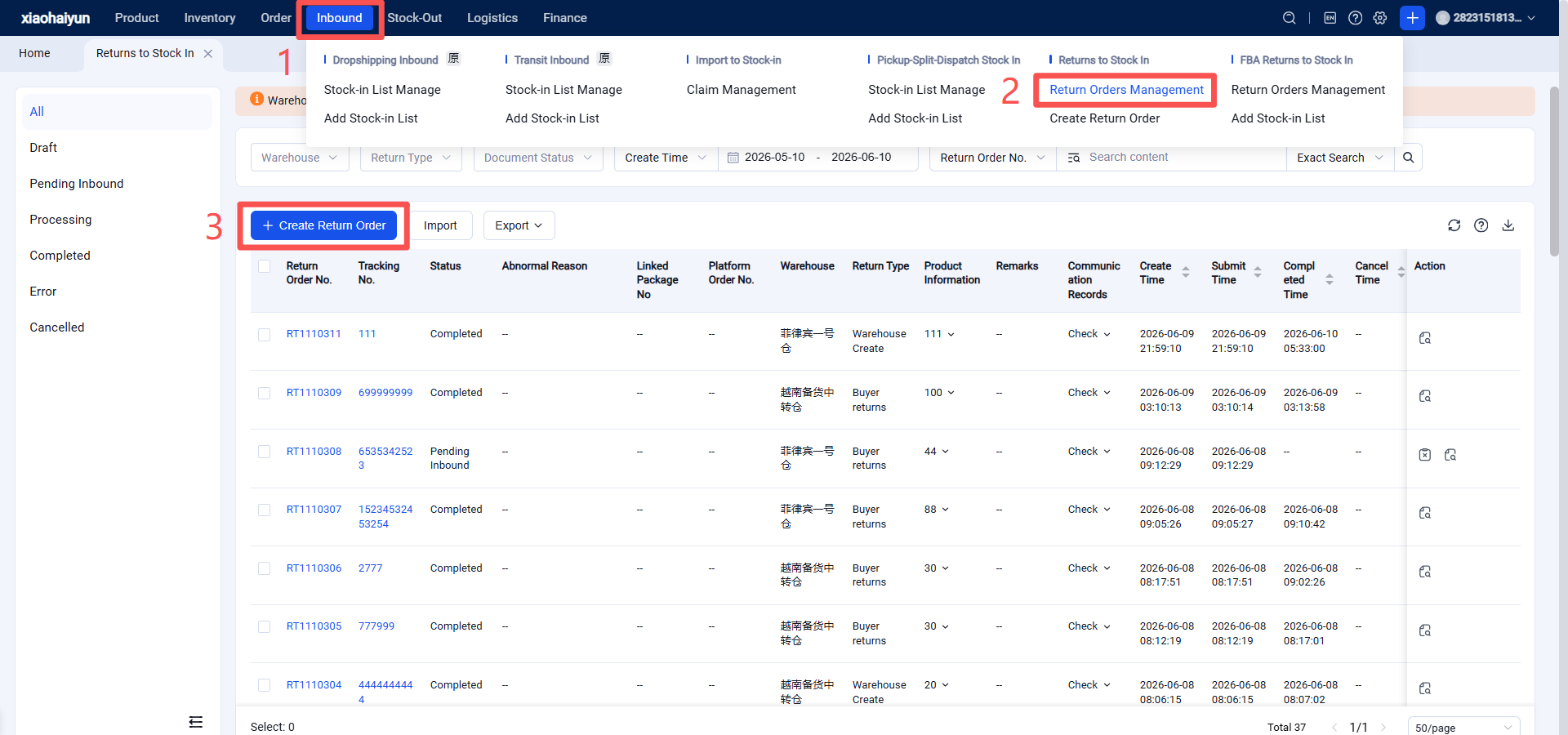
After distribution products are returned, the overseas warehouse can view data related to "Distribution Product Refund" fees in the Fees / Business Fees module list and details, including accounts receivable. The calculation module operates similarly.