Account Opening: Configure Client Distribution Permissions and Distributor Tiers
I. Definition
For products intended for distribution and specific clients: When an overseas warehouse has excess inventory and needs other seller clients to help with distribution, the Jifeng WMS distribution feature can be used:
First, specify which clients have distribution permissions and set their distribution tier (star rating).
Then, designate which products are available for distribution.
Set different prices for clients at different star rating tiers. If a distribution product does not have a price set for a specific client tier, that product will not be visible to clients of that tier.
Seller clients can view distribution products and claim them in the OMS system. After an order is placed, the overseas warehouse handles packing and shipping, automatically deducting the product inventory, applying the distribution product price, and charging warehouse packing fees, etc.
This guide primarily explains how to set up client distribution permissions and star ratings in Jifeng WMS.
II. Operational Path
Warehouse WMS > Clients > Active Accounts > Edit client information > In the Distribution section, select "Support Distribution" > In the Distribution Star Rating section, set the distributor tier > Click Save.
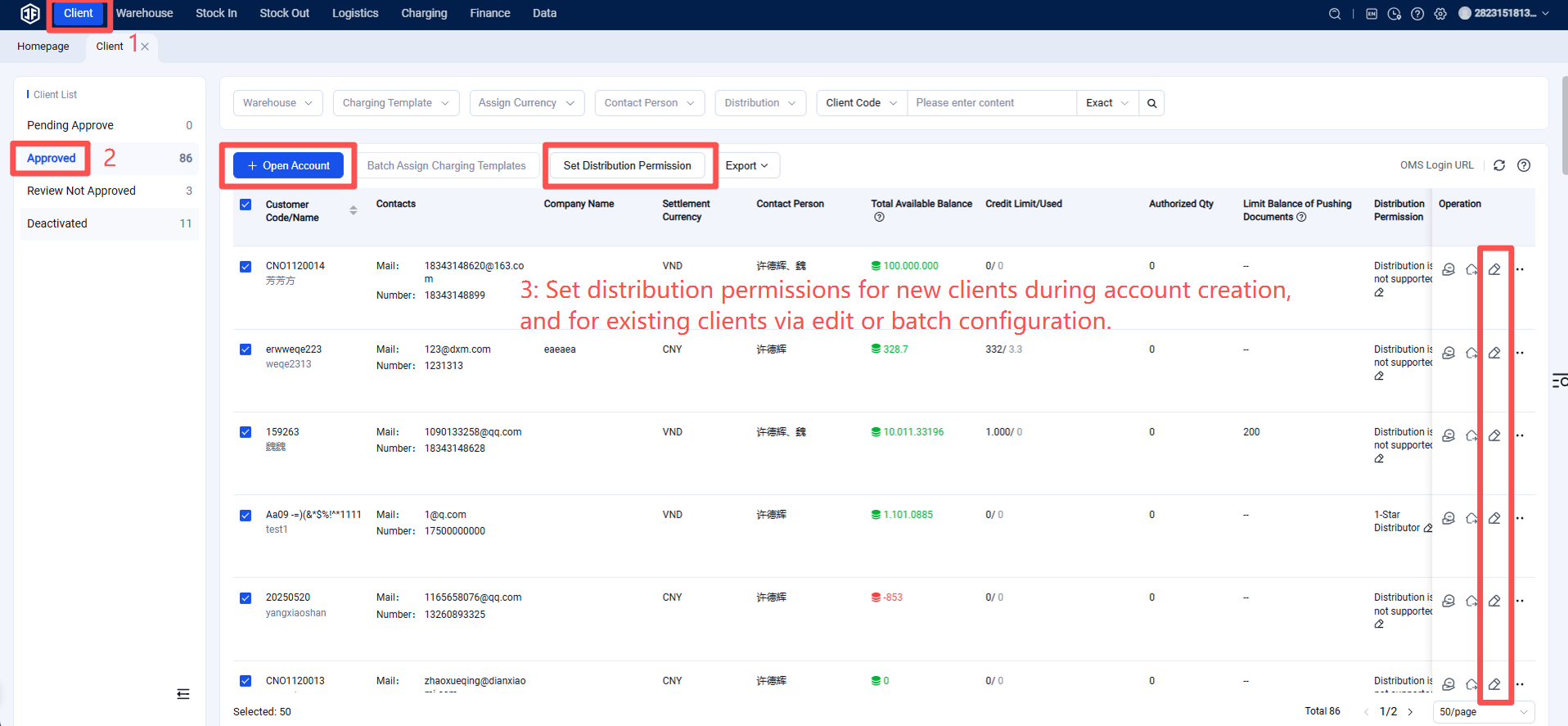
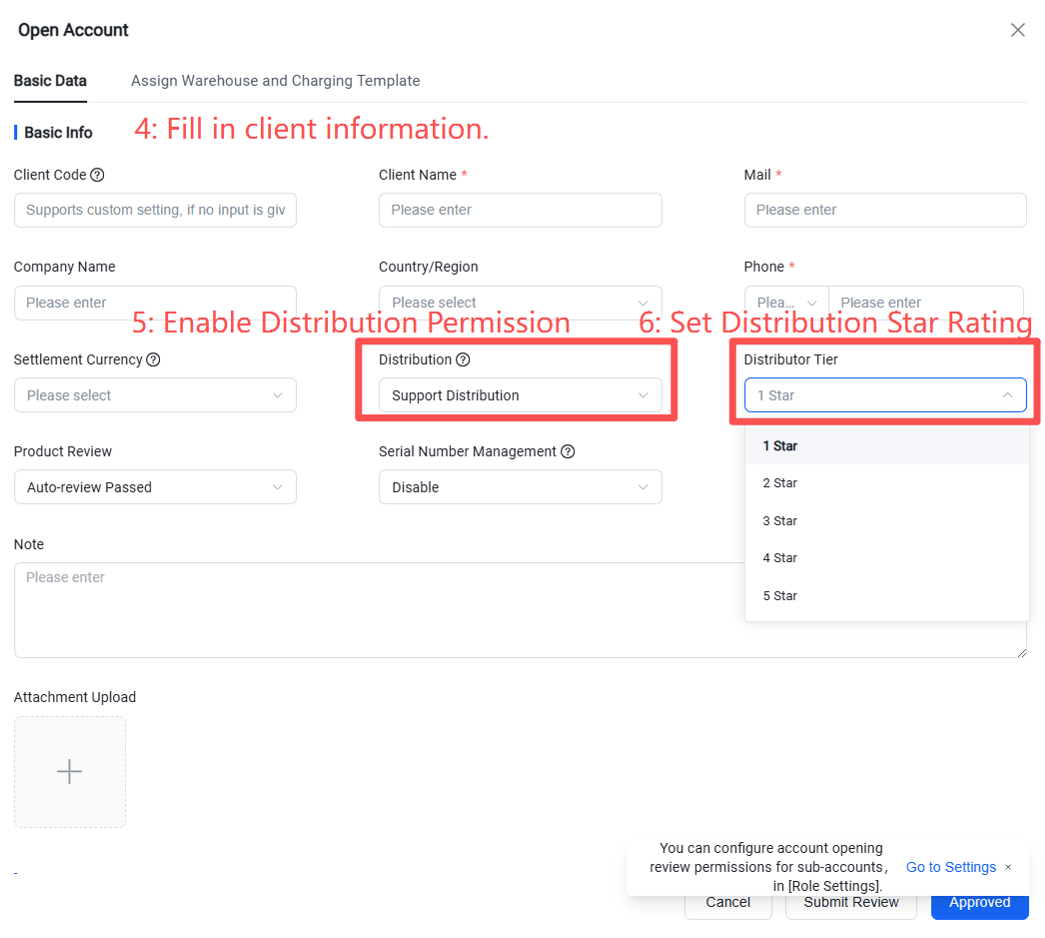
This grants the client distribution permissions. The seller client can then access the distribution products in their ERP and link them to their store's product listings.