Warehouse Inbound Claim Process
I. Definition
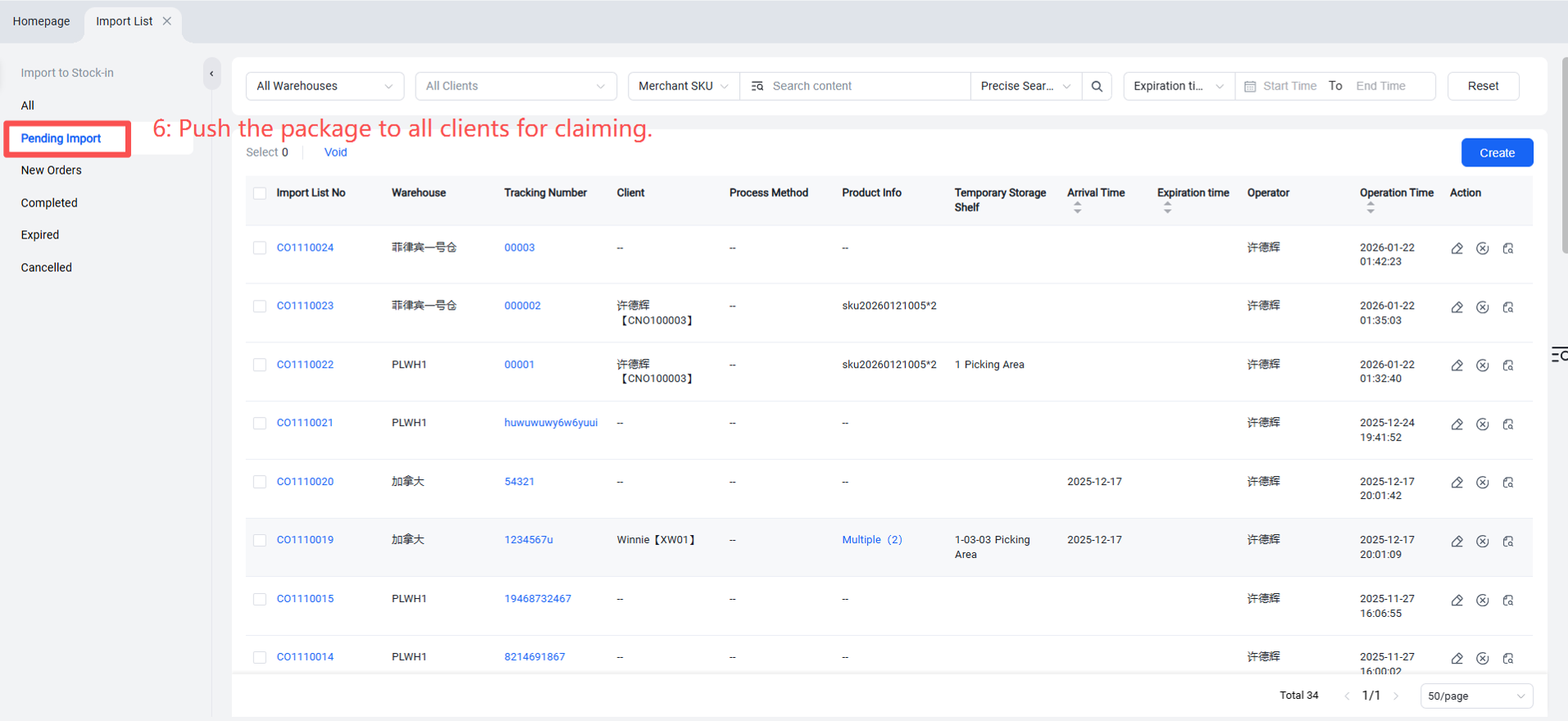
Whether it's an FBA return or a seller forgetting to push an inbound order for shipped goods, the warehouse may receive items without knowing which seller they belong to or what products they are. In such cases, notifying sellers individually for verification and claiming would be extremely labor‑intensive. Therefore, Jifeng WMS pushes such packages to all seller portals (OMS). When a seller client is missing a package, they can check here to see if their goods are listed and, if found, claim them for warehouse inbound processing.
II. Operation Path
Step 1: Publish Claimable Package Information
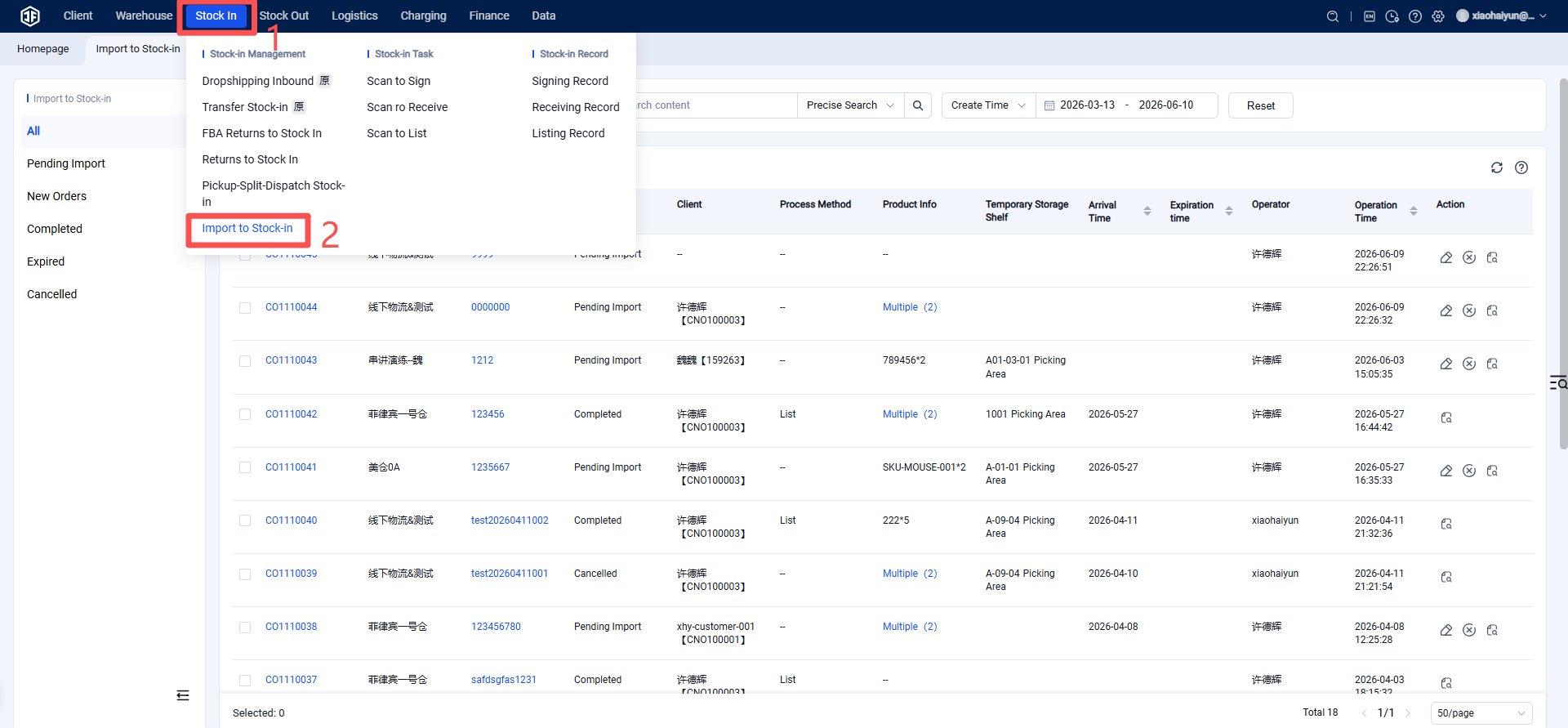
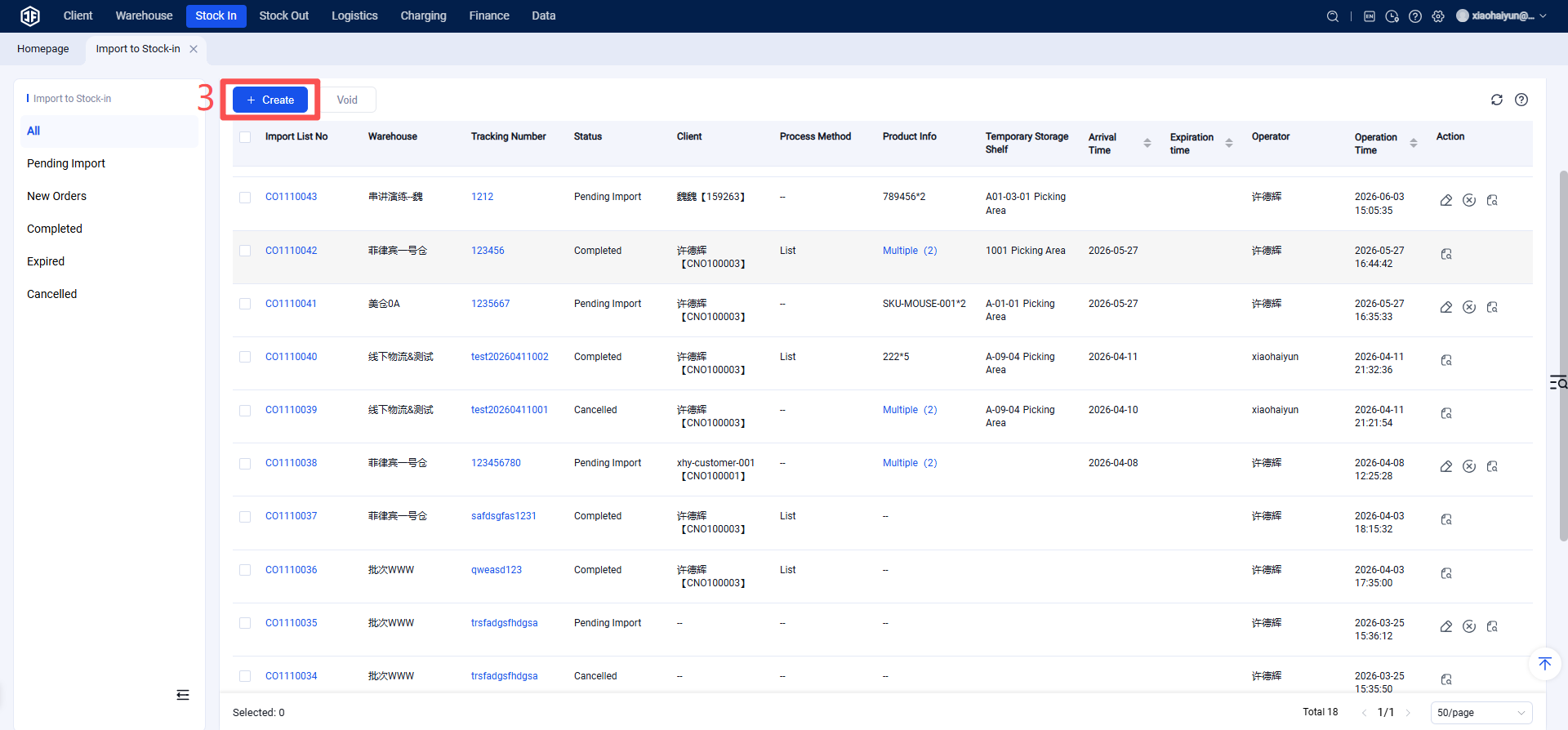
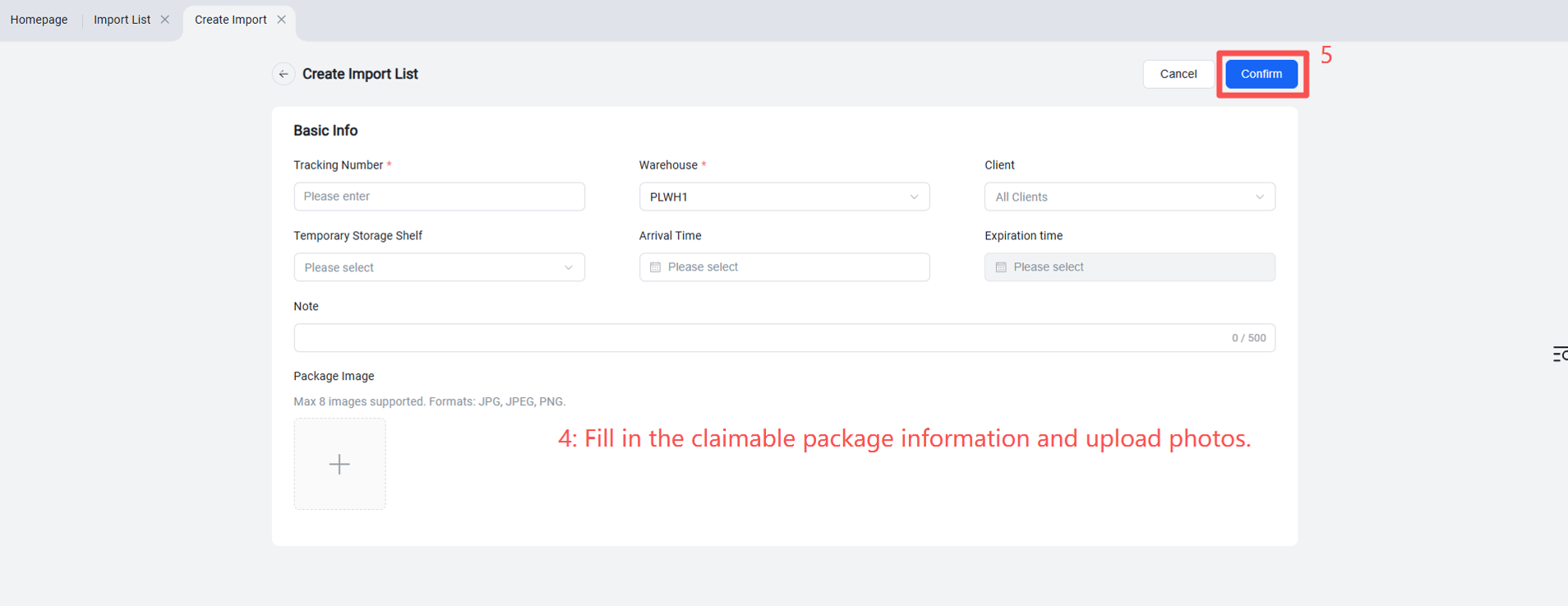
Warehouse Terminal > Inbound > Claim Management > Create > Fill in tracking number, warehouse, temporary rack location, arrival time, validity period, package photo(s) > Confirm.
Step 2: Process Claimed Packages
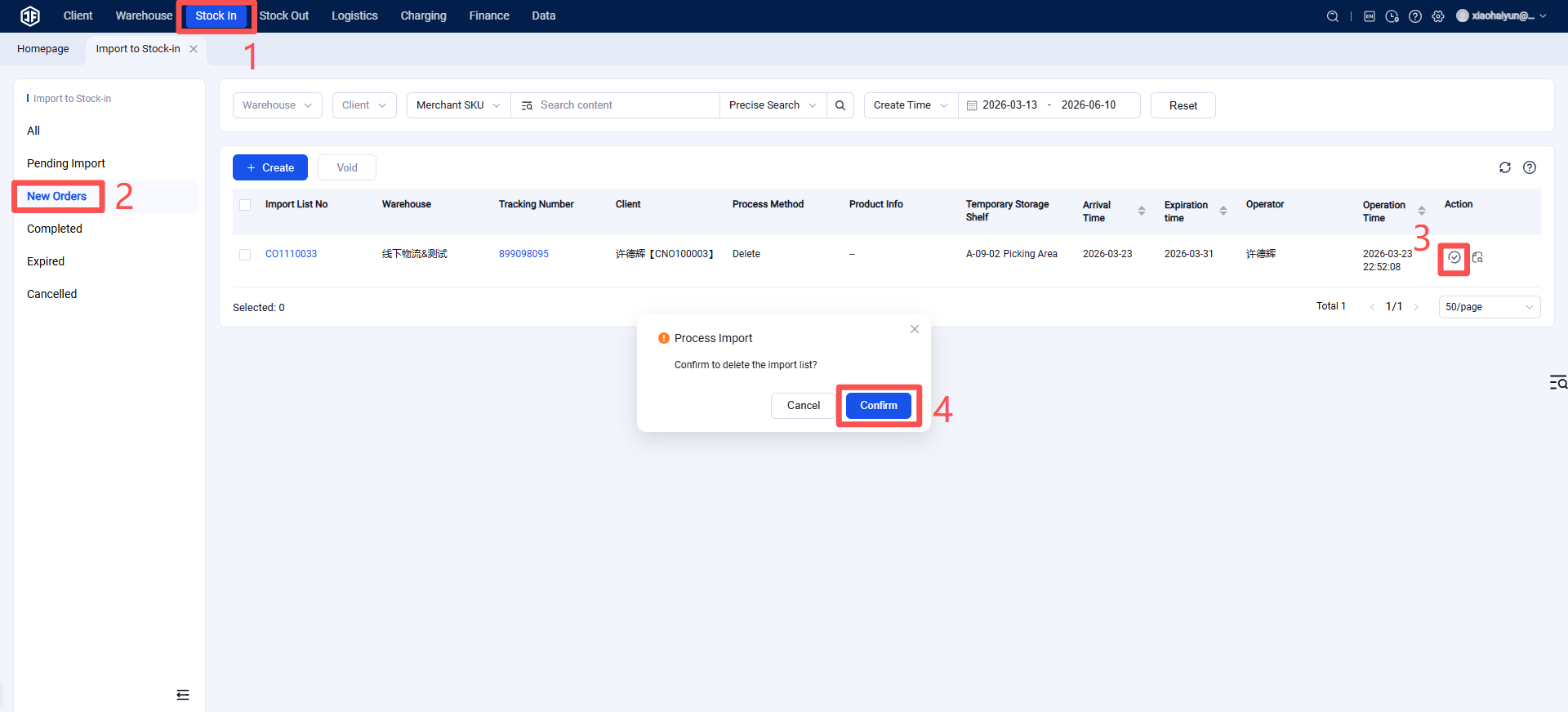
After a seller has claimed a package, you can view the seller's chosen handling method under Pending Processing. If the seller selects "Destroy," you can click to destroy it here. Once processing is completed, the claim order moves to the Completed status.
If the seller selects "Put‑away," it is equivalent to the seller submitting an inbound order. You can find it under Inbound > Return Order Management in the Pending Inbound tasks for return inbound orders, and then follow the standard return inbound put‑away process.