Overseas Warehouse Temu Y2 Direct Shipping Order Receiving and Sign-off Management
I. Definition
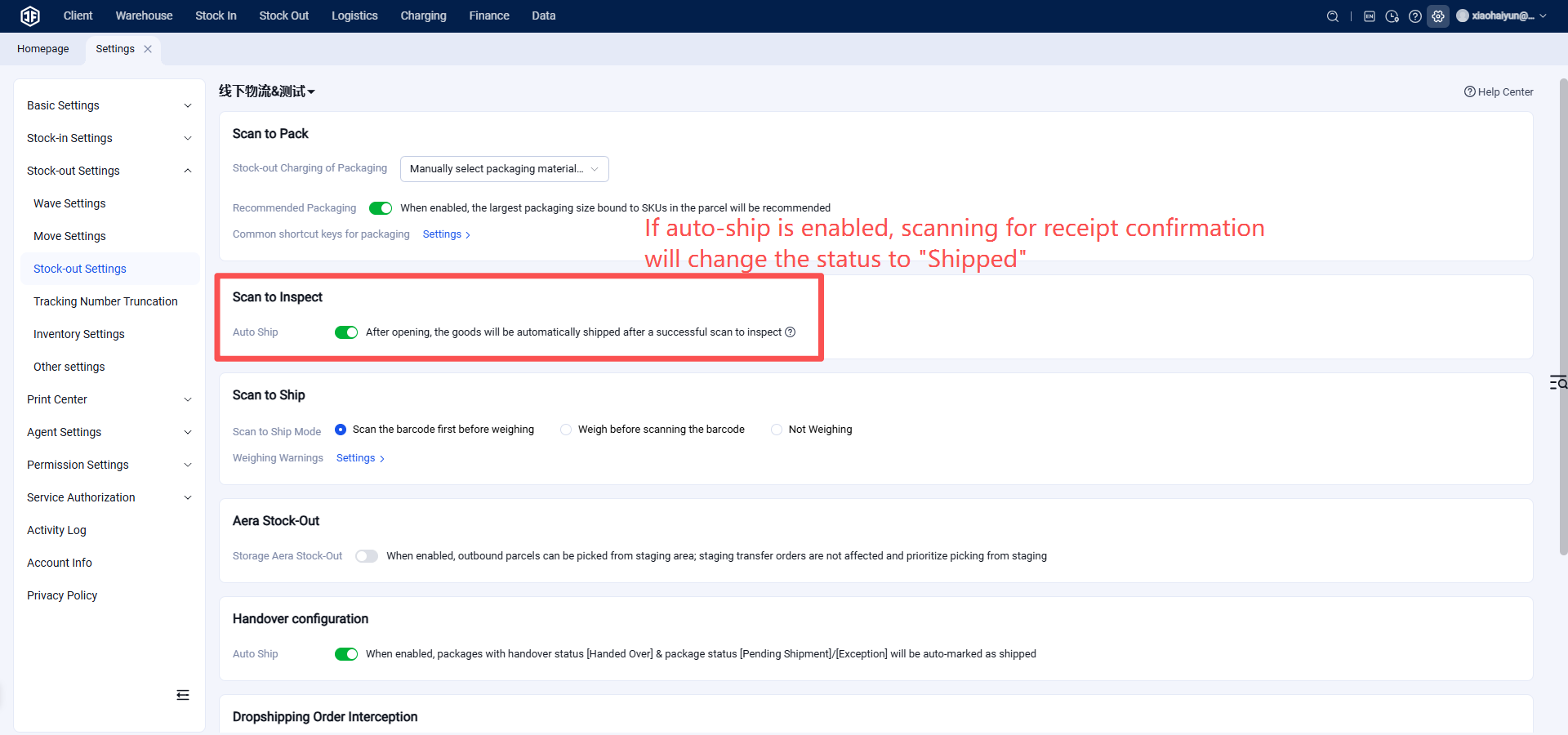
If a logistics provider or domestic freight forwarder receives a package handed over by a Temu Y2 seller, they can perform a direct‑mail order receipt confirmation. After confirmation, the seller’s Temu direct‑mail order in the OMS will enter the “Shipped” status.
II. Operation Process
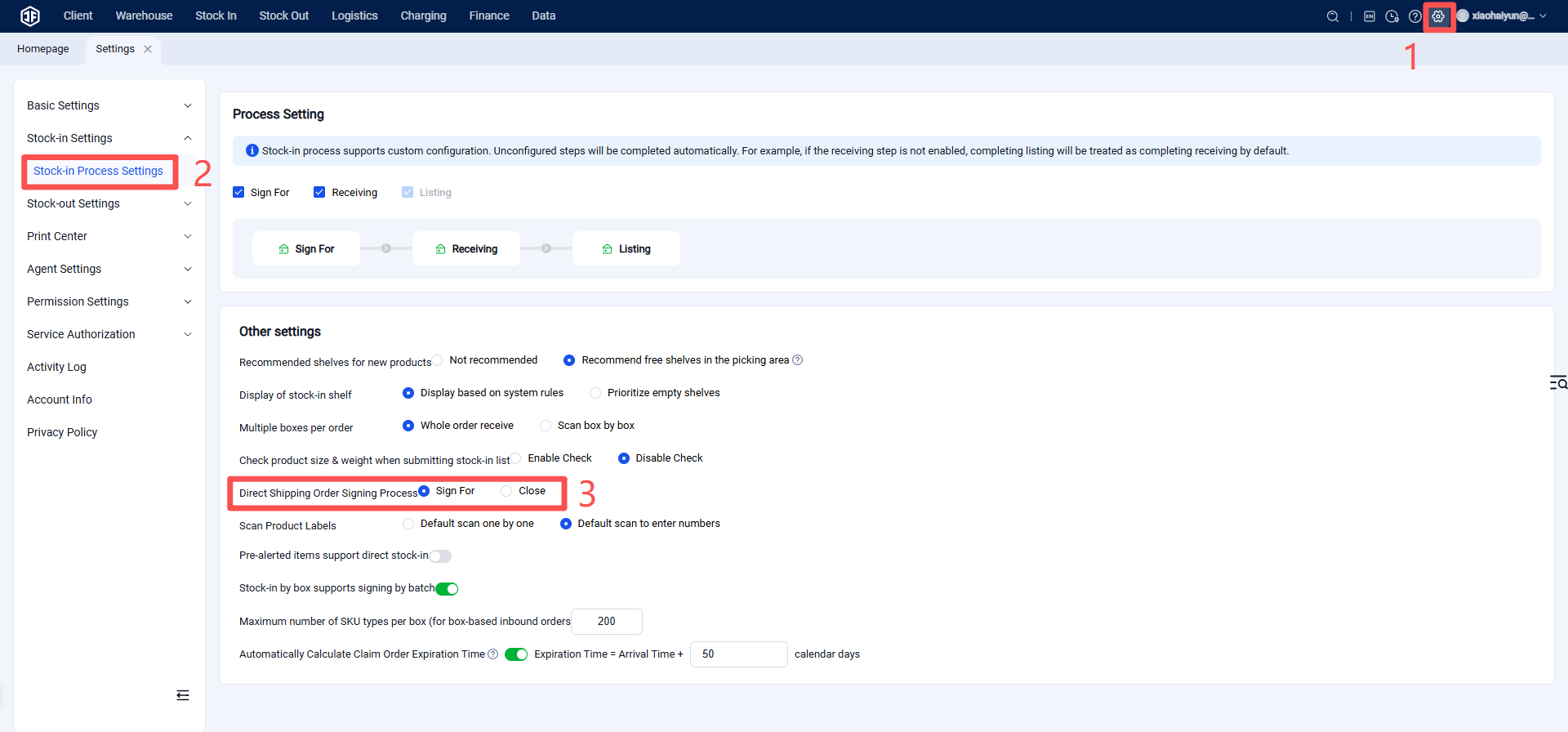
Warehouse Terminal (WMS) – Settings – Business Settings – Inbound Process Settings – Direct‑Mail Order Receipt Process
Note: Suitable for domestic freight forwarders or logistics providers to confirm receipt of goods, making it easy to track the quantity received and avoid time‑consuming manual verification.
Step 1: Enable the Direct‑Mail Order Receipt Process
Step 2: Scan to confirm receipt
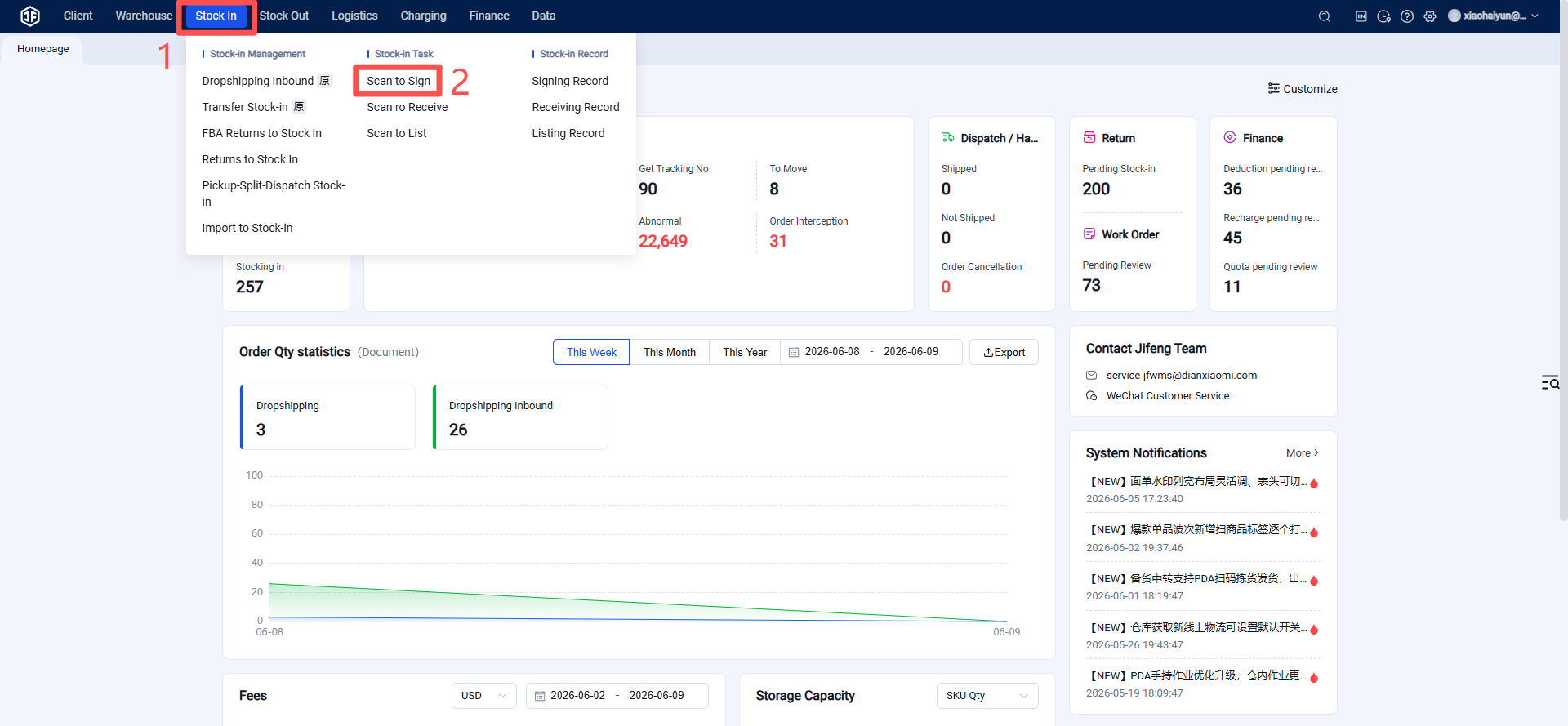
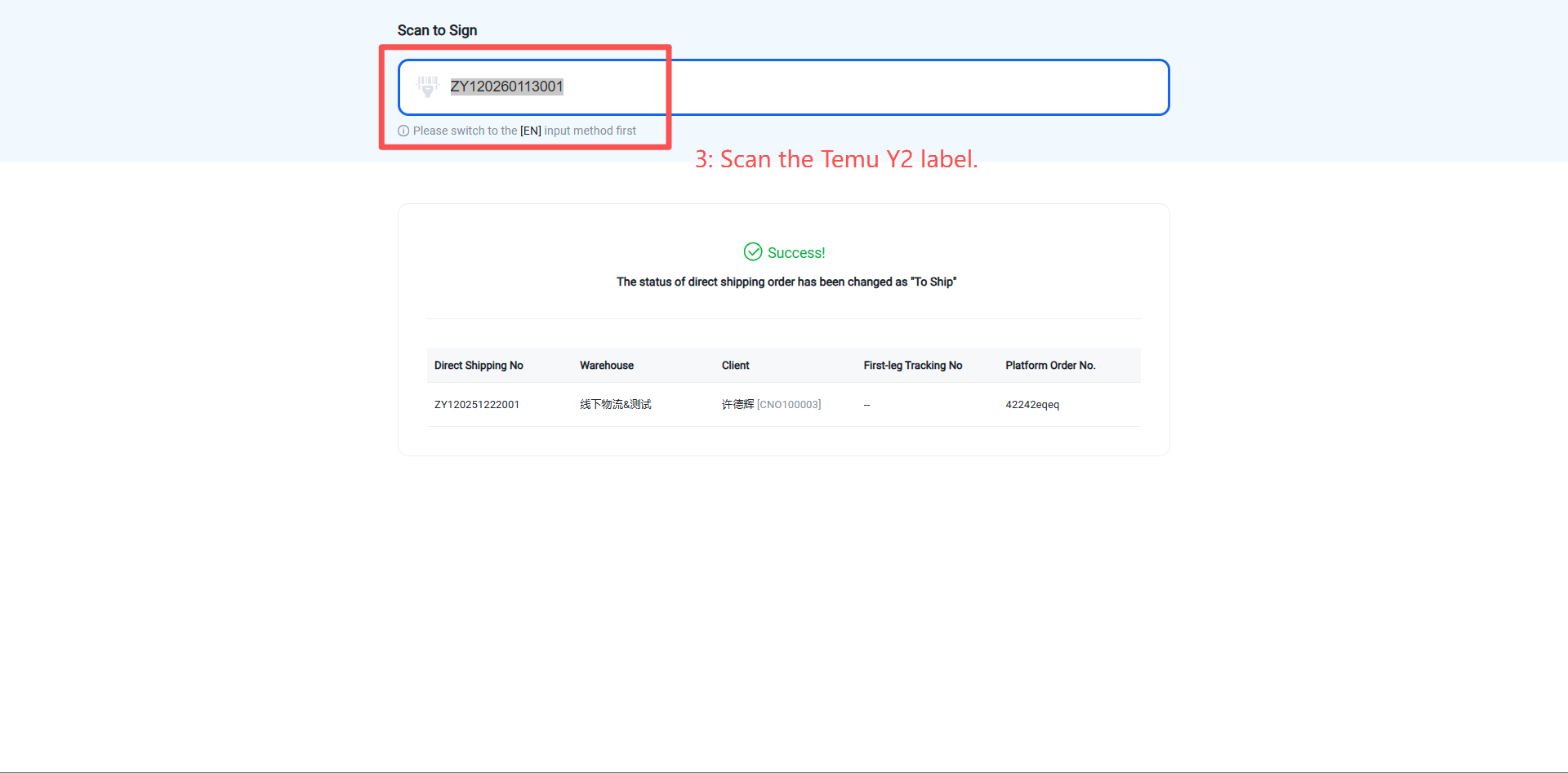
When the system enables direct‑mail order receipt, scanning for verification of a direct‑mail order in "Pending Receiving" status supports label printing after verification is completed, and the status changes directly to "Pending Shipment". If auto‑ship is enabled, the status automatically changes to "Shipped".