Overseas Warehouse Return Processing & Creating Return Inbound Orders in the Overseas Warehouse
I. Definition
When a warehouse receives a returned inbound package, the processing logic and operations differ completely depending on the type of return.
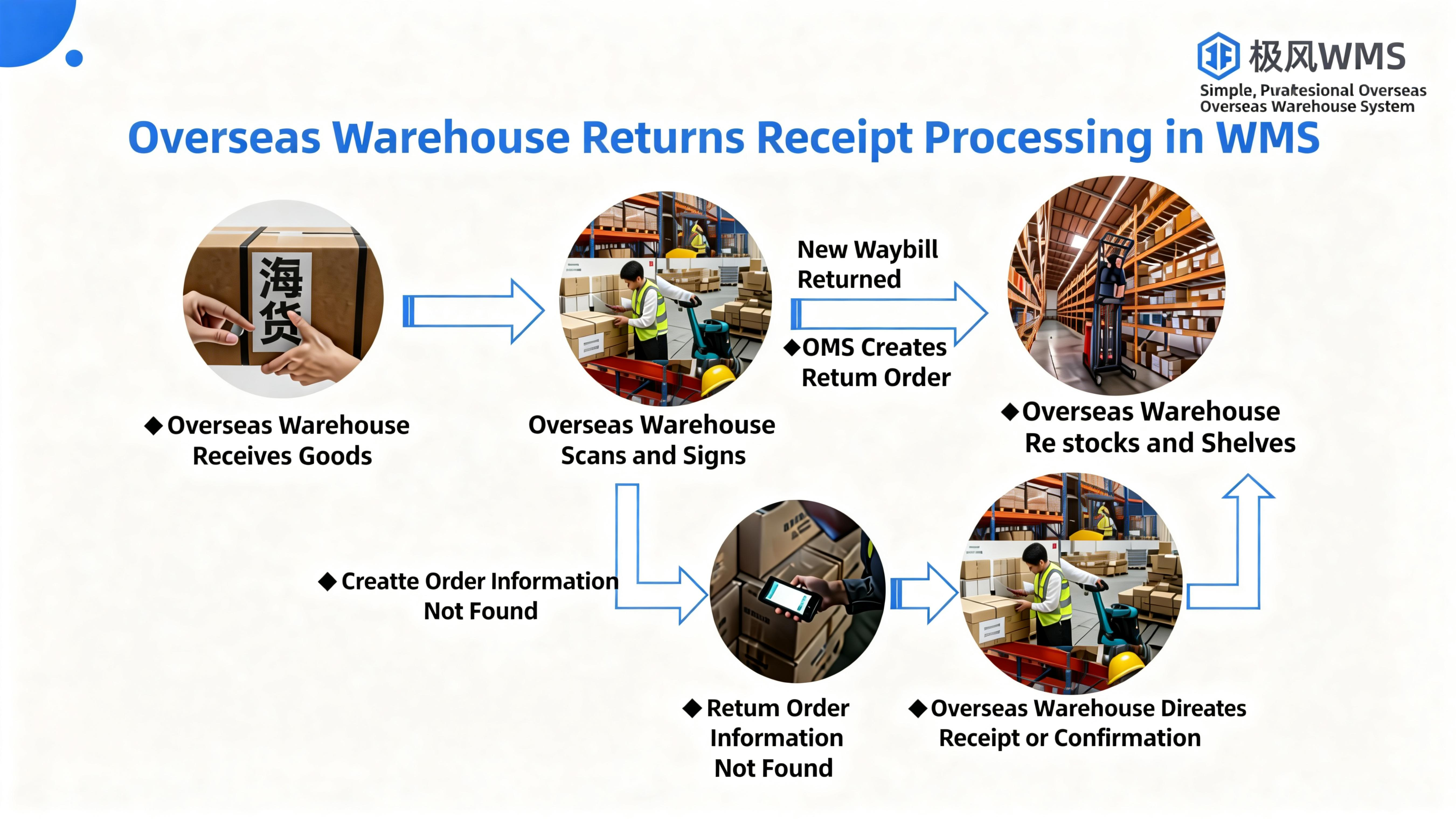
If the buyer refused to accept the delivery and the original package is returned to the warehouse: The warehouse can scan the return and directly proceed with inbound put‑away.
If the buyer has already accepted the goods and returns the items via offline logistics: The seller needs to create a return inbound order in Jifeng OMS to inform the warehouse of the returned items and quantities. The overseas warehouse then conducts return inspection (QC), inbound processing, and put‑away, and can repack and ship the goods once a new order is received.
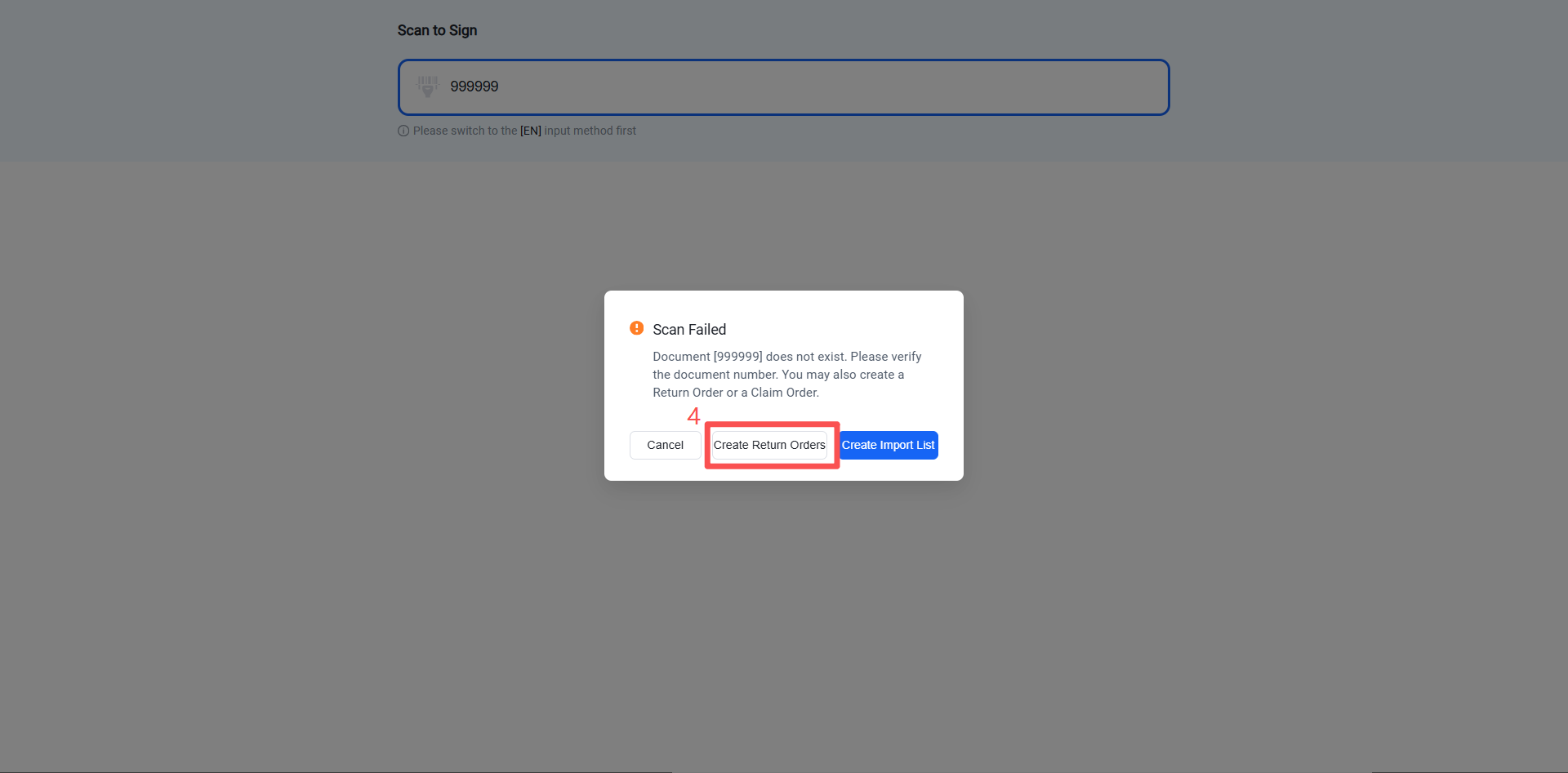
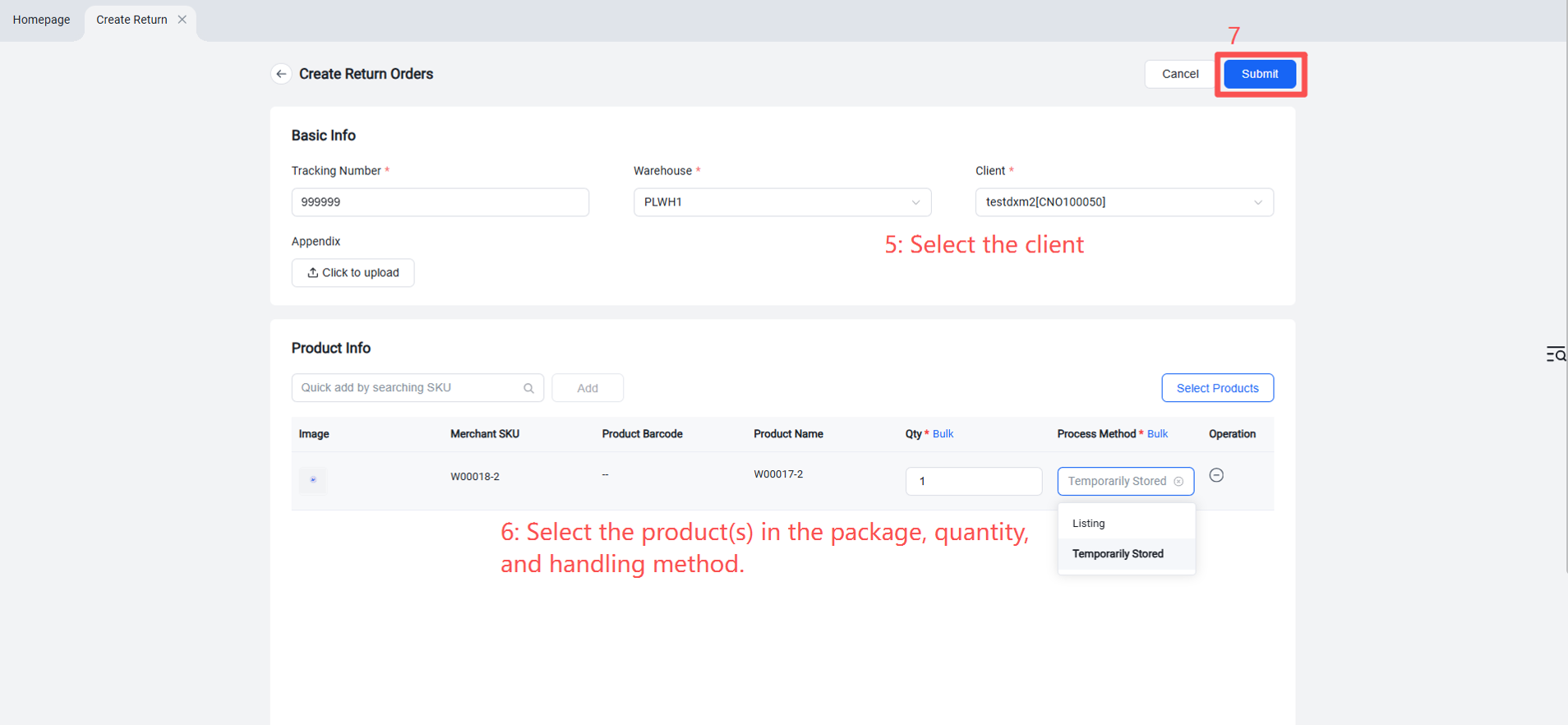
If the warehouse scans the return and the system shows no corresponding return inbound order (i.e., the seller did not create one): The warehouse can directly create a return inbound order for the seller in Jifeng WMS. The seller should analyze whether the items can be put back for resale, require repair, or need to be destroyed. Both OMS and WMS should display photos to facilitate communication.
Note: If a warehouse return lacks an inbound order, the warehouse cannot perform QC and inbound processing, leading to disorganized堆放 of return packages and inability to put them away—otherwise errors may occur. The following guidance explains Jifeng WMS’s return inbound and put‑away process.
II. Operation Path
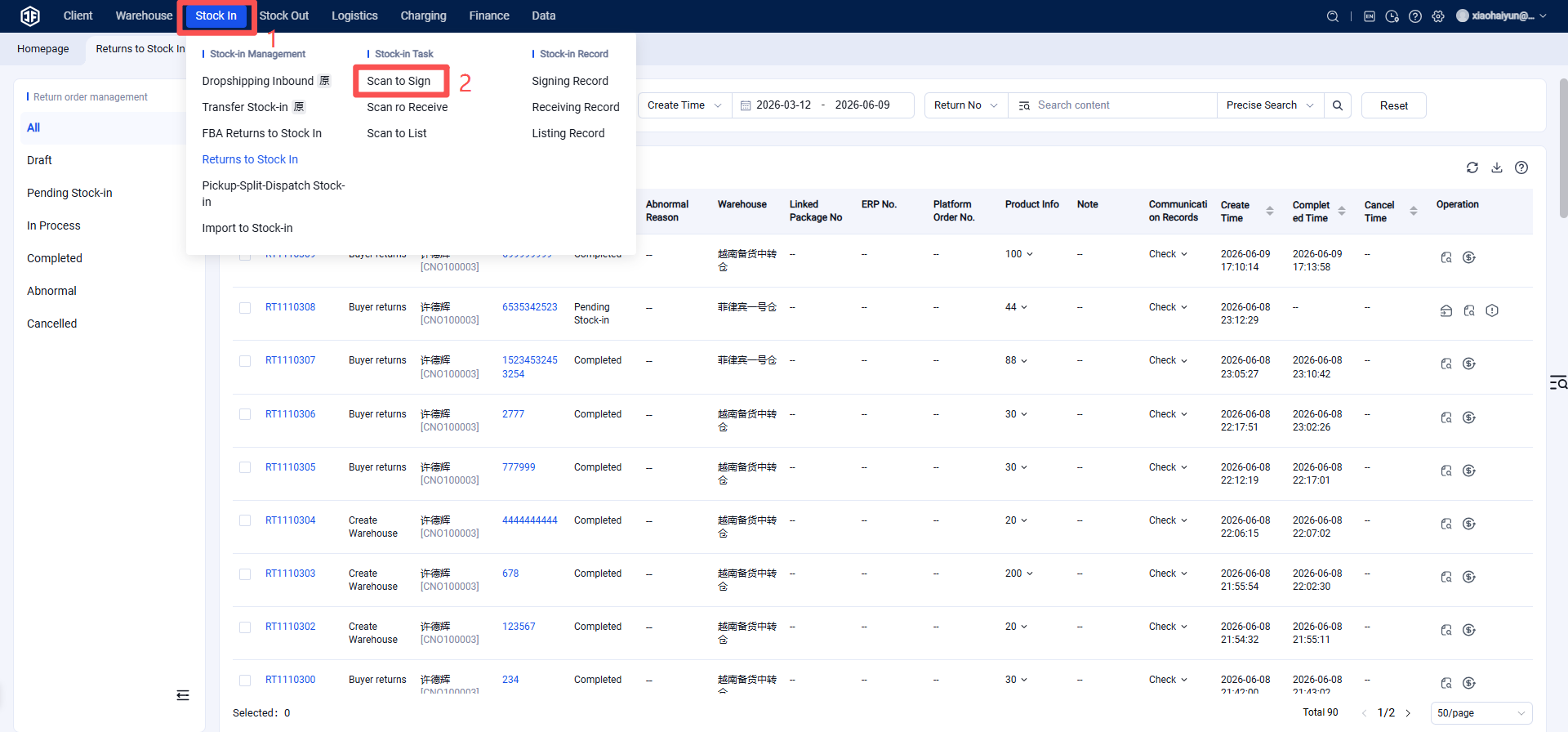
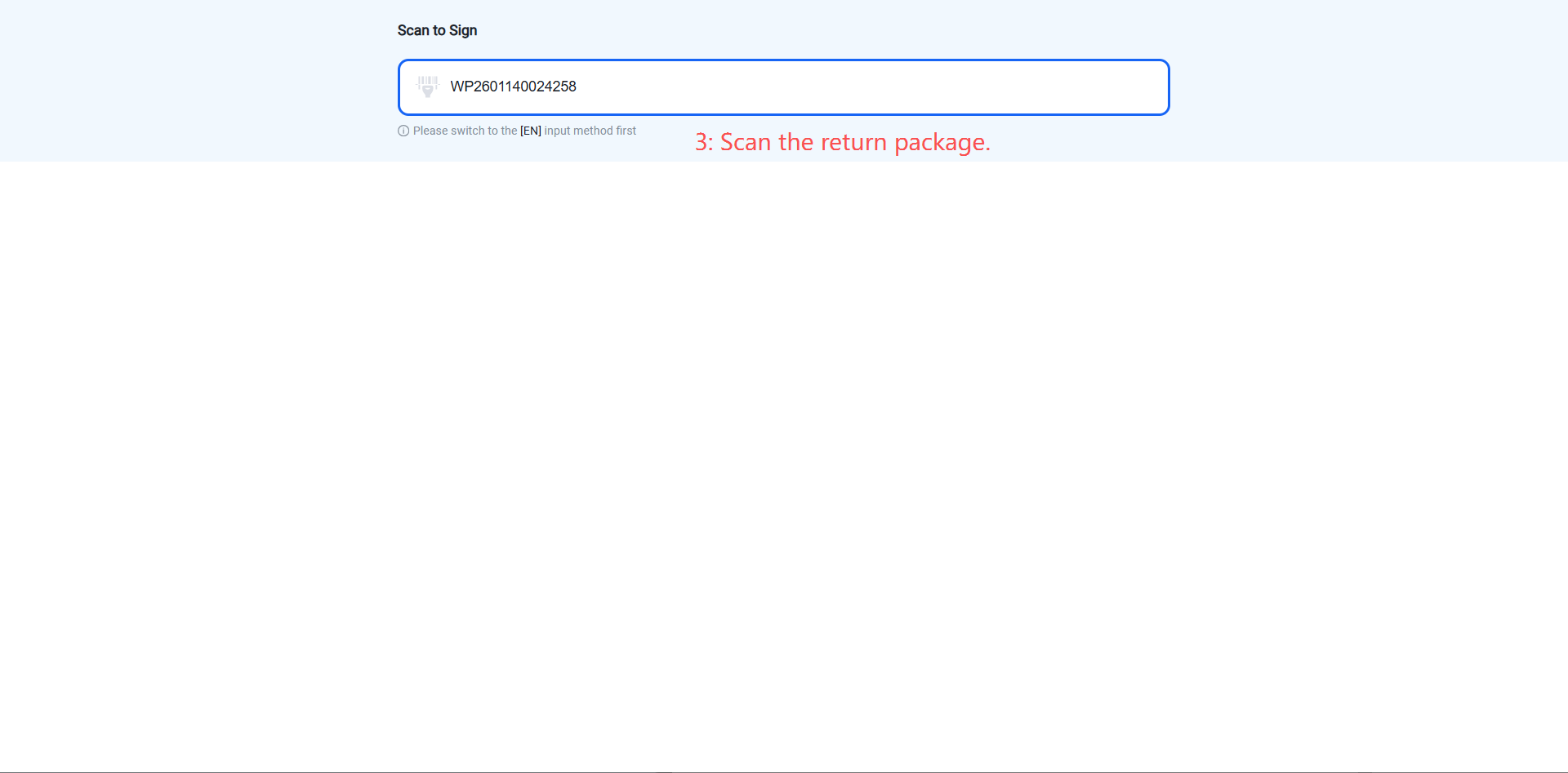
Method 1: Scan to Receive and Directly Create Return Inbound Order
(Suitable for computer/scanner‑based receiving – efficient and convenient)
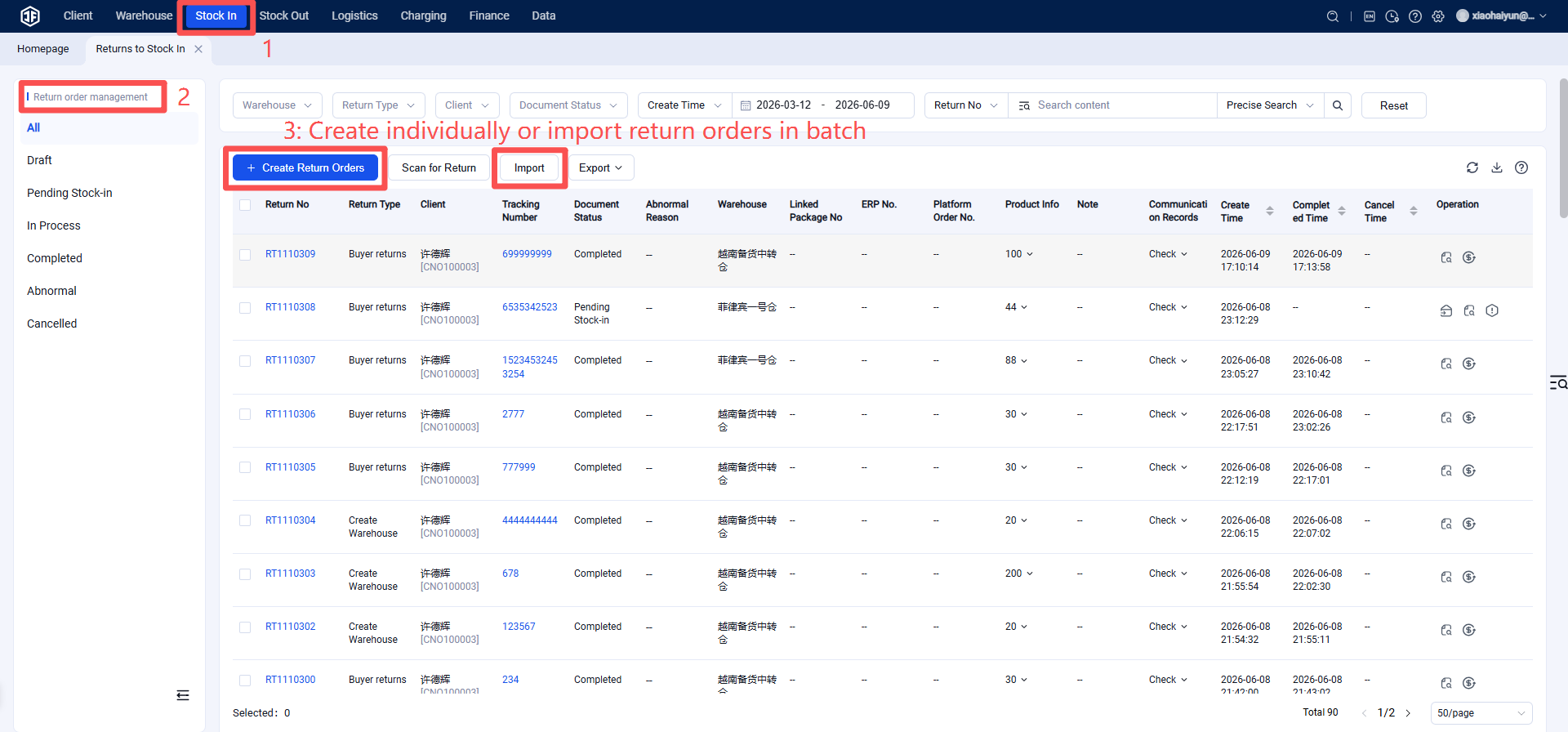
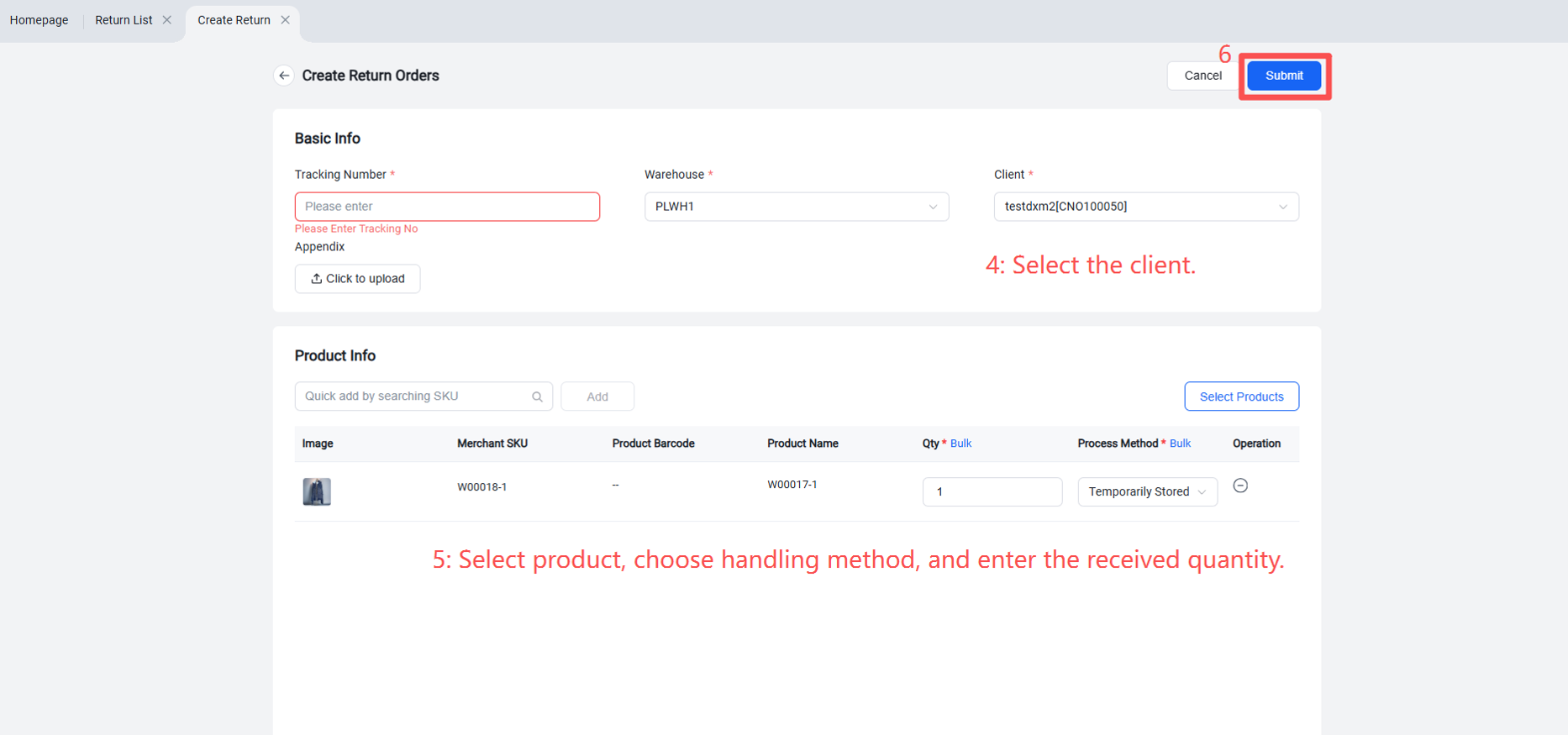
Method 2: Batch Create Return Inbound Orders
(Suitable for centralized processing of a large number of return packages from sellers)
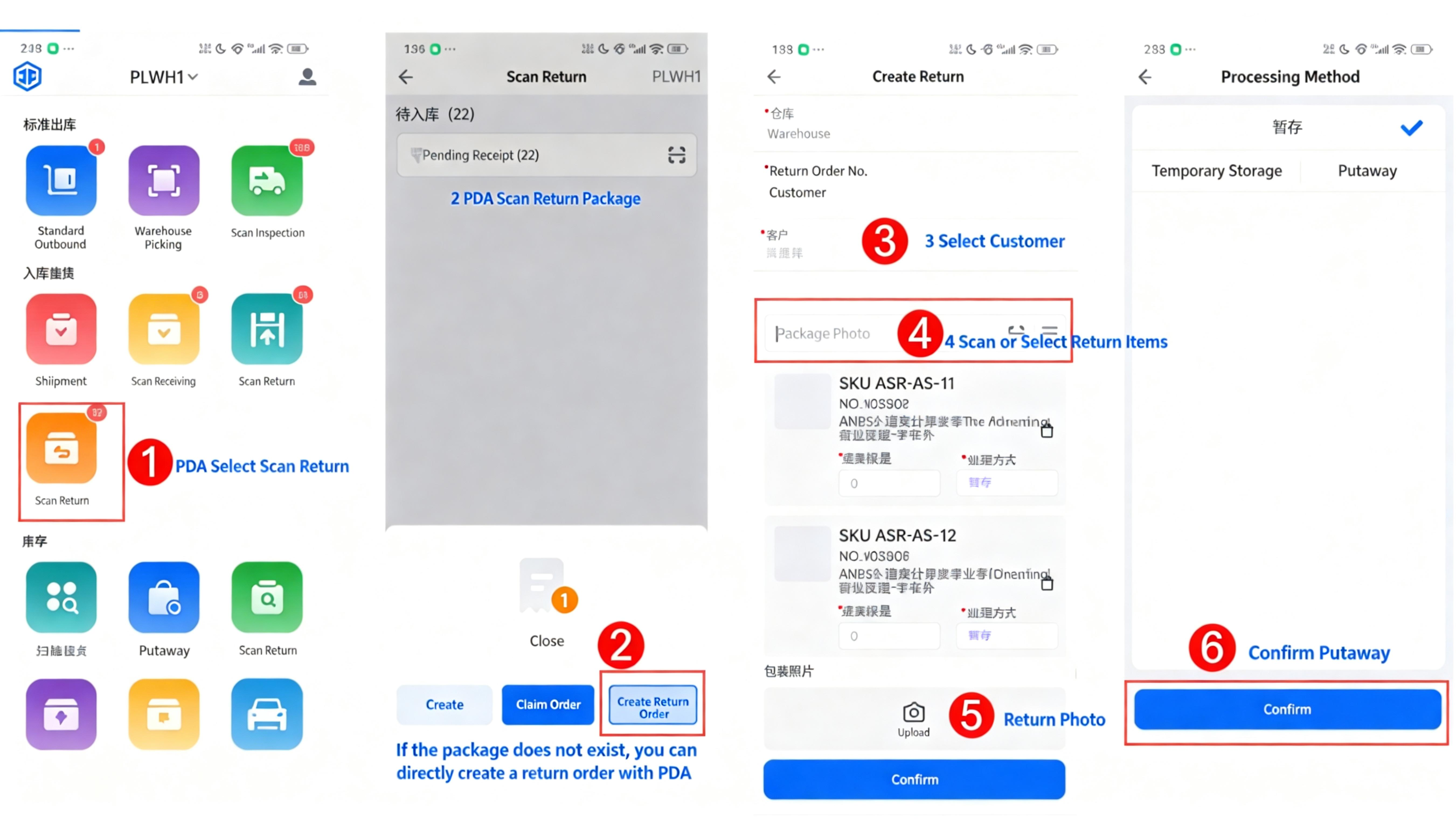
Method 3: PDA Scan Return Inbound to Directly Create Return Inbound Order
(Suitable for mobile operations using PDA in the warehouse – flexible and efficient)