Employee Role and Account Settings
In a warehouse, roles such as receiving clerk, inbound operator, picker, and packer exist. If specific tasks need to be assigned to designated staff, you must first create roles based on job positions and assign corresponding warehousing and module operation permissions to each role. Then, create employee accounts based on staff names and bind these accounts to the relevant roles. This ensures that employees can only access and perform operations within their assigned permissions.
Note: The same role can be bound to multiple accounts, with each account having identical permissions.
1. Role Settings
I. Definition
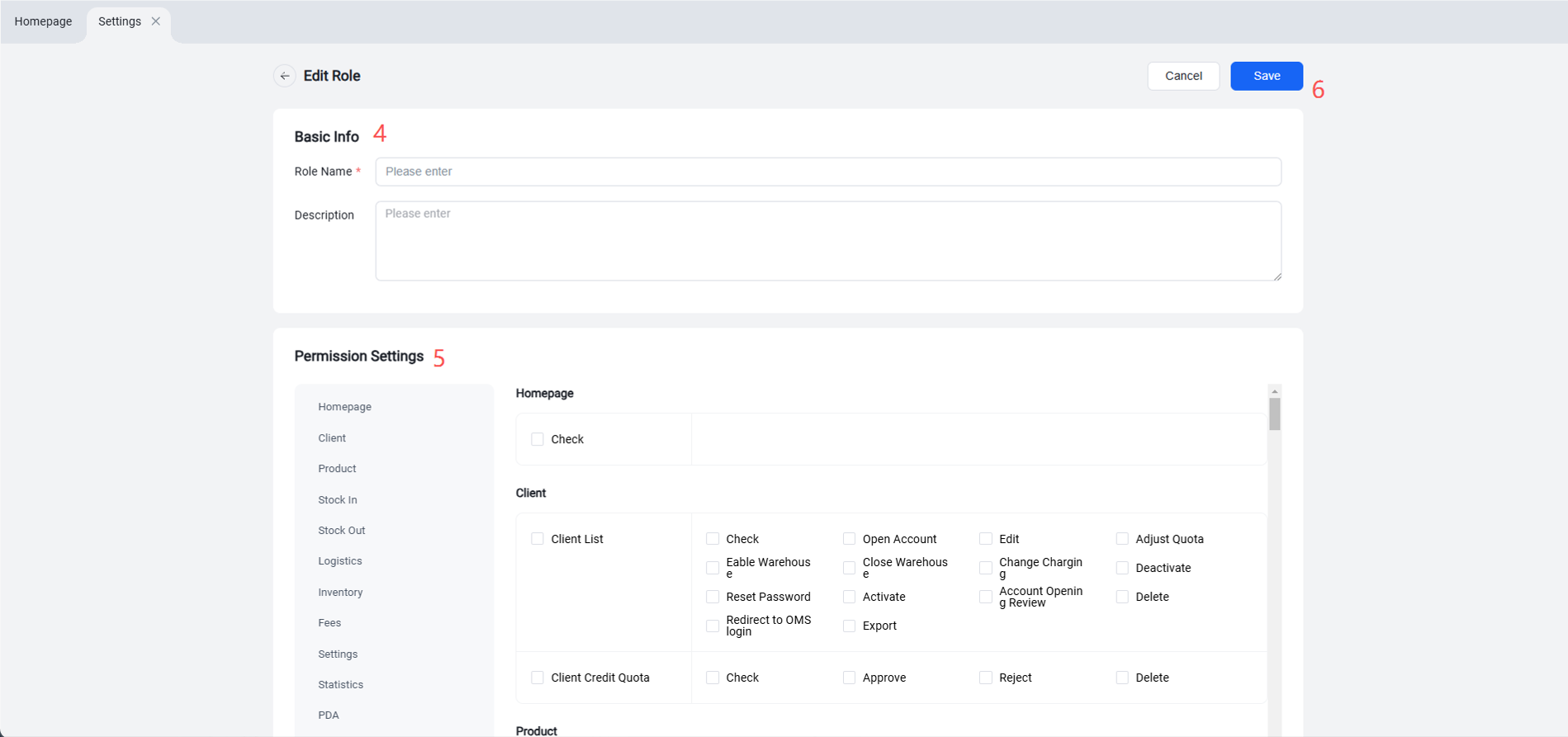
Define different roles according to various warehouse positions and job types, and assign appropriate permissions to each role. This ensures that each role can only view and handle tasks relevant to their responsibilities, thereby safeguarding data security.
II. Operation Path
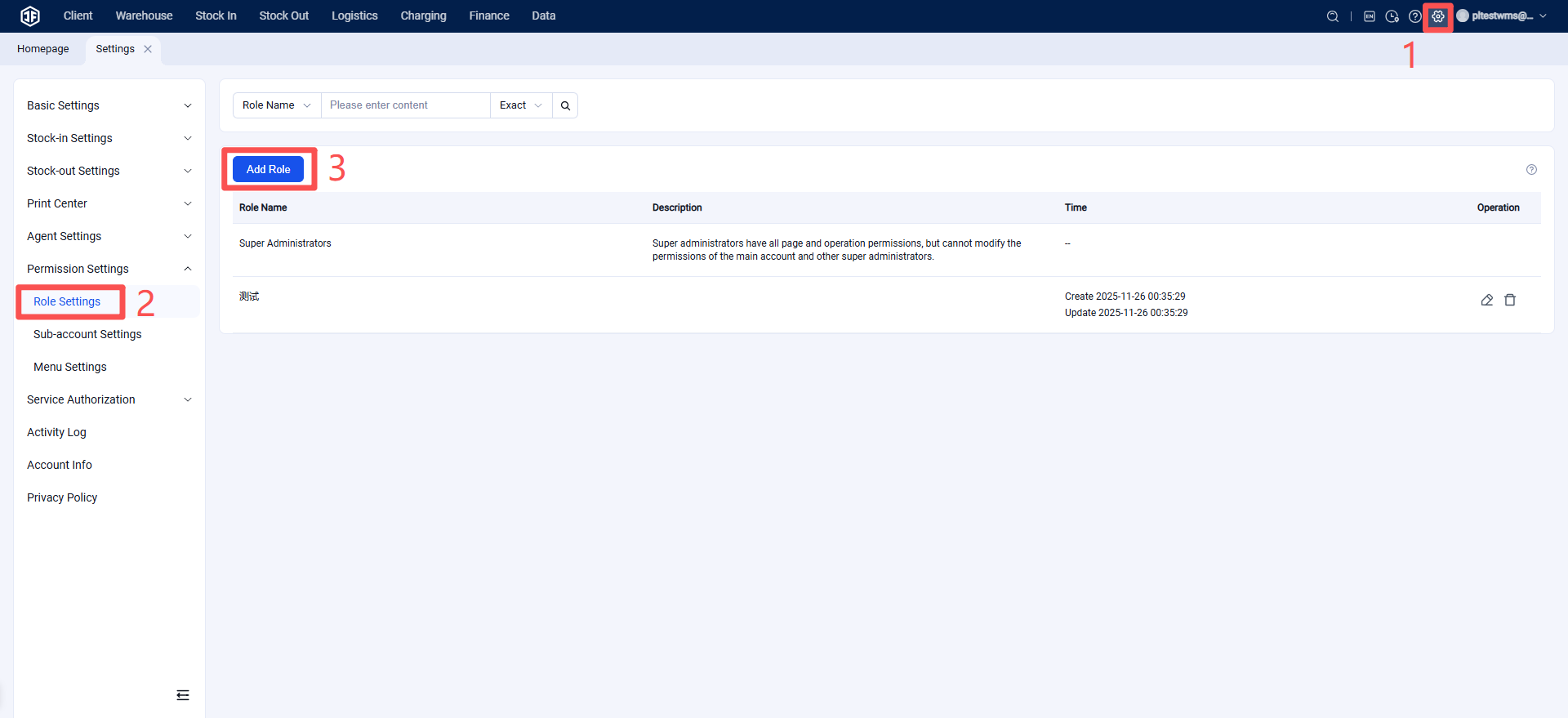
Settings > Permission Settings > Role Settings > Add Role
2. Sub-account Settings
I. Definition
Create sub-accounts for different operators to facilitate login access. Assign roles (job positions) to each sub-account, and allocate corresponding data operation permissions to ensure employees can only perform actions within their authorized scope.
II. Operation Path
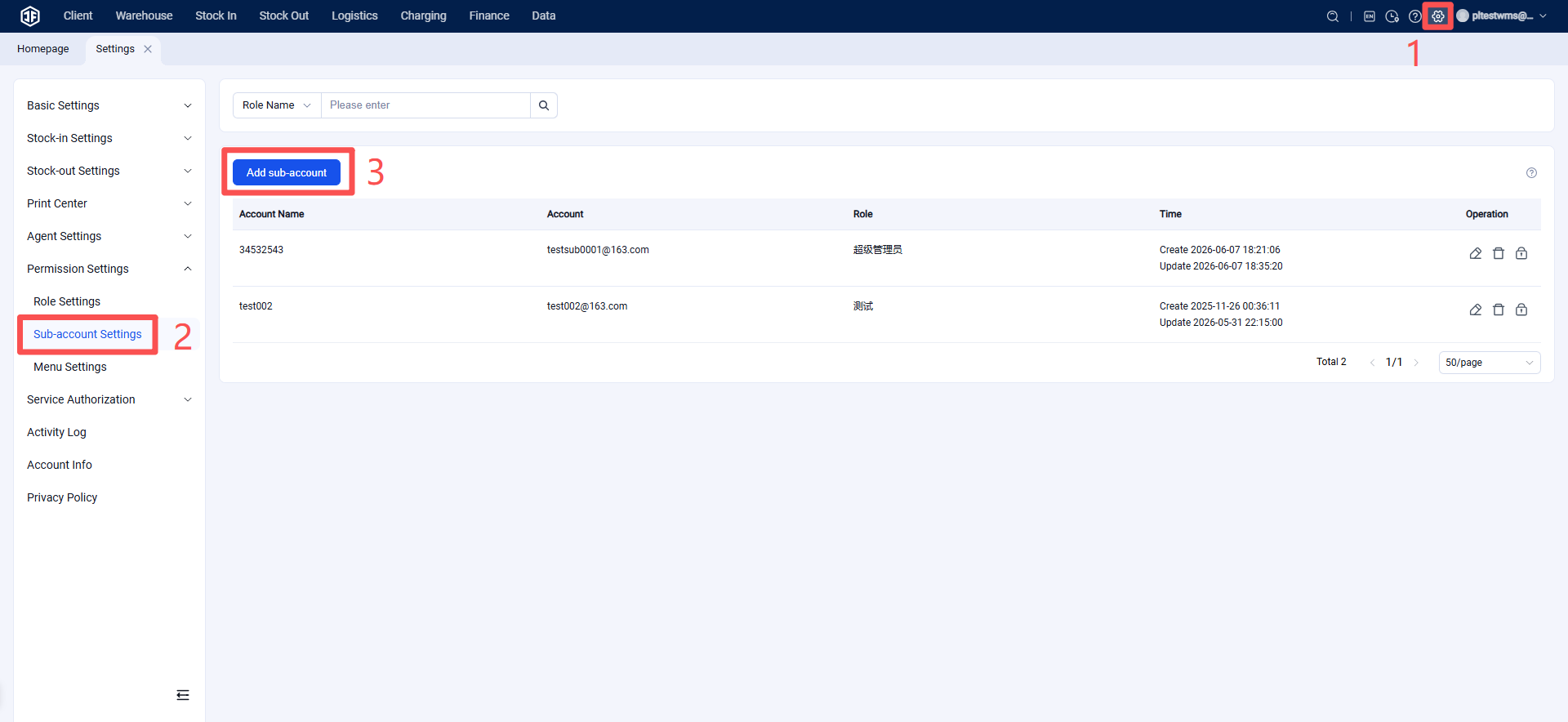
Settings > Permission Settings > Sub-account Settings > Add Sub-account
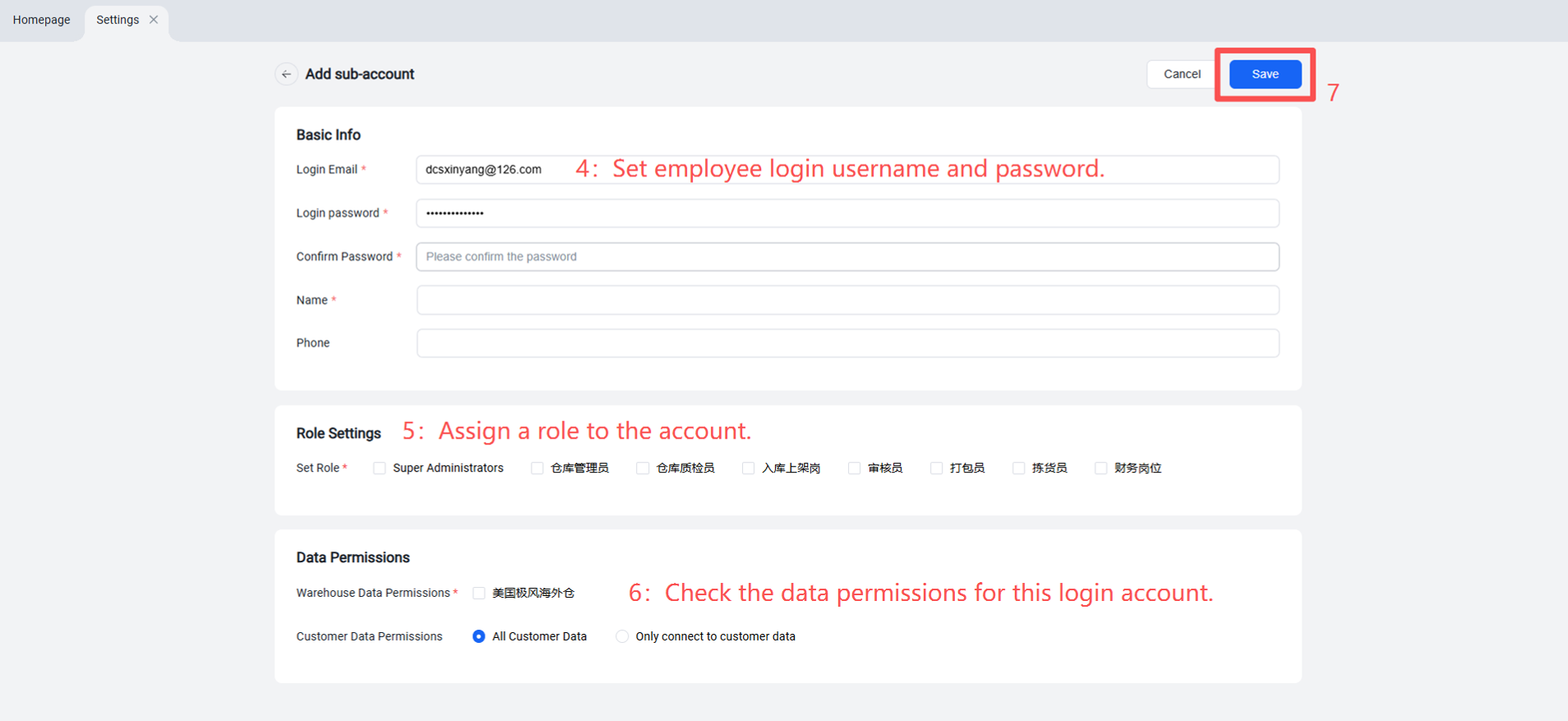
Employees will have the corresponding role permissions based on which role they are assigned to.