Detailed Guide to Handling Fee Configuration
I. Definition
These are the fees incurred by the warehouse for services performed after the seller sends goods to the warehouse, including receiving, inspection, shelving, labeling, packaging, shipping, returns, relabeling, and special value‑added services.
Billing can be based on factors such as item quantity, weight, volume, order documents, etc.
If you are shipping from your own warehouse, you may also set the fee to 0.
II. Operation Path
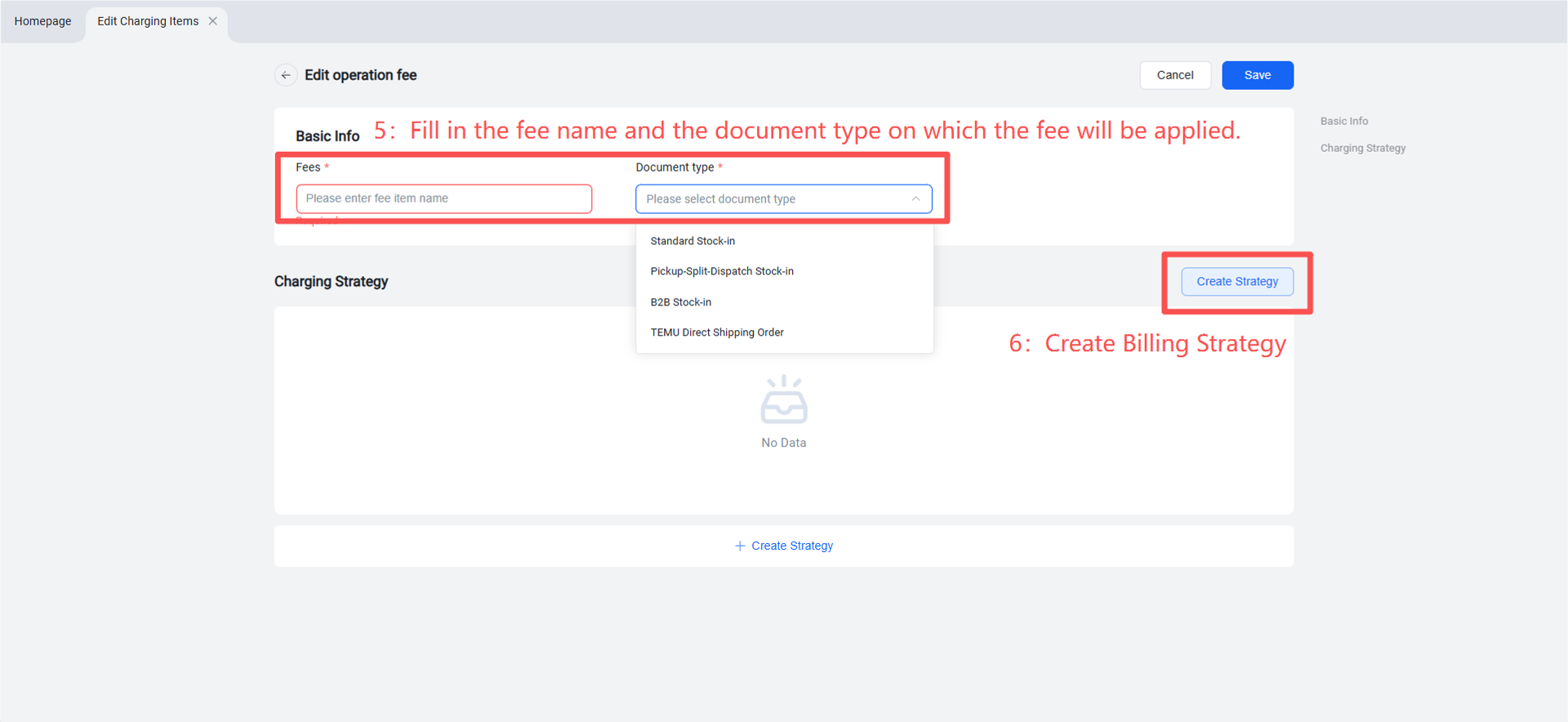
Step 1: Create Fee Item
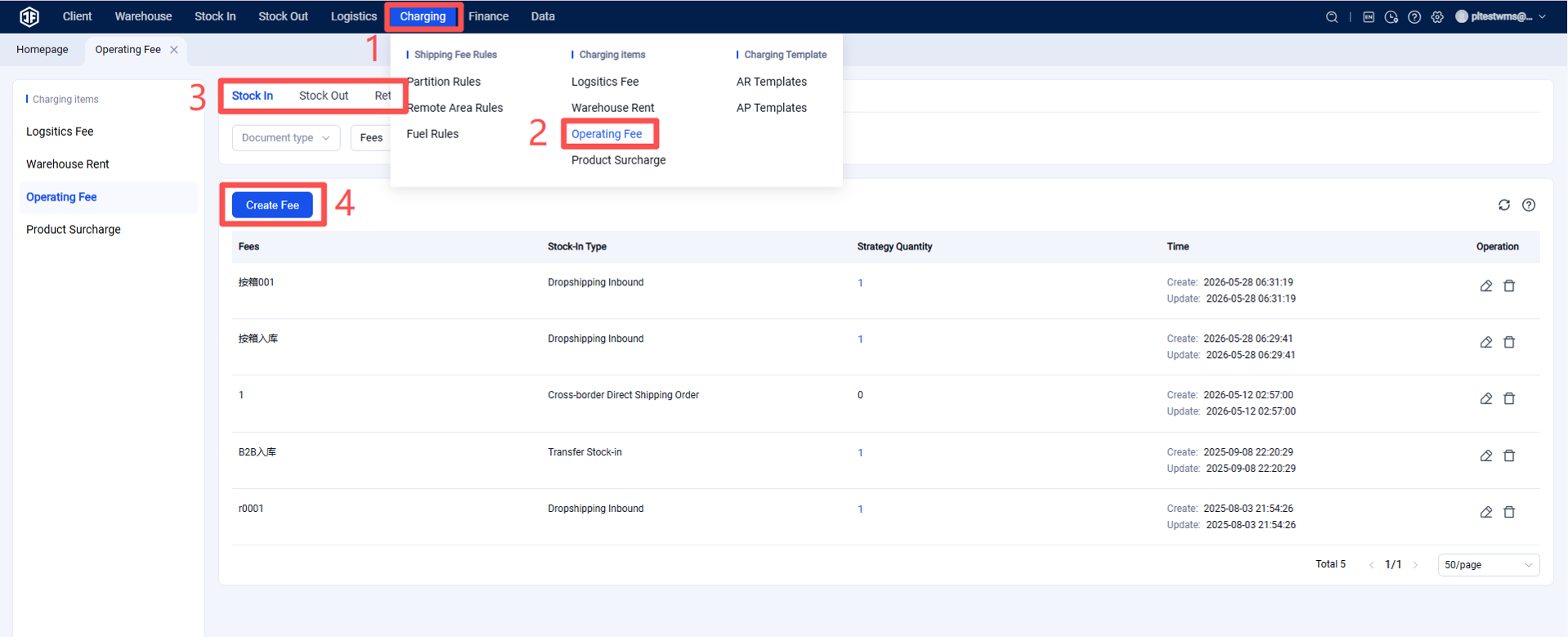
Fees > Billing Items > Handling Fee > Inbound / Outbound / Return / Value‑Added Service > Create Fee
Note: Per‑Document Billing Per‑document billing only requires setting a simple unit price for the selected document type. If a customer is under this policy, the system will charge according to the set unit price once that type of document is completed.
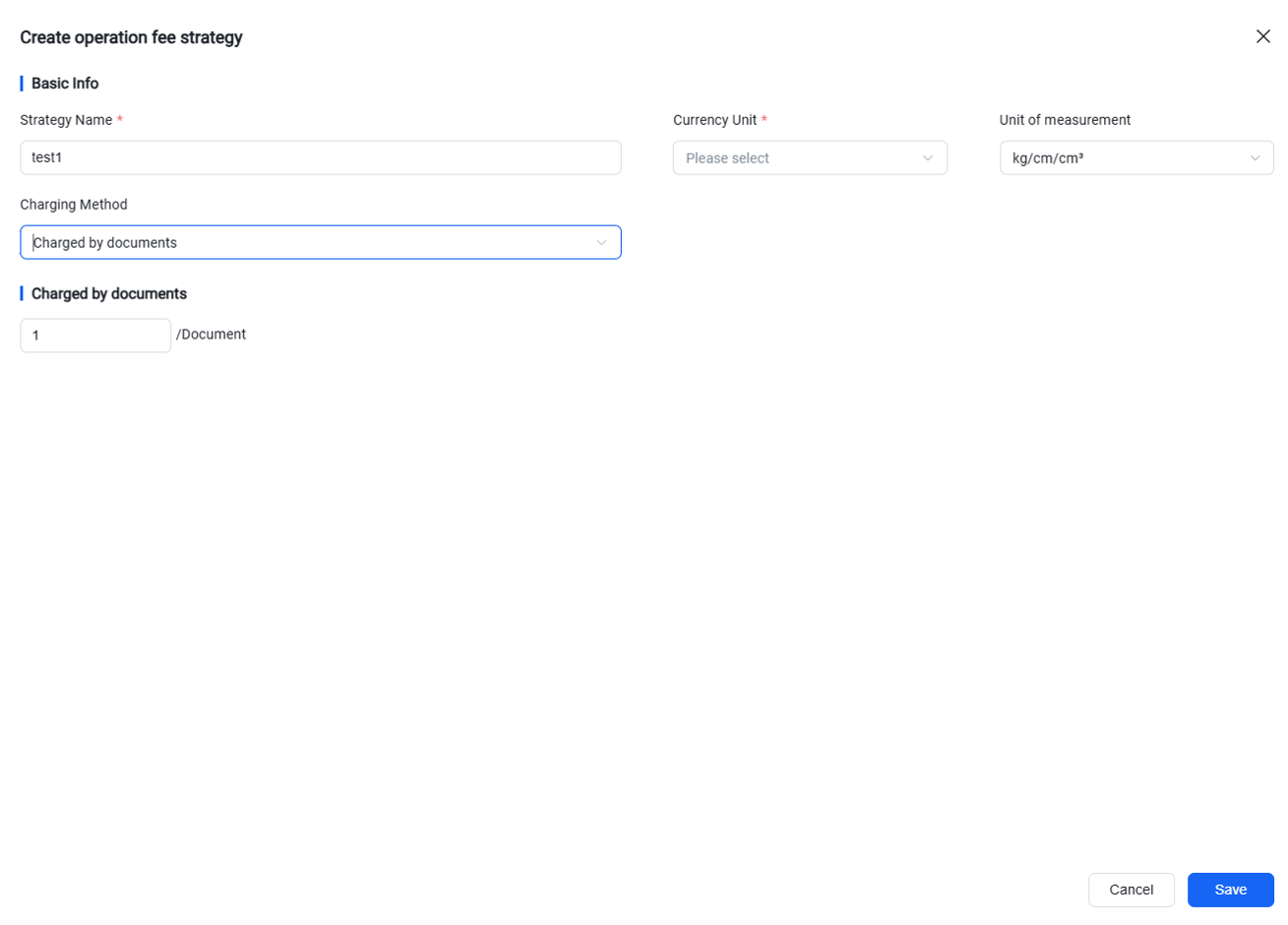
Tiered Billing
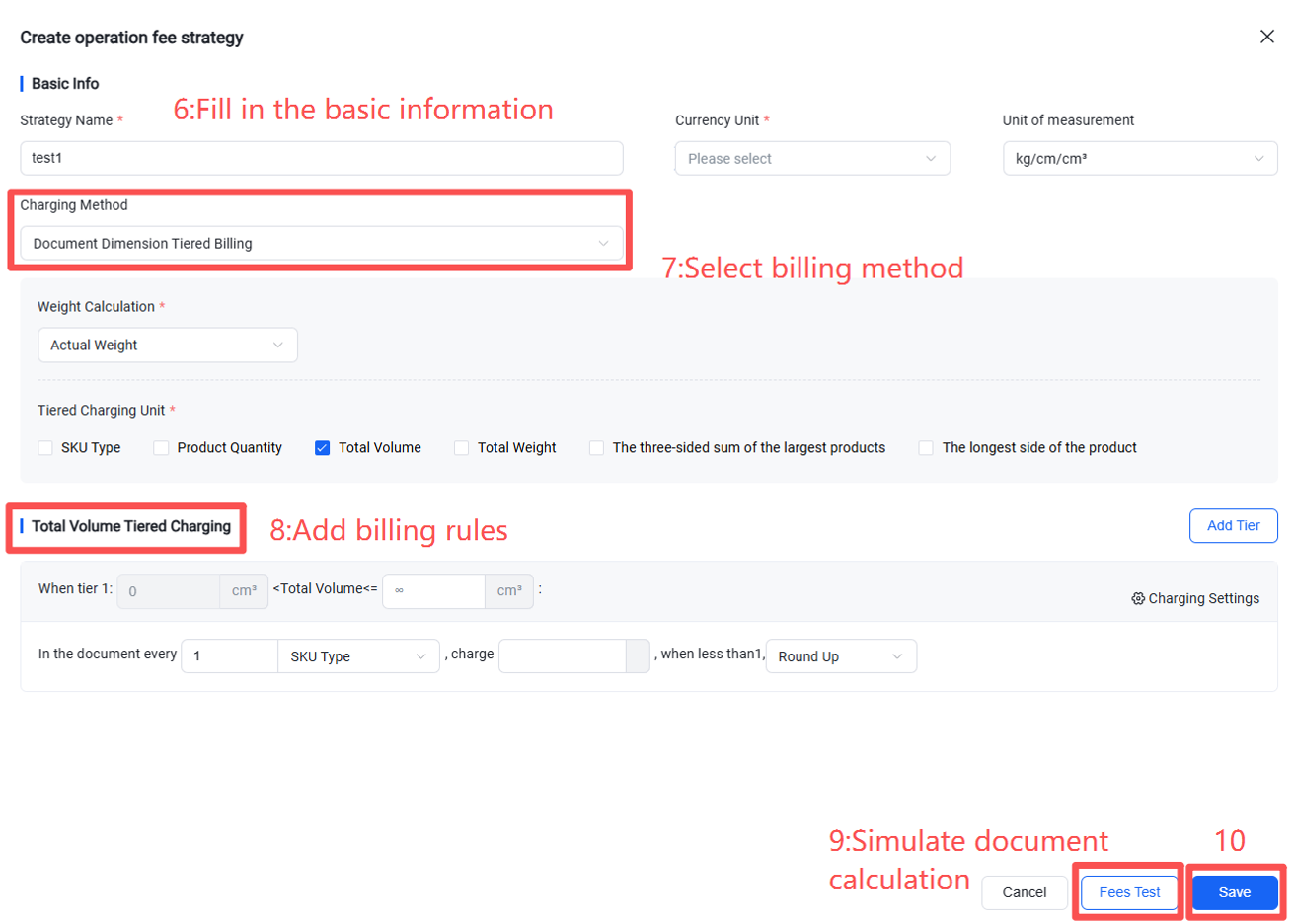
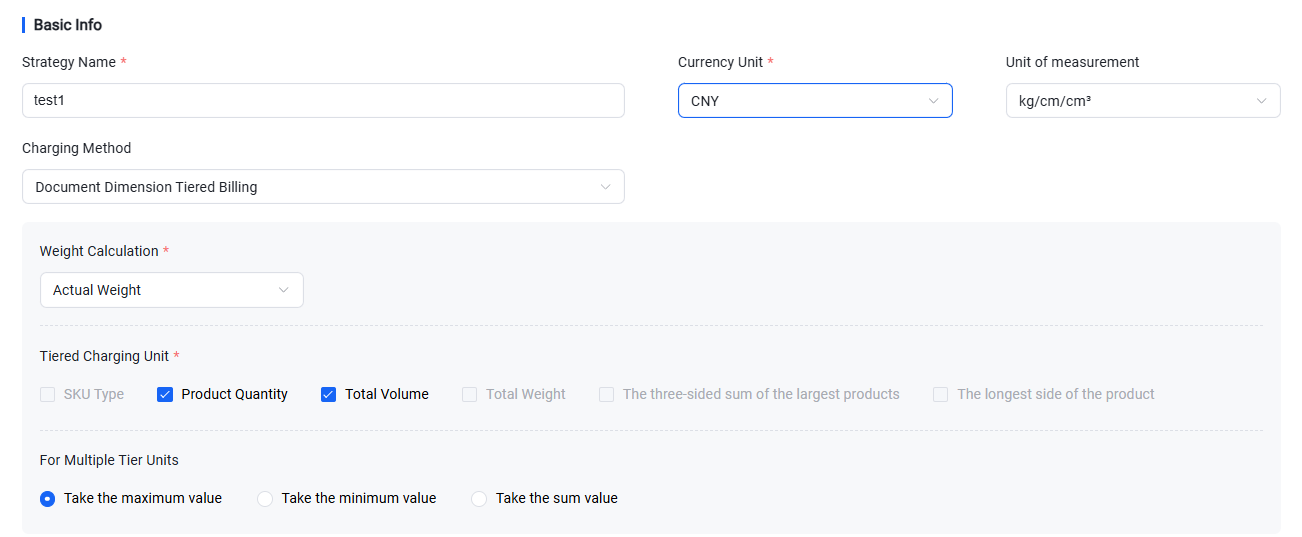
1.Tiered billing requires selecting a tier unit first, such as the number of SKU types, item quantity, item volume, or item weight within the document, and then billing in tiers based on the selected unit.
2 If multiple tiers are selected, it is also necessary to specify how to determine the final value when a single document falls within the ranges of two different tiers.
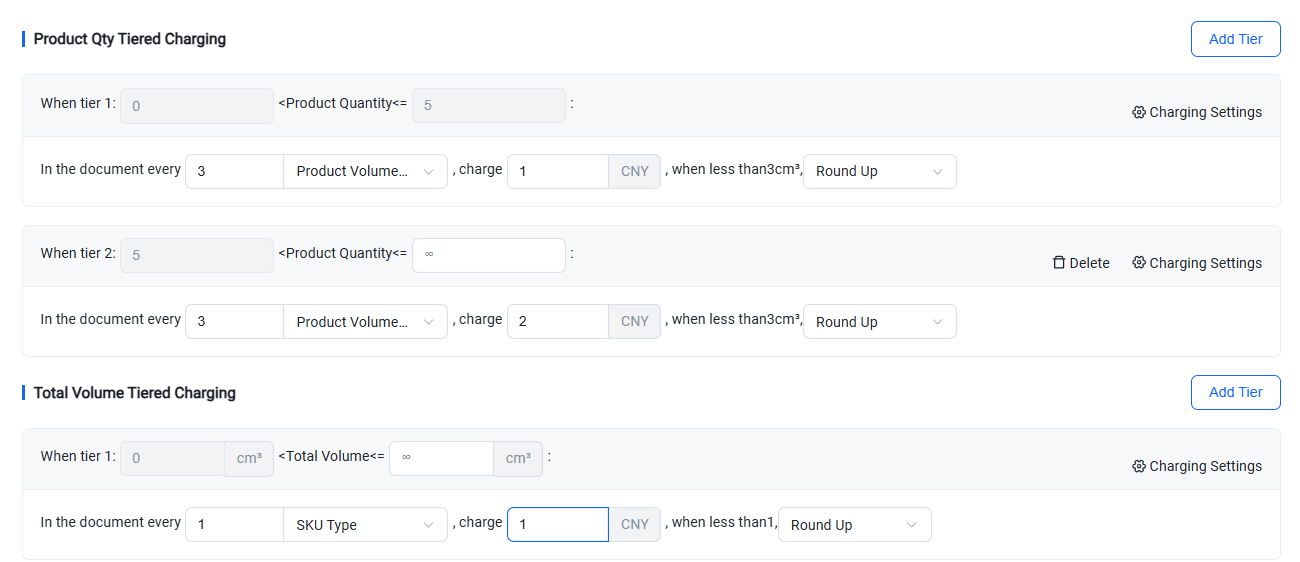
3.Fill in the tier ranges and specify the billing dimension within each tier (options include: number of SKU types, item quantity, whole-order charge, item volume, or item weight).
If the billing dimension is set to "number of SKU types," "item quantity," "item volume," or "item weight," you can configure the quantity per unit and the unit price—that is, how much to charge per specified number of types/quantity/volume/weight.
Additionally, you may set:
Base fee: After calculating the fee for each document as unit price × quantity per unit, a fixed fee is added.
Deduction: After calculating the fee for each document as unit price × quantity per unit, a fixed amount is subtracted.
Minimum charge: If the calculated fee per document is lower than the minimum charge, the minimum charge will be applied.
Maximum charge: If the calculated fee per document exceeds the maximum charge, the maximum charge will be applied.
Step 2: Fee Estimation
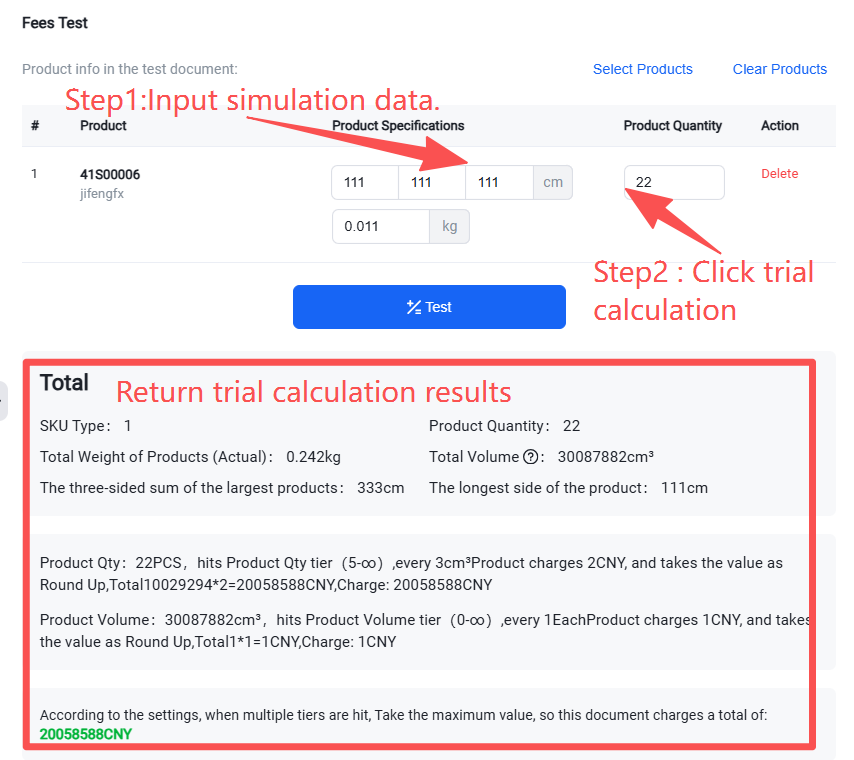
After setting up the strategy, you can directly simulate document information on the page to perform a fee estimation.
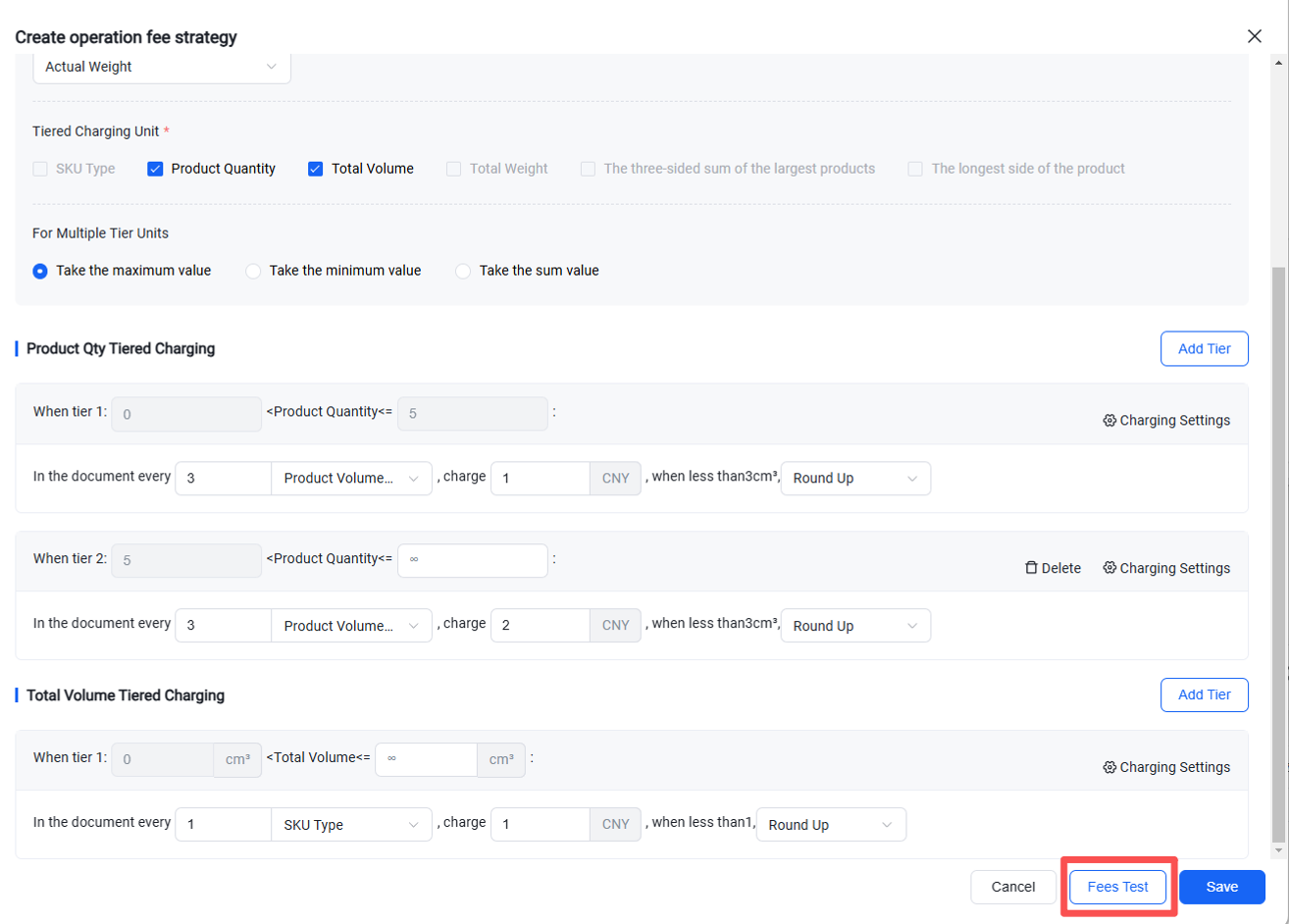
After entering the simulation data, click "Estimate" to display the calculation results.