Product Surcharge Configuration
I. Definition
During inbound and outbound operations for clients, certain goods—besides standard handling fees—may require additional charges (e.g., sensitive items, fragile goods, or products needing special handling). For such items, the warehouse may apply an extra fee, which we refer to as a Product Surcharge.
II. Operation Path
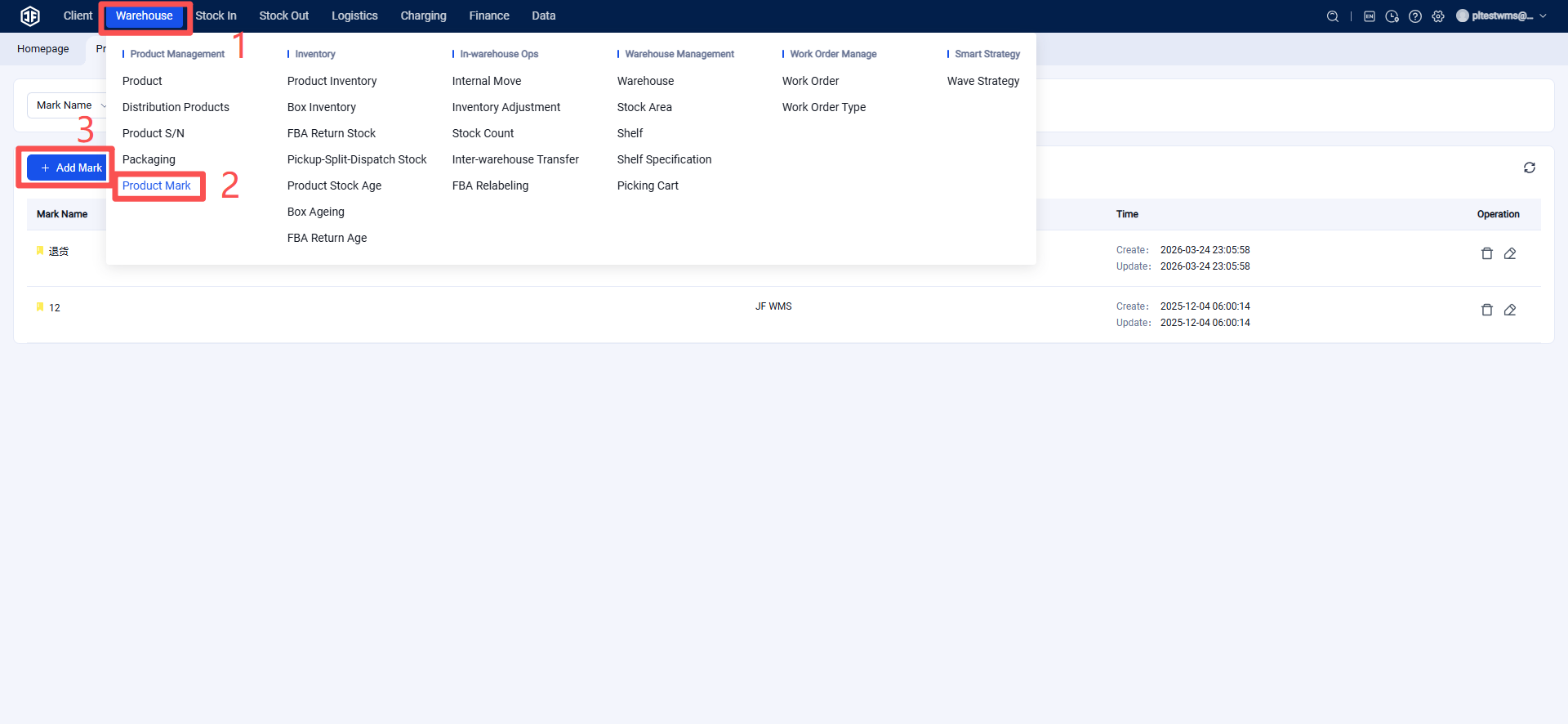
Step 1: Set up product tags for surcharge items
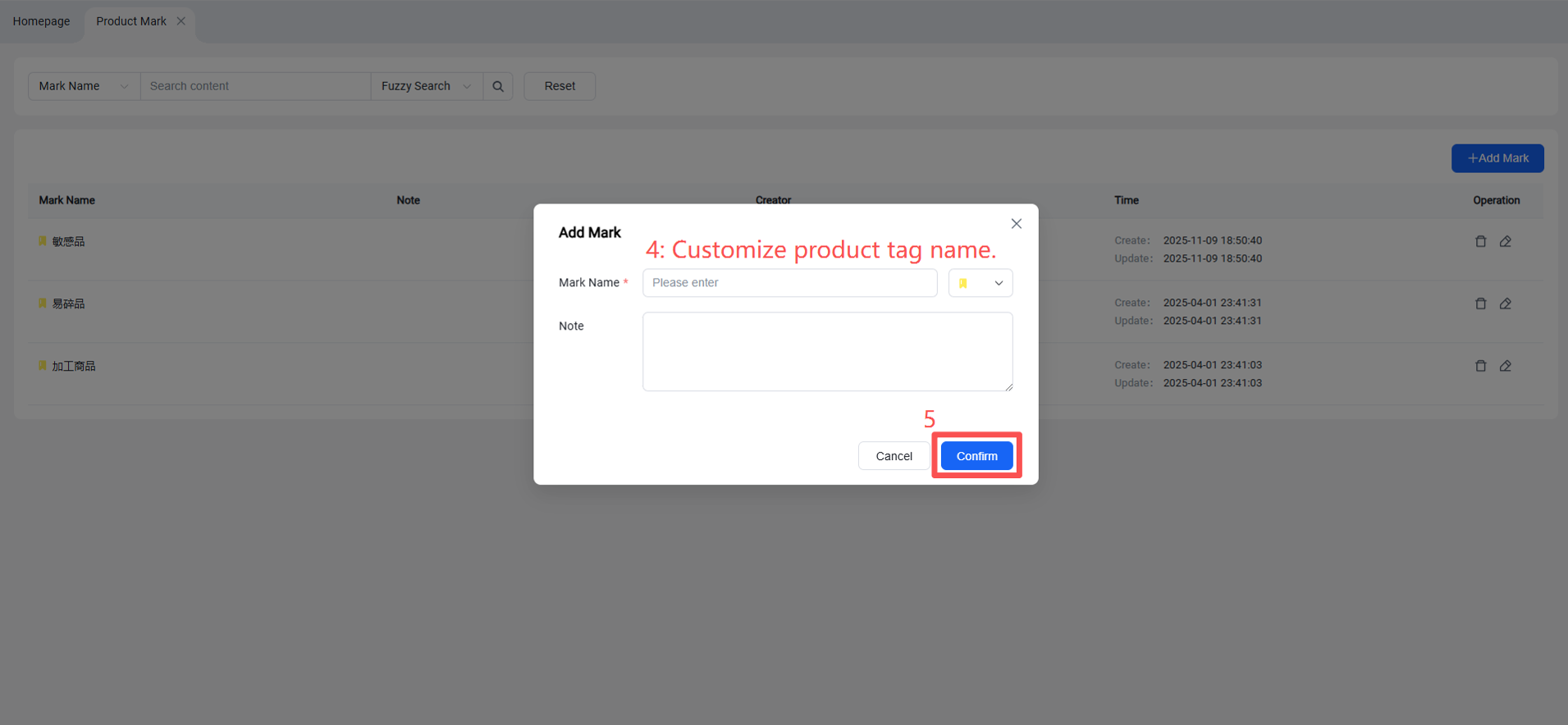
Go to: Products > Product Tags, click "Add Tag" to open the dialog, enter the tag information, select a tag color, and confirm to save.
Step 2: Apply tags to products that require a surcharge
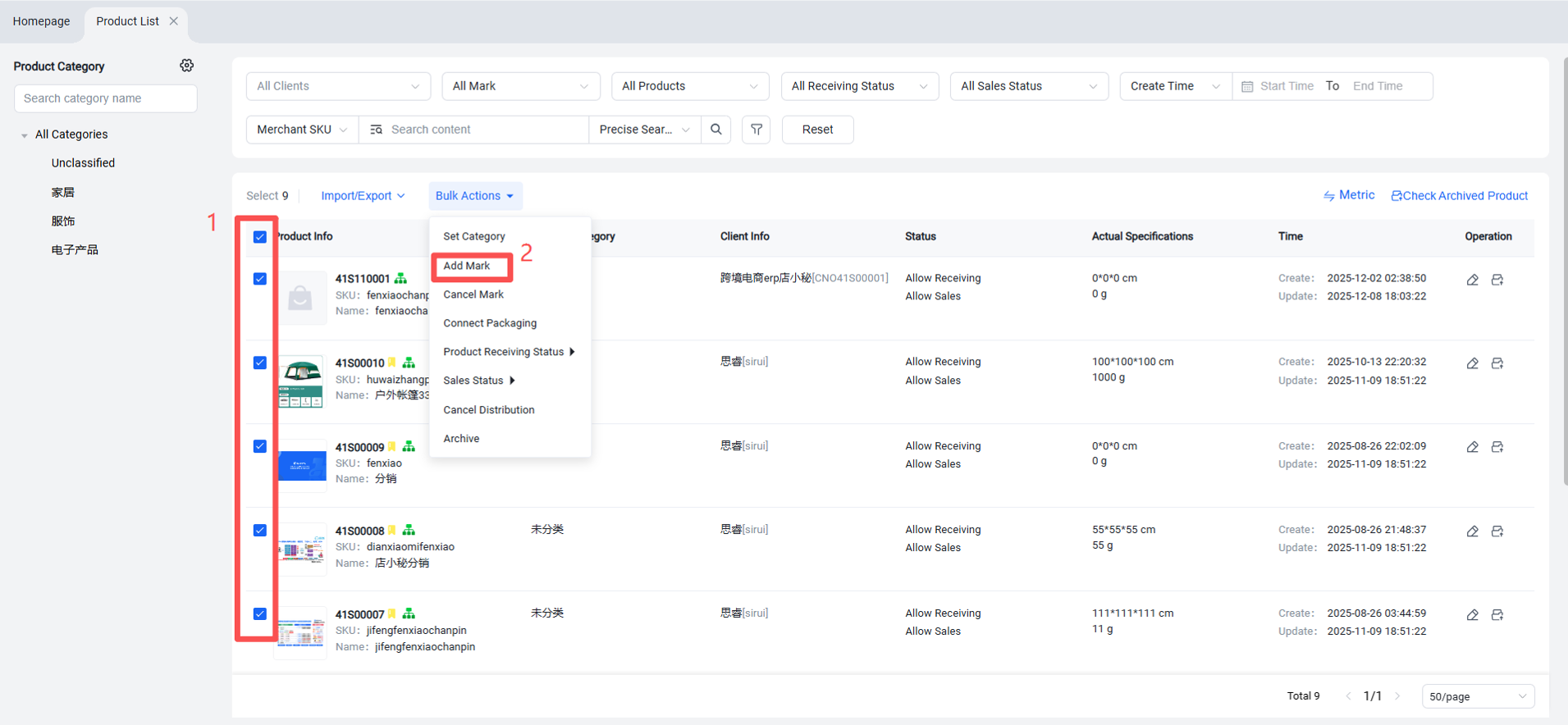
First, go to Product List and select the products you want to tag.
Then, click Batch Operation > Add Tag.
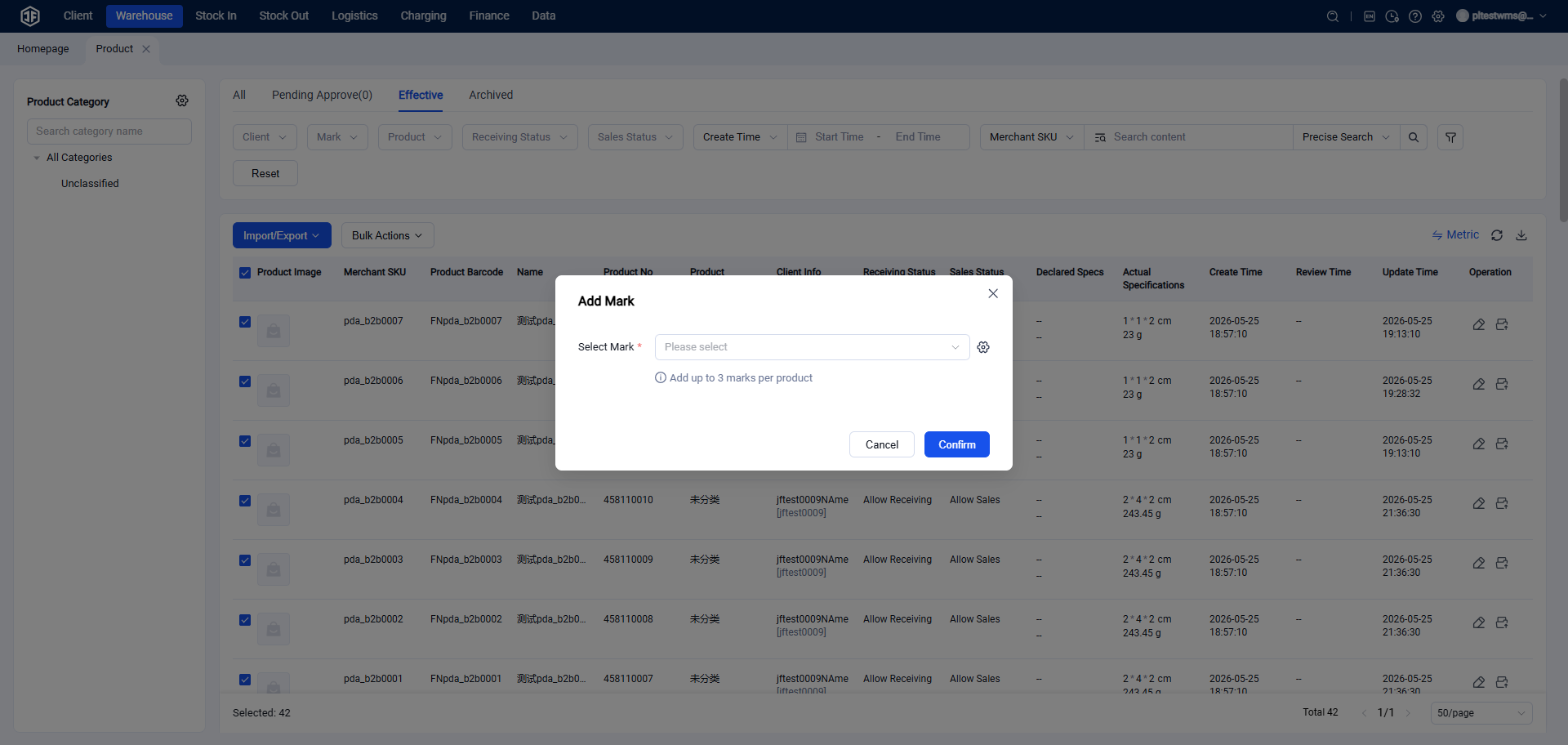
Then, in the pop-up window, select the tag(s) you wish to apply to the product(s). Click Confirm to complete the setup.
Step 3: Create Product Surcharge Strategy
Fees > Billing Items > Product Surcharge > Create Strategy
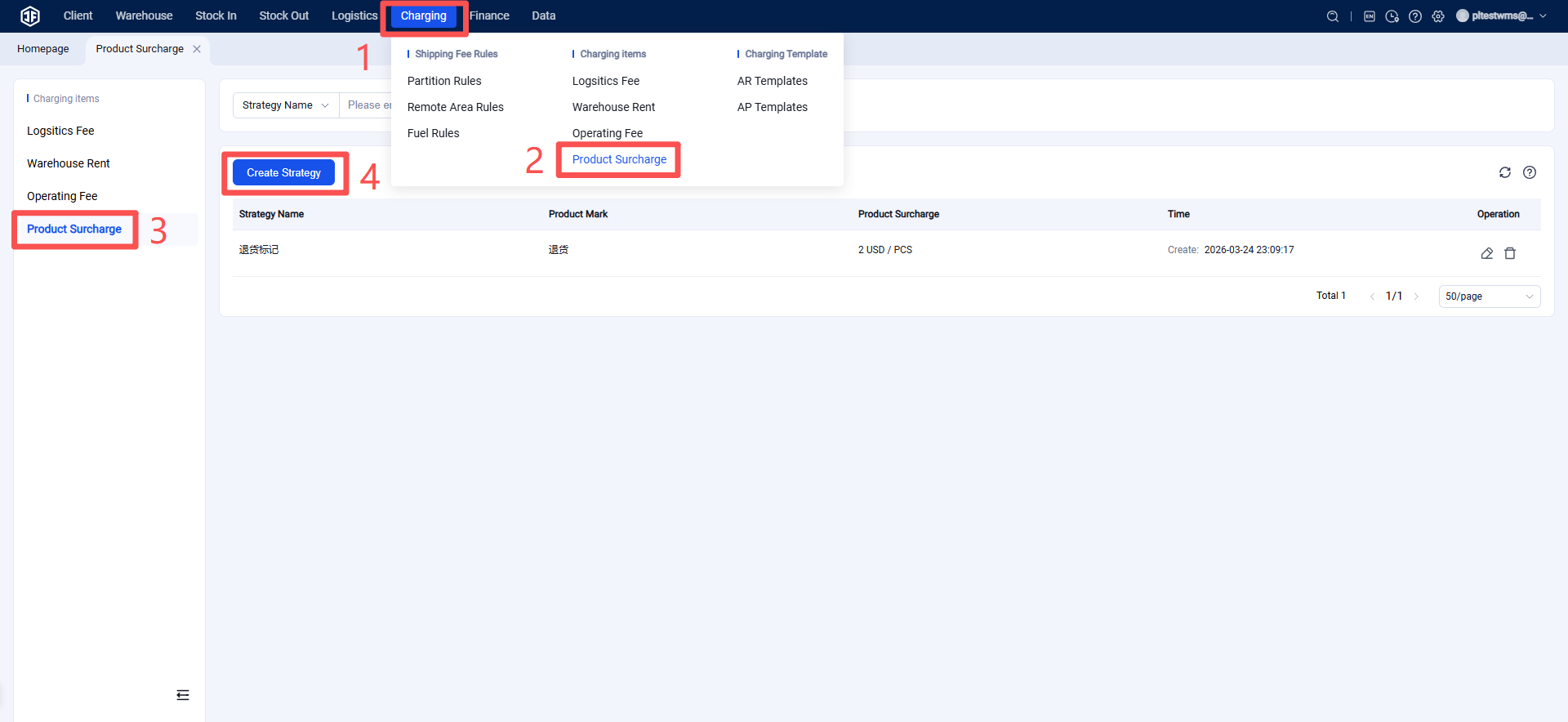
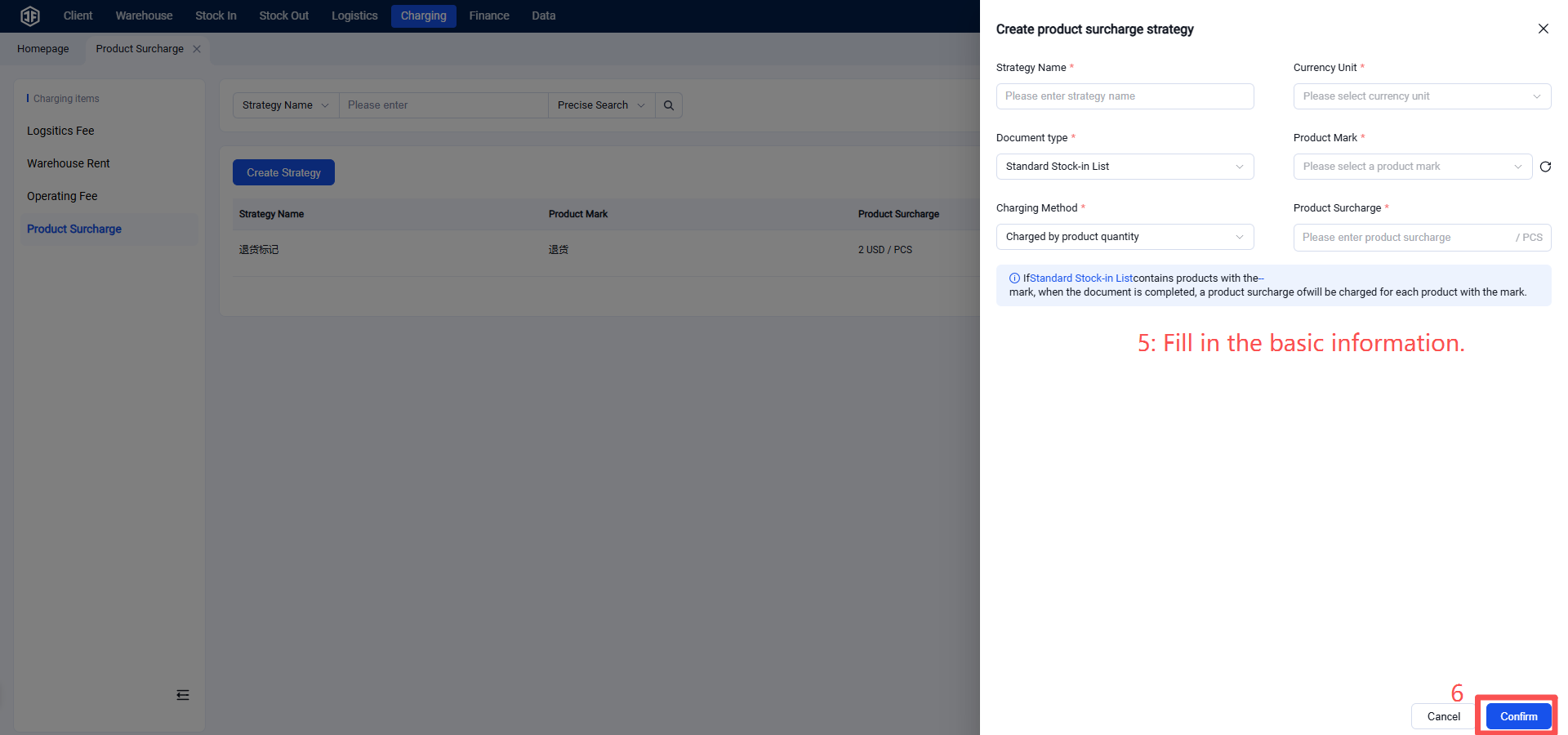
When setting up a product surcharge, the main items to configure include:
Currency Unit: The currency used for billing.
Document Type: Specifies the type of document (e.g., inbound order, outbound order) for which the surcharge will be applied when it is completed and contains the marked product(s).
Product Tag: Select the product tag that identifies items subject to the surcharge.
Billing Method:
Per‑Item Billing: If a document contains multiple items with the corresponding tag, each item will be charged individually.
Per‑Document Billing: If a document contains any item with the corresponding tag, a fixed surcharge is applied to the entire document.
Surcharge Amount: Set the amount of the product surcharge.
Once configured, you can verify the settings by reviewing the summary text at the bottom of the page.
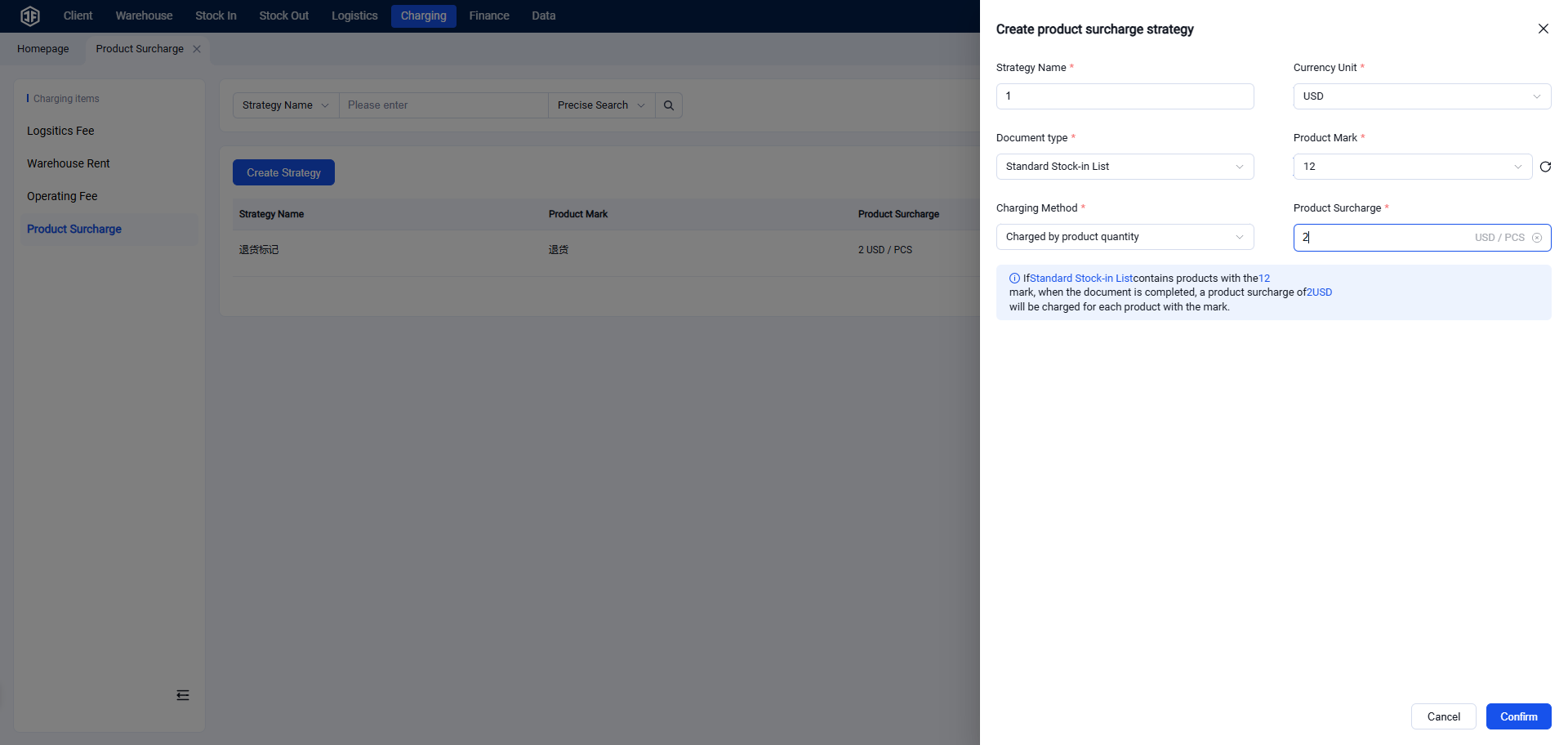
Step 4: Add Product Surcharge to Billing Template
Select a product surcharge strategy for each relevant tag. After saving, the surcharge will take effect for clients associated with the billing template.

Important Note
Product surcharges are additional fees applied on top of standard handling charges. If a billing template already includes document‑based handling fees and a product surcharge is also set up, marked products will be charged both fees simultaneously. Please ensure clear differentiation when configuring these charges.