Configure Shipping Fees by Rate
I. Definition
Modify the logistics fee billing plan based on the existing integrated logistics channel pricing.
After logistics integration, if clients use offline logistics channels for shipping, the warehouse needs to charge clients accordingly. Setting up a logistics billing strategy allows you to adjust prices based on logistics channels, facilitating warehouse logistics billing management.
When an order reaches the “Shipped” status in the warehouse WMS, the system will automatically deduct the logistics fee.
II. Operation Path
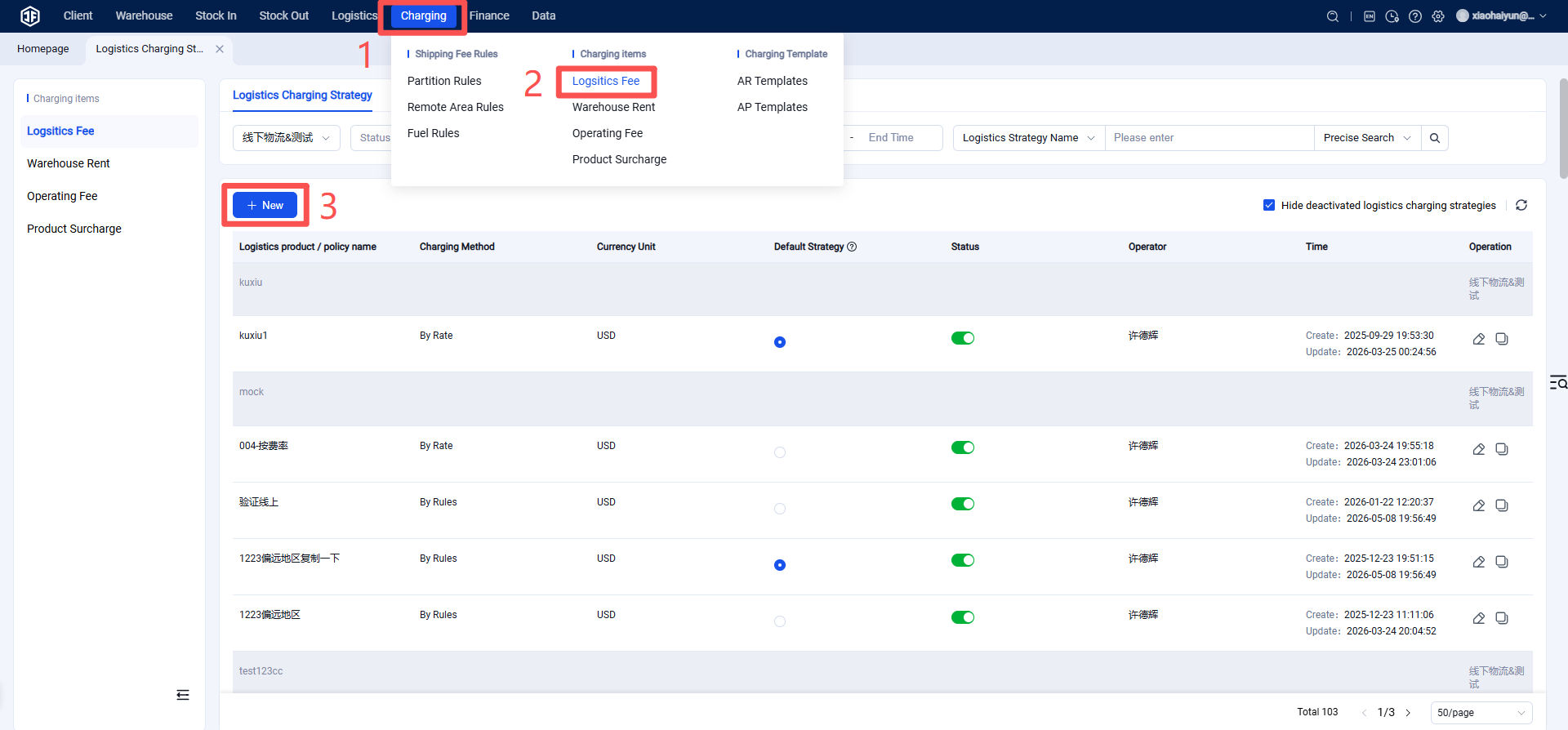
Step 1: Create a Logistics Billing Strategy
Warehouse Terminal (WMS) > Logistics > Logistics Billing Strategy > Create New.
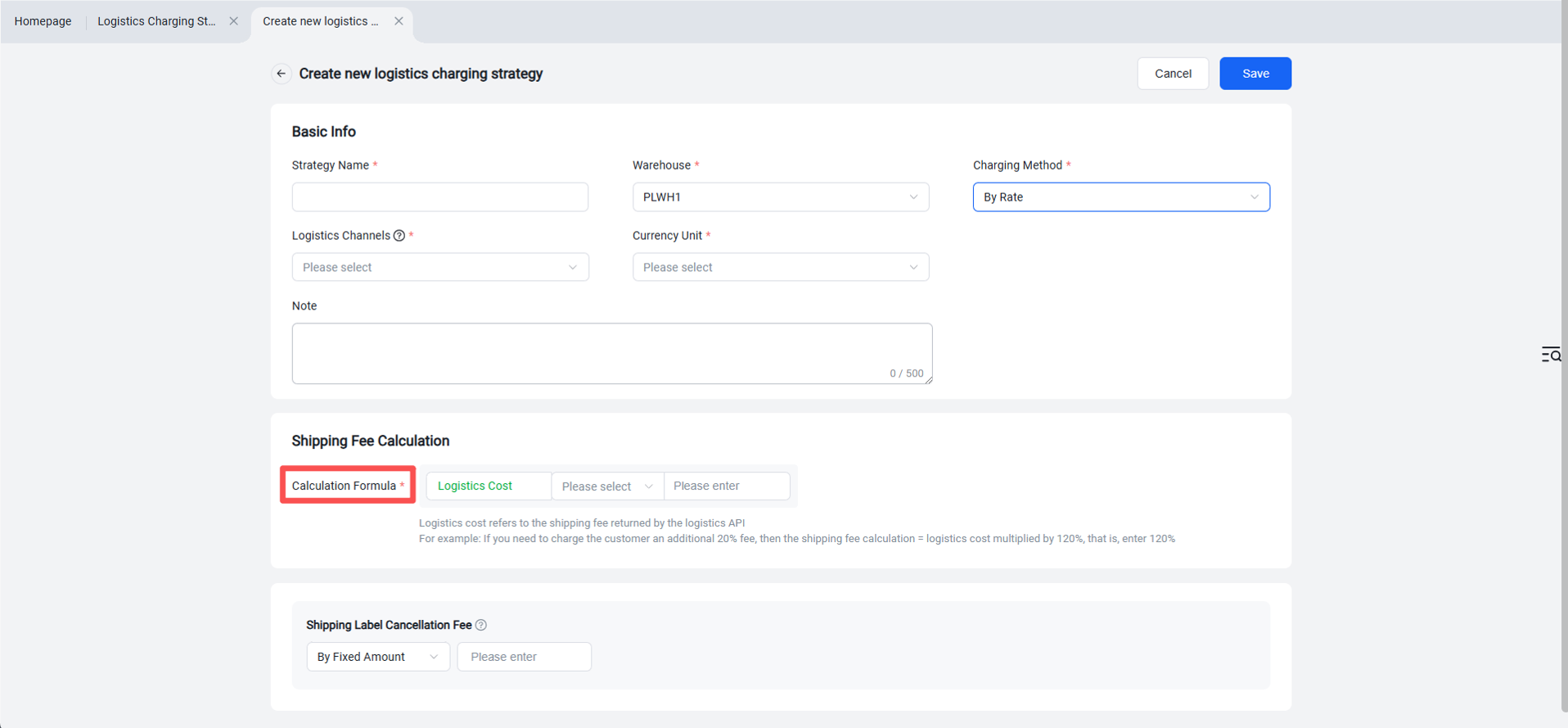
Step 2: Select the billing method as "By Rate" or "By Rule," then fill in the basic information and freight calculation details.
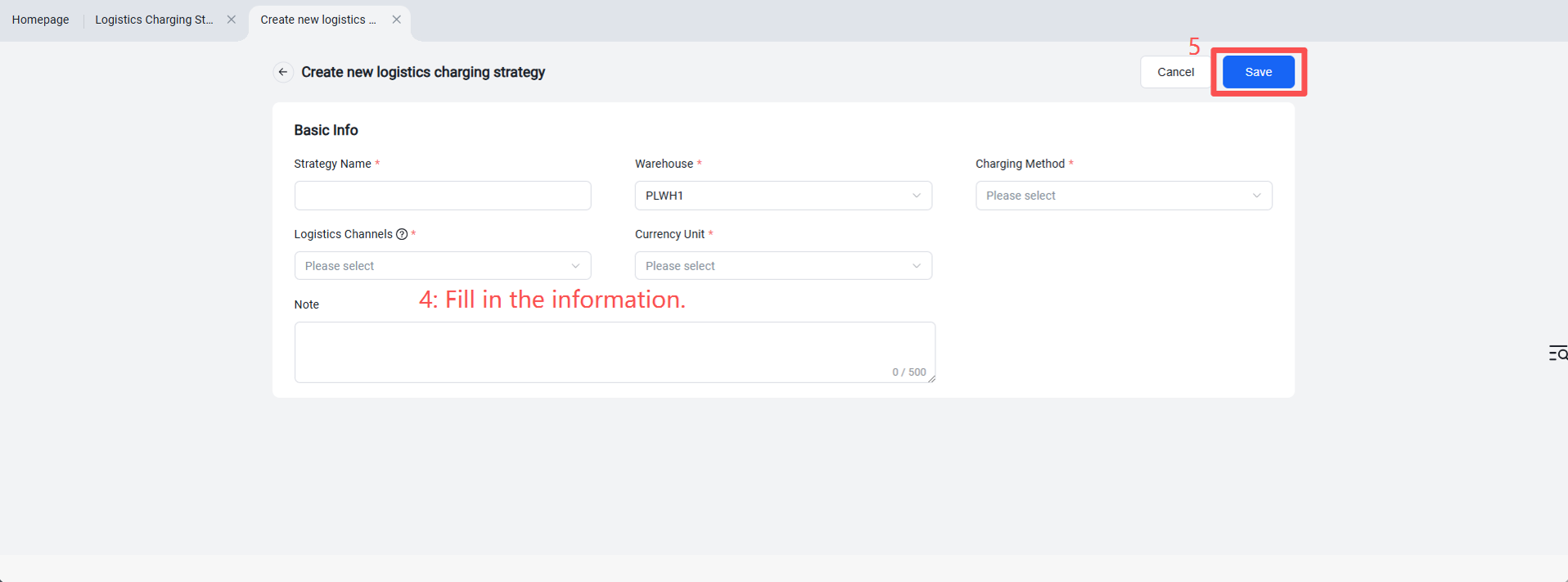
Basic Information:
(1) Strategy Name: Enter a name that is easy for you to remember and identify.
(2) Warehouse: Select warehouse from dropdown.
(3) Billing Method: Choose "By Rate" from the dropdown – this is available only if the logistics channel cost can be obtained via API; otherwise, select "By Rule".
(4) Logistics Channel: Search and select logistics channel from dropdown (only channels that can retrieve costs via logistics API will appear).
(5) Currency Unit: Select billing currency from dropdown.
(6) Remarks: Optional, enter any relevant notes.
Freight Calculation:
(1) Calculation Formula:
For example: If you want to add a 20% surcharge on top of the logistics provider's quoted price, set the formula as: Logistics Cost * 120%.
If no surcharge is applied, set it to 100%.