Manual Shipment Marking and Order Shipping Delay Configuration
Updated on 12 Jun,2026
Copy Link
I. Definition
For platform orders, the warehouse typically marks orders as shipped automatically after fulfillment.
If sellers do not require the warehouse to automatically mark orders as shipped after fulfillment and prefer to do so manually, manual shipment marking needs to be configured.
II. Operational Method
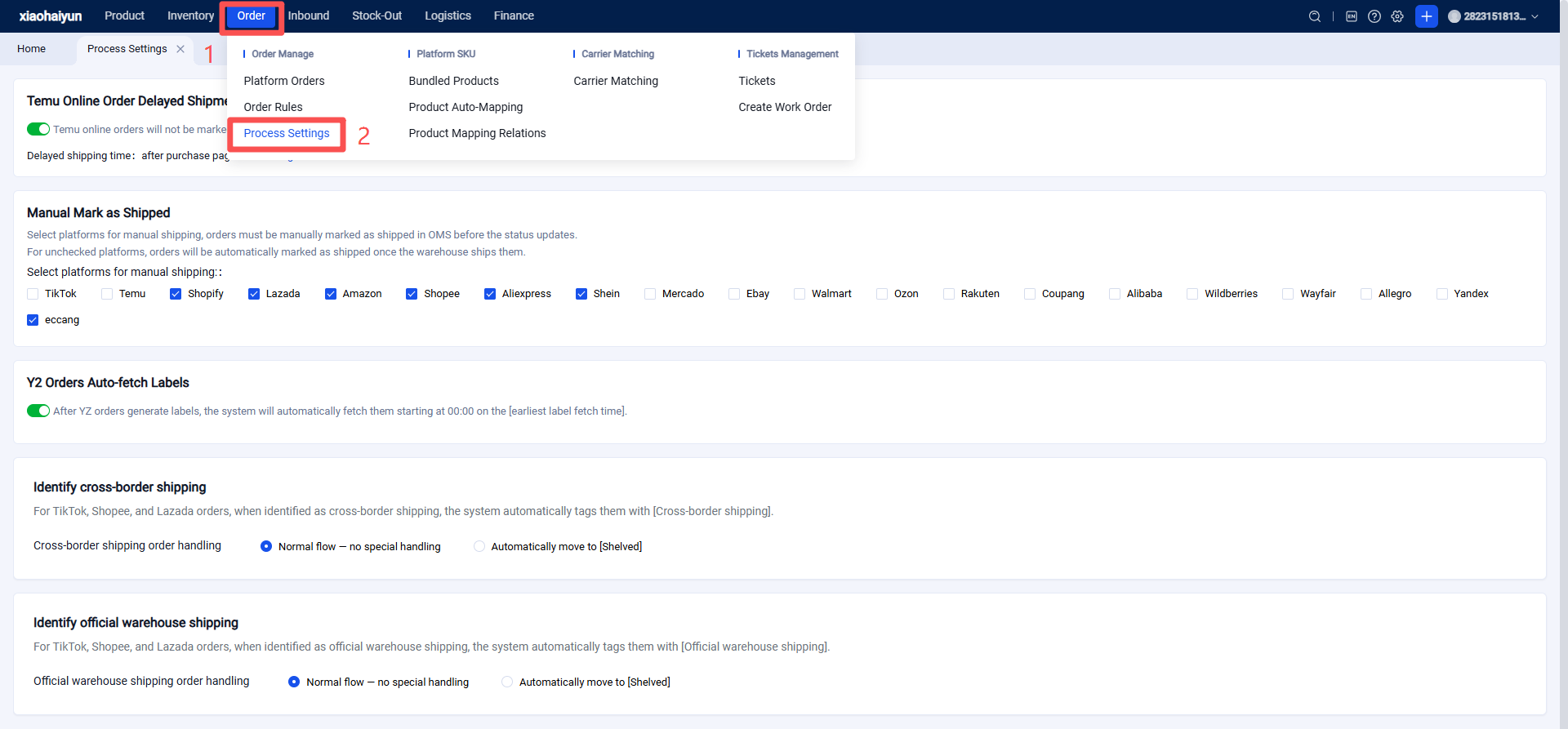
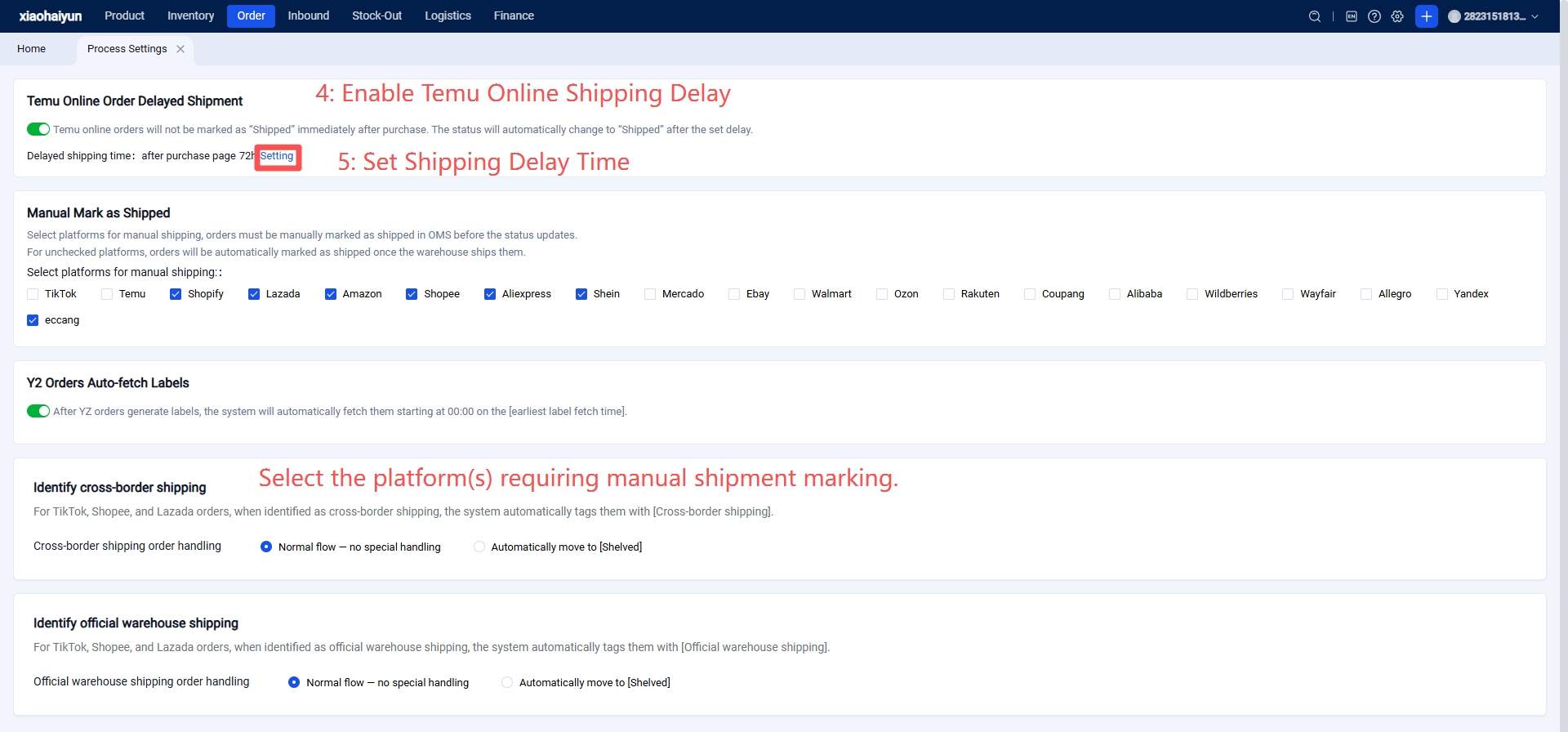
Open the settings pop-up window. The client selects the delay time and clicks Confirm to complete the activation.
Available time options: 24, 48, 72, 96 hours. The default is the time selected before deactivation.
【Note】 If this feature is disabled and manual shipment marking for TEMU orders is also not enabled, orders will be automatically marked as shipped on the platform immediately upon successfully obtaining a tracking number.