Batch Import FBA Return Inbound Orders
I. Definition
If returning FBA inventory to an overseas warehouse (FBA liquidation), you can use the Jifeng OMS client to create an FBA Return Inbound Order to forecast the FBA liquidation for the overseas warehouse.
II. Operational Path
Step 1: Maintain FNSKU Product Information
Log in to the Seller OMS > Products > Create product information by adding individually or importing in batch > Add FNSKU information.
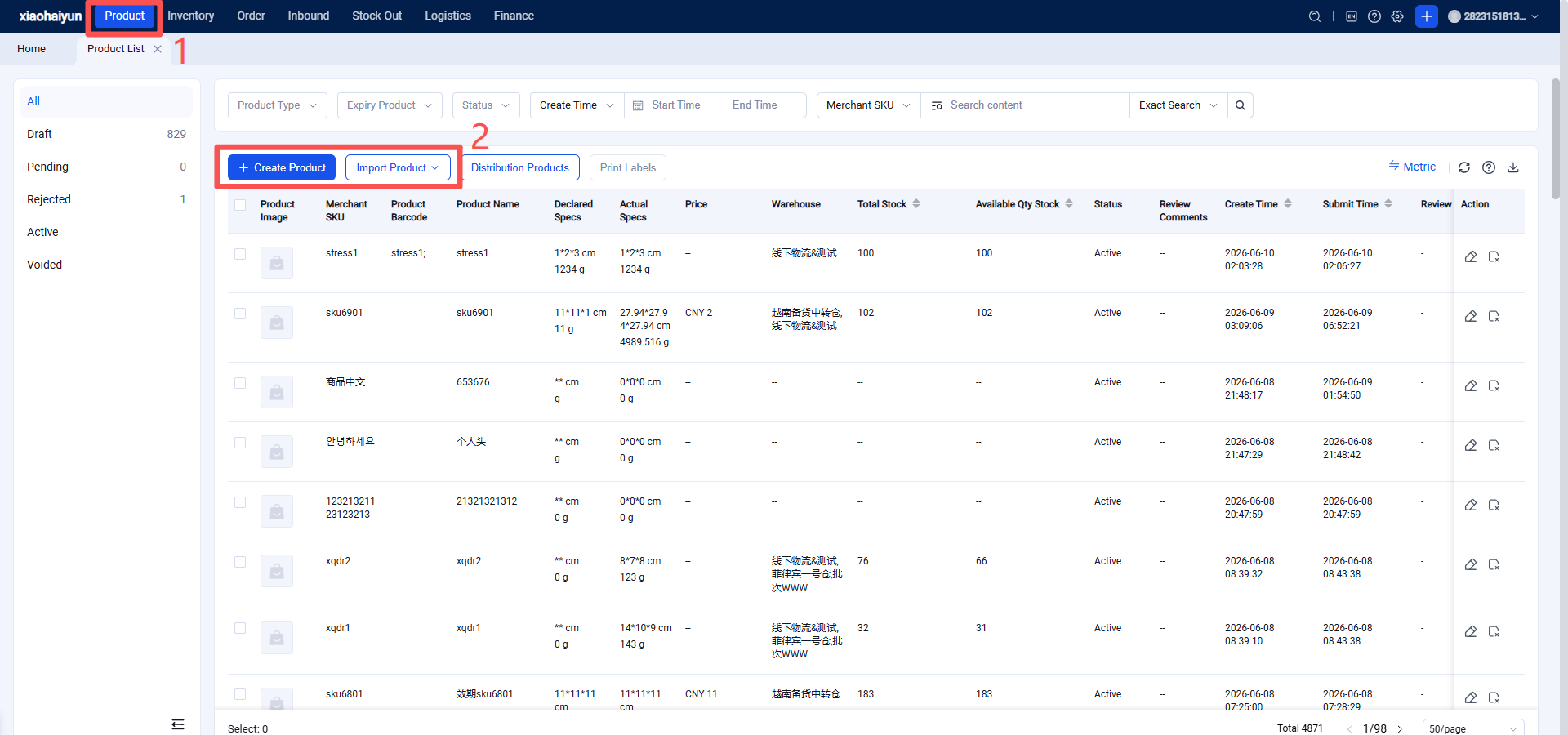
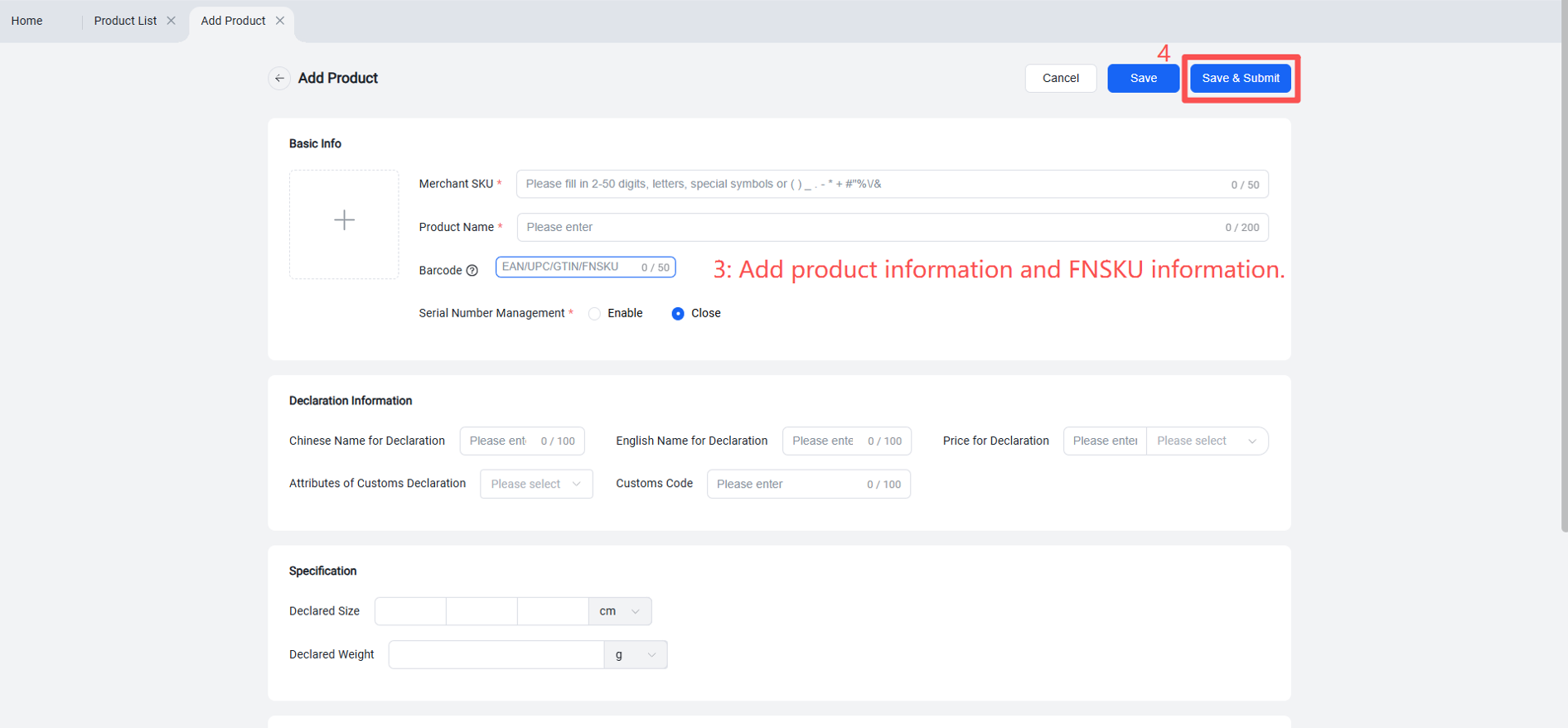
Fill in product information and product specifications.
Step 2: Import to Create FBA Return Inbound Order
Operational Flow: OMS > Returns > FBA Returns > Return Order Management > Import
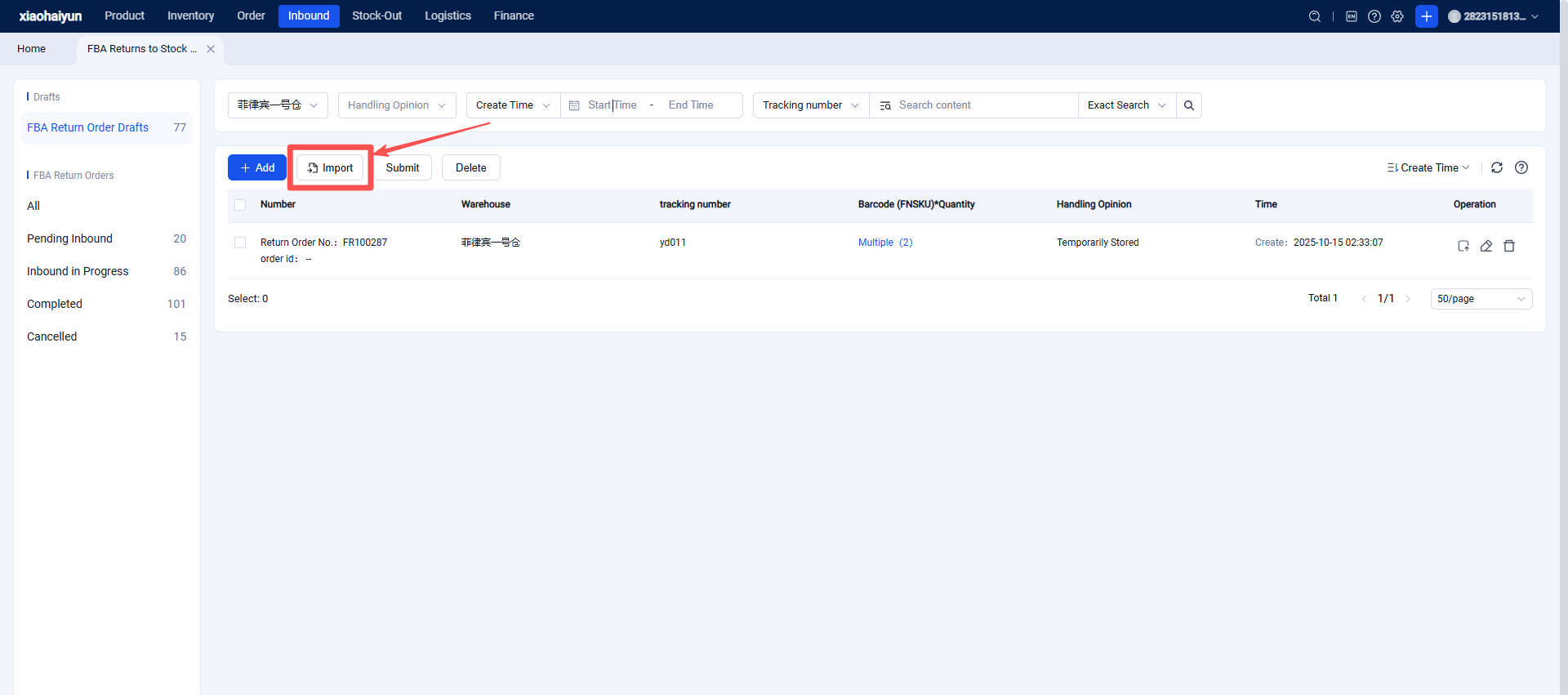
1.Download the import template.
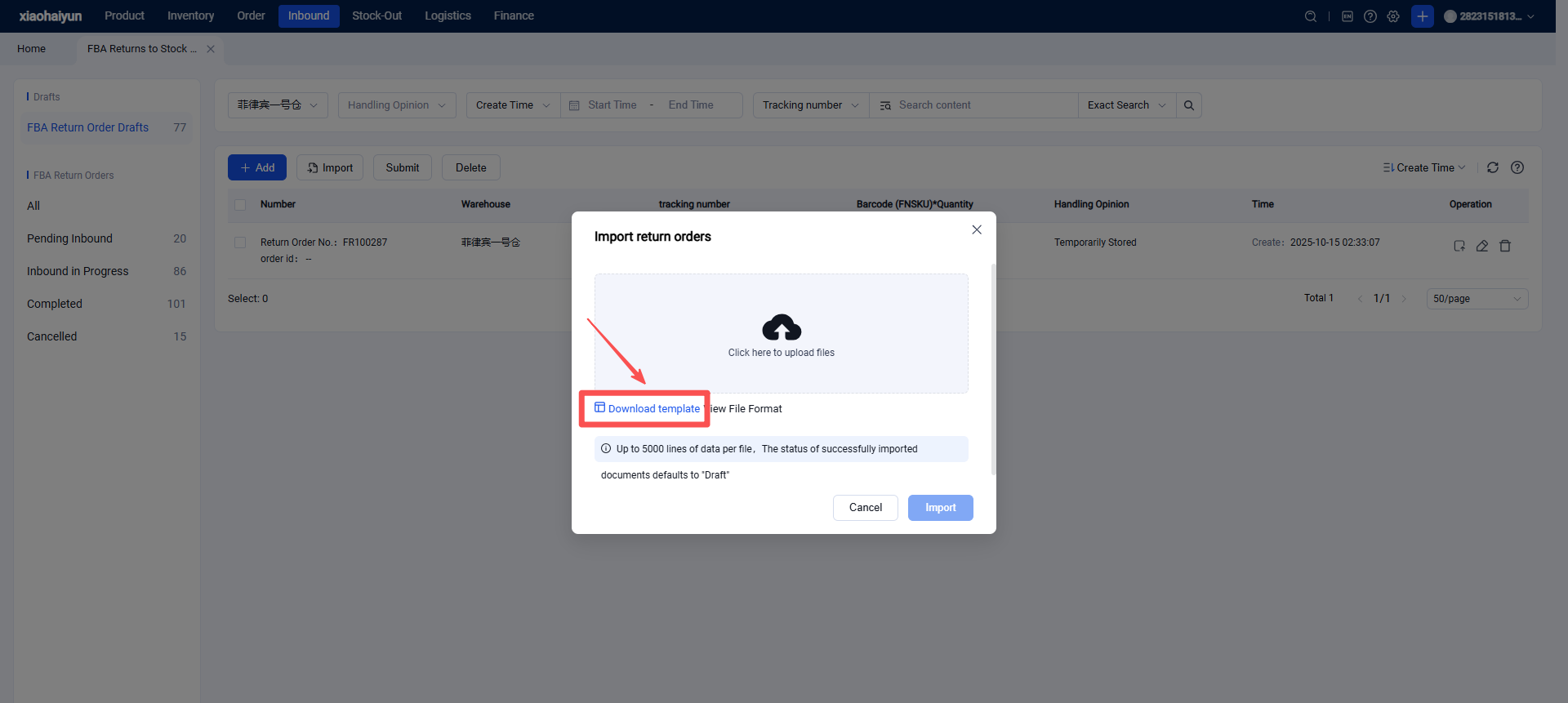
2.Organize the content according to the import template and save the file.
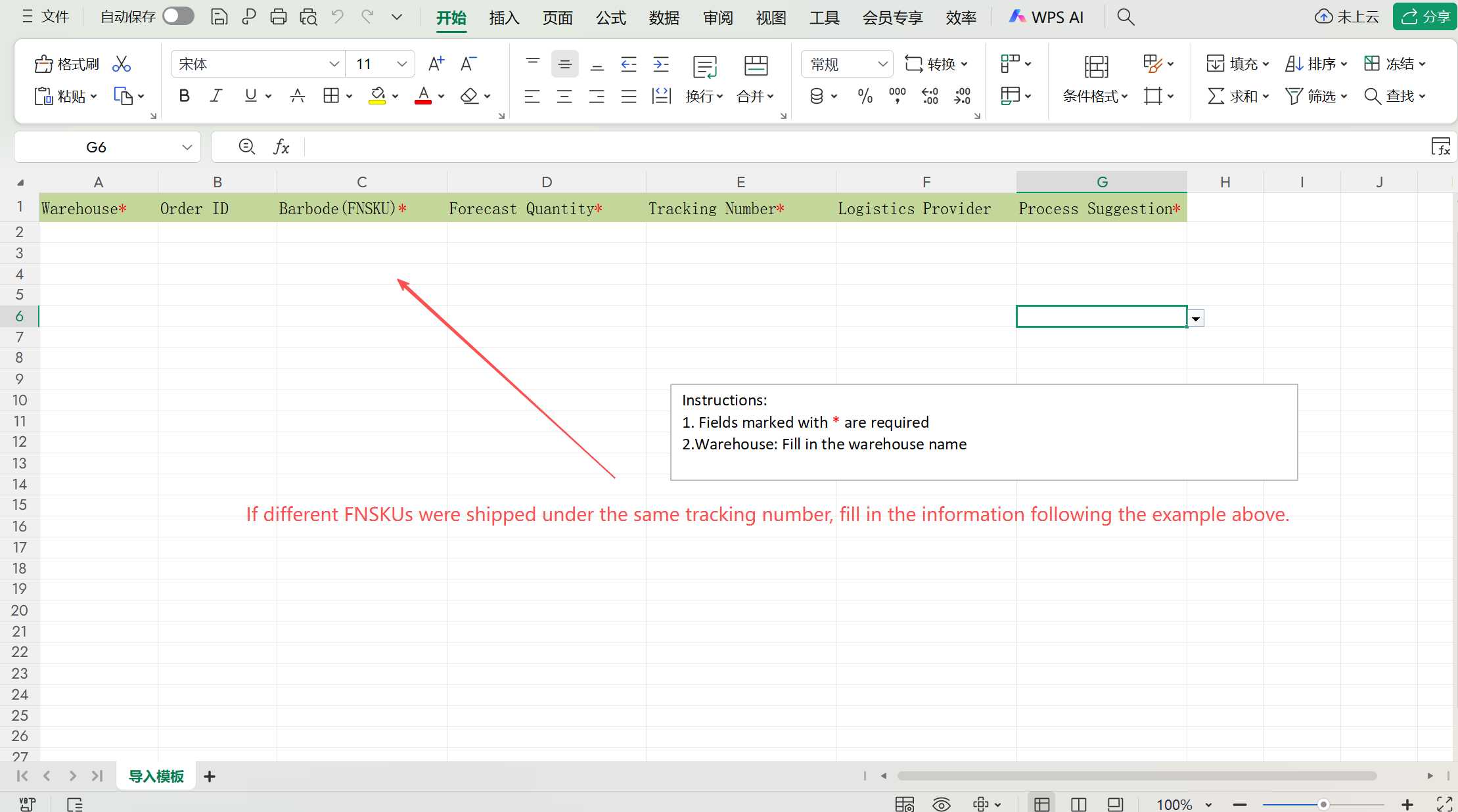
3.Import the file.
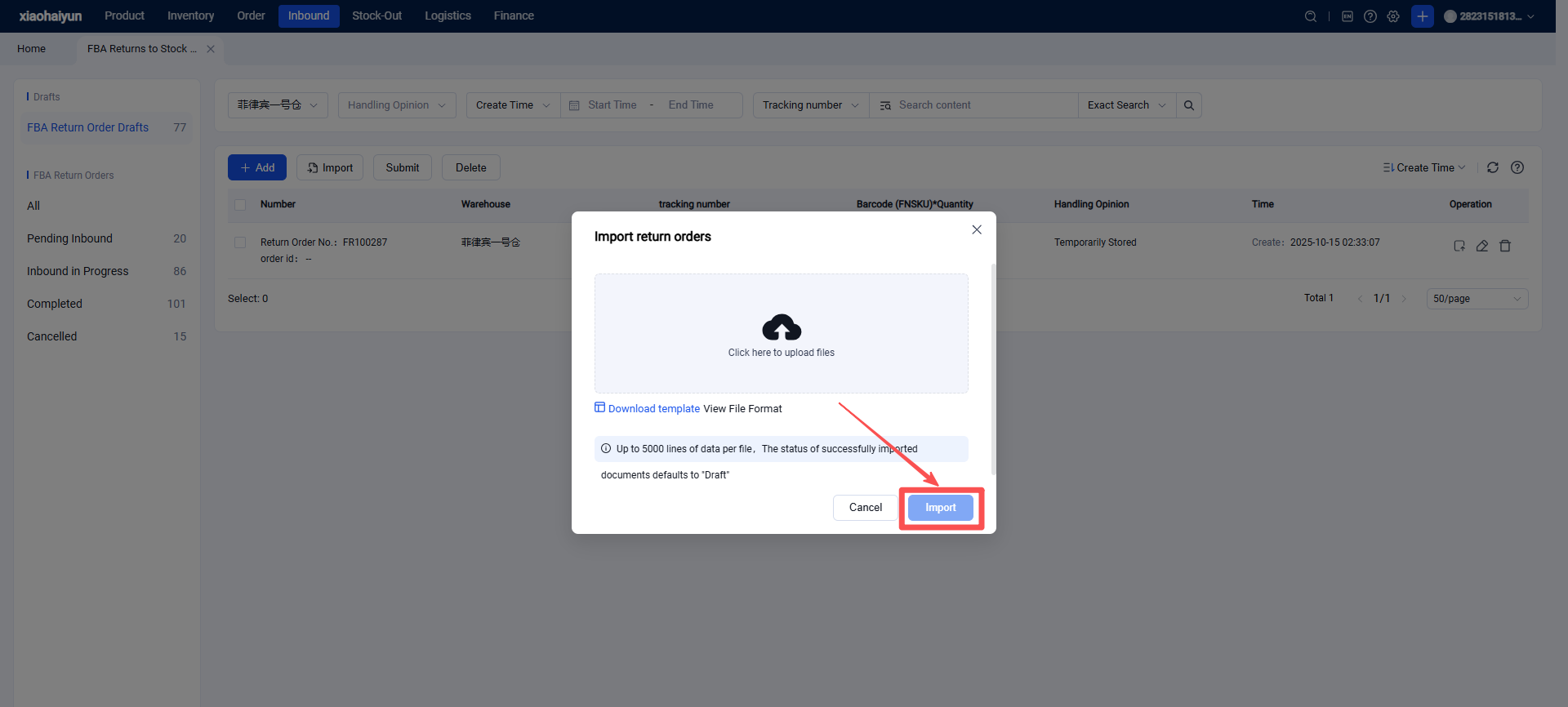
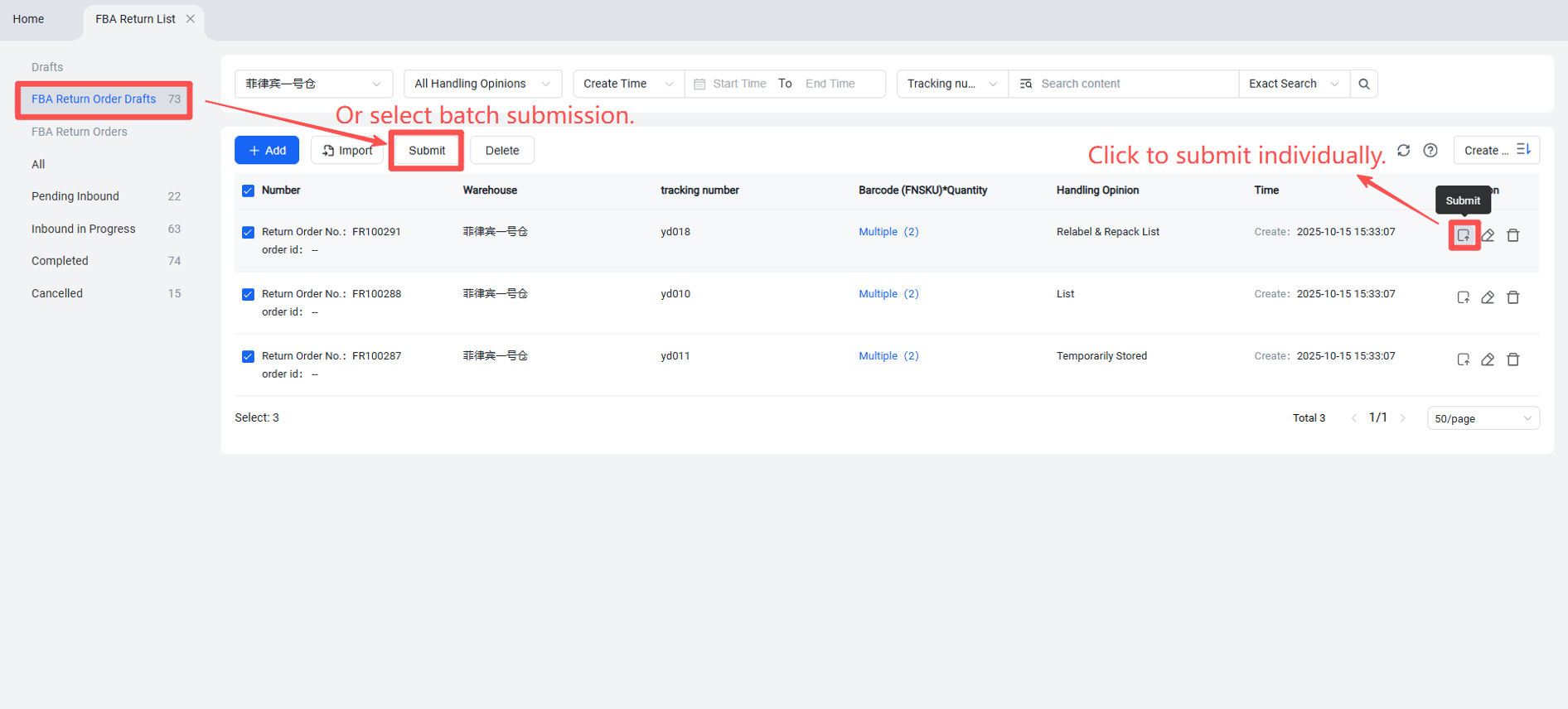
4.Successfully imported return orders can be viewed in the draft box. To submit, simply click the submit button when ready.
5.Successfully submitted orders will be received as document information by the WMS. Once the shipment arrives at the warehouse, it will undergo receiving, inspection, and put-away.
Return orders that have completed the receiving step will enter the "Inbound in Progress" list.
Return orders that have completed both inspection and put-away will enter the "Completed" list.