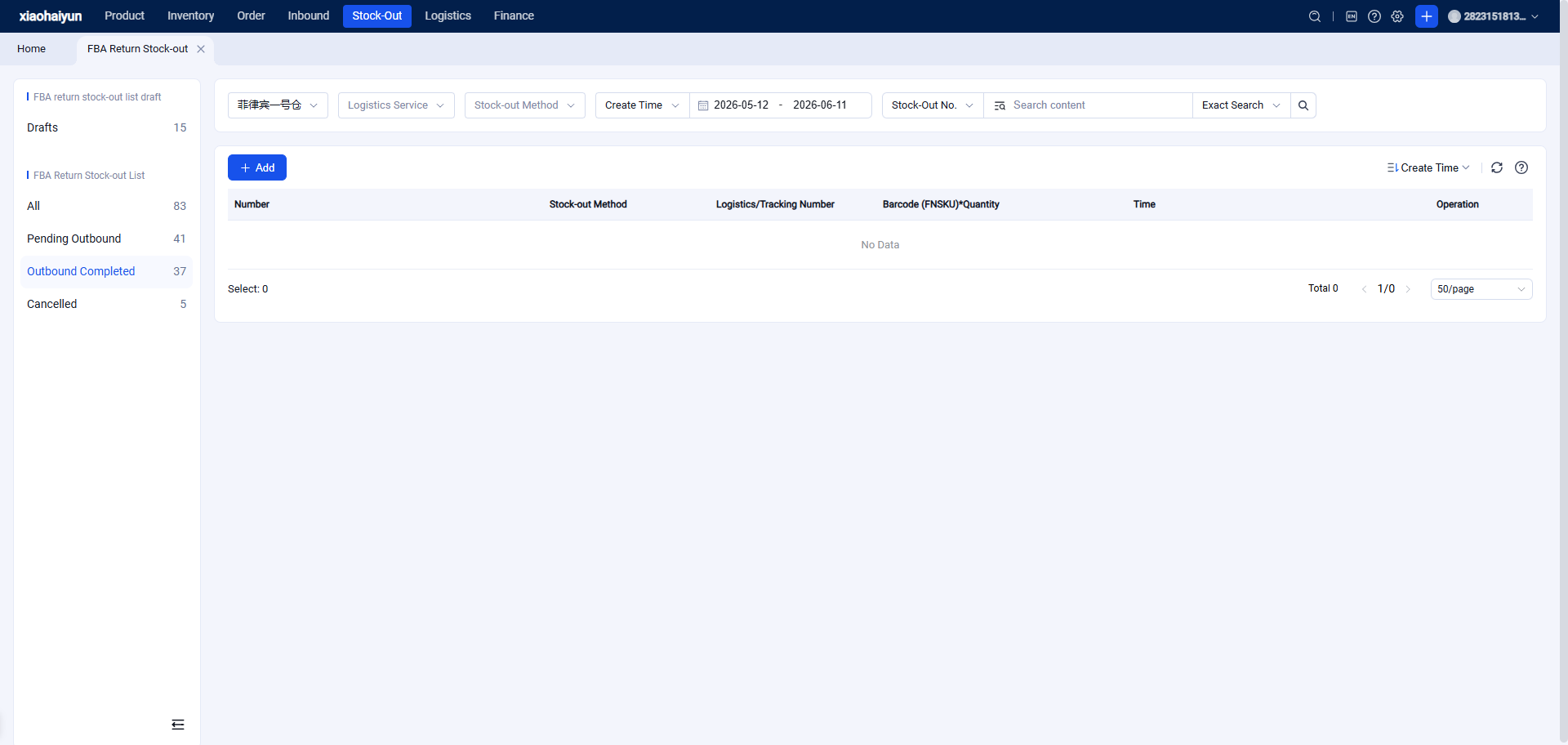
FBA Return Outbound Order (Ship via Relabeling and Packing)
I. Definition
To ship goods from an FBA return inbound order to an FBA warehouse or other destination, the seller needs to initiate an outbound order from the Seller OMS. You can choose to relabel or ship without relabeling to an FBA warehouse or other location.
Differences in FBA Return Outbound Methods:
(1) Ship via Relabeling and Packing: If using this method, after the FBA return inbound is completed, you must first submit a return relabeling order in the OMS client. The warehouse processes the relabeling and packing, and then you can create the outbound order based on the relabeled and packed goods.
(2) Ship by Barcode (FNSKU): If using this method, you directly submit an FBA return outbound order in the OMS client, selecting the already inbound barcodes for outbound. You specify the packing requirements within the outbound order. The warehouse will pack and ship according to these requirements when processing the order.
II. Operational Path: Steps for Shipping via Relabeling and Packing
Function Entry: OMS > Returns > FBA Returns > Outbound Order Management > Create New
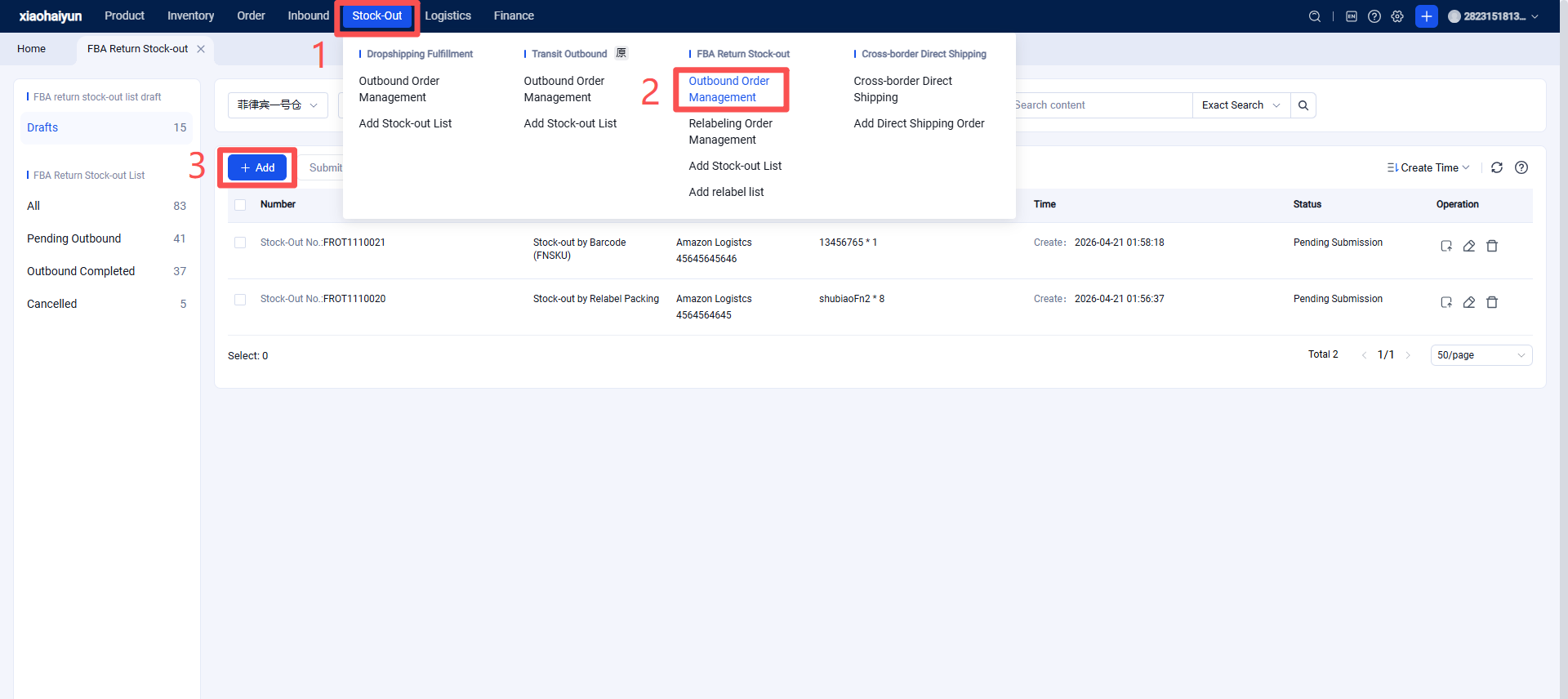
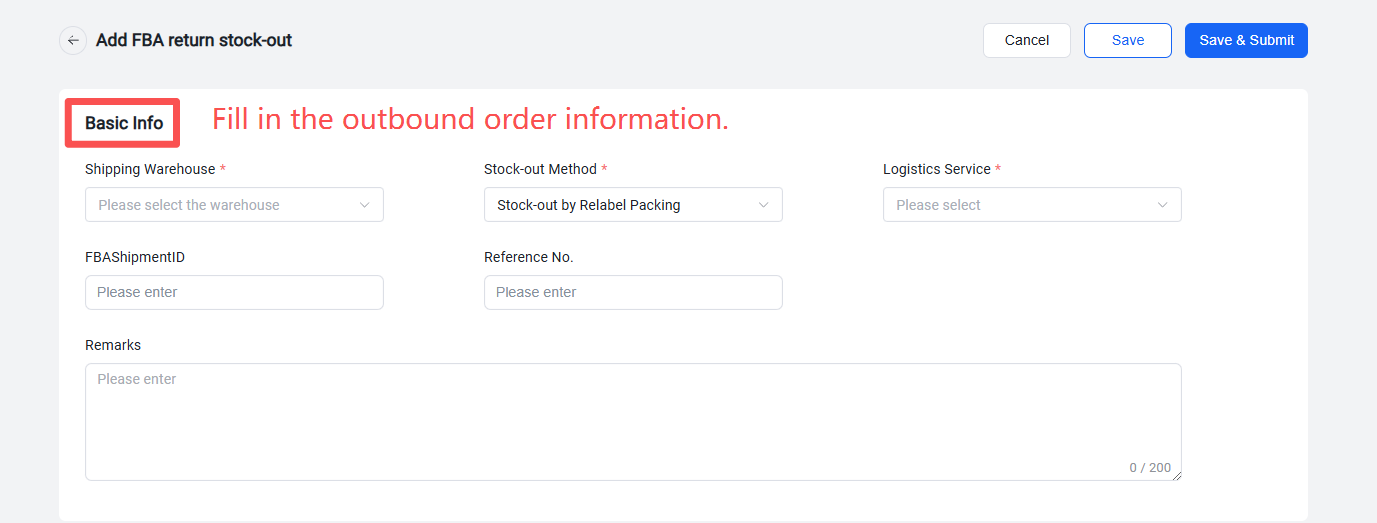
Step 1: Click "Create New" to enter the return outbound order creation page and fill in the basic information.
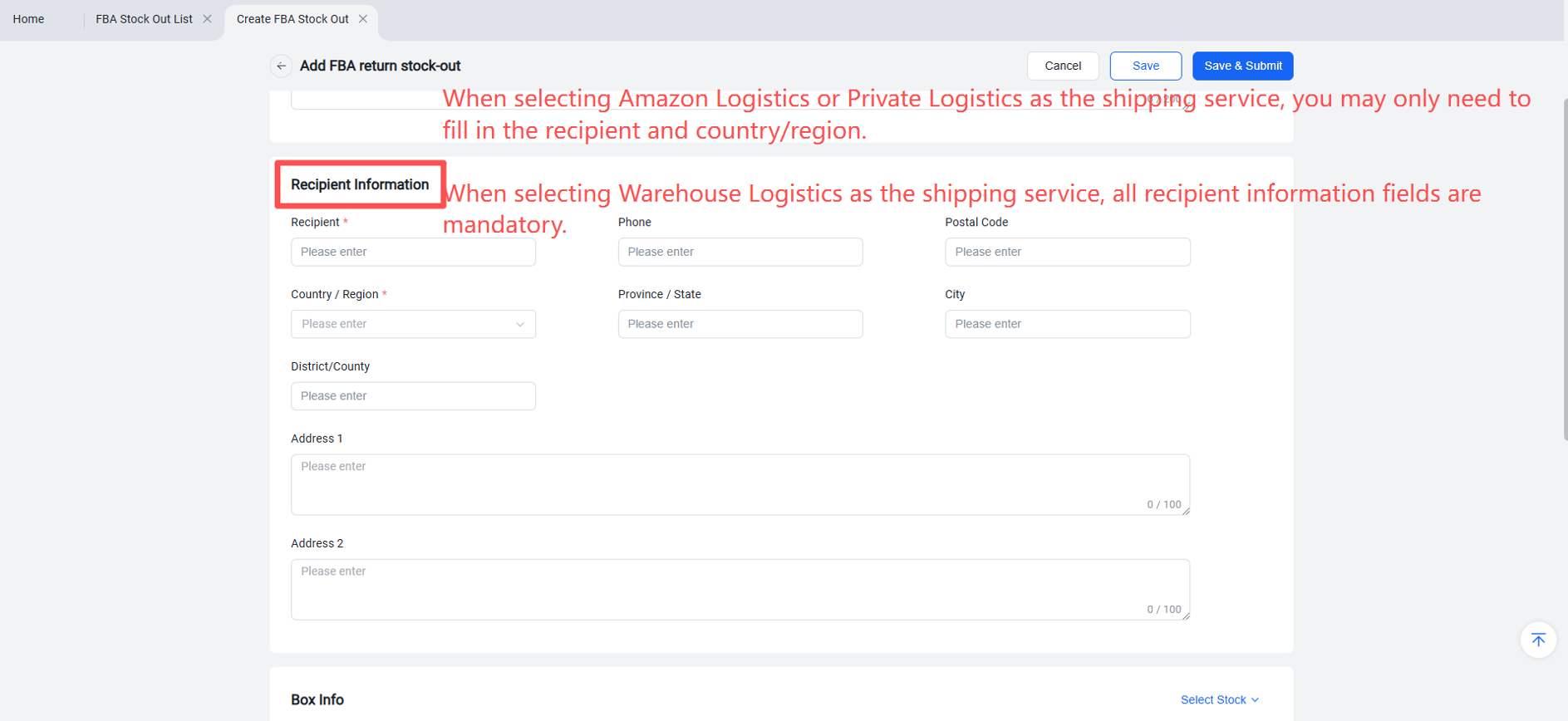
Step 2: Fill in the recipient information.
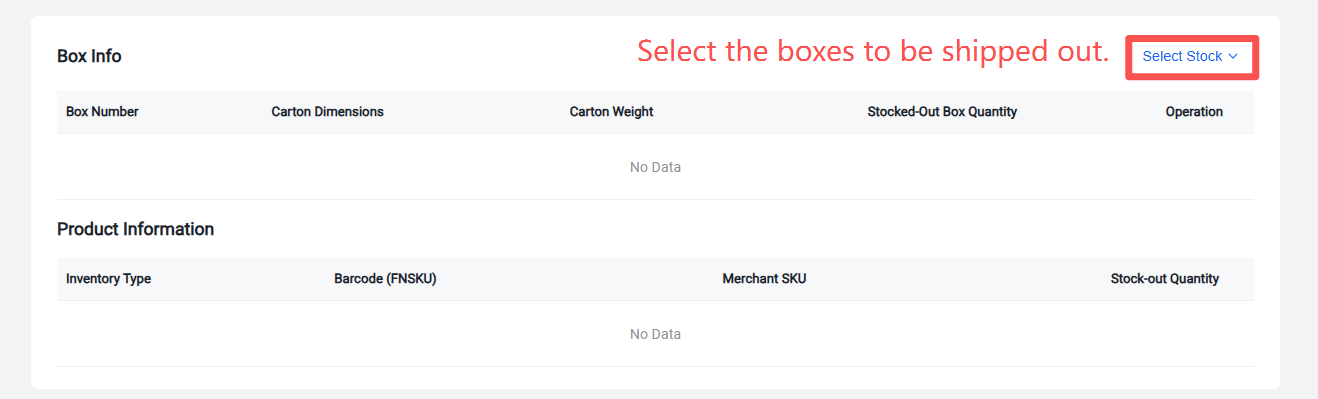
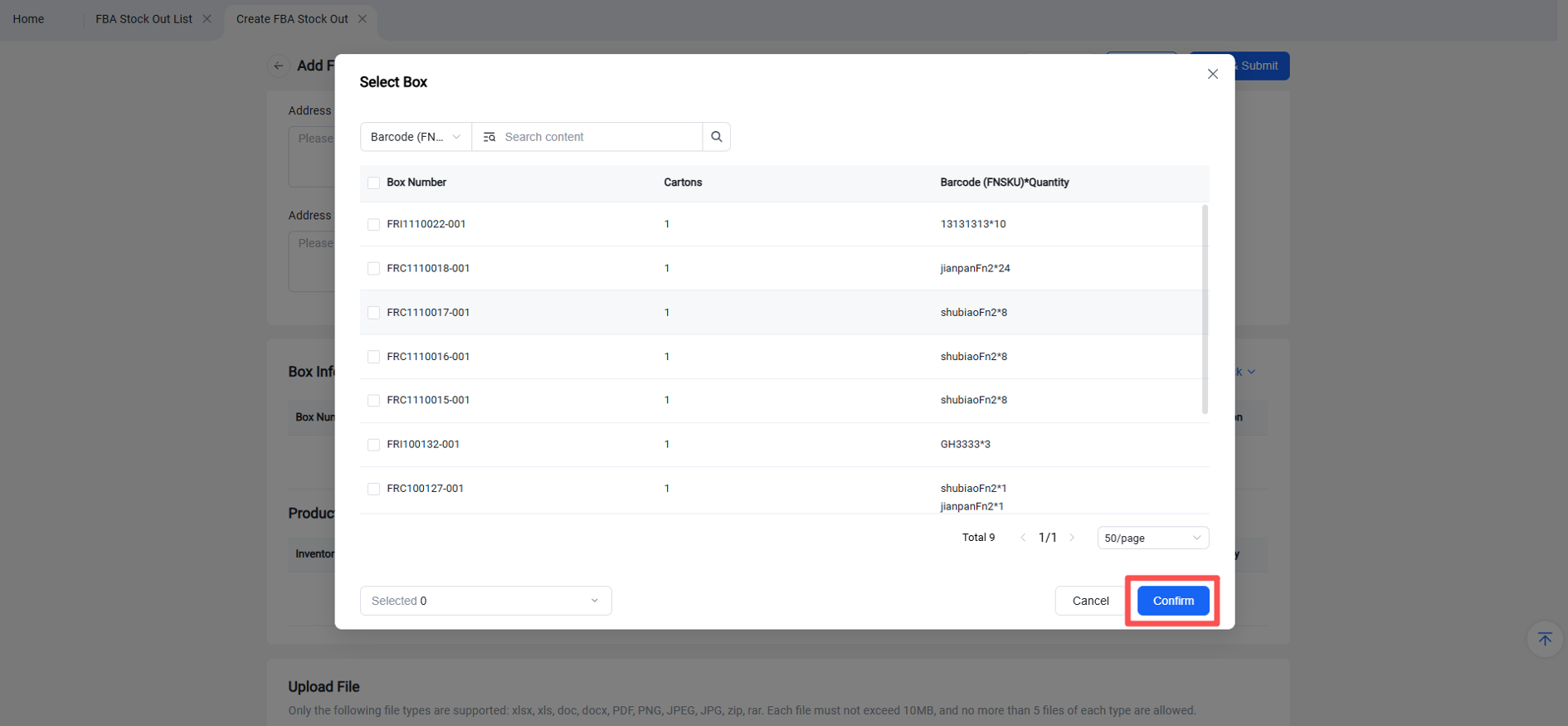
Step 3: Select box(es).
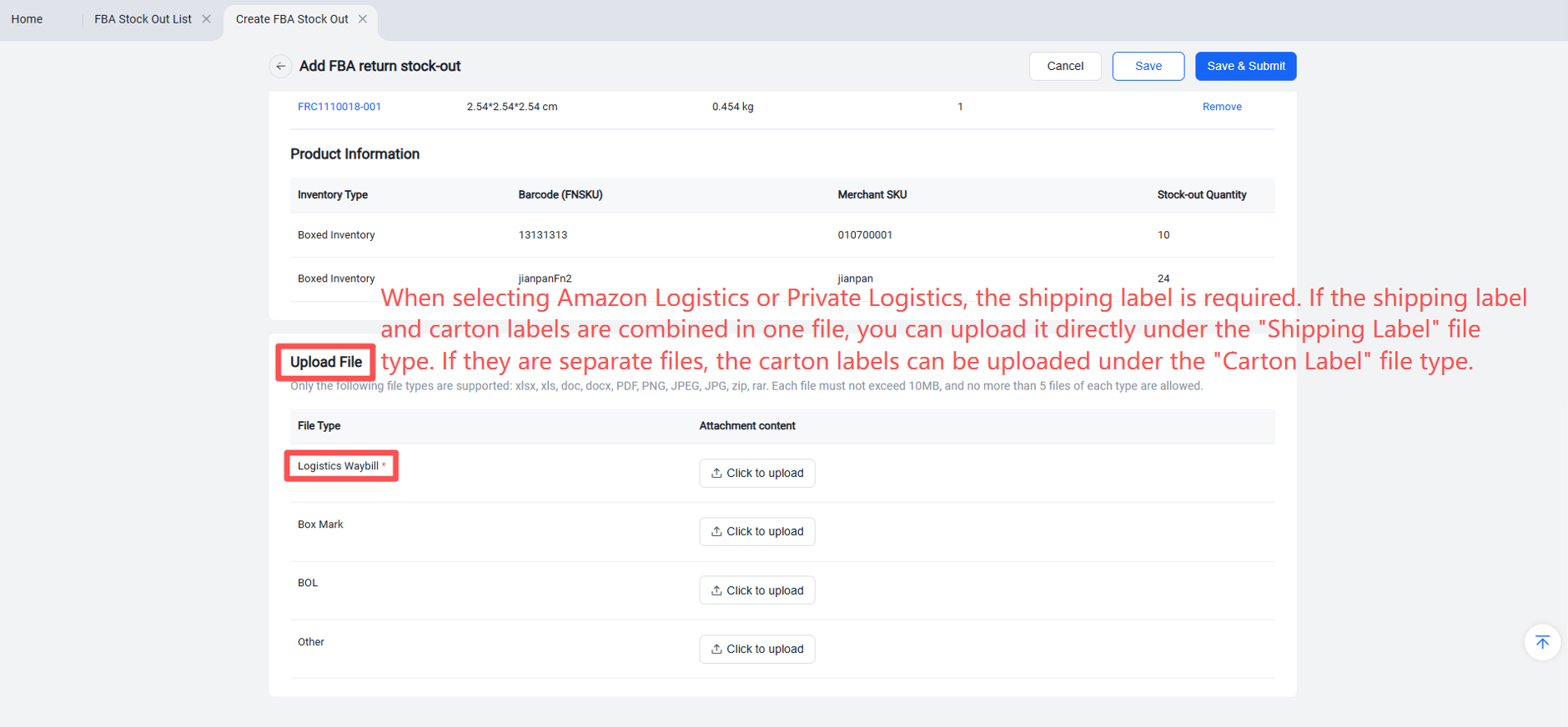
Step 4: Upload attachments.
Step 5: Save / Save and Submit.
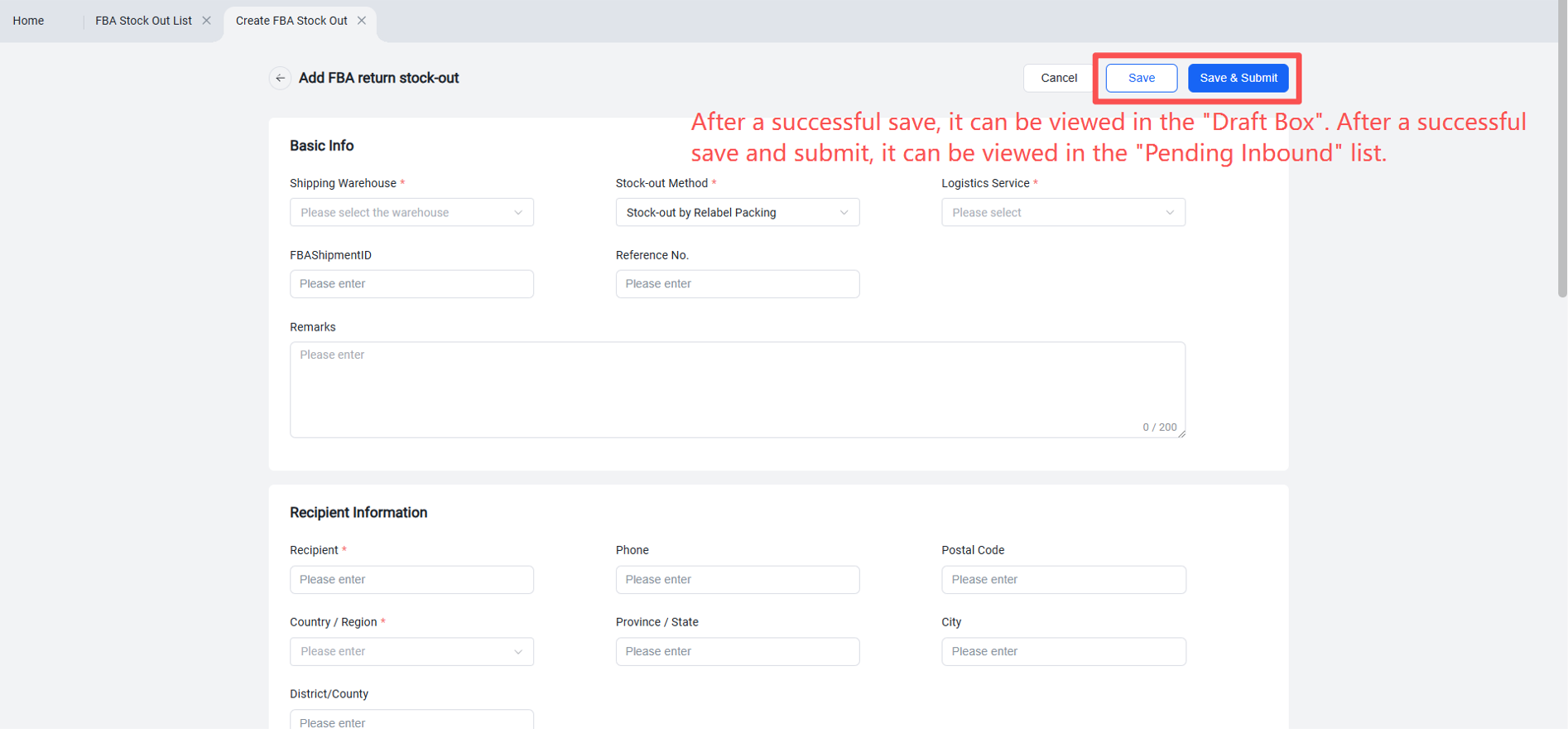
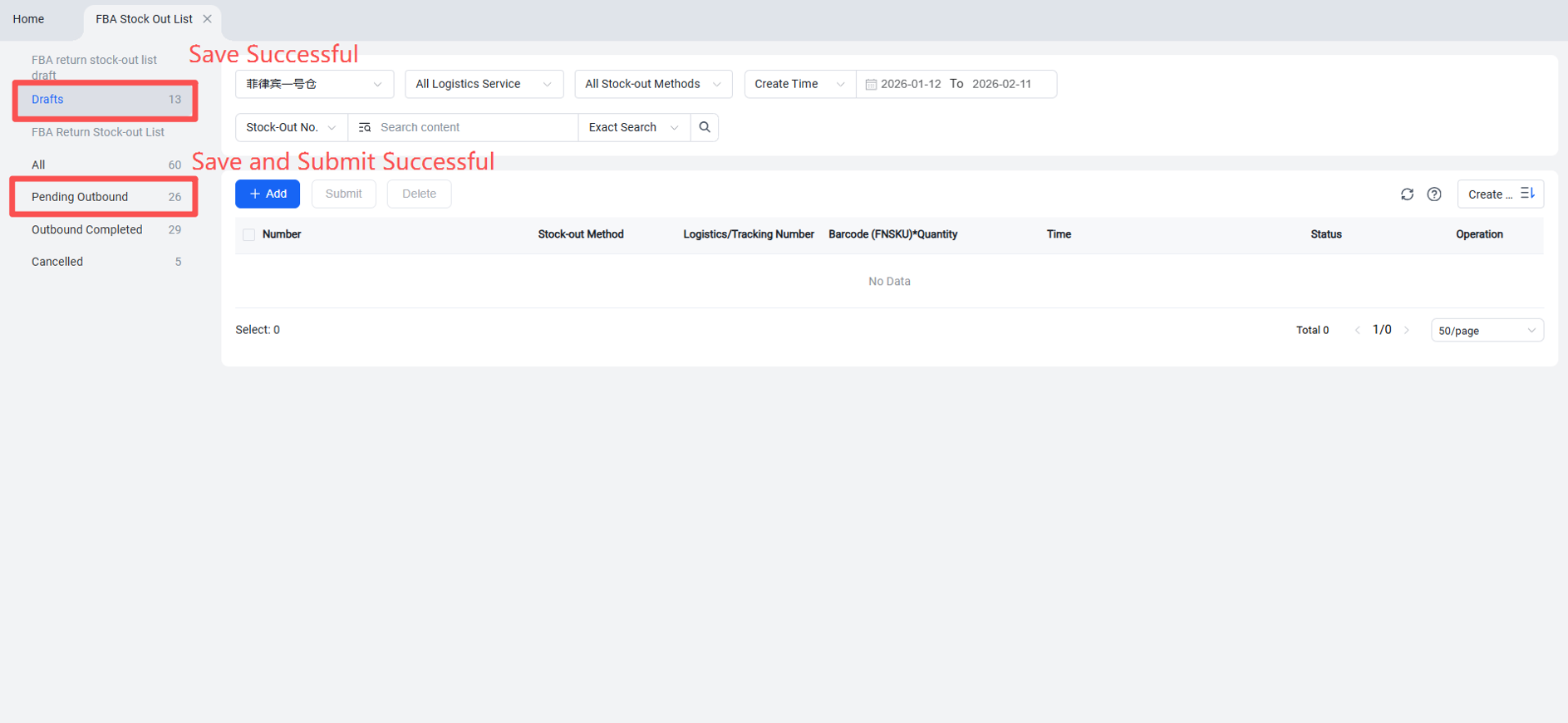
After successful submission, the status changes to "Pending Outbound". The WMS will receive the outbound order and process it. Once the warehouse completes the outbound processing, the order will move to the "Shipped" list, and the corresponding packed inventory will be deducted.