Seller Claims Distribution Products via Jifeng OMS
I. Definition
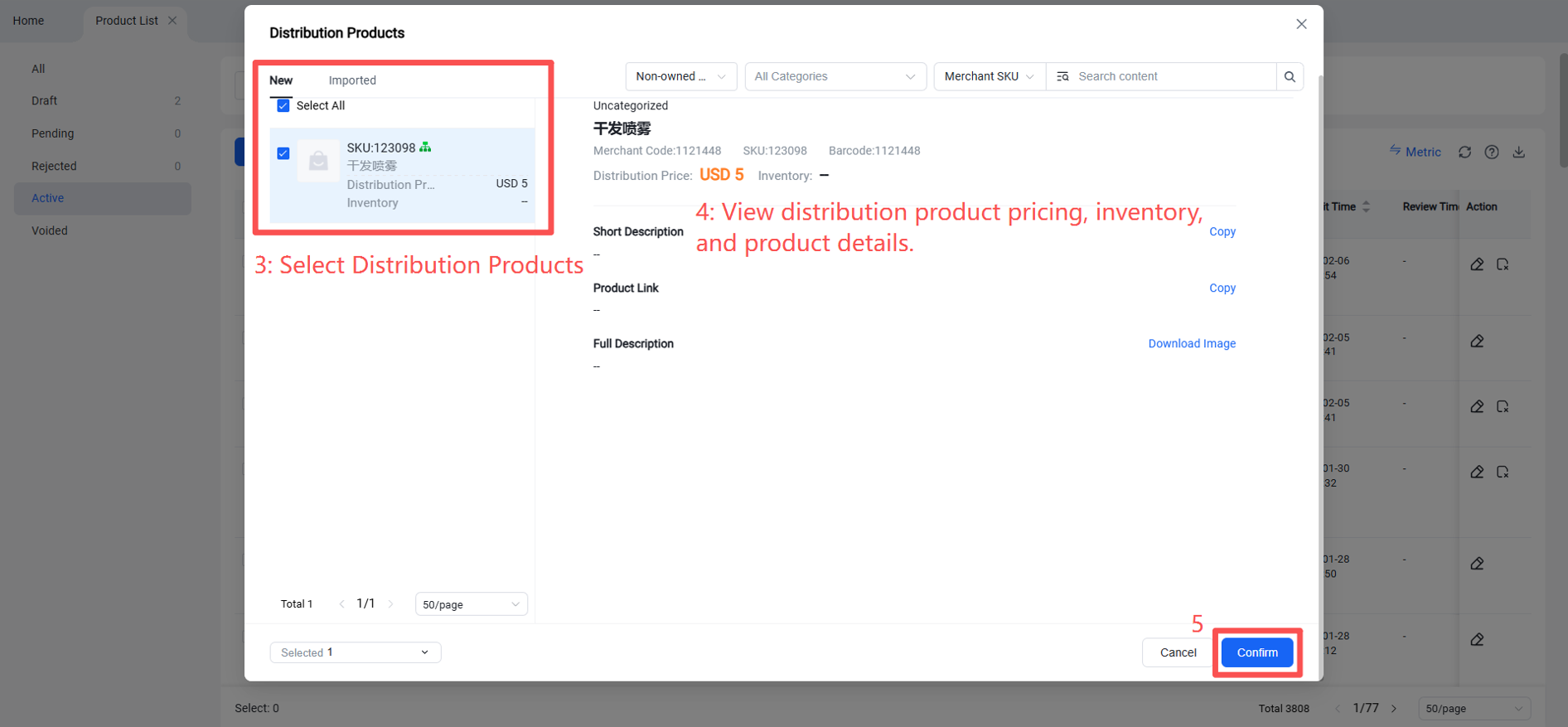
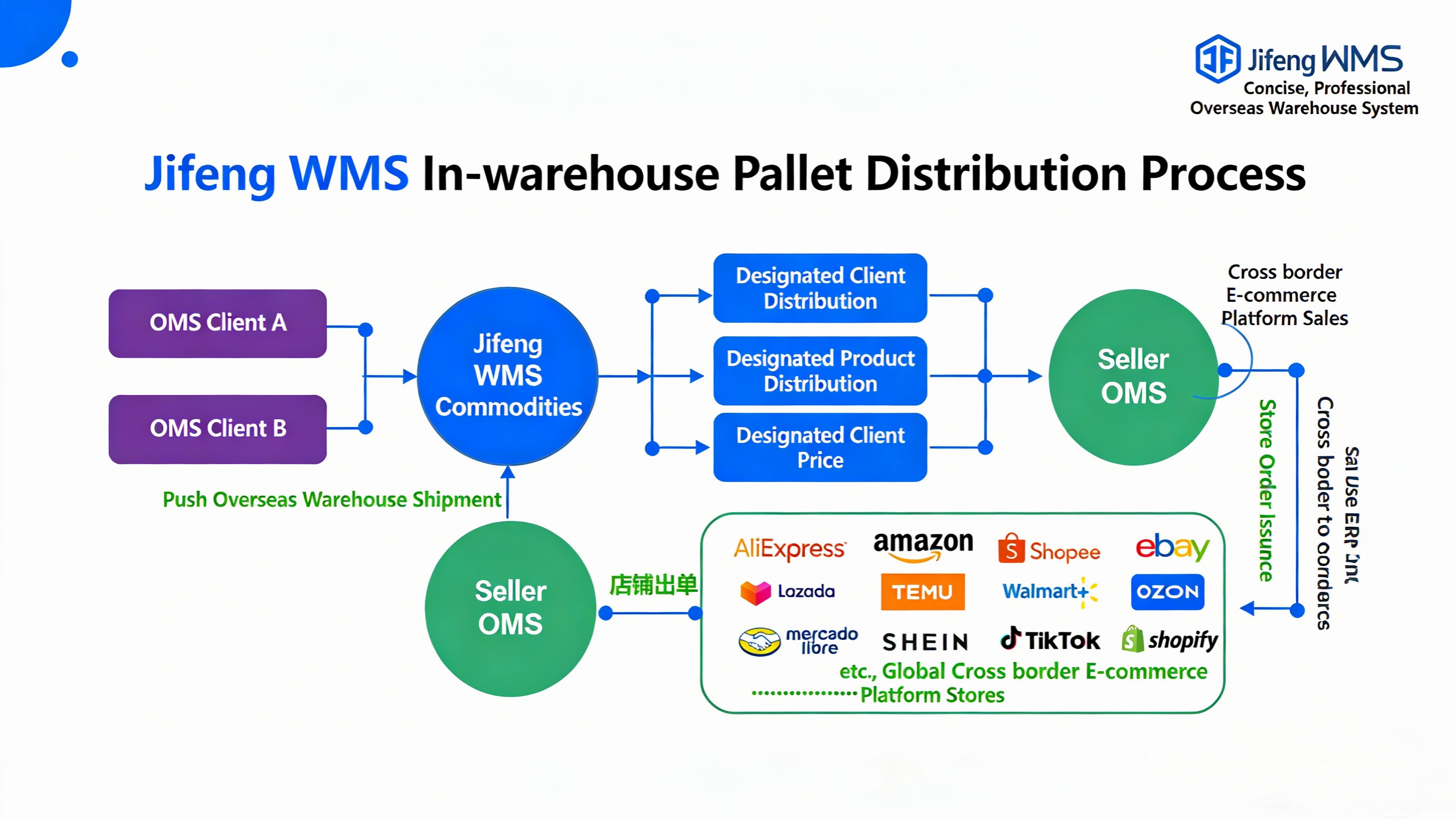
When an overseas warehouse seller's account is granted distribution permission, specific products are designated as available for distribution within Jifeng WMS. After setting product inventory, pricing, and product information, the seller can view and claim these distribution products in the Jifeng OMS system. After the seller's store generates orders, the overseas warehouse assists with packing and shipping, automatically deducting the distribution product inventory, applying the distribution product price, and charging warehouse packing fees, etc.
II. Operating Procedure
Step 1: Seller Claims Distribution Products in Jifeng OMS
In the OMS seller platform, navigate to the Products module and click on Distribution Products.
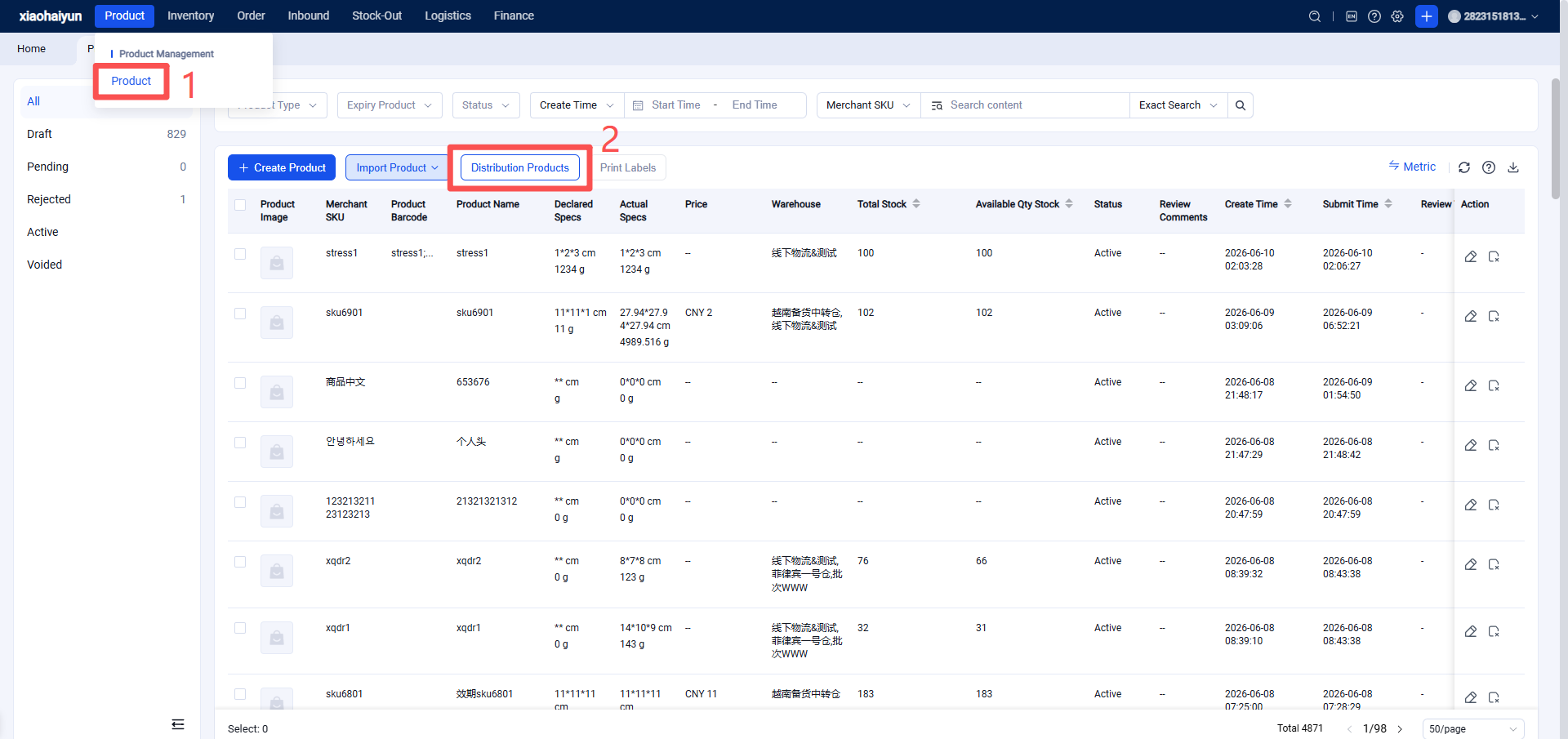
Here, you can view all products made available for distribution by the overseas warehouse.
Select the corresponding product to view details such as product name, category, price, images, description, and product links.
Step 2: Select the product(s) and confirm distribution.