Seller-Side B2B Inbound
I. Definition
Sellers engaged in offline overseas wholesale or using platform fulfillment warehouses need to ship goods in bulk to overseas warehouses for temporary storage as transit inventory. This requires sellers to create B2B inbound orders in advance to forecast for the warehouse. After shipping and arrival, the warehouse processes the goods in bulk through receiving, signing, and shelving.
The characteristics of B2B inbound/outbound are: ① Large quantities per order, ② Typically shipped and received in full boxes without being broken down.
II. Operational Path
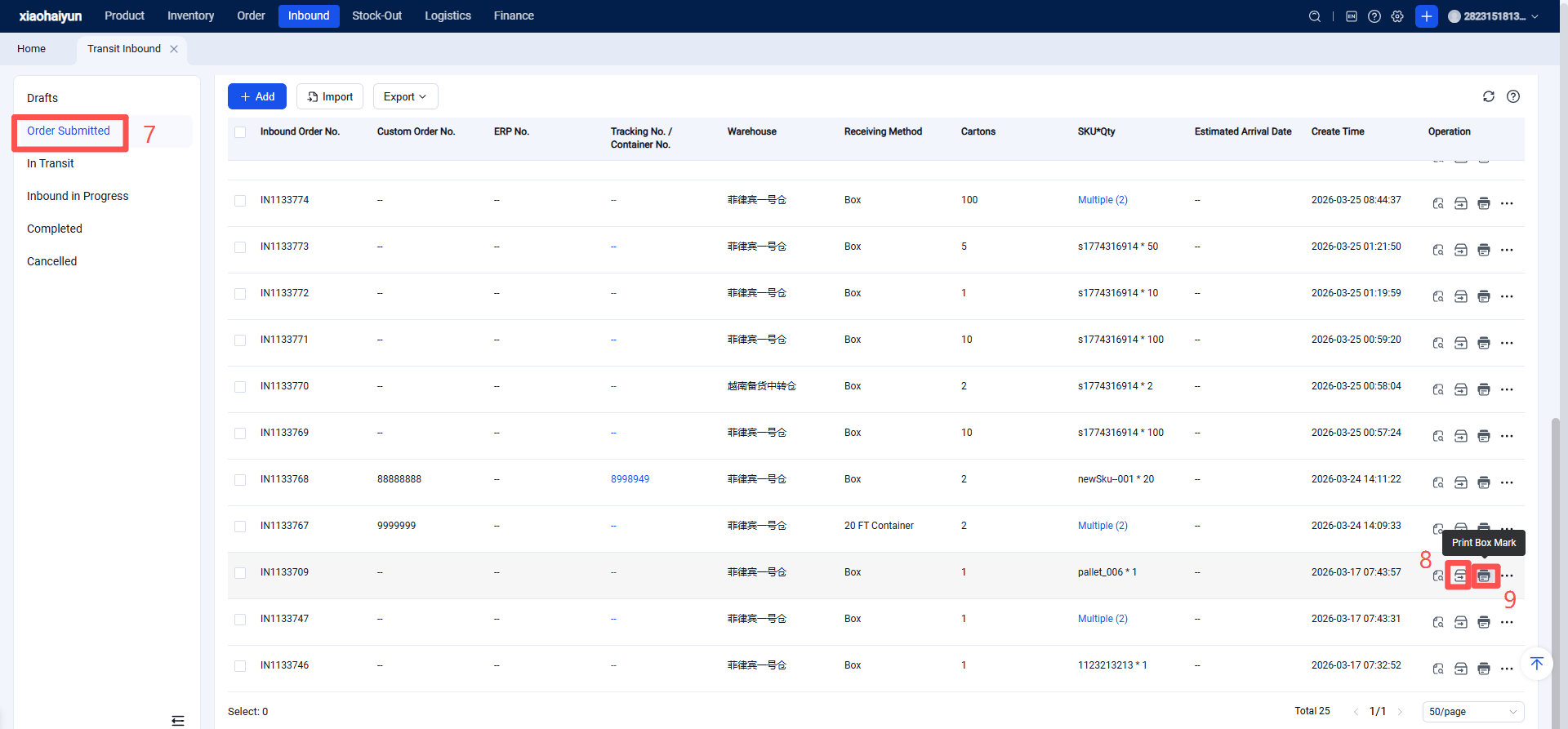
Log in to Seller OMS > Inbound > B2B Inbound > Inbound Order Management > Create New > Fill in warehouse information, arrival method, tracking number, estimated arrival date, shipped quantity, SKUs, etc. > Save and Submit > Print Carton Labels > Click Ship.
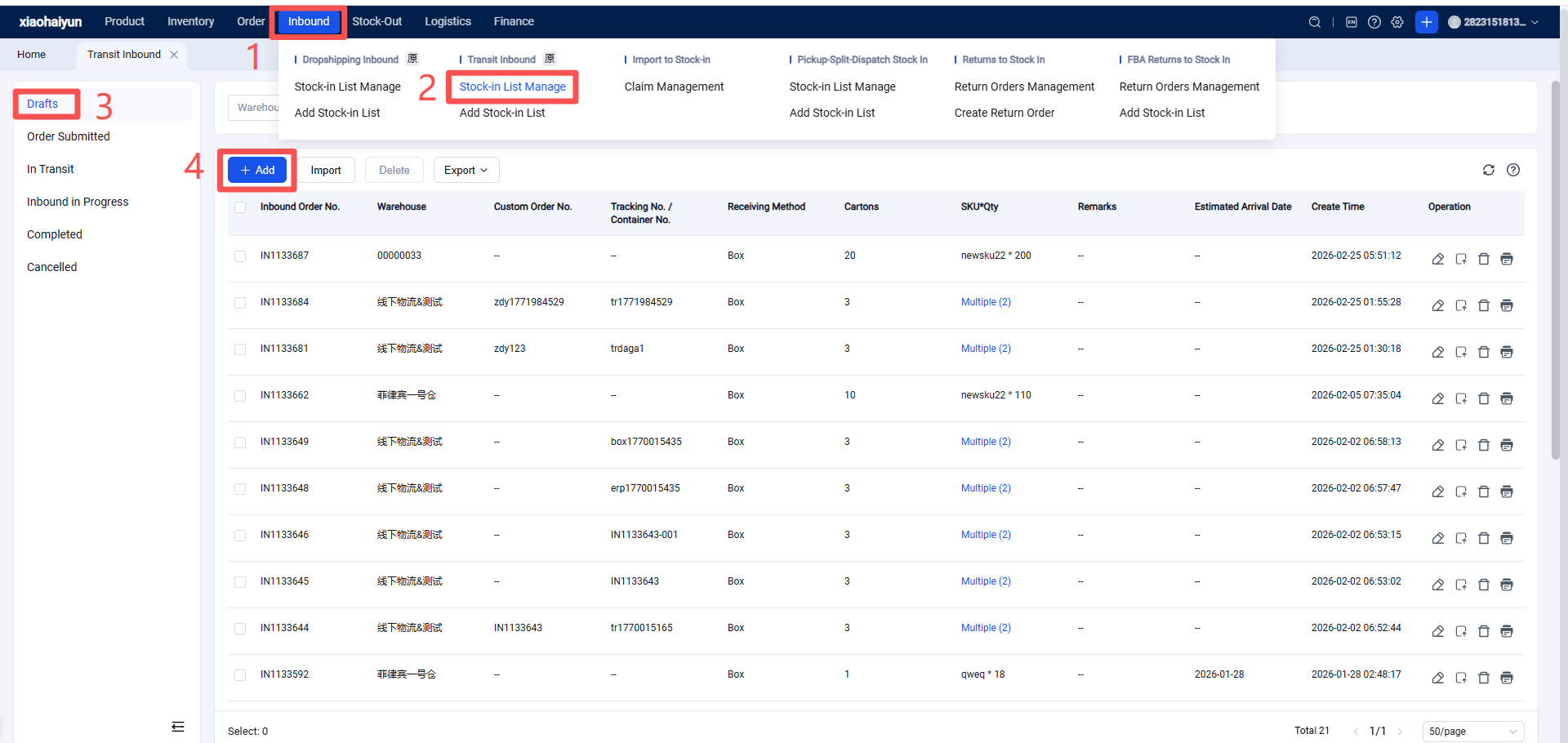
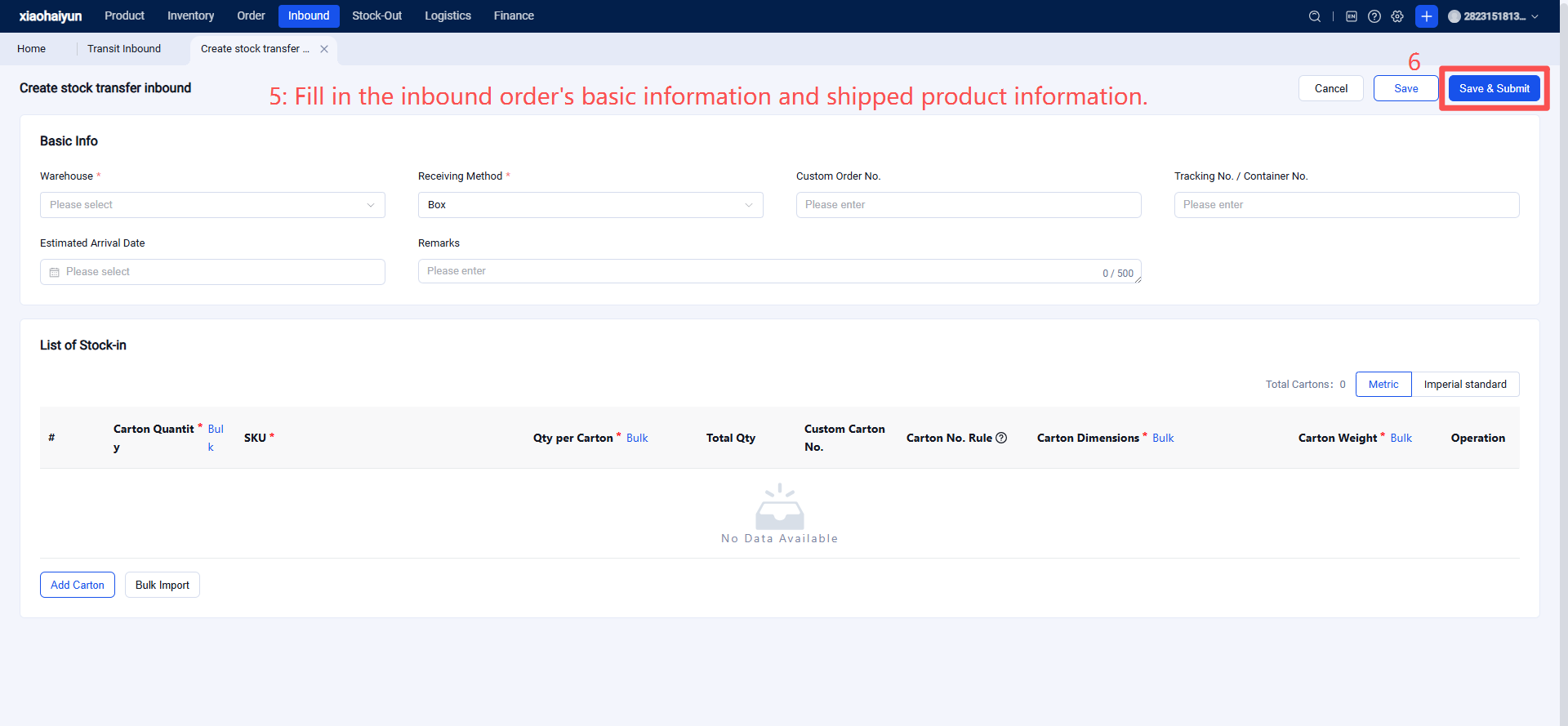
Fill in Inbound Order Details:
Warehouse: The designated receiving warehouse for the inbound order. Arrival Method: Select how the shipment will arrive at the warehouse (e.g., loose cartons, courier, pallets?). Custom Order Number: Can be linked to other purchase orders or internal system references for easier future retrieval. Tracking Number/Container Number: The tracking or container number for this shipment to the warehouse. The warehouse will identify and receive the corresponding order by scanning this upon arrival. Estimated Arrival Date: Approximate arrival date to help the warehouse prepare in advance. Boxes: Add box types. Each type has identical specifications and contents. Carton labels can use the same box number or generate numbers via auto-increment or according to FBA/Mercado Libre rules. SKUs: Specify which SKUs and their quantities are in each box.
After Saving and Submitting, the order enters the "Forecasted" status. Then, print the carton labels.
Shipping the Inbound Order signifies the client confirms the goods are en route to the overseas warehouse. At this point, the 【Tracking Number/Container Number】 for this order must be finalized.
After shipping, the inbound order status will change to 【In Transit】. All subsequent operations will be handled by overseas warehouse staff within the WMS system.
B2B Transfer Order Statuses
All: Displays inbound orders in all B2B statuses. Forecasted: Indicates the seller has created the B2B inbound order. In Transit: Indicates the seller has shipped the goods. Pending Inbound: Indicates the goods have arrived at the warehouse, awaiting warehouse receiving. Inbound in Progress: Indicates the warehouse has started receiving and is processing the inbound. Completed: Indicates the warehouse has finished receiving all goods.