Tutorial: Setting Up an Integrated Weighing, Photo, and Scanning Machine for Logistics
I. Definition
Some e-commerce sellers or warehouses use integrated machines that combine weighing, scanning, and photography. This guide explains how to automatically upload data from such machines to the free Jifeng Overseas Warehouse Management System, enabling automatic collection, transmission, and storage of weight, photo, and dimension data. This process eliminates the manual entry of data, reducing errors and improving data accuracy and timeliness.
Important: The functions of scanning + weighing + photography + video recording (optional) serve the following purposes:
Auto-shipment: Scanning automatically updates the shipment status and submits it to the platform.
Record Keeping: Captures package photos and shipping weights. If a client reports non-receipt or incorrect shipment, these records can be used for verification.
Video Recording: If the device supports video recording, its workflow is typically: scanning a barcode automatically starts recording (no separate scanner needed). Scanning the next barcode automatically stops the previous recording and starts a new one. Videos are named using the tracking number. The device connects to your computer via USB, and videos are saved to your local hard drive. You can search for the corresponding video by entering the tracking number in the software. [For specific tutorials or remote assistance, contact Chen Sheng in the group chat.]
Important: Ensure the machine is an integrated unit for scanning, photography, weighing, and video recording. Do not purchase a separate video recording machine, as it will not achieve the three functions listed above.
II. Operational Path
Step 1: Contact the Integrated Weighing-Scanning Machine Service Provider
Step 2: Provide the Free Jifeng Overseas Warehouse System API Link to the Provider: https://app.apifox.com/project/4294540/apis/doc-4056077
Concurrently, you need to add the device within Jifeng WMS and provide the device information to the machine provider.
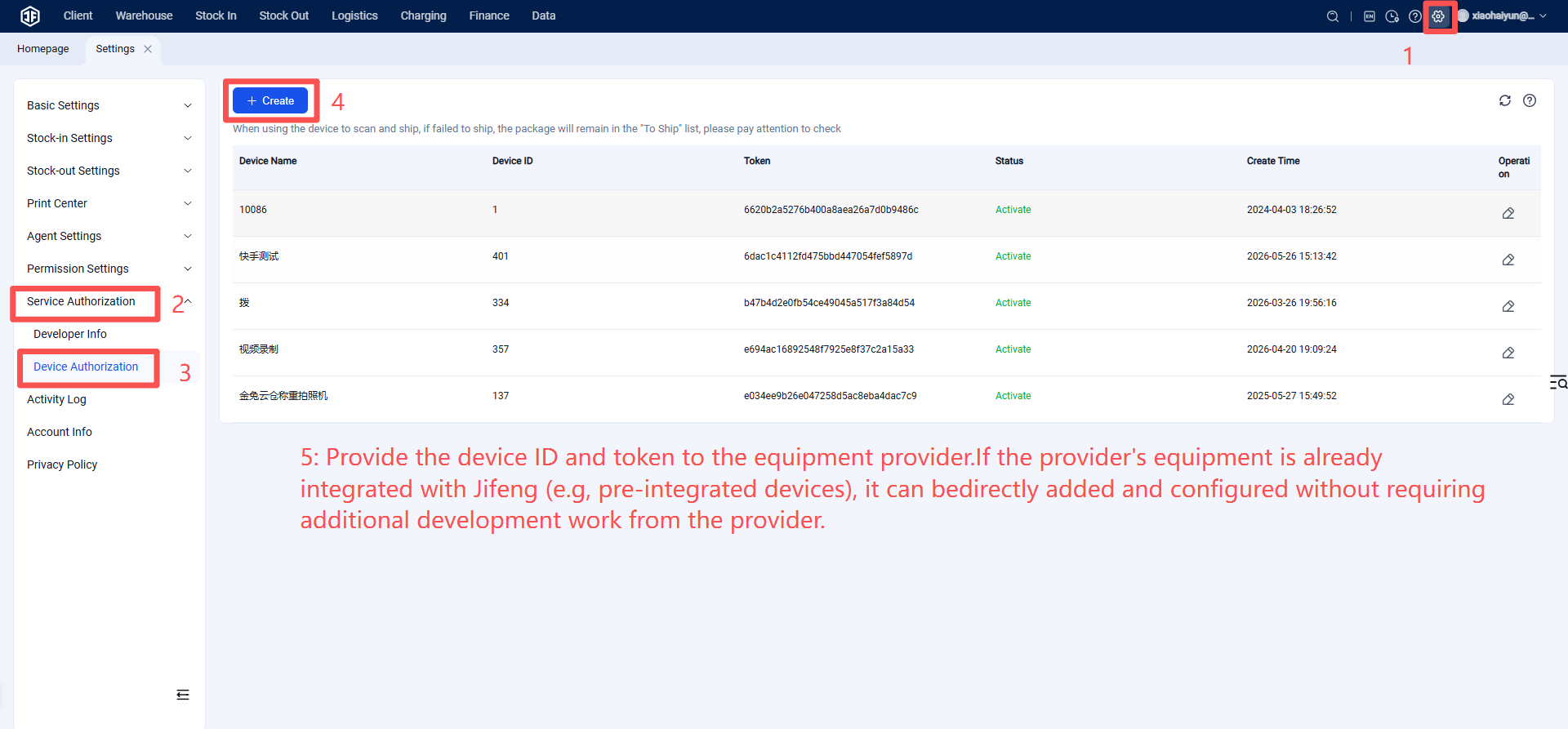
Step 3: The integrated weighing, scanning, and photography machine service provider will handle debugging and testing.
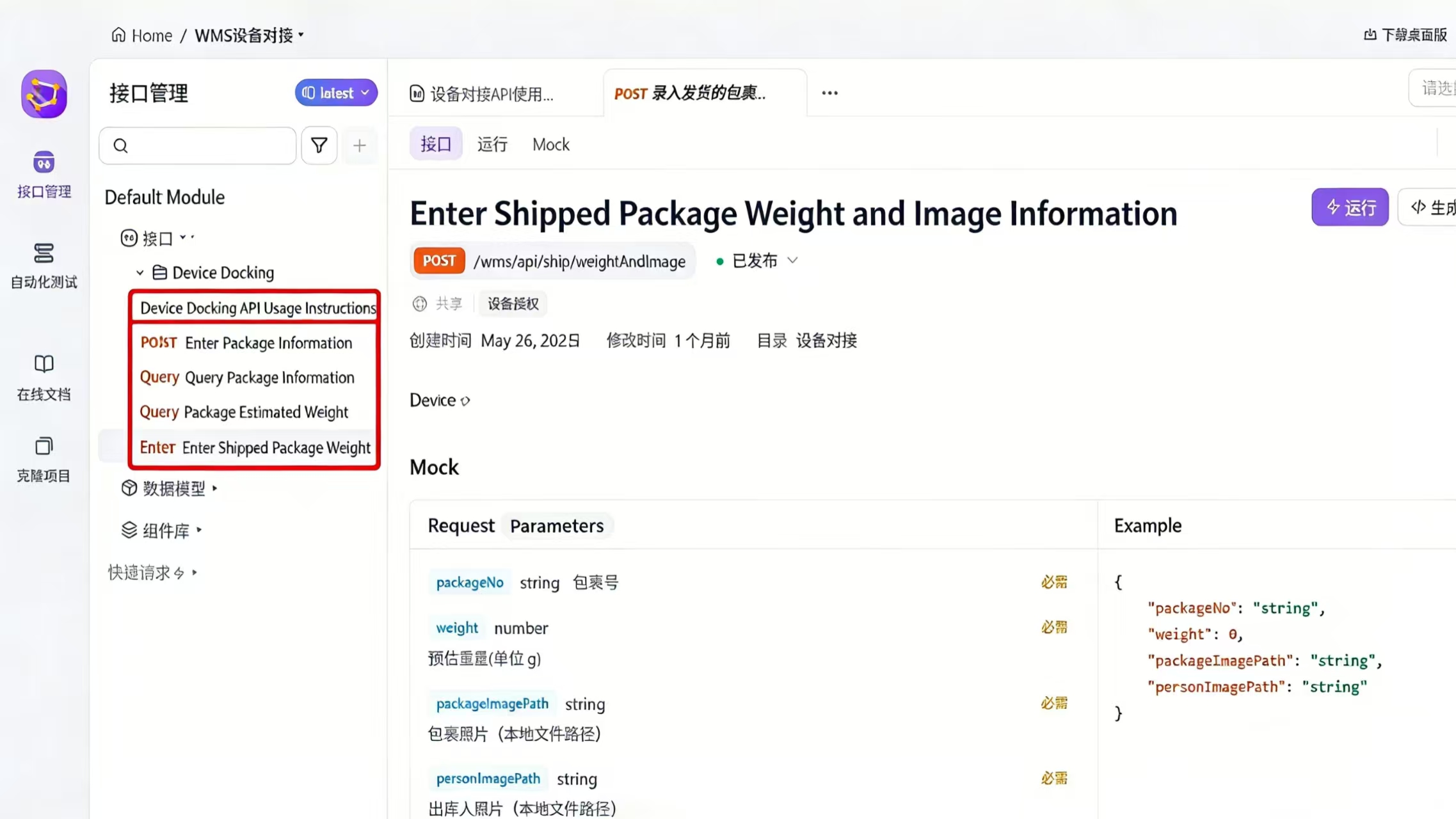
If debugging is successful, the overseas warehouse can begin using the integrated weighing, scanning, and photography machine to transmit data to the corresponding orders.
Note: If the machine service provider requires assistance during the process, they can communicate via the one-on-one customer support channel in the free Jifeng Overseas Warehouse System.