Batch Shipment > Multi-Item Mixed Package: Print Shipping Labels (Pick and Sort Simultaneously)
I. Applicable Scenario
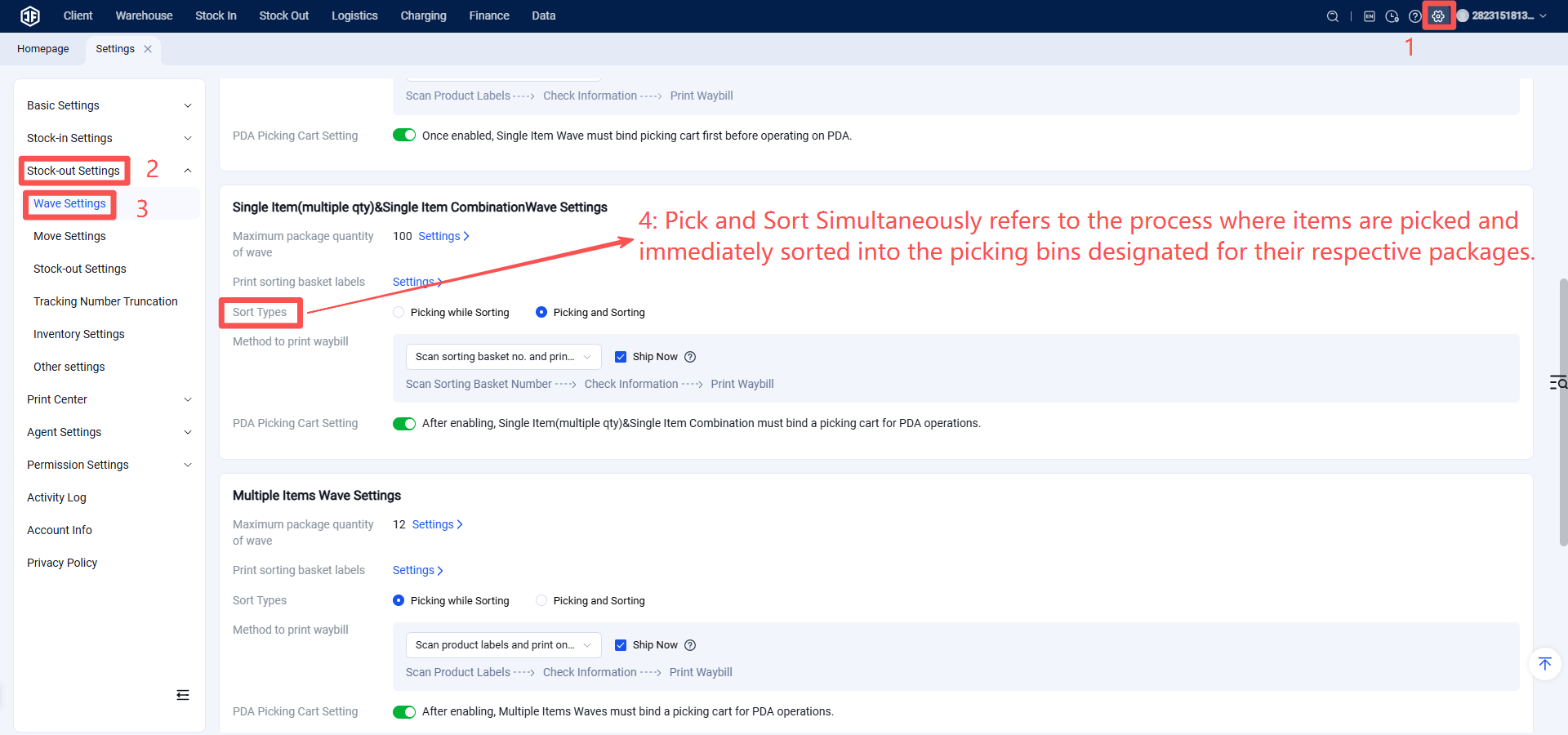
Follow the picking list to first gather and pick all required items from the warehouse, then place them on a sorting rack. Subsequently, perform a secondary sort to allocate items into individual packages.
Finally, verify the correctness of the items, after which shipping labels can be automatically printed to complete the outbound process.
II. Operating Procedure
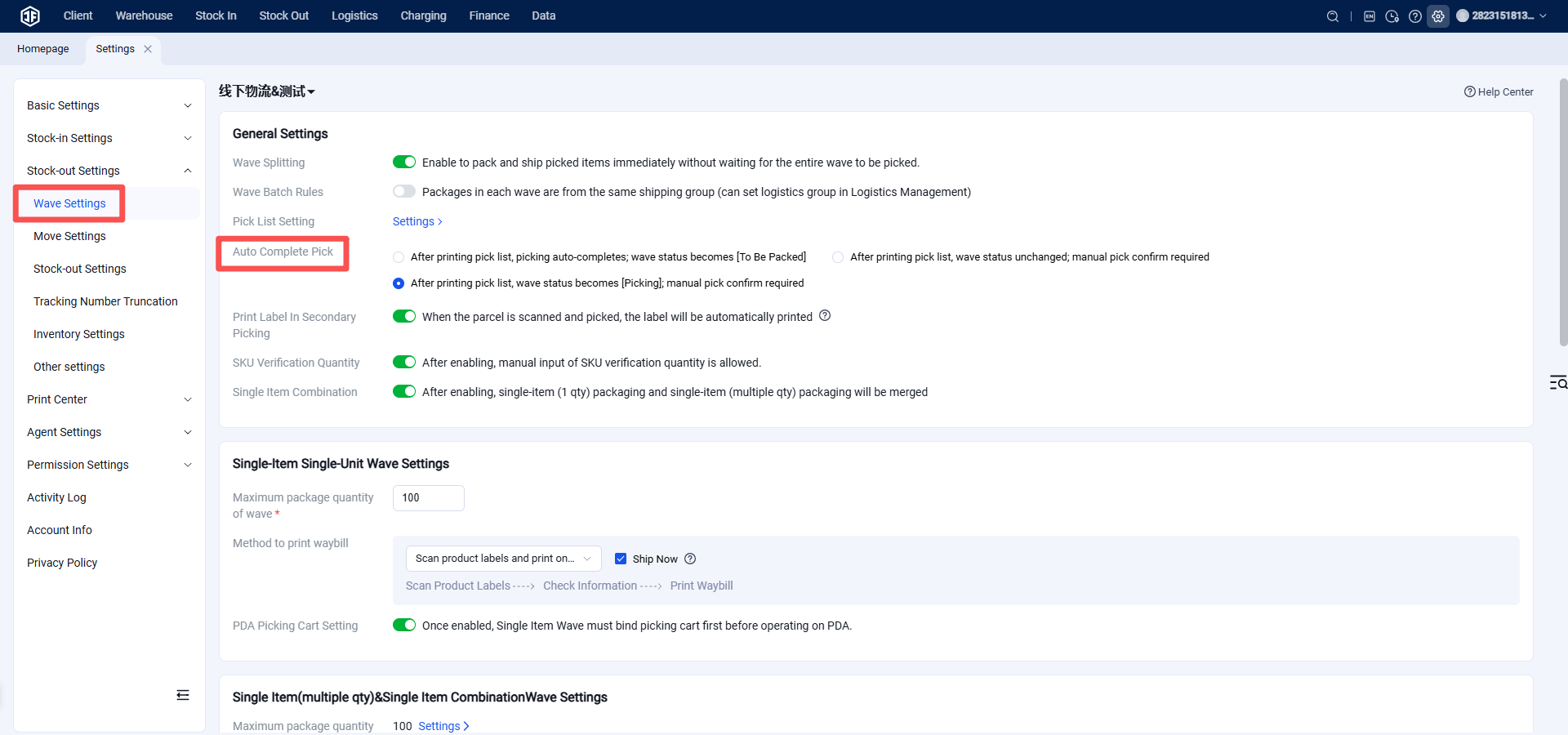
Step 1: Configure Multi-Item Mixed Package Picking Mode - Pick and Sort Simultaneously
Step 2: Batch Settings, Generate Batch Reference: https://help.jfwms.com/zh_CN/doc-article/1003000610-
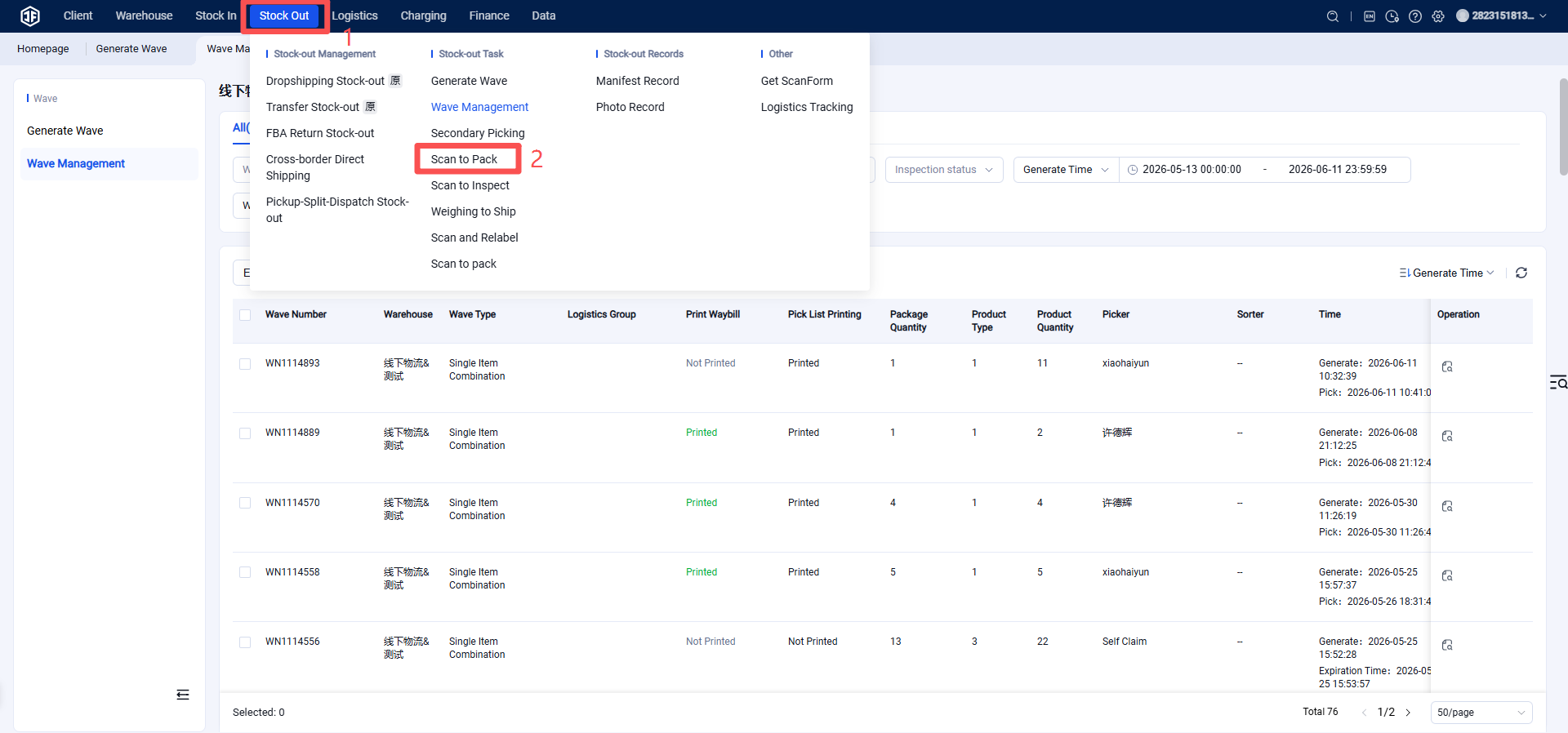
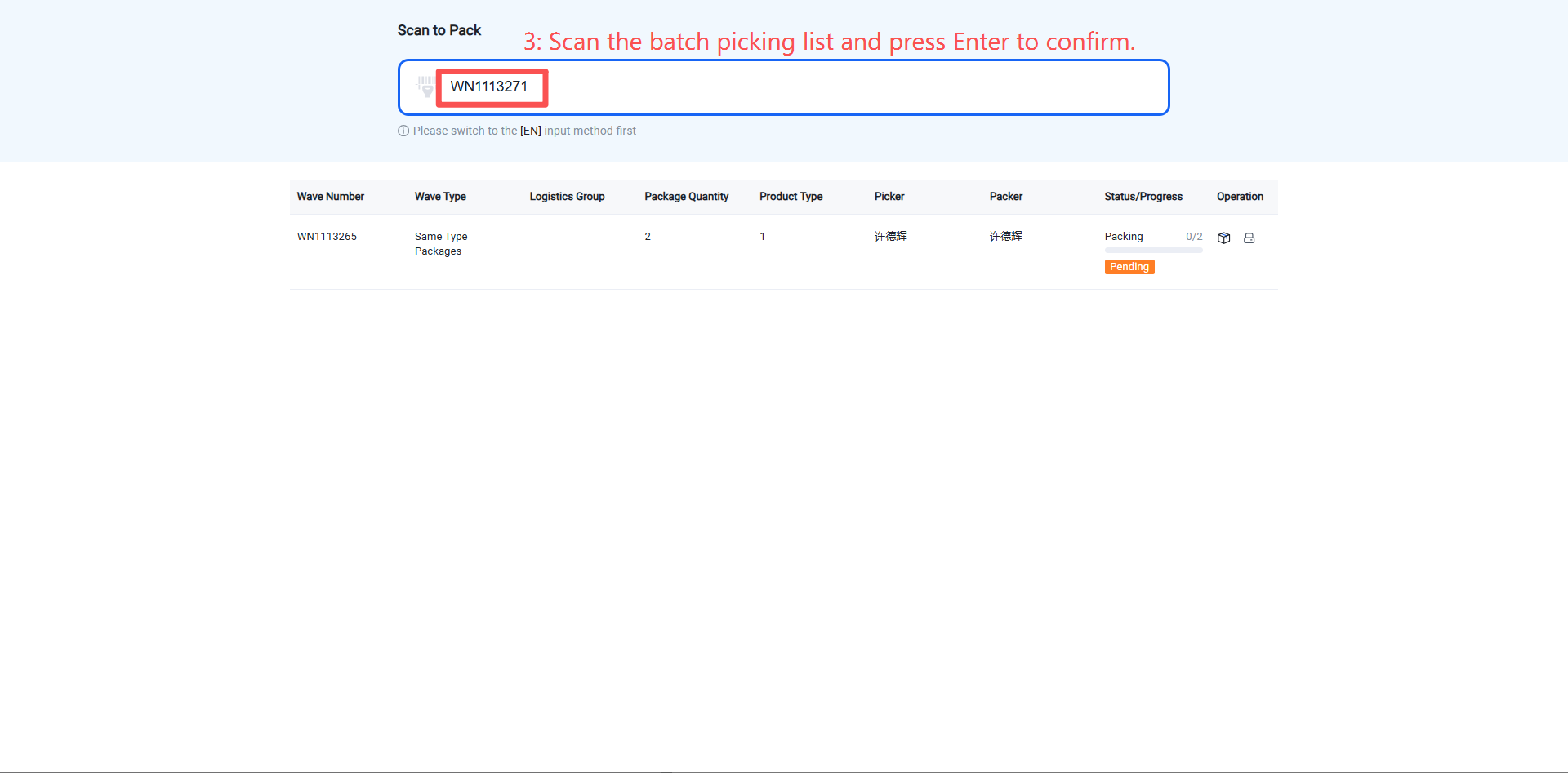
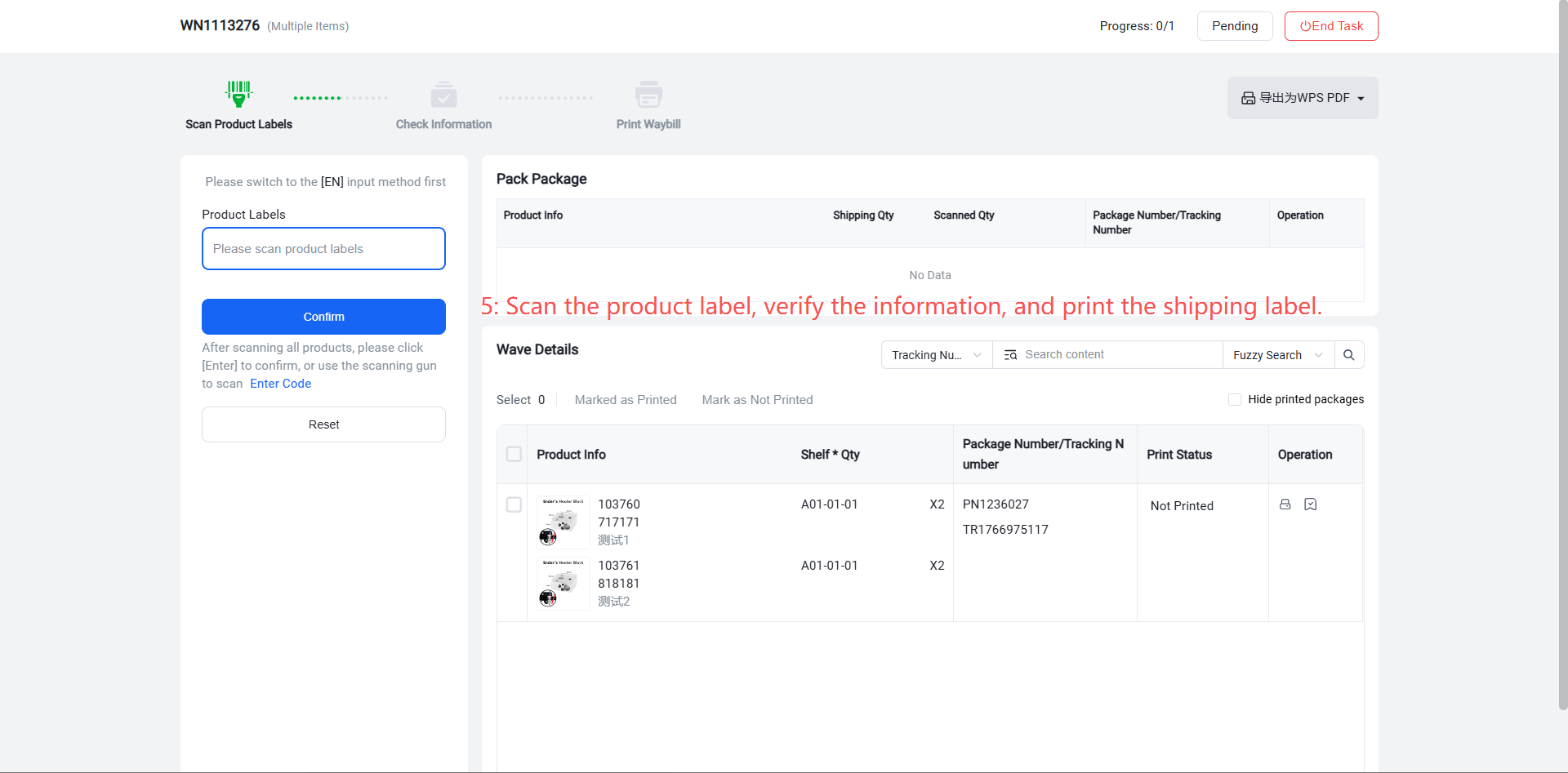
Step 3: Scan and Pack After pickers complete the sorting task for a batch, they proceed to the packing stage to print shipping labels. Options include:
Scanning individual product labels to print labels one by one.
Scanning sorting box numbers to print labels one by one.
Batch printing shipping labels.
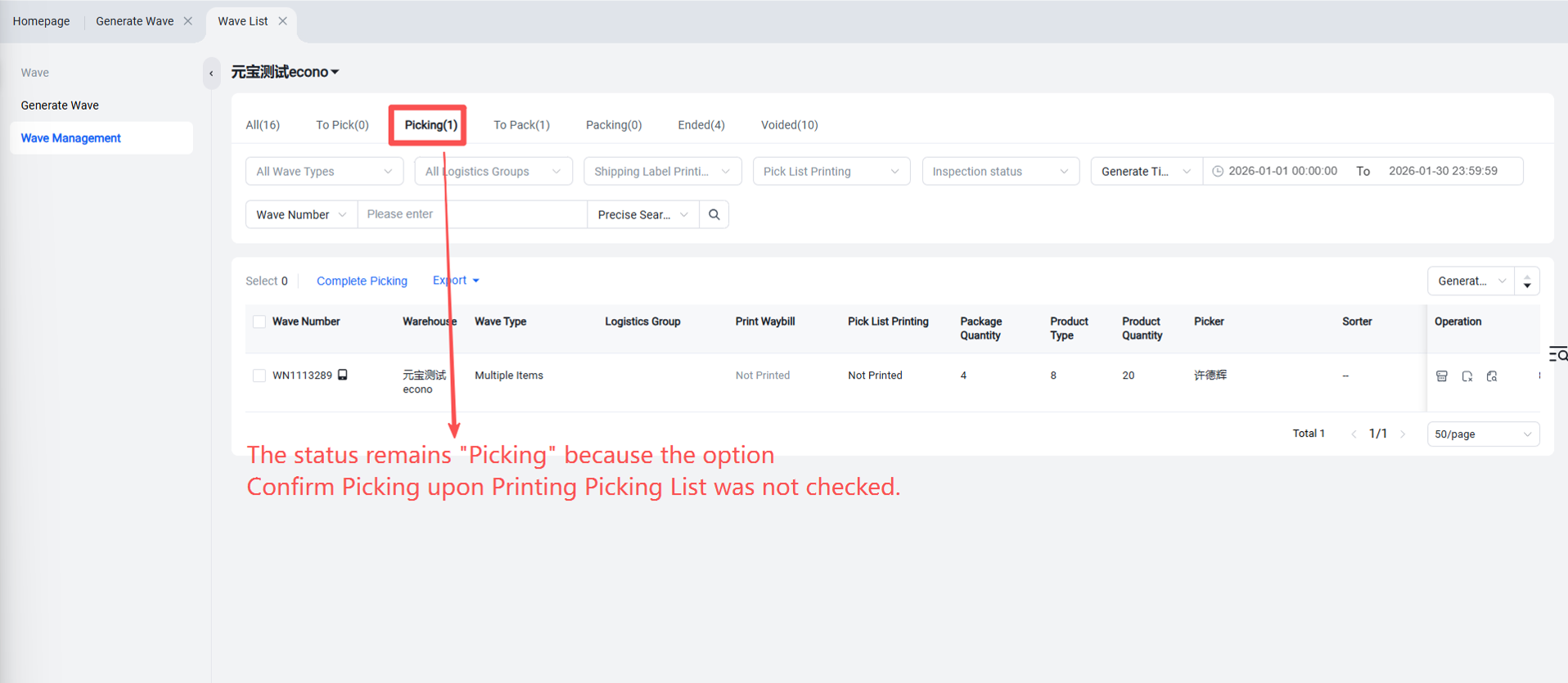
Confirm Picking?
Scan and Pack
For batch picking lists in the "Pending Packaging" status, proceed with scanning and packaging.