Warehouse Product Out of Stock: Relocate Inventory
I. Definition
When warehouse inventory is extensive, manually identifying and replenishing out‑of‑stock items can be challenging. Using the "Shortage Transfer Suggestion" feature, the system can automatically generate transfer recommendations for out‑of‑stock (unavailable) items to facilitate replenishment.
II. Operation Path
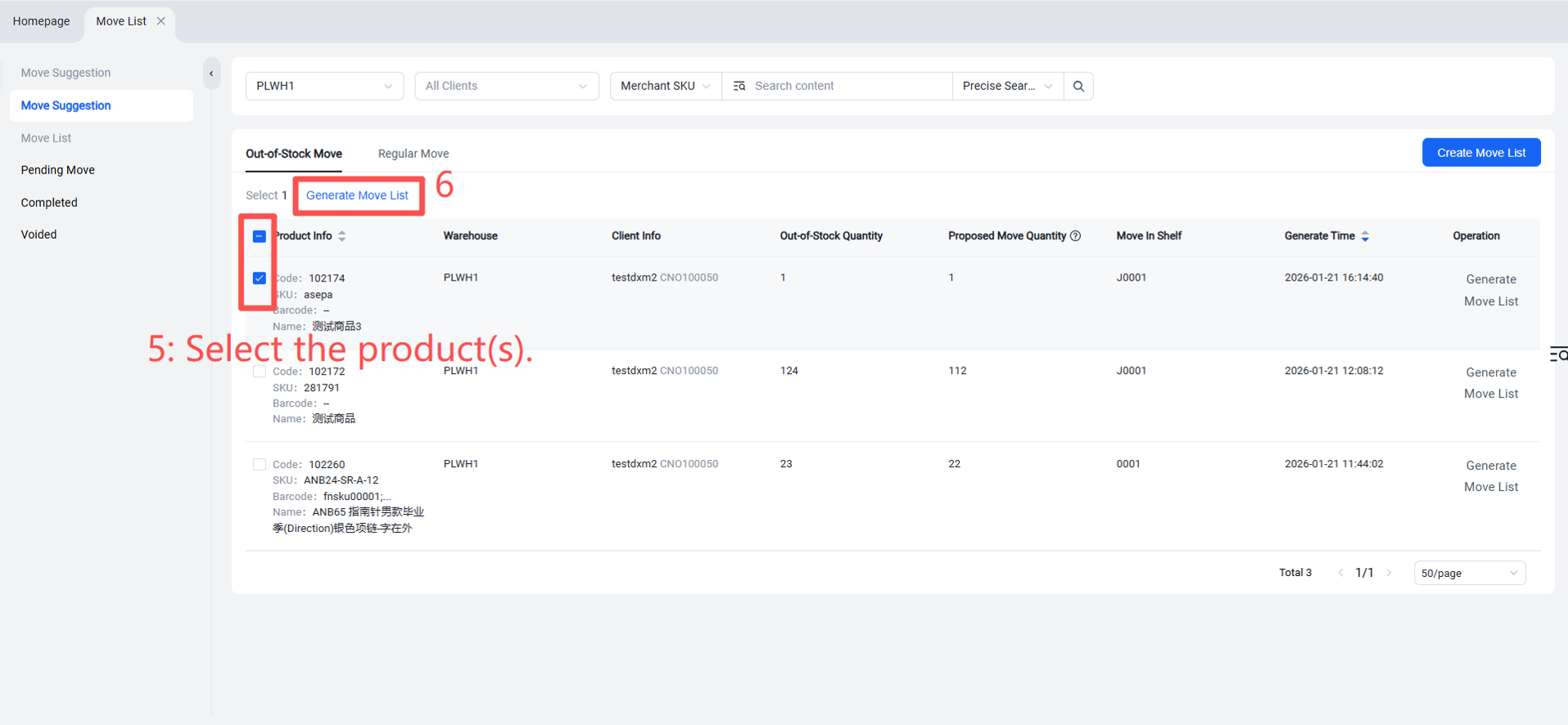
When inventory is unavailable and requires transfer, the items will appear under "Shortage Transfer."
Warehouse Terminal (WMS) > Inventory > Internal Transfers > Shortage Transfer >
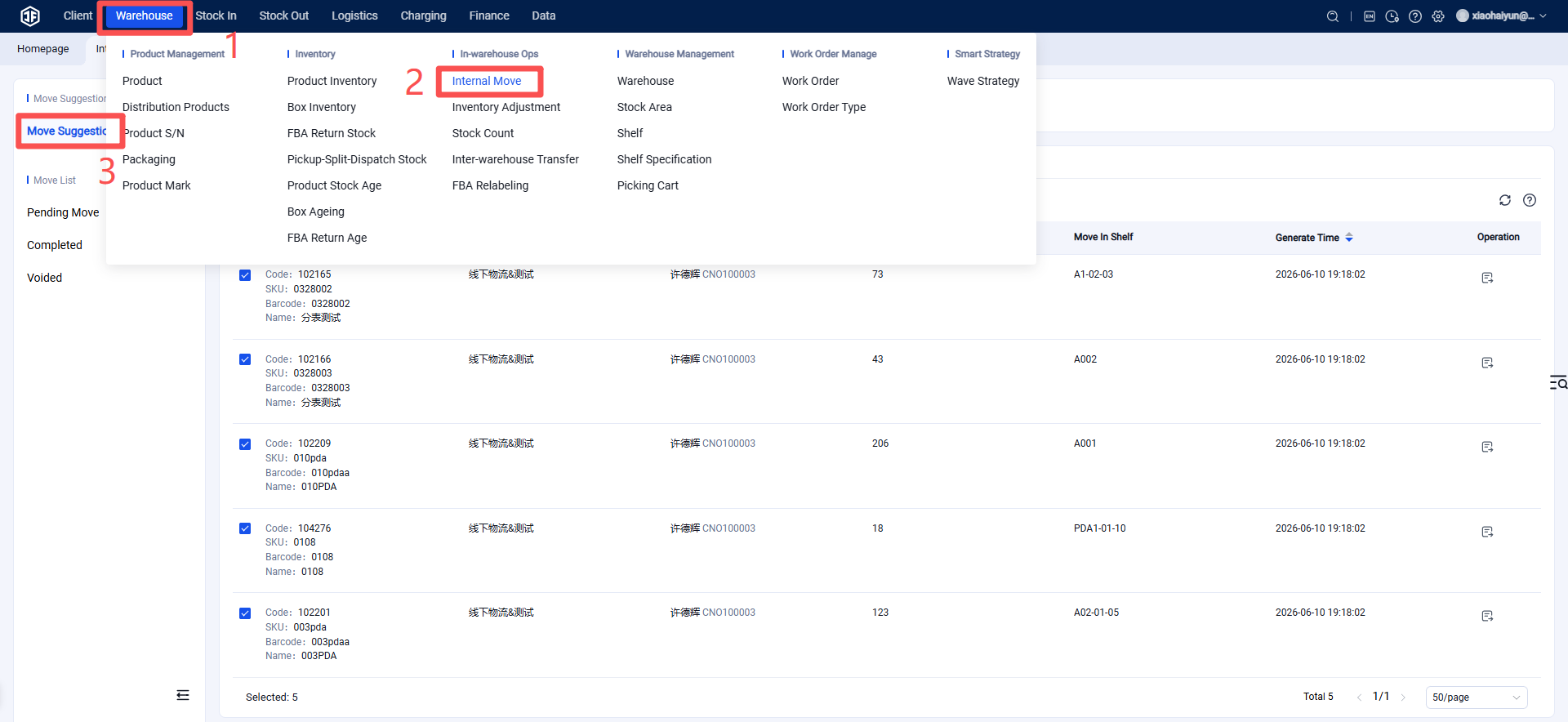
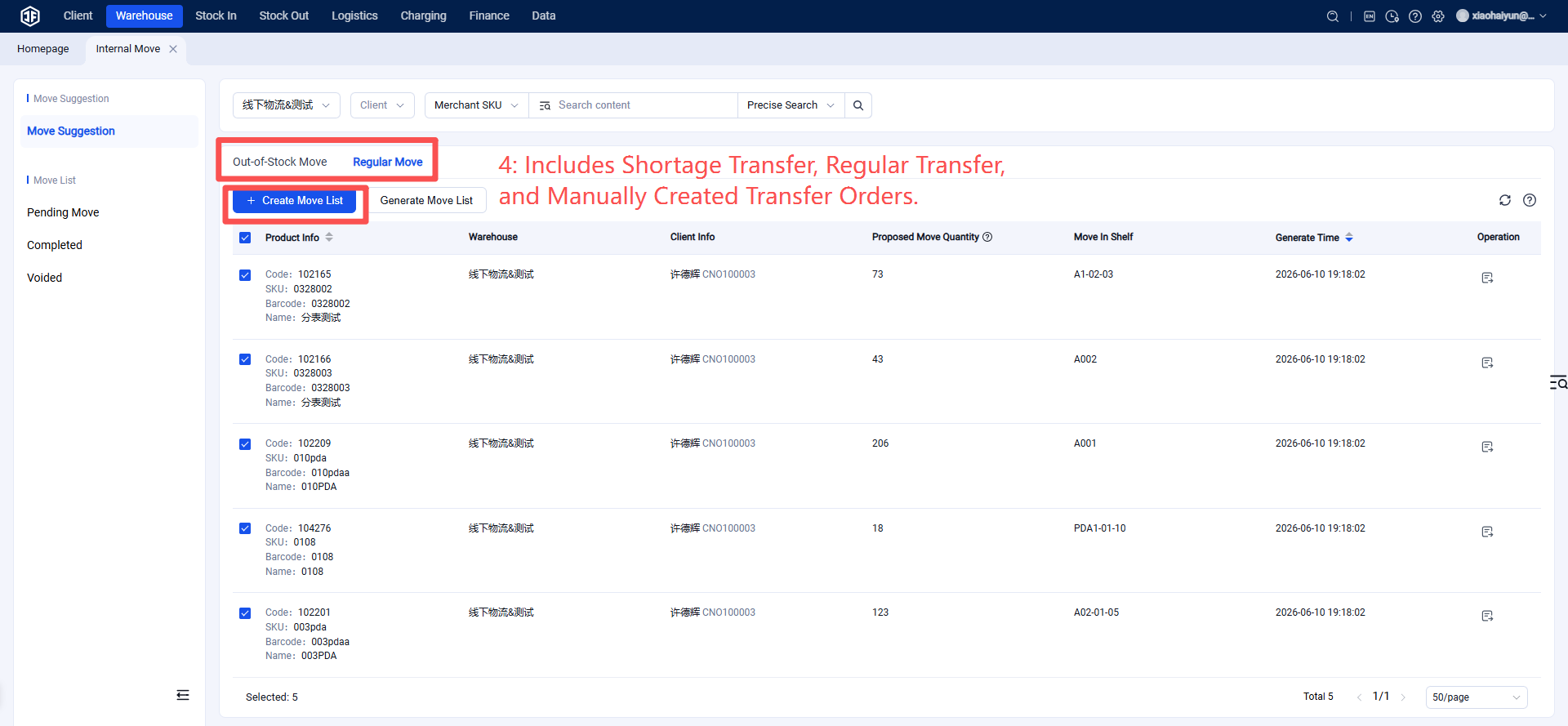
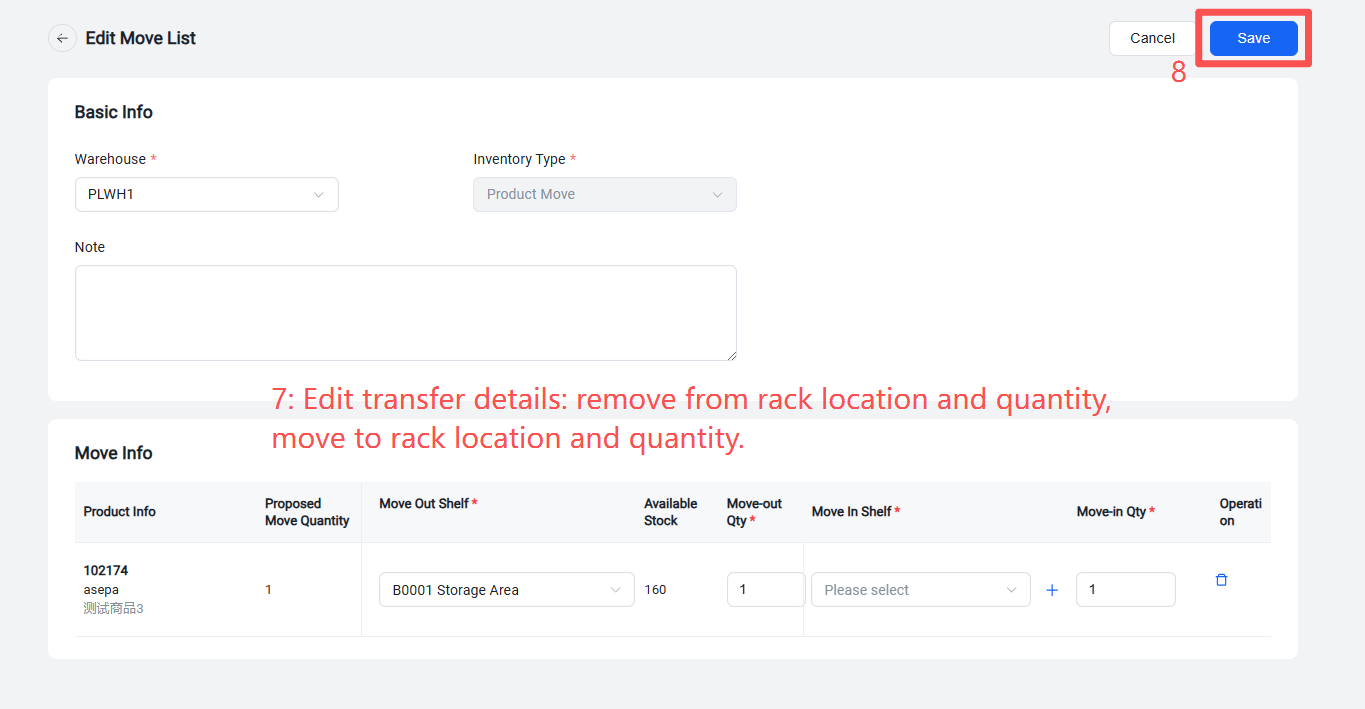
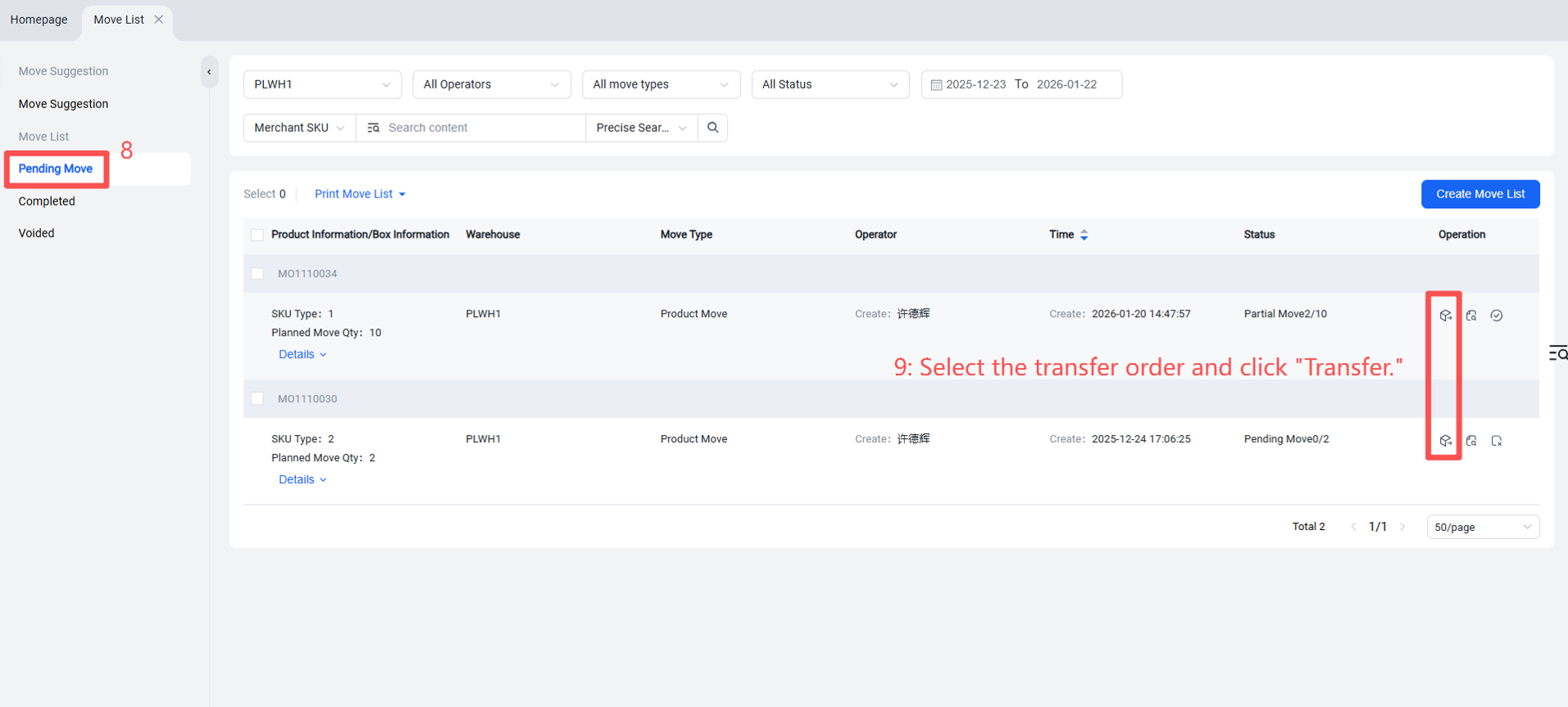
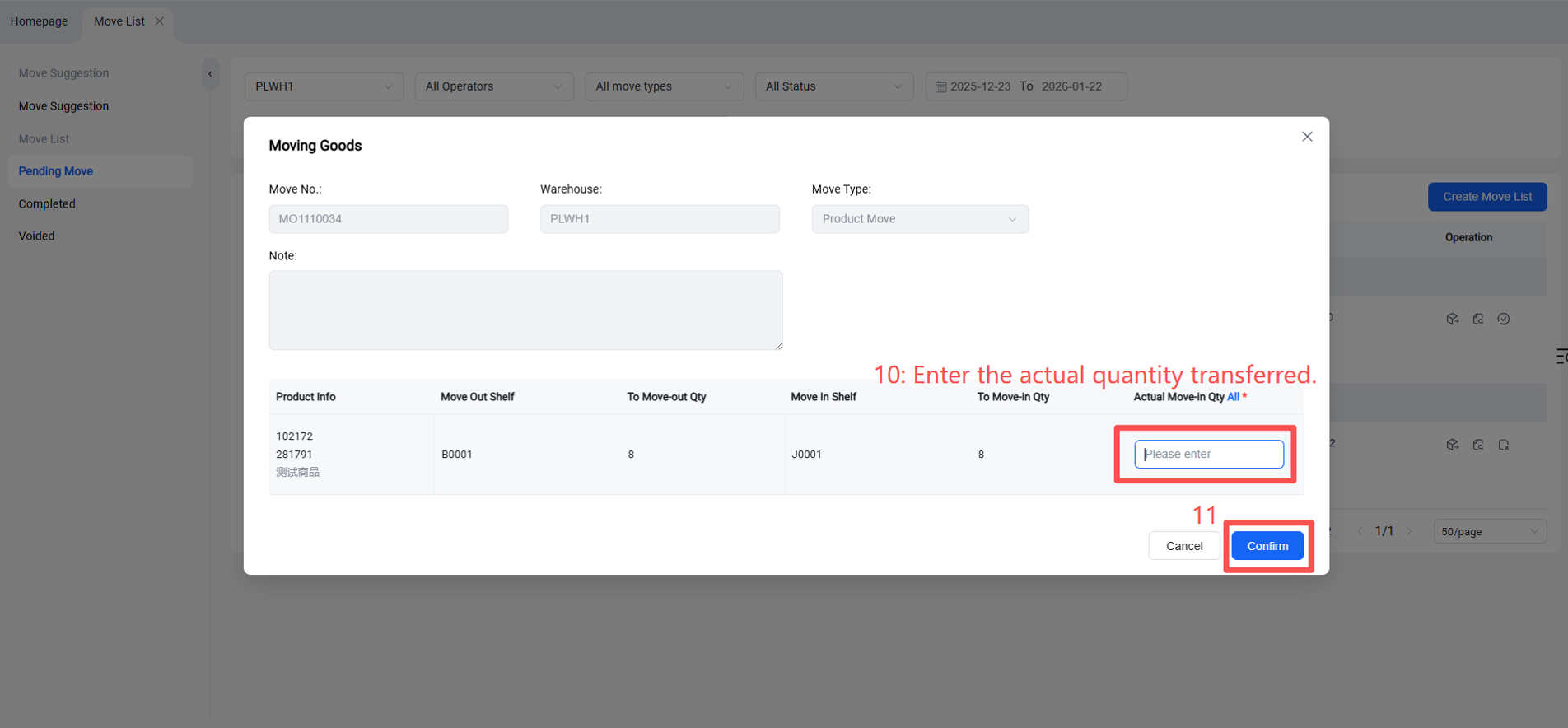
Select products > Generate transfer order > Edit transfer order details: product(s) to move out, quantity, source rack location; product(s) to move in, quantity, destination rack location > Confirm > The order enters "Pending Transfer" status, where the transfer list can be printed. Click "Transfer" > Enter transfer quantity > Confirm > Operation completed.