Warehouse Product Safety Stock: Suggested Relocation
I. Definition
When warehouse inventory is extensive, manually monitoring and replenishing stock is challenging. By setting a lower inventory limit (safety stock), an alert is triggered when product stock falls below this threshold. The alert appears in the Regular Transfer section, enabling timely replenishment.
II. Operation Path
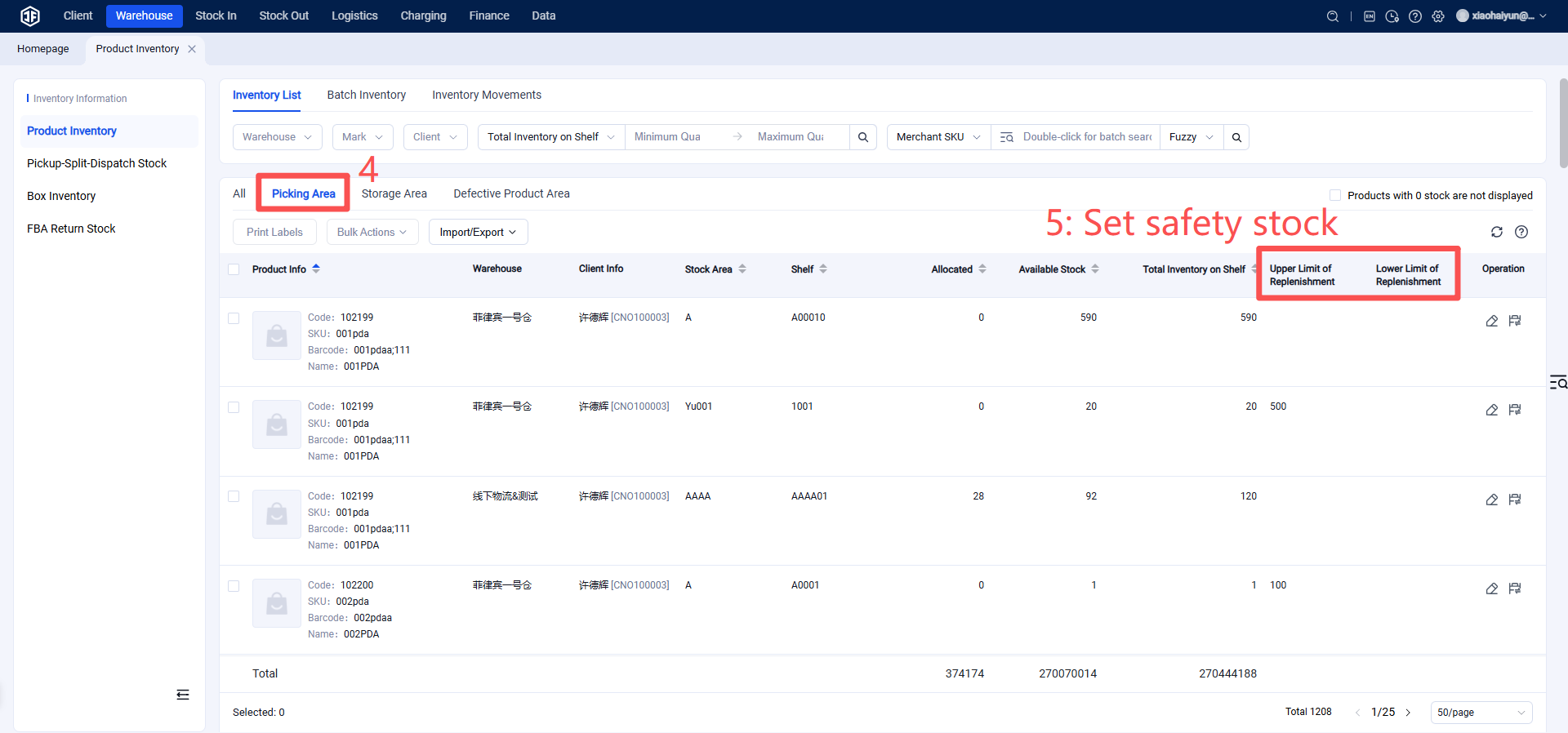
Step 1: Set Safety Stock
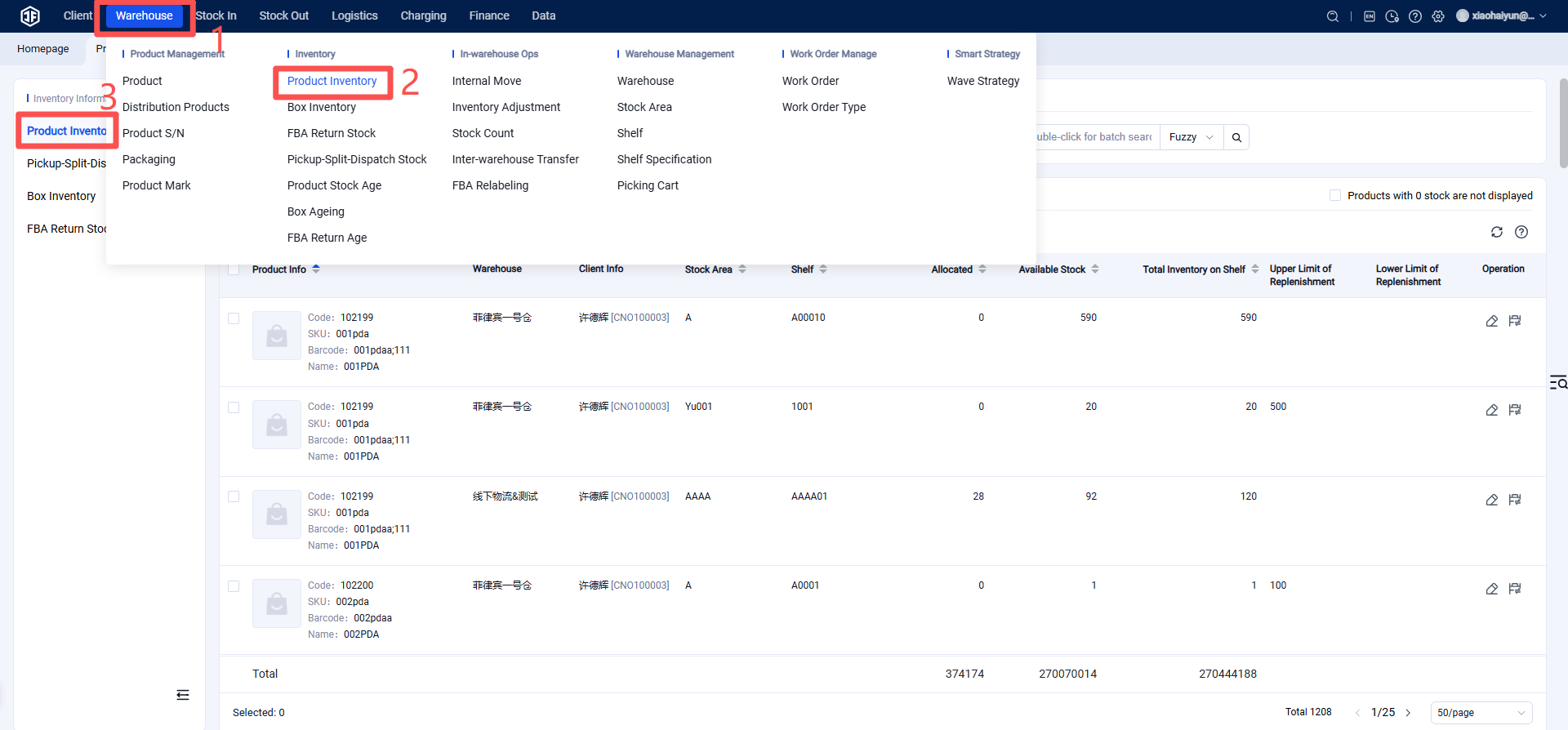
Warehouse Terminal (WMS) > Inventory > Inventory Information > Product Inventory > Picking Zone > Set Lower Inventory Limit.
Step 2: Safety Stock Transfer
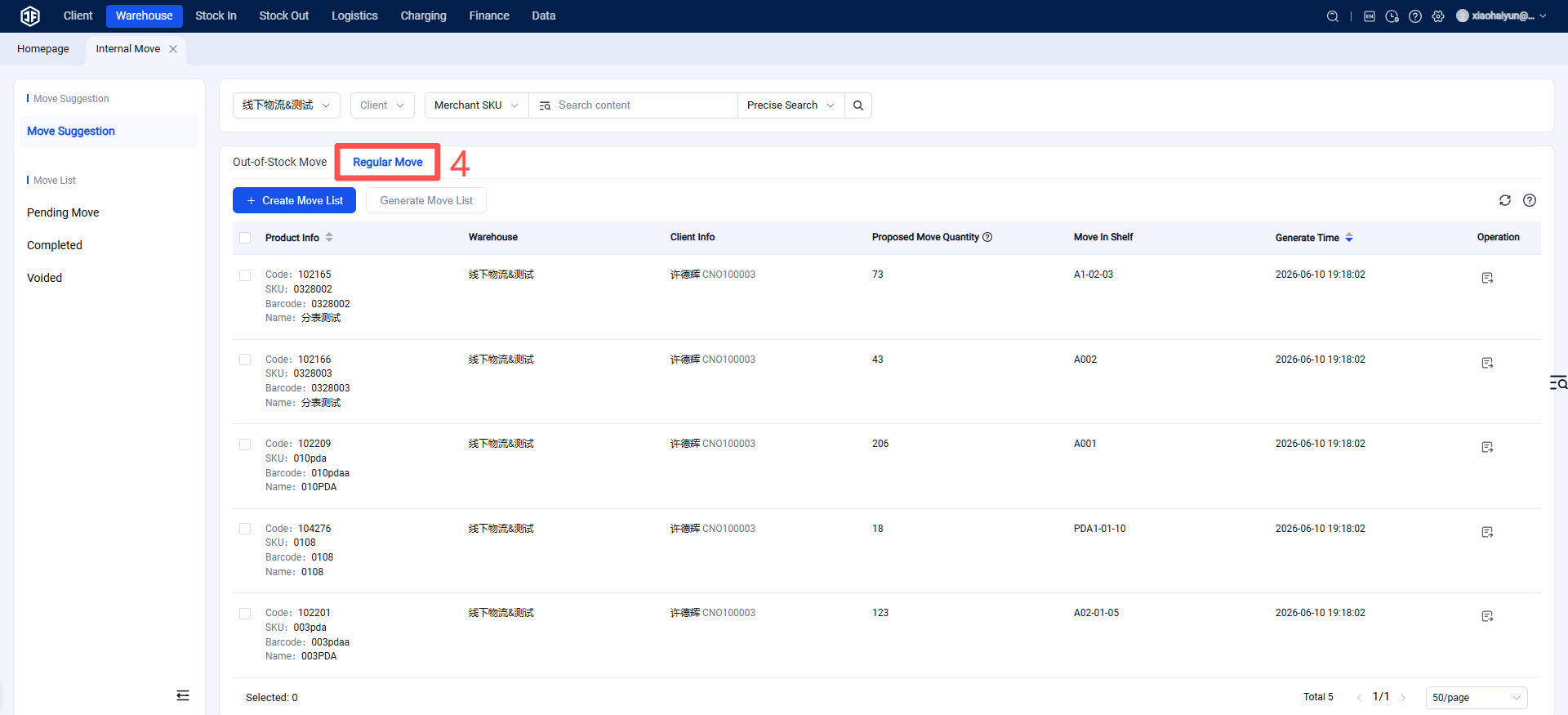
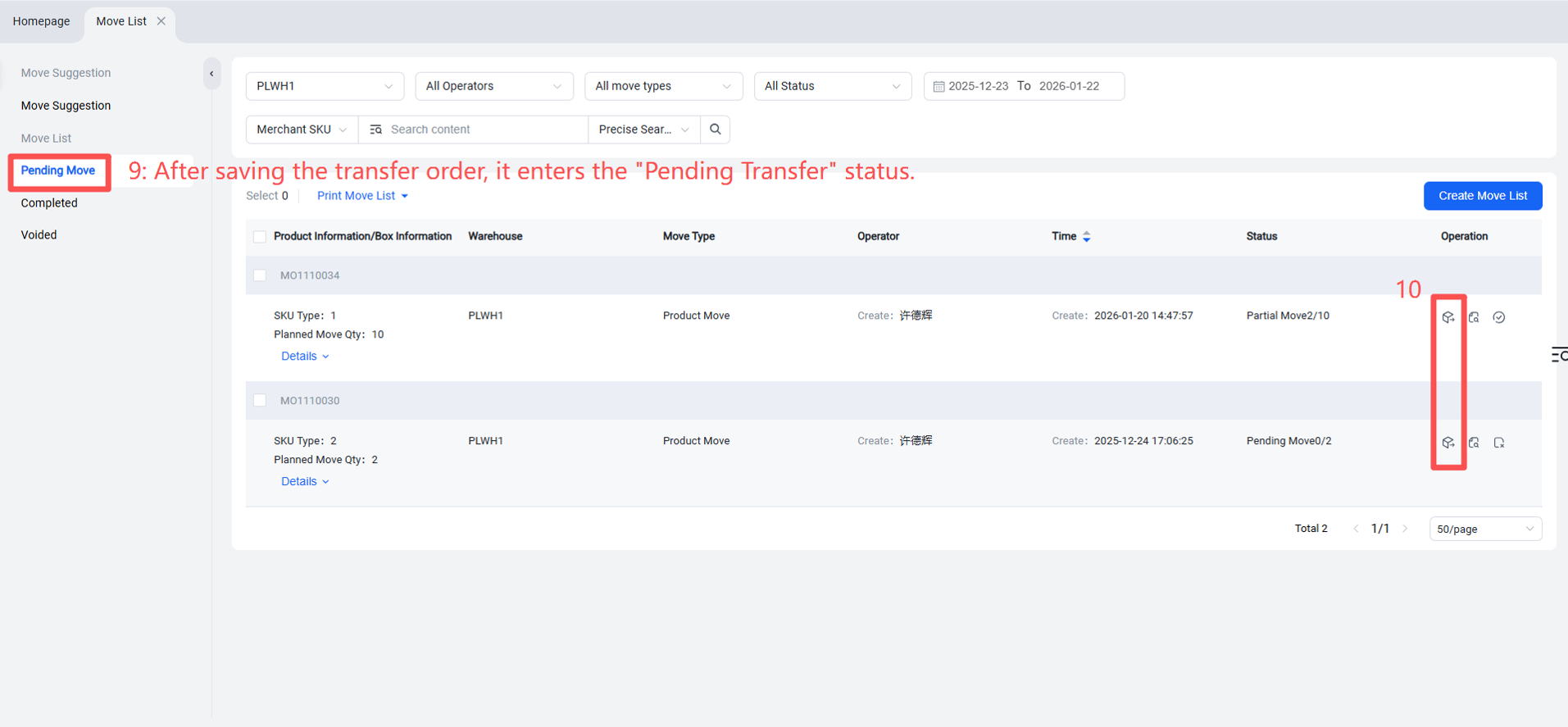
When the lower inventory limit set for a product is triggered and an alert is generated, it will appear under Regular Transfer.
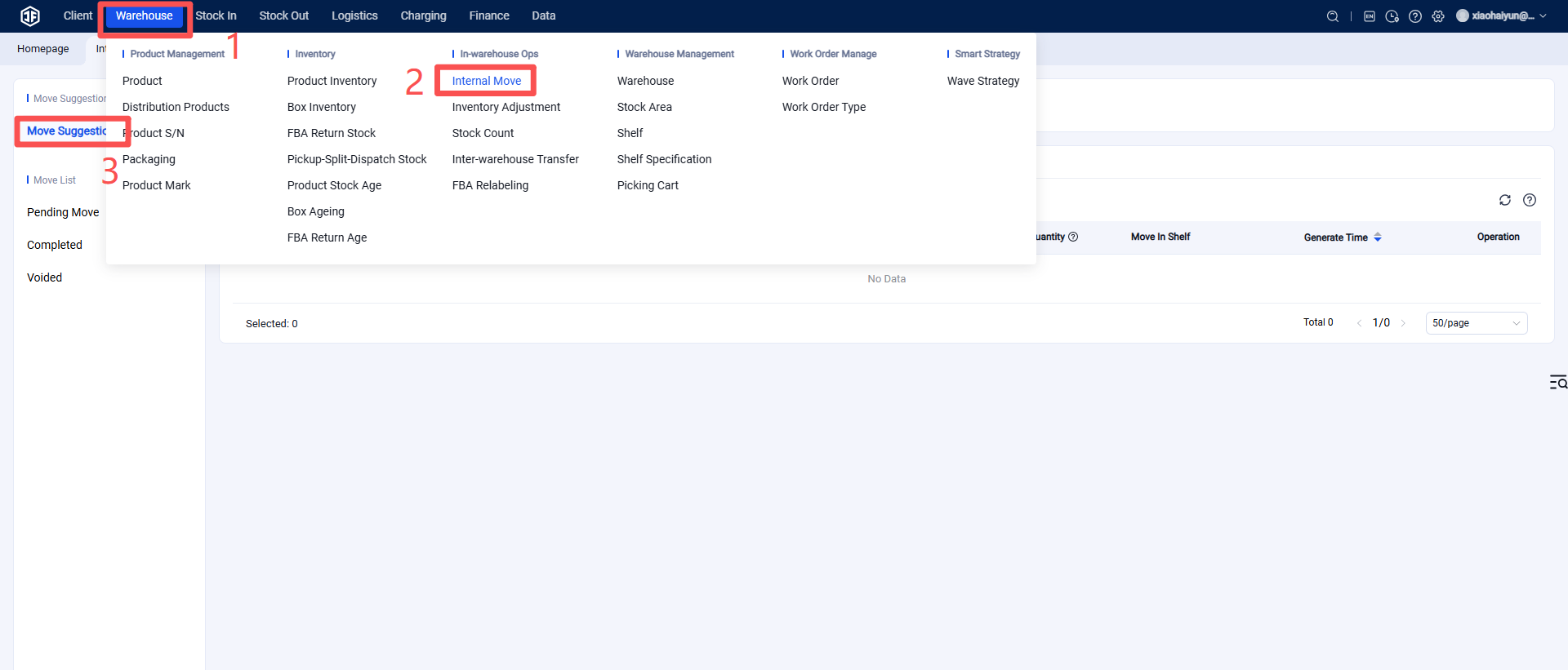
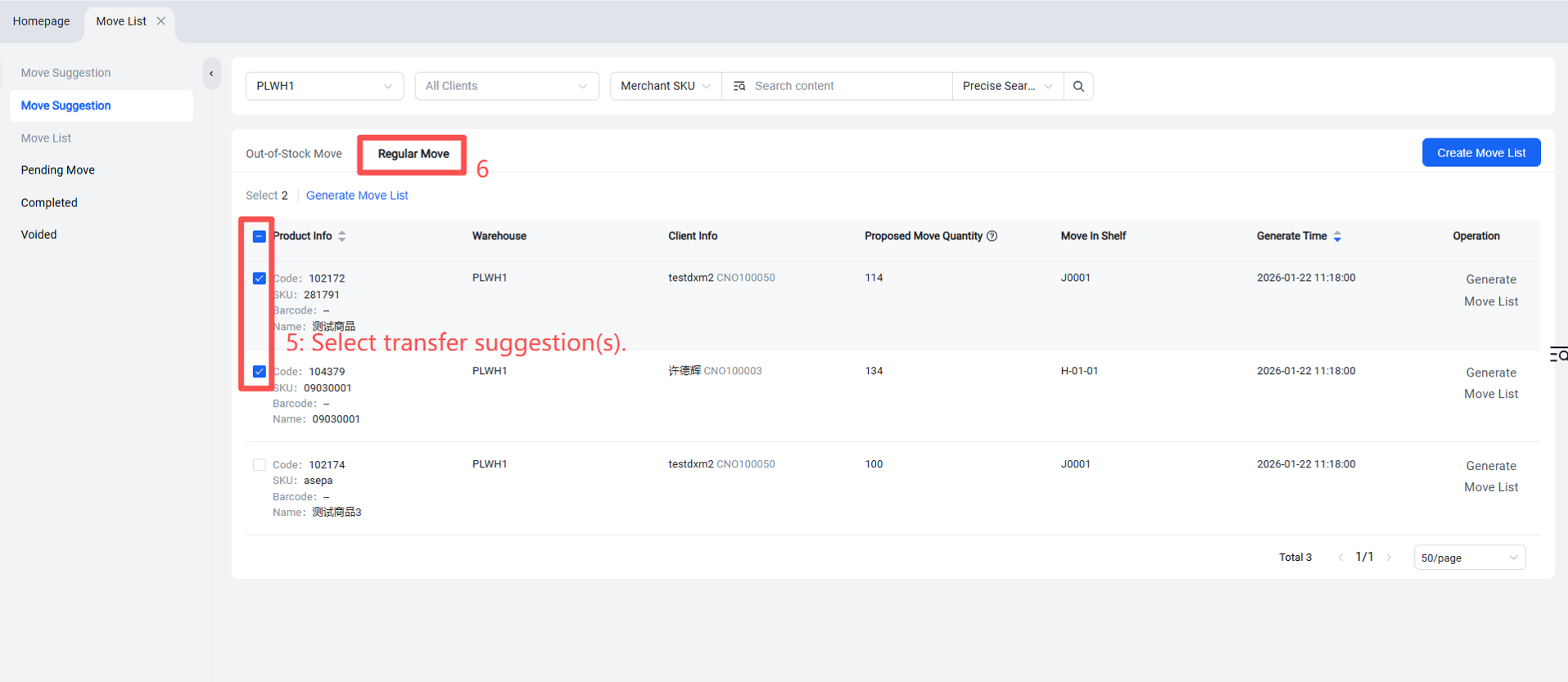
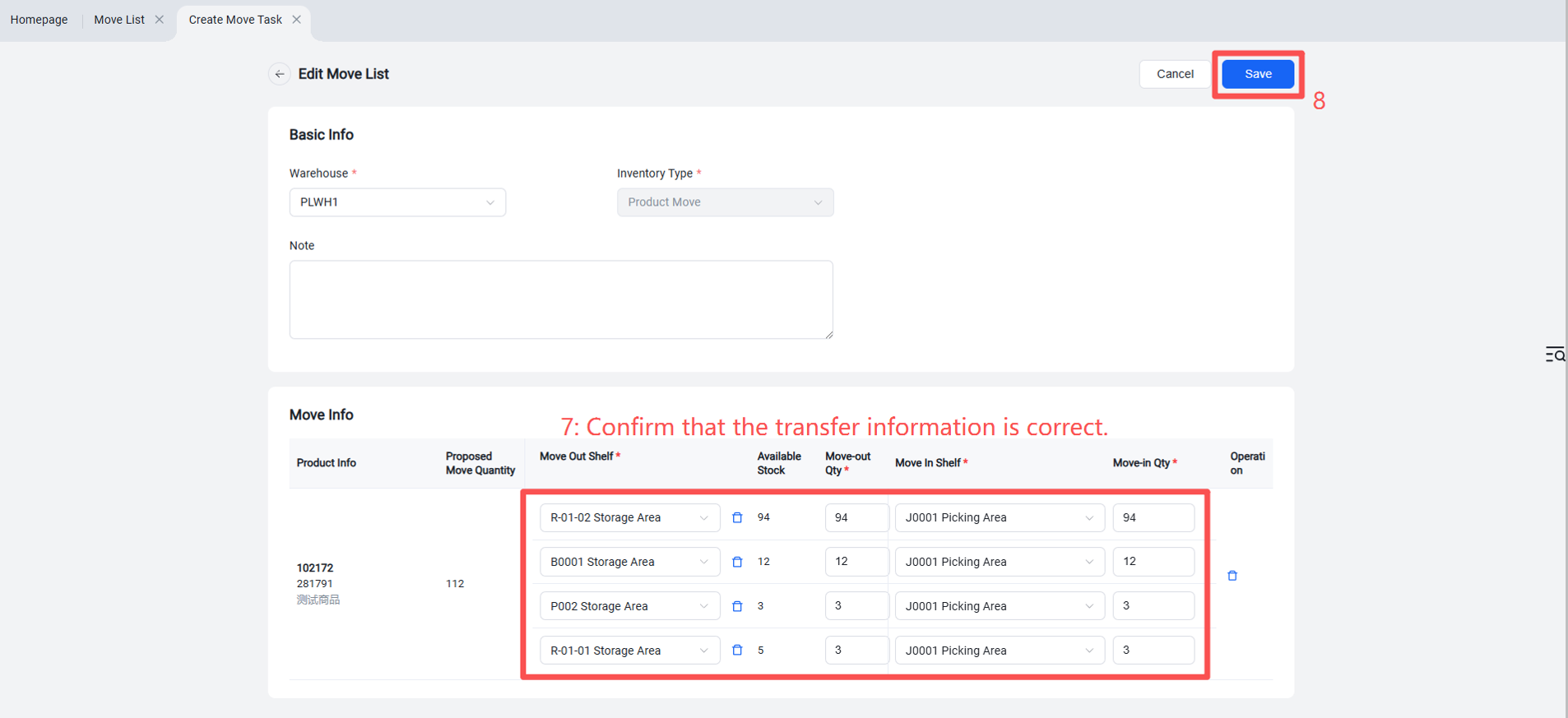
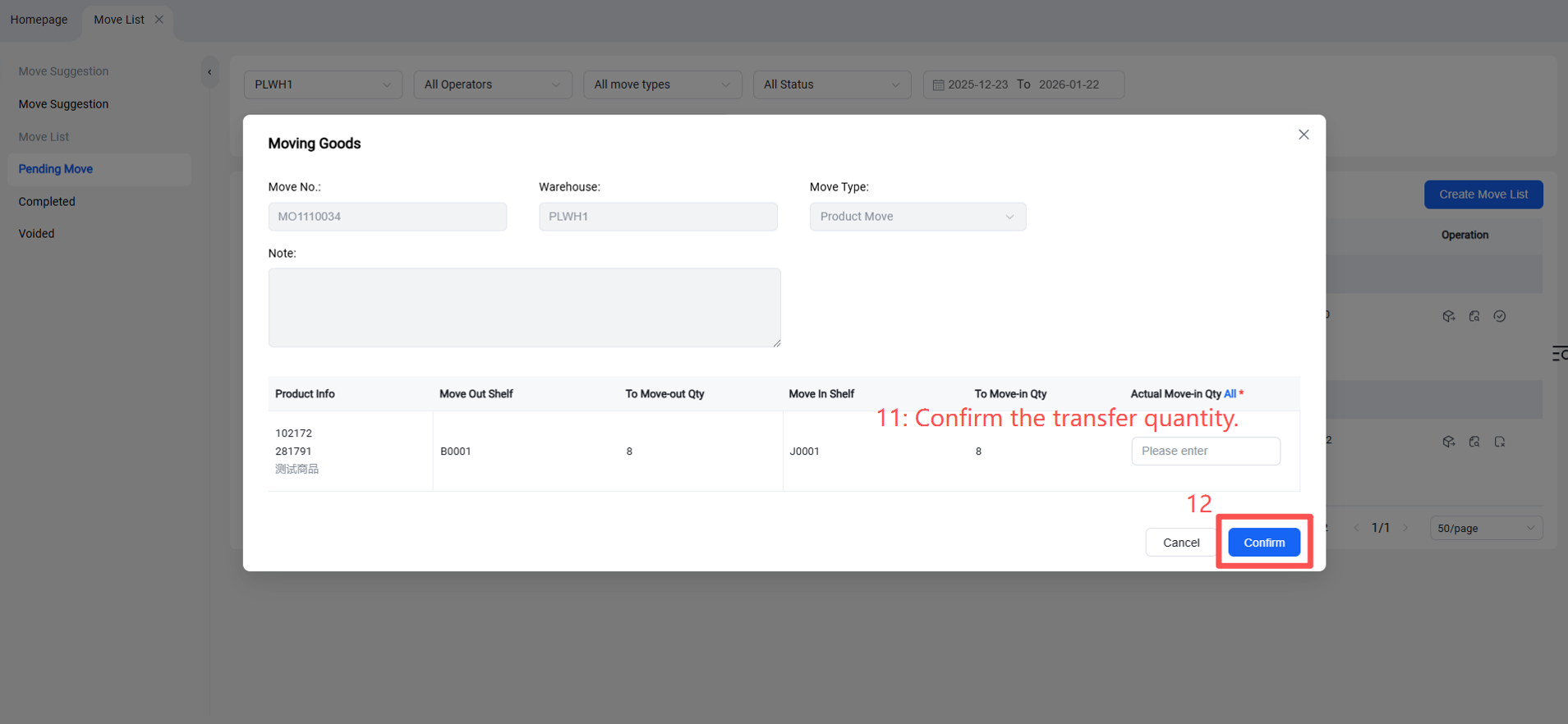
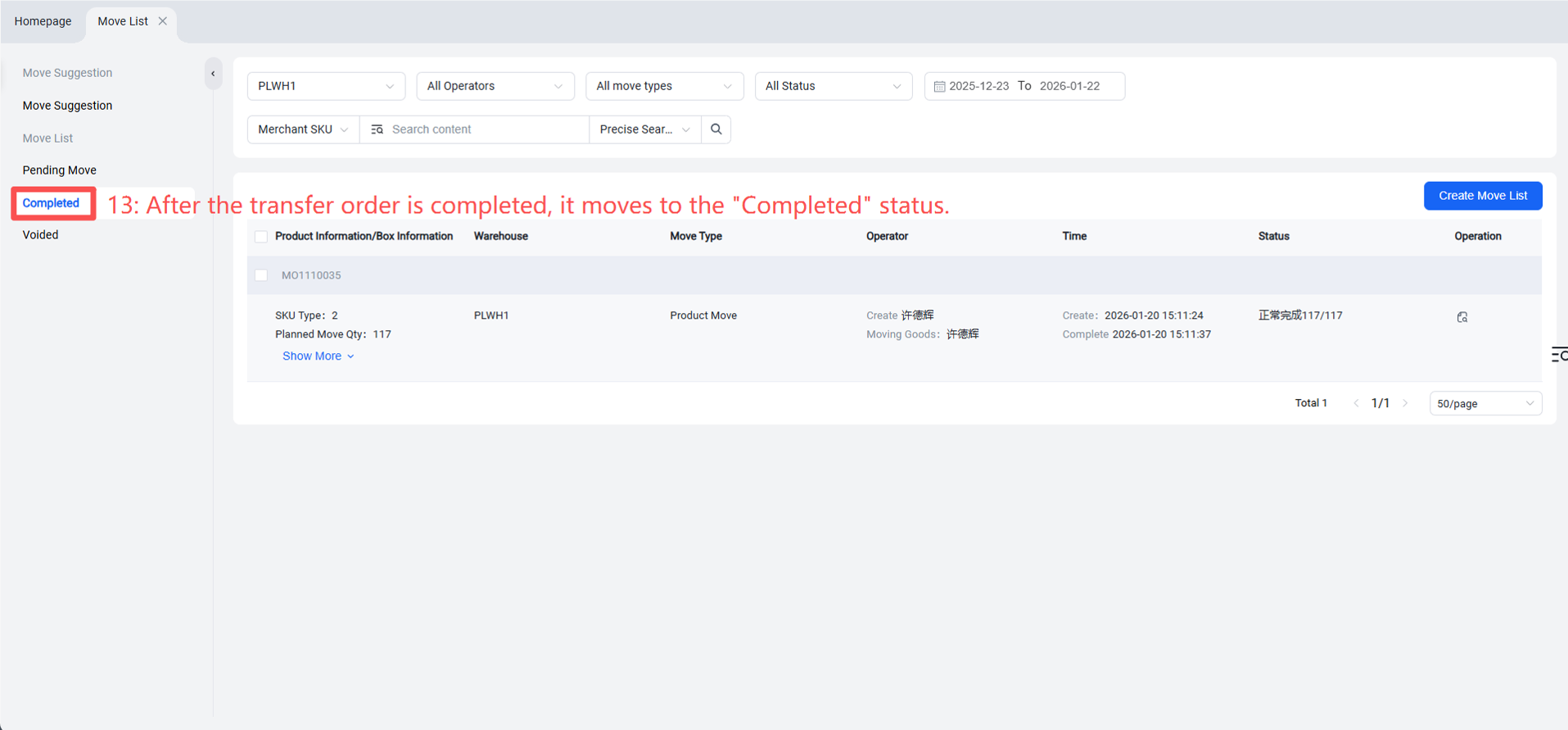
Warehouse Terminal (WMS) > Inventory > Internal Transfer > Regular Transfer > Select transfer suggestion > Generate transfer order > Confirm transfer details > Pending Transfer > Click "Transfer".