Warehouse Product Inventory Count
Updated on 10 Jun,2026
Copy Link
I. Definition
When inventory counting is required, create a stock‑take order in the system. Warehouse personnel then count the actual quantities based on the order, and after completion, enter the data into the system as a record.
II. Operation Path
Step 1: Create Stock‑Take Order
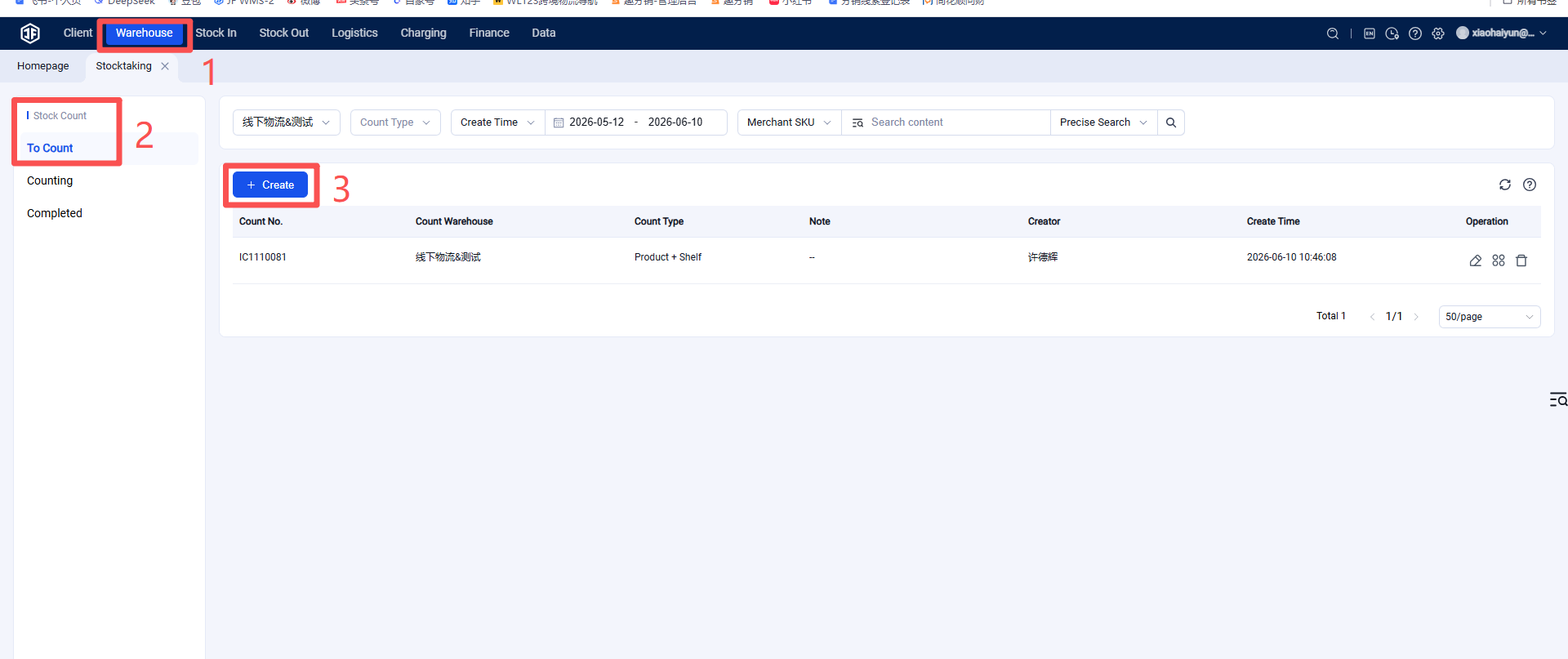
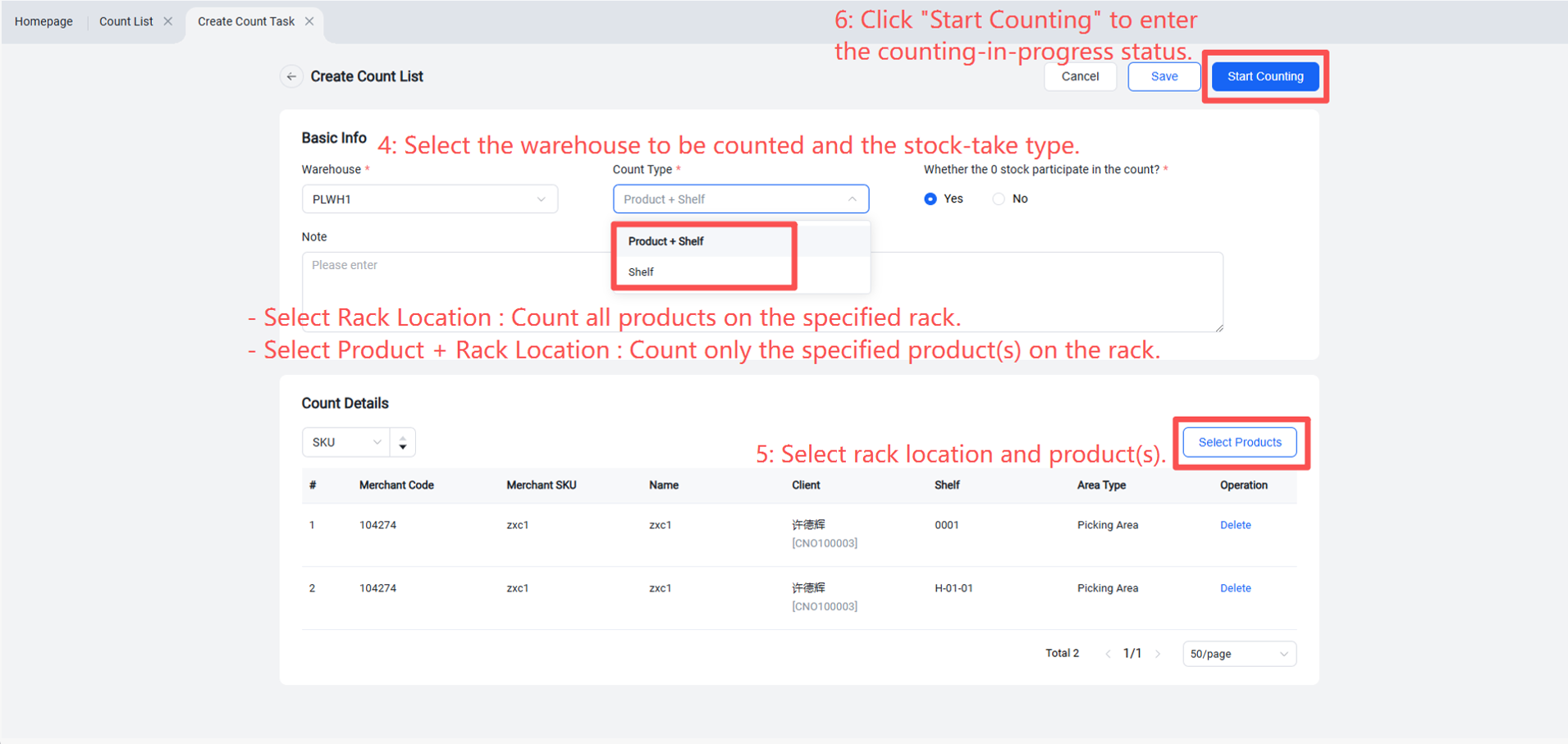
Warehouse Terminal (WMS) > Inventory > Stock Take > Create New > Select warehouse, stock‑take type, and products to be counted > Start Counting.
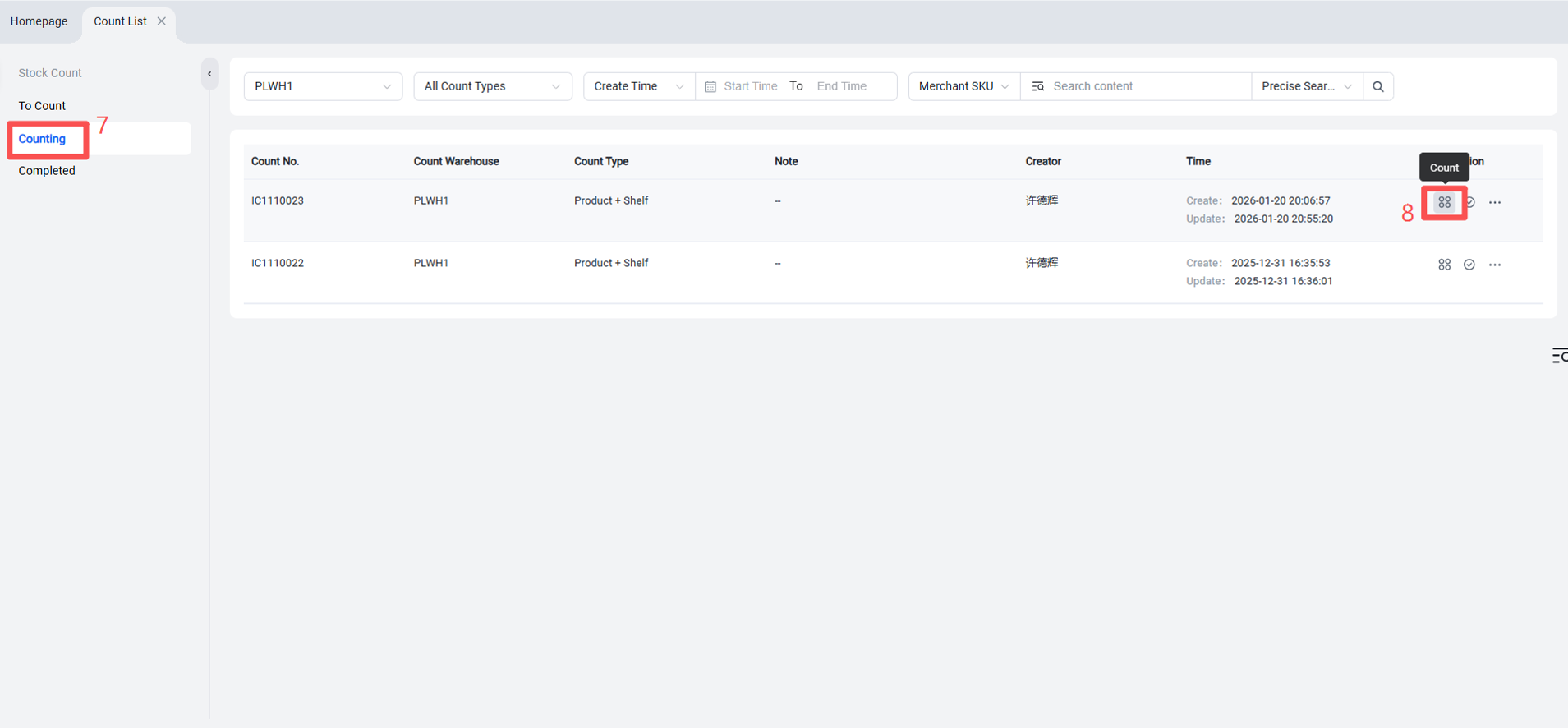
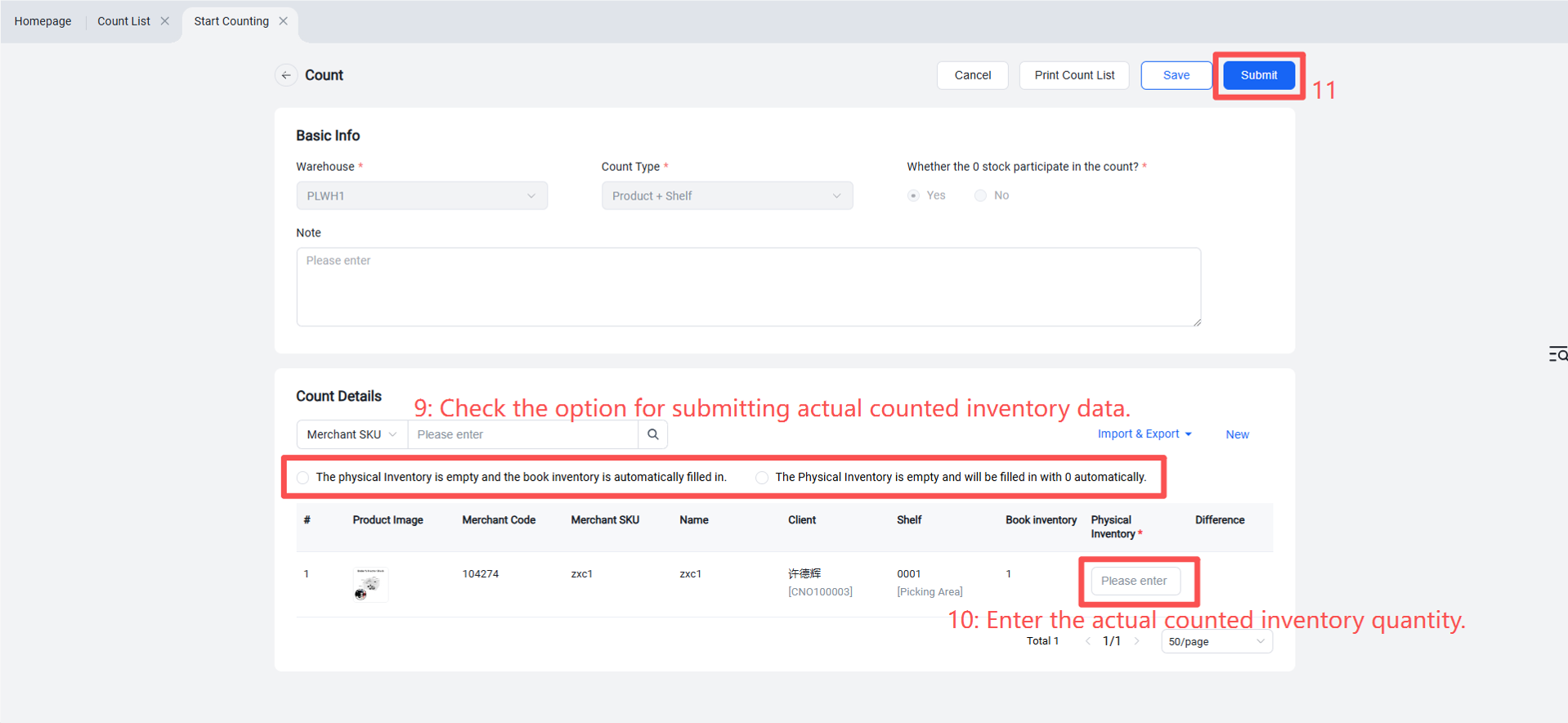
Step 2: Count Inventory