View Warehouse Product Aging Report
Updated on 10 Jun,2026
Copy Link
I. Definition
View aging reports for all products in the warehouse to facilitate optimization of product strategies or timely loss mitigation.
Aging reports for dropshipping, B2B, and FBA return inventory can be viewed.
II. Operation Path
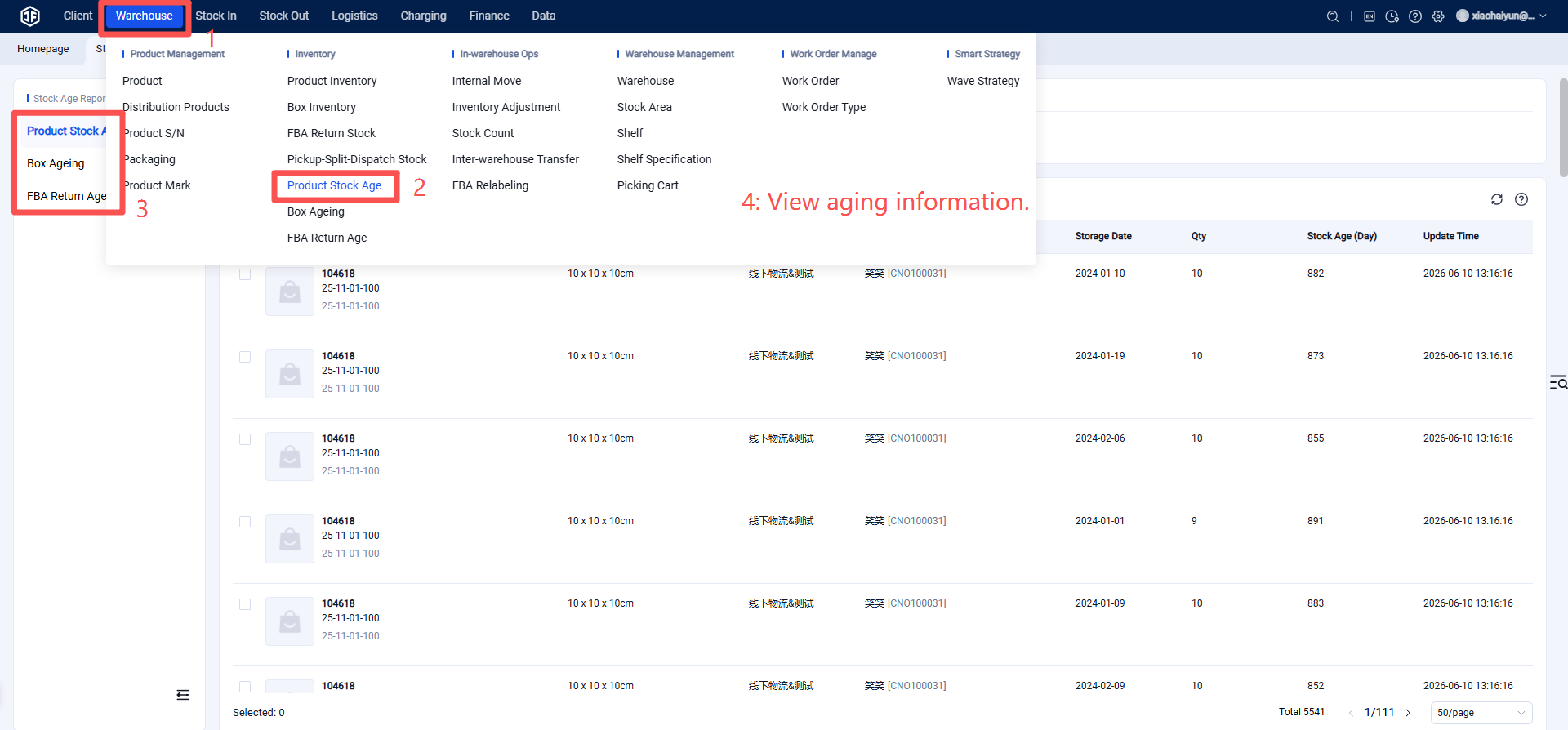
Warehouse Terminal (WMS) > Inventory > Inventory Reports > Select the type of aging report to view > View aging report.
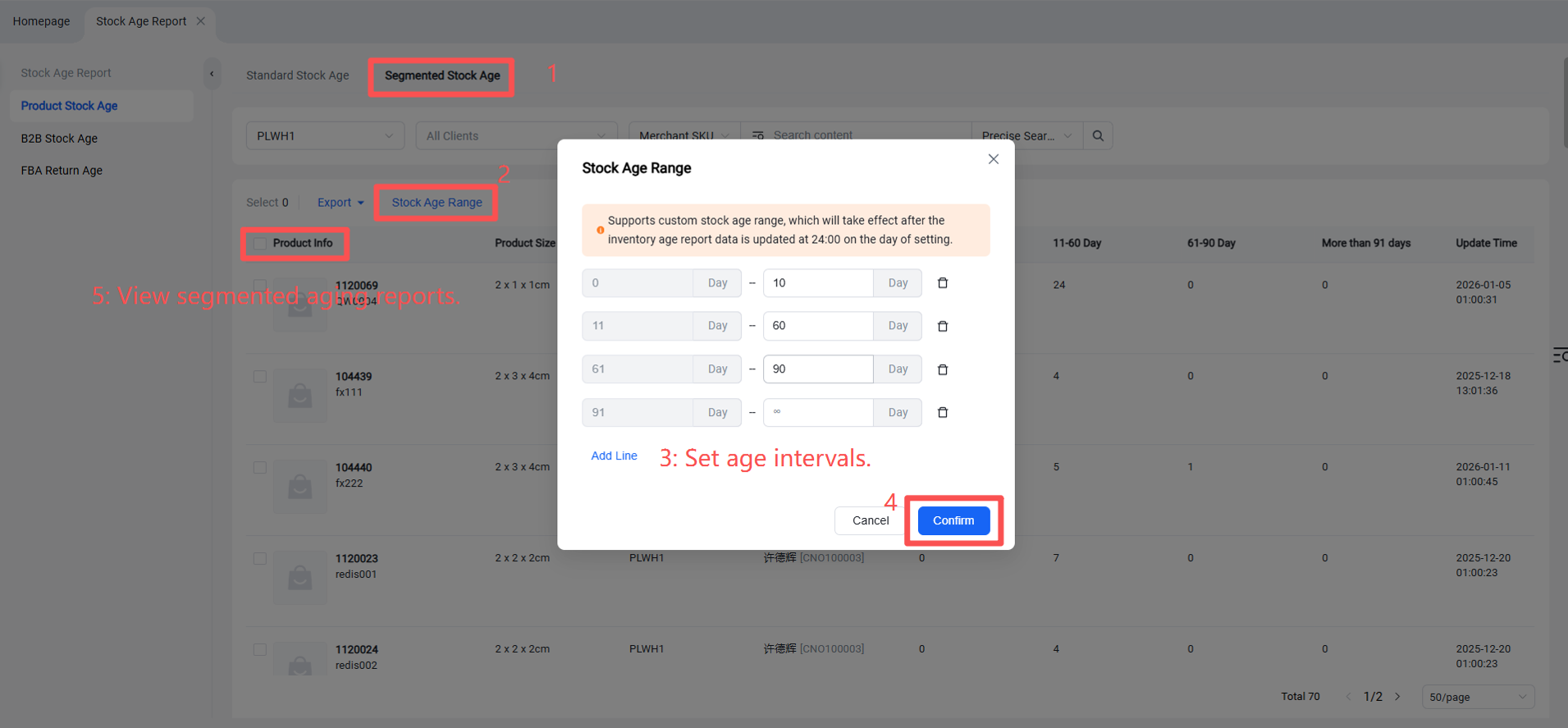
Note: You can view standard aging reports, as well as segmented aging reports. Custom age intervals can be defined to view products within specific aging ranges.
Specific Operation: Segmented Aging > Set Age Intervals > View Segmented Aging Reports.