Generate Invoice, Client Reconciliation
I. Definition
After business fees are generated into an invoice, they will appear in the Accounts Receivable section for reconciliation.
II. Operational Path
Step 1: Generate Invoice
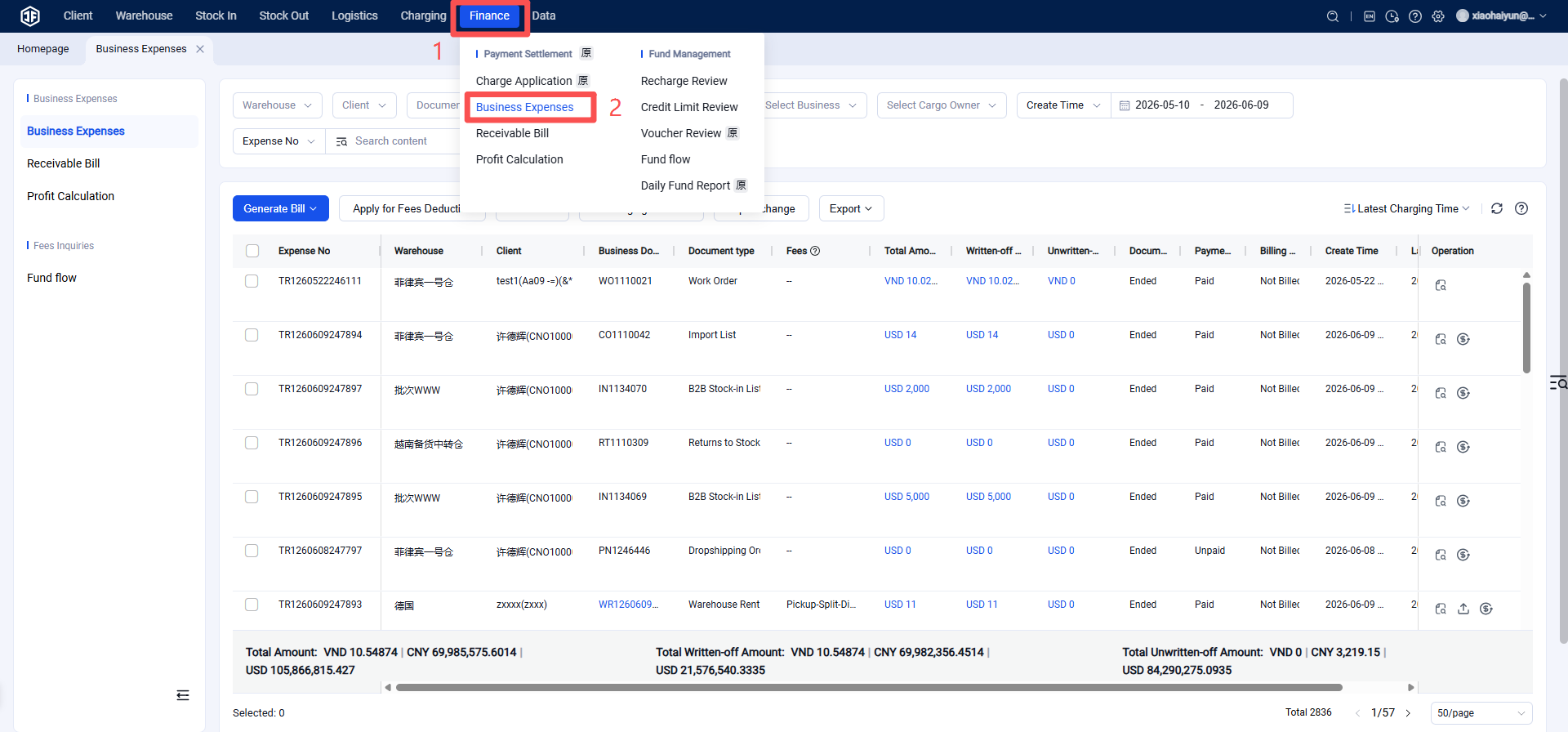
Warehouse WMS > Fees > Business Fees > Check the business fee items and select to generate an invoice.
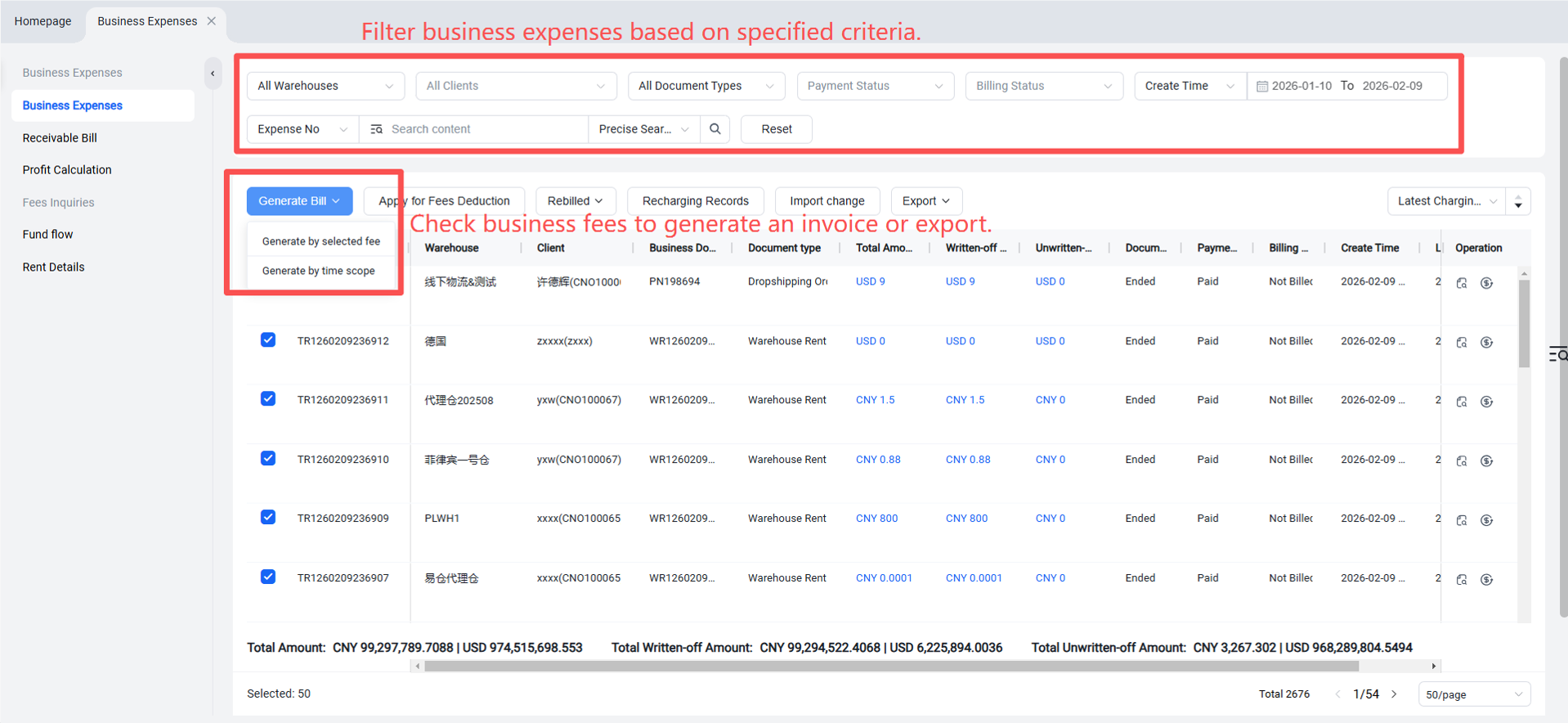
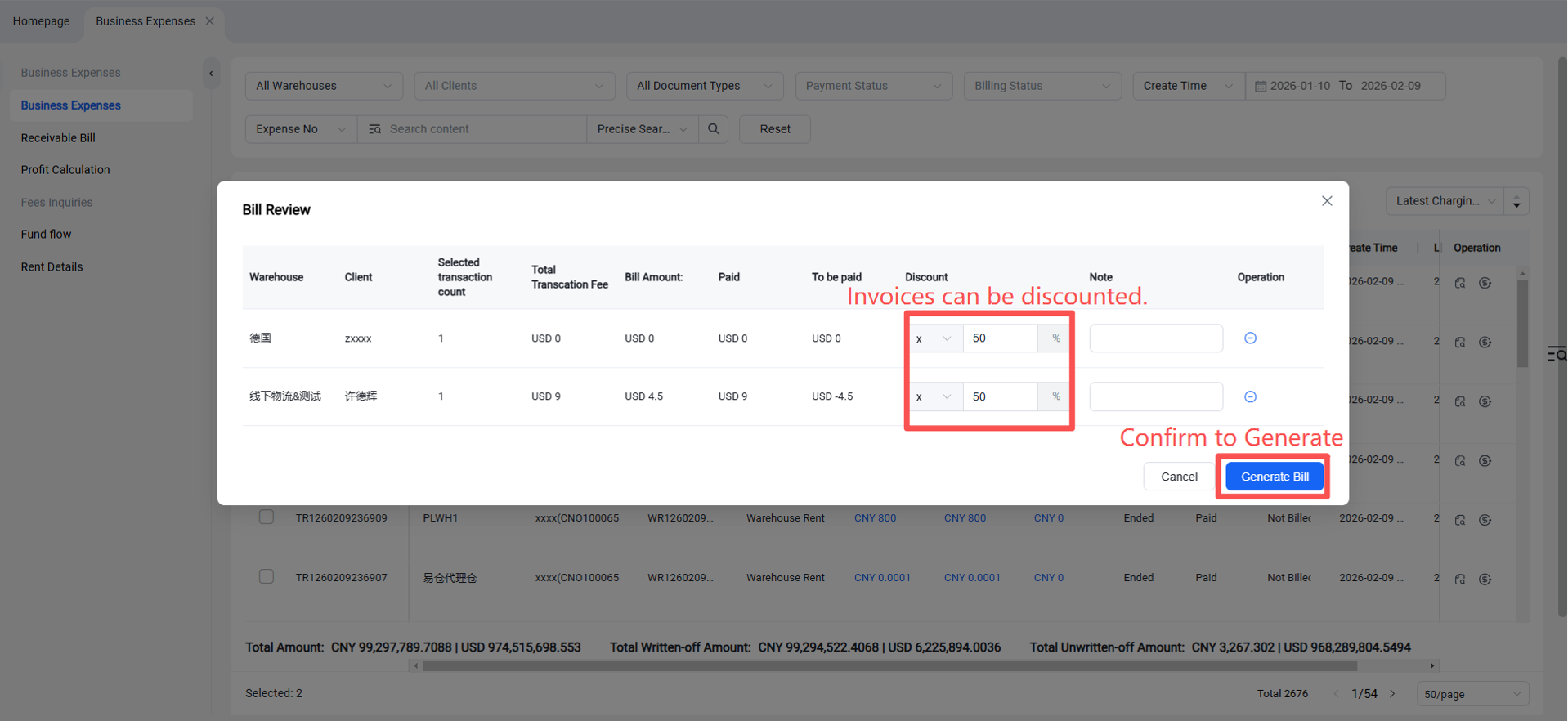
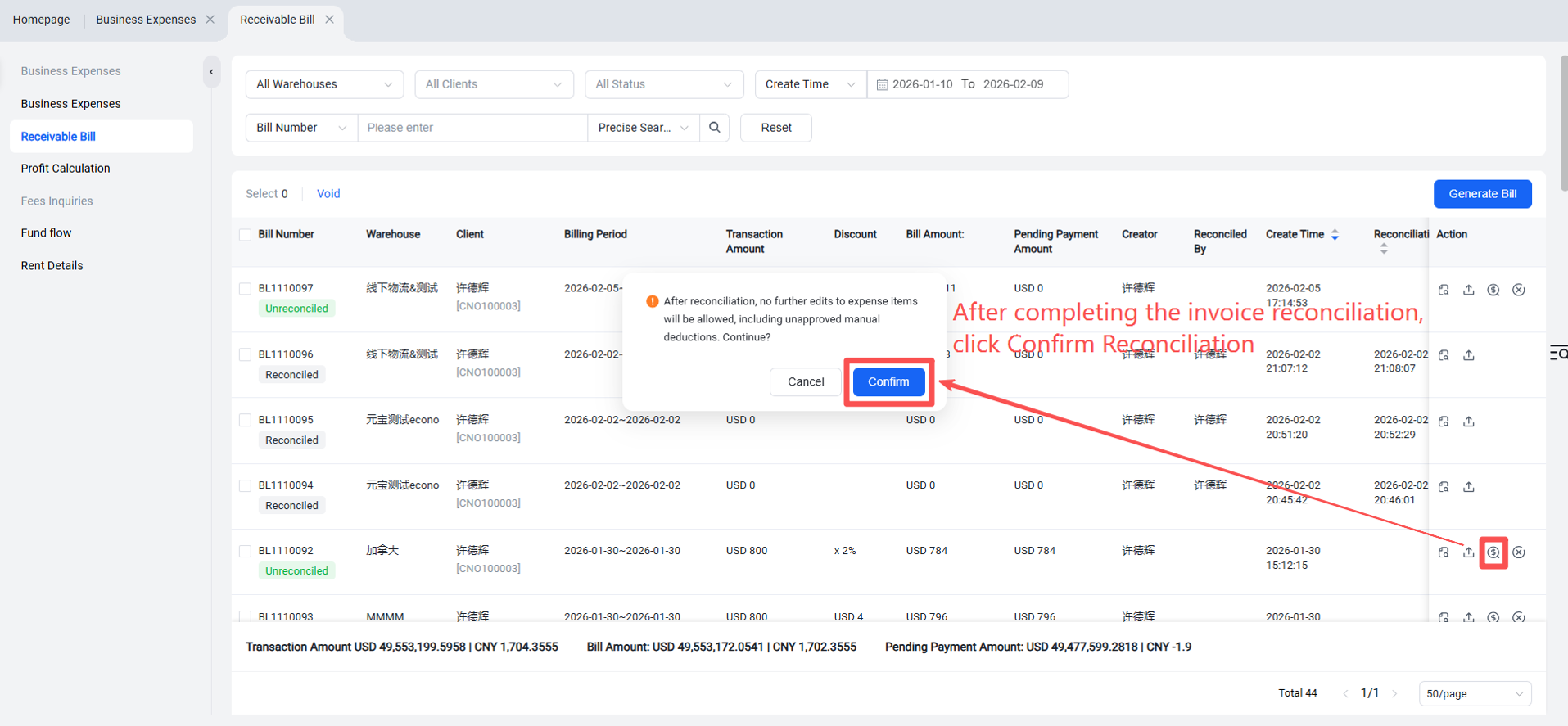
Once an invoice is generated, the fee items within those business fees can no longer be modified, including any unapproved manual charges which will also fail to be approved.
Step 2: Reconcile Invoice
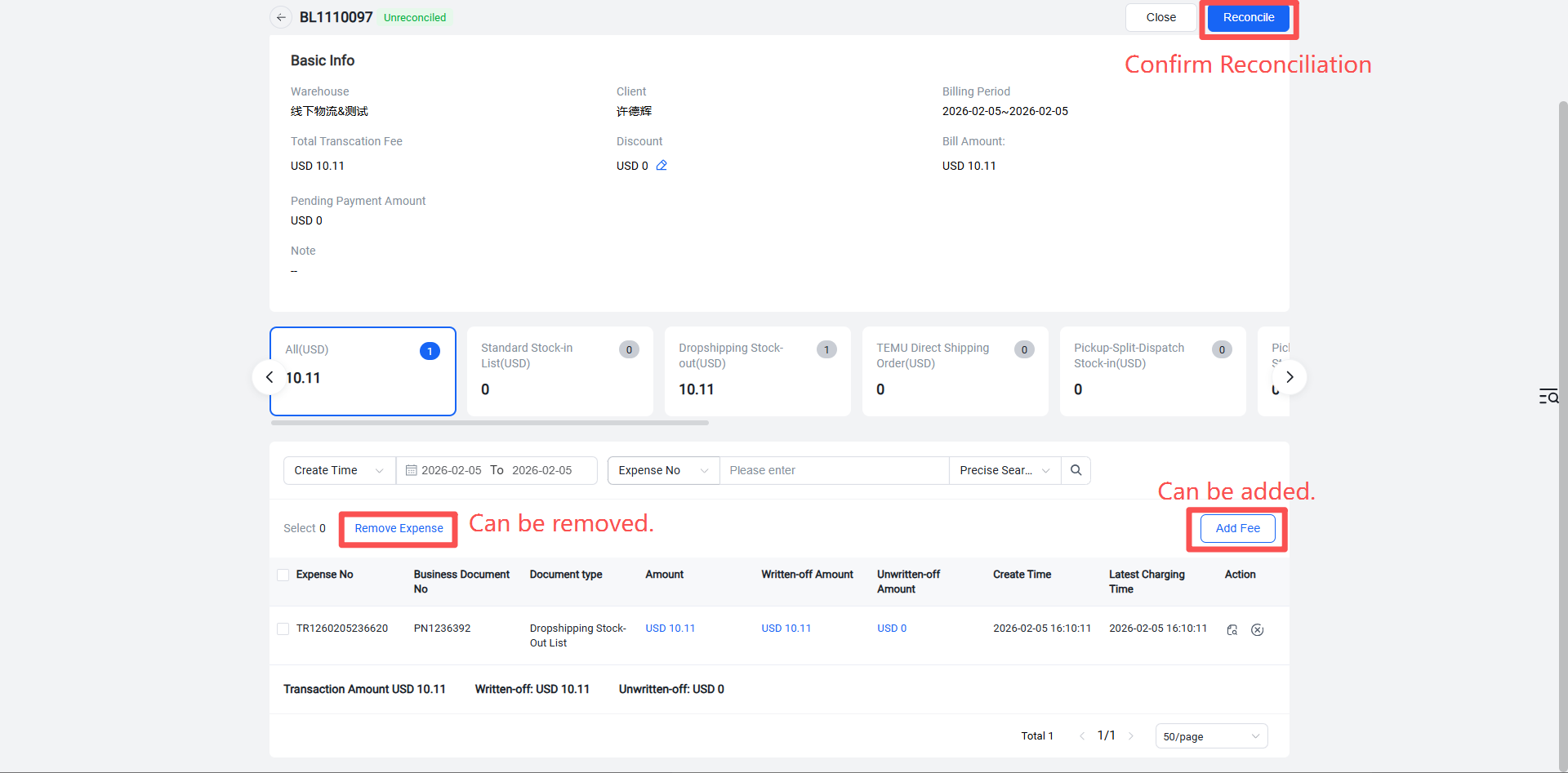
Warehouse WMS > Fees > Business Fees > Accounts Receivable > Invoice Reconciliation > Confirm Reconciliation.
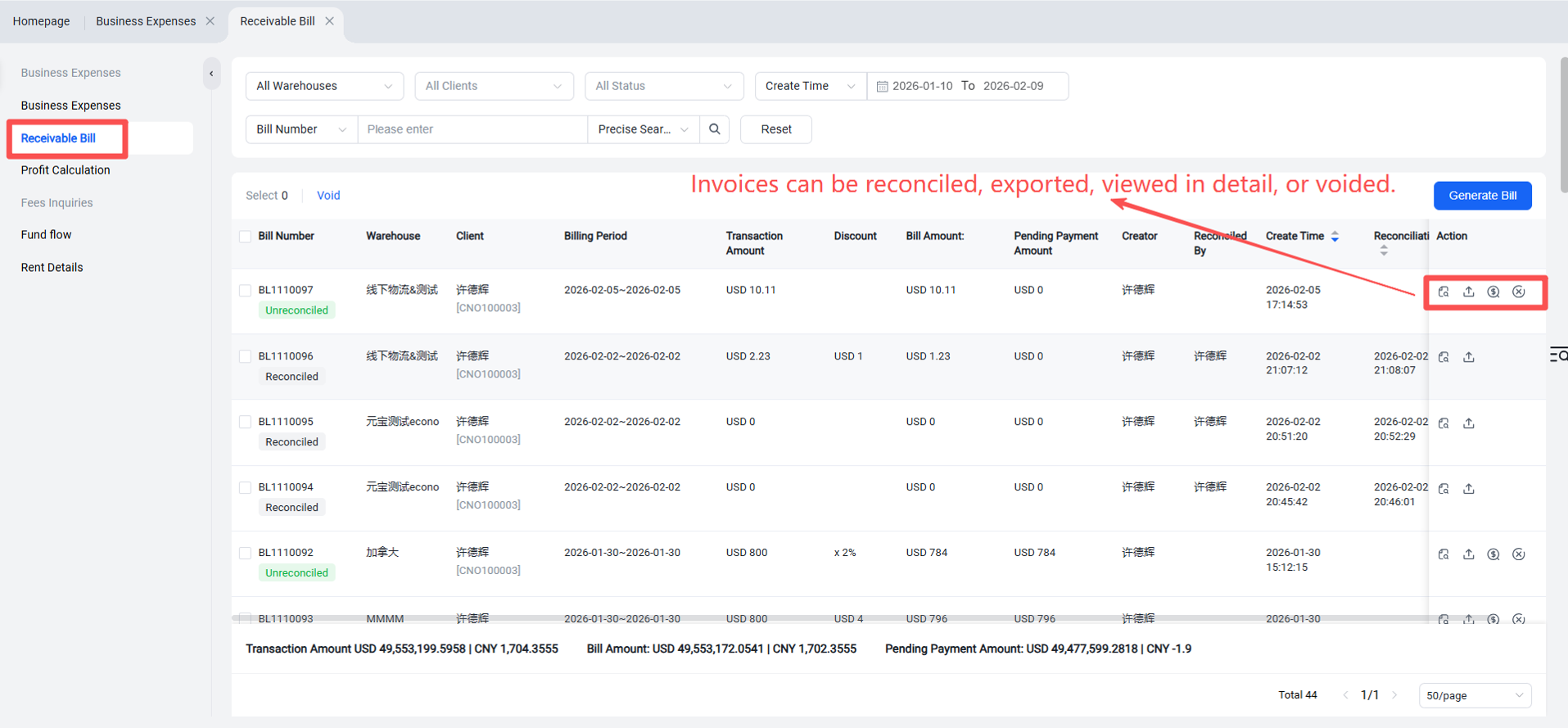
Click the icon to view invoice details and enter the details page.
Reconciled Invoices: Can only be viewed, not edited.
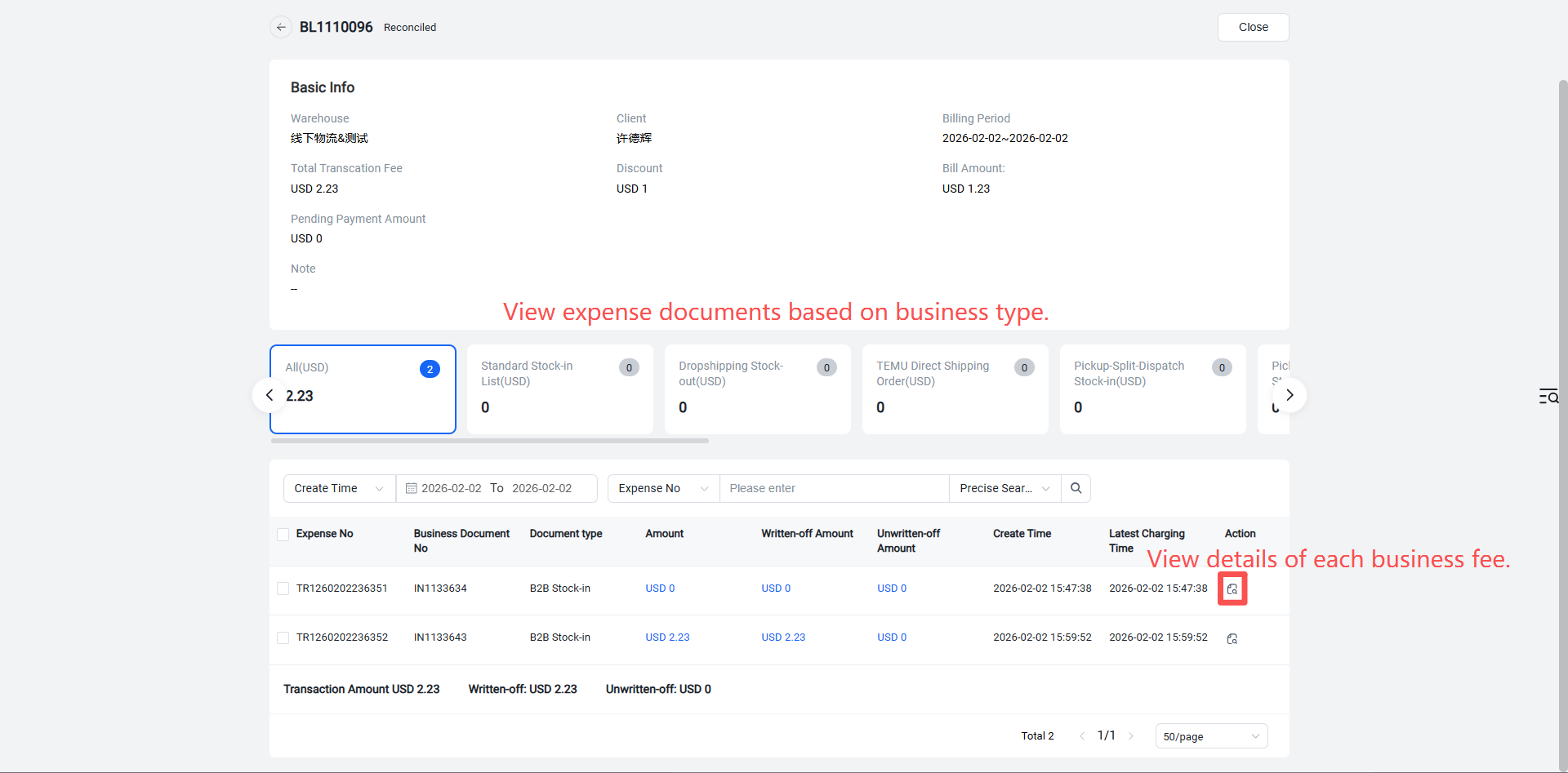
Unreconciled Invoices: Fees can still be added or removed.